
Jobber is the best landscaping business software for most small crews, because it covers quoting, scheduling, invoicing and payment in one app that a crew can learn in a day, starting at 29 dollars a month. LMN is the better choice when bad estimates are the problem, because its production rate estimating and job costing show the true profit on every job before you send the quote. Yardbook is the pick when the budget is zero. The right choice depends on crew size and on whether estimating, routing or day to day scheduling is the bottleneck, and this guide matches each tool to the business it fits.
We compared 10 tools on the work a landscaping business actually does. We checked estimating, scheduling, route optimisation, crew time tracking, job costing, invoicing and payment, using vendor pricing pages and current 2026 roundups, and we priced each tool for a solo operator, a five person crew and a 20 person firm, because a tool that is cheap for one truck can be expensive for 10. Prices change often, so confirm the price on the vendor page before you buy, and treat any quote based price as a starting point for a conversation, not a final number.
The split that matters most is between general field service tools and tools built for the green industry. Jobber and Housecall Pro serve many trades and handle the office to field workflow well. LMN, Aspire, SingleOps and Service Autopilot were built for landscapers, and they understand production rates, recurring mow routes, snow work and job costing in a way a general tool does not. A solo operator mowing 40 lawns a week needs a different tool from a commercial firm bidding million dollar maintenance contracts, and the sections below say which is which.
How We Compared 10 Tools
We scored each tool on five points that decide whether a landscaping business makes money, and that scoring is what separates the best landscaping business software from a generic scheduler. Estimating covered whether quotes come from real labour rates, material costs, equipment hours and overhead, or from a flat guess. Scheduling covered recurring routes, crew dispatch, drag and drop changes and weather driven rescheduling. Job costing covered whether actual costs are tracked against the estimate while the job runs, not after it ends. Field usability covered whether the crew app works with gloves on, offline, and on a cheap phone. Price covered the true monthly cost at a real crew size, including per user fees that multiply fast.
We also noted ownership and integration, because the green industry has consolidated. LMN and SingleOps are both owned by Granum, and Aspire and Crew Control are both under ServiceTitan, which affects where each product is heading. A tool that integrates with your accounting software and your payment processor saves hours a week, while a tool that needs a second product for marketing or reviews adds a second bill. The best pick table below gives the short answer, and the full sections give the evidence behind it.
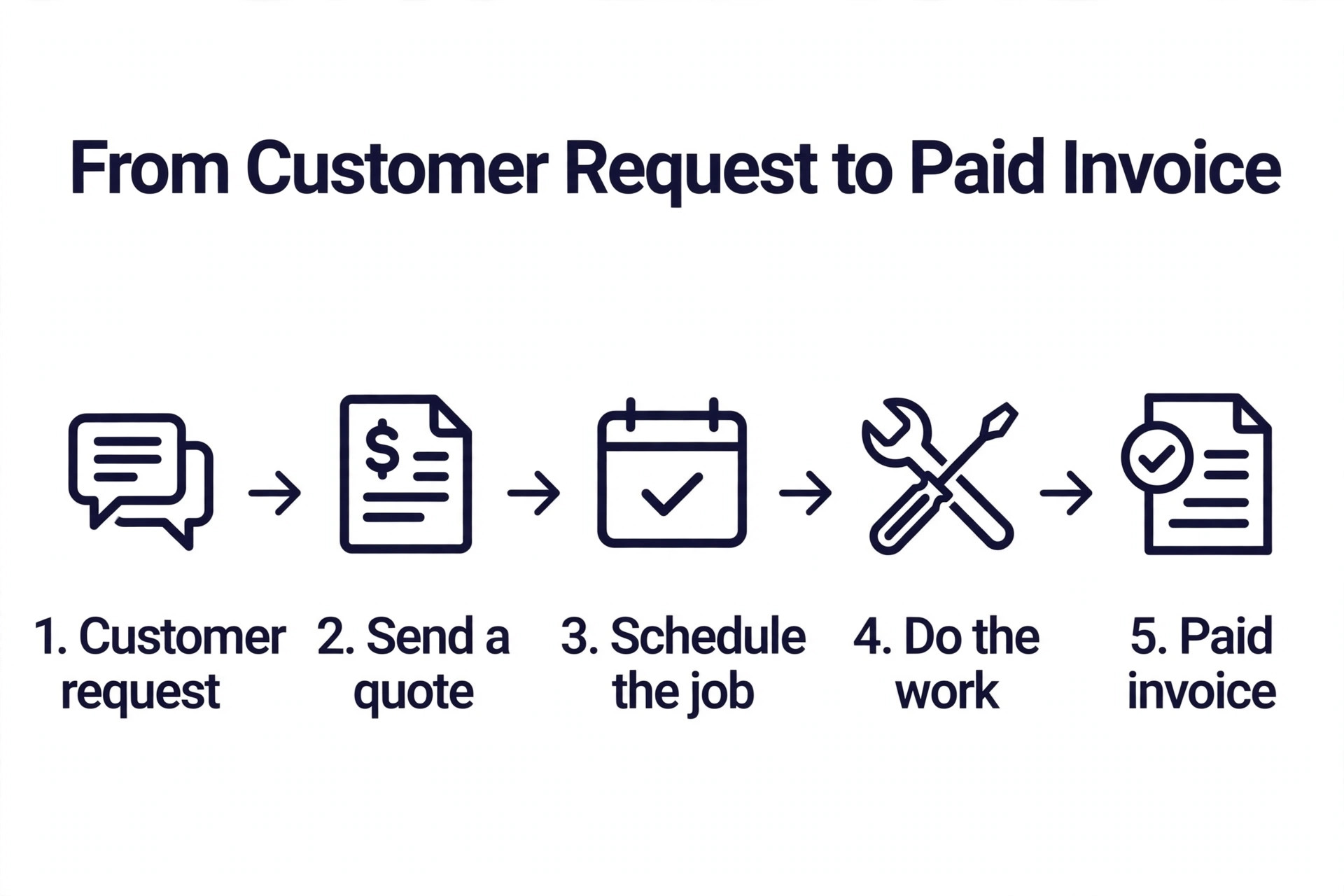
Which Tool Fits Your Job
| Job | Pick | Why it wins |
|---|---|---|
| A small crew that wants one app | Jobber | Quote, schedule, invoice and get paid from 29 dollars a month |
| Estimating and job costing | LMN | Production rate estimating with budget to actual tracking |
| Commercial and large residential work | Aspire | Deep financials and job costing for big contracts |
| Tree care and commercial proposals | SingleOps | Map based scheduling with options based proposals |
| A solo operator on a zero budget | Yardbook | Free tier covers scheduling, invoicing and chemical tracking |
| Recurring routes with heavy automation | Service Autopilot | Automation that runs recurring service hands off |
| Seeing profit before you quote | GreenMargins | Shows labour, travel, overhead and profit before you send |
Use this table as a shortcut, then read the section for the tool that matches your crew size. The cheapest tool for a solo operator is rarely the cheapest for a 10 person crew, and the estimating section of each review shows where the real money is won or lost.
The Best Landscaping Business Software in 2026, Ranked
The 10 tools below fall into three groups. The first group is the general field service platforms that suit small crews and mixed home services. The second group is the green industry specialists built for estimating, job costing and commercial work. The third group is the budget and niche picks for solo operators, tree care and quoting. Read the group that matches your size, then compare the two or three tools inside it.
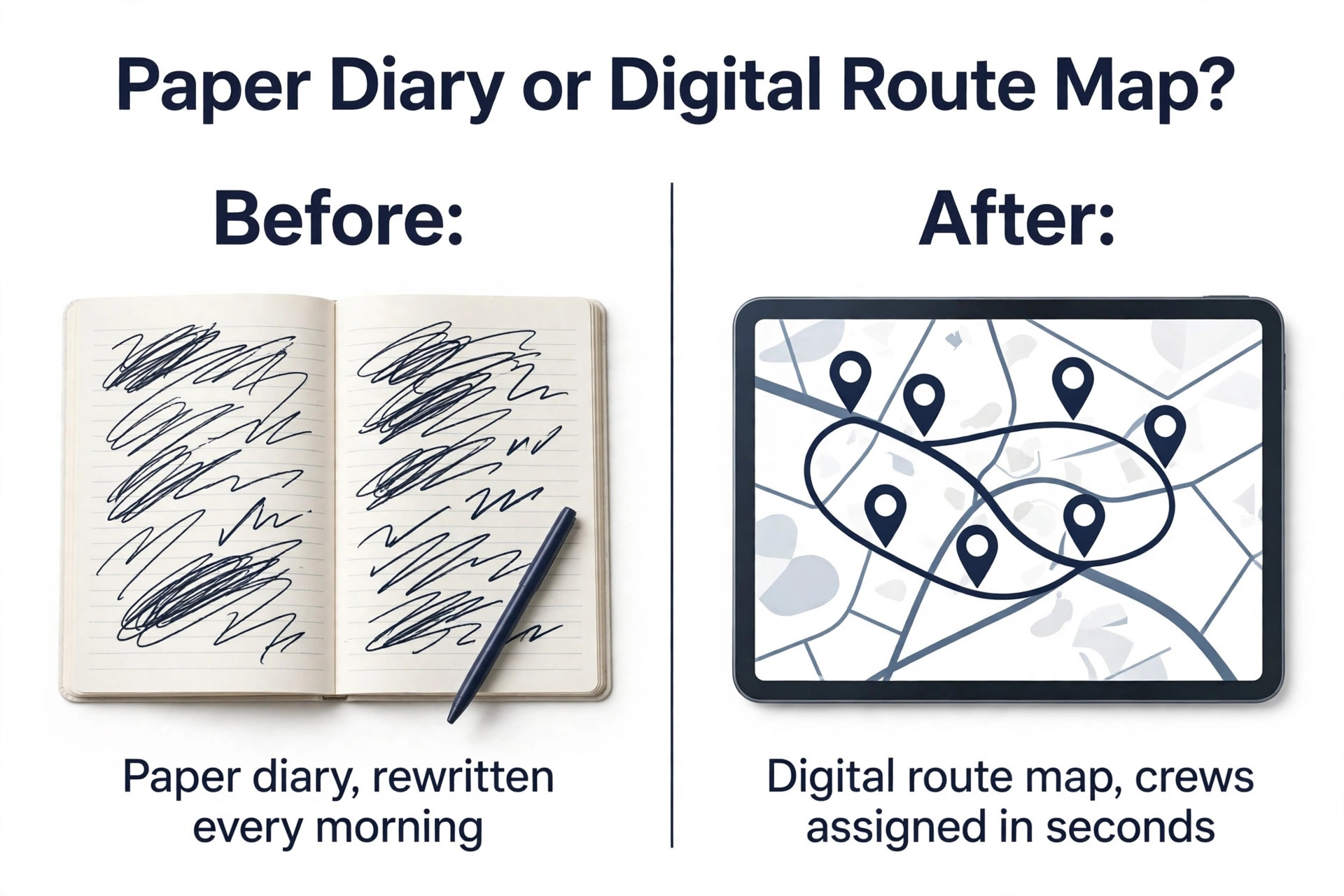
1. Jobber
Jobber is the most balanced choice for a small landscaping team, and it is the easiest to deploy. It covers requests, quotes, recurring and one off jobs, scheduling, dispatch, routes, customer notifications, a crew app, invoices, payments and a customer hub where clients can approve quotes and pay online. The interface is clean, a new crew member can learn it in a day, and the mobile app works well in the field, which is why so many small firms start here and stay here.
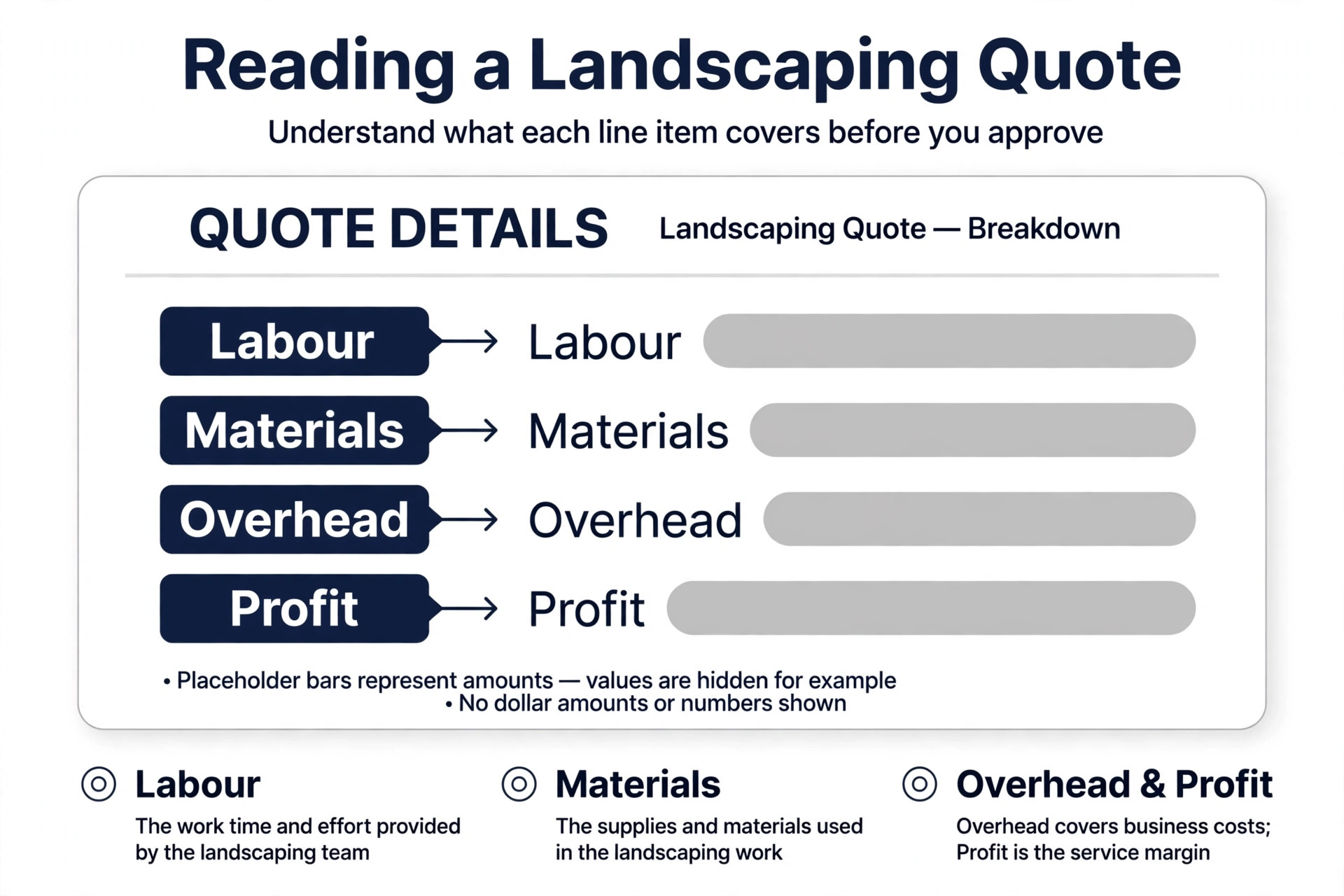
Pricing is transparent and starts at 29 dollars a month for the Core plan for one user on annual billing, with Connect and Grow tiers above it adding scheduling depth, automated quote follow ups and job costing. One roundup puts Core at 39 dollars a month and Connect at 129 dollars, so the exact figure depends on the plan and the billing period you choose, and you should confirm it on the pricing page.
The limitation is estimating. Jobber estimating is basic, with no material takeoffs or labour budgeting to match LMN, so a firm that loses money on bad quotes will outgrow it. For a crew of one to 10 people that needs the office to field workflow in one app, Jobber is the default pick.
2. LMN
LMN, now LMN by Granum, was built by landscapers for landscapers, and it shows in the estimating module. Quotes are built from actual labour rates, material costs, equipment hours and overhead recovery, so the price you send reflects the true cost of the job. The budgeting tools track actual costs against the estimate in real time, and firms that switch often report improving margins by 10 to 20 percent in the first year, because they finally see which jobs make money and which ones do not.
Pricing is the trade off. The Starter plan costs 297 dollars a month and includes one office or crew lead licence plus five crew licences, with a one time onboarding fee, and the Professional plan costs 648 dollars a month with three office licences and 15 crew licences. That is a serious bill for a small firm, and setup takes real time, including entering historical data and production rates. LMN suits established firms that bid larger jobs and need estimating discipline more than they need a simple scheduler. A solo operator or a two person crew will find it too much tool and too much money.
3. Aspire
Aspire is the heavyweight of dedicated landscaping software, and it is built for commercial and large residential work. Estimating builds from production rates, crew scheduling handles multiple divisions, job costing tracks labour and materials as work happens, and dashboards give owners a view across contracts, properties and equipment. It also covers snow operations and contract billing, which matters for firms whose winter revenue comes from ploughing. Aspire is now part of ServiceTitan, and it is operated as a standalone commercial product inside that group.
Pricing is quote based, with no published price, and third party estimates put it at several hundred dollars per user per month, which puts it out of reach for small firms. Aspire itself routes companies under roughly one to three million dollars of revenue toward Crew Control, its smaller sibling. Aspire suits firms with 20 or more crew members, commercial contracts and a need for deep financial control. A residential mow and go business should not buy it, because the implementation cost and the per seat price will never pay back at that scale.
4. SingleOps
SingleOps is a modern green industry platform with a clean interface and strong commercial sales features, and it is now positioned as tree care and arborist software under Granum. It covers proposals, scheduling, client management, invoicing and payments, with map based scheduling, options based proposals that let a client pick a good, better or best package, and route optimisation for crews. The proposal tool is the standout, because it turns an estimate into a professional document that helps close larger jobs.
Pricing is published. The Essential plan costs 200 dollars a month billed annually, or 220 dollars month to month, and the Plus plan costs 350 dollars a month billed annually, with Premier at 500 dollars a month. Extra office users cost more, while crew users are free, which keeps the bill predictable as the field team grows. Route optimisation is gated to the Premier tier, which is a real cost for high density route work. SingleOps suits tree care firms and commercial landscapers who live or die by estimates and proposals. Pure mowing firms will get more value from a simpler scheduler.
5. Yardbook
Yardbook is the free starting point for solo operators and tiny crews, and more than 20,000 companies run on it according to the vendor. The free tier covers customer records, scheduling, invoicing, chemical tracking and basic reporting, which is enough to run a lawn care business of up to 40 accounts without paying anything. The Business plan costs 35 dollars a month and the Enterprise plan costs 50 dollars a month, adding more capacity and features for growing firms.
The limits are honest. Yardbook has fewer reports and weaker job costing than LMN or Aspire, and its scheduling is basic compared with Jobber. It will not tell you the true profit on a job, and it will not automate marketing the way Service Autopilot does. For a solo operator starting out, those limits do not matter, because the alternative is a spreadsheet and a paper diary, and Yardbook is far better than both. Yardbook suits owners who need software for free today and are willing to move to a bigger tool when the crew grows past a handful of people.
6. Service Autopilot
Service Autopilot earned its name on automation, and it is built for lawn care and field service firms that run heavy recurring routes. The pitch is simple. Lawn care is recurring, so the software should run the recurring parts by itself, from scheduling and dispatch to invoicing, payment reminders and marketing follow ups. The CRM is deep, the marketing automation is the strongest in this guide, and the recurring route engine handles dense mow schedules that would take hours to build by hand.
Pricing starts at 49 dollars a month for the Startup plan on annual billing, with a sign up fee, and the Pro plan costs 199 dollars a month with Pro Plus at 499 dollars a month. The learning curve is steep, and the per user mobile fees add up as the crew grows, so the total bill is higher than the headline price suggests. Service Autopilot suits lawn and snow firms with recurring routes and a need for marketing automation, where the time saved on scheduling and follow ups pays for the tool. A small firm that only needs scheduling and invoicing will find Jobber faster to learn and cheaper to run.
7. GreenMargins
GreenMargins is the quoting specialist for small landscaping companies that need to see profit before they send a price. It shows labour burden, travel, overhead, markup and profit on the quote screen, so an owner knows whether a job makes money before the client sees the number. That visibility is the whole product, and it solves the most common way small firms fail, which is winning jobs at prices that lose money once travel and overhead are counted.
Pricing is 59 dollars a month, with a 14 day free trial and no credit card required to start. It is not a full dispatch CRM, so a firm that needs deep scheduling, routing and crew dispatch will pair it with a scheduler or choose a fuller platform instead. GreenMargins suits small firms whose first priority is quoting profitably and whose scheduling needs are modest. If dispatching crews and managing day to day service is the main bottleneck, Jobber is the stronger operations first choice, and if the firm bids large commercial work, LMN is built for that level of process.
8. Crew Control
Crew Control is the smaller sibling of Aspire, built for firms that are too small for Aspire but too big for a spreadsheet. It covers scheduling, dispatch, job costing and crew management for residential and small commercial work, with the backing of the ServiceTitan group behind it. The interface is simpler than Aspire, the setup is faster, and the price is lower, which makes it a natural step up from Jobber for a firm that is growing into commercial work but is not ready for an enterprise platform.
Pricing is not published on a public page, so a buyer should expect a sales conversation and a quote based on crew size and needs. That lack of transparency is a real drawback when comparing tools, because you cannot work out the true cost without talking to sales. Crew Control suits firms in the gap between small crew software and enterprise software, roughly 10 to 30 crew members, who need better job costing and dispatch than Jobber offers. A solo operator should start with Yardbook or Jobber, and a large commercial firm should go straight to Aspire.
9. RealGreen
RealGreen by WorkWave is the route density specialist for lawn treatment and lawn care firms. It is built around tight routes, chemical tracking, customer communication and recurring service, and it has served the lawn care industry for decades, which shows in the depth of its route and treatment features. Firms that run hundreds of stops a day with chemical applications need software that understands treatments, regulations and route density, and RealGreen is built for exactly that work.
Pricing is quote based, with no published price, and the implementation is heavier than a simple scheduler, so a buyer should budget time for setup and training. RealGreen suits established lawn treatment firms with dense routes and a need for chemical and compliance tracking. A general landscaper who mows, plants and builds will find Jobber or LMN a better fit, because RealGreen is tuned for treatment routes rather than for design build or maintenance variety. For the right firm, though, its route engine is the reason to choose it over a general tool.
10. Housecall Pro
Housecall Pro is a general field service platform that covers landscaping alongside cleaning, plumbing and other home services. It handles scheduling, dispatch, estimates, invoicing, payment and customer communication, with a strong mobile app and a marketplace of add ons for marketing, reviews and financing. The breadth of the add on marketplace is useful, because a firm can add reputation management or automated review requests without a second subscription.
Pricing starts at about 79 dollars a month for the entry plan, with higher tiers adding more users, features and automation. The limitation is the same as Jobber, in that it is not built only for landscapers, so estimating lacks the production rate depth of LMN and the route automation of Service Autopilot. Housecall Pro suits mixed home service firms that do landscaping alongside other trades, where one platform for all trades is worth more than a specialist tool for one of them. A pure landscaping firm that needs deep estimating should look at LMN first.
How to Choose the Right Tool
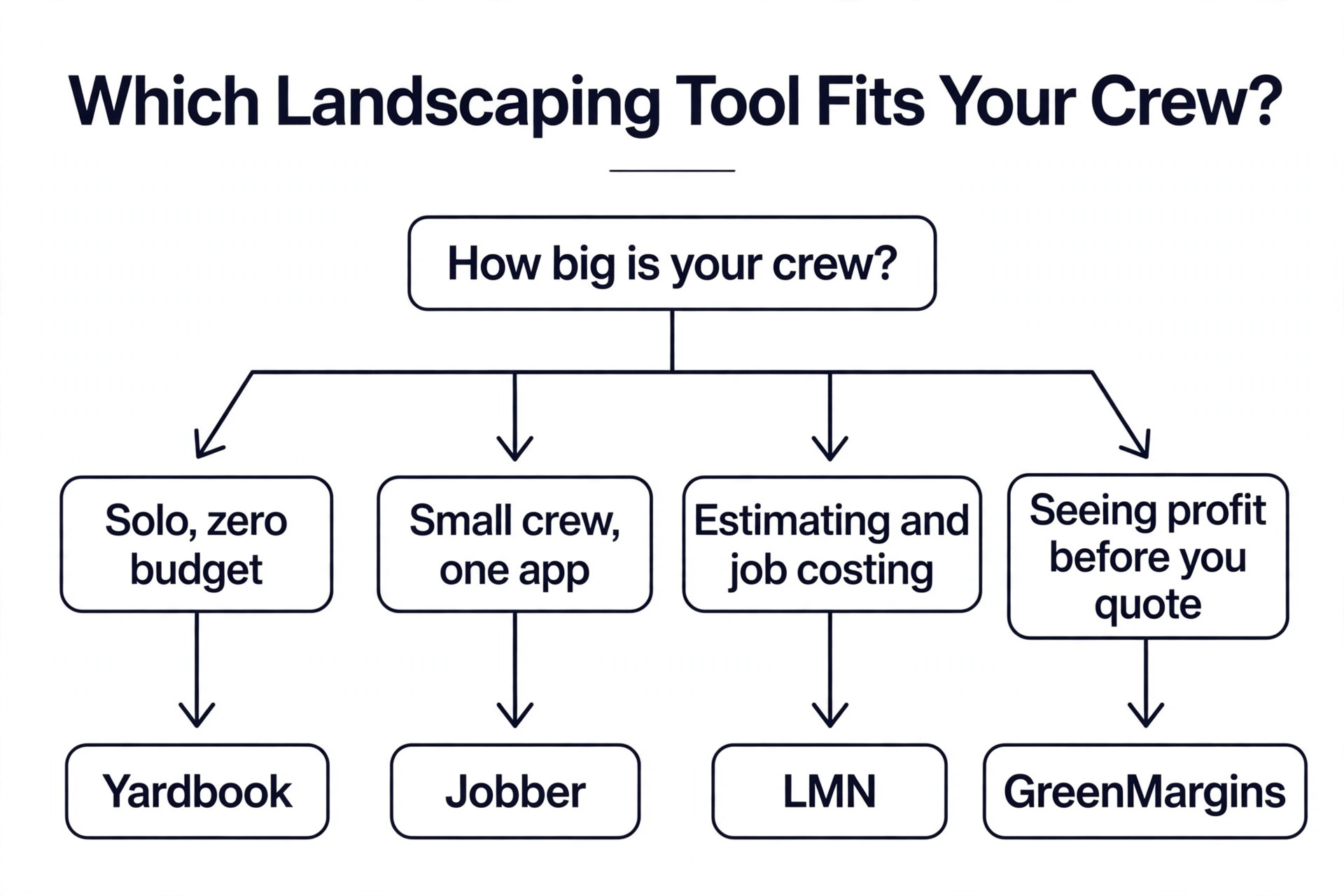
Start with crew size, because it decides the shortlist among the best landscaping business software before any feature does. A solo operator should start with Yardbook free, and move to Jobber when the crew reaches three or four people and the free tier pinches. A crew of five to 15 people should compare Jobber, Service Autopilot and GreenMargins, and pick based on whether scheduling, automation or quoting profit is the bottleneck. A firm past 15 crew members should compare LMN, SingleOps and Aspire, and pick based on whether estimating, proposals or commercial financials matter most.
Next, name the bottleneck honestly. If quotes lose money, the answer is estimating software, and LMN or GreenMargins will pay for themselves. If the schedule takes hours to build each week, the answer is routing and automation, and Service Autopilot or RealGreen will save that time. If the office is drowning in calls, invoices and follow ups, the answer is a full office to field platform, and Jobber or Housecall Pro will clear the backlog. Buying a tool for a problem you do not have is the fastest way to waste money.
Then price the tool at the crew size you will have next year, not the size you have today. Per user pricing multiplies fast, and a tool that costs 100 dollars a month for three people can cost 500 dollars a month for 15. Per location and flat fee pricing stays flatter, which is why Jobber per user and LMN per licence need different maths. Add the onboarding fee, the mobile user fees and the payment processing cost before you compare, because the headline monthly price is rarely the full bill.
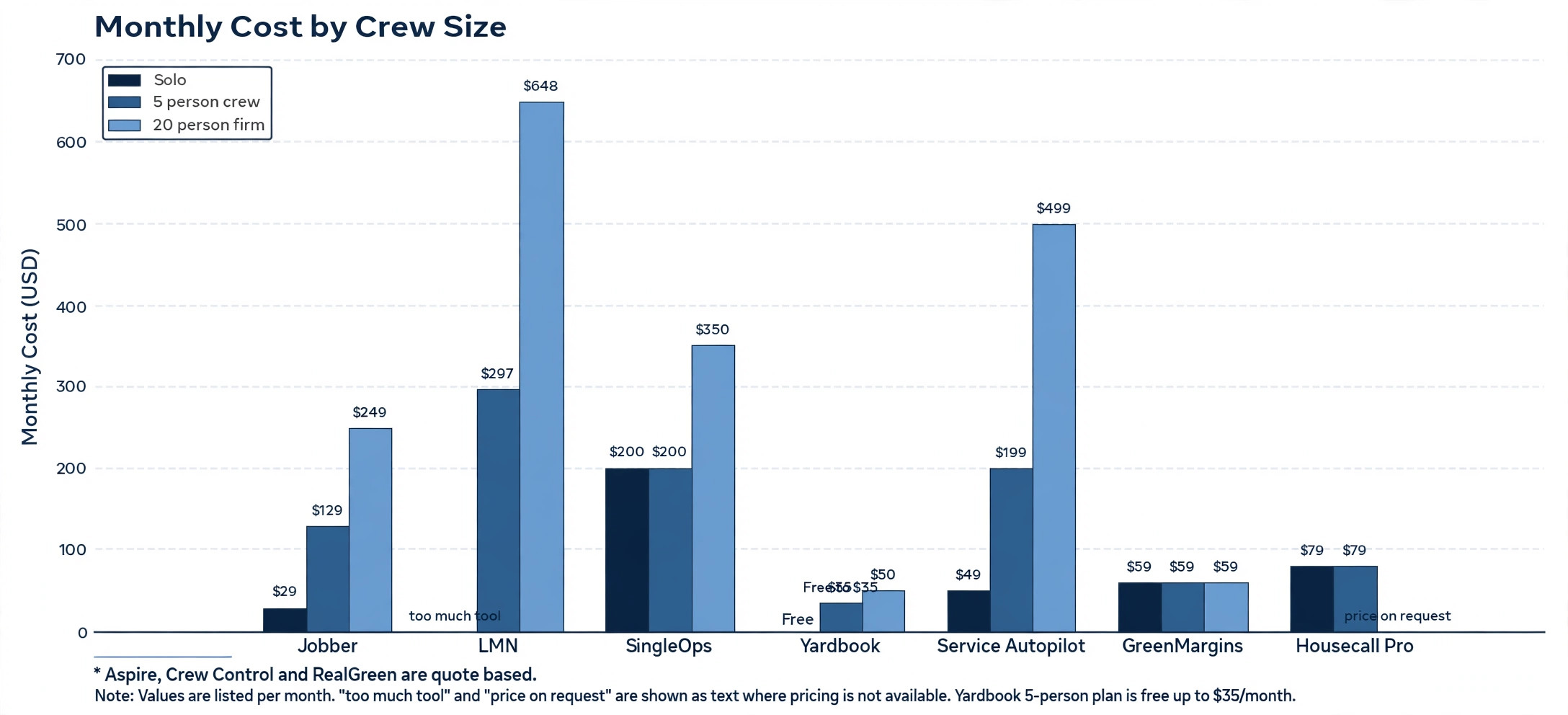
What Each Tool Costs at Three Crew Sizes
The table below uses published prices checked in late 2026, with quote based tools marked as such. Crew users are free on some plans and charged on others, so the figures are entry level estimates for the plan a firm of that size would need, not a final quote. Confirm the price with the vendor before you budget.
| Tool | Solo operator | Five person crew | 20 person firm |
|---|---|---|---|
| Jobber | 29 dollars a month | About 129 dollars a month | About 249 dollars a month |
| LMN | Too much tool | 297 dollars a month | 648 dollars a month |
| Aspire | Quote based | Quote based | Quote based, several hundred per user |
| SingleOps | 200 dollars a month | 200 dollars a month | 350 dollars a month |
| Yardbook | Free | Free to 35 dollars a month | 50 dollars a month |
| Service Autopilot | 49 dollars a month | 199 dollars a month | 499 dollars a month |
| GreenMargins | 59 dollars a month | 59 dollars a month | 59 dollars a month |
| Crew Control | Quote based | Quote based | Quote based |
| RealGreen | Quote based | Quote based | Quote based |
| Housecall Pro | About 79 dollars a month | About 79 dollars a month | Higher tier, price on request |
The pattern is plain. The cheapest tool for a solo operator is Yardbook at zero, and the cheapest tool that still quotes profitably is GreenMargins at 59 dollars. The specialist tools cost several times more, and they earn that price only when estimating or routing is the bottleneck that costs the firm money every week.
Mistakes That Cost Landscapers Money
The most common mistake when choosing the best landscaping business software is buying for the firm you want to be, not the firm you are. A two person crew that buys Aspire pays enterprise prices for features it will not use for years, while a 20 person firm that stays on a free tool loses money on every badly priced job. Match the tool to the crew size you have today, and upgrade when the crew grows into the next tool, not before.
The second mistake is ignoring the estimating question until a job loses money. A quote that forgets travel time, equipment hours and overhead looks competitive and loses money on every visit. Check whether the tool shows true profit before you send the quote, and if it does not, pair it with a quoting tool or move to one that does. The cost of one bad quote is often more than a year of software.
The third mistake is underestimating setup time. Specialist tools such as LMN and Aspire need historical data, production rates and onboarding before they work properly, and a firm that buys in spring and expects to be live in a week will be disappointed. Start the trial in the slow season, enter real jobs from last year, and run the new tool alongside the old system for a month before you switch.
- Match the tool to the crew size you have today, not the size you hope for.
- Check that quotes show true profit before you send them.
- Price the tool at next year crew size, including per user fees.
- Trial in the slow season and run the new tool alongside the old one.
- Confirm the onboarding fee and the mobile user fees before you sign.
Our Verdict
Jobber is the pick for most readers, because it covers the whole office to field workflow from 29 dollars a month and a small crew can learn it in a day. LMN is the pick when estimating is the problem, because its production rate estimating and real time job costing show profit before you quote and while the job runs. Yardbook is the pick when the budget is zero, because the free tier runs a solo lawn care business without a monthly bill.
For larger firms, Aspire is the pick for commercial work at scale, SingleOps is the pick for tree care and proposal led sales, and Service Autopilot is the pick for recurring routes with heavy automation. GreenMargins is the pick for a small firm that needs to see profit before it quotes. Start with the tool that fits your crew size and your bottleneck, trial it on real jobs, and move up only when the work outgrows it.
Frequently Asked Questions
What is the best landscaping business software for a small crew?
Jobber is the best landscaping business software for most small crews, because it covers quoting, scheduling, dispatch, invoicing and payment in one app from 29 dollars a month, and a crew can learn it in a day. Yardbook is the better pick when the budget is zero, and LMN is the better pick when bad estimates are costing the firm money, because its estimating and job costing are far deeper than Jobber.
How much does landscaping software cost per month?
A solo operator can start free on Yardbook, a small crew pays 29 to 129 dollars a month on Jobber, and a firm that needs specialist estimating pays 297 dollars a month on LMN Starter or 648 dollars on Professional. Commercial platforms such as Aspire are quote based and cost several hundred dollars per user per month. Price the tool at your real crew size, including per user fees and onboarding, before you compare headline prices.
Is Jobber or LMN better for landscaping?
Jobber is better for a small crew that wants one easy app for the whole office to field workflow, while LMN is better for a firm that bids larger jobs and needs production rate estimating and real time job costing. Jobber estimating is basic, so a firm that loses money on quotes will outgrow it. LMN is more expensive and takes longer to set up, so a small crew that only needs scheduling should not buy it.
Can a solo landscaper use free software?
Yes. Yardbook offers a free tier that covers scheduling, invoicing, customer records and chemical tracking, and more than 20,000 companies run on it. The free tier suits a solo operator with up to 40 accounts. When the crew grows and the firm needs deeper estimating or automation, Jobber from 29 dollars a month or GreenMargins at 59 dollars a month are the usual next steps.
What is the difference between Aspire and Crew Control?
Aspire is the enterprise platform for large commercial landscaping firms, with deep financials, job costing and multi division management, and it is quote based. Crew Control is its smaller sibling for firms that are too big for a simple scheduler but too small for Aspire, roughly 10 to 30 crew members. Aspire itself routes smaller firms toward Crew Control, so the choice is mostly about size and contract complexity.
Does landscaping software handle snow work as well?
Some tools do and some do not. Aspire and Service Autopilot both cover snow operations alongside landscaping, with routing and billing for winter work. Jobber handles snow as a seasonal service with recurring jobs and scheduling, though it is not snow specific. If winter revenue matters, check that the tool supports snow contracts, route planning for ploughing, and seasonal billing before you buy.
A landscaping business makes money on the gap between the quote and the true cost, and the right software makes that gap visible. Start with the crew size you have, name the bottleneck that costs you money, and pick the tool that fixes that bottleneck at a price the crew size can carry. The best landscaping business software is the one your crew actually uses every day, on real jobs, with real numbers behind every quote.