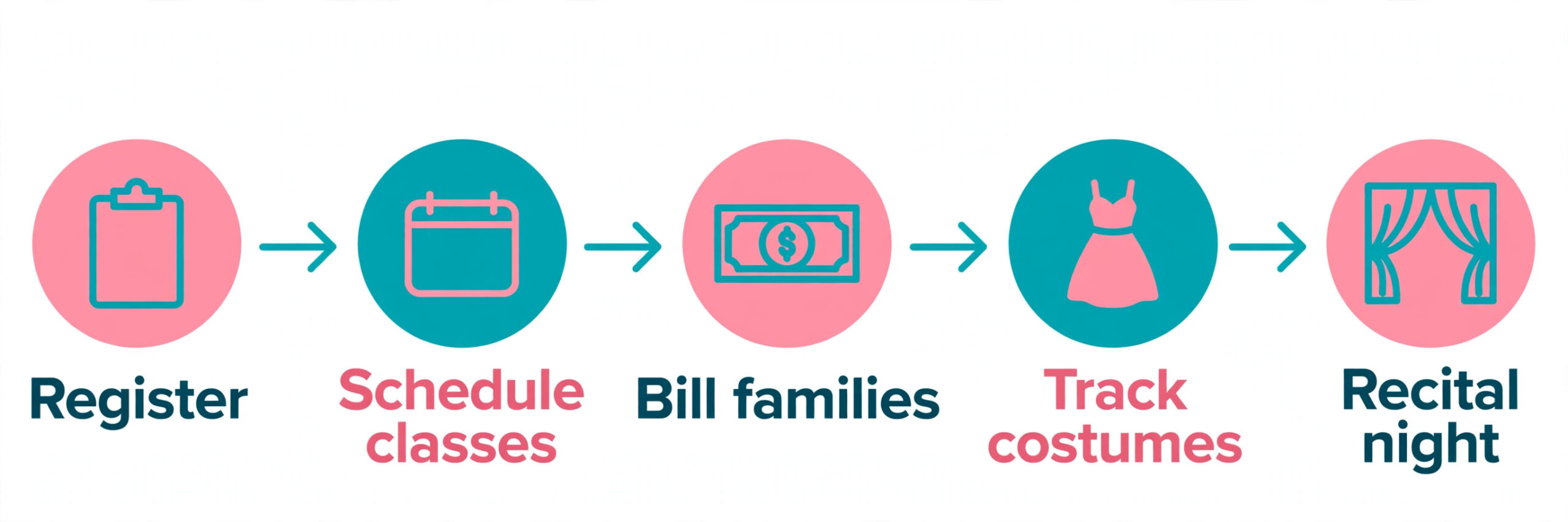
What does a dance studio lose when registration still runs on paper forms and payment reminders go out by text message? It loses the hours that should go to teaching, the families that give up halfway through a confusing signup, and the recital season that turns into a spreadsheet crisis. The best dance studio software fixes all three at once, by putting class registration, billing, attendance, costumes and parent communication in one system built for how studios actually work. This guide compares ten real platforms on price, features and fit, with prices checked in October and November 2026, so a studio of any size can pick the right one.
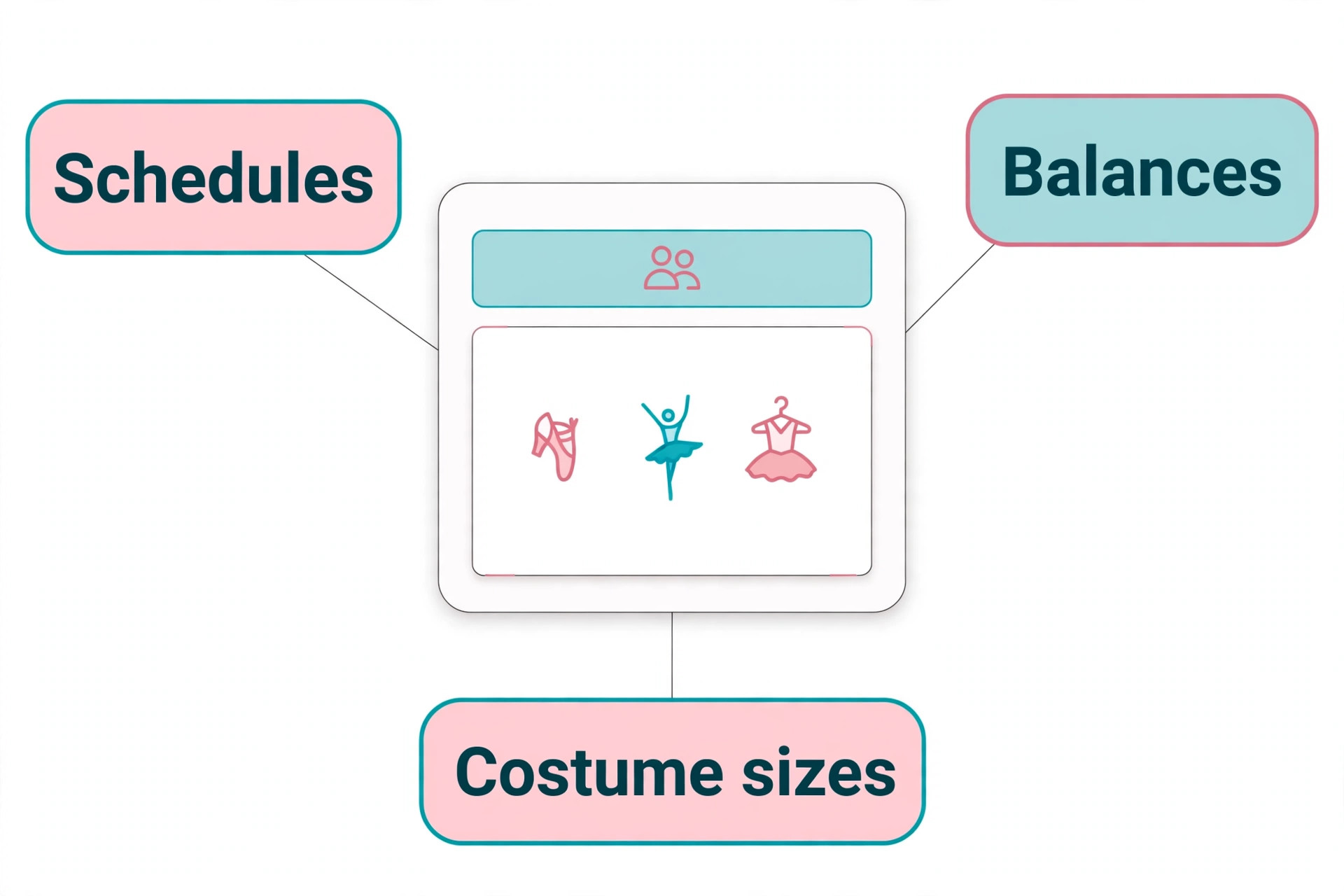
Dance studios are not gyms, and software built for gyms never fits them properly. A dance studio runs on terms and levels, not memberships. Students move up a level, families pay per class or per term, costumes must be ordered months before the recital, and parents need a portal that shows their children schedules, balances and costume sizes in one place. The tools below are built around those jobs, and the differences between them come down to price structure, recital depth and how much of the business they cover.
One warning before the list. Prices in this niche change often, and several vendors publish conflicting numbers across directories, so the prices below use the most recent vendor checks and note where sources disagree. Confirm the price on the vendor pricing page before you commit, and model the cost at your projected enrollment for next year, not just today, because several tools price by student count and the bill jumps as you grow.
The Best Pick for Each Job
| Job | Pick | Why it wins |
|---|---|---|
| Best overall for most studios | Jackrabbit Dance | Deepest dance specific features |
| Best flat rate, no per student jumps | DanceStudio-Pro | Flat price, unlimited students |
| Best for small studios | ClassJuggler | Simple, reliable, low price |
| Best for academy model studios | Classcard | Terms, levels and progress tracking |
| Best for multi discipline centers | iClassPro | Strong across dance, gym and swim |
| Best for growth and discovery | Mindbody | Consumer marketplace plus marketing |
| Best for tight budgets | Uplifter | Free Lite plan reported |
| Best for predictable billing | Pembee | 45 dollars a month flat |
Use this table as a shortcut, then read the full section for the tool you are leaning toward. The cheapest plan is not the cheapest studio once enrollment grows, so read the cost breakdown before you decide.
The Best Dance Studio Software in 2026, Ranked
The ten tools below fall into three groups. The first group is dance specific specialists, and these are the strongest picks for most studios. The second group is academy and multi discipline platforms for larger or more complex operations. The third group is budget and flat rate options for small studios that want predictable bills.
1. Jackrabbit Dance
Jackrabbit Dance is the industry leader for a reason. It handles the complete dance studio lifecycle from summer registration through spring recital with purpose built features at every stage. Online registration, class management, billing, attendance, parent portal and recital and costume tracking are all built for how dance studios operate, not adapted from fitness software. The company reports more than 12,000 schools using the platform in 21 countries, and the depth shows in the details, such as costume size tracking and recital scheduling that smaller tools skip.
Pricing is tiered by student count. The Standard plan starts at 49 dollars a month for a smaller roster, with tiers rising to 245 dollars a month for 3,000 or more students. Jackrabbit Plus starts at 93 dollars a month with a one time 169 dollar setup fee, and Enterprise with a custom branded app starts at 245 dollars a month. A 30 day free trial is offered. The honest catch is the per student model, because enrollment growth triggers price jumps, so model the cost at your 12 month projected enrollment. Choose Jackrabbit when you want the deepest dance specific feature set and you run a mid size or large studio.
2. DanceStudio-Pro
DanceStudio-Pro, now also sold as Studio Pro, positions itself as the flat rate alternative to student count pricing, and that is its whole appeal. The price does not rise when enrollment grows, because the plan covers unlimited students and classes. The platform covers scheduling, student and family management, tuition billing and recital and costume management, with more than 7,000 educators reported as users.
Pricing is the one thing to verify before you buy, because third party sources report different numbers. Recent listings put the entry plan from about 30 dollars a month, with other sources reporting 39 dollars a month for unlimited students and 69 dollars for the Premier upgrade. Confirm the current price directly with the vendor. Choose DanceStudio-Pro when you hate per student pricing and you want a bill that stays flat as the studio grows.
3. ClassJuggler
ClassJuggler serves small to mid size dance studios that need reliable class management without complexity or premium pricing. It covers class scheduling, student registration, billing and invoicing and online payments, with a parent portal and attendance tracking. The company was founded in 2003, and the product is deliberately simple, which suits owners who want software that works without a training course.
Pricing is tiered by student count, starting at 44.95 dollars a month for 1 to 150 students, then 49.95 dollars for 151 to 300 students and 54.95 dollars for 301 to 450 students. A free trial is available. Choose ClassJuggler when the studio is small, the budget is tight, and you want a proven tool that does the core jobs well without extras you will never use.
4. The Studio Director
The Studio Director is an all in one platform for dance, cheer, gymnastics and activity studios, with integrated payments, class management, registration, billing and parent communication. It suits studios that run more than one discipline, because the same system covers dance classes, cheer teams and gymnastics programs without separate tools.
Pricing starts from about 49 dollars a month, with other sources reporting entry pricing from 65 dollars a month, so confirm the current figure on the vendor site. The platform is strongest for studios that want one system for the whole business, including online registration and payment processing. Choose The Studio Director when your studio runs several activity types and you want them in one account.
5. iClassPro
iClassPro is class management software for gymnastics, cheer, swim and dance schools, and it is the strongest pick for multi discipline activity centers. The platform covers registration, billing, attendance, parent portal and skills tracking, with a branded app option for studios that want their own mobile presence. The interface is modern, and the reporting is deeper than most dance only tools.
Pricing is published and per location, with unlimited students. Signature costs 139 dollars a month with no commitment, Elite costs 199 dollars a month, and Premium costs 299 dollars a month with a 12 month commitment and an integrated website included. The branded app costs 150 dollars a month plus a 499 dollar setup fee. Choose iClassPro when you run a large center with several disciplines, or when the integrated website matters enough to justify the Premium plan.
6. Mindbody
Mindbody is the big platform option for established and multi location studios. Scheduling, payments, marketing automation and a consumer marketplace app come in one system, and the marketplace puts the studio in front of people searching for classes in their area. That discovery channel is something no dance only tool offers, and it suits studios playing offense on growth.
Pricing starts at 79 dollars per location a month on the Starter plan, with higher plan prices available only through a sales call. The standard agreement starts with a 90 day initial term and then renews automatically, and a branded app is reported at 249 to 299 dollars a month. The per location math matters for multi site studios, because the bill multiplies with every location. Choose Mindbody when the studio is established, growth is the priority, and the marketplace discovery is worth the premium.
7. Classcard
Classcard is the only platform on this list built around the academy model, which means it is designed around how dance academies actually operate. Students enroll in classes by level, move through terms, track progress, and parents stay involved in communication. The platform covers lead management, progress tracking, term based enrollment and payments, with unlimited staff and students on every plan.
Pricing starts at 99 dollars a month, with a 7 day free trial. The limitation is recital and costume tracking, which Classcard does not cover as deeply as Jackrabbit, so a studio with a big annual recital may need a separate solution for costumes. Choose Classcard when the studio runs on terms and levels, and progress tracking matters more than recital logistics.
8. Momence
Momence, now Xplor Momence, is a booking, payments and marketing platform for yoga, pilates, dance, cycling and boutique studios. It covers scheduling, memberships, payments and marketing in a modern interface, and it suits studios that sell class packs and memberships alongside term enrollment. The platform is polished, and the marketing tools are stronger than most dance specific competitors.
Pricing is quote only, with no prices published. Reviewers report figures from about 250 dollars to 2,000 dollars a month, which is a wide range that depends on the studio size and the package. Get a written quote with every fee listed before you compare it with the published prices on this list. Choose Momence when you want a modern booking and marketing platform and you are comfortable buying on a quote.
9. Pembee
Pembee is online booking and registration for gymnastics, swim, dance, martial arts and activity programs, and its appeal is a flat price that does not rise with enrollment. The Standard plan costs 45 dollars a month flat, with a 30 day free trial and no credit card required. The platform covers class scheduling, registration, payments and parent communication, with a clean interface that small teams learn quickly.
The trade off is depth. Pembee does not match Jackrabbit on recital and costume tracking, and it does not match Classcard on progress tracking. What it offers is a predictable bill and a simple tool that a small studio can run without admin overhead. Choose Pembee when the studio is small to mid size and a flat 45 dollar bill matters more than advanced recital features.
10. Uplifter
Uplifter is a dance studio platform with a free Lite plan reported, which makes it the cheapest entry point on this list. The platform covers class management, registration, billing and parent communication, with paid plans adding more features as the studio grows. The free plan suits a very small studio or a new studio testing whether software is worth paying for at all.
Pricing for paid plans is not widely published, so confirm the current figures directly with the vendor before you commit. The free plan is the story here, because it lets a studio start on real software with no monthly bill. Choose Uplifter when the budget is zero and you want to prove the value of studio software before you pay for it.
What a Studio Actually Pays Each Month
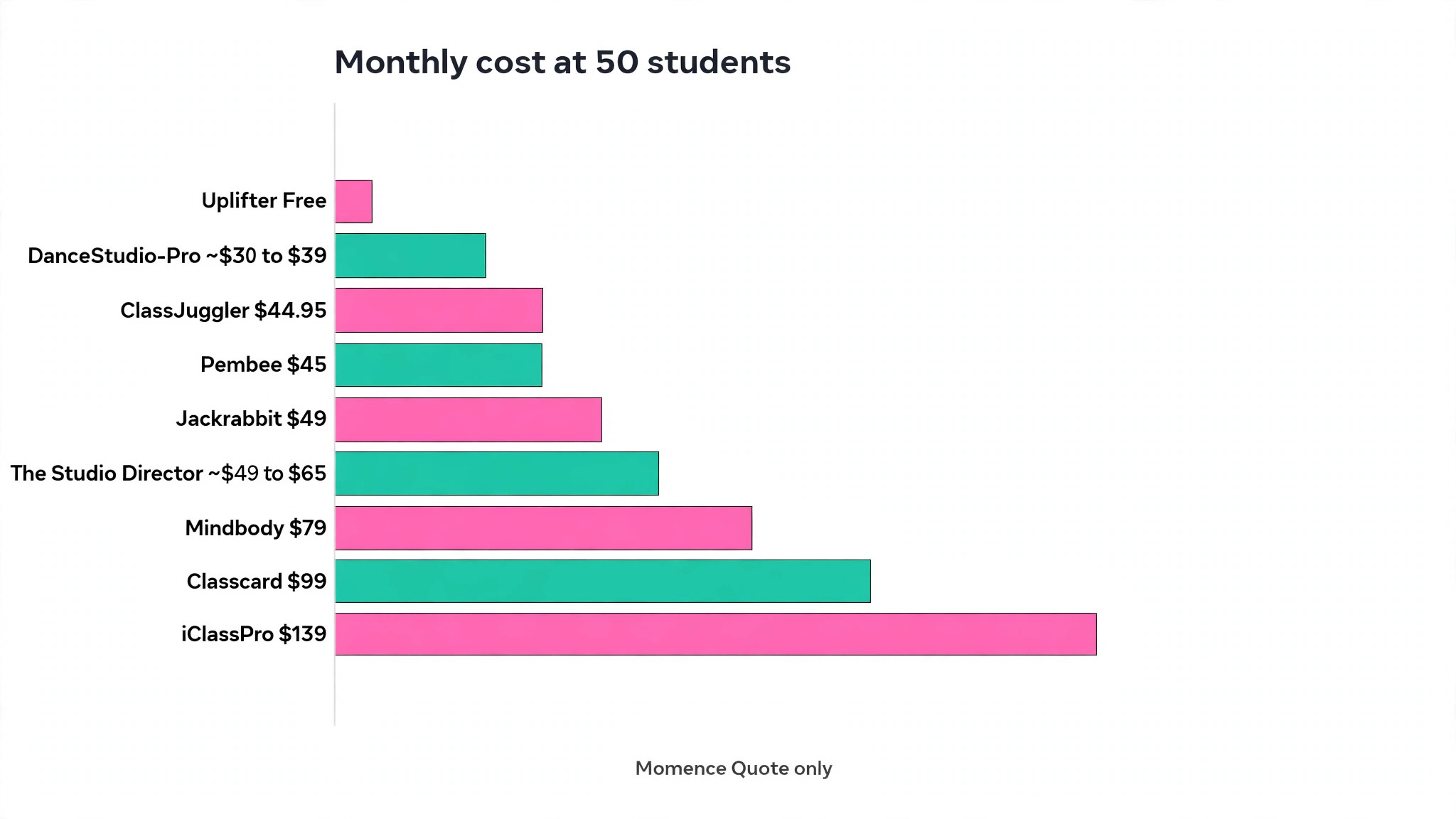
The table below prices each tool for three studio sizes, using published prices from October and November 2026. Quote based tools use the most commonly reported figures, and per student tools use the tier that matches the size.
| Tool | 50 students | 150 students | 500 students |
|---|---|---|---|
| Uplifter | Free Lite plan | Paid plan, confirm price | Paid plan, confirm price |
| DanceStudio-Pro | About 30 to 39 dollars | About 30 to 39 dollars | About 30 to 39 dollars |
| Pembee | 45 dollars flat | 45 dollars flat | 45 dollars flat |
| ClassJuggler | 44.95 dollars | 44.95 dollars | 54.95 dollars |
| Jackrabbit Dance | 49 dollars | About 69 dollars | About 93 dollars |
| The Studio Director | About 49 to 65 dollars | About 49 to 65 dollars | About 65 dollars and up |
| Mindbody | 79 dollars per location | 79 dollars per location | 79 dollars per location |
| Classcard | 99 dollars | 99 dollars | 99 dollars |
| iClassPro | 139 dollars | 139 dollars | 139 dollars |
| Momence | Quote only | Quote only | Quote only |
Two patterns decide the real ranking. First, flat rate tools such as DanceStudio-Pro and Pembee win as enrollment grows, because the bill stays the same while per student tools step up. A studio that grows from 50 to 500 students pays the same 45 dollars on Pembee and roughly double on Jackrabbit. Second, the cheapest tool is not the cheapest studio when the missing feature forces a second subscription. A studio that buys a cheap tool without costume tracking, then pays for a separate recital tool, spends more than the studio that bought Jackrabbit in the first place. Price the whole system, not just the software.
Registration, Billing and the Parent Portal
Registration is the first moment a family meets the studio, and the best dance studio software makes it take minutes, not days. A parent should be able to create an account, add each child, pick classes by age and level, and pay the first invoice without a phone call. Jackrabbit, ClassJuggler and Pembee all do this well, and the difference between them is in the details, such as whether the system suggests the right level automatically or leaves the parent guessing.
Billing is where studios lose money quietly. Failed cards, forgotten late fees and family discounts applied by hand all leak revenue, and the leak grows with enrollment. The right tool retries failed payments automatically, applies family discounts without manual math, and shows the owner a clear list of overdue balances each week. Ask each vendor how failed payments are handled, because a tool that silently drops a failed card will cost more in lost tuition than the monthly subscription.
The parent portal is the part of the software the studio never sees, and it is the part that decides whether parents stay. A good portal shows every child schedule, every balance and every costume size in one place, and it works on a phone, because most parents check it while waiting in the car. A portal that needs a desktop computer or a printed form will generate the phone calls the software was bought to remove. Test the portal as a parent during the trial, on a phone, with a real family scenario, and watch where the flow breaks.
How to Choose the Best Dance Studio Software for Your Studio
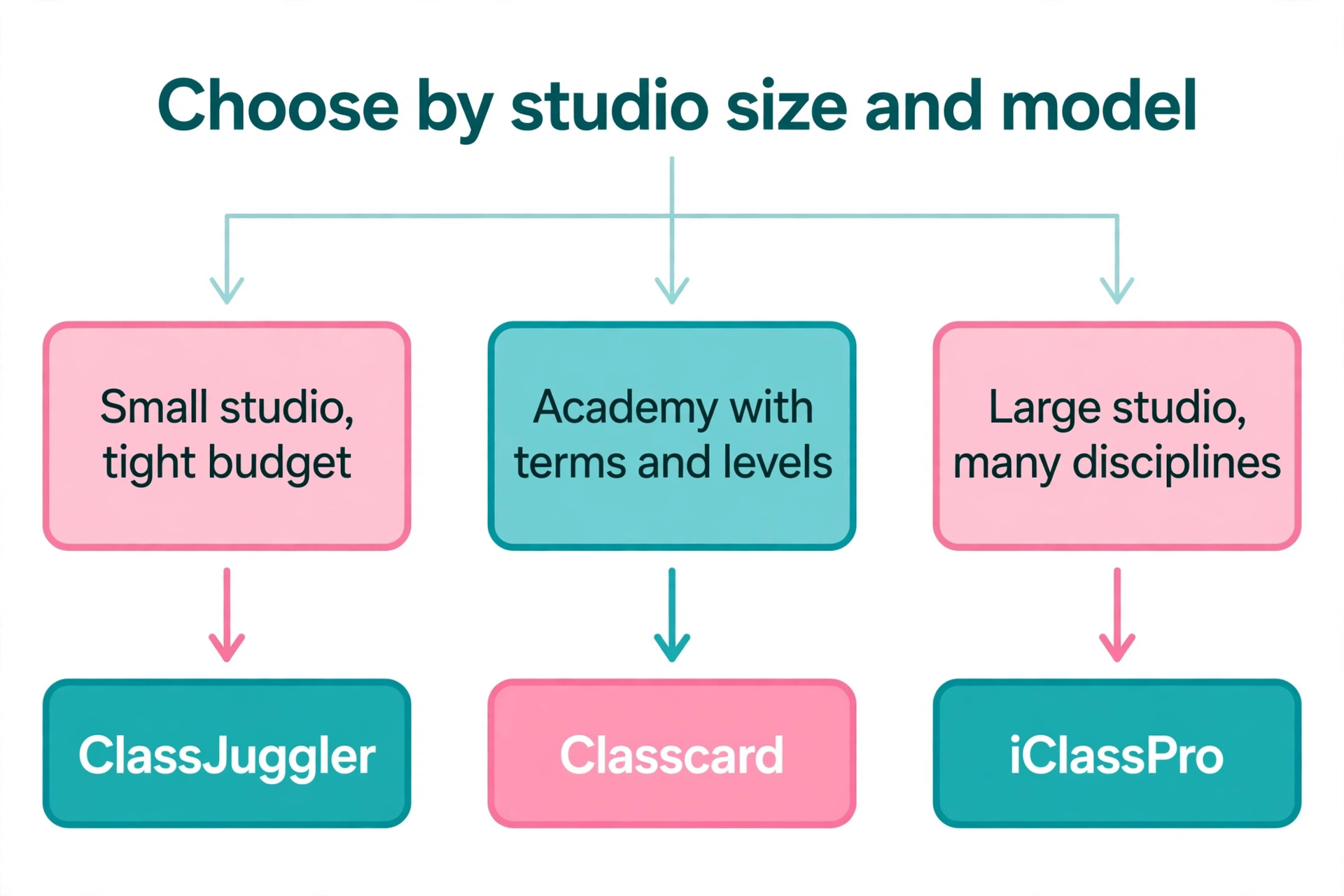
Start with the studio model, because a term based academy and a drop in class studio need different tools. An academy that enrolls by level and term should shortlist Classcard and Jackrabbit, because both are built around terms, levels and progression. A drop in studio that sells class packs should shortlist Mindbody and Momence, because both handle packs and memberships well. A small studio with one discipline should shortlist ClassJuggler, Pembee and DanceStudio-Pro, because all three keep the price low and the setup simple.
Next, check the recital workflow, because it is the week that breaks most studios. Ask each vendor how costumes are tracked, how sizes are collected from parents, how the recital schedule is built, and how payments for costumes are collected. Jackrabbit is the deepest here, and it is the reason many studios stay with it despite the per student pricing. A tool that cannot handle costumes will push the work back to spreadsheets in the busiest month of the year.
Then check the parent portal, because parents are the real users. A parent should be able to see every child schedule, balance and costume size in one place, pay online, and register for the next term without calling the studio. Test the parent view during the trial, not just the admin dashboard, because a portal that confuses parents creates phone calls, and phone calls are the cost the software was supposed to remove.
Finally, test the billing. Run a trial registration, charge a test card, apply a discount, and refund it, because billing errors are the most expensive mistakes a studio makes. Check how the tool handles failed payments, late fees and family discounts, and ask what the payment processing fees are, because the software price and the processing price are two different bills.
Recital Season, the Real Test of Dance Studio Software
Every tool on this list works fine in September, when classes are new and the schedule is simple. The real test arrives in recital season, and it is the test that separates the best dance studio software from the tools that only look good in a demo. Recital season means costume orders, size collection, rehearsal schedules, ticket sales and a hundred parent questions in one week, and the software either carries that load or collapses under it.
Costume tracking is the first pressure point. The studio must collect a size for every child, order the right costume from the supplier, track which costumes have arrived, and collect payment for each one. Jackrabbit handles this as a built in workflow, with sizes, orders and payments tied to each student. Tools without costume tracking push the work into spreadsheets, and a spreadsheet with 200 costume lines is where mistakes happen, usually discovered on dress rehearsal day.
The second pressure point is communication. Parents need the rehearsal schedule, the call time, the costume list and the ticket link, and they need it without calling the studio. A tool with a parent portal and bulk messaging can send all of it in minutes, and the message history shows who read it. A tool without messaging leaves the studio answering the same question 50 times by text.
The third pressure point is billing. Recital fees, costume fees and ticket charges all land in the same month, and the billing system must keep them separate and clear. A parent who cannot see what each charge is for will dispute it, and a disputed charge costs more in admin time than the fee itself. Test the recital workflow during the trial by walking through one full costume order, from size collection to payment, and the gaps will show themselves before they cost a real season.
Mistakes That Cost Studios Time and Money
The most common mistake is buying on the starting price and ignoring the growth price. A tool that costs 49 dollars for 50 students and 93 dollars for 500 students is not a 49 dollar tool for a growing studio. Model the cost at your projected enrollment for next year, and ask the vendor what happens at each tier boundary, because the jump often arrives in the same month as a big registration push.
The second mistake is choosing gym software for a dance studio. Fitness platforms handle memberships and drop in classes, but they do not handle terms, levels, costume orders or recital scheduling. A studio that buys gym software will spend the recital season working around the tool, and the saving on the monthly bill will be spent on admin hours. Buy software built for dance, even when the gym tool looks cheaper.
The third mistake is skipping the parent test. Owners test the admin dashboard and forget that parents are the ones who register, pay and check schedules. A portal that takes ten minutes to complete a registration will lose families to a studio whose portal takes two. Run a real parent through the registration during the trial, and watch where they hesitate.
The fourth mistake is migrating at the wrong time. The safest moment to switch studio software is between terms, when enrollment is closed and the schedule is set. A mid term switch forces the team to move live classes, live balances and live costume orders at once, and that is where errors happen. If you must switch now, run both systems in parallel for one term and compare every family balance before you cut over.
Our Verdict
Jackrabbit Dance is the best dance studio software for most studios in 2026, because it is the deepest dance specific platform, with registration, billing, attendance, parent portal and recital tools built for how studios actually work, from 49 dollars a month. DanceStudio-Pro is the pick when a flat bill matters more than depth, and Pembee is the pick when 45 dollars flat is the right price for a small studio.
Classcard is the pick for academy model studios that live on terms and levels, iClassPro is the pick for multi discipline centers, and Mindbody is the pick when marketplace discovery and growth are the priority. Test the parent portal, price the growth, and switch between terms. Do that, and the software becomes the quiet background of the studio instead of the weekly crisis.
Frequently Asked Questions
How much does the best dance studio software cost per month?
Most dance studios pay between 30 and 99 dollars a month on published plans. DanceStudio-Pro starts from about 30 dollars, Pembee costs 45 dollars flat, ClassJuggler costs 44.95 dollars for up to 150 students, and Jackrabbit Dance starts at 49 dollars a month. Larger or multi discipline tools cost more, with Classcard at 99 dollars a month and iClassPro from 139 dollars a month. Momence is quote only, with reviewers reporting 250 dollars a month and up.
Which dance studio software is best for a small studio?
ClassJuggler is the best pick for a small studio that wants proven software at a low price, starting at 44.95 dollars a month. Pembee is the best pick when a flat 45 dollar bill matters, and DanceStudio-Pro is the best pick when the studio plans to grow and does not want the price to rise with enrollment. Uplifter is the cheapest starting point, with a free Lite plan reported, for a studio that wants to test software before paying.
Does dance studio software handle recital costumes?
Jackrabbit Dance handles recital and costume tracking most deeply, with costume sizes, orders and recital scheduling built in. DanceStudio-Pro and The Studio Director also cover costumes, while Classcard is weaker on recital logistics and stronger on progress tracking. Ask each vendor how sizes are collected from parents and how costume payments are tracked, because the recital season is the week that tests the software hardest.
Can parents register and pay online with these tools?
Yes, every tool on this list offers online registration and payment through a parent portal. Parents can see schedules, balances and costume sizes, pay by card, and register for the next term without calling the studio. Test the parent view during the trial, because a portal that confuses parents creates the phone calls the software was supposed to remove.
Is Mindbody good for dance studios?
Mindbody is good for established and multi location dance studios that want scheduling, payments, marketing and a consumer marketplace in one system. The marketplace puts the studio in front of people searching for classes, which no dance only tool offers. It is less good for a small single location studio, because the 79 dollar per location starting price and the sales led pricing are heavier than the dance specific tools, and the recital features are thinner than Jackrabbit.
When is the best time to switch dance studio software?
The best time to switch is between terms, when enrollment is closed and the schedule is set. A mid term switch forces the team to move live classes, live balances and live costume orders at once. If you must switch now, run both systems in parallel for one term, compare every family balance, and confirm the new system has the correct year to date figures before the first live billing run.
A dance studio runs on trust, and parents trust a studio that registers smoothly, bills correctly and runs a recital without chaos. The software is how that trust is built, week after week, and the right tool is the one that matches the studio model, handles the recital, and keeps the bill predictable as enrollment grows. Test the parent portal, price the growth, and switch between terms. The studio that picks the best dance studio software on those three tests spends its time teaching, not fixing admin.