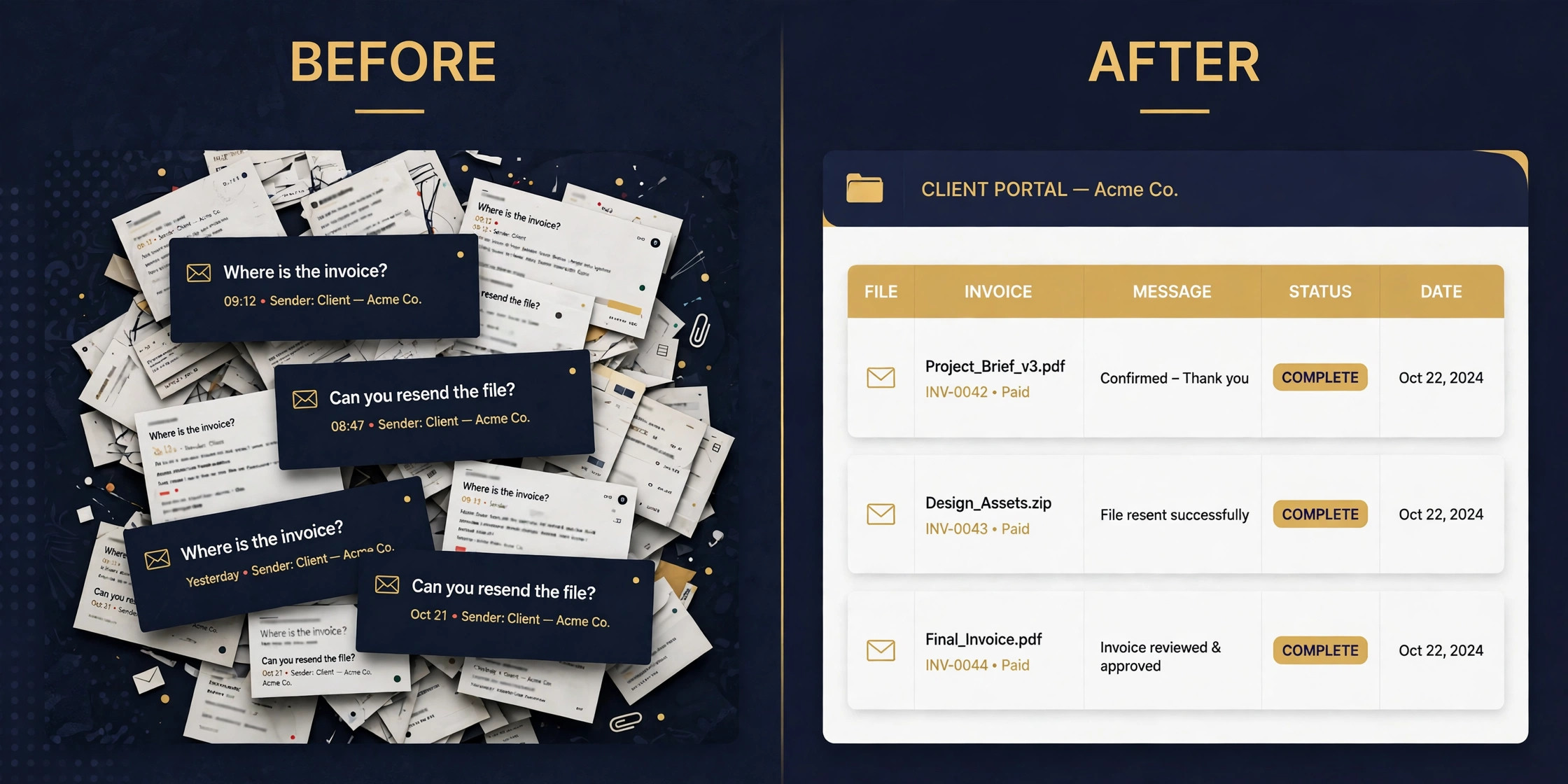
Your client just emailed to ask where the invoice is, while another client messaged to ask for the same file you sent last week, and a third client cannot find the link to approve the proposal. That scattered mess is the problem the best client portal software for small business solves, by giving every client one login, one place for files, invoices, messages and approvals, and one version of the truth.
SuiteDash is the best overall pick for most small firms, because it gives unlimited clients and staff on a flat 19 dollar a month plan with white labelling included. HoneyBook is the better choice for creatives who live on proposals and bookings, and Assembly is the strongest pick when the portal itself is the product.
This guide compares 10 tools on price, branding, billing and ease of use, so you can pick the portal your clients will actually use.
A client portal is not a file folder with a login. It is the front door to your business, and your clients judge you by how easy it is to walk through. A portal that is hard to log into or missing the invoice will not be used, however good the back office looks. Clients will go back to email, and you will go back to searching your inbox for the file you already sent twice.
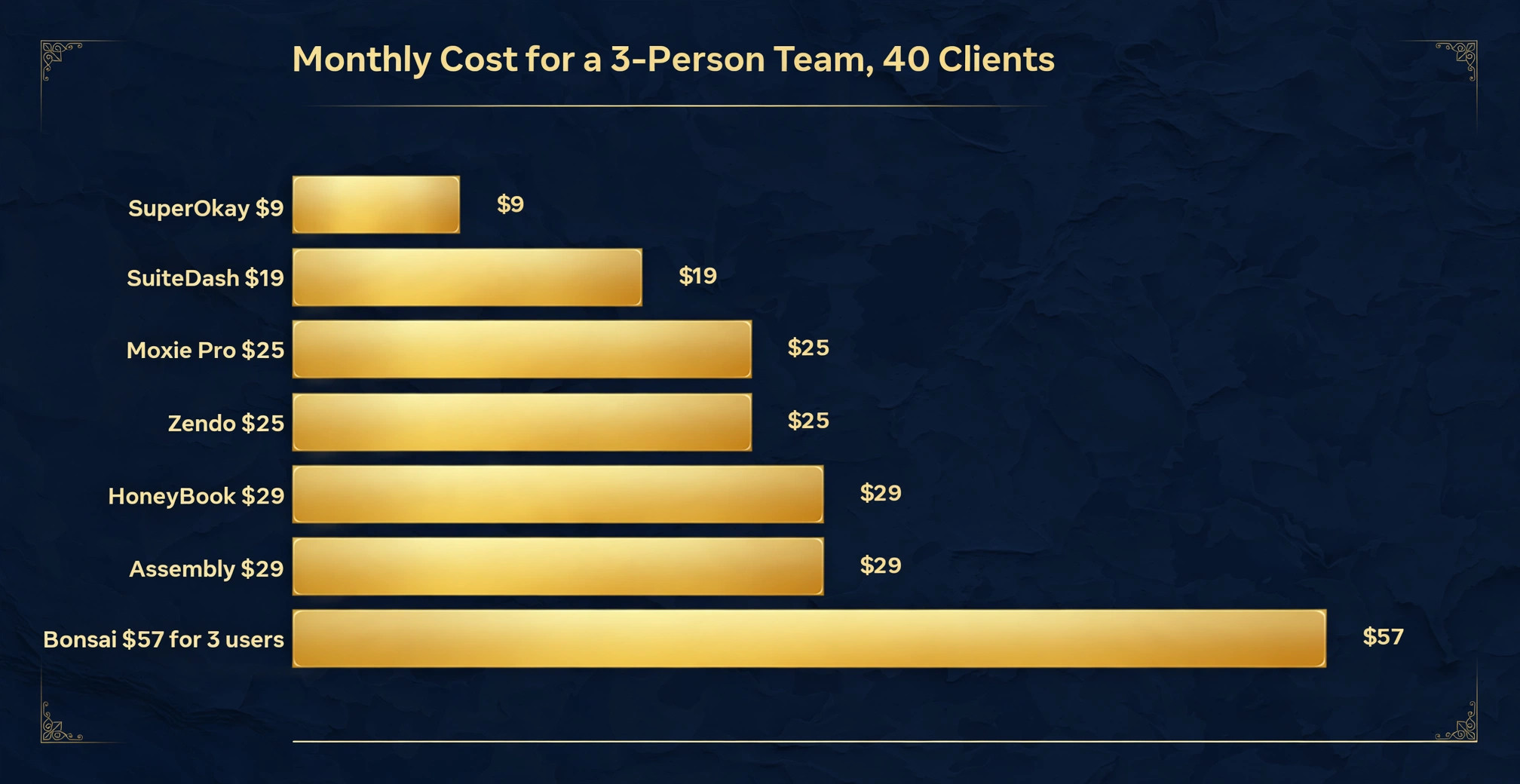
The cost trap in this category is per user pricing. A portal that charges per client seat costs nothing at 10 clients and becomes a real line item at 200 clients. A flat fee portal costs the same at 10 clients and at 200 clients. That difference decides the long term cost more than the headline monthly price, so this guide prices each tool for a small team with 40 clients.
How We Compared 10 Portal Tools
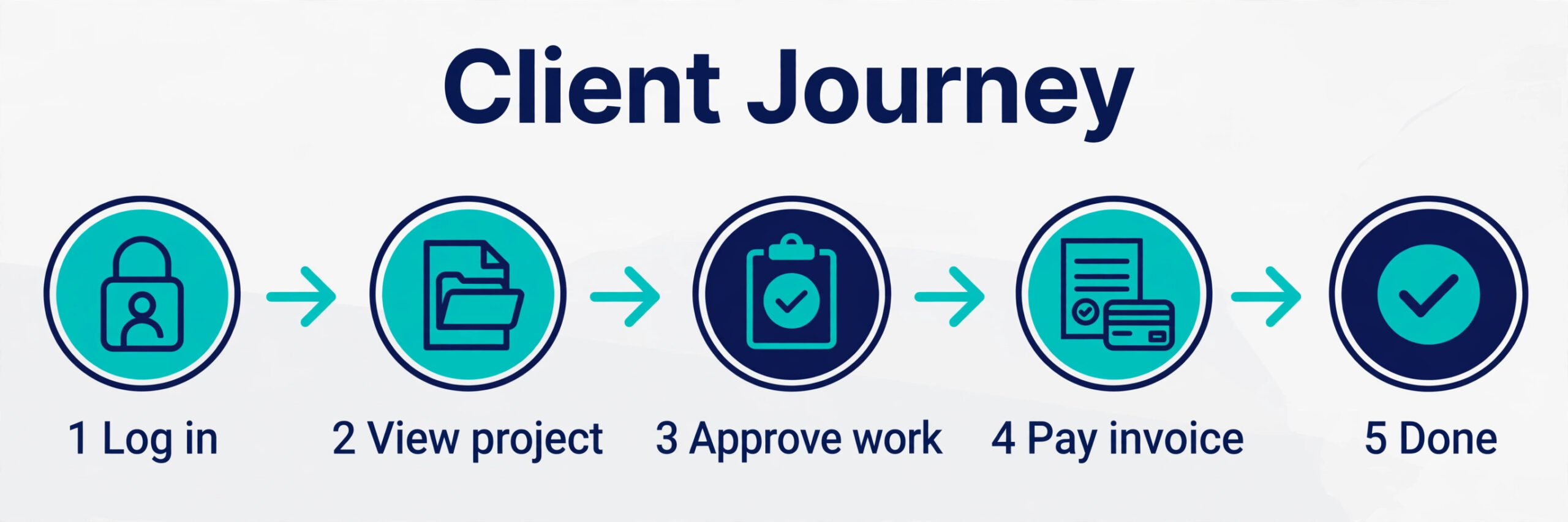
We started with the client, not the feature list. A client needs to log in easily, find the file, pay the invoice, approve the proposal, and message you without learning a new system. We scored each tool on five points that cover that experience, because a portal that wins on back office features can still fail on the client side.
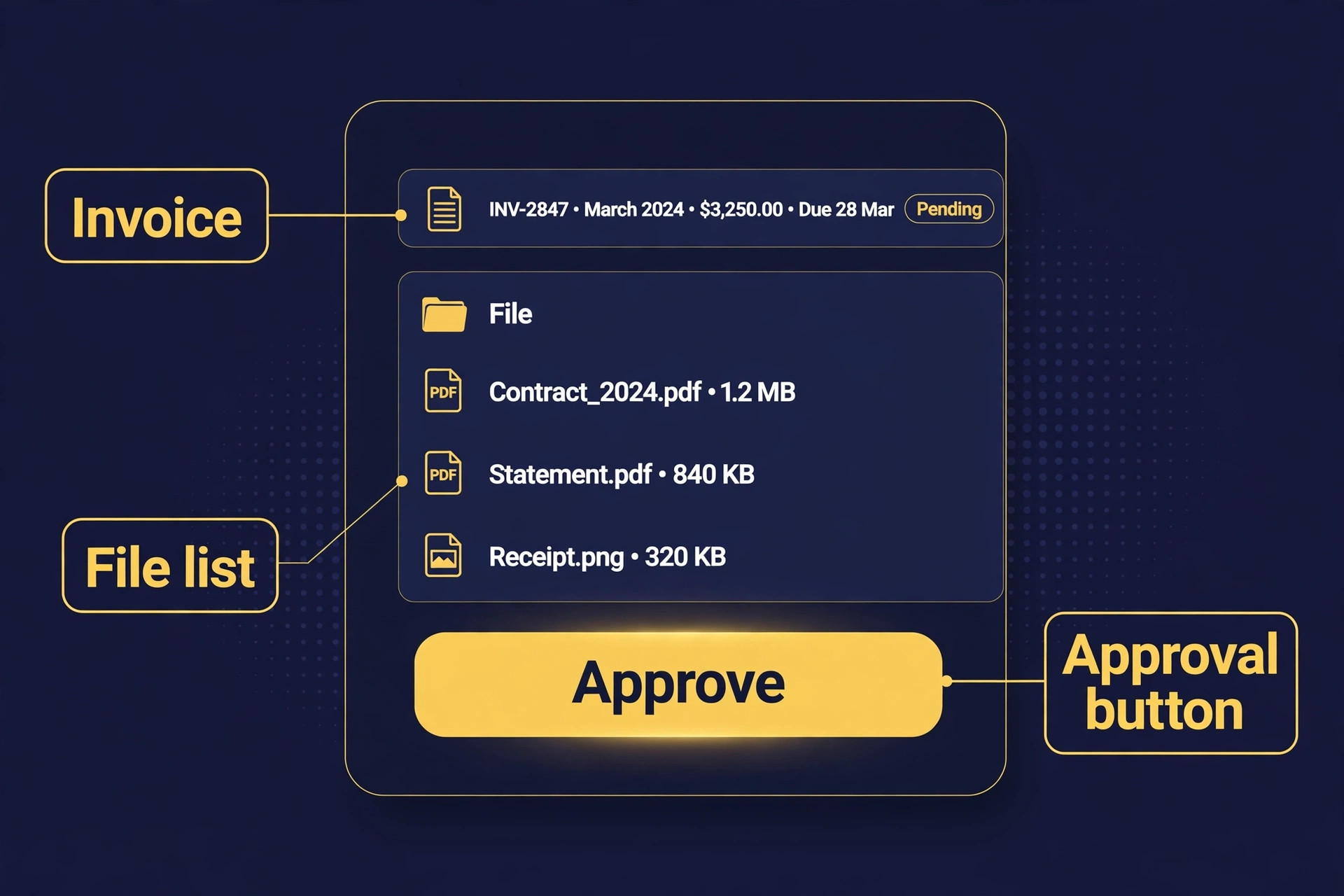
First, we checked what the client can actually do inside the portal. Can they view and pay invoices, sign contracts, approve work, upload files, and see project status, or can they only download files you uploaded.
Second, we checked branding. Can you put your logo, your colours and your domain on the portal, or does the client see the vendor brand on every page. Some tools include white labelling on the entry plan, while others lock it behind a 399 dollar a month plan, so the price of branding is part of the price of the tool.
Third, we checked billing. Does the portal include invoicing, quotes, recurring billing and payment collection, or do you need a second tool for money. A portal with billing built in saves a subscription and a reconciliation headache.
Fourth, we checked pricing at a realistic scale. We priced each tool for a three person team with 40 clients, with branding included, because that is the point where per user pricing starts to bite. Prices in this guide were read from vendor pricing pages and current 2026 roundups in November 2026, so confirm the price on the checkout page before you pay.
Fifth, we checked setup time. A portal that takes a week to configure will sit half finished while clients keep emailing. A portal with templates, a simple onboarding flow and a mobile friendly client view will be live in a day. The best client portal software for small business should be usable by the owner, not only by a consultant.
Which Portal for Which Business
| Job | Pick | Why it wins |
|---|---|---|
| A flat fee portal with everything included | SuiteDash | 19 dollars a month, unlimited clients and staff |
| Proposals, contracts and bookings for creatives | HoneyBook | Polished client experience from first contact |
| Deep workflow customisation | Dubsado | Forms, contracts and automations you can shape |
| Freelancers who need finance built in | Bonsai | Contracts, invoices and tax tools in one place |
| A polished portal with billing | Assembly | Modern portal design clients find easy |
| The cheapest fully working option | Moxie | Flat rate from 10 dollars a month |
| Secure document sharing for professionals | Clinked | White label workspaces with version control |
| A portal with billing for agencies | Zendo | Quotes, invoices and recurring billing built in |
| A portal built without code | Softr | Build from a template or a prompt |
| The fastest portal to launch | SuperOkay | Quick setup from 9 dollars a month |
Use this table as a shortcut to the best client portal software for small business for your job, then read the full section for the tool you are leaning toward. The cheapest option is not the best value when it cannot take a payment, and the most expensive option is not the best choice when you only need files and messages.
The 10 Best Client Portal Software for Small Business in 2026, Ranked
The 10 tools below fall into three groups. The first group is all in one suites, where the portal sits beside a CRM, invoicing and project work. The second group is portal first, where the portal is the main product and billing is built around it. The third group is builder and niche tools, where you build the portal yourself or buy it for one specific job. The best client portal software for small business in any group shares one trait, which is that a client can log in, find what they need, and pay you without emailing you first.
1. SuiteDash
SuiteDash is the best overall pick for most small firms, because it charges a flat fee for unlimited clients and staff, and it bundles the portal with a CRM, invoicing, project management and file sharing. That combination replaces several subscriptions at once, which is why it wins on value for a team that wants everything in one account.
The Start plan costs 19 dollars a month, or 180 dollars a year, with unlimited portals, white labelling, 2TB of storage, invoicing, support tickets and e-signatures. Higher plans at 49 dollars and 99 dollars a month add more storage, automations and reporting, but the entry plan already covers the portal work most small firms need. There is no per user charge, so adding a third team member or a fortieth client costs nothing extra.
The trade off is polish. SuiteDash is powerful and flexible, but the interface is busier than HoneyBook or Assembly, and the client view needs more setup to look clean. It suits a small agency or a service business that wants a flat fee and a full suite, and will use the CRM and invoicing alongside the portal.
2. HoneyBook
HoneyBook is the best pick for creatives, photographers, planners, coaches and event professionals who live on proposals, contracts and bookings. The client portal is built around the booking, so a client sees the proposal, signs the contract, pays the invoice and follows the project in one place. That flow is the smoothest on this list for a service business that sells a package.
Starter costs 29 dollars a month billed yearly, or 36 dollars month to month, with unlimited clients and projects, invoices and payments, proposals and contracts, a calendar and the client portal. Essentials at 49 dollars a month adds automations, a scheduler and a QuickBooks integration, while Premium at 109 dollars a month adds priority support and unlimited team members. HoneyBook raised its prices sharply in February 2025, from 16 dollars to 29 dollars a month on Starter, so budget for the current price, not the old one.
HoneyBook serves the US and Canada only, which is a real limit for an international freelancer. It also charges a 3 percent fee on payments through its own system in some plans. It suits a US based creative who wants the most polished client experience and will use the proposal and booking flow every week.
3. Dubsado
Dubsado is the pick for a business that wants to shape every step of the client journey. It gives you building blocks, lead capture forms, scheduling, proposals, contracts with e-signature, invoices with payment plans, automated workflows, questionnaires, time tracking and a branded client portal, and you assemble them into a flow that matches your process exactly.
Pricing is not published on the homepage, so expect to start a trial to see the current plans. Recent roundups list Starter at 335 dollars a year, about 28 dollars a month, and Premier at 525 dollars a year, about 44 dollars a month, with three additional users free on Starter. That per year pricing is kinder than a monthly bill, but the lack of a published price on the site means you must check it during the trial.
Dubsado suits a service business with a complex onboarding process, a photographer with a multi step booking flow, or a consultant who wants every form and email branded. Setup takes longer than HoneyBook, often two to three weeks, so it suits a business that will invest that time once and reuse the flow for every client.
4. Bonsai
Bonsai is the best pick for a freelancer who wants finance built into the portal. It covers estimates and onboarding, project management for delivery, and finance management with detailed reports, recurring payments, retainers and tax tools. The portal is one part of a system that also tracks the money, which suits a solo professional who does their own books.
Pricing is per user, so read the plan carefully. Basic costs 9 dollars a month billed yearly, but it does not include invoicing or contracts. Essentials costs 19 dollars a month billed yearly and adds invoices, payments, proposals, contracts, forms, scheduling, the client portal, expense tracking and income tracking. Premium at 29 dollars and Elite at 49 dollars a month add reporting, workload views and more.
Bonsai suits a freelancer or a small agency with one or two people who want contracts, invoices and a portal in a single tool. The per user price grows with the team, so a three person firm pays three times the headline price.
5. Assembly
Assembly, formerly known as Copilot, is the best pick when the portal itself is the product. It is a portal first tool, so the client view is modern, clean and easy to navigate, with a branded portal, CRM, tasks, file sharing, messaging and billing in one place. Clients find it easy, which is the point of a portal, and staff find it quick to set up.
Assembly has a free plan, and paid plans start at 29 dollars a month billed annually, or 49 dollars month to month, on Starter. That price covers a branded client portal with CRM, tasks, file sharing, messaging and an AI assistant. Higher plans add a custom domain and more automation, so check which plan includes the domain you want before you buy.
Assembly suits a service firm or an agency that wants a polished portal with billing and does not need the deep workflow customisation of Dubsado. It does not suit a business that needs a full accounting suite, because the CRM and billing are lighter than SuiteDash or HoneyBook.
6. Moxie
Moxie is the cheapest fully working option on this list, and the best pick for a solo freelancer who wants invoicing, contracts and a portal without paying for a suite. It is built for simplicity, with a clean interface, a client portal, CRM, proposals, invoicing, time tracking and project work in one account. A freelancer can set it up in a day and use it every day without a manual.
Pricing is flat, not per user, which keeps the cost predictable. Starter costs about 10 dollars a month billed annually in older roundups, and 12 dollars a month in more recent checks, but that plan has no client portal. The portal starts on Pro at 25 dollars a month, which adds a white labelled client portal, workflow automation, and Zapier, Make and QuickBooks integrations. Check the current Starter price at checkout, because the two figures appear in different sources.
Moxie suits a solo freelancer or a very small team that wants a simple, affordable home for client work. It does not suit a larger team, because the Teams plan stops at five members.
7. Clinked
Clinked is the best pick for financial, legal and professional service teams that share documents securely. It offers white label client portals, file sharing with watermarking and versioning, tasks, chat and a calendar, with ISO 27001 certification for firms that need to show a security standard to clients. That security focus is the reason to choose Clinked over a general portal.
Pricing is higher than the small business tools here. Start Up costs 11 dollars per user a month in some roundups, while Standard costs 239 dollars a month billed yearly, or 299 dollars month to month, with a custom URL and more branding. Other roundups list Clinked from 77 to 599 dollars a month, with unlimited external client users on all plans. The range is wide, so get a quote for your team size before you budget.
Clinked suits an accountancy, a law firm, or a financial advisory that needs secure document sharing with version control and a white label mobile app on higher tiers. It does not suit a creative freelancer on a tight budget, because the price is built for a firm, not a solo owner.
8. Zendo
Zendo is the best pick for an agency or a solopreneur who needs a portal with billing built in, without paying for a full suite. It offers unlimited client requests and service offerings, quotes, invoices, recurring billing, white labelling and custom workflows, so a client can request work, approve a quote and pay in the same portal.
There is a free Essential plan, and paid plans start at Core for 25 dollars a month and Pro for 49 dollars a month. That price is flat, not per user, which keeps the cost predictable as the client list grows. The portal is simpler than Assembly or HoneyBook, but it covers the core job, which is taking requests, quoting, billing and delivering.
Zendo suits a productised service agency or a freelancer who sells services by the request. It does not suit a business that needs deep project management or a CRM, because those features are lighter here.
9. Softr
Softr is the best pick when you want to build the portal yourself, without code, from a template or a prompt. It turns a database, such as Airtable or Google Sheets, into a branded client portal with logins, role based permissions, file sharing, payments and real time sync. That builder approach suits a team with a specific process that no off the shelf portal matches.
The free plan covers a basic portal, and paid plans start from 19 dollars a month. That price buys the builder, the templates, server side auth, role based permissions, payments and sync with more than 21 data sources. Softr is rated 4.7 out of 5 on G2 and on Capterra in recent roundups, which is high for a builder tool.
Softr suits a small business with a clear data model, a team that already uses Airtable, or a service firm that wants a portal that reads from the data they already keep. It does not suit a business that wants a ready made portal with invoicing and contracts on day one, because you build those flows yourself.
10. SuperOkay
SuperOkay is the fastest portal to launch on this list, and the best pick when you want a portal live this week with minimal configuration. It is a portal first tool for small teams, with branded portals, file sharing, tasks, messages and billing, and a setup flow that asks for the essentials and then gets out of the way.
Pricing starts at 9 dollars a month, which is the lowest paid entry here. That price covers a quick setup with minimal configuration, and higher plans add more clients, more storage and more branding. SuperOkay is a smaller vendor than SuiteDash or HoneyBook, so check the support hours and the roadmap before you commit a large client list to it.
SuperOkay suits a small business that needs a portal now, with a simple client list and a simple set of files and invoices. It does not suit a firm that needs deep customisation, a full CRM, or a security certification.
How to Choose the Right Portal
Start with the client login, because it decides whether the portal gets used. Ask for a demo client account and log in as a client, not as an admin. Can you find the invoice in under a minute, can you pay it without emailing anyone, and can you upload a file without a tutorial. If the answer is no, the portal will fail, however good the admin side looks.
Next, match the pricing model to your client count. A flat fee portal such as SuiteDash at 19 dollars a month costs the same at 40 clients and at 200 clients. A per user portal such as Bonsai at 19 dollars per user costs more every time you add a team member. Price the tool for the team you will have in a year, and add the branding tier where white labelling is locked behind a higher plan.
Then check what the portal does with money. A portal that includes quotes, invoices, recurring billing and payment collection saves you a second subscription and a reconciliation step. A portal that only shows files is cheaper on the pricing page and dearer in the monthly total. Add every tool you need before you compare prices, and compare totals, not headlines.
Finally, check the exit route. Can you export your client list, your files, your invoices and your message history if you leave. A portal that locks your data inside its own format costs you a rebuild when you switch, so favour tools with export and standard integrations.
- Log in as a client in a demo account and find an invoice in under a minute.
- Price the tool for the team and client count you will have in a year.
- Check whether invoicing, quotes and recurring billing are included.
- Confirm white labelling is included on the plan you will buy.
- Ask support for the export format before you sign up.

What to Verify Before You Sign Up
Check the login method before the price, because a portal that needs a password your clients forget will generate support tickets. Some portals use email codes, some use passwords, and some use single sign on. A portal that sends a one time code to the client email is easier for a client who logs in once a month.
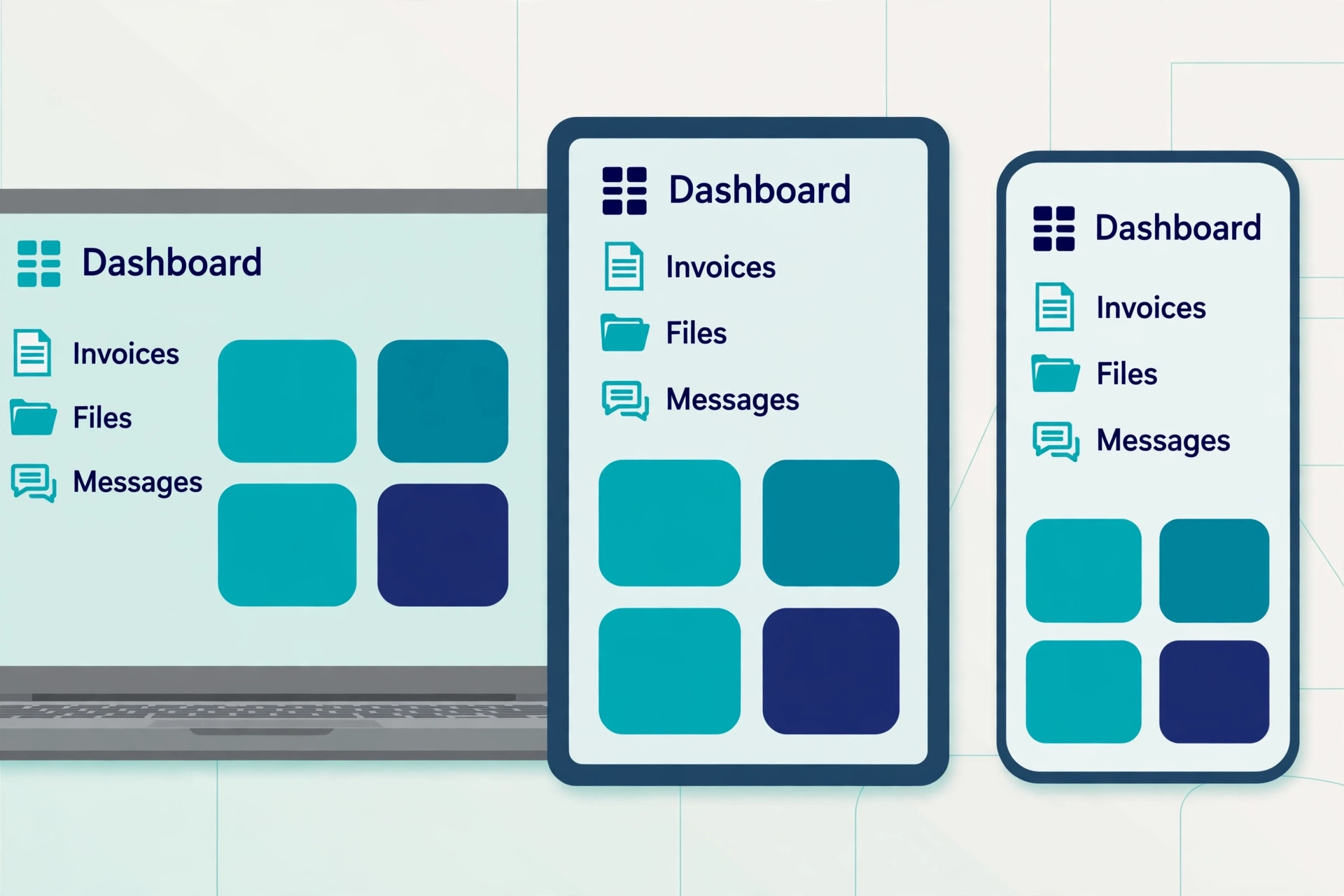
Check the mobile experience in the same pass. Many clients will open the portal on a phone, to pay an invoice or approve a document while they are out. A portal that works on desktop but breaks on mobile will push those clients back to email. Open the demo portal on your phone before you commit.
Check the payment fees too. Some portals charge a percentage on payments through their own system, on top of the card fee, while others let you connect Stripe or PayPal and pay only the card fee. HoneyBook charges a 3 percent fee on payments through its own system in some plans. That percentage can cost more than the monthly subscription at volume, so read the payment terms.
Check the support hours and the onboarding help as well. A portal is a client facing system, so a problem on a Friday afternoon is a client problem, not just an admin problem. Check whether support is by chat, by email, or by phone, and whether onboarding help is included or billed separately.
Mistakes That Cost Clients
The most common mistake is buying a portal for the admin features and ignoring the client view. A buyer falls in love with the CRM and the reporting, then launches a portal that clients find confusing, and the clients go back to email within a week. The portal then becomes a second system to maintain. Test the client view first, with a real client, before you pay for the admin features.
The second mistake is choosing per user pricing without counting the team you will have in a year. A tool that costs 19 dollars a month for one user costs 57 dollars a month for three users, and 95 dollars a month for five. A flat fee tool that costs 19 dollars a month for unlimited users costs 19 dollars a month for five. The best client portal software for small business is priced for the business you are growing into, not the business you are today, so do the multiplication before you sign up.
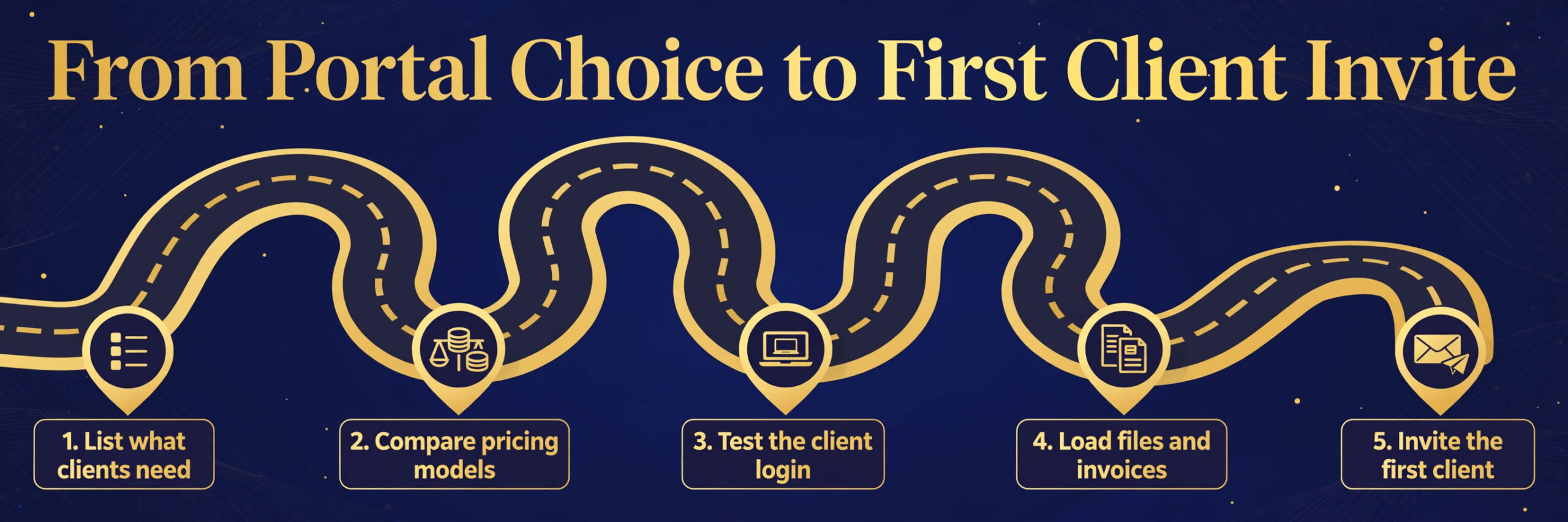
The third mistake is launching the portal with no data in it. A client who logs in and finds an empty portal, with no files, no invoices and no project status, will not log in again. Load the current files, the open invoices and the live project status before you invite the first client. A portal that is full on day one gets used, while a portal that is empty on day one gets forgotten.
The fourth mistake is paying for white labelling you do not need, or skipping white labelling you do need. A freelancer with five clients does not need a custom domain and a white label mobile app, while a firm with fifty clients does need the portal to look like their brand. Match the branding tier to the client count, and upgrade the branding when the client list grows, not before.
Pick the Portal Your Clients Will Actually Open
SuiteDash is the pick for most small firms, because the flat 19 dollar a month Start plan gives unlimited clients and staff, white labelling, invoicing and a CRM in one account. It is the tool we would choose for a small agency or a service business that wants everything for a predictable price.
HoneyBook is the pick for creatives in the US and Canada, because the proposal, contract and booking flow is the smoothest on this list, and the client experience is the most polished. Assembly is the pick when the portal itself is the priority, because the client view is modern and easy, with billing built in. Dubsado is the pick when customisation matters more than speed, because you can shape every form, contract and workflow to your process.
Bonsai is the pick for a solo freelancer who wants finance and portal together, Moxie is the pick for the cheapest fully working option, and Zendo is the pick for an agency that needs billing inside the portal on a tight budget. Clinked is the pick for a professional firm that needs secure document sharing, Softr is the pick when the portal must match a specific process, and SuperOkay is the pick when you need a portal live this week. The right portal is the one your clients will log into, find what they need, and pay you through, without emailing you first.
Frequently Asked Questions
What is the best client portal software for small business?
SuiteDash is the best overall pick for most small firms, because the Start plan costs 19 dollars a month with unlimited clients and staff, white labelling, invoicing, CRM and project work in one account. HoneyBook is the best pick for creatives in the US and Canada, Assembly is the best portal first pick, and Dubsado is the best pick for deep customisation. The right choice depends on your client count, your need for billing, and whether you want a suite or a portal first tool.
How much does client portal software cost?
Client portal software costs from 9 dollars a month for SuperOkay to 19 dollars a month for SuiteDash, Softr and Bonsai Essentials, with HoneyBook at 29 dollars a month billed yearly and Assembly at 29 dollars a month billed annually. Per user tools cost more as the team grows, because Bonsai charges per user and Clinked charges per user on some plans. Most small businesses find a good option between 19 and 50 dollars a month, once branding and billing are included in the price.
Do clients need to create an account to use a portal?
Yes, most portals ask the client to create an account or verify their email, but the best portals make it easy. Some send a one time code to the client email, so there is no password to remember, while others use a password or single sign on. A portal with email code login suits a client who logs in once a month, because they do not need to remember a password. Test the login flow as a client before you choose, because a hard login is the main reason clients go back to email.
Can a client portal replace email?
A portal can replace most client email, but not all of it. It replaces the emails that ask where the invoice is, where the file is, and whether the proposal was approved, because those answers live in the portal. It does not replace the first contact or the urgent message that needs a same day reply. The best setup is a portal for files, invoices, approvals and status, with email and chat for conversation.
Is white labelling worth paying for?
White labelling is worth paying for when the portal is part of your brand and your client list is large enough to notice it. A portal with your logo, colours and domain looks like your business, while a portal with the vendor brand looks like a tool you rented. SuiteDash includes white labelling on the 19 dollar a month Start plan, while other tools lock it behind a higher tier.
What is the difference between Assembly and Copilot?
Assembly is the new name for Copilot, the client portal company, which rebranded in 2025 to avoid confusion with Microsoft Copilot and GitHub Copilot. The product is the same portal first tool, with a branded client portal, CRM, tasks, file sharing, messaging and billing. If you see Copilot in an older review, it refers to Assembly, and the pricing and features in this guide use the current Assembly name.
A good portal earns its keep in the first month, by ending the emails that ask where the invoice is and where the file went. Load the current files and invoices before you invite the first client, test the login as a client, and price the tool for the team you will have in a year. The portal that your clients actually use is the right portal, whatever the feature list says.