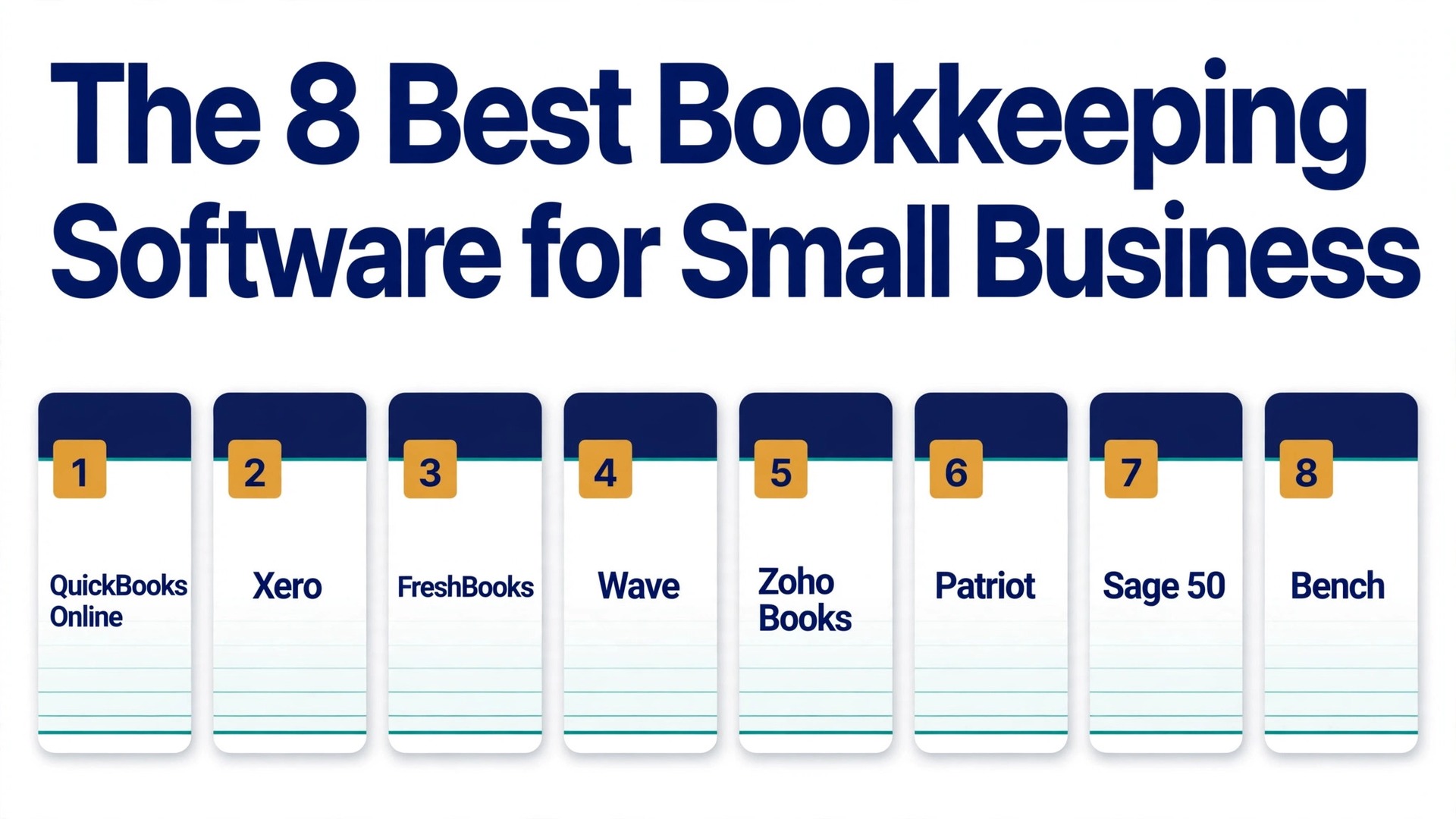
QuickBooks Online is the best overall pick among the best bookkeeping software for small business, because it covers invoicing, expenses, payroll add ons, inventory and reporting in one place, and most accountants already know it. Xero is the better choice when you have a team, because every plan includes unlimited users. Wave is the best free starting point, and Zoho Books is the best value when you already use Zoho apps. We compared eight real tools on price, free plans, payroll, inventory, user limits and how each one handles the daily work of a small business, so you can pick by fit rather than by brand name alone.
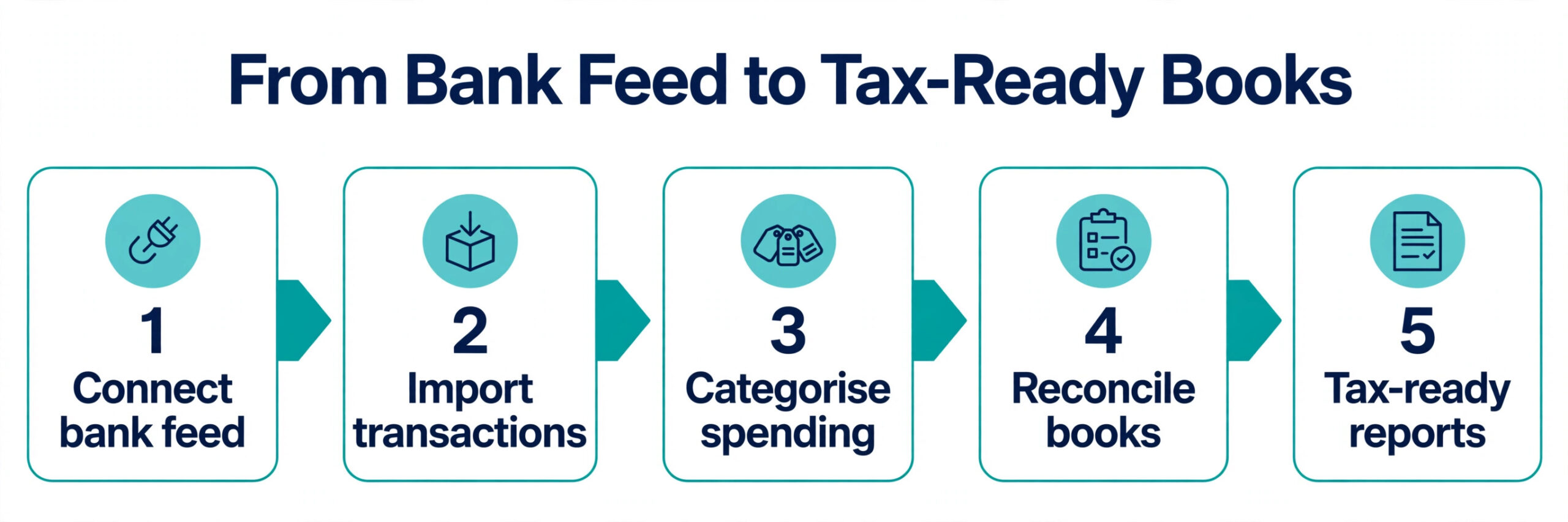
Bookkeeping software earns its price in the hours it saves and the mistakes it prevents. A tool that imports bank transactions cleanly, matches them to the right category, and produces a profit and loss report your accountant can trust will pay for itself in the first tax season. A tool that forces manual entry, hides reports behind a higher tier, or charges per user until a small team becomes expensive will cost you far more than its monthly price. The right choice depends on how many people touch the books, whether you hold stock, whether you run payroll, and how much you want to do yourself.
Prices in this guide are regular monthly list prices in United States dollars, checked against vendor pricing pages and current 2026 roundups in November 2026. Introductory discounts are not included, because they expire and your books do not. Several vendors raised prices during 2026, and sources disagree on a few figures, so we flag those conflicts in the text and tell you which figure we used. Confirm the price on the checkout page before you pay.
How We Compared Eight Bookkeeping Tools
We scored each tool on six points that matter to a real small business. Price covered the true monthly cost at one user, at a small team, and over a full year, including the cost of adding users or payroll. Core bookkeeping covered double entry accounting, bank feeds, reconciliation, invoicing, expense tracking and reporting. Payroll covered whether payroll is built in, offered as an add on, or left to a separate tool. Inventory covered stock tracking, purchase orders and cost of goods. Ease of use covered setup time, the daily workflow and how much accounting knowledge the tool assumes. Support covered the help available when a bank feed breaks or a report looks wrong.
We also checked the free plan honestly. A free plan that covers real double entry books is a genuine starting point, while a free plan that only covers two invoices a month is a trial with a different name. The same test applies to user limits. Unlimited users sounds generous until you check whether the plan also caps invoices or bills, and a one user plan sounds cheap until you add your bookkeeper and your partner.
The Best Pick for Each Job
| Job | Pick | Why it wins |
|---|---|---|
| Best overall for most businesses | QuickBooks Online | Widest features and accountant support |
| Best for a team | Xero | Unlimited users on every plan |
| Best for freelancers and service work | FreshBooks | Fast invoicing and time tracking |
| Best free books | Wave | Real accounting at no monthly cost |
| Best value in an ecosystem | Zoho Books | Free under 50,000 dollars revenue |
| Best for payroll in one place | Patriot Software | Native payroll plus accounting |
| Best for product businesses | Sage 50 | Strong inventory and job costing |
| Best for hands off owners | Bench | A human bookkeeper does the work |
Use this table as a shortcut, then read the full section for the tool you are leaning toward. The cheapest option is not the best value when it cannot handle inventory or payroll, and the most expensive option is not the best choice when you only need clean books and simple invoices.
The Best Bookkeeping Software for Small Business in 2026, Ranked
The eight tools below fall into three groups. The first group is full accounting platforms that grow with the business, and these are the strongest all round picks for most readers. The second group is focused tools that do one job well, such as invoicing or payroll, and these suit businesses with a clear centre of gravity. The third group is the hands off and desktop options, which suit owners who want a person to do the books or a business that needs deep inventory control.
1. QuickBooks Online
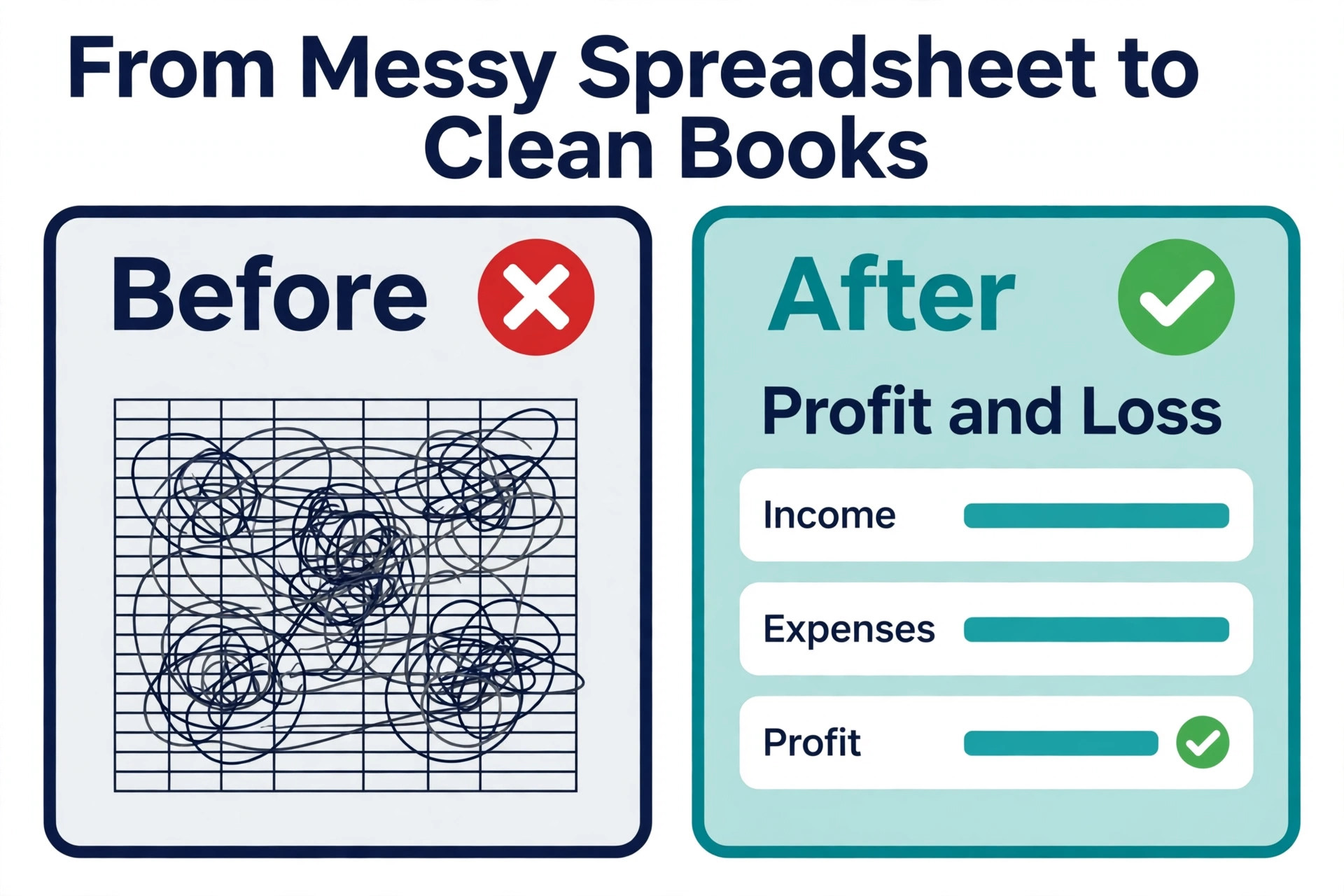
QuickBooks Online is the default answer for small business accounting in the United States, and defaults exist for a reason. It handles income and expense tracking, invoicing with payments, bill pay, bank feeds and reconciliation, with inventory and project tracking on higher plans and the largest app ecosystem in the category. Your accountant almost certainly knows it, your bookkeeper has used it, and a new hire can learn it without a training course.
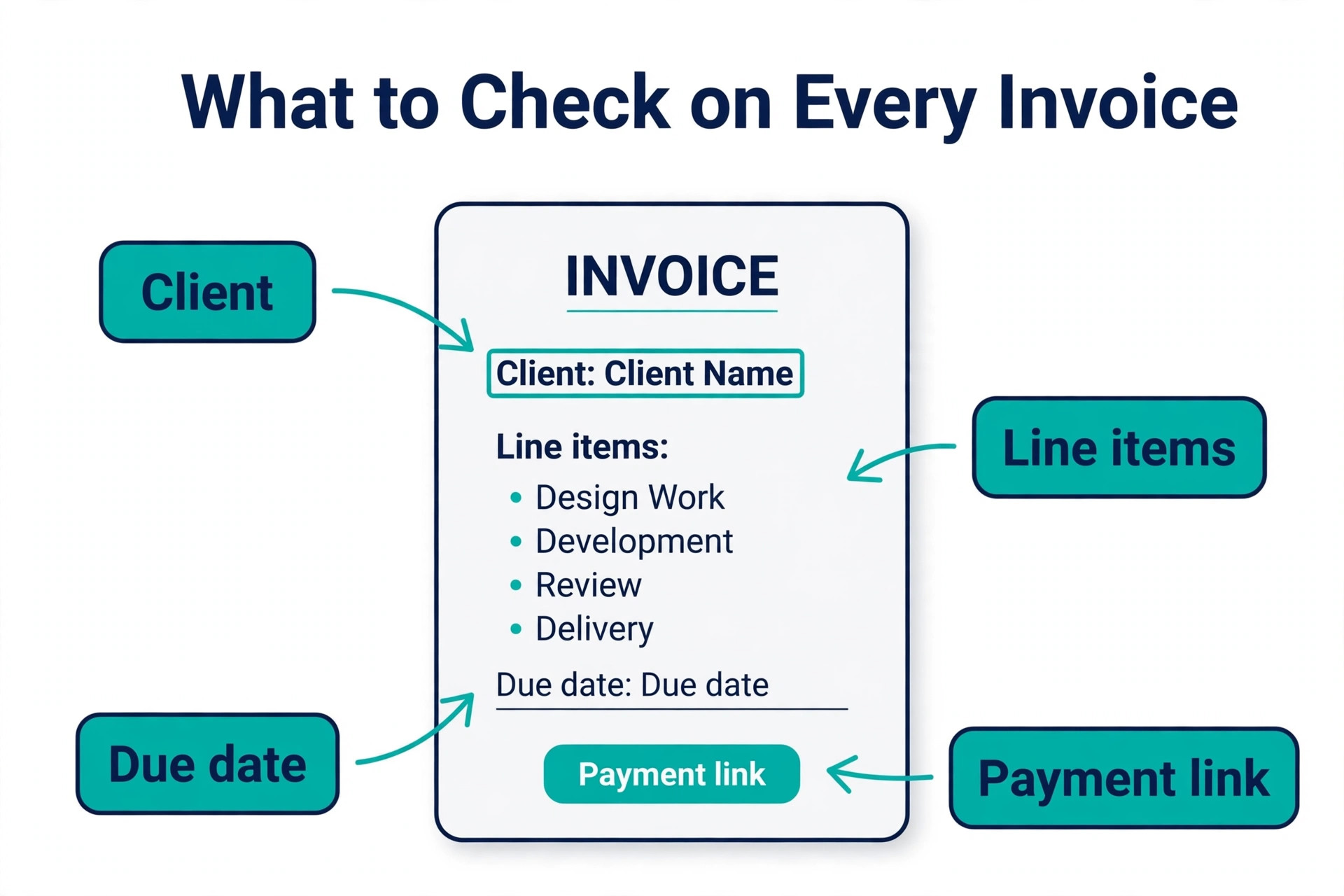
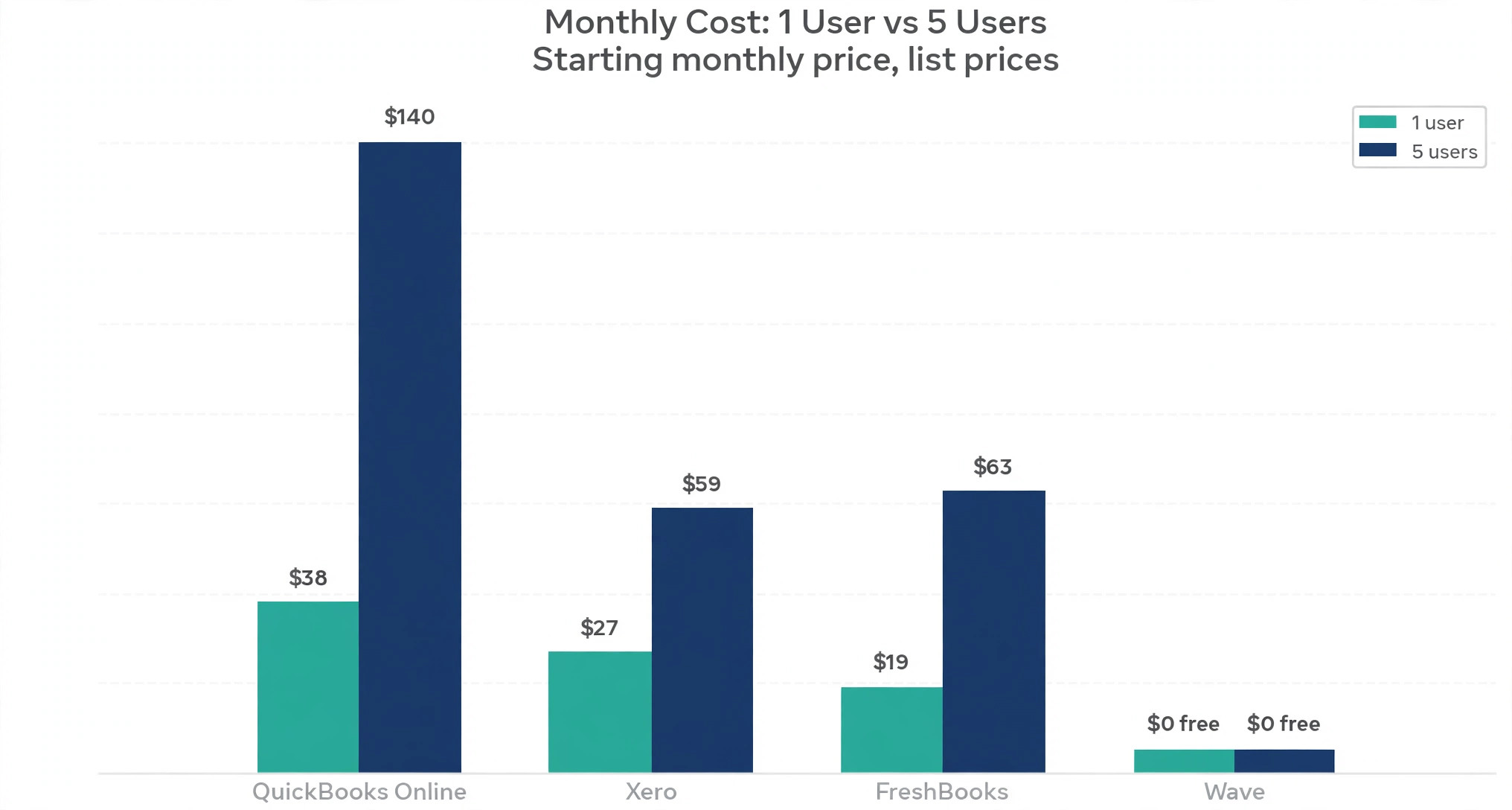
Pricing starts with a free plan for one user that covers two invoices a month and one bank connection, then Simple Start at 38 dollars a month for one user, Essentials at 85 dollars a month for three users, Plus at 140 dollars a month for five users, and Advanced at 340 dollars a month for 25 users. That Plus price is a 2026 increase, and older roundups still list Plus at 115 dollars a month, so use 140 dollars as the current list price and check the vendor page before you budget.
Payroll is a paid add on, and the price rises are the honest complaint against this tool, with Essentials moving from 75 dollars to 85 dollars and Plus from 115 dollars to 140 dollars during 2026.
QuickBooks wins on breadth and on the network around it. When you need a payroll provider, an inventory app, a time tracking tool or a tax preparer, the QuickBooks option is usually the first one listed. It loses on price growth and on per user billing, because a five person finance function pays Plus money even when only two people do the books full time. Choose QuickBooks when you want the industry standard and room to grow, and when you accept that the price will rise over time.
2. Xero
Xero is the clean modern alternative that accountants enjoy using, and it was built as cloud accounting from the start rather than moved to the cloud later. The dashboard is clear, bank feeds are strong, invoicing is pleasant to use, and the reconciliation workflow is the best in this group for a business that processes many transactions. It suits businesses that work closely with an accountant and teams where several people need access to the books.
Pricing is straightforward, with Early at 27 dollars a month, Growing at 59 dollars a month and Established at 97 dollars a month, all in United States dollars, and every plan includes unlimited users. Older sources list Early at 25 dollars, Growing at 55 dollars and Established at 90 dollars, so the figures here are the higher November 2026 list prices and you should confirm them before you buy. Early is limited to 20 invoices and five bills a month, while Growing removes those caps and Established adds multi currency, expense claims, project tracking and advanced analytics.
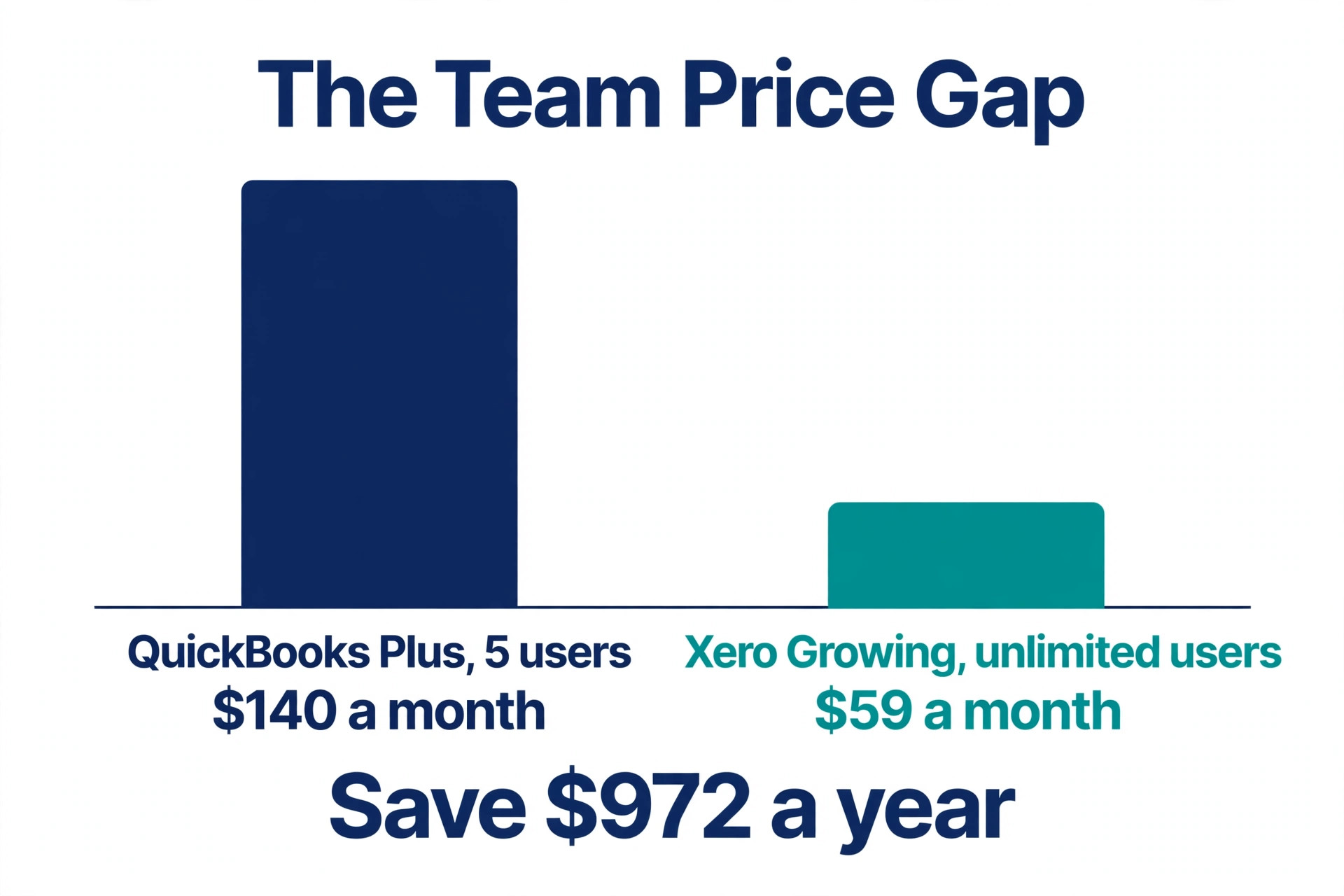
Xero wins on team cost. A business with five users pays 59 dollars a month on Growing, against 140 dollars a month for QuickBooks Plus, a saving of 972 dollars a year on software alone. It loses on United States payroll, which comes through an add on rather than as a native feature, and on inventory depth, which is basic compared with QuickBooks Plus or Sage 50. Choose Xero when you have a team, when you work in more than one currency, or when you want clean books without paying per seat.
3. FreshBooks
FreshBooks is built around invoicing and client billing, and it shows in every screen. Creating an invoice takes minutes, time tracking ties directly to billable work, late payment reminders run automatically, and clients can pay online without a separate payment tool. For a service business where invoicing is the centre of the work, that focus is worth more than a deeper general ledger.
Pricing starts at Lite at 19 dollars a month for five billable clients, with Plus at 33 dollars a month for 50 clients and Premium at 60 dollars a month for unlimited clients. Other 2026 roundups list Lite at 23 dollars a month, Plus at 43 dollars and Premium at 70 dollars, so the figures in this section are the lower list prices and the higher figures may reflect a later price rise or a different billing term. Check the vendor page for the price that applies to you. Payroll runs as an add on at 40 dollars a month plus 6 dollars per user, and extra seats cost 11 dollars a month each beyond the one user included.
FreshBooks wins on speed and on the client experience, and it loses on depth. There is no double entry accounting on the entry plan, no bank reconciliation on Lite, and no inventory to speak of, so a product business or a business with complex books will outgrow it. Choose FreshBooks when you are a freelancer or a service business that bills time, and when fast professional invoices matter more than a full accounting system.
4. Wave
Wave is the answer for a business with more ambition than budget, because its core accounting, invoicing and receipt scanning are free. That is not a teaser rate but the actual business model, since Wave makes money on payments processing, payroll and its Pro plan. The Starter plan includes unlimited invoices, income and expense tracking and basic reports at no monthly cost, which covers a founder validating an idea completely.
The paid Pro plan costs 19 dollars a month and adds automation such as bank imports and reminders, while other sources list a paid tier at 16 dollars a month, so confirm which figure applies on the pricing page. Payroll is billed separately, and Wave has no inventory and limited reporting compared with QuickBooks or Xero. The free plan covers one seat, so a team will need to plan around that limit.
Wave wins on price, because nothing else on this list gives you real double entry books for free. It loses on scale, because a growing business will eventually need the automation, reporting and multi user access that paid tools include. Choose Wave when you are pre revenue, when you are a solo operator with straightforward finances, or when you want to learn proper bookkeeping before you pay for it.
5. Zoho Books
Zoho Books is the best value pick for a business already using Zoho apps, and a strong value pick even for one that is not. It is real double entry accounting with invoicing, expenses, bank reconciliation, inventory through Zoho Inventory, and client portal features, at a price that undercuts QuickBooks and Xero by a wide margin. The free plan covers businesses under 50,000 dollars in annual revenue, which is a genuinely functional free tier rather than a demo.
Paid pricing starts at Standard at 15 dollars a month billed annually, or 20 dollars a month billed monthly, with Professional and Premium tiers above it and a top tier at 70 dollars a month in some roundups. The difference between the 15 dollar and 20 dollar figures is the billing term, so read the price as 15 dollars a month when you pay yearly and 20 dollars a month when you pay monthly. Zoho Payroll is available as a separate product, and the Zoho One bundle covers more than 50 apps under one price when you want the full ecosystem.
Zoho Books wins on price and on integration, and it loses on familiarity. Fewer United States accountants know it as well as they know QuickBooks, and fewer third party apps list it first. Choose Zoho Books when you already use Zoho CRM, Zoho Inventory or Zoho Mail, or when you want real accounting at the lowest credible price and you are willing to find an accountant who works with it.
6. Patriot Software
Patriot Software is the only budget option on this list with native payroll and accounting under one login, and that single fact makes it the right pick for a small employer. Accounting Basic costs 20 dollars a month, and full service payroll costs 37 dollars a month, so the combined stack stays under 60 dollars a month before per employee fees. That is less than QuickBooks Plus alone, before you add payroll, and it removes the sync problems that come from running payroll in a separate tool.
The accounting side covers invoicing, expenses, bank reconciliation and reporting, with a simpler interface than QuickBooks or Xero. It does not match those tools on app integrations, on inventory depth, or on the size of its accountant network, and a business with complex books or many third party tools will feel those limits. The payroll side is the stronger half, with tax filing, direct deposit and employee self service, which is exactly what a small employer needs most.
Patriot wins on the combined price for a business with staff, and it loses on ecosystem breadth. Choose Patriot when you have employees, when you want payroll and books in one place, and when you would rather pay one vendor a modest monthly fee than manage two subscriptions and a sync between them.
7. Sage 50
Sage 50 is the desktop accounting tool for a product business that needs strong inventory and job costing, and it is the only tool on this list that is not primarily a cloud subscription. It handles stock levels, purchase orders, cost of goods, assemblies, serial numbers and job costing with a depth that cloud tools at this price do not match. A business that buys, stores and sells physical goods, or that prices work by job, will find the control it needs here.
Pricing is higher and less simple than the cloud tools, with Pro listed at 128.67 dollars a month and Quantum at 271.17 dollars a month in 2026 roundups, on a one year minimum commitment. Those figures are the regular list prices, and Sage also sells other products under the Sage name, so confirm that you are looking at Sage 50 pricing and not Sage Accounting or Sage Intacct, which are different products with different prices and different markets. Sage Accounting itself is retired in the United States, which is another reason to check the product name carefully.
Sage 50 wins on inventory and job costing, and it loses on cloud access, on modern design, and on the ease of giving an accountant or a remote team member access. Choose Sage 50 when your business lives in stock and job costs, when you work from one office, and when the cloud tools you tried could not track inventory the way you need.
8. Bench
Bench is not software in the usual sense, because it sends you a human bookkeeper instead of more software. You upload your bank statements and receipts, a dedicated bookkeeper categorises the transactions, reconciles the accounts and prepares monthly financials, and you review the result rather than doing the work yourself. For an owner who hates bookkeeping, that is the whole point.
Pricing is the conflict to flag honestly. Current 2026 roundups list Bench from 199 dollars a month for a light plan, while other sources list 299 dollars a month as the starting price, with a premium tier near 499 dollars a month that includes year end tax filing. The difference may reflect a relaunch price, a plan change, or a different tier, and Bench itself shut down in December 2024 before resuming operations under new ownership in early 2026. Do not budget on either figure without checking the Bench pricing page on the day you buy, and ask what the plan includes for your revenue level.
Bench wins on time, because it removes bookkeeping from your week entirely. It loses on control and on cost, because you pay for a service rather than for software, and you still need to review the work and answer questions about unclear transactions. Choose Bench when you would rather pay a person to keep the books than learn a tool, and when your time is worth more than the monthly fee.
How to Choose the Right Bookkeeping Tool
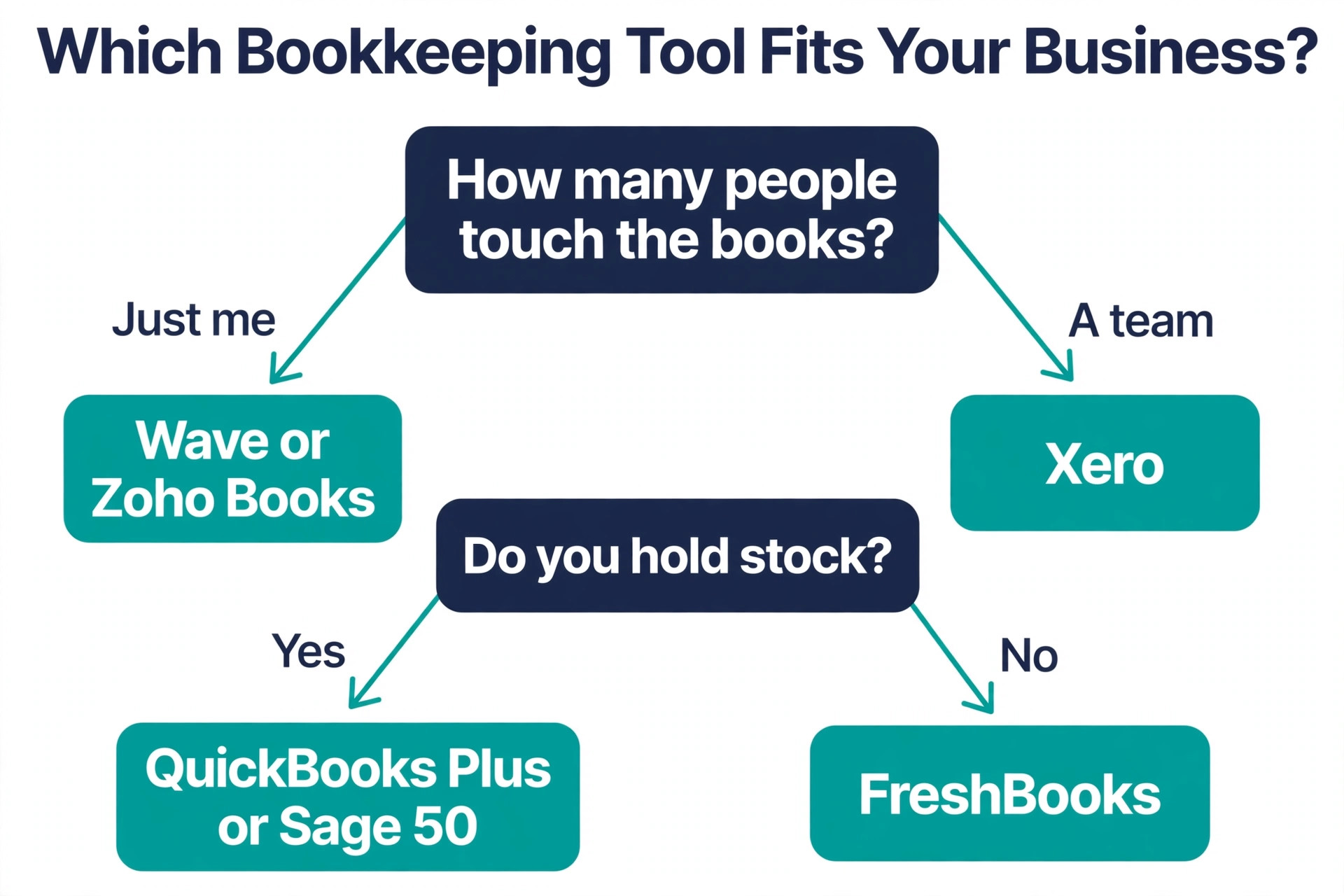
Choosing the best bookkeeping software for small business starts with the number of people who need access. A solo operator can use almost any tool on this list, while a team of three or more should look hard at Xero, because unlimited users remove a cost that grows with every hire. The best bookkeeping software for small business for a team is rarely the cheapest plan on the page, because the price that matters is the price at your real headcount. A solo operator can use almost any tool on this list, while a team of three or more should look hard at Xero, because unlimited users remove a cost that grows with every hire.
QuickBooks charges by tier, FreshBooks charges per extra seat, and Wave covers one seat free, so the same business can cost very different amounts depending on headcount.
Next, match the tool to the work that pays the bills. A service business that bills time fits FreshBooks, a product business that holds stock fits QuickBooks Plus or Sage 50, and a business with employees fits Patriot or QuickBooks with a payroll add on. A business with no revenue yet fits Wave or Zoho Books free, because there is no reason to pay for books before the money starts moving.
Then check payroll and inventory before you commit. Payroll through an add on is fine when the add on is priced clearly, but it becomes a surprise when the add on costs more than the accounting plan itself. Inventory on a basic plan is often a simple quantity field, not a real stock system, so test it with your actual products before you migrate. Finally, ask your accountant which tools they work with, because a tool your accountant cannot use will cost you more in year end fees than you saved on the subscription.
What to Check Before You Pay
A bookkeeping purchase is a data purchase as much as a software purchase, because your financial history lives inside the tool. Check the export options before you enter card details, and confirm that you can download your transactions, your chart of accounts and your reports in a format you can move elsewhere. A tool that locks your data behind a higher tier is a tool that will be expensive to leave.
Check the bank feed next. Most tools connect to major banks, but smaller banks and credit unions can fail, and a broken feed turns a time saving tool into a manual entry chore. Use the free trial to connect your real bank account and reconcile one full month before you pay for a year. Check the refund and cancellation terms at the same time, because annual billing saves money only when you stay, and a tool that does not fit in month one will not fit in month twelve.
- Confirm the plan includes the users you need without a per seat surprise.
- Confirm payroll is native, an add on, or a separate tool, with the full price.
- Confirm inventory covers your products, not just a quantity field.
- Confirm you can export transactions and reports in a usable format.
- Confirm the bank feed works with your real bank during the trial.
Mistakes That Waste Money
The most common mistake is paying for a year before testing the bank feed and the reports. A buyer signs up for annual billing to save 20 percent, then finds that the bank connection fails every week or that the profit and loss report hides the categories they need. The free trial exists for this reason, so run one full month of real transactions through it before you commit to a year.
The second mistake is choosing by the starting price alone. A 19 dollar plan that caps clients at five, a 20 dollar plan that charges per user, and a free plan that covers one seat can all cost more than a 38 dollar plan once your real business is inside them. Add up the cost at your actual headcount, client count and transaction volume, not at the number on the pricing page.
The third mistake is ignoring the accountant. A tool your accountant does not use will cost you in year end cleanup, in questions they cannot answer from inside the tool, and in reports they have to rebuild by hand. Ask before you buy, not after you have migrated a year of transactions. The fourth mistake is treating bookkeeping as a one time setup. Books need a weekly habit, even in the best bookkeeping software for small business, and a tool that sits unused for three months will not save you at tax time.
Our Verdict
QuickBooks Online is the pick for most readers among the best bookkeeping software for small business, because Simple Start at 38 dollars a month covers a solo business and Plus at 140 dollars a month covers inventory, projects and a five person team, with the widest accountant support behind it. The price rises are real, and you should budget for them, but the breadth and the network around the tool still make it the safest default.
Xero is the pick when you have a team, because Growing at 59 dollars a month with unlimited users saves 972 dollars a year against QuickBooks Plus for a five user business. Wave is the pick when the budget is zero, because the free Starter plan gives you real books at no monthly cost. Zoho Books is the pick when you want the lowest credible paid price, and Patriot is the pick when payroll and books must live under one login. Bench is the pick only when you want a person to do the work, and Sage 50 is the pick only when inventory and job costing drive the business.
Frequently Asked Questions
What is the best bookkeeping software for small business?
QuickBooks Online is the best overall choice for most small businesses, because it covers invoicing, expenses, payroll add ons, inventory and reporting, and most accountants already know it. Xero is better for a team, Wave is better when the budget is zero, and FreshBooks is better for a service business that bills time. The best choice depends on headcount, inventory, payroll and how much of the work you want to do yourself.
Is there really free bookkeeping software for small business?
Yes. Wave offers free accounting, invoicing and receipt scanning on its Starter plan, with no monthly cost, and Zoho Books offers a free plan for businesses under 50,000 dollars in annual revenue. Both are real double entry books, not demos. Wave makes money on payments and payroll, and Zoho makes money when you grow past the free revenue limit or add paid apps.
How much does bookkeeping software cost per month?
Prices in this guide run from free to 340 dollars a month, with most small businesses paying between 19 dollars and 140 dollars a month for the accounting plan alone. Payroll adds 37 dollars a month or more, and per user fees can add 11 dollars to 16 dollars a month per person. Add up the cost at your real headcount and client count, not at the starting price on the pricing page.
Does QuickBooks or Xero include payroll?
Neither tool includes payroll in its base accounting price. QuickBooks offers payroll as a paid add on, Xero handles payroll through add ons and integrations, and Patriot Software is the budget option with native payroll and accounting under one login. If payroll matters, compare the combined price of accounting plus payroll, because the add on can cost more than the accounting plan itself.
Can I switch bookkeeping software later without losing my history?
Yes, but the move takes planning. Export your transactions, chart of accounts and reports before you cancel, and check that the new tool can import the history you need. Most tools import bank transactions and opening balances cleanly, but categories, attachments and custom reports often need manual work. Run the new tool alongside the old one for one month before you cancel, so you can check the numbers match.
Is Bench still available after its shutdown?
Bench shut down in December 2024 and resumed operations under new ownership in early 2026, so it is available again, but you should check its current pricing and plan terms carefully. Roundups disagree on the starting price, listing 199 dollars a month in some sources and 299 dollars a month in others. Confirm the price and what the plan includes for your revenue level on the Bench pricing page before you buy.