A paper card costs a few cents to print, a week to reprint when your title changes, and a drawer to store. A digital card costs nothing to share, updates in seconds, and tells you when someone actually opens it. That gap is the whole story, and it is why professionals who meet ten new people a week now switch from paper to digital business cards instead of ordering another box of five hundred. This guide covers the full move, from picking a platform and designing the card to handing the last paper box to recycling, with real prices, a seven step migration, and the mistakes that waste the most money.
Why Paper Stops Working
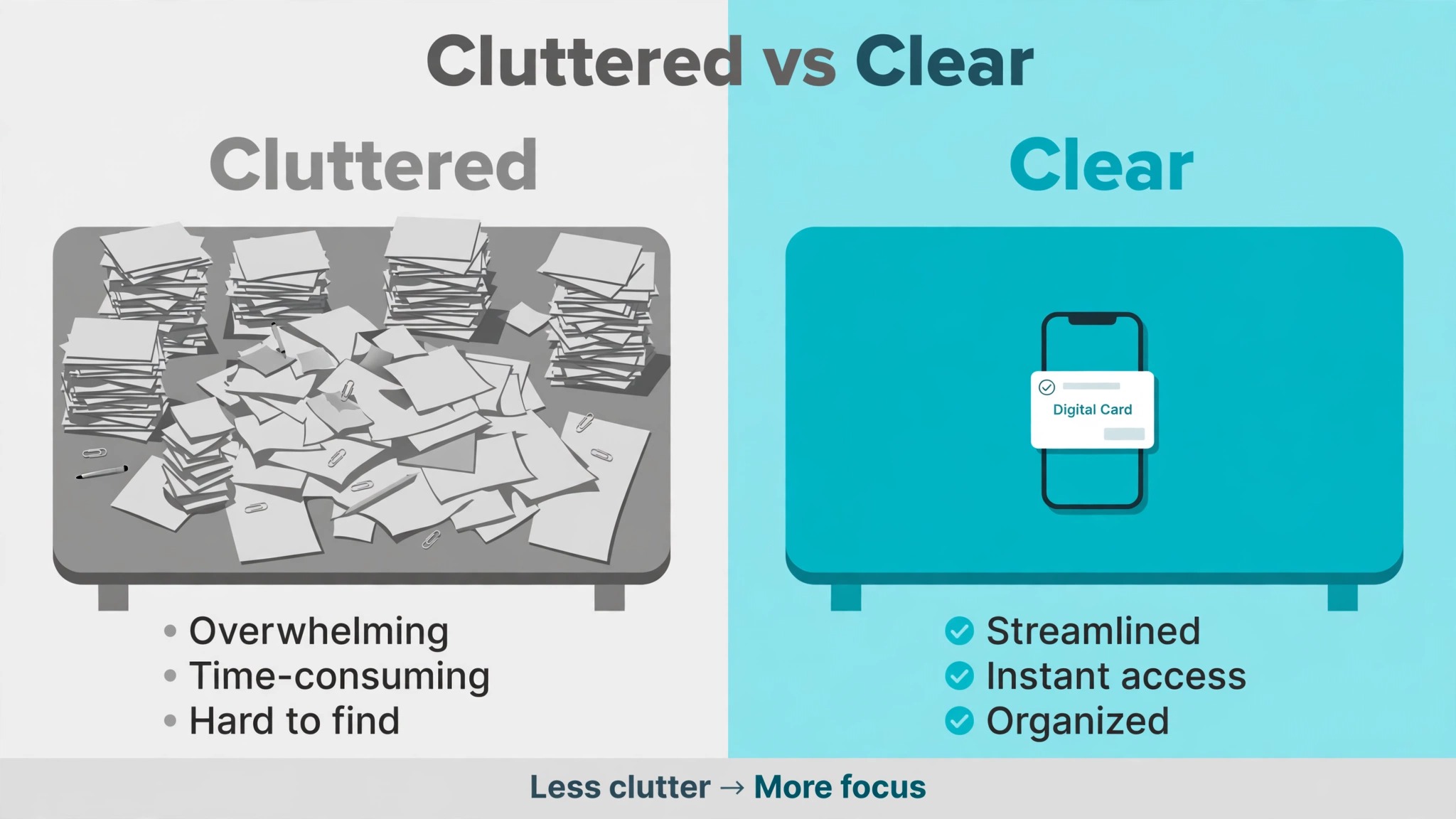
Paper business cards are a 2.3 billion dollar industry built on a product that 88 percent of recipients throw away within a week. That figure is the core problem, and it has not improved as inboxes and phones got better. A paper card carries your name and number into a pocket, and then into a bin, with no record that the meeting ever happened. You never learn whether the person kept it, lost it, or typed the number wrong, and you cannot fix a typo, a changed job title, or a dead phone number without printing the whole box again.
The cost is not just the printing. A ten person team typically spends 1,500 to 3,000 dollars a year on paper cards once printing, shipping, and reprints for role changes are counted, while the same team runs digital cards for about 600 dollars a year. The paper bill also arrives in the worst way, as a rush order the week before a conference, when the new hire has no cards and the designer is on holiday. Digital cards remove that cycle entirely. One card per person, updated in place, shared by tap, QR code, or link, with no reprint and no rush fee.
There is a second cost that never appears on an invoice. A paper card that is thrown away is a lead that never reaches the CRM, and a contact that never reaches the CRM is a follow up that never happens. Sales teams switch to digital cards because paper creates a data gap between meeting a prospect and getting their details into the system. A digital card closes that gap, because the exchange itself can capture the other person’s details, log the meeting, and send the follow up. The card stops being a piece of paper and starts being the first step of the sales process.
What a Digital Card Actually Is
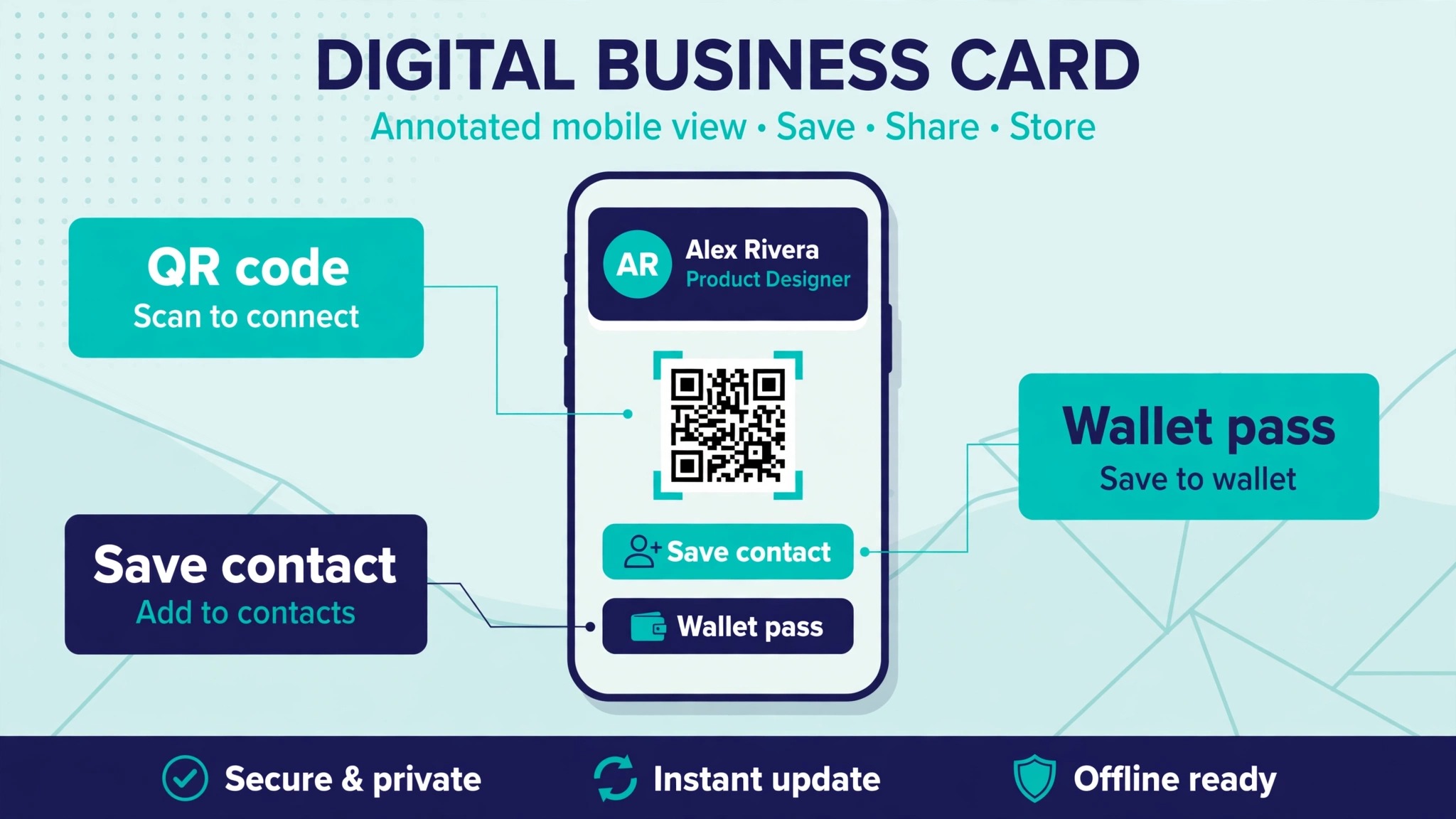
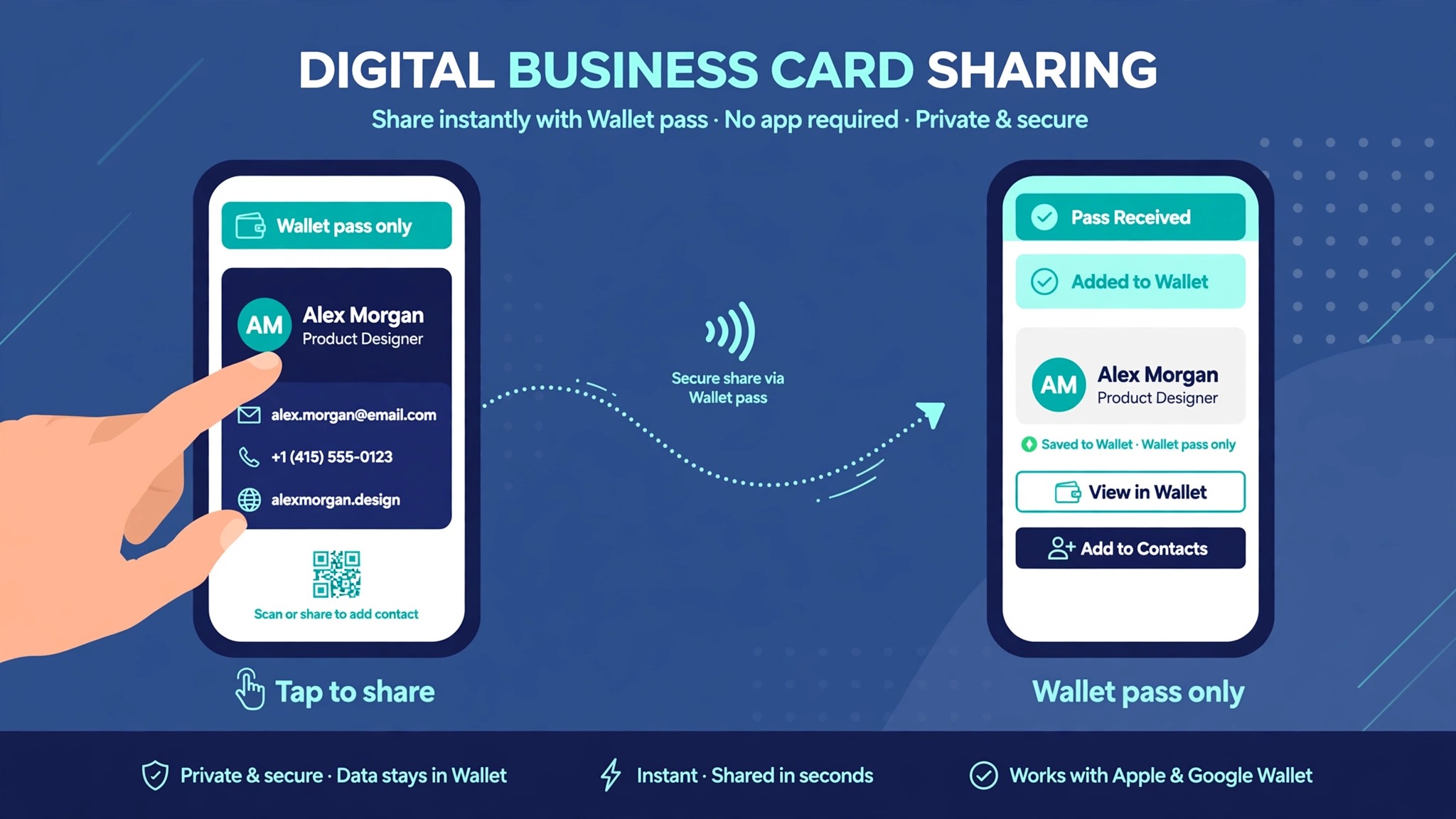
A digital business card is a web page for one person, built to be shared in under five seconds. It shows a name, photo, job title, company, phone, email, website, and social links, with a button that saves the contact straight to the recipient’s phone. It is shared in one of four ways. A QR code on a phone screen, a badge, or a printed sign. An NFC tap, where the cardholder taps a physical card or a phone against the recipient’s phone. A link sent by text, email, or messaging app. Or a wallet pass in Apple Wallet or Google Wallet that the recipient keeps like a boarding pass.
The four sharing methods suit different moments. A QR code works everywhere, on any phone, with no hardware to buy, which makes it the best default. An NFC tap is the fastest at a crowded event, where holding a phone up to a code feels slow and a tap takes a second. A link is the best option for email signatures and remote meetings, where nobody is standing in front of you. A wallet pass is the best option for repeat contact, since the recipient keeps it and finds it later without searching an inbox. Most platforms offer all four, and the choice is about the moment, not the platform.
The part that surprises first time users is how little the recipient needs. In almost every case, the recipient needs no app, no account, and no download. They point a camera at a code, or tap a card, and the contact page opens in the browser with a save button. That no app requirement is the feature to check first when comparing platforms, because a card that asks the recipient to install something will be ignored. The second feature to check is analytics, which shows who opened the card and when, and the third is whether the card can capture the recipient’s details in return, so the exchange works both ways.
How to Switch from Paper to Digital Business Cards in Seven Steps
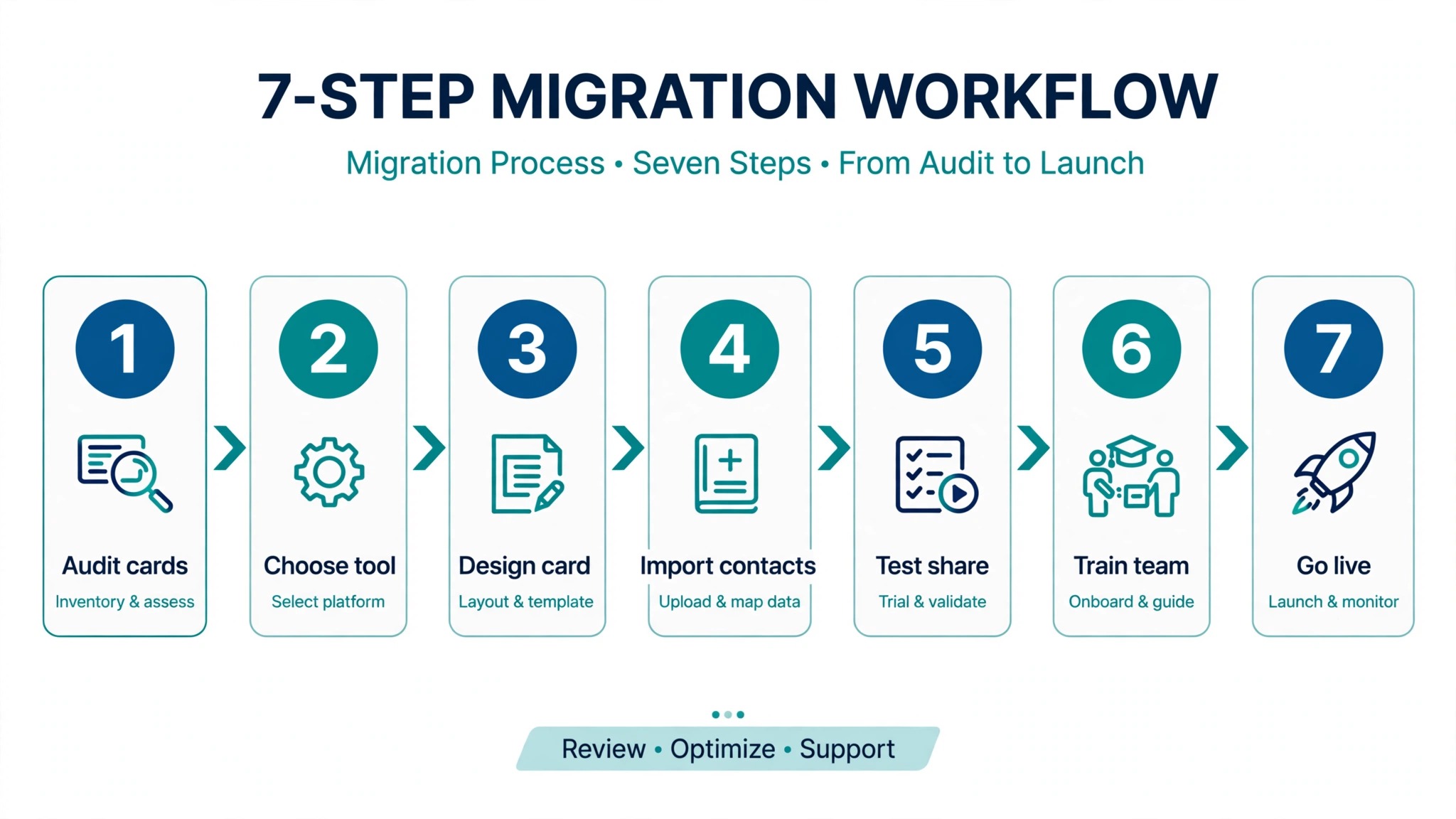
The migration below works for one person and for a team of fifty, and it is written so the paper cards and the digital cards overlap for two weeks instead of changing overnight. That overlap is the safety net. If anything goes wrong with the digital card, the paper box is still in the drawer.
- Audit what you actually hand out today. Count the paper cards left in the box, note who carries them, and check which details on the card are already out of date. Most teams find at least one person with an old title and one with a dead phone number, and those two fixes alone justify the switch.
- Pick one platform for everyone, not one per person. A team where half the people use one app and half use another cannot share templates, cannot track analytics in one place, and cannot hand a new hire a card on day one. Choose on the free plan first, test with two people for a week, and only then pay.
- Build one master template with the brand locked in. Logo, colours, fonts, and the order of the links should be the same on every card, with only the person’s name, photo, title, and contact details changing. A template that lets every employee redesign their own card will look like ten different companies by month two.
- Create the cards and test every sharing method. Tap the NFC card, scan the QR code, open the link on a phone you do not own, and save the contact to an Android phone and an iPhone. If the save button fails on either one, fix it now, while the paper cards are still in use.
- Add the digital card everywhere the paper card used to go. Email signature, LinkedIn profile, conference badge, trade show booth sign, and the back of the laptop all count. A digital card that only lives in the app is a card nobody sees, and the habit of sharing it is what makes the switch work.
- Run both systems for two weeks. Carry the paper box to meetings and share the digital card first, offering paper only when someone asks for it. Track how many people take the digital card, how many open it, and how many save it. Those numbers are the proof the switch is working, and they are also the numbers that convince a sceptical manager.
- Retire the paper. Stop the reprint order, recycle the leftover boxes, and put the money saved toward the NFC cards or the team plan. Tell the team the date the paper stops, so nobody is caught at an event with an empty pocket and no digital card ready. The switch is done when the paper box is gone and nobody misses it.
The Platforms Compared
The table below compares the platforms most teams actually choose between, using prices published on vendor pages in 2026. Team pricing is the number that matters for a company, and individual pricing is the number that matters for a freelancer, so both are shown where the vendor publishes them. When you switch from paper to digital business cards, the platform decision matters more than the card design, because the platform decides the analytics, the integrations, and the cost of adding the next ten people.
| Platform | Free plan | Individual paid | Team price | NFC hardware |
|---|---|---|---|---|
| HiHello | Yes, limited cards | 6 dollars a month | 60 dollars per user a year | No own hardware |
| Blinq | Yes, 2 cards | 9.99 dollars a month | About 60 dollars per user a year | 14.99 to 79.99 dollars |
| Popl | Yes, 1 card | Quoted | Quoted | Physical cards sold |
| Mobilo | Yes, basic card | 3 dollars a month | From 4 dollars a month | Cards from 5 dollars on sale |
| Wave Connect | Yes, full features | 7 dollars a month | 60 dollars per user a year | NFC cards sold |
| Dot | Free basic profile | 15 dollars a month | Not a team product | 30 dollars, 50 dollars metal |
The striking fact in that table is how similar the team prices are. HiHello, Blinq, and Wave Connect all charge about 60 dollars per user per year for smaller teams, so the decision is not about price. It is about what is included at that price. Wave Connect includes analytics, contact export, and zero recipient solicitation at every tier, while Blinq and HiHello paywall analytics and contact export behind their paid plans. Popl publishes no team price at all and sells through a sales meeting, which suits event teams and frustrates everyone else.
HiHello
HiHello is the most polished of the card apps, with a clean interface, good templates, and four ways to share built in. The free Personal plan covers a small number of cards, and published checks in 2026 have shown the count at two and at four, so confirm the current limit on the pricing page before you count on it. Professional costs 6 dollars a month billed yearly and adds more cards and scans.
Business starts at five users at 5 dollars per user a month billed yearly, or 60 dollars per user a year, with team analytics, CRM integrations, templates, and directory sync. HiHello sells no NFC hardware of its own, so a tap to share card means buying hardware from another company. Pick HiHello when the team needs several cards per person, such as one for work, one for a side project, and one for events.
Blinq
Blinq is the cleanest individual card in the group, and it is the best pick for email signatures and HR workflows. The free plan includes two cards, unlimited sharing, and wallet passes. Premium costs 9.99 dollars a month, or 7.33 dollars a month billed annually, for up to five cards with contact tools including CSV export.
Business is listed at 6.99 dollars per user a month, or 4.99 dollars billed annually, with a five card minimum that the pricing page describes in a way that reads as per card, so confirm the unit in writing before you sign. Blinq sells NFC products from 14.99 dollars for a phone sticker to 79.99 dollars for a custom metal card, with no subscription needed for the hardware itself. Pick Blinq when the card must look perfect in an email signature and the team wants AI contact enrichment.
Popl
Popl built its name on NFC cards and is now the event lead capture pick, with badge scanning, lead capture forms, CRM synchronisation, and enrichment. Its free individual plan covers basic sharing, and its team offering is sold as a flat licence through a custom quote, with no rates shown without a sales meeting. Older published Pro pricing near 7.99 dollars a month has been removed from its current pages, so do not budget around it.
Popl is the right pick when the real job is working a trade show floor and capturing badge scans, and the wrong pick when you want a published price and a self serve signup. Get the total in writing before you commit, including the per lead cost if event capture is part of the deal.
Mobilo
Mobilo is the team pick for companies that want a physical NFC card in every employee’s hand. The digital card itself is free, the Classic Smart Business Card was listed at 29.50 dollars, and cards have been seen on sale from 5 dollars, with Pro free for 90 days and then listed at 3 dollars a month. Teams pricing is listed from 4 dollars a month billed annually, though the page does not state clearly whether that unit is per user or per team, so confirm it before you budget.
Mobilo covers NFC tap, QR, wallet passes, widgets, SMS, email, and AirDrop, and it publishes CRM and HR directory workflows that suit larger companies. Pick Mobilo when the physical card matters as much as the software, and when the rollout covers dozens of people who need a card on day one.
QR, NFC, or Link, and When Each One Wins
The sharing method is a smaller decision than the platform, but it is the one the recipient feels. A QR code wins on universality. Any phone made in the last six years opens it with the camera, no app needed, no hardware to buy, and no battery to charge. It is the best default for a freelancer, a small team, and anyone who shares cards in varied places. Its weakness is speed at a crowded event, where holding a phone up and waiting for the camera to focus feels slow next to a tap.
An NFC tap wins on speed and on impression. The recipient holds their phone near the card and the contact page opens in about a second, which matters when you meet forty people in an hour. The cost is the hardware, from about 15 dollars for a sticker to 80 dollars for a metal card, plus the risk that a small number of older phones handle NFC poorly.
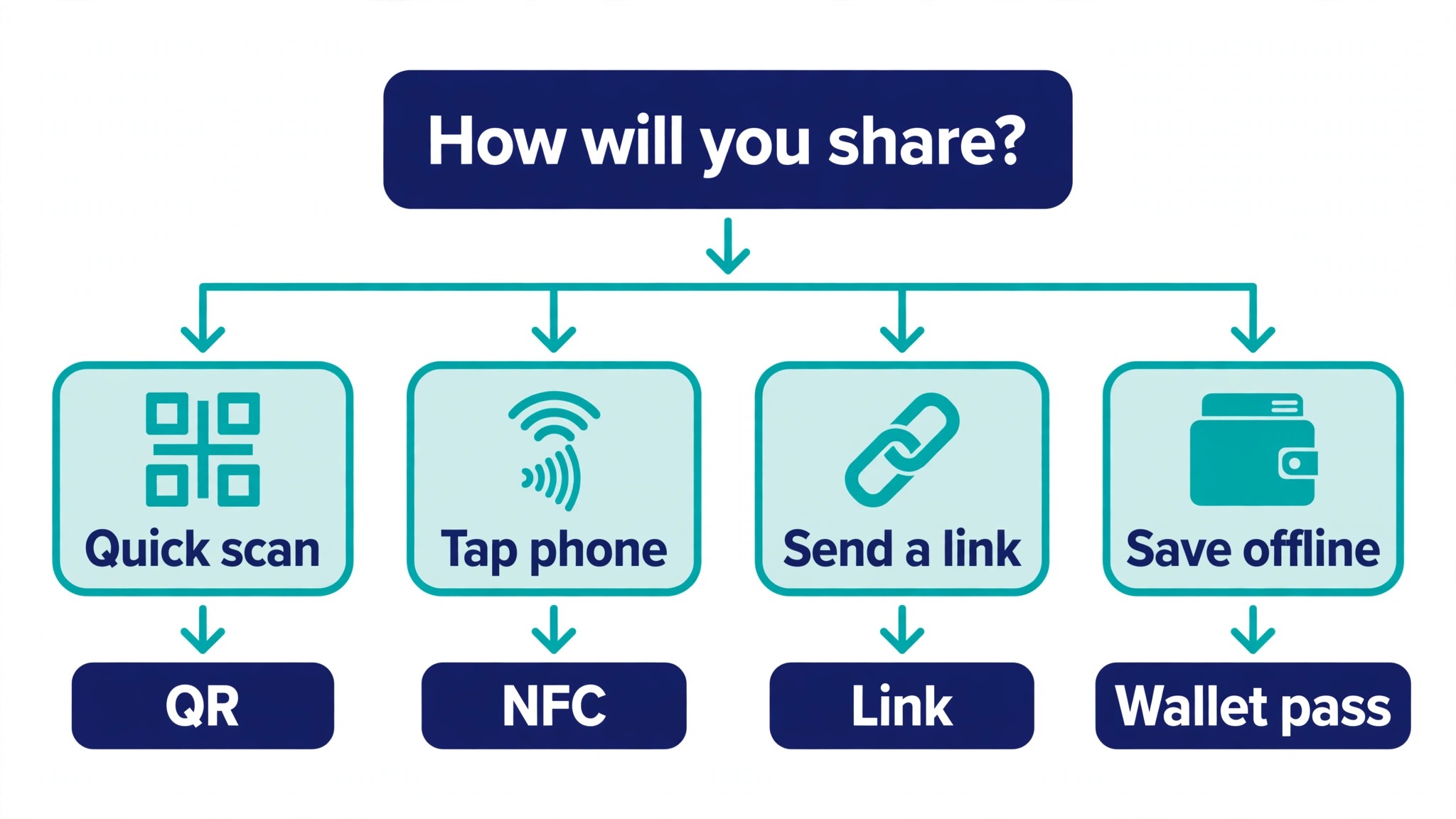
A link wins when nobody is standing in front of you, in an email, a message, or a video call, where a code cannot be scanned and a tap is impossible. A wallet pass wins for repeat contact, since the recipient keeps it and finds it later. The practical answer for most people is to use all four, with QR as the default, NFC for events, links for remote contact, and a wallet pass for the people you meet twice. When you switch from paper to digital business cards, the sharing habit matters more than the sharing method, and the method that gets used is the right one.
What It Costs, Honestly
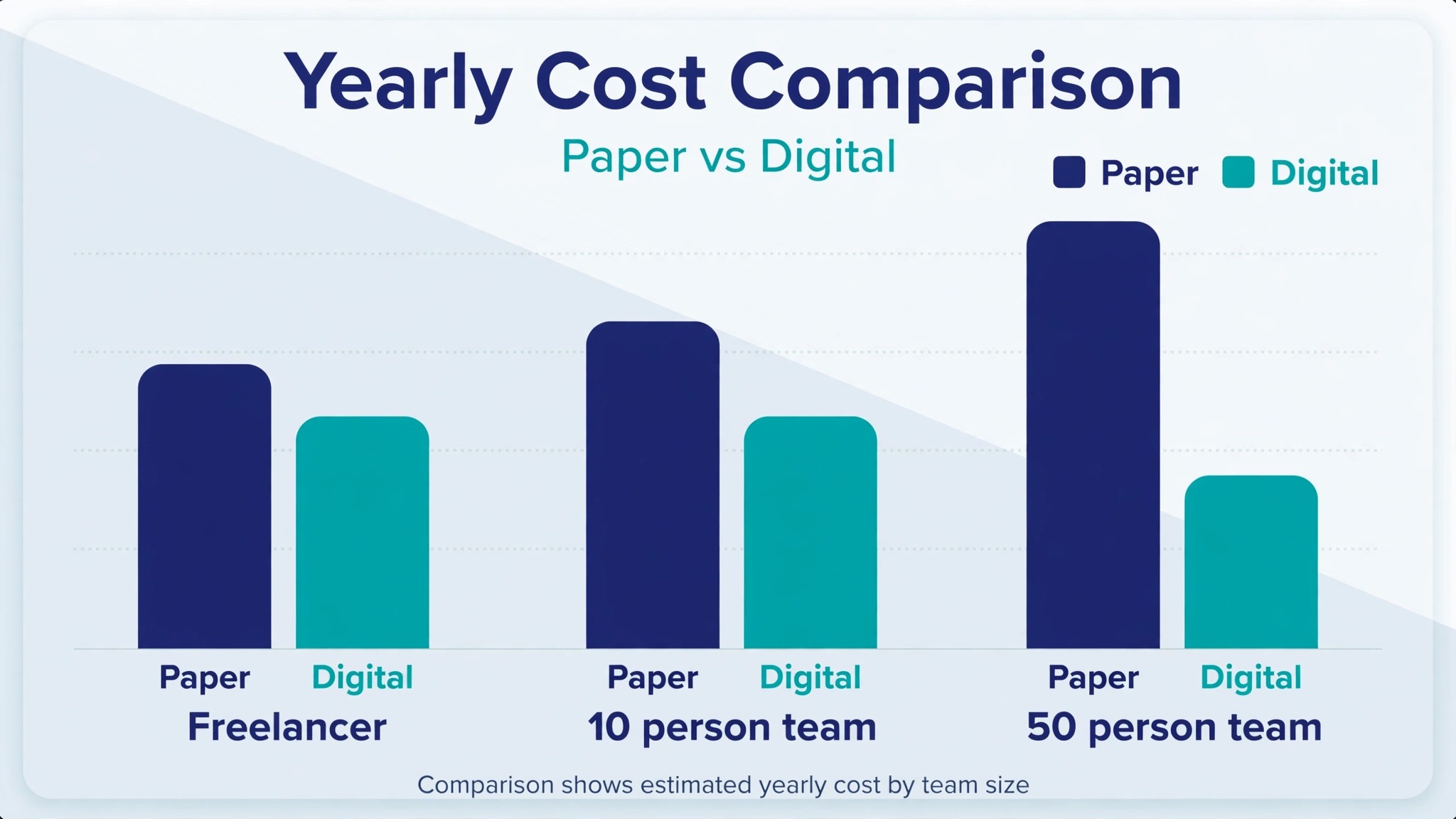
The honest cost of going digital has three parts, and most comparisons only show the first. Anyone planning to switch from paper to digital business cards should count all three before comparing prices. The first part is the software, which for a ten person team runs about 600 dollars a year at the standard team rate of 60 dollars per user per year. The second part is the hardware, if you want NFC cards, which runs from about 15 dollars for a sticker to 80 dollars for a metal card per person, and which is a one time cost unless cards are lost.
The third part is the time to set it up, which is about an hour per person for the card and the template, plus a morning for the admin to build the team account. Add the three together for a ten person team and the first year costs roughly 750 to 1,400 dollars, against 1,500 to 3,000 dollars a year for paper. The saving grows every year after the first, because the hardware is already bought and the software is the only recurring cost.
The mistake is comparing the cheapest digital option with the dearest paper option, or the reverse. Compare like with like. A freelancer who prints a hundred cards a year spends very little on paper, and a free digital plan may be all they need, so the saving is small and the convenience is the real gain. A sales team that reprints every time someone changes roles spends thousands on paper, and the digital saving is large and immediate. The table below shows the first year cost for three common shapes, using the published team rate and a mid range NFC card at 30 dollars per person.
| Shape | Paper per year | Digital year one | Digital each later year |
|---|---|---|---|
| Solo freelancer | About 100 dollars | 0 to 100 dollars | 0 to 90 dollars |
| Ten person team | 1,500 to 3,000 dollars | 900 to 1,400 dollars | 600 dollars |
| Fifty person team | 7,500 to 15,000 dollars | 4,500 to 6,500 dollars | 3,000 dollars |
Those figures are estimates built from published rates, not quotes, and the real number depends on the NFC card chosen and the plan negotiated. A fifty person team should ask for volume pricing, since at least one platform offers custom rates above a hundred users and others will negotiate when asked. The other cost to watch is the per lead charge on event capture, which some platforms bill separately from the subscription. Blinq lists 9.99 dollars per lead captured and enriched on its Business plan, so fifty captured leads cost nearly 500 dollars on top of the subscription. Ask about that charge before the event, not after it.
Rolling It Out to a Team
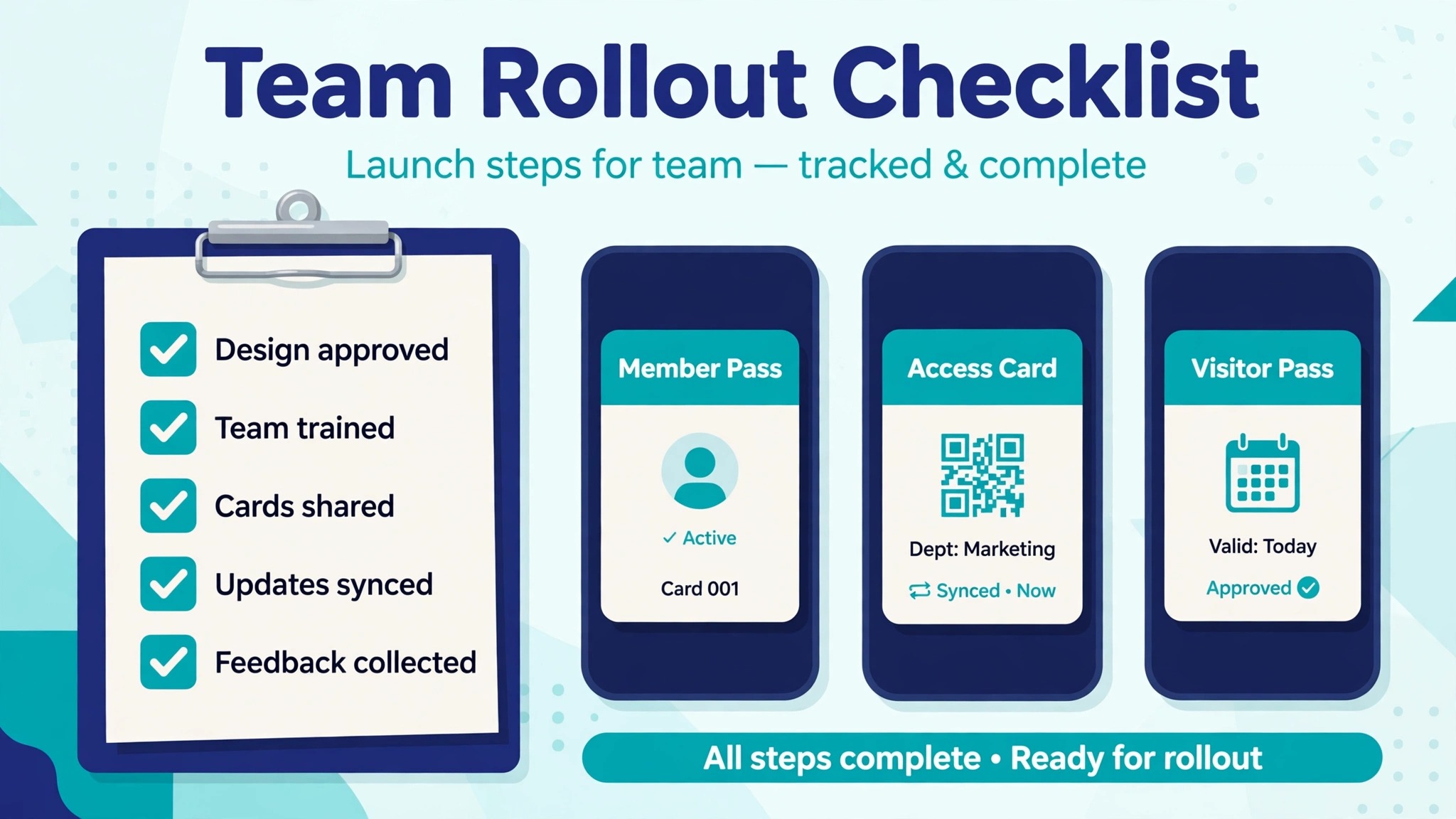
A team rollout succeeds or fails on the first week, and the first week succeeds when the cards are ready before the announcement. Build the template, create the cards, and test the sharing on two or three people before telling the whole team. The announcement should be a short message with a link to each person’s card and a one minute video or a single page of instructions, not a long meeting. People adopt a tool they can use in sixty seconds. They resist a tool that needs a training session.
The admin work is where most rollouts stall. Someone must own the template, the brand assets, and the list of who has a card and who does not. New hires need a card on day one, which means the creation step must be part of onboarding, not a favour asked weeks later. Leavers need their card disabled on the last day, so a former employee cannot keep sharing a live company card.
Those two rules, card on day one and card off on the last day, are the whole of team card administration, and they are worth writing down before the rollout starts. A team that plans to switch from paper to digital business cards should treat the admin owner as part of the purchase decision, because a platform with no clear admin controls will cost more in chaos than it saves in subscription fees.
Measure the rollout the way a sales team measures anything. Count how many cards were created, how many were shared in the first month, how many recipients opened them, and how many saved the contact. Share those numbers with the team after thirty days, and name the people whose cards performed best, because adoption follows proof. If the numbers are low, the problem is usually that nobody was told where to put the card, so add it to the email signature and the booth sign and watch the numbers move.
Mistakes That Waste the Most Money
The most expensive mistake is buying NFC hardware before choosing the platform. A metal card that only works with one app is a sunk cost if the team moves to another app, so choose the software first and buy the hardware that matches it. The second mistake is letting every employee design their own card. Ten different layouts, five different logo sizes, and three different shades of the brand colour will make the company look disorganised to every person who meets two of your people at the same event. Lock the template and let people change only their own details.
The third mistake is forgetting the recipient. A card that opens a page with no save button, or that asks the recipient to install an app, or that shows a wall of links with no clear contact button, will be closed in seconds. Test the card on a phone you do not own, with a person who has never seen it, and watch what they do. If they hesitate, the card needs fewer links and a bigger save button.
The fourth mistake is never checking the analytics. A platform that shows who opened the card is telling you which events worked and which did not, and a team that ignores that data is flying blind. The fifth mistake is treating the switch as a one time project instead of a habit. A digital card only works if it is shared, and it is only shared if it sits in the email signature, on the badge, and in the phone wallet where it can be reached in two seconds.
Frequently Asked Questions
Are digital business cards free?
Yes, for one person. HiHello, Blinq, Popl, Mobilo, and Wave Connect all publish free plans, though the limits differ. Blinq free includes two cards, HiHello free covers a small number of cards, and Wave Connect free includes analytics and a lead capture form. The free plan is enough for a freelancer testing the idea. A team that wants admin controls, analytics, and contact export will pay about 60 dollars per user per year, and NFC hardware costs extra.
Do recipients need an app to receive my digital card?
No, in almost every case. The recipient points a camera at a QR code, taps an NFC card, or opens a link, and the contact page opens in the browser with a save button. No app and no account are needed. That no app requirement is the first feature to check when comparing platforms, because a card that asks the recipient to install something will be ignored by most people you meet.
What happens to my card when I change jobs?
The card itself stays live until the owner disables it, which is why team admins should disable a leaver’s card on the last day. Your personal card on a free plan belongs to you and moves with you, while a company card on a team plan belongs to the company. When you switch from paper to digital business cards, keep one personal card separate from the company card, so a job change does not leave you with no card at all.
Is NFC better than a QR code?
NFC is faster at a crowded event, where a tap takes about a second and a QR scan takes several. A QR code is more universal, since any modern phone opens it with the camera and no hardware is needed. Most people should offer both, with QR as the default and NFC for events. The hardware costs from about 15 dollars for a sticker to 80 dollars for a metal card, and it is a one time cost.
Can digital business cards work offline?
The card page itself needs an internet connection to load, but most platforms offer an offline sharing option that stores the contact and sends it when the phone is back online. HiHello lists offline sharing on its free plan, and Popl saves scans on the device while offline. At a venue with poor signal, share the link by text or AirDrop instead, or hand over a paper card as a backup during the two week overlap period.
How do digital cards help with follow up?
A digital card can capture the recipient’s details in return, log the meeting, and send the exchange to your CRM, so the follow up starts automatically instead of waiting for someone to type a card into a spreadsheet. Wave Connect includes a lead capture form and analytics on its free plan, while other platforms put lead capture on paid tiers. That capture step is the feature that turns a card from a contact page into the first step of the sales process.
Will people think a digital card is unprofessional?
No, not in 2026. A clean digital card with a photo, a clear save button, and a company brand looks more professional than a bent paper card with an old phone number. The unprofessional version is a card that does not load, has no save button, or links to a dead social profile. Test the card on a stranger’s phone before the event, keep the design simple, and the format will not be the thing anyone remembers.
The Last Word
Switching to digital cards is a small project with a large return, and it is finished in a fortnight rather than a quarter. Pick one platform, lock the template, test the sharing on both kinds of phone, run paper and digital together for two weeks, and then stop the reprint order.
The money saved is real, but the bigger gain is the follow up that finally happens, because the contact reaches the CRM instead of the bin. Paper had a century to prove itself, and it proved that most of it gets thrown away. A digital card costs less, updates instantly, and tells you when it worked. That is the whole case for anyone ready to switch from paper to digital business cards, and it is enough.