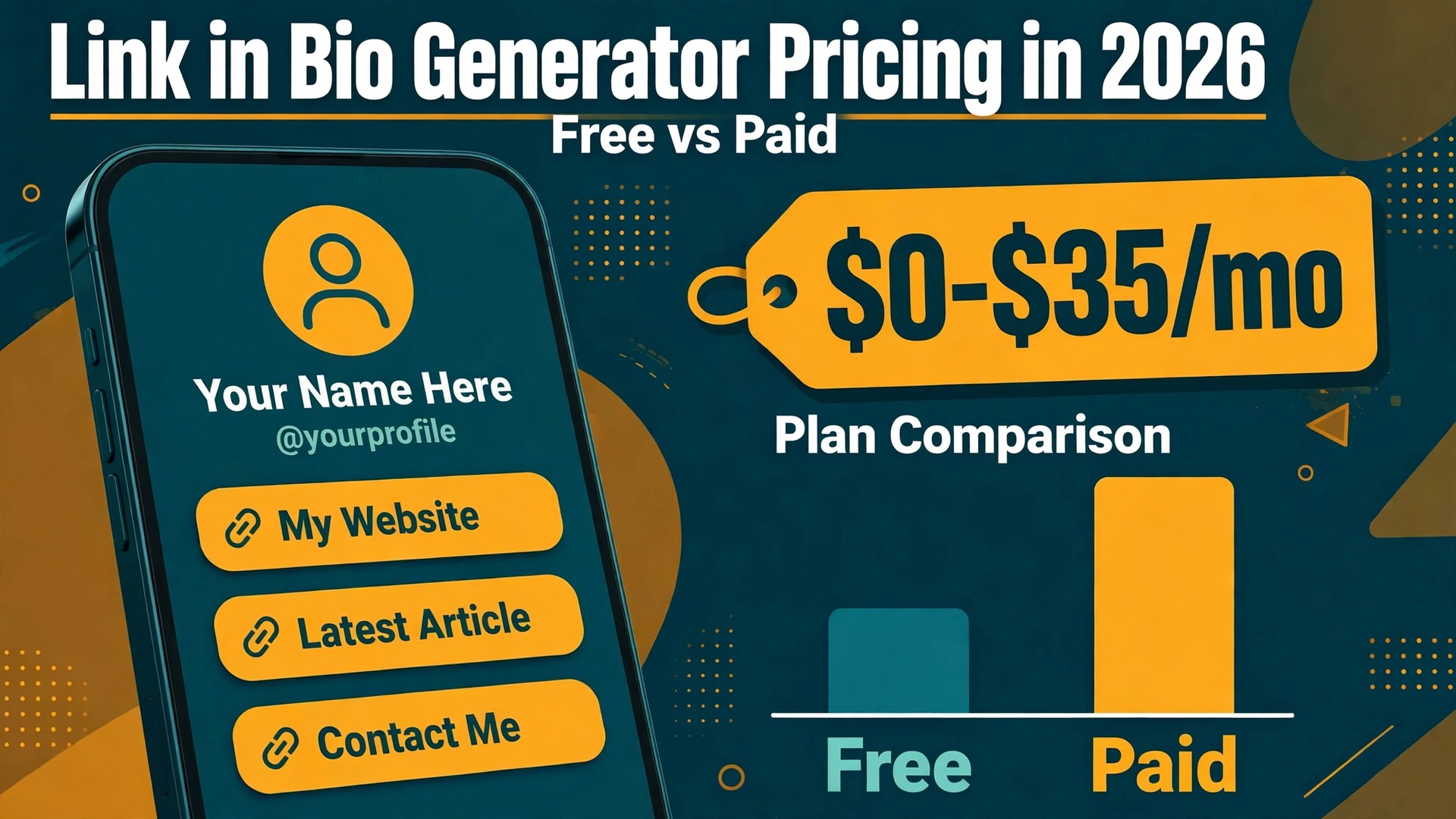
Linktree alone reports more than 70 million users on its pricing page, and that single number explains why link in bio generator pricing now matters to so many creators and small shops. A bio page looks like a small thing, one link on Instagram or TikTok that opens a page of links, yet the monthly bill behind it ranges from zero to 35 dollars, and the fees on what you sell through it can cost far more than the subscription itself. The cheapest plan on paper is not always the cheapest plan in practice, because several tools take a cut of every sale, and that cut quietly grows as your sales grow.
The short answer is that most creators should start free and pay only when a specific feature earns its keep. A free plan from Linktree, Beacons or Lnk.Bio covers unlimited links, basic analytics and a working page, which is enough to test whether your audience clicks at all. You should pay when you need to remove the tool branding from your page, connect your own domain, sell products without a platform fee, or see more than a month of click history. Until one of those needs is real, a paid plan is money spent on features you will not open.
The Quick Verdict on Link in Bio Generator Pricing
Free plans win for testing, paid plans win for selling, and the middle tiers are where most of the wasted money sits. A creator who posts links to a YouTube channel, a podcast and an affiliate store does not need a 30 dollar plan. A shop that sells 500 dollars of digital products a month through its bio page does need one, because a 9 percent seller fee on that volume costs 45 dollars a month, which is more than the premium plan that removes the fee entirely. The decision is arithmetic, not taste, and the arithmetic changes as soon as your sales pass about 300 dollars a month.
Three costs hide inside every bio tool, and comparing only the monthly subscription misses two of them. The first is the subscription itself, from zero to 35 dollars a month. The second is the seller fee, a percentage taken from every product sale, which runs from zero to 12 percent depending on the tool and the plan. The third is the payment processing fee, usually around 2.9 percent plus 30 cents per transaction, charged by Stripe or PayPal on top of everything else. That third fee is nearly identical everywhere, so it cancels out of the comparison, but the seller fee does not.
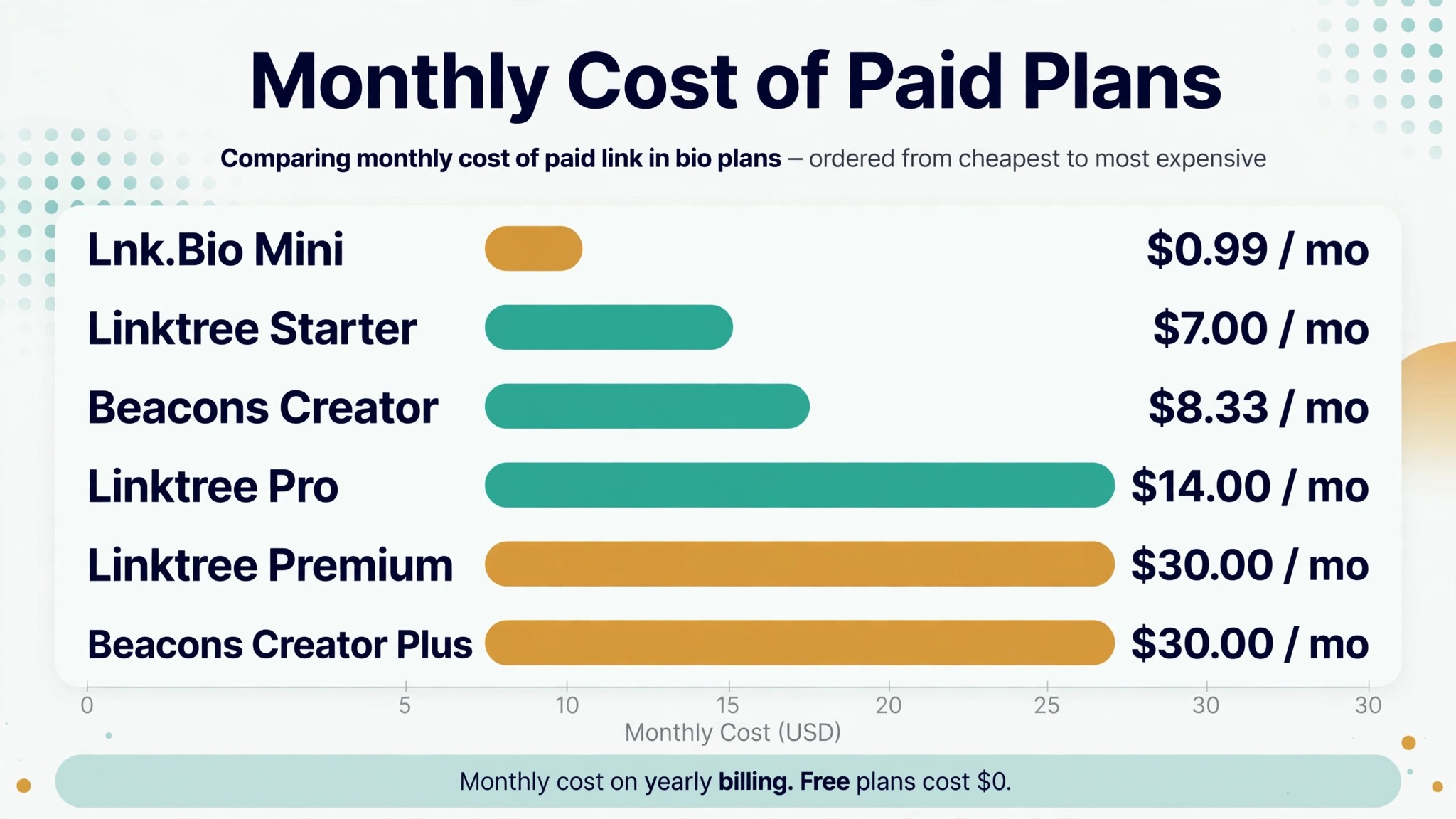
Annual billing is the simplest saving available, and it is worth about two months free on most tools. Linktree Starter drops from 9 dollars monthly to 7 dollars a month when billed yearly, Pro drops from 17 to 14 dollars, and Premium from 35 to 30 dollars. Beacons Creator drops from 10 dollars to about 8.33 dollars a month on annual billing. If you are sure you will keep the tool for a year, paying yearly is the easiest discount in this whole category, and it requires no negotiation and no feature trade off.
Best Pick by Job
| Job | Best pick | Why it wins |
|---|---|---|
| Testing a bio page | Linktree Free | Unlimited links, familiar format |
| Cheapest paid plan | Lnk.Bio Mini | 99 cents a month, or one time payment |
| Selling digital products | Beacons Creator Plus | Zero seller fee once sales grow |
| Mini storefront plus bio page | Stan Store | Flat 29 dollars a month, zero fee |
| Simple page on a budget | Carrd | 19 dollars a year, custom domain |
| Messenger first selling | Shorby | Buttons for WhatsApp, Telegram and Messenger built in |
Link in Bio Generator Pricing Compared in 2026
The table below puts the eight most used tools side by side using prices checked against vendor pricing pages in November 2026. Prices change often in this category, Linktree alone raised its prices twice in about a year, so confirm the current figure on the vendor page before you pay. Where a vendor shows prices in euros, the table says so instead of converting, because a converted figure would be wrong within weeks.
| Tool | Free plan | Paid from | Seller fee |
|---|---|---|---|
| Linktree | Yes | From 7 dollars a month | 12% free, 9% Starter and Pro, 0% Premium |
| Beacons | Yes | 10 dollars a month | 9% free and Creator, 0% Creator Plus |
| Lnk.Bio | Yes | 99 cents a month | None |
| Shorby | Trial only | From 12 dollars a month | None |
| Taplink | Yes | About 3 euros a month | None |
| Stan Store | No | 29 dollars a month | Zero platform fee |
| Carrd | Yes | 19 dollars a year | None |
| Milkshake | Yes | 2.99 dollars a month | None stated |
Linktree is the reference price for the whole category, and its current structure is four plans. Free costs nothing and includes unlimited links, basic analytics for 28 days and email sign ups, with the Linktree logo on the page. Starter costs 7 dollars a month billed yearly or 9 dollars month to month, and adds scheduling, redirect links, 90 days of analytics and removal of ads.
Pro costs 14 dollars a month billed yearly or 17 dollars month to month, and removes the Linktree branding, adds custom backgrounds and fonts, and lets you sell with no Linktree fee. Premium costs 30 dollars a month billed yearly or 35 dollars month to month, and adds lifetime analytics with export, link rules, team access and social scheduling.
Beacons takes a different approach, and its free plan is the most generous of the large tools. The free plan includes unlimited links, a store, email capture and a media kit, but Beacons takes 9 percent of every sale made through the page. Creator costs 10 dollars a month or about 8.33 dollars a month billed yearly, and still takes 9 percent, which surprises buyers who assume paying removes the fee. Creator Plus costs 30 dollars a month and is the first Beacons plan with a zero seller fee, so the fee math matters more here than anywhere else in this guide.
Lnk.Bio is the cheapest paid option in this category by a wide margin, and its pricing is unusually simple. The free plan includes unlimited links, the Mini plan costs 99 cents a month, the Unique plan costs 24.99 dollars as a one time payment, and the Ultra plan costs 89.99 dollars a year with a custom domain included. A custom domain is a 39.99 dollar a year add on for the cheaper plans. There is no seller fee at any level, because Lnk.Bio does not process payments, it only links out to wherever you sell. That makes it a strong pick for a creator who sells elsewhere and only needs the bio page itself.
Shorby has no free plan, only a short trial, and its pricing page showed no plans at all on one October 2026 check, which is a warning sign in itself. Third party checks put its Rocket plan at 17 dollars a month or 12 dollars a month billed yearly, Pro at 29 dollars a month or 24 dollars billed yearly, and Agency at 99 dollars a month or 82 dollars billed yearly. Shorby is built for messenger buttons and auto updating feeds, so it fits a business that routes followers into WhatsApp, Telegram or Messenger chats. If you do not need that routing, the price is hard to justify against tools that start free.
Taplink is the low cost option for creators outside the United States, and its pricing is shown in local currency, which makes direct comparison tricky. The free Basic plan covers a simple page with links, while paid plans start at about 3 euros a month on yearly billing, with a Business tier at about 6 euros a month. Paid plans add payments, forms, messenger buttons and analytics, and the tool is popular in markets where Linktree pricing feels expensive. Taplink shows different prices by country and currency, so read the price in your own currency at checkout rather than trusting a converted figure from a review.
Stan Store is not really a bio tool at all, it is a storefront that happens to live behind a bio link, and its pricing shows that. There is no free plan, and the Creator plan costs 29 dollars a month flat, with a Pro plan at 99 dollars a month. Stan takes zero percent of your sales on every plan, which is the whole pitch. A creator selling 1,000 dollars a month would pay far less at Stan than on Linktree Pro. The trade off is that 29 dollars a month is a real commitment before your first sale, so Stan suits sellers with proven demand.
Carrd is the cheapest way to own a bio page outright, and it is the only tool here that is priced per year rather than per month. The free plan builds a simple page, and the Pro plan costs 19 dollars a year, which works out to about 1.58 dollars a month. For that price you get custom domains, forms, widgets and no Carrd branding. Carrd is a general page builder rather than a bio specialist, so it has no seller fee and no link analytics dashboard, but it also has no monthly bill that creeps upward. A creator who wants a fast page with a custom domain and no ongoing cost will find nothing cheaper.
Milkshake is the phone first option, built for creators who build their page on a mobile phone rather than a computer. The free plan covers a swipeable card style page, and the paid plan costs 2.99 dollars a month. It is a small, simple tool owned by the same company behind several creator apps, and its strength is speed, you can build a good looking page in minutes on your phone. Its weakness is depth, with fewer analytics, fewer integrations and fewer selling features than Linktree or Beacons. Milkshake fits a creator whose audience lives on Instagram and who values a page that looks native on a phone screen over a dashboard full of reports.
The Hidden Fees That Change the Real Price
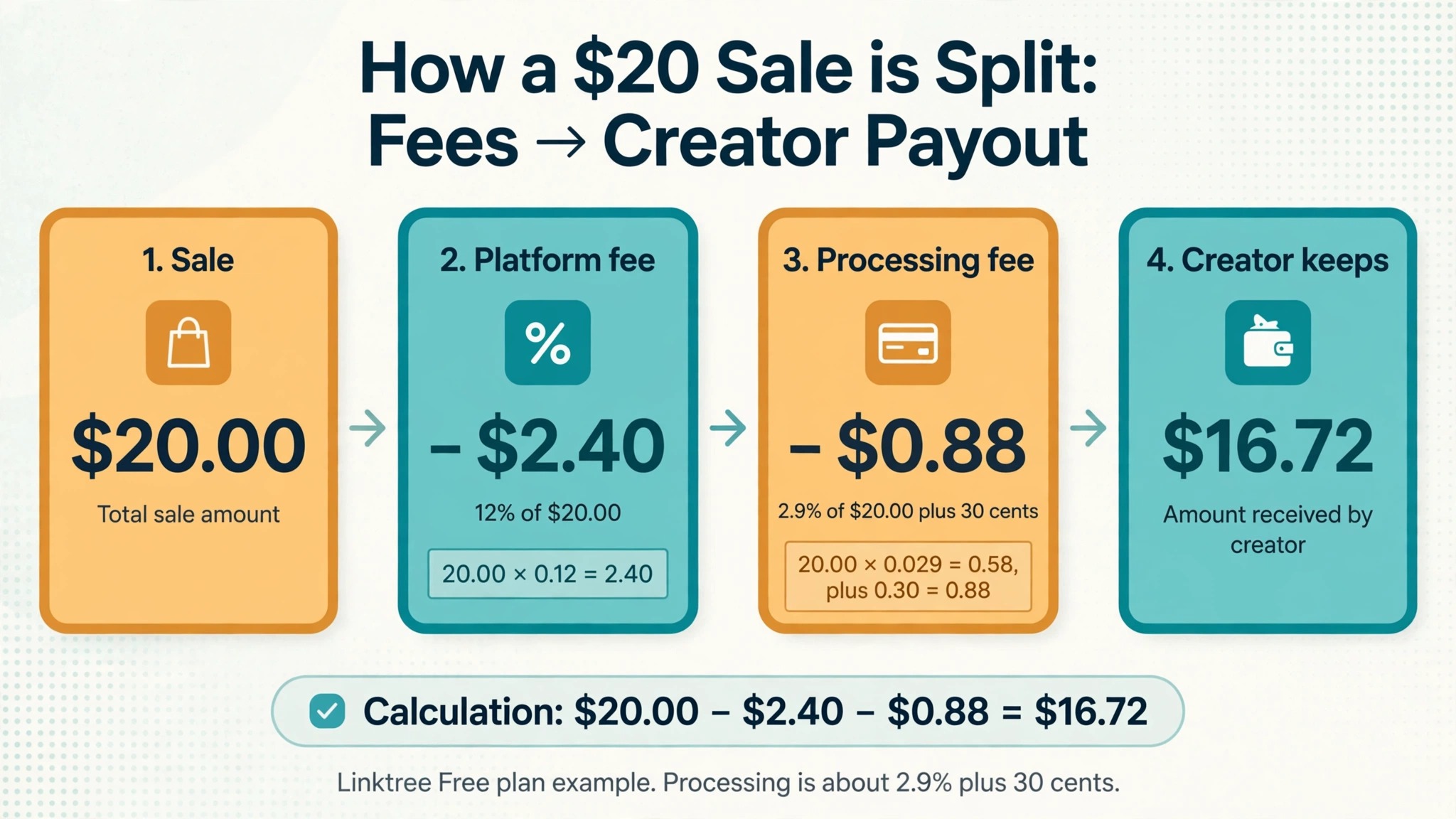
The seller fee is the cost most buyers discover after they start selling, and it deserves its own calculation before you choose a tool. Linktree takes 12 percent of every sale on its free plan, 9 percent on Starter and Pro, and zero on Premium. A creator selling 200 dollars of presets a month on the free plan hands Linktree 24 dollars, more than the Starter subscription.
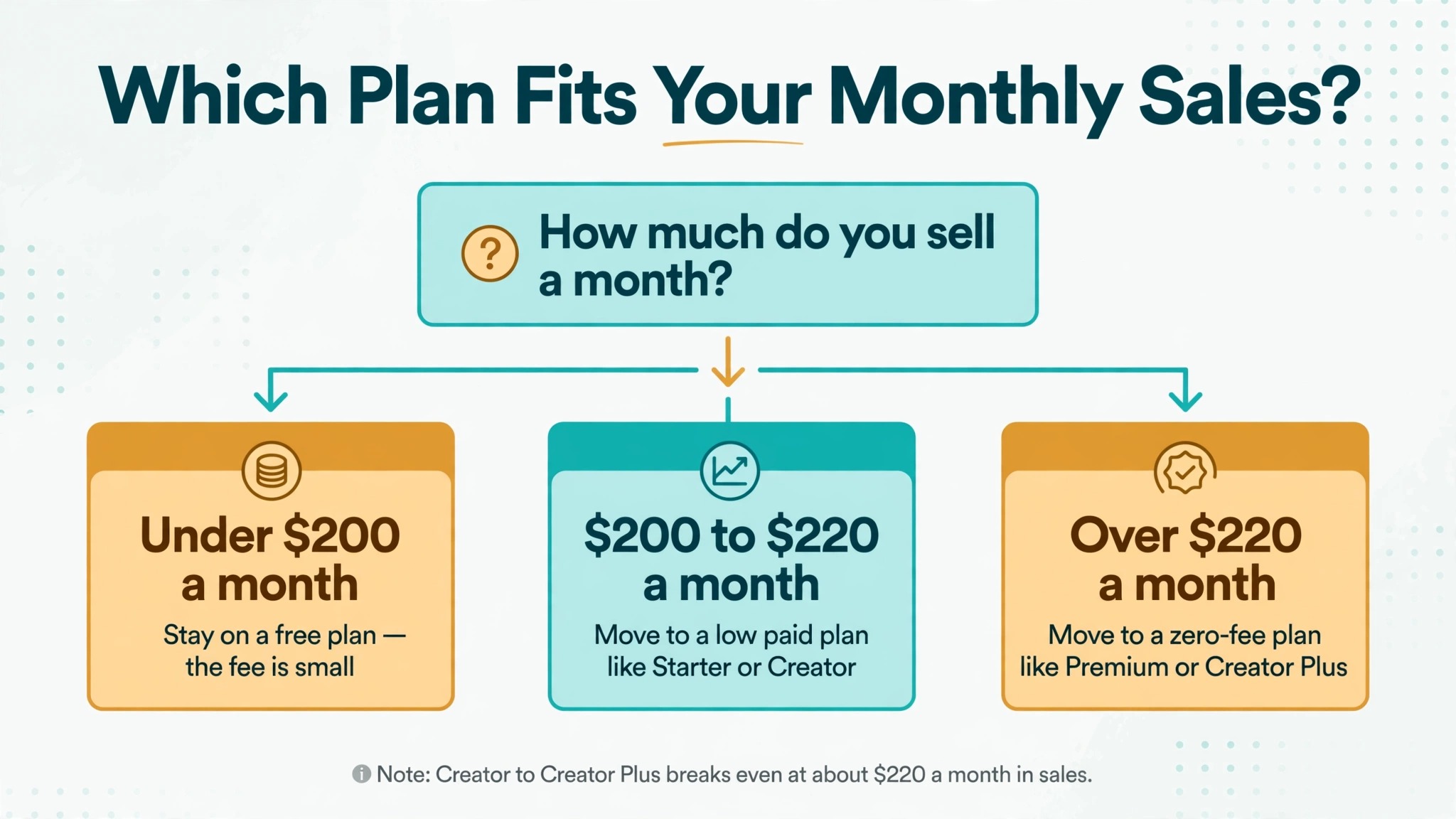
A creator selling 500 dollars a month on Pro pays 45 dollars in fees plus 14 dollars for the plan, a total of 59 dollars, against 30 dollars flat on Premium and 29 dollars flat on Stan Store. The break even point between Pro and Premium sits near 300 dollars a month in sales, so any seller with steady volume should do this math with their own numbers before choosing.
Beacons hides the same trap one tier higher, because its 9 percent fee survives onto the 10 dollar Creator plan. A seller doing 500 dollars a month on Beacons Creator pays 10 dollars for the plan plus 45 dollars in fees, a total of 55 dollars, while the same seller on Creator Plus pays 30 dollars flat. The break even point between Creator and Creator Plus is about 220 dollars a month in sales, so a seller crossing that line should upgrade at once. Below that line the free plan is the better choice, because the fee dominates the bill either way.
Payment processing sits on top of every fee above, and it is charged by Stripe or PayPal rather than the bio tool. The usual rate is about 2.9 percent plus 30 cents per transaction, and it applies on every plan of every tool, so it does not change which tool is cheapest. A 10 dollar sale on Linktree Free nets about 8.51 dollars after the platform fee and processing, while the same sale on Premium nets about 9.41 dollars. Small ticket sellers feel this most, because the 30 cent fixed charge is a bigger share of a 5 dollar sale than of a 50 dollar sale.
Free vs Paid, Decided by What You Actually Need
A free plan is enough when your bio page is a signpost, not a shop. If your links point to a YouTube channel, a podcast, a portfolio and an affiliate store hosted somewhere else, the free plan gives you everything that matters, unlimited links, a working page and basic click counts. This is where link in bio generator pricing research pays off fastest, because the free plan answers the only question that matters at this stage.
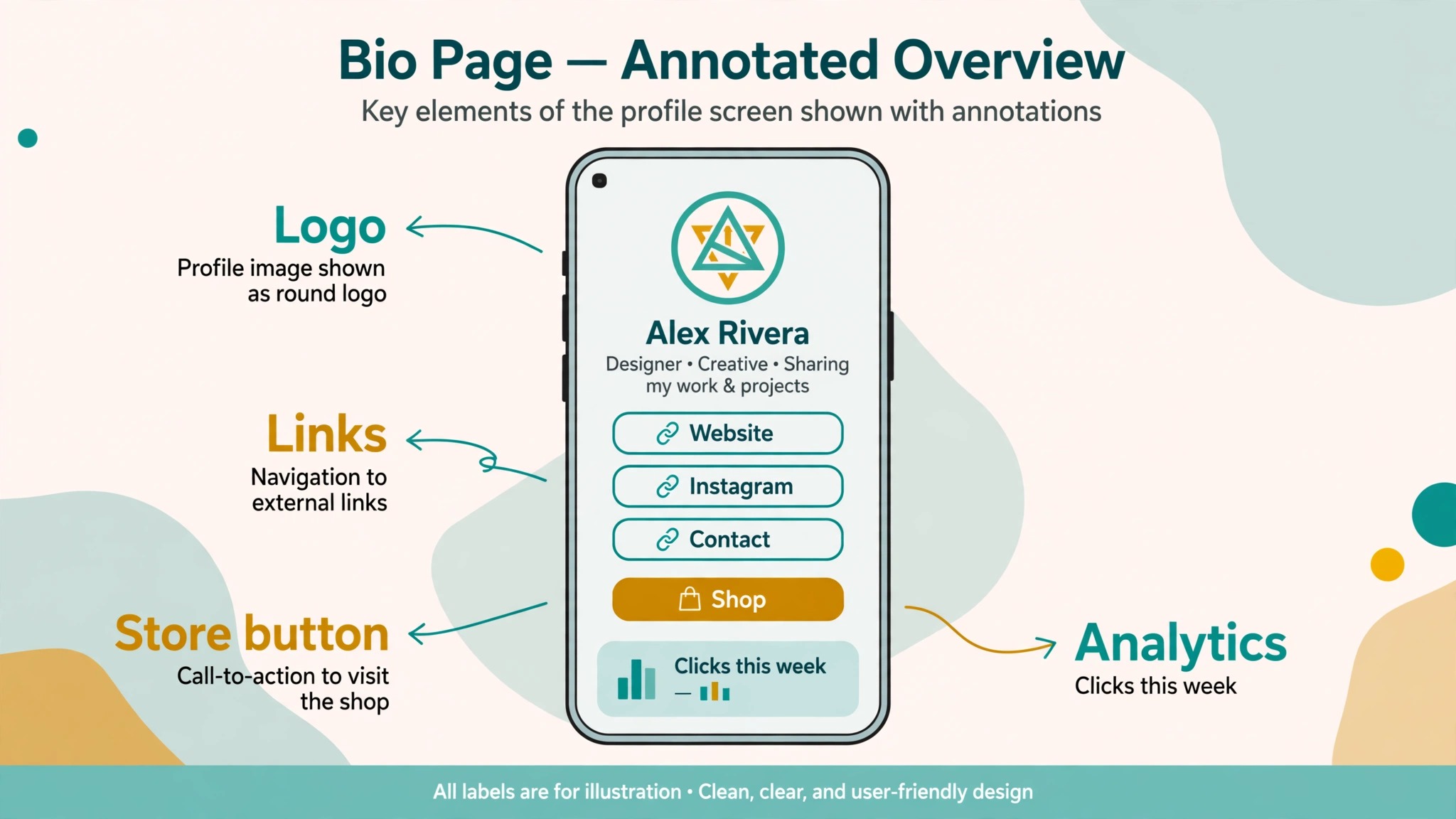
The branding of the tool on your page is the only visible cost, and most visitors never notice it or care. A free plan is also the right way to test whether your audience clicks bio links at all, because many creators discover that their traffic comes from other places, and a paid bio page would have been money spent on a habit their audience never formed.
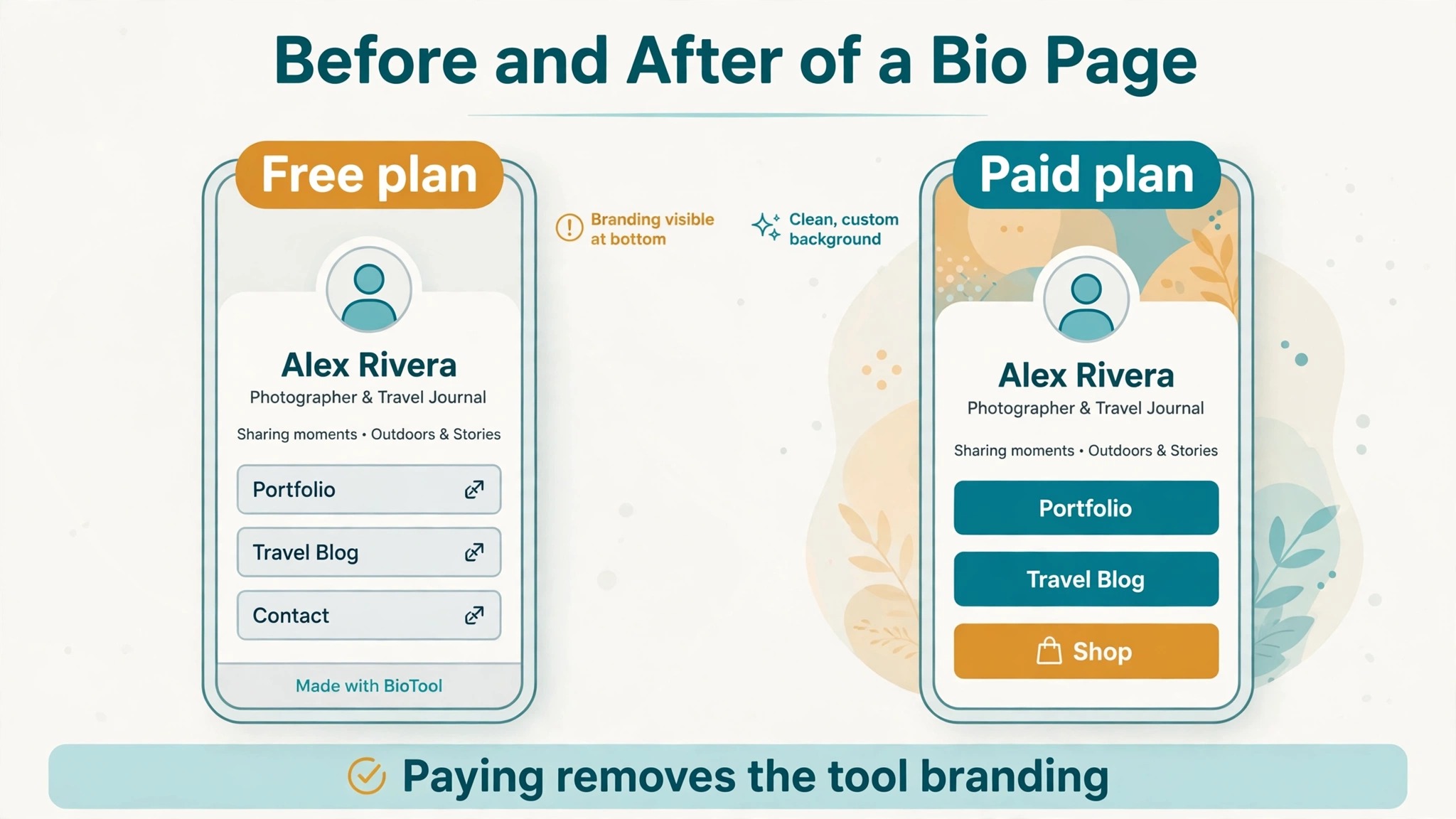
A paid plan earns its price in four specific situations, and only those four. The first is branding, when the tool logo on your page looks unprofessional to clients or sponsors, which usually matters for agencies, coaches and shops rather than hobby creators. The second is a custom domain, when you want the page at your own address instead of a shared subdomain. The third is selling, when the seller fee on your volume exceeds the cost of the plan that removes it, which is pure arithmetic from the section above. The fourth is analytics depth, when you need more than 90 days of history, per link data, or exports for a client or a sponsor.
The middle tiers are where money is most often wasted, because they add comfort features rather than earning features. Linktree Starter removes ads and adds scheduling and redirect links, which are useful but rarely worth 7 dollars a month on their own. Beacons Creator adds features while keeping the 9 percent fee, which means you pay a subscription and still pay the fee. The honest test for any middle tier is to name the one feature you would miss if it disappeared tomorrow. If you cannot name one, you do not need the tier, and downgrading is free and instant on most tools.
Annual Billing vs Monthly Billing, With Real Numbers
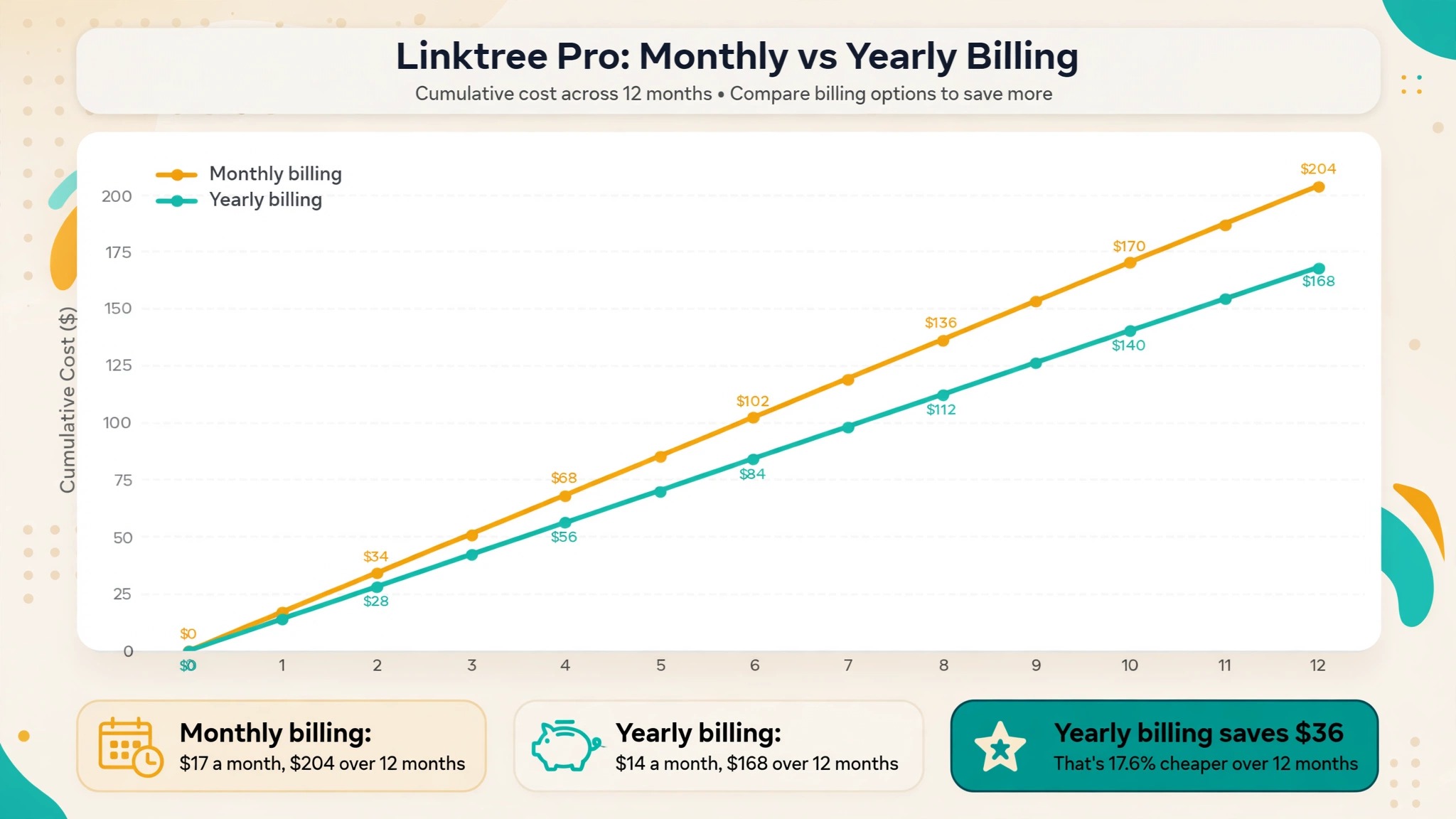
Annual billing saves real money in this category, but only if you stay for the full year, and the saving is easy to calculate. Linktree Starter costs 108 dollars over a year on monthly billing and 84 dollars annually, a saving of 24 dollars. Pro costs 204 dollars monthly and 168 dollars annually, a saving of 36 dollars. Premium costs 420 dollars monthly and 360 dollars annually, a saving of 60 dollars. Beacons Creator costs 120 dollars monthly and about 100 dollars annually. Lnk.Bio Mini costs about 12 dollars either way. The pattern is consistent, yearly billing saves roughly 20 percent, which is about two months free, and the saving grows with the price of the plan.
The break even rule for annual billing is simple, and it fits on one line of thought. If you will use the tool for at least ten months of the next twelve, annual billing is cheaper, because the discount is worth about two months. If you might cancel before ten months, monthly billing is cheaper, because you stop paying when you stop using it. Most creators overestimate how long they will keep a tool, so pay monthly for the first two or three months, confirm the tool earns its place, and then switch to annual billing. The switch is a setting on the billing page of most tools.
How to Choose the Right Plan for Your Situation
A creator with no products to sell should choose on branding and analytics alone, and that usually means free. Linktree Free, Beacons Free and Lnk.Bio Free all give you a working page with unlimited links, and the differences between them are small at this level. Linktree is the most recognised name, while Beacons gives you more free features including a media kit and email capture. Lnk.Bio gives you the cheapest upgrade path if you later want a custom domain or a one time payment. Start with the free plan of any of the three and look at the click data before spending anything.
A seller of digital products should choose on the seller fee first and the subscription second, because the fee is the bigger number as soon as sales pass a few hundred dollars a month. Work out your monthly sales, multiply by the fee percentage, and add the subscription, then compare the totals. A seller doing 100 dollars a month pays 12 dollars in fees on Linktree Free and nothing on Lnk.Bio.
A seller doing 1,000 dollars a month pays 104 dollars in total on Linktree Pro, against 30 dollars flat on Premium or 29 dollars flat on Stan Store. That calculation is the heart of link in bio generator pricing. The fee table in this guide exists so you can run that calculation in under a minute.
A small business that uses its bio page as a booking or contact page should choose on integrations and messenger features rather than price. A salon that books through WhatsApp will get more value from Shorby messenger buttons than from a cheaper plan without them. A shop that sells through Instagram will value linking individual posts to products, which is the job of Later Link in Bio, bundled with Later scheduling from 25 dollars a month. The monthly price is the wrong comparison when the page is a front door to a business, because one extra booking a month pays for the most expensive plan on this list.
An agency or a team managing many creators should choose on team features and per seat pricing, and should budget per profile rather than per account. Most bio tools charge per profile, so ten client pages means ten subscriptions, and a 14 dollar plan becomes 140 dollars a month. Premium plans with team access become worth it at that scale, because they let one person manage many pages. Shorby Agency and Stan Store Pro both cost 99 dollars a month and are priced for this use, so ask for a trial before committing to a per profile bill that grows with every new client.
Mistakes That Waste Money on Bio Pages
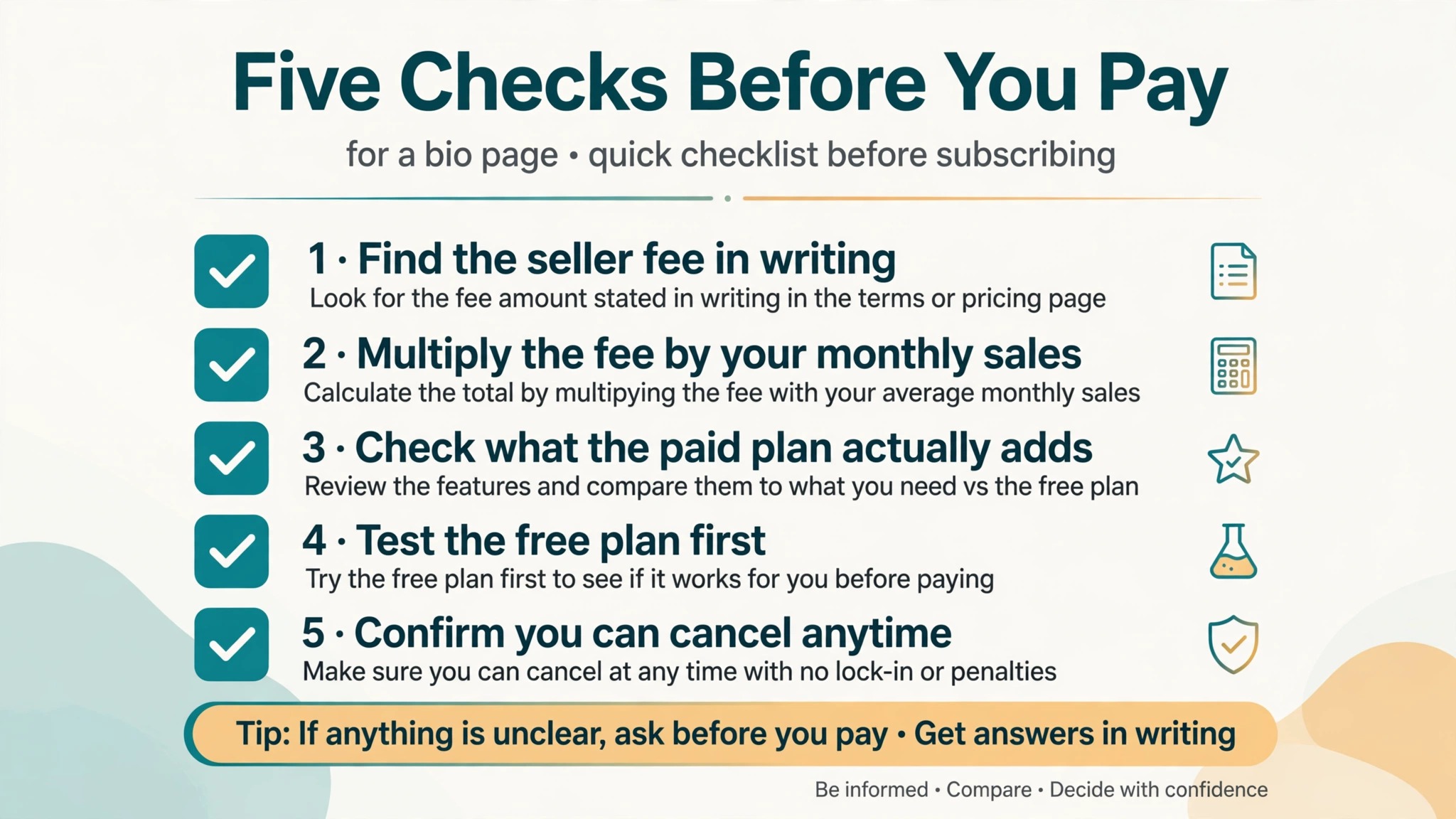
Paying for a plan before testing the free version is the most common mistake, and it is also the easiest to avoid. Every major tool in this guide has a free plan or a free trial, and a month on the free plan tells you more about your real needs than any review can. The creators who waste money sign up for Pro on day one because a tutorial recommended it, then discover three months later that they never used the custom fonts or the scheduling. Start free, add one paid feature at a time as a real need appears, and let the bill grow with the business rather than ahead of it.
Ignoring the seller fee is the most expensive mistake, and it is the one that costs real money rather than a few dollars a month. A creator who sells a 20 dollar preset pack fifty times a month makes 1,000 dollars, and on Linktree Free the platform takes 120 dollars of it, which is more than three months of the Premium plan. The fee is printed on the pricing page or in a help article, but it is easy to miss when the plan card says free in large type. Before you connect a payment method, find the seller fee in writing, multiply it by your monthly sales, and write the total next to the subscription price.
Buying a custom domain through the bio tool at a markup is a quieter waste, because the same domain costs less from a domain registrar. Some tools charge 39.99 dollars a year for a custom domain add on, while a registrar charges about 10 to 15 dollars a year for the same address. The tool price includes automatic setup, but a creator comfortable with a settings page can save 25 dollars a year by buying the domain elsewhere. The domain is yours either way, and it moves with you if you switch tools, which is another reason to own it directly.
Keeping two bio tools at once is a mistake that creeps up on creators who try a new tool without cancelling the old one. The pages look similar, the bills are small, and the duplicate subscription runs for months before anyone notices. Audit your subscriptions every few months, cancel the tool you no longer link to, and remember that your bio link can only point to one page at a time, so the second subscription is paying for a page nobody visits. The same audit should cover the annual plans, because an annual plan renews silently a year after you forgot about it, and the refund window is usually short.
Final Word Before You Pay
The right bio page costs as little as zero and as much as 35 dollars a month, and the difference is decided by your sales, not by the tools. A creator who only links out should stay free. A seller with steady volume should pay for the plan that removes the seller fee, because the fee is the real bill. A business that books clients through its bio should pay for the integrations that bring bookings, because one booking covers the plan. That is the whole decision. The best use of link in bio generator pricing research is a five minute calculation with your own sales numbers, not a week of comparing feature lists.
Check the vendor page on the day you pay, because this category changes prices more often than most. Linktree raised its prices twice in about a year, and Shorby showed no prices at all on one recent check. A price quoted in a review from six months ago can be wrong today, and the checkout total is the only figure that matters. Save a screenshot of the pricing page when you subscribe, note the renewal date, and set a reminder a week before it renews.
Frequently Asked Questions
Is a link in bio generator free to use?
Yes, the largest tools all offer a free plan, and the free plan is genuinely usable rather than a demo. Linktree Free, Beacons Free and Lnk.Bio Free all include unlimited links, a working page and basic analytics, with no credit card required. The limits are branding on the page, a short analytics history and no custom domain, plus a seller fee if you sell products through the page. A creator who only links to content elsewhere can run on a free plan indefinitely, and many do, because the free plan covers the whole job.
How much does Linktree cost per month in 2026?
Linktree costs 7 dollars a month billed yearly or 9 dollars month to month for Starter, 14 dollars a month billed yearly or 17 dollars month to month for Pro, and 30 dollars a month billed yearly or 35 dollars month to month for Premium, based on prices checked in November 2026. The free plan costs nothing. On top of the subscription, Linktree takes 12 percent of sales on the free plan, 9 percent on Starter and Pro, and zero on Premium, plus payment processing of about 2.9 percent plus 30 cents per transaction. Tax is added at checkout in the United States and Canada.
What is the cheapest link in bio tool with a paid plan?
Lnk.Bio is the cheapest paid option we found, with a Mini plan at 99 cents a month and a one time Unique plan at 24.99 dollars for lifetime access. Carrd is nearly as cheap at 19 dollars a year, though it is a general page builder rather than a bio specialist. Milkshake costs 2.99 dollars a month. Most link in bio generator pricing guides agree that Lnk.Bio is the cheapest paid option, though the cheapest plan only wins if it covers what you need. A seller should compare the seller fee as well, because a free plan with a 12 percent fee costs more than a 99 cent plan with no fee once sales begin.
Do link in bio tools take a cut of my sales?
Some do and some do not, and the difference is the most important number in link in bio generator pricing. Linktree takes 12 percent on its free plan, 9 percent on Starter and Pro, and zero on Premium. Beacons takes 9 percent on its free and Creator plans and zero on Creator Plus. Stan Store takes zero on every plan. Lnk.Bio, Carrd, Shorby and Taplink do not process payments, so they take no cut, though the payment provider you use will still charge processing fees of about 2.9 percent plus 30 cents per transaction.
Should I pay yearly or monthly for a bio page?
Pay monthly for the first two or three months while you test the tool, then switch to yearly once you are sure you will keep it for at least ten months. Yearly billing saves about 20 percent on most tools, which works out to roughly two months free, with Linktree Pro saving 36 dollars a year and Premium saving 60 dollars a year. Monthly billing is better when your income is uneven or you may cancel soon, because you stop paying the month you stop using the tool, while an annual plan is paid up front and refunded only within a short window on some tools.
Can I use my own domain for a link in bio page?
Yes, most paid plans support a custom domain, though the cost varies. Linktree includes a custom domain on Pro and Premium, Beacons includes it on paid plans, and Lnk.Bio charges 39.99 dollars a year as an add on unless you buy the Ultra plan at 89.99 dollars a year, which includes it. Carrd includes custom domains on its 19 dollar a year Pro plan. Buying the domain from a registrar for about 10 to 15 dollars a year and pointing it at your bio page is usually cheaper than buying it through the bio tool, and the domain stays yours if you switch tools later.