The stock music market sits at 1.76 billion dollars in 2026 and is projected to reach 3.72 billion dollars by 2034, and that growth has a simple cause. Every creator who publishes a video needs music, and every video with the wrong music risks a copyright claim that takes the revenue. The best royalty free music sites for creators solve that problem with a licence, not just a download, and the difference between the sites on this list is the licence, not the song. We compared 12 platforms on price, licence type, Content ID safety, catalog size and what happens when you cancel, and ranked them for the creators who actually publish every week.
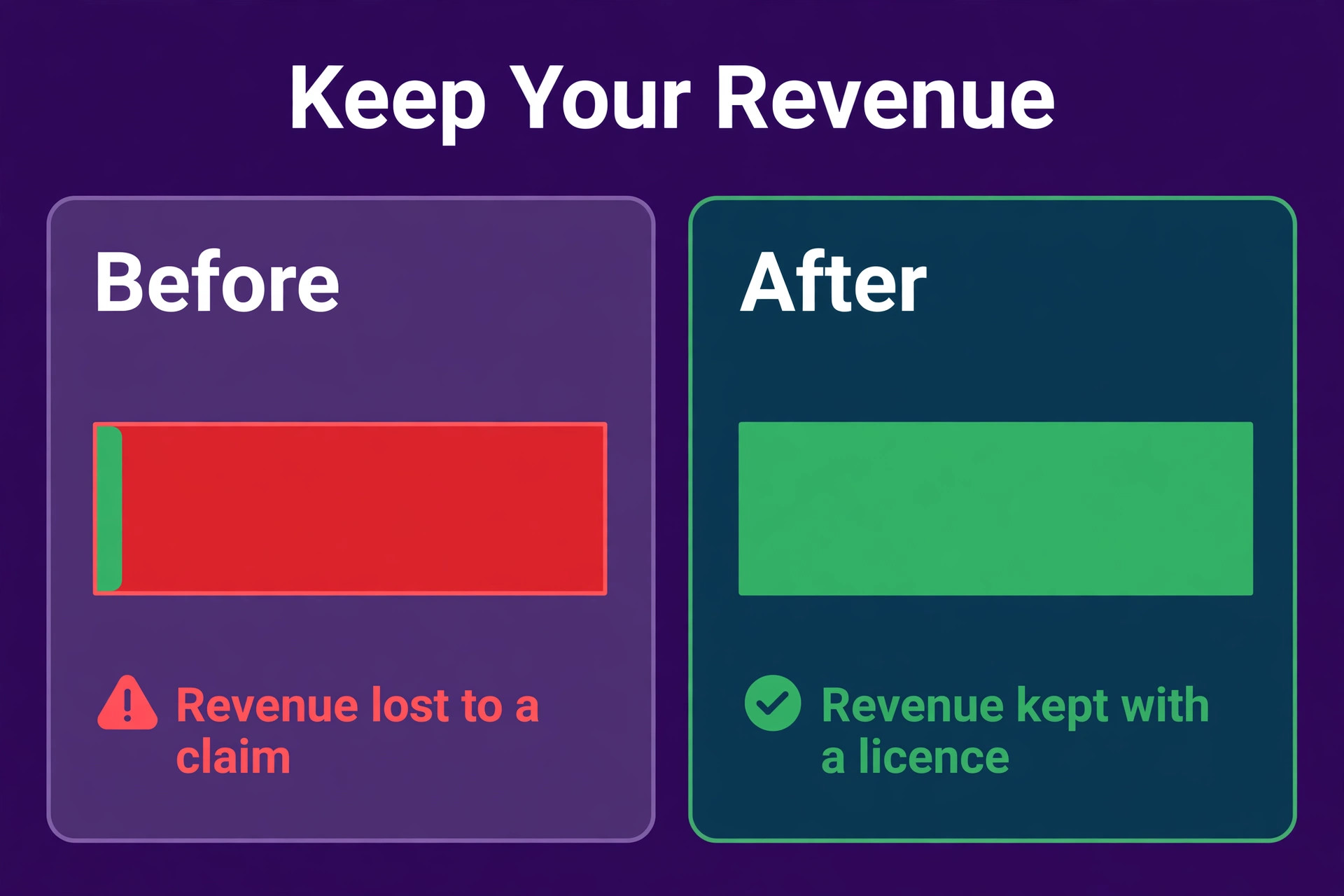
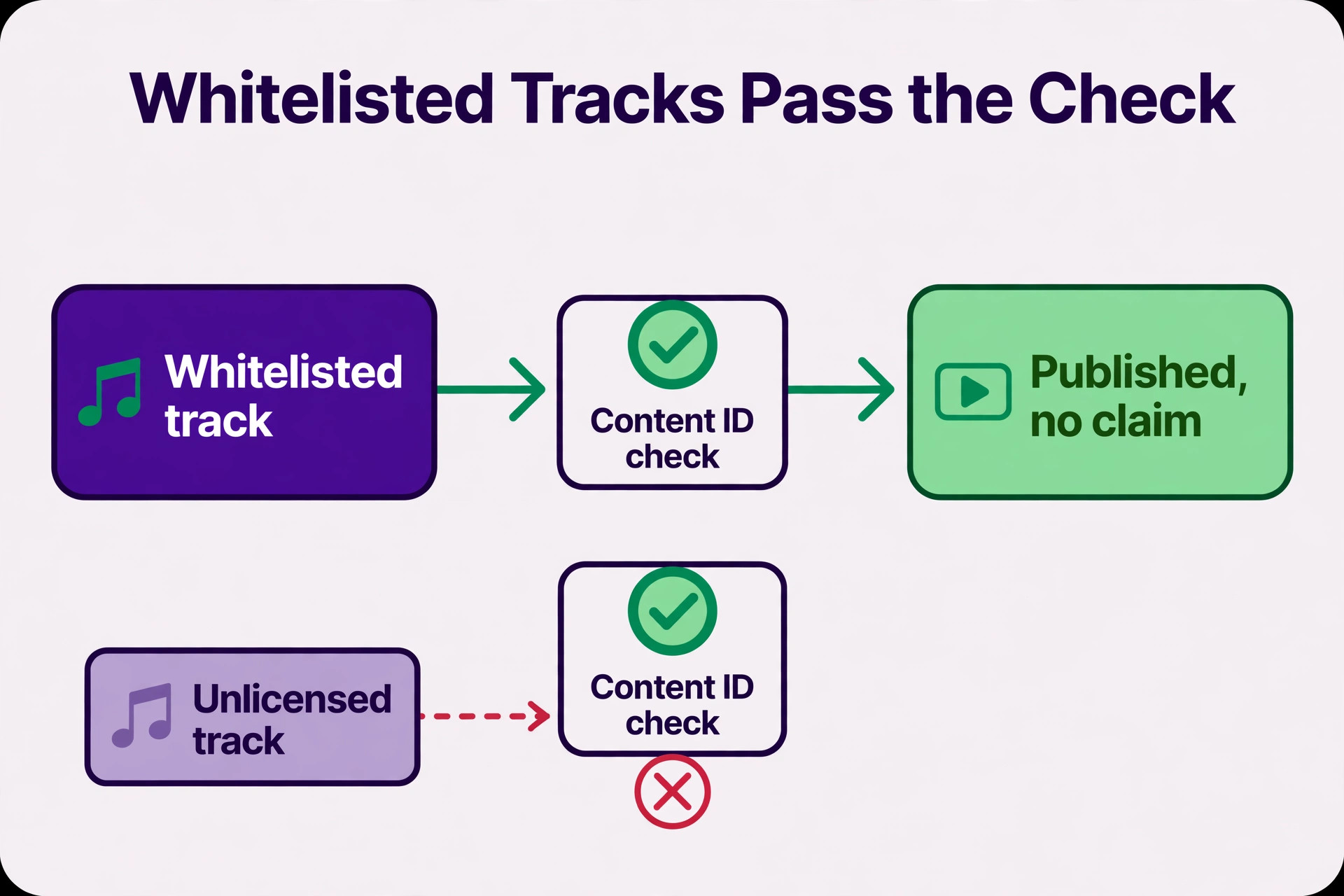
One fact shapes every buying decision in this category. Royalty free means you do not owe ongoing royalties after following the licence terms. It does not mean the music costs nothing, and it does not mean any use is permitted. The music stays copyrighted, which is why Content ID claims still happen even on licensed tracks. A subscription that whitelists your channel stops those claims before they are filed. A perpetual licence gives you paperwork to dispute them after they appear. A free download with no licence gives you neither, and that is the risk that costs a channel its revenue.
Prices in this guide were checked against vendor pricing pages and current 2026 roundups in November 2026. Music licensing prices change often, and several vendors show different prices by region or by billing period, so confirm the price on the checkout page before you pay. Where two trusted sources disagreed on a price, we say so in the text and give the figure we found most often.
How We Compared the Best Royalty Free Music Sites for Creators
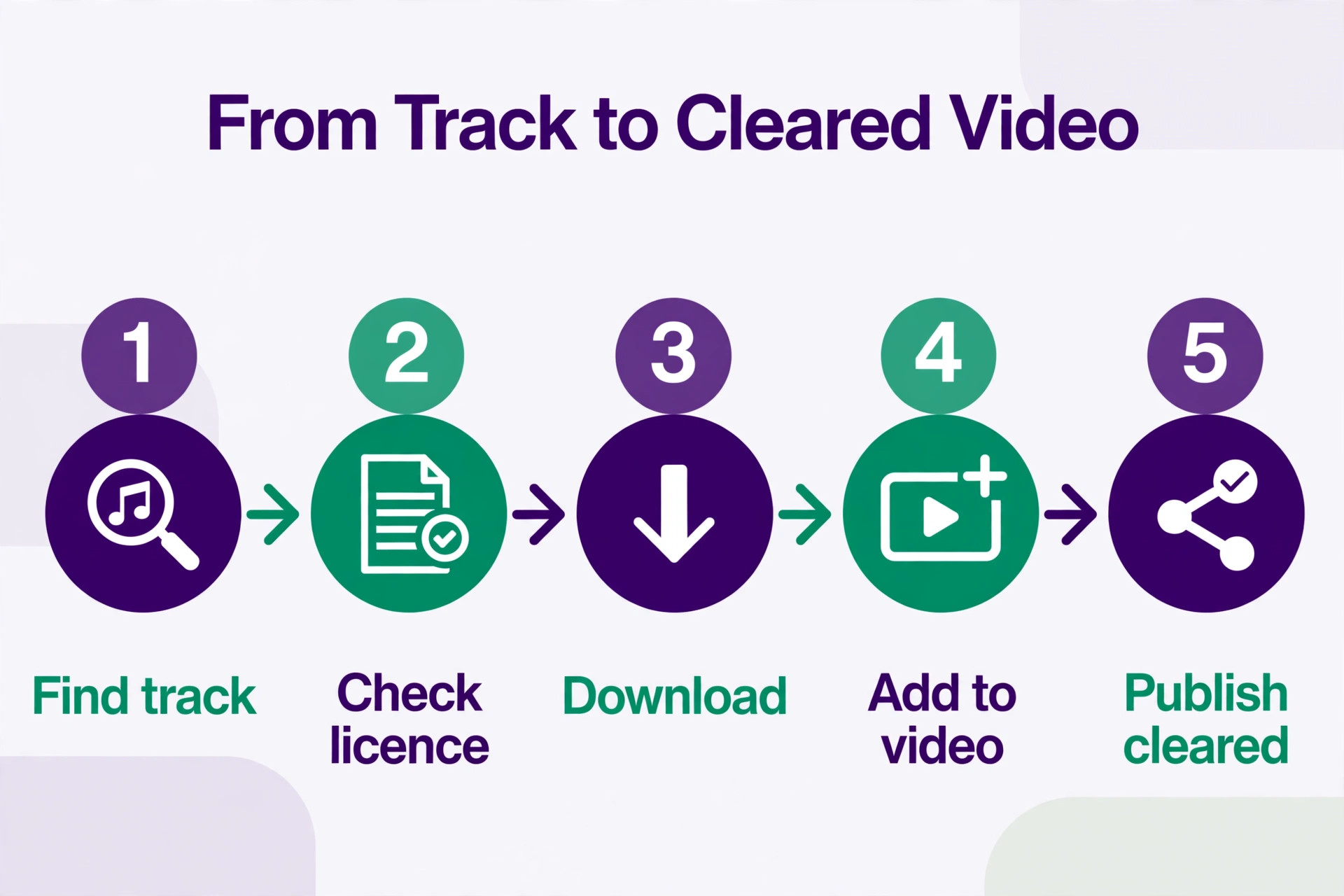
We tested each platform against the same creator jobs before ranking anything. The first job was finding a track fast, because a creator who publishes weekly cannot spend an hour searching for background music. The second job was clearing a video on YouTube without a Content ID claim. The third job was covering client work, because a freelancer who edits for brands needs a licence that covers someone else channel. The fourth job was cancelling, because a creator who stops paying needs to know whether old videos stay covered.
We scored each tool on five points. Licence clarity covered whether the terms are plain about what is covered, including client work, broadcast and ads. Content ID safety covered whitelisting, which stops claims before they are filed, against dispute paperwork, which fights them after they appear. Catalog covered size, quality and how often new tracks arrive, because a stale library forces creators to reuse the same songs. Search covered filters, stems, similar track tools and curated playlists, because finding the right track fast is half the job. Price covered the true monthly cost for a solo creator and for client work, including the jump from a personal plan to a commercial plan.
We also checked what happens when you cancel, because that is where the cheap plans hide their cost. Some licences cover videos published during the subscription forever. Others cover new publications only while the subscription is active.
The Best Pick for Each Job
| Job | Pick | Why it wins |
|---|---|---|
| A monetised YouTube channel | Epidemic Sound | Channel whitelisting stops claims before they are filed |
| A video archive that must stay licensed | Artlist | Perpetual licence on published content |
| Cinematic music for brands and film | Musicbed | Curated indie artists and premium sound |
| Unlimited downloads for a busy team | Soundstripe | One subscription covers music, SFX and video |
| One track for one project | PremiumBeat | Single track licences from 49 dollars |
Use this table as a shortcut, then read the full section for the platform you are leaning toward. The cheapest option is not the best value when it leaves your channel open to claims, and the largest catalog is not the best choice when you cannot find the track you need.
The 12 Sites, Ranked for Creators
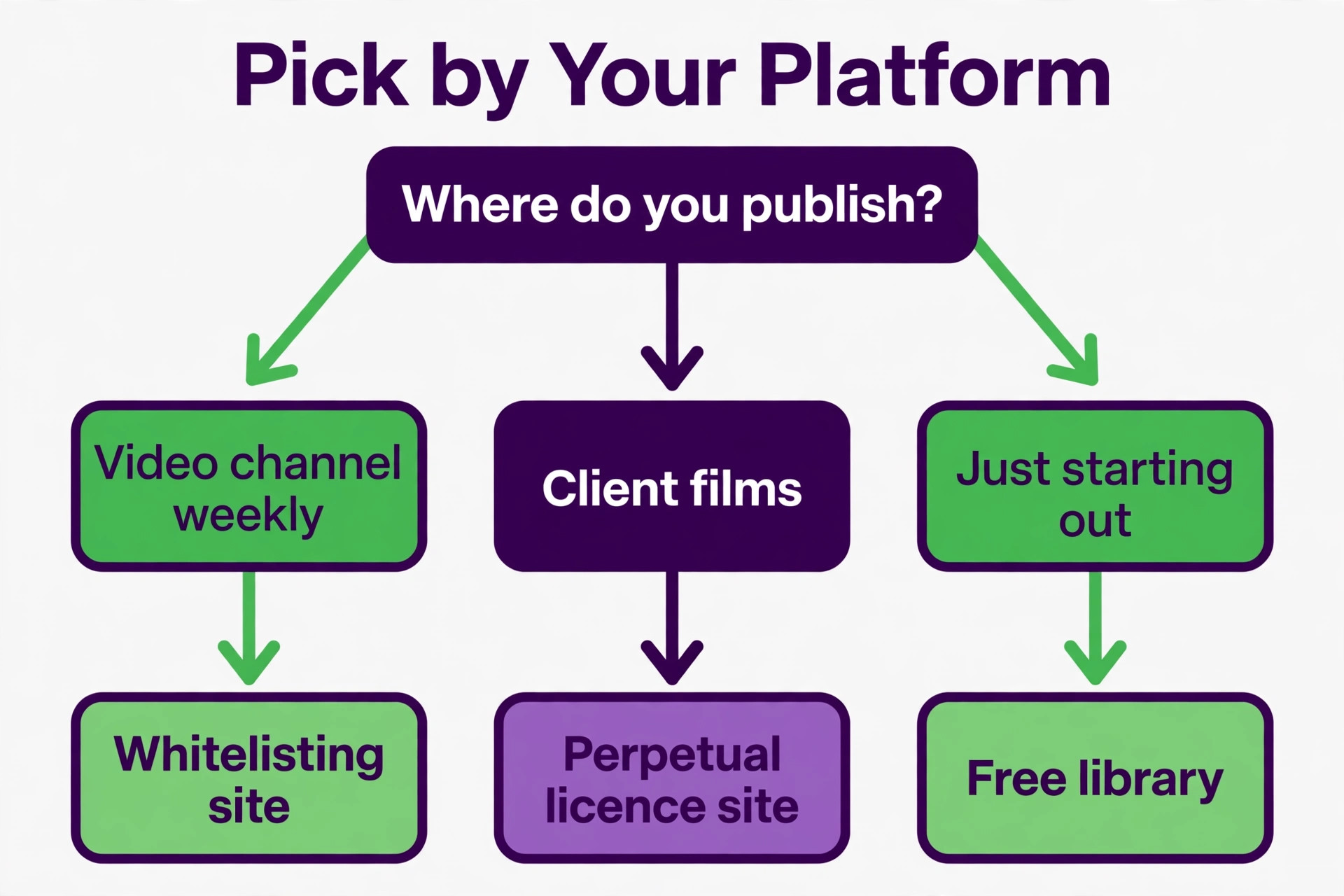
The 12 platforms below fall into three groups. The first group is subscription libraries built for creators who publish every week, and these are the strongest all round picks for most readers among the best royalty free music sites for creators. The second group is pay per track marketplaces, and these suit creators who need a few tracks with long term rights. The third group is free or low cost libraries, and these suit beginners, hobbyists and creators with no budget yet.
1. Epidemic Sound
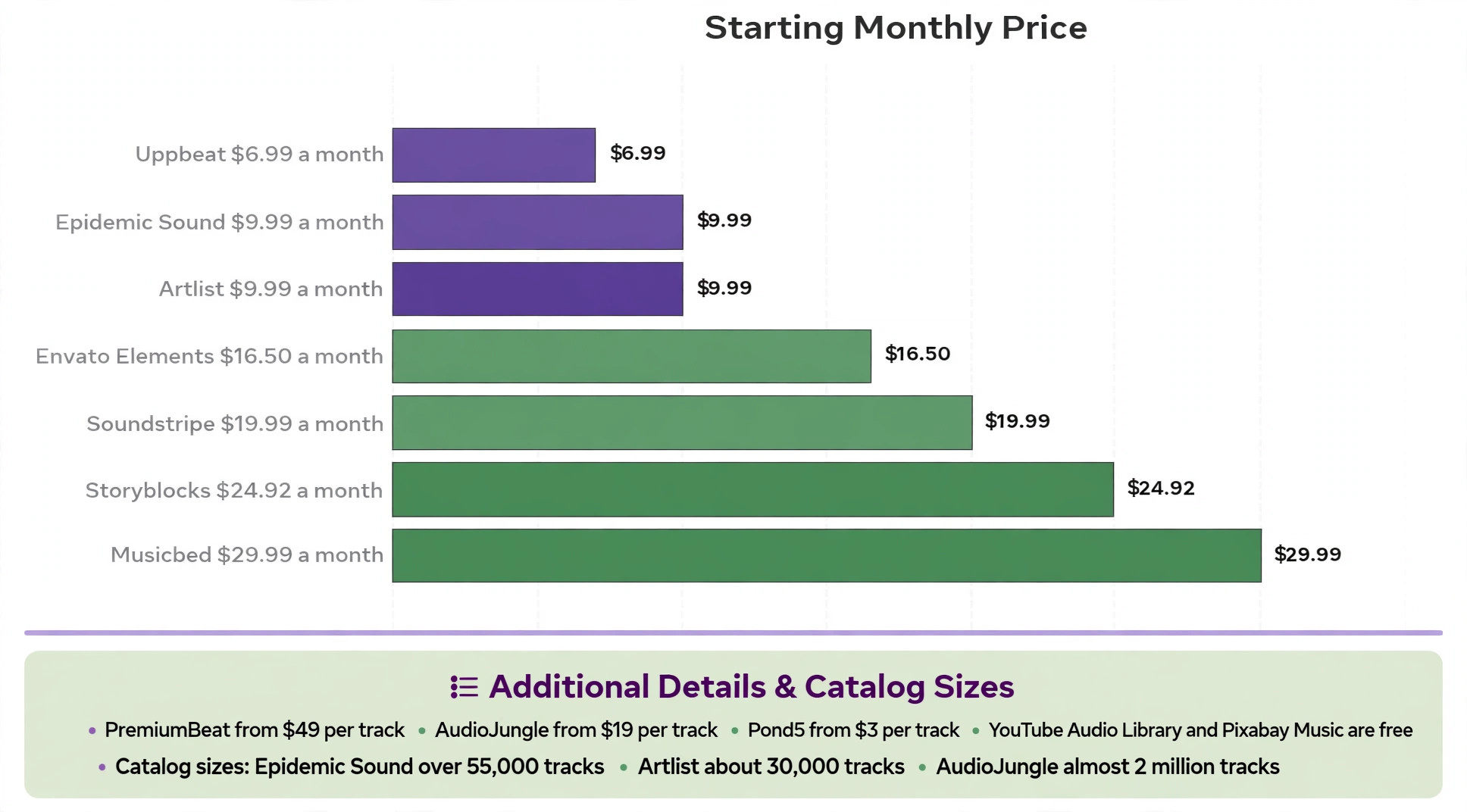
Epidemic Sound is the default recommendation for active YouTube creators, and the Content ID whitelisting system is why. You link your channels, and YouTube scan finds your channel on the authorised list and dismisses the match, so claims are stopped before they are filed. No other platform on this list prevents claims the same way, and for a monetised channel that publishes weekly, that prevention is worth more than a lower price. The catalog holds more than 55,000 tracks and 250,000 sound effects, with stems for some tracks and a search system built for speed.
Pricing is the least settled fact in our research, and the sources disagree. One 2026 guide lists the Personal plan at 17.99 dollars a month and the Commercial plan at 49.99 dollars a month. Another lists the Creator plan at 9.99 dollars a month billed annually, with Pro at 16.99 dollars and Business at 30 dollars a month. The 9.99 dollar figure is the most often cited for the entry plan, so we use it here, but check the pricing page before you buy, because the tiers and names have changed more than once.
The licence is subscription based, so you must hold an active subscription to clear new publications, while content published during your subscription period remains cleared. Epidemic Sound is the pick for a creator who publishes often and monetises on YouTube.
2. Artlist
Artlist has built its reputation on simplicity, and the licence is the reason. One subscription gives you unlimited access with a universal licence that covers all use cases, and content you publish while subscribed stays licensed forever, even after you cancel. That perpetual cover is the strongest long term protection on this list, and it is why filmmakers and creators with a large archive choose Artlist over a cheaper subscription. The library holds around 30,000 tracks, smaller than Epidemic Sound, but curated for quality, with new tracks added often.
Pricing starts at 9.99 dollars a month billed annually for the Music and SFX Social plan, which covers linked social channels only, with higher plans for client and commercial work. The Max plan at 39.99 dollars a month billed annually bundles music, sound effects, stock footage, video templates and editing plugins into one subscription.
Artlist is the pick when long term licensing security matters more than catalog size. A creator who worries about a claim on a video from three years ago will sleep better with Artlist perpetual cover than with a subscription that only protects new uploads.
3. Musicbed
Musicbed curates and hand picks all of its music, and the result is the most premium sounding catalog on this list. The library leans on independent artists and composers, with a focus on cinematic, emotional and brand driven tracks that suit films, wedding videos and commercials. A creator who needs one perfect song for a brand film will find it here faster than in a marketplace with two million tracks, because the curation does the filtering for you.
Pricing starts from about 29.99 dollars a month, with higher priced tiers for client work, and older listings show a Personal plan at 249.99 dollars a year and a Business plan at 1,079.88 dollars a year. The spread between the personal and business tiers is wide, so check the current plans on the vendor pricing page before you budget.
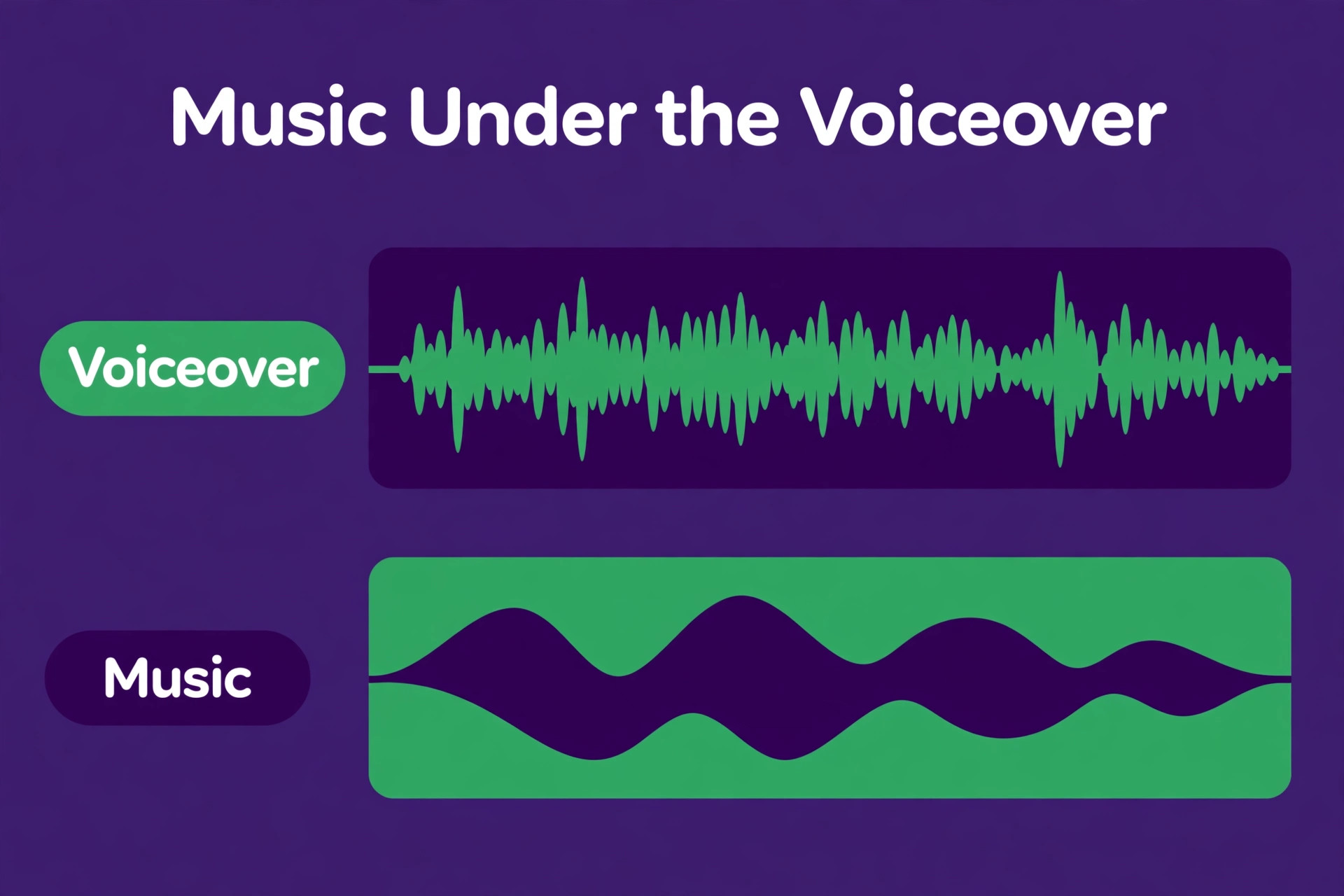
Musicbed is the pick for premium film and brand work, and it is the wrong pick for a creator who publishes daily social videos on a tight budget. The quality justifies the price when the music is the emotional centre of the video, and the price is hard to justify when the music sits quietly under a voiceover.
4. Soundstripe
Soundstripe is built for unlimited download workflows, and its core pitch is simple. Subscribe once and download as much as your workflow demands, with music, sound effects and video in the same account. The catalog is radio quality, composed in part by Grammy winning composers, and more than half of it is exclusive to the platform. A team that publishes constantly will get more from unlimited downloads than from a per track marketplace, because the cost stays flat whatever the volume.
Pricing starts at 19.99 dollars a month or 119 dollars a year for the Personal plan, with Pro at 39.99 dollars a month or 239 dollars a year and Pro Plus at 69.99 dollars a month or 399 dollars a year. Single song licences are also sold without a subscription, at Personal for 49 dollars, Digital for 199 dollars, Expanded from 399 dollars and All Media from 1,249 dollars.
Soundstripe is the pick for high volume content teams that need scalable rights and unlimited downloads. A solo creator who publishes once a week will get the same music cheaper from Epidemic Sound or Artlist, but a team that downloads dozens of tracks a month will save money here.
5. PremiumBeat
PremiumBeat is a premium curated library owned by Shutterstock, and it sells music one track at a time rather than by subscription. The handpicked catalog is smaller than a marketplace, but the quality is consistent, and the single track licence is clear about what it covers. A creator who needs one song for one project, and wants to own the licence for that project without a monthly bill, will find this the simplest route on the list.
Pricing runs two ways. Single track licences start at 49 dollars for a Standard licence and 199 dollars for a Premium licence, with a Business licence up to 999 dollars for broad commercial use. A Creator subscription starts at 9.99 dollars a month billed annually, with a Standard plan at 24.99 dollars a month, though sound effects are excluded from the subscriptions.
PremiumBeat is the pick for occasional use and for creators who want a clear per project licence. A daily publisher should choose a subscription instead, because per track pricing punishes volume, and the subscription libraries cover the same need for less.
6. AudioJungle
AudioJungle is part of Envato Market, and it is the budget marketplace on this list, with almost two million royalty free tracks and sounds. Composers set their own prices, so tracks range from 1 dollar to about 100 dollars, with a Standard licence often near 19 dollars and a Broadcast and Film licence rising to 499 dollars or more. That range means a creator can find a usable track for the price of a coffee, and a producer can pay more for a licence that covers broadcast.
The licence structure is the thing to read carefully. AudioJungle offers five different licence types, each with its own price and its own limits, from Music Standard, which covers most web uses including YouTube for one end product, up through Broadcast and Film for unlimited audiences and theatrical release.
AudioJungle is the pick for a one off track on a budget, and it is the wrong pick for a creator who wants a simple subscription. The marketplace model rewards a buyer who reads licences, and it punishes a buyer who clicks the cheapest option without reading.
7. Pond5
Pond5 is a massive marketplace for media assets, and its music library sits alongside more than 13 million stock videos, photos, music tracks and sound effects. The pay per item model suits irregular buyers, because you pay for the track you need and nothing else, with music from 3 dollars per track and credit packs that save money when you buy several tracks at once. A creator who needs one song and one video clip for the same project can buy both in one place.
A membership plan is also available at 199 dollars a month, which covers 10 items a month across video, photos, music and sound effects. That plan suits a producer who buys mixed assets every month, but it is expensive for a creator who only needs music.
Pond5 is the pick for mixed asset buying and for irregular purchases. A filmmaker who needs a song, a sound effect and a stock clip for one project will get all three here. A YouTuber who needs five songs a week should choose a subscription library instead.
8. Uppbeat
Uppbeat is the friendliest low cost option for a creator who is just starting, because the free tier is honest and the paid tiers are cheap. The free plan covers 3 downloads a month, which is enough for a creator who publishes weekly and picks one track per video. Essentials costs 6.99 dollars a month, Creator costs 8.99 dollars a month and Pro costs 14.99 dollars a month, with annual billing saving up to 40 percent. That pricing makes Uppbeat the cheapest paid subscription on this list.
The catalog is smaller than Epidemic Sound or Artlist, and the search is simpler, but the tracks are curated for creators, with playlists built around moods and video types. The licence covers YouTube and social use on the lower tiers, with client work needing a higher plan, so check the tier before you use a track for a brand. Uppbeat suits a beginner who wants legal music without a 10 dollar monthly bill, and it suits a hobbyist who publishes for fun rather than for revenue.
Uppbeat is the pick when the budget is tiny and the channel is new. The free tier lets a creator publish legally from day one, and the paid tiers stay cheap as the channel grows.
9. Envato Elements
Envato Elements offers one simple commercial licence from 16.50 dollars a month, and that simplicity is the reason it sits on this list. One subscription covers music, sound effects, stock footage, templates, graphics and fonts, with unlimited downloads across all of them. A creator who needs music for a video, a template for the thumbnail and a font for the title gets all three in one account, and the licence covers commercial use without a separate purchase for each asset.
The music catalog is part of a much larger library, so the track selection is broad rather than deep, and the search is built for a general creator rather than for a music specialist. The licence is subscription based, so downloads are covered while the subscription is active.
Envato Elements is the pick for a creator who needs more than music, because the bundle covers the whole production workflow. A video editor who downloads music, footage and templates every week will save money here. A creator who only needs music will get a deeper catalog from Epidemic Sound or Artlist for less.
10. Storyblocks
Storyblocks sells an All Access plan at 299 dollars a year, with a perpetual content licence that covers published work after cancellation. The library covers music, sound effects and more than 2 million stock video clips, so a video producer who needs footage and audio in one subscription gets both. A 7 day free trial lets you test the library before you pay, and the perpetual licence is the strongest feature for a producer with a large archive.
The price is higher than Epidemic Sound or Artlist on a yearly basis, so the value depends on whether you use the footage as well as the music. A creator who only needs songs pays 299 dollars a year for a music library that costs 120 dollars a year elsewhere.
Storyblocks is the pick for a video producer who needs footage and audio together with a perpetual licence. A solo YouTuber who only needs music should choose a cheaper music only subscription, and a filmmaker who needs premium cinematic tracks should choose Musicbed.
11. YouTube Audio Library
YouTube Audio Library is the best free option for YouTube creators, because it is built into the platform where the videos live. The library offers free music and sound effects with no subscription, and tracks are cleared for use on YouTube by design, so the Content ID risk that haunts other free sources does not apply here. A creator who publishes on YouTube and has no budget can start legally from the first video, with no account to create and no licence to buy.
The limits are real. The catalog is smaller than the paid libraries, the tracks are widely used, so a viewer may recognise the same song on many channels, and some tracks require attribution in the video description. The library covers YouTube use, and using a track in a client project or on another platform needs a check of the licence for that track.
YouTube Audio Library is the pick for a new YouTube creator with no budget. It is the safest free source on this list, because the platform that hosts the video also supplies the music. A creator who earns revenue and publishes often should move to a paid library for a wider catalog and stronger cover.
12. Pixabay Music
Pixabay Music is a free library of royalty free tracks, and it suits a creator who needs music for social videos, podcasts and small projects without paying. The tracks are free to download and use, with a simple licence that covers most creator uses, and the library is searchable by genre, mood and duration. A creator who needs a background track for a short video can find one here in minutes, with no account and no payment.
The catalog is smaller and less curated than the paid libraries, and the quality varies more, because the tracks come from many independent contributors. The licence is free for most uses, but commercial and client work needs a check of the terms for the specific track.
Pixabay Music is the pick for a free track when YouTube Audio Library does not have the sound you need. It is the wrong pick for a monetised channel with a large archive, because the free licence gives you no protection when a claim appears. Use it for small projects, and use a paid library for the videos that earn money.
Choosing the Right Music Site
Start with where you publish, because the platform decides the risk. A monetised YouTube channel needs whitelisting or a perpetual licence, so shortlist Epidemic Sound and Artlist first. A filmmaker who sells to brands needs a licence that covers client work, so shortlist Musicbed, Artlist and Storyblocks, and check the commercial tier before you buy. A beginner who publishes for fun needs a free legal source, so shortlist YouTube Audio Library, Pixabay Music and Uppbeat free tier.
Next, work out the true monthly cost for your use, because the personal plan is rarely the full price. Epidemic Sound personal plan at 9.99 dollars a month does not cover client work, and the commercial plan costs far more. Artlist social plan at 9.99 dollars a month does not cover client work either, and the higher plans cost more. The best royalty free music sites for creators are the ones whose commercial tier you can afford, not the ones whose personal tier looks cheap.
Then test the search with a real brief. Pick a track for your next video in each shortlisted library, and time how long it takes to find one you would actually use. A library with a huge catalog and a weak search wastes more time than a smaller library with good filters.
Finally, read the cancellation rule before you pay. Artlist and Storyblocks cover published content forever. Epidemic Sound covers content published during the subscription. A free library gives you no cover at all. The cancellation rule decides whether your archive stays safe when you stop paying, and that is the term that matters most in the long run.
What to Check Before You Pay
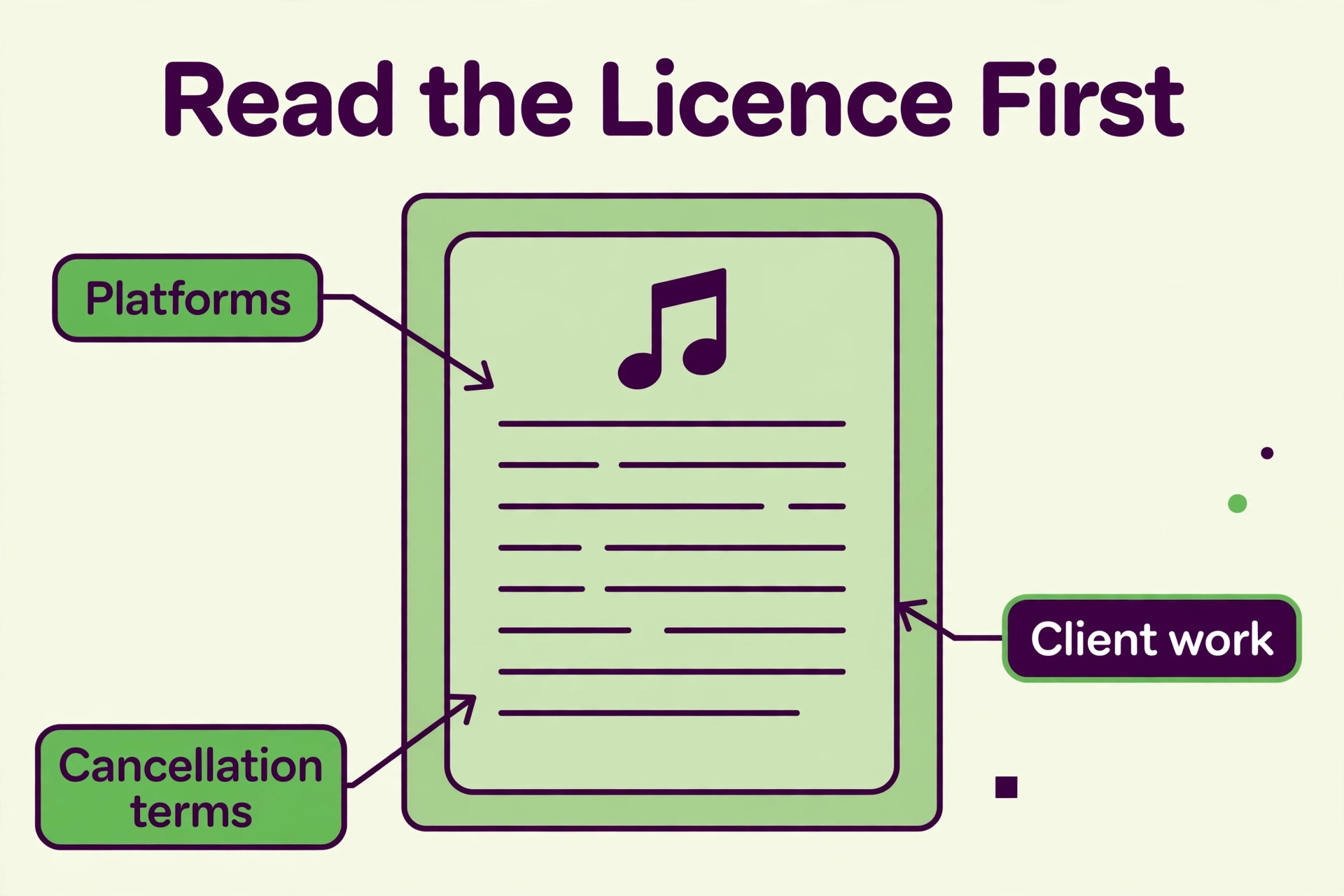
A music subscription is a licence purchase as much as a catalog purchase, and the terms differ more than the prices. Read the licence before you enter card details, and confirm that it covers your platform, your client work, and your use in ads if you run them. Free plans often limit commercial use, and a track that is free for a personal video may be unlicensed for a brand video. When the terms are unclear, email support and keep the reply.
Check the Content ID handling at the same time. Whitelisting stops claims before they are filed, and only Epidemic Sound offers it on this list. Perpetual licences give you paperwork to dispute a claim after it appears, and that dispute takes time and can hold revenue while it runs.
- Confirm the licence covers your platform, your client work and ads if you run them.
- Confirm what happens to published videos when you cancel the subscription.
- Confirm whether your channel is whitelisted or you must dispute claims yourself.
- Confirm the plan covers the number of channels and clients you actually have.
- Confirm the download is high quality audio with stems where you need them.
Mistakes That Cost Creators Money
The most common mistake is using a free track with no licence and losing the revenue to a claim. A creator downloads a song from a random site, publishes a video that earns money, and a rights holder claims the revenue. The video stays up, but the money goes to someone else, and the dispute takes weeks. The best royalty free music sites for creators prevent that loss with a licence, and the cheapest way to avoid it is a free library that actually clears the track, like YouTube Audio Library.
The second mistake is buying a personal plan for client work. A freelancer edits a brand video with a track from a 9.99 dollar personal plan, and the brand gets a claim because the licence does not cover client channels. Check the commercial tier before you use a track for a client, whatever the personal plan costs.
The third mistake is cancelling a subscription without checking the archive rule. A creator cancels Epidemic Sound, keeps publishing with old tracks, and the new videos are unlicensed because the subscription only covers publications made while it was active. Artlist and Storyblocks cover published content forever, so the archive stays safe. Read the cancellation rule before you cancel, and re-edit any video that loses cover.
Worth Paying For?
Epidemic Sound is the pick for most YouTube creators, because channel whitelisting stops claims before they are filed, and the catalog of more than 55,000 tracks and 250,000 sound effects covers every video type. Artlist is the pick when the archive matters most, because the perpetual licence on published content is the strongest long term protection on this list. Musicbed is the pick for cinematic and brand work, because the curated catalog sounds premium in a way a marketplace cannot match.
Soundstripe is the pick for a busy team that needs unlimited downloads, PremiumBeat is the pick for a single track with a clear licence, and AudioJungle and Pond5 are the picks for marketplace buying on a budget. Uppbeat is the pick for a new creator, YouTube Audio Library is the pick for free YouTube music, and Pixabay Music is the pick for a free track outside YouTube.
Frequently Asked Questions
What is the best royalty free music sites for creators pick overall?
Epidemic Sound is the best overall pick for YouTube creators, because channel whitelisting stops Content ID claims before they are filed, and the catalog is large and fresh. Artlist is the best overall pick for creators with a large archive, because the perpetual licence covers published content forever. Musicbed is the best overall pick for filmmakers, because the curated catalog sounds premium. The best pick changes with the creator, so match the licence to your channel first.
Is royalty free music really free?
No. Royalty free means you do not owe ongoing royalties after following the licence terms, not that the music costs nothing. Most royalty free music is sold by subscription or per track, and free libraries like YouTube Audio Library and Pixabay Music are the exception, not the rule. A track labelled royalty free still carries a copyright, and using it outside the licence terms can bring a claim. Read the licence for the track you use, even when the download was free.
What is the best royalty free music sites for creators option with no budget?
YouTube Audio Library is the best free option for YouTube creators, because the tracks are cleared for YouTube by design and there is no subscription. Uppbeat free tier is the next best option, with 3 downloads a month for social use. Pixabay Music is the best free option outside YouTube, with a simple licence for most creator uses. Free libraries carry no claim protection, so move to a paid library when the channel starts earning revenue.
How much does royalty free music cost?
Most paid subscriptions cost between 7 and 40 dollars a month, with Uppbeat from 6.99 dollars, Epidemic Sound and Artlist from 9.99 dollars a month billed annually, Envato Elements from 16.50 dollars a month, and Soundstripe from 19.99 dollars a month. Per track licences start at 1 dollar on AudioJungle and 3 dollars on Pond5, with PremiumBeat standard licences from 49 dollars a track.
Can I use royalty free music for client work?
It depends on the plan. Personal plans on Epidemic Sound and Artlist cover personal channels only, and client work needs a higher tier. Musicbed business tiers, Storyblocks All Access and Envato Elements commercial licence cover client work, but the price is higher than the personal plan. Check the licence for the plan you buy before you use a track in a client video, because a personal licence does not cover a brand channel.
What happens to my videos if I cancel my subscription?
It depends on the licence. Artlist and Storyblocks cover published content forever, so videos published while subscribed stay licensed after cancellation. Epidemic Sound covers content published during the subscription period, while new publications after cancellation are not covered. A free library gives no cover, so a claim can appear at any time. Read the cancellation rule for your platform before you cancel, and keep the licence receipts for every track you use.
Pick the licence first, the catalog second and the price third. The best royalty free music sites for creators keep your videos monetised, your archive safe and your clients covered, and that protection is worth more than the cheapest monthly bill.