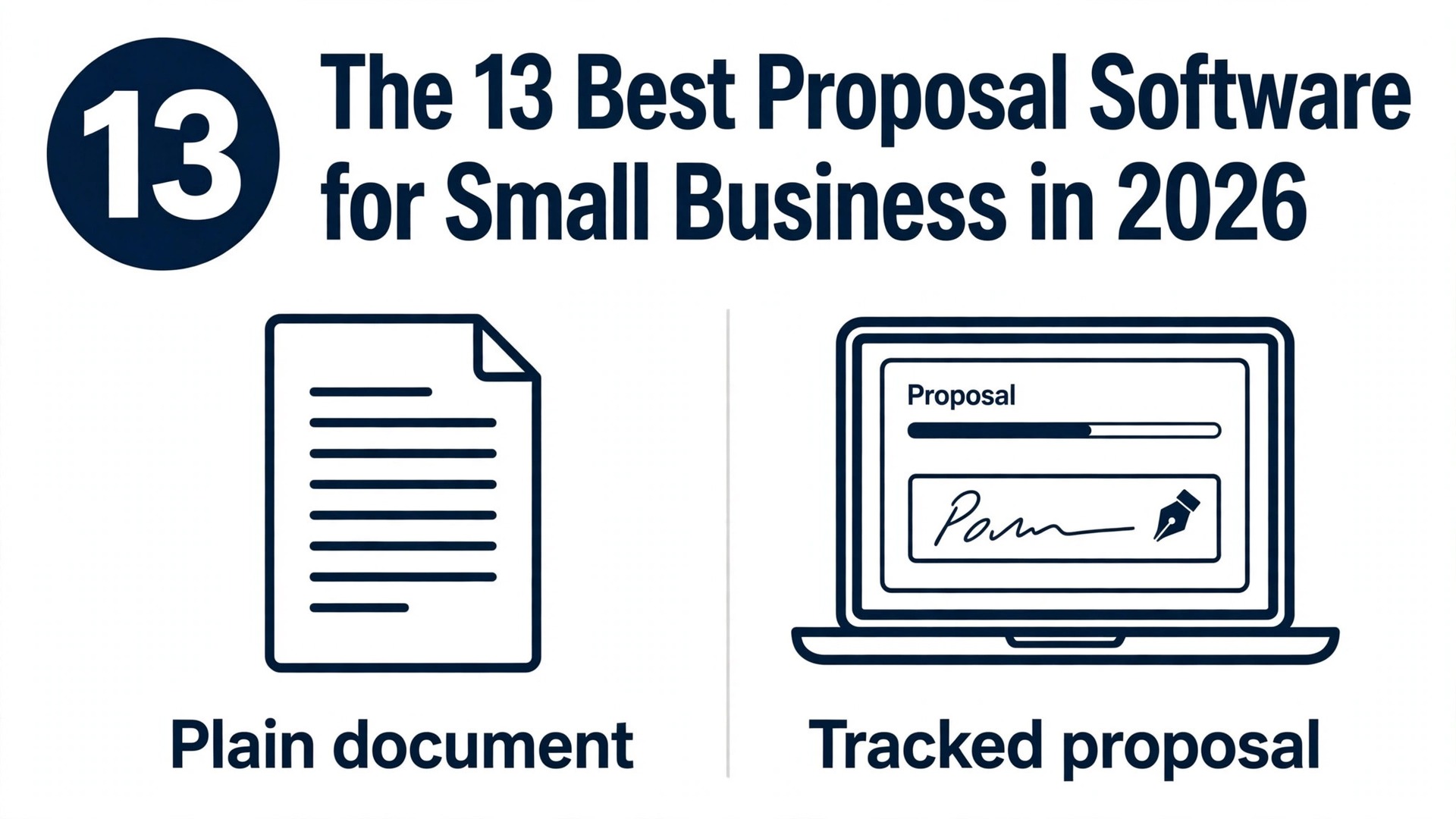
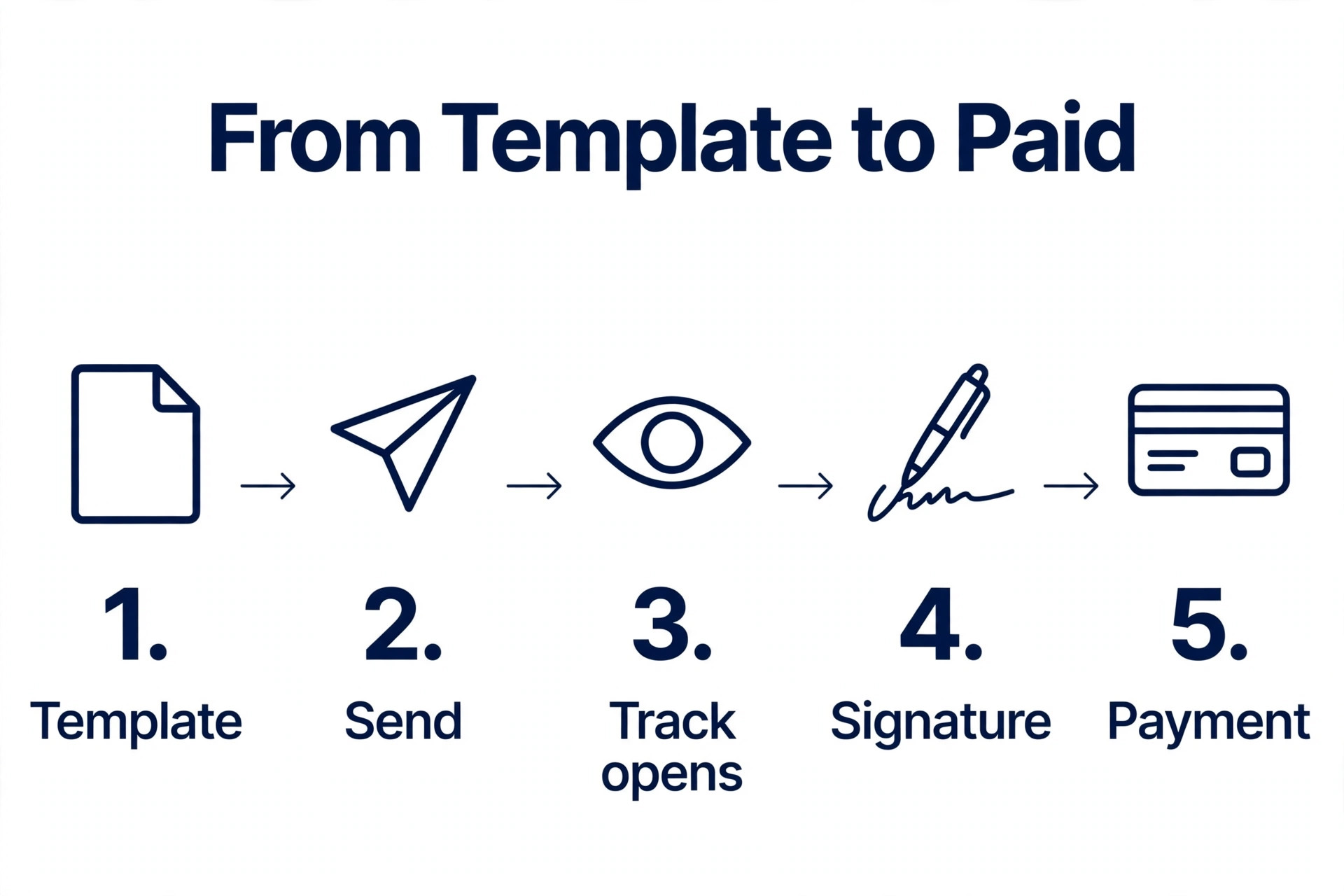
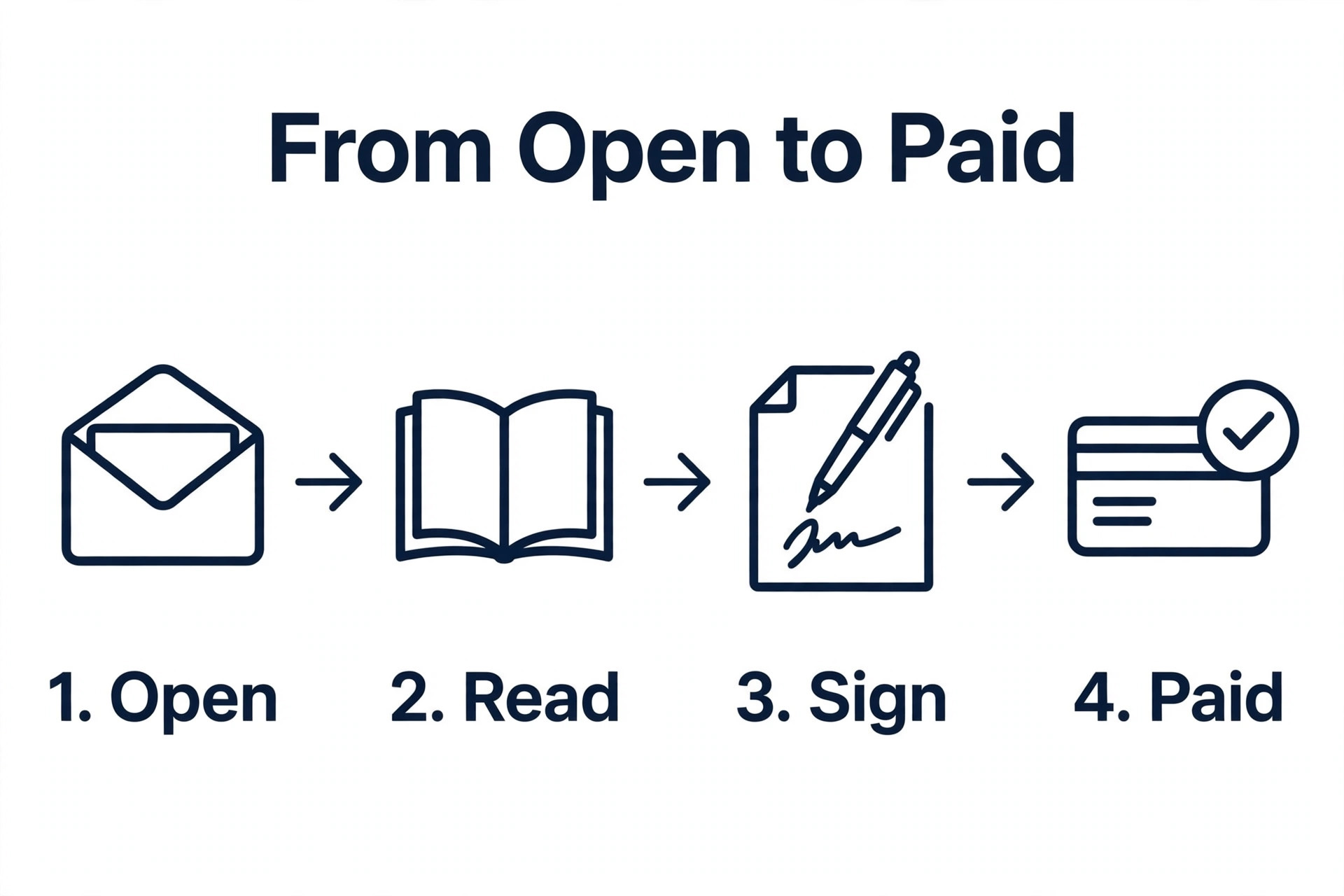
A proposal built in a word processor and a proposal built in dedicated software look the same on the day you send them. A week later they are different in every way that matters. The word processor version cannot tell you whether the client opened it or which page they read twice. The software version can, and it can also let the client sign it and pay the deposit from the same link. That gap is why the best proposal software for small business earns its fee.
A small business sends proposals to win work, not to file paperwork. The tool has to do four jobs well. It has to make the proposal look professional without a design degree. It has to let the client accept, sign and pay without printing anything. It has to show you when the client opens it and how long they spend on the price page. And it has to keep the price, the terms and the branding consistent when three people on your team send proposals in the same week.
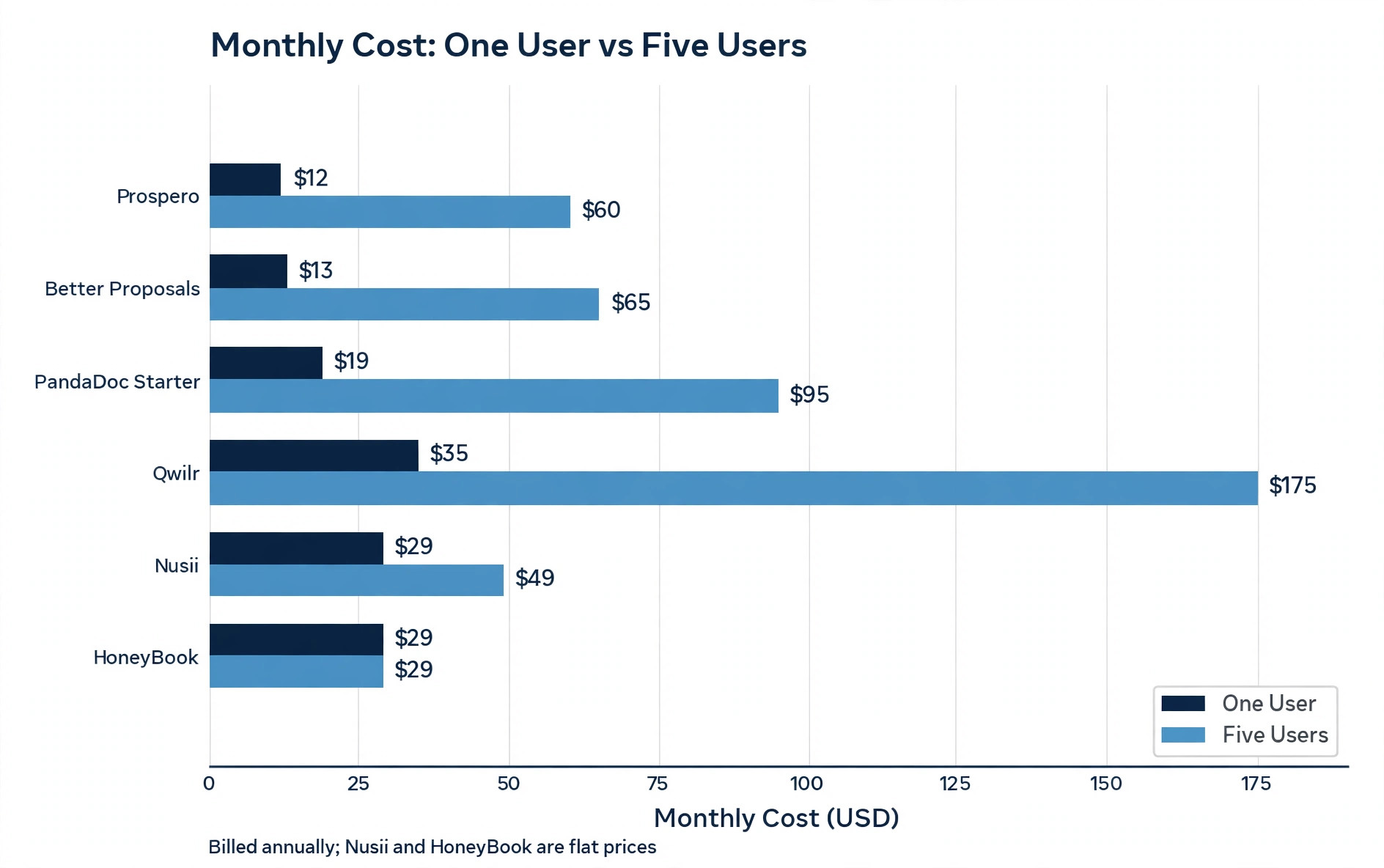
The trap in this category is the per seat price. Most tools charge per user per month, and a 13 dollar plan for one person becomes a 65 dollar plan for a team of five, while a flat priced tool costs the same however many people send proposals. This guide shows the real price at one user and at five users for every tool, so you can compare at your team size.
Prices in this guide were checked against vendor pricing pages and current 2026 roundups in November 2026. Proposal software pricing changes often, and Proposify in particular lists different plan names on different pages, so confirm the plan, the send limit and the billing term on the pricing page before you pay.
How a Small Business Should Judge Proposal Software
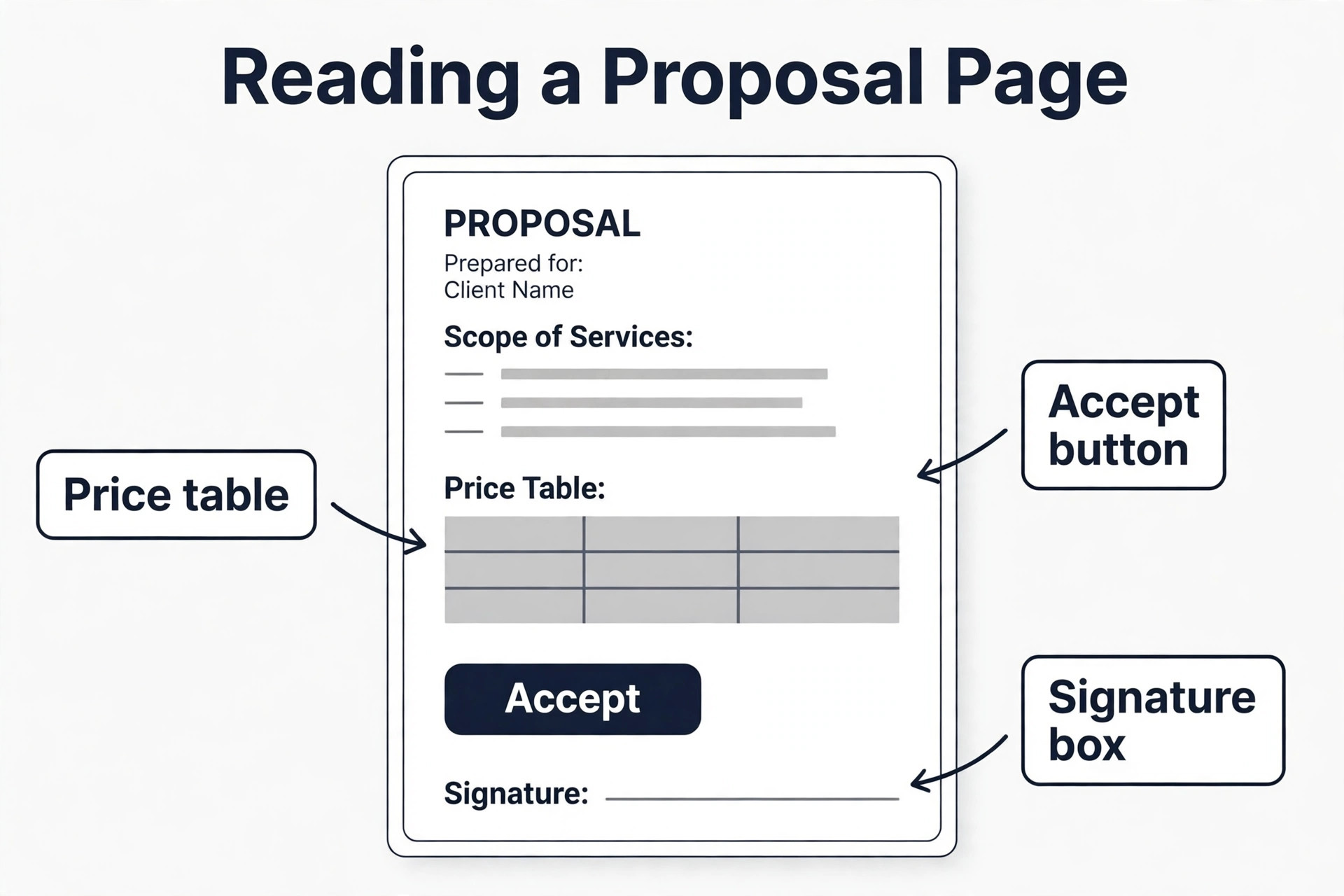
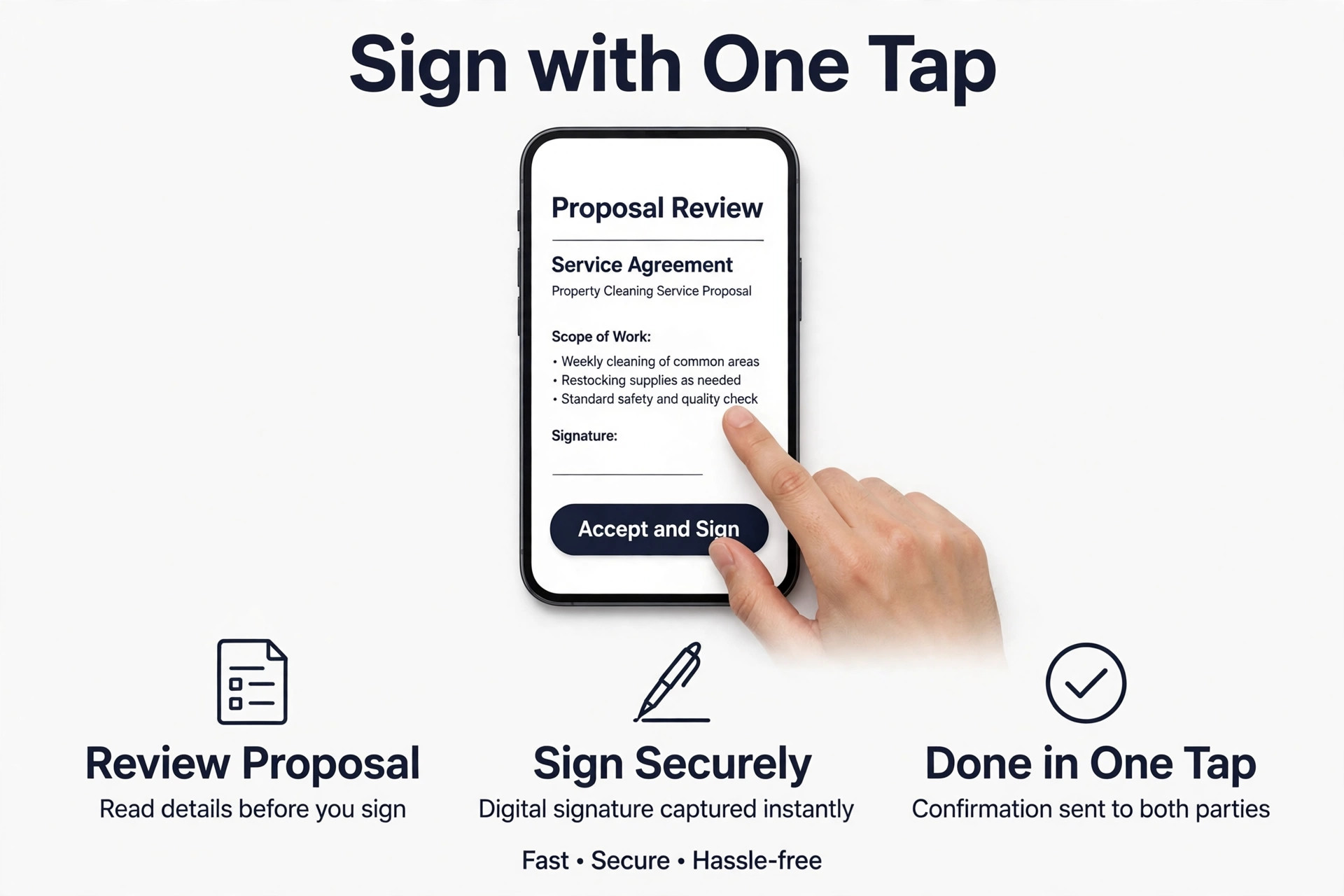
Start with the client experience, because the client is the person who decides whether you win the work. Open the proposal on a phone and read it the way a client would. The price should be clear, the accept button should be obvious, and the signature should take one tap. If the client has to download a file or print a page to accept, the tool has added friction at the exact moment the client was ready to say yes.
Next comes tracking, because a proposal you cannot see is a proposal you cannot follow up on. Tracking is the feature that separates the best proposal software for small business from a template library. The tool should tell you when the client opens the document, which sections they read, how long they spend on pricing, and whether they forwarded it to someone else. That information turns a follow up call from a guess into a conversation, because you know whether to talk about the scope, the price or the timeline. A tool without tracking leaves you sending a check in email and hoping for the best.
Then check the content controls. A good tool keeps your pricing, your legal terms and your branding locked, so a sales rep cannot change the price or the terms by accident, and it keeps reusable sections in a library so nobody rebuilds the same scope paragraph from scratch. Approval workflows matter here too. A manager should be able to review a proposal before it goes out. Those controls are what separate a professional process from five people sending five different versions of the same document.
Finally, count the real cost at your team size. A per seat plan that costs 13 dollars for one user costs 65 dollars for five, and a 35 dollar plan costs 175 dollars for five. A flat plan that costs 29 dollars for one user can cost 49 dollars for a whole team. Run the numbers at your exact headcount before you choose, and check the send limit too, because some plans cap the number of proposals you can send each month.
The Decision Table for a Small Business
| Your situation | Start with | Why |
|---|---|---|
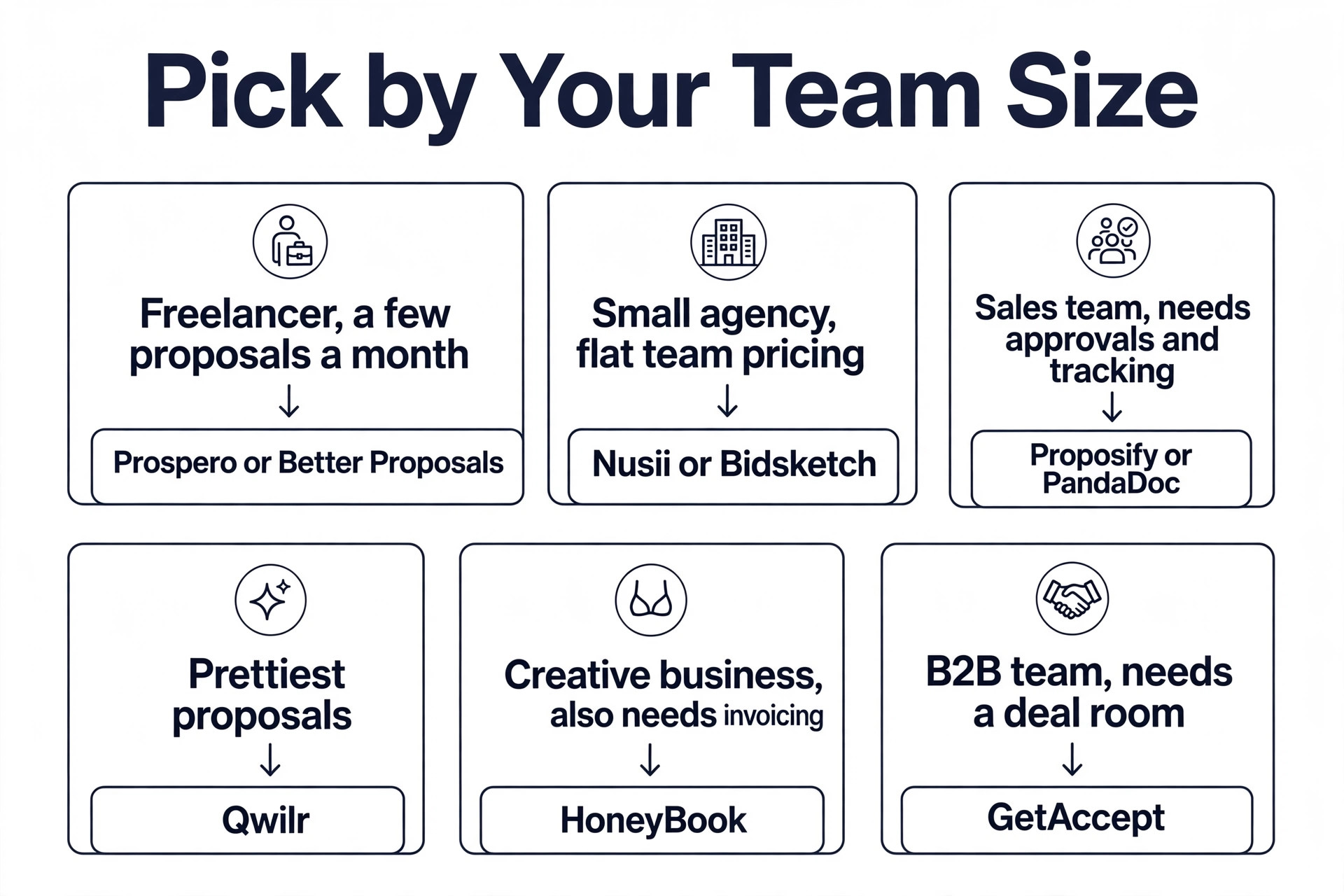
| A freelancer sending a few proposals a month | Prospero or Better Proposals | 12 to 13 dollars a month with unlimited or generous sends |
| A small agency that wants flat team pricing | Nusii or Bidsketch | 29 dollars a month flat, not per seat |
| A creative business that also needs invoicing | HoneyBook | Proposals, contracts, invoicing and payments in one place |
| A sales team that needs approvals and tracking | Proposify or PandaDoc | Approval workflows and engagement analytics from 19 dollars a seat |
| A business that wants the prettiest proposals | Qwilr | Interactive web based proposals from 35 dollars a seat |
| A B2B team that needs a digital sales room | GetAccept | Deal rooms and video messaging from 25 dollars a seat |
| A team that answers RFPs every week | Loopio | A content library built for RFP responses |
Use this table to cut the list to two or three tools, then read the sections for those tools and run the free trial. The best proposal software for small business is the one that fits your team size, your proposal volume and your sales process, not the one with the biggest template library or the most enterprise logos on its homepage.
The Right Pick by Situation
| Job | Pick | Why it wins |
|---|---|---|
| Best overall for a small business | PandaDoc | Proposals, contracts, e-signatures and payments in one flow |
| Cheapest credible start | Prospero | 12 dollars a month billed annually with unlimited proposals |
| Best flat price for a team | Nusii | 29 dollars a month flat for one user, 49 dollars for a team |
| Best looking proposals | Qwilr | Interactive web pages that track engagement by section |
| Best for agencies and brand control | Proposify | Content locking and approval workflows from 19 dollars a seat |
| Best for creative freelancers | HoneyBook | Proposals plus contracts, invoicing and payments from 29 dollars a month |
| Best for B2B deal rooms | GetAccept | A shared room per deal with video, chat and a mutual action plan |
The cheapest pick among the best proposal software for small business is not always the best value, because a 12 dollar plan that caps sends or charges extra for e-signatures can cost more than a 19 dollar plan that includes them. Read the limits in each section before you decide, and check whether the plan you need includes the signatures, the tracking and the templates, or whether those sit on a higher tier.
The Best Proposal Software for Small Business, Ranked
The 13 tools below fall into three groups. The first group is built for freelancers and very small teams, and these are the cheapest credible options in the category. The second group is built for agencies and growing sales teams, where brand control and approvals matter. The third group is built for specific jobs, like RFP responses, digital sales rooms and enterprise quoting, and these only make sense when that job is your daily work.
1. PandaDoc
PandaDoc is the broadest document platform on this list, and the best overall pick for a small business that wants one tool for proposals, quotes, contracts, e-signatures, payments and analytics. The editor is drag and drop, the template library runs past 1,000 templates, and the analytics show opens and time per section in real time. It is the only tool here with a free tier, though the free eSign plan is built for signing rather than for building proposals.
Pricing starts with the free eSign plan, then Starter at 19 dollars per user per month billed annually, or 35 dollars billed monthly, and Business at 49 dollars per user per month billed annually, or 65 dollars monthly, with Enterprise custom. CRM integrations, approval workflows and a shared content library sit on the Business plan, which is the jump that catches smaller teams off guard. PandaDoc is the right pick when you want one platform for the whole document workflow.
2. Proposify
Proposify is the purpose built proposal tool, and the cleanest pick for a sales team that sends proposals every week. The editor, the templates, the content library and the analytics all serve one job, which is getting a professional proposal out the door fast and knowing exactly when the prospect opens it. Approval workflows let a manager review a proposal before it goes out, and role based element locking stops reps editing pricing or legal terms.
Pricing is where you need to read carefully. Older listings show a Basic plan at 19 dollars per user per month billed annually, with Team at 41 dollars and Business at 65 dollars with a 10 user minimum, while Proposify own site now lists a Build plan at 35 dollars per user per month billed annually, or 49 dollars billed quarterly. The Basic tier is limited to 5 sends a month and 2 users, so most teams need Team or Build. Proposify is the right pick when brand control and approvals matter more than the broadest feature set.
3. Qwilr
Qwilr makes the best looking proposals on this list, because its proposals are interactive web pages rather than documents. A client can toggle add ons, select quantities and see the total update in real time, and the engagement analytics show which sections held attention. That interactivity is the reason Qwilr wins deals for agencies whose proposal is a core part of how they sell.
Pricing starts at 35 dollars per user per month billed annually, or 49 dollars month to month, with no free plan. That makes Qwilr the most expensive per seat tool in the freelancer and small team group, and it only earns its fee when the proposal itself is a selling tool. A business that sells a complex service with options, tiers and add ons will see it on the first proposal, because the client can build their own package instead of replying with questions.
4. Better Proposals
Better Proposals is the cheapest credible option for a freelancer or a small agency that wants polished proposals fast. The Starter plan costs 13 dollars per user per month billed annually, and it includes more than 260 templates, section level analytics, live chat inside the proposal, legally binding signatures and payment integrations. That is a serious feature set for the lowest per seat price on this list.
The limit is the send cap. The Starter plan stops at 10 proposals or other documents a month, so a business that sends more than that needs a higher tier. Better Proposals is the right pick for a freelancer or a small agency sending under 10 proposals a month. It is the wrong pick for a sales team that sends daily, because the send cap will force an upgrade within the first month.
5. Prospero
Prospero is the simplest deal in the category. One plan, unlimited proposals, 12 dollars per user per month billed annually, or 19 dollars billed monthly, with a 14 day free trial and no card required. There is no tier to decode, no send cap to hit and no feature gate to discover after you pay. It includes templates, e-signatures and payment collection through Stripe or Square, which covers the whole job for a freelancer.
The trade off is depth. Prospero does not offer the approval workflows of Proposify, the interactive pricing of Qwilr or the contract depth of PandaDoc, and a team that needs those controls will outgrow it. For a solo freelancer, Prospero and Better Proposals are the cheapest credible options at 12 and 13 dollars a month, and Prospero wins when you send more than 10 proposals a month, because it has no cap.
6. Nusii
Nusii keeps the math simple with flat monthly rates rather than per seat pricing, and that makes it the best flat price pick for a small agency. The Freelancer plan costs 29 dollars a month for one user and 5 active proposals. The Agency plan costs 49 dollars a month for unlimited users and up to 20 active proposals, and the Business plan costs 129 dollars a month for 50 or more active proposals. A team of three pays 49 dollars a month on Nusii, while the same team pays 57 dollars on Prospero.
The trade off is the active proposal cap. Freelancer stops at 5 active proposals and Agency at 20, so a busy agency needs the Business plan sooner than the price suggests. Nusii is the right pick for a creative agency that wants predictable flat pricing and a simple one page editor. It is the wrong pick for a sales team that needs approval workflows and role based locking.
7. Bidsketch
Bidsketch is one of the original proposal tools, and it still covers the basics well. You build proposals from reusable sections and fees, clients can add optional fees and sign online, and you see how long they viewed the document. Plans are priced by team size. Solo costs 29 dollars a month, or 23 dollars billed annually, Team costs 79 dollars a month for up to three people, and Business costs 149 dollars a month for up to eight. Solo includes unlimited proposals and your own domain.
The weakness is age. Bidsketch has no AI features, its blog last posted in January 2020, and its help center shows articles updated in 2024 and 2025, which suggests a product in maintenance rather than active development. It is the right pick for a freelancer or a small team that wants a simple, stable tool. It is the wrong pick for a team that wants a tool that is visibly improving every quarter.
8. HoneyBook
HoneyBook is the all in one pick for solo freelancers and small creative businesses, because it covers proposals, contracts, invoicing, payments, scheduling and client management in one account. A client picks services, e-signs the contract, pays the invoice and books a meeting from a single proposal link. It is priced per account rather than per seat, with Starter at 29 dollars a month billed annually, Essentials at 49 dollars and Premium at 109 dollars.
The trade off is that HoneyBook is a business management tool first and a proposal tool second, so its proposal analytics and its content controls are thinner than Proposify or PandaDoc. It suits photographers, event professionals, coaches and consultants who run the whole client journey in one place. It does not suit a B2B sales team that needs approval workflows and deep engagement tracking.
9. GetAccept
GetAccept is a digital sales room, and it suits a B2B sales team that sells through a relationship rather than a single document. Each deal gets a shared room with the proposal, the files, a video message, a chat and a mutual action plan, plus e-signatures and page by page tracking of who reads what.
Pricing starts with eSign at 25 dollars per user per month, which covers signatures, the editor, templates and contract management without pricing tables or deal rooms. Professional costs 49 dollars per user per month billed annually with a minimum of 5 users, and it adds the deal rooms, the AI features and the CRM integrations. All plans run on a 12 month agreement, and there is no free plan. GetAccept is the right pick for a team that sells consultatively and wants the buyer engaged in a room.
10. Oneflow
Oneflow is the European pick, and it suits a business that needs proposals and contracts with strong e-signature compliance across European markets. It covers templates, e-signatures, tracking and a content library. Pricing is yearly only, so there is no monthly billing option, and you should confirm the per user rate on the pricing page before you budget.
The weakness for a United States small business is fit. Oneflow is less known in the United States market, its template library is smaller than PandaDoc, and its integrations are thinner than Proposify. It is the right pick for a business with European clients that wants compliant e-signatures built in. It is the wrong pick for a United States freelancer who would get more templates for less money elsewhere.
11. ClientPoint
ClientPoint is a proposal platform built for teams that send complex, multi section proposals with pricing tables, images and rich media. It covers templates, e-signatures, tracking and a content library, and it suits agencies and B2B teams that need a proposal to carry a lot of content. Pricing is quote based, so you will need a sales conversation to get a number.
The weakness is transparency. A tool that will not publish a price makes it hard to compare, and a small business that needs a quick decision will find the sales process slow. ClientPoint is the right pick for a team that sends long, media rich proposals. It is the wrong pick for a freelancer who wants a price on the website and a trial today.
12. Loopio
Loopio is the RFP pick, and it is different from every other tool on this list because it is built for answering requests for proposals rather than for sending sales proposals. It keeps a content library of approved answers, pulls the right answer into each RFP automatically, and tracks which answers win and which lose. A team that answers RFPs every week will save days a month with a library that learns.
Pricing is quote based, and the product targets mid market and enterprise teams, so a small business should only test it when RFPs are a real and regular source of work. It is the right pick for a business where the RFP response is the sales process. It is the wrong pick for a freelancer who sends custom proposals, because the content library is the value and a custom proposal has no reusable answers to store.
13. DealHub
DealHub is the enterprise quoting pick, and it covers configure, price and quote workflows, known as CPQ, for teams whose products have many options, rules and prices. It handles guided selling, approval workflows and subscription management, which is far beyond what a small business needs for a simple proposal. Pricing is quote based.
DealHub earns its place in this guide as the ceiling, not as a recommendation for most readers. A small business that sells a service with three packages and a price list does not need CPQ. Test DealHub only when your product configuration is so complex that a proposal tool cannot hold the pricing rules.
How to Choose at Your Team Size
The right tool changes with the number of people sending proposals, and the cheapest pick among the best proposal software for small business for one person is rarely the cheapest for five. For a solo freelancer, Prospero at 12 dollars a month billed annually and Better Proposals at 13 dollars are the cheapest credible options, and Prospero wins when you send more than 10 proposals a month because it has no cap. Nusii Freelancer at 29 dollars and Bidsketch Solo at 29 dollars cost more than double the cheapest options.
For a team of three, Nusii Agency at 49 dollars a month is the cheapest option on this list, followed by Prospero at 57 dollars, while Proposify Team at 123 dollars costs far more. For a team of five, the flat tools win by a wide margin. Nusii Agency still costs 49 dollars a month for unlimited users, while PandaDoc Starter costs 95 dollars and Qwilr costs 175 dollars. That gap is why team size matters more than the headline price.
The other factor is proposal volume. A tool that caps sends at 5 or 10 a month will force an upgrade the moment your pipeline grows. Check the send limit, the active proposal cap and the template limit before you choose, because those three limits are the ones that push small businesses onto a higher tier.
Mistakes That Lose Deals
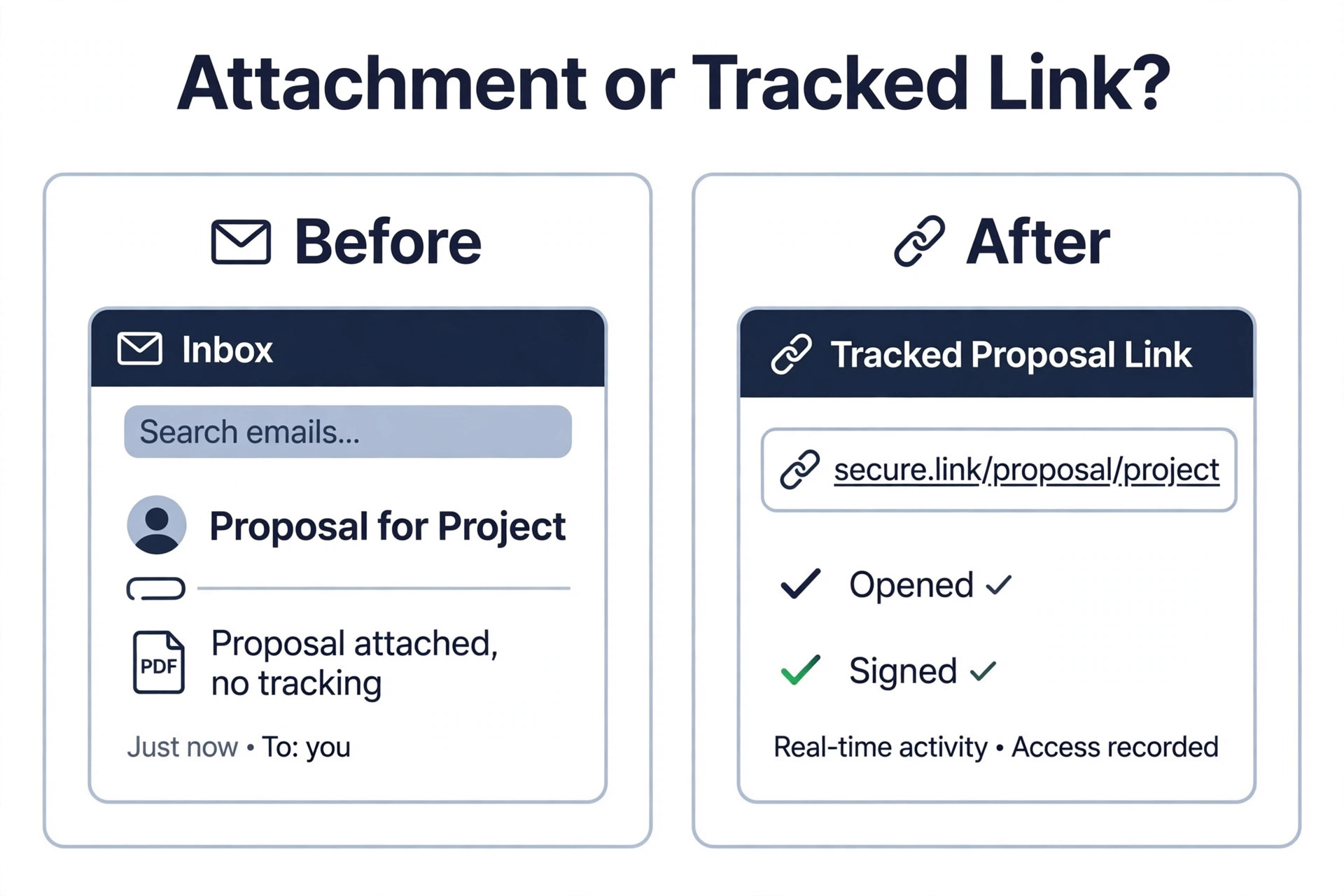
The most common mistake is sending a proposal as a file attachment. A PDF in an email cannot tell you whether the client opened it, cannot let the client sign it, and cannot take a deposit. A proposal sent as a tracked, signable web link is a different experience. Stop sending attachments, and the follow up gets easier the same week.
The second mistake is burying the price. A client who has to scroll through five pages of scope to find the number will assume the number is bad news, and a client who cannot find the price at all will ask a competitor instead. Put the price where the client expects it, which is after the scope and before the terms, and make the total clear on one line.
The third mistake is sending the proposal and then waiting in silence. A proposal that sits unread for three days is not a lost deal, it is a deal waiting for a follow up, and the tracking data tells you what to say. If the client read the scope twice and never opened the pricing page, the follow up should be about scope. If they spent ten minutes on pricing and then went quiet, the follow up should be about price and options.
The fourth mistake is letting anyone on the team send any version of the proposal. A price changed by hand, a term edited in a hurry, and a logo swapped for an old one are the three errors that make a small business look unprofessional, and they all happen when there is no content library and no approval step. Lock the pricing and the legal terms, keep the reusable sections in a library, and require a manager review before a proposal goes to a client worth more than a month of revenue.
- Confirm the send limit and the active proposal cap on the plan you choose.
- Confirm e-signatures and payment collection are included, not add ons.
- Confirm the tracking shows opens, time per section and forwards.
- Confirm pricing and legal terms can be locked against editing.
- Confirm you can export your proposals and your client data if you leave.
Our Recommendation
PandaDoc is the pick for most small businesses among the best proposal software for small business, because it covers proposals, quotes, contracts, e-signatures, payments and analytics in one flow, with a free eSign tier to start and Starter at 19 dollars per user per month billed annually. Prospero is the pick for a freelancer, because 12 dollars a month billed annually with unlimited proposals is the simplest deal in the category, and Better Proposals is the pick when you want the most templates for 13 dollars a month. Nusii is the pick for a team, because 49 dollars a month flat for unlimited users beats every per seat plan once you pass two people.
Qwilr is the pick when the proposal itself is the sales tool, because interactive pricing and section tracking earn their 35 dollar fee on the first complex deal. Proposify is the pick when brand control and approvals matter most. GetAccept is the pick when the sale happens in a shared room rather than a single document. Start with the free trial, send a real proposal to a real client, and watch the tracking data.
Frequently Asked Questions
What is the best proposal software for a small business?
PandaDoc is the best overall pick for a small business, because it covers proposals, quotes, contracts, e-signatures, payments and analytics in one flow, with Starter at 19 dollars per user per month billed annually. Prospero is the best pick for a freelancer at 12 dollars a month billed annually with unlimited proposals, and Nusii is the best pick for a team at 49 dollars a month flat. The right tool depends on team size and proposal volume, and the best proposal software for small business is the one whose pricing model matches your headcount.
How much does proposal software cost per month?
A freelancer pays 12 to 13 dollars a month for Prospero or Better Proposals billed annually, or 19 dollars a month for PandaDoc Starter. A team of three pays 49 dollars a month flat on Nusii Agency, 57 dollars on Prospero, and 123 dollars or more on Proposify Team. A team of five pays 49 dollars on Nusii, 95 dollars on PandaDoc Starter, and 175 dollars on Qwilr or Proposify. Check the send limit and the active proposal cap too, because those limits decide whether the headline price is the price you actually pay.
Is there free proposal software for small business?
There is no strong free proposal software in this category. PandaDoc offers a free eSign plan, but it is capped and built for signing, not for building proposals. Every other tool on this list is trial only, with 14 day free trials on Proposify, Better Proposals, Prospero, Nusii and Bidsketch, and a 30 day trial on HoneyBook. Budget for a paid tier once proposals become a weekly job.
Does proposal software include e-signatures?
Yes, on the paid plans of every tool on this list. PandaDoc, Proposify, Qwilr, Better Proposals, Prospero, Nusii, Bidsketch, HoneyBook, GetAccept and Oneflow all include legally binding e-signatures, and PandaDoc offers a limited free eSign plan for signing only. Check whether signatures are included on the plan you choose or whether they sit on a higher tier, because some vendors gate advanced signature features, like bulk sending or signer order, behind a Business plan. A proposal tool without signatures is a template library, so confirm signatures before you pay.
What is the difference between PandaDoc and Proposify?
PandaDoc is the broader document platform, with proposals, quotes, contracts, e-signatures, payments and analytics in one flow, a free eSign tier and deep CRM connectivity, starting at 19 dollars per user per month billed annually. Proposify is purpose built for sales proposals, with approval workflows and role based element locking that stop reps editing pricing or legal terms, starting at 19 dollars on Basic in older listings and 35 dollars on Build in current listings.
Can proposal software track when a client opens my proposal?
Yes, tracking is a core feature of the serious tools on this list. PandaDoc, Proposify, Qwilr, Better Proposals and GetAccept all show when a client opens a proposal, which sections they read, how long they spend on pricing, and whether they forwarded it. Use that data to time your follow up and to shape what you say, because a client who spent ten minutes on pricing needs a different call from a client who never opened the price page.
The best proposal software for small business is the one that turns a sent proposal into a visible, signable, payable deal. Start with a trial, send a real proposal to a real client, and watch the tracking data. A tool that shows you the client reading your price page is worth more than a tool that makes a prettier document nobody opens.