Buzzsprout charges 15 dollars a month billed annually for a weekly show. Podbean charges 12 dollars a month billed annually for the same show with no upload cap. Spotify for Creators charges nothing at all. Three hosts, three prices, and the cheapest is not the worst and the most expensive is not the best. The difference is what each one meters, upload hours, monthly downloads or episode count, and a small show that picks the wrong meter pays for headroom it never uses or hits a cap in month three. The best podcast hosting for small shows is the host whose meter matches the way you publish, and this guide prices 10 hosts so the comparison is honest.
A small show is not a small version of a big show. It publishes once a week, sometimes once a fortnight. It has one host or two, not a production team. It has a few hundred downloads an episode, not tens of thousands. It needs a host that makes publishing easy, keeps the back catalog online, distributes to Apple and Spotify without fuss, and shows honest download numbers. It does not need dynamic ad insertion for five shows, a sales team or an enterprise analytics suite.
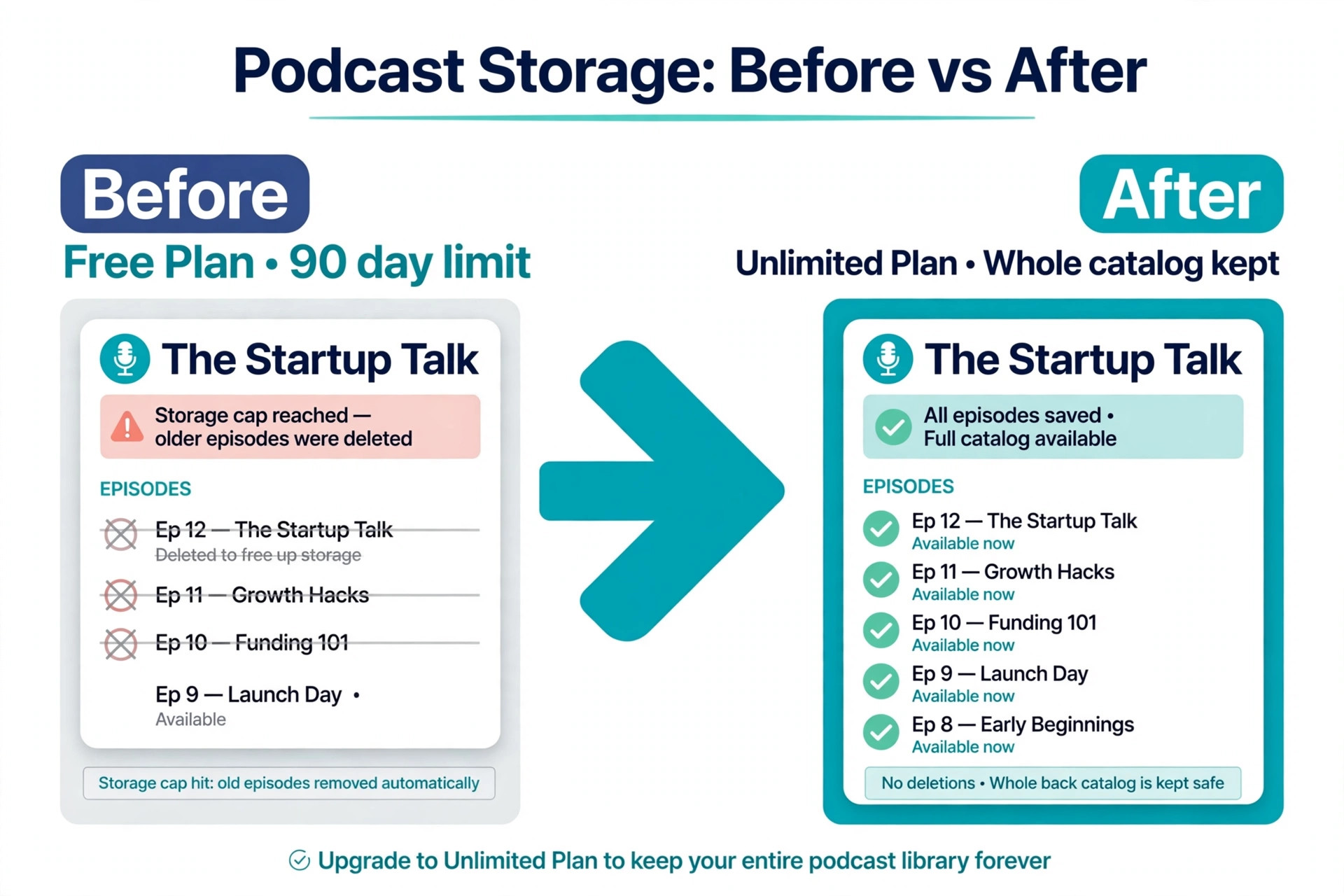
The trap is the free plan. A free plan that deletes episodes after 90 days is not a home for a show, it is a trial with a deadline. A free plan with five hours of total storage is not a home either, it is a shelf that fills up in six weeks. A paid plan that meters upload hours is cheap for a weekly show and punishing for a daily show.
How We Compared 10 Podcast Hosts
We scored each host on the five jobs a small show needs done every week. Publishing covers upload, episode scheduling, show notes, chapters, transcripts and a podcast website. Distribution covers Apple Podcasts, Spotify, YouTube, Amazon Music and the other directories, plus video where it matters. Limits cover what the plan meters, upload hours, monthly downloads, storage or episode count, and what happens when the show passes it. Analytics cover download numbers, listener geography, device data and whether the numbers follow the IAB standard. Money covers listener support, subscriptions, ads and the revenue split.
We priced each host for the same show, one weekly episode of 45 minutes, which is three hours of audio a month and about 36 hours a year, with a few hundred downloads per episode. That is the show most readers run. A daily show or a two hour interview format will hit different limits, and we flag where that happens. Prices in this guide were checked against vendor pricing pages and current 2026 roundups in November 2026. Confirm the price on the vendor pricing page before you pay, because download allowances and plan names change often.
The Best Pick for Each Job
| Job | Pick | Why it wins |
|---|---|---|
| A first show, weekly | Buzzsprout | Simplest dashboard, free plan to test with |
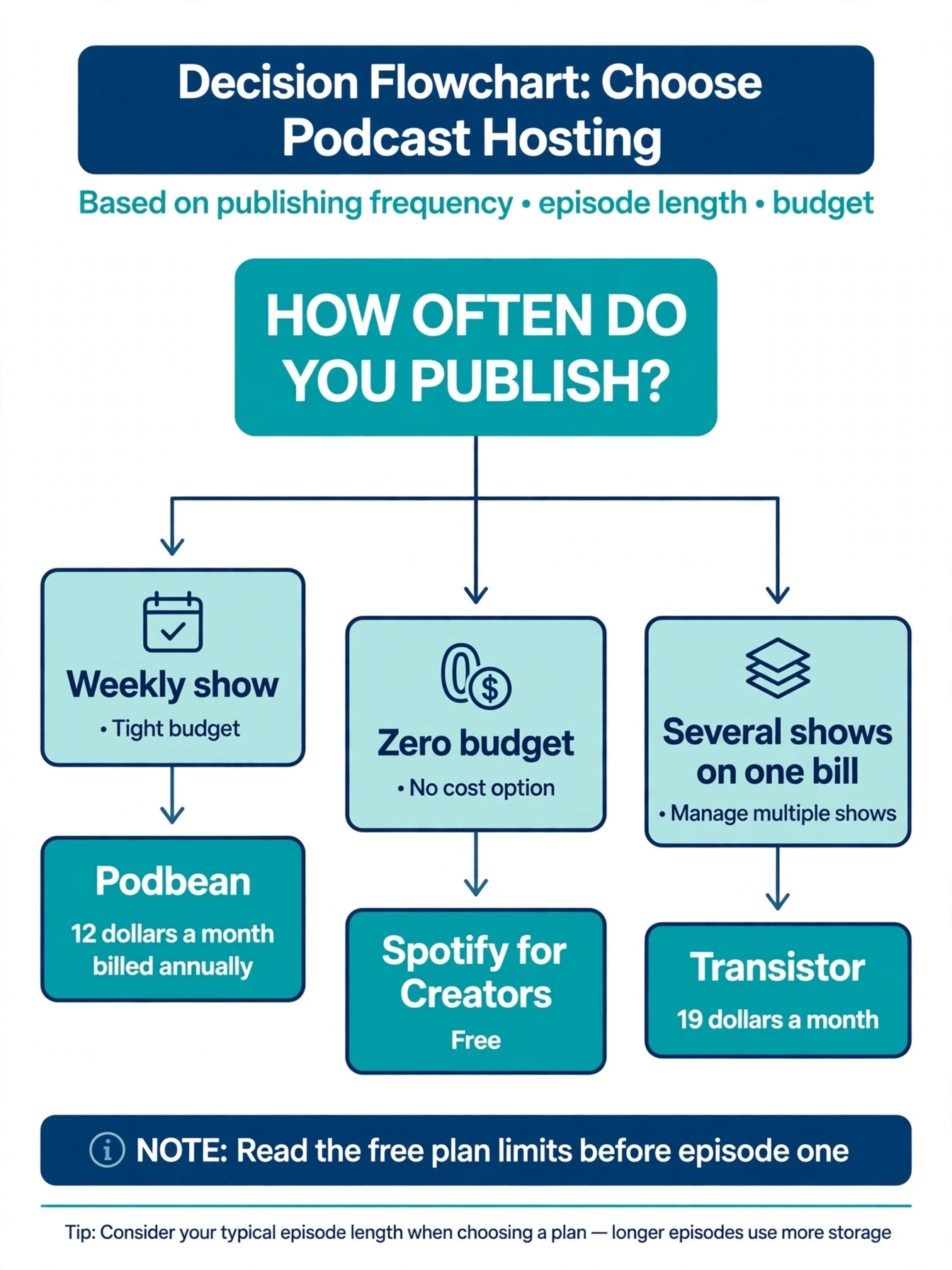
| The cheapest paid plan | Podbean | 12 dollars a month billed annually, no caps |
| Completely free hosting | Spotify for Creators | Free audio and video, no upload cap |
| Several shows on one bill | Transistor | Unlimited shows from 19 dollars a month |
| A show used for marketing | Captivate | Growth tools and every feature on every plan |
| Ads and subscriptions early | RSS.com | Free plan with unlimited episodes, ads from Plus |
Use this table as a shortcut, then read the full section for the host you are leaning toward. The best podcast hosting for small shows depends on how often you publish more than on how many listeners you have, because the meter, not the audience, decides the bill.
The Best Podcast Hosting for Small Shows in 2026, Ranked
The 10 hosts below fall into three groups. The first group is beginner hosts, built to make a first launch easy and to keep a weekly show cheap. The second group is value hosts, built to remove caps and to give a growing show room without a price jump. The third group is growth and monetization hosts, built for shows that earn from ads, subscriptions or a network of several shows.
1. Buzzsprout
Buzzsprout is the default recommendation for a first show, because it removes every technical barrier between recording and publishing. Upload an episode, fill in three fields, hit publish, and Buzzsprout handles the RSS feed, the ID3 tags and submission to Apple Podcasts, Spotify, YouTube and the rest. The dashboard is the cleanest in the category, and a first time podcaster can launch in an afternoon without reading a manual.
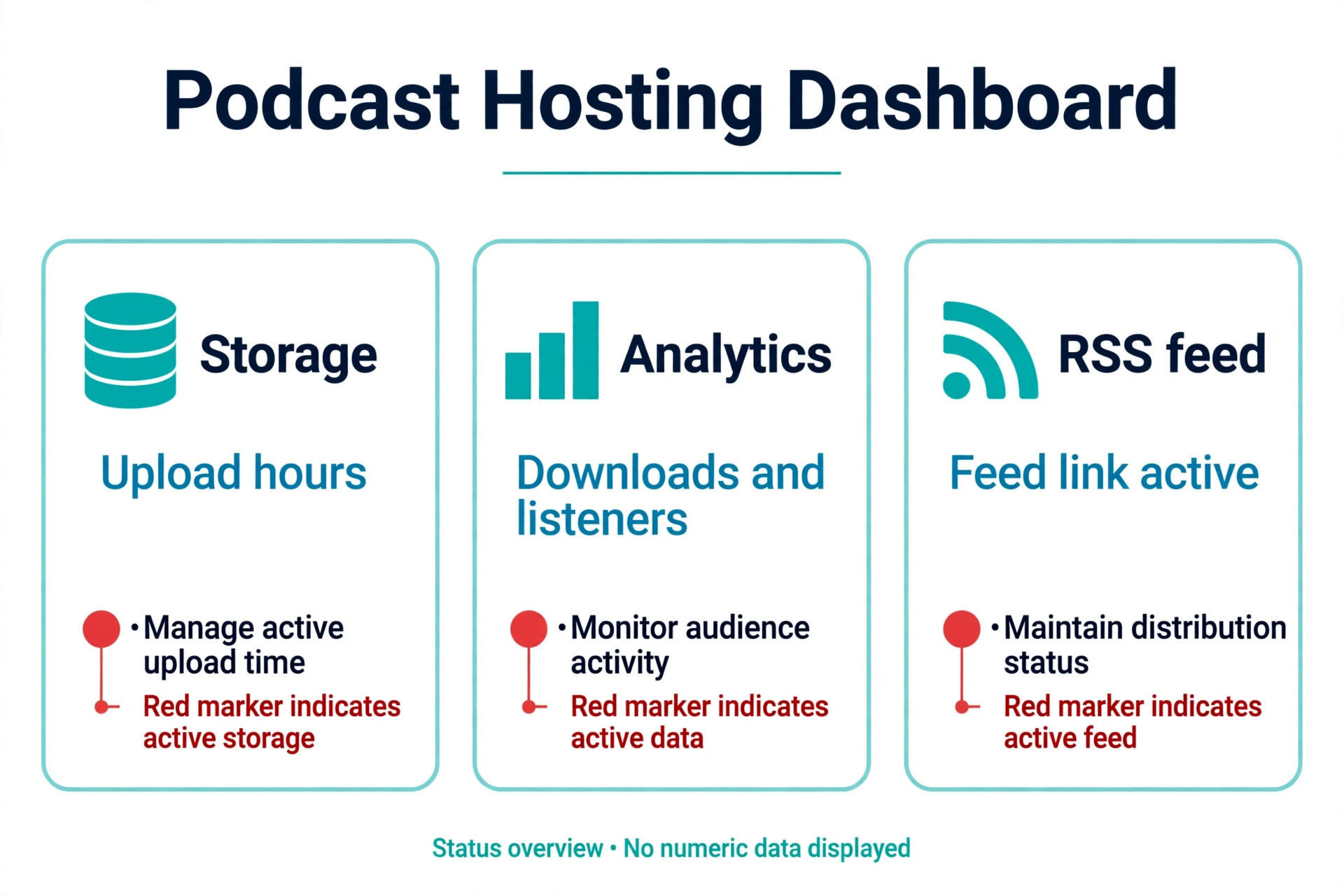
Pricing is by upload hours. The free plan gives two hours of uploads a month with episodes hosted for 90 days, which is enough to launch and test a show. The Audio plan costs 18 dollars a month, or 15 dollars a month billed annually, for six hours a month and 72 hours a year. The Audio plus Video plan costs 30 dollars a month, or 25 dollars billed annually, and adds video distribution to Apple Podcasts, Spotify and YouTube. The Multi Podcast plan starts at 36 dollars a month, or 30 dollars billed annually, for up to five shows. A weekly 45 minute show fits the Audio plan comfortably at 15 dollars a month billed annually.
The trade off is the hours cap itself. A daily show or an interview format with long episodes will pass 12 hours a month and hit overage fees or a forced upgrade, and heavy users end up paying more than they would on an unlimited host. Buzzsprout also adds paid extras for transcripts and for advanced features that other hosts include. Use Buzzsprout when the show is weekly, the episodes are under an hour, and simplicity matters more than the lowest price.
2. Spotify for Creators
Spotify for Creators, formerly Anchor and formerly Spotify for Podcasters, is the only completely free host on this list, and for a hobby show that is the whole argument. Hosting is free with no upload cap, video podcasting is included, and the show distributes to Spotify, Apple Podcasts and the other directories from the same dashboard. There is no paid tier to unlock, no storage limit to hit and no episode expiry.
The money comes from ads and subscriptions. The Spotify Partner Program pays creators 50 percent of ad revenue, and eligibility needs at least three episodes, 2,000 Spotify consumption hours and 1,000 Spotify audience members in the last 30 days, in eligible countries only. Paid subscriptions let listeners pay for bonus episodes. Spotify funds the free hosting by taking a share of ad revenue from monetized shows, so a show that never monetizes costs Spotify money and costs the creator nothing.
The trade off is control and analytics. The tools are Spotify first, the analytics are thinner than Buzzsprout or Transistor, and a show that wants advanced stats, dynamic ad insertion or a custom website will feel the limits. Use Spotify for Creators when the budget is zero and the show is a hobby, a test or a passion project that may never earn.
3. Podbean
Podbean is the value play, and the cheapest paid plan on this list that is not a compromise. It has hosted podcasts since 2006, and the breadth shows in the product. The free Basic plan gives five hours of total storage, 100 GB of bandwidth and a podcast website, enough to publish the first episodes and feel the dashboard. The Unlimited Audio plan costs 17 dollars a month, or 12 dollars a month billed annually, with unlimited storage, unmetered bandwidth, advanced stats and monetization tools.
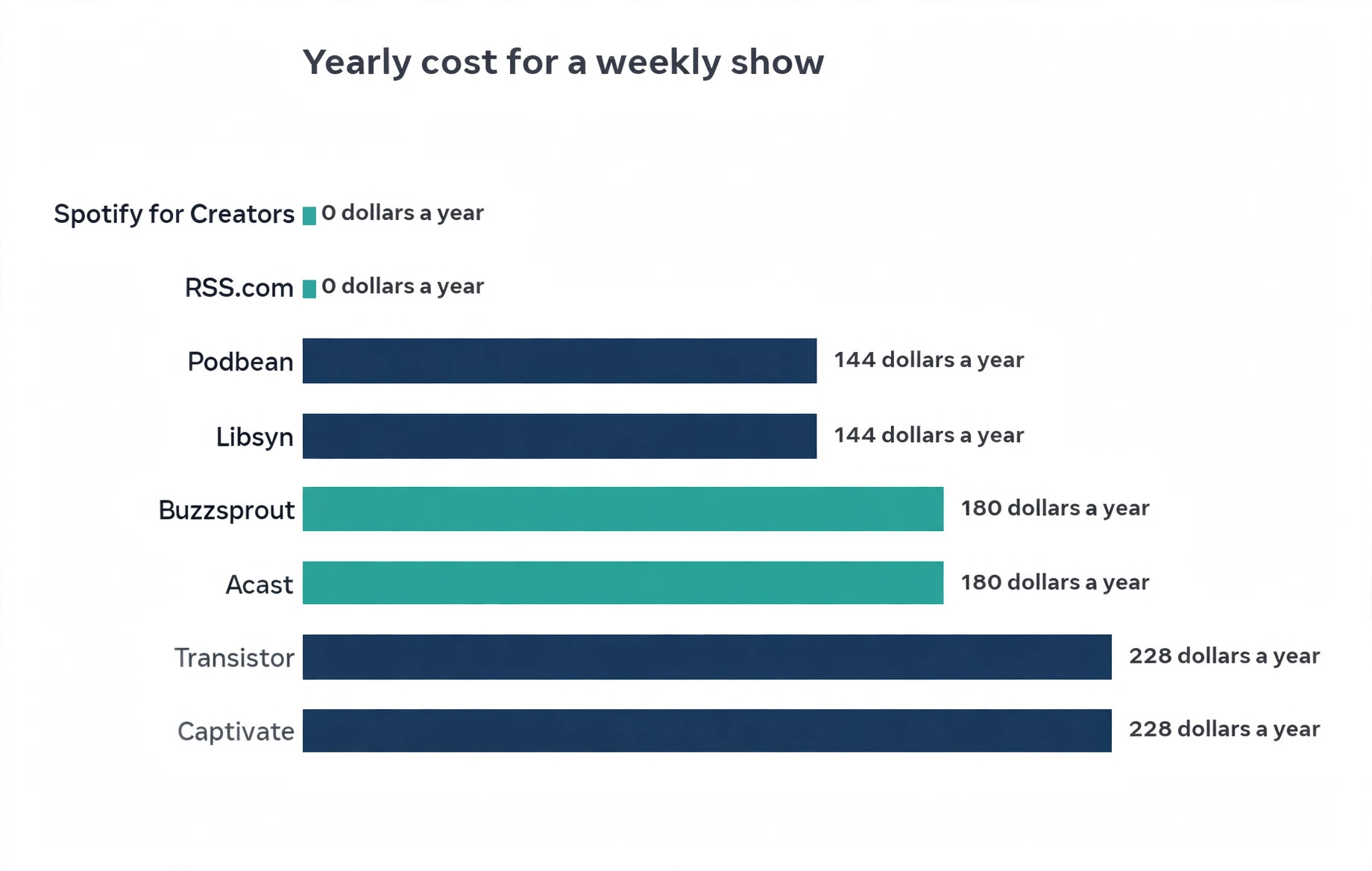
A weekly 45 minute show costs 12 dollars a month billed annually on Unlimited Audio, which is 144 dollars a year, against 180 dollars a year for Buzzsprout Audio billed annually. Podbean meters neither downloads nor upload hours on that plan, so a viral episode costs nothing extra and a long interview costs nothing extra. The Ads Marketplace, dynamic ads and Apple Podcasts subscriptions are built in, so a show can start earning without moving host.
The trade off is the dashboard, which feels older than Buzzsprout and less polished than Transistor. New podcasters sometimes find the settings harder to navigate, and the free plan is capped at five hours of total storage, which makes it a trial rather than a home. A show that wants the lowest honest price for unlimited hosting should start here and spend the saving on a better microphone.
4. Transistor
Transistor is the pick for anyone running more than one show, because it charges per account, not per podcast. Every plan includes unlimited podcasts, so a creator with a main show, a bonus show and a private feed for clients pays one bill instead of three. The Starter plan costs 19 dollars a month for 20,000 monthly downloads. The Professional plan costs 49 dollars a month for 100,000 downloads, and the Business plan costs 99 dollars a month for 250,000 downloads. Annual billing gives twelve months for the price of ten.
A single small show pays 19 dollars a month on Starter, which is more than Buzzsprout at 15 dollars or Podbean at 12 dollars, and the multi show advantage is wasted if the creator runs one show and always will. A creator with two shows pays 19 dollars total on Transistor against 30 dollars for two Buzzsprout Audio plans or 24 dollars for two Podbean plans, so the saving starts at the second show. Private podcasts, dynamic ad insertion from Professional, and a generated website per show are included.
The trade off is the entry price and the download meter. Transistor meters monthly downloads, so a show with one viral episode can pass 20,000 downloads and need a plan jump, while a Podbean show with the same spike pays nothing extra. There is no free tier, only a 14 day trial. Use Transistor when the plan is two shows, a private feed or a small network.
5. Captivate
Captivate is the pick for a show treated as a marketing channel rather than a hobby. It gives every feature on every plan, with pricing by downloads only, so a small show gets the same growth tools as a large one. The Personal plan costs 19 dollars a month for up to 30,000 downloads. The Professional plan costs 49 dollars a month for up to 150,000 downloads, and the Business plan costs 99 dollars a month for up to 300,000 downloads. Uploads and storage are unlimited on every plan.
The growth tools are the reason to pay. Captivate includes smart links that send each listener to their preferred app, a one click sponsor pitch tool, dynamic ads, sponsorship tools and a guest booking flow. A business that runs a podcast to win clients will use those tools every week, and a hobby show will not. The analytics are strong, the dashboard is modern, and the support team answers fast.
The trade off is price and the missing free tier. There is no free plan, only a 30 day trial, and 19 dollars a month is more than Podbean at 12 dollars for a show that does not use the growth tools. Video is not included in the base price, and Apple HLS video is a 12 dollar a month add on per video podcast. Use Captivate when the podcast is a marketing asset with a budget behind it.
6. RSS.com
RSS.com is the budget monetization pick, and the only host on this list with a genuinely free plan that has unlimited episodes and unlimited audio. The free plan covers the RSS feed, a podcast website, transcripts, analytics, automatic distribution, donations and listener support, which is enough to run a real show without paying. The Plus plan costs 20 dollars a month, or 15 dollars a month billed annually, and adds programmatic ads and Apple Podcasts subscriptions. The Pro plan costs 34.67 dollars a month, or 26 dollars billed annually, for up to ten podcasts.
A weekly show can run free on RSS.com for as long as it likes, which no other free plan on this list allows, because Buzzsprout deletes free episodes after 90 days and Podbean caps free storage at five hours. The ad split is generous, with podcasters typically keeping 70 percent of programmatic ad revenue. YouTube distribution is built in, which is unusual at this price, and the dashboard is simple enough for a beginner.
The trade off is that video hosting sits on the Max plan, which costs 49.33 dollars a month, or 37 dollars billed annually, so a video show pays more here than on Spotify for Creators, where video is free, or on Buzzsprout Audio plus Video at 25 dollars billed annually. Use RSS.com when the show is audio only and the plan is to earn from ads early.
7. Libsyn
Libsyn is the veteran host, in business for more than 20 years, and the pick for a show that also publishes video and wants a long track record behind it. The Basic plan costs 12 dollars a month for three hours of audio uploads a month. An 8 dollar plan covers the bare essentials. Higher plans add more upload hours, and every plan includes video uploads up to 100 GB a month, which is generous for a show that records on camera.
A weekly 45 minute show uses three hours a month, which fits the Basic plan at 12 dollars exactly, so the price is fair for a show that records video as well as audio. The AdvertiseCast marketplace is built in, the analytics follow the IAB standard, and the platform has survived every wave of podcast fashion, which matters when the show plans to run for years. Monetization options sit on all plans, with dynamic ads on the Professional and Enterprise tiers.
The trade off is the upload meter and the dated dashboard. A show that publishes longer episodes or bonus episodes will pass three hours and need a higher plan, and the interface feels older than Buzzsprout, Transistor or Captivate. Use Libsyn when the show records video and wants a host with twenty years of history.
8. Spreaker
Spreaker is the monetization and live audio pick, with a free plan and a built in recording studio. The free Speech plan covers a small show with limited storage and hours, enough to test the platform. Paid plans start at 8 dollars a month on older pricing and run to the Broadcaster and Anchorman tiers for larger shows, with live broadcasting, the iHeart ad network and monetization built in. A show that records live, takes caller questions or streams an episode as it happens will find tools here that no other host on this list offers.
The live features are the reason to pick Spreaker. A host can broadcast live to listeners, take live chat, and publish the recording as an episode in the same flow. The ad network connects smaller shows with advertisers earlier than most hosts, and the recording studio lets a host record and edit in the browser without separate software. Distribution covers Apple, Spotify and the other directories.
The trade off is that the free plan is thin and the paid plans are less transparent than Buzzsprout or Podbean, with pricing and limits that have changed several times. A weekly recorded show with no live element will find Buzzsprout simpler and Podbean cheaper. Use Spreaker when the show is live, or when the recording studio and the ad network matter more than the cleanest dashboard.
9. Acast
Acast is the advertising pick, for a show whose main goal is sponsorship and ad revenue. The Starter tier is free, with one show and five episodes, which is enough to test the ad tools. The Essential plan costs 14.99 dollars a month billed yearly, or 25 dollars month to month, and unlocks the ads marketplace, sponsorships and premium subscriptions. Acast takes a 50 percent split on ads it sells for the show, which is the price of its sales team and its advertiser network.
A small show with a defined audience, a niche topic and a few hundred downloads an episode, can earn from Acast earlier than from a host with no ad sales team, because Acast sells the inventory rather than waiting for the show to find sponsors. The hosting itself is solid, with distribution, analytics and a podcast website, and the premium subscription tools let listeners pay for bonus content.
The trade off is the revenue split and the episode cap on the free tier. A 50 percent ad split is steep against RSS.com at 70 percent to the podcaster, and a show that grows past five episodes on the free tier must pay. Use Acast when the show wants an ad sales team working for it from the start.
10. Simplecast
Simplecast is the analytics pick, and the host many professional shows choose when the numbers matter as much as the audio. It is owned by SiriusXM, and the analytics are the strongest on this list for a small show that wants to know who listens, where, on what device and for how long. The dashboard shows episode level retention, listener geography and app breakdowns in a way that makes sponsor conversations easy.
Pricing is by downloads and shows, with plans that start around 15 dollars a month for a small show and rise with audience size. The exact price depends on the plan and the billing period, so confirm it on the vendor pricing page before you commit. Distribution covers Apple, Spotify and the other directories, and the embed players and podcast website are clean and professional.
The trade off is price transparency and the missing free tier. Simplecast publishes less pricing detail than Buzzsprout or Podbean, and there is no free plan to test with, only a trial. A show that pitches sponsors with data, or a business show that reports listening numbers to a client, will find the analytics worth the price.
How to Choose the Best Podcast Hosting for Small Shows
Start with how often you publish. A weekly 45 minute show uses three hours a month, which fits Buzzsprout Audio at 15 dollars billed annually, Libsyn Basic at 12 dollars, Podbean Unlimited Audio at 12 dollars billed annually, and RSS.com Free. A daily show uses fifteen hours a month or more, which breaks Buzzsprout and Libsyn and points to Podbean, Captivate or Transistor, where uploads are unlimited and the meter is downloads. Count your hours before you compare prices, because the meter decides the bill.
Next, decide whether the show is audio only or video as well. A video show needs a host that distributes video to Apple, Spotify and YouTube without a separate workflow. Spotify for Creators includes video free. Buzzsprout Audio plus Video costs 25 dollars a month billed annually. Libsyn includes video uploads on every plan. Captivate charges 12 dollars a month extra for video. RSS.com puts video on the Max plan at 37 dollars billed annually. An audio only show should not pay for video it never records.
Then decide how the show will earn, if it ever will. A show that wants ads early should look at RSS.com, with 70 percent to the podcaster, or Acast, with a sales team and a 50 percent split. A show that wants listener support and subscriptions should look at Buzzsprout, Podbean or Spotify for Creators, where the tools are built in. A show that wants to sell its own sponsorships should look at Captivate or Simplecast, where the analytics make the pitch. A show that never plans to earn should pick the cheapest honest host and spend the saving on better audio.
Finally, check the exit. A host should let the show leave with its feed, its episodes and its subscribers intact, through a 301 redirect. Every host on this list supports a redirect, but the ease differs, and a free plan that deletes episodes after 90 days is a warning sign.
Mistakes That Waste Money
The most common mistake is paying for a year before publishing three episodes. A creator buys an annual plan, records two episodes, and the show stalls, leaving ten months of hosting paid for and unused. Start on a free plan or a monthly plan, publish six episodes, and move to annual billing only when the publishing habit is real. The annual discount is real, but it is only a saving when the show survives the year.
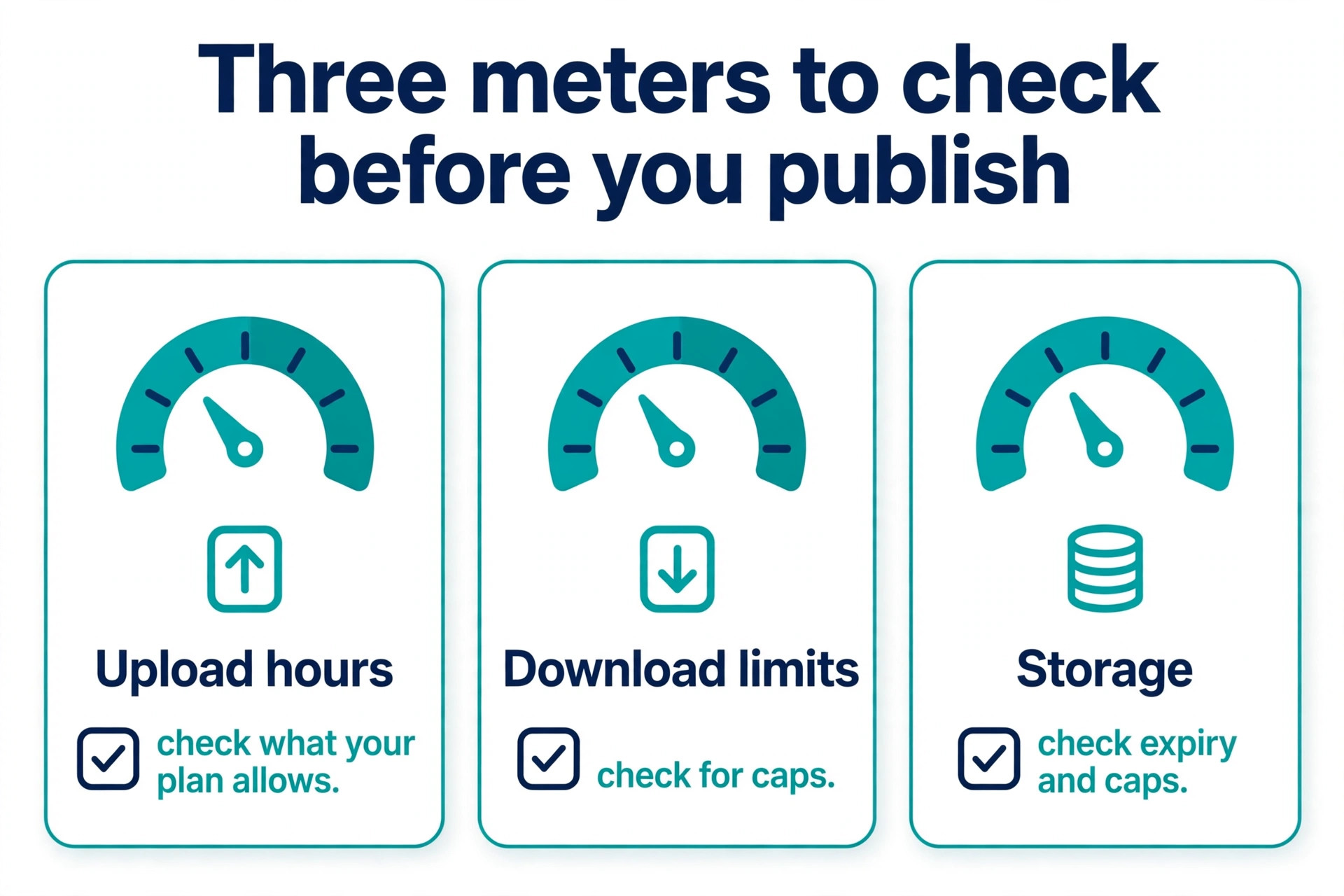
The second mistake is picking a host by the free plan and then discovering the back catalog is gone. Buzzsprout deletes free episodes after 90 days, Podbean caps free storage at five hours, and Acast caps the free tier at five episodes. A show that builds an audience on a free plan and then finds its early episodes deleted has lost the work that earned those listeners. Read the free plan limits before you publish episode one, and move to a paid plan before the catalog is at risk.
The third mistake is ignoring the meter. A daily show on Buzzsprout pays overage fees by autumn. A show with one viral episode on Transistor jumps a download tier. A show with long interviews on Libsyn passes three hours a month. The meter is the price, and a host that looks cheap at the headline can be the most expensive by December. Count hours, count downloads, and pick the host whose meter you will never hit.
- Count your monthly upload hours before you compare prices.
- Decide audio only or video before you pick a plan.
- Read the free plan limits, episode expiry and storage caps, before episode one.
- Publish six episodes on a monthly plan before you pay for a year.
- Confirm the host supports a 301 redirect before you commit.
Our Verdict
Buzzsprout is the pick for most small shows among the best podcast hosting for small shows, because the dashboard is the simplest, the free plan lets a creator test a real launch, and the Audio plan at 15 dollars a month billed annually covers a weekly show with room to spare. Podbean is the pick when the budget is tight, because Unlimited Audio at 12 dollars a month billed annually removes every cap and the show keeps 144 dollars a year all in. Spotify for Creators is the pick when the budget is zero, because the hosting is free with no upload cap and video is included.
A creator with two shows should pick Transistor at 19 dollars a month, because one bill covers unlimited shows. A business show should pick Captivate at 19 dollars a month, because every feature sits on every plan and the growth tools earn their price. A show that wants ads early should pick RSS.com, because the free plan is genuinely free and the ad split keeps 70 percent with the podcaster. The best podcast hosting for small shows is the host whose meter matches the publishing habit, whose free plan does not delete the catalog, and whose price stays fair when the show grows.
Frequently Asked Questions
Which of the best podcast hosting for small shows is cheapest?
Podbean Unlimited Audio is the cheapest paid plan that keeps the whole back catalog online, at 12 dollars a month billed annually, which is 144 dollars a year. Libsyn Basic is also 12 dollars a month for three hours of uploads. Buzzsprout Audio is 15 dollars a month billed annually. Spotify for Creators and RSS.com Free cost nothing, with RSS.com Free covering unlimited episodes and Spotify for Creators covering unlimited audio and video. The cheapest honest paid home for a weekly show is Podbean.
How many upload hours does a weekly show need?
A weekly show with 45 minute episodes uses three hours of audio a month, or 36 hours a year. That fits Buzzsprout Audio, which allows six hours a month and 72 hours a year, and Libsyn Basic, which allows three hours a month exactly. A weekly show with hour long episodes uses about four and a half hours a month, which still fits Buzzsprout Audio but passes Libsyn Basic. A daily show uses fifteen hours a month or more, which needs an unlimited host such as Podbean, Captivate or Transistor.
Can I host a podcast for free?
Yes, three hosts on this list offer genuinely free hosting. Spotify for Creators is free with no upload cap and includes video. RSS.com Free is free with unlimited episodes and unlimited audio. Spreaker has a free Speech plan with limited storage. Buzzsprout Free gives two hours a month but deletes episodes after 90 days, and Podbean Free caps total storage at five hours, so those two are trials rather than homes. A show that plans to run for a year should pick a free plan that does not delete the catalog.
What is the difference between upload hours and download limits?
Upload hours meter how much audio the creator publishes, which is what Buzzsprout and Libsyn charge for. Download limits meter how many times listeners fetch episodes, which is what Transistor, Captivate and Simplecast charge for. A show with long episodes and few listeners hits an upload limit first. A show with short episodes and a viral spike hits a download limit first. Podbean Unlimited Audio meters neither, which is why it is the cheapest honest plan for a show that does either.
Should a small show pay for video hosting?
A small show should pay for video hosting only when it records on camera and publishes the video to YouTube, Spotify or Apple Podcasts. Spotify for Creators includes video free, so a show that wants video without paying should start there. Buzzsprout Audio plus Video costs 25 dollars a month billed annually, and Libsyn includes video uploads on every plan. An audio only show should not pay for video, because the money buys nothing the listeners will hear.
Can I move my podcast to another host later?
Yes, a podcast can move to another host, and every host on this list supports a 301 redirect that sends subscribers and directories to the new feed. The move takes care, because the redirect must stay live on the old host and the new host must import the episodes, show notes and artwork correctly. Test the new host with a trial or a free plan before moving, keep the old host live until the redirect is confirmed, and check Apple Podcasts and Spotify a week after the move to confirm the show still appears.
A small show does not need enterprise software. It needs a host that publishes easily, keeps the catalog online, shows honest numbers and charges for the meter the show actually uses. Start free, publish six episodes, count the hours and the downloads, and then pay for the host that fits the habit.