Buffer analysed 9.6 million Instagram posts in 2026 and found that accounts posting three to five feed posts a week plus at least one Story a day perform best, and evening hours between 6 p.m. and 11 p.m. consistently outperform other slots. The gap between accounts that grow and accounts that stall is rarely talent. It is usually a system, and knowing how to plan a week of Instagram stories in one sitting is the system that closes it.
You stop opening the app every morning wondering what to post, and you start each day with the work already done. This guide gives you that system in full. You will build a repeatable 90 minute weekly session, a seven day Story map, a batch filming routine, and a review habit that makes every following week easier than the last.
Why Planning a Week of Stories in One Sitting Works
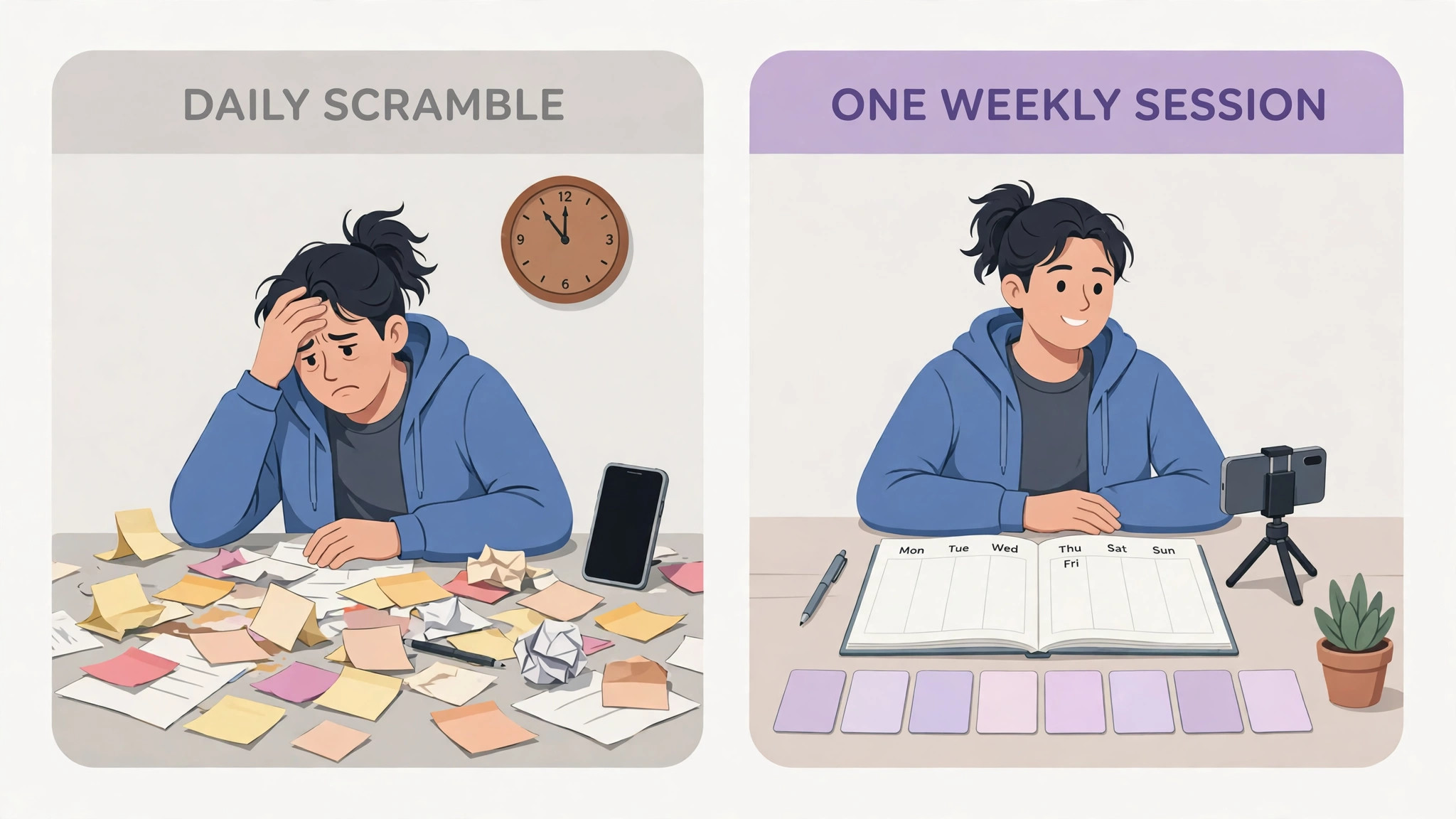
Daily posting feels creative until it becomes a chore. Most creators do not quit Instagram because they run out of ideas. They quit because the daily scramble eats their attention in small pieces. A decision made at 9 a.m. about a Story costs more than the five minutes it takes to film it. It costs the focus you needed for client work, product work, or rest. Batching removes that cost. You make every decision once, in one calm session, and then the week runs on rails.
The second benefit is quality. A Story filmed in a rush between meetings looks rushed. A Story planned with a clear purpose, a hook in the first frame, and a sticker that invites a reply looks intentional, and viewers can tell the difference in under a second. When you plan the whole week together, you can also see the balance. Three selling Stories in a row becomes obvious on a map. A week with no question sticker, no poll, and no reason for anyone to reply becomes obvious too. Planning gives you that view before you publish anything.
There is a third benefit that matters more over time. A planned week produces comparable data. When every day has a job, you can look at Friday and ask whether the behind the scenes Story held attention better than the tip Story on Tuesday. When every day is improvised, the data is noise. Learning how to plan a week of Instagram stories properly is what makes your results readable, so each week teaches you something about your own audience.
How to Plan a Week of Instagram Stories in 90 Minutes
The core of this guide is a single 90 minute session, ideally on Sunday afternoon or whatever evening your week starts. Set a timer, close other tabs, and work through the steps below in order. The order matters. Ideas first, then filming, then words, then scheduling. People who film before they decide what to say end up with footage that fits nothing.
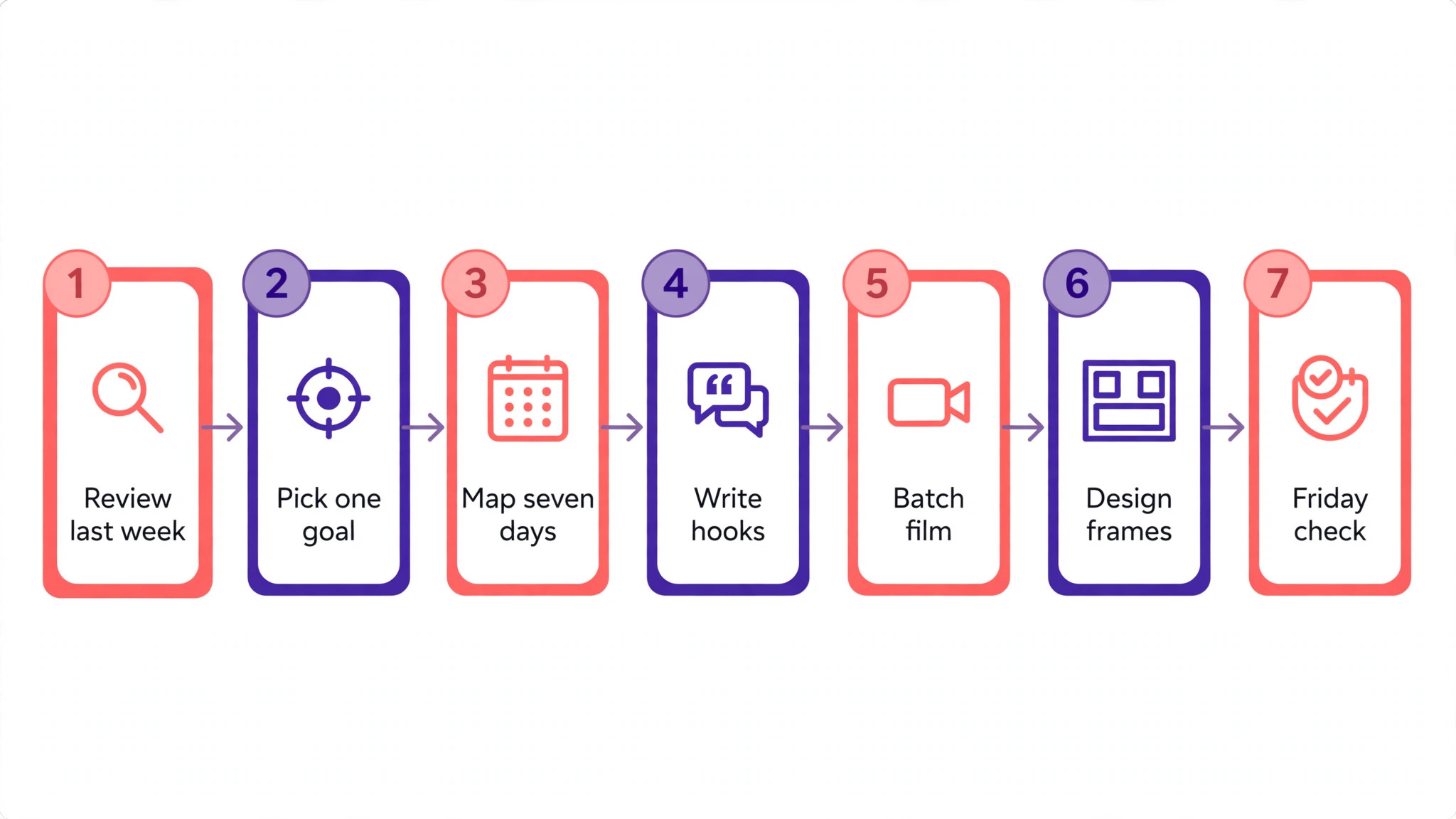
- Review last week for ten minutes. Open Insights, note your best and worst Story by replies, sticker taps, and exits, and write one sentence about what each one taught you.
- Pick one goal for the week. Followers, replies, link taps, or bookings. One goal only. Every Story you plan should serve it or support it indirectly.
- Choose three content pillars for the week. Teach, prove, and connect is a reliable trio. Teach shows expertise. Prove shows results. Connect shows the human behind the account.
- Fill the seven day map with one idea per day. Write the hook first, then the format, then the sticker or call to action. A row without a call to action is not finished.
- Film and design everything in one block. Shoot all video clips back to back, then design all text frames in Canva or directly in Instagram, so you stay in one mode of work at a time.
- Write captions, stickers, and links for the full week. Keep the words short. Stories are read at a glance, and a frame with forty words is a frame nobody finishes.
- Schedule or queue what the tools allow, and set phone reminders for anything that must go out live. Native scheduling covers feed posts and Reels, while Stories still need a nudge or a third party scheduler in most cases.
- Do a ten minute Friday review. Record what worked, save the best frames to Highlights, and carry one lesson into next Sunday.
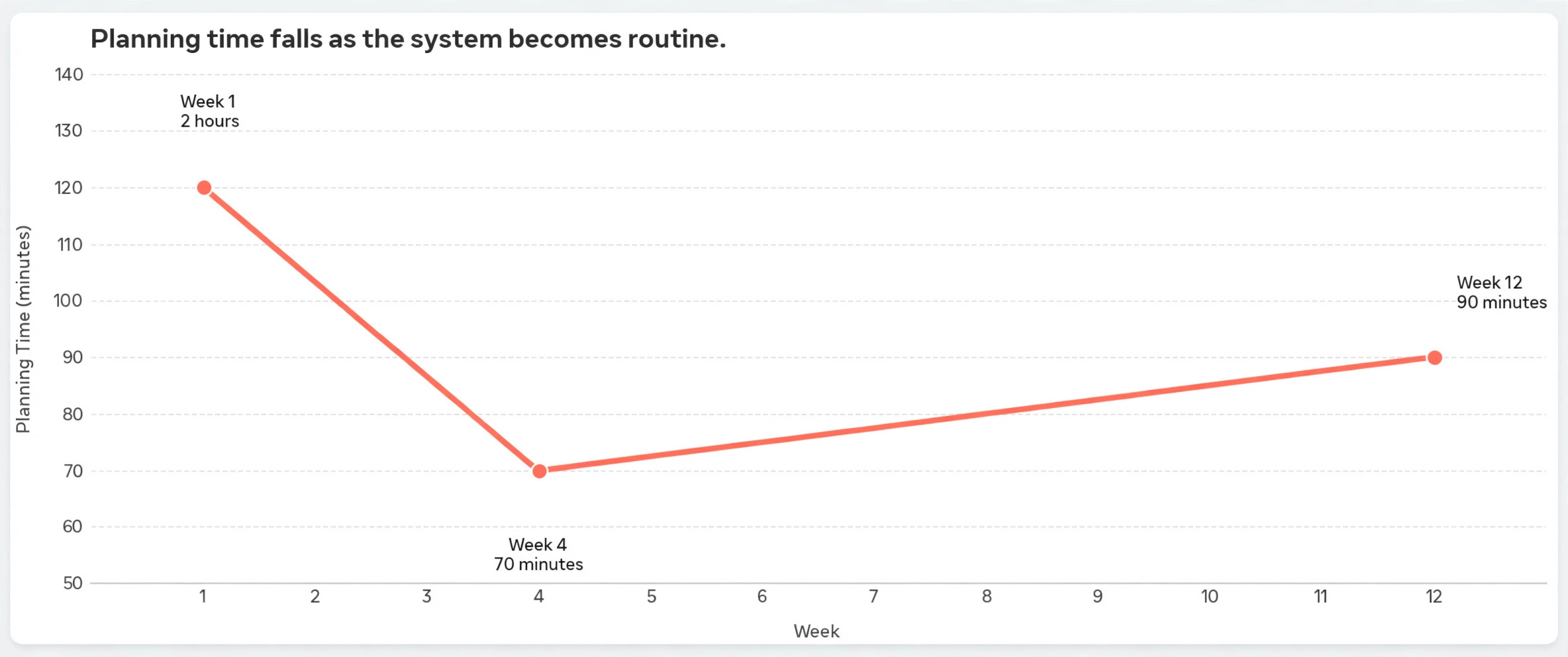
Ninety minutes sounds optimistic the first time you try it. Most people take two hours on week one and about seventy minutes by week four. The speed comes from the map, not from rushing. Once you know what Tuesday is for, Tuesday takes ten minutes.
The Seven Day Story Map
A map is what turns seven loose ideas into a week. The table below is a starting template. Keep the structure and swap the topics to fit your niche. The rhythm matters more than the specific subjects. Teaching early in the week earns attention. Proof in the middle builds trust. A soft offer late in the week converts the trust you built, and a light community day at the weekend keeps the account feeling human.
| Day | Job | Format | Interaction |
|---|---|---|---|
| Monday | Teach one useful thing | Talking head or text frames | Poll with two options |
| Tuesday | Show the work | Behind the scenes clips | Question sticker |
| Wednesday | Prove a result | Before and after or testimonial | Link sticker or DM prompt |
| Thursday | Answer a real question | Screenshot plus voiceover | Quiz sticker |
| Friday | Make a soft offer | Product or service demo | Link sticker |
| Saturday | Be human | Casual photo or short clip | Emoji slider |
| Sunday | Recap and preview | Highlights plus next week teaser | Question sticker |
Monday works as a teaching day because attention is highest at the start of the week and people are in planning mode. A single clear tip, delivered in three frames or fewer, earns saves and shares that carry the account through quieter days. Keep the tip narrow. One mistake to avoid beats five generic tips every time, because a narrow tip is easy to remember and easy to repeat to someone else.
Tuesday is for the work itself. Film your desk, your process, your tools, or your half finished draft. Audiences follow people, not logos, and behind the scenes content is the cheapest trust builder on the platform. Add a question sticker that asks followers what they want to see next, and you get both engagement and next week ideas in the same frame.
Wednesday is proof day. Show a result, a testimonial, a number, or a transformation. Proof works best when it is specific. A screenshot of a real message from a customer beats a polished claim about quality, and a single concrete number beats a paragraph of adjectives. If you have no client results yet, show your own progress. A thirty day streak, a finished project, or a skill you finally learned all count as proof.
Thursday answers a question your audience actually asked. Pull it from DMs, comments, or the question sticker you ran on Tuesday. Answering real questions has two advantages. The person who asked it feels heard and replies, and ten other people with the same question get their answer without asking. Use a quiz sticker on the last frame to test whether the answer landed.
Friday is the only day with a direct offer, and that restraint is the point. When six days give value and one day asks for something, the ask feels fair. Demo the product, show the outcome, and link to it. Keep the demo under four frames. If the offer needs more explanation than that, it belongs in a Reel or a feed post, not in Stories.
Saturday stays light. A photo from your day, a short clip, a book you are reading, or a mistake you made. The emoji slider is the right sticker here because it asks almost nothing and still registers a tap. Sunday closes the loop. Recap the week best moments, save them to a Highlight, and tease one thing coming next week. Then ask a question that seeds Monday ideas, and your next planning session starts with answers instead of a blank page.
Content Pillars That Keep Seven Days Interesting
Pillars are the guardrails that stop a week from drifting into randomness. Three to five pillars is the right range. Fewer than three and the account feels repetitive. More than five and the account feels scattered, because no theme repeats often enough for followers to associate it with you. Pick pillars from questions people already ask you twice, not from topics you wish they asked about.
A coach might use training tips, client results, and daily life. A shop might use product education, customer photos, and the making process. A freelancer might use process, results, and opinions about the industry. The exact pillars matter less than the discipline of returning to them. Followers build expectations around repetition. They come back on Tuesday because Tuesday is the day you show the work.
Rotate the pillars through the week map rather than assigning one pillar per day forever. If Monday is always teaching and teaching is always the same pillar, the week goes stale within a month. Instead, keep the daily job fixed and rotate which pillar fills it. Monday teaches, but one week it teaches a skill and the next week it teaches a mistake to avoid. The structure stays familiar while the content stays fresh. This rotation is also what makes learning how to plan a week of Instagram stories sustainable, because you never face a blank map with no starting point.
Leave one slot open every week. A rigid calendar breaks the first time something interesting happens, and then people abandon the whole system. An open slot, usually Saturday or Sunday, absorbs news, trends, replies to something a follower said, or a post reacting to what performed well earlier in the week. Plan for spontaneity instead of pretending it will not happen.
Story Formats Worth Rotating
Format variety is what keeps a planned week from looking planned. Instagram gives you more formats than most accounts ever use, and each one asks something different from the viewer. A week that uses five formats feels richer than a week of seven talking head clips, even if the ideas are equally good.
Talking head clips build the strongest connection because viewers see your face and hear your voice. Keep them under fifteen seconds per frame and film in good light near a window. Text frames work better for tips and lists because viewers can screenshot them, and screenshots are a quiet signal that the content was worth keeping. Use large type, one idea per frame, and no more than twelve words on any single frame.
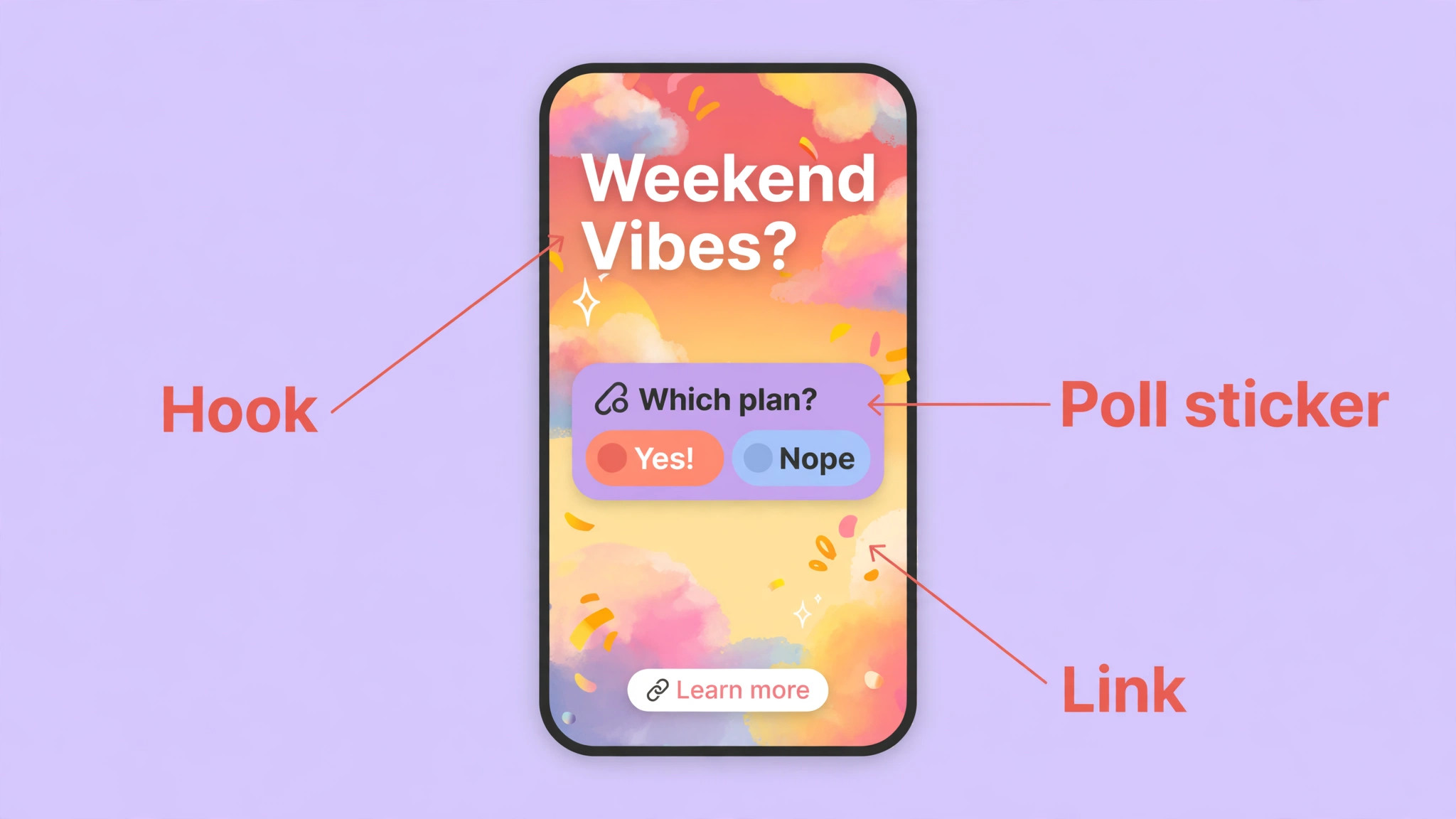
Polls and quizzes turn passive viewers into participants. A two option poll takes one second to answer, which is why it earns taps from people who would never type a reply. Use polls to let the audience choose between two real options, not as decoration. A quiz works best on Thursday when you are testing whether an answer landed. The emoji slider is the lightest touch of all, and it suits Saturday perfectly.
Link stickers belong on Wednesday and Friday, the two days with something to click toward. Putting a link on every Story trains followers to ignore it. Putting it on two days makes the tap feel like a decision. Before and after frames, screenshots of real messages, and short screen recordings all work as proof formats, and they need almost no design skill. The evidence does the persuading.
Batch Filming and Designing in One Sitting
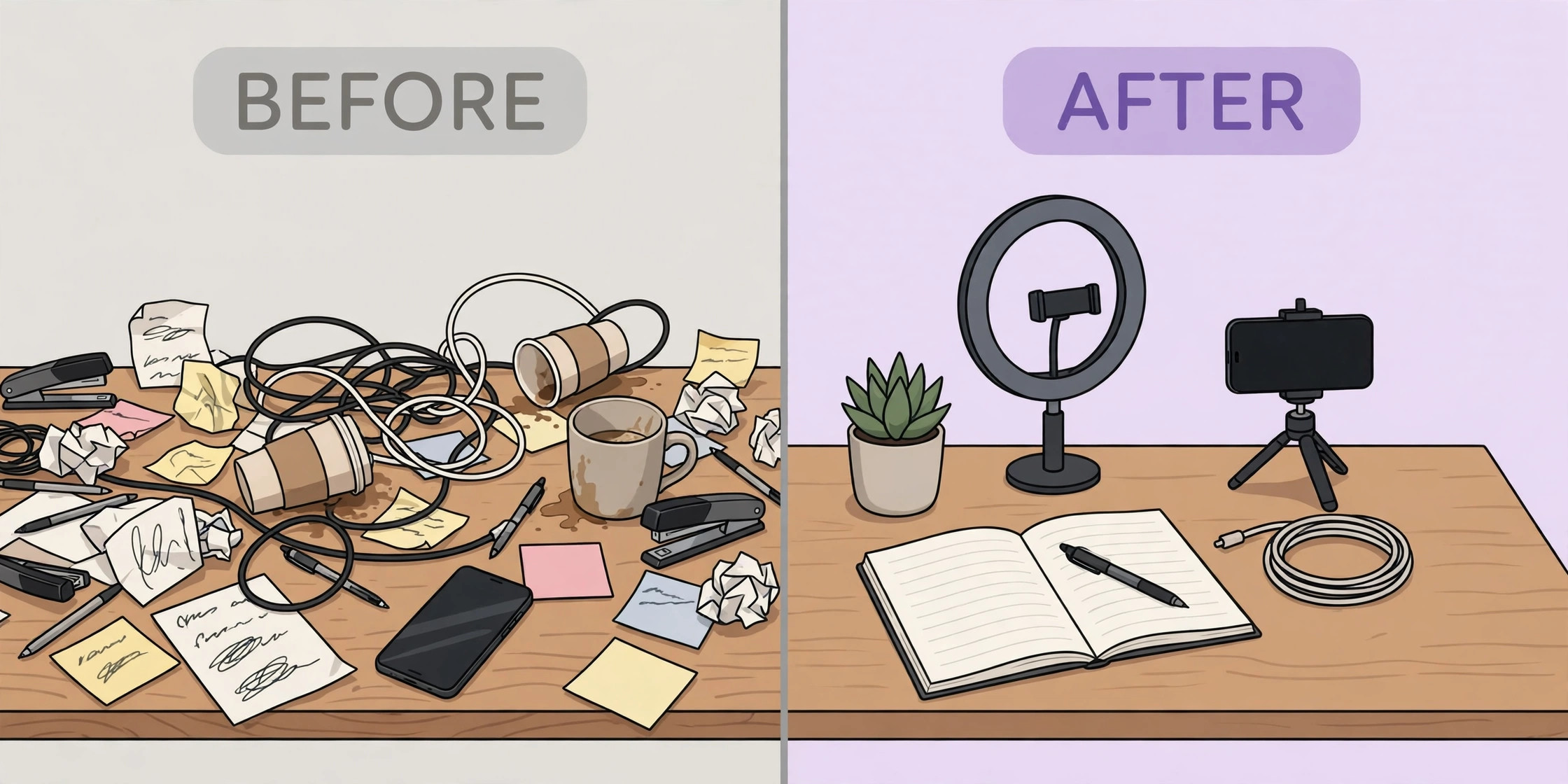
Batching is a production method, not a personality trait. The idea is simple. Doing one kind of work in one sitting costs less attention than switching tasks seven times. Film all seven days of video in a single block, then design all text frames in a single block, then write all captions in a single block. Each switch between filming, designing, and writing costs a few minutes of refocusing, and those minutes add up to an hour across a week.
Start with filming because it is the hardest to redo. Set up once. Same light, same background, same framing for every clip. Record Monday through Sunday in order, and do two takes of anything that matters. A second take costs thirty seconds. Refining a bad clip later costs twenty minutes. Keep a glass of water nearby and keep your phone on Do Not Disturb, because a notification in the middle of a good take is the most common reason a batch session falls apart.
Design comes next. Open Canva or your template app of choice and duplicate one master template seven times, then change the words and colours for each day. Templates are what make a week look coherent without making it look identical. Use the same fonts and the same two or three brand colours every week, and change the photos, the hooks, and the layout. Followers should recognise your Stories in half a second without feeling like they have seen the same frame before.
Writing is last because the words are easiest to fix. Write the on screen text first, then the sticker text, then any link labels. Read every frame out loud before you call it done. If a sentence is hard to say, it will be hard to read. Save finished frames into a folder named by week, so next Sunday starts from a working system rather than a pile of loose files. A tidy folder is an underrated part of knowing how to plan a week of Instagram stories well, because it turns last week into a template instead of a memory.
Scheduling Tools Compared
Instagram lets you schedule feed posts, Reels, and carousels from the app, up to 25 a day and up to 30 days ahead, but Stories have historically needed a different route. That split shapes which tool you choose. Some creators schedule feed content natively and post Stories manually from a prepared folder. Others pay for a scheduler that handles Stories with a push reminder. Both approaches work. The right choice depends on how much of your week you want automated.
| Tool | Stories support | Starting price | Best for |
|---|---|---|---|
| Later | Scheduling with reminders | Free plan, paid from 25 dollars a month | Visual planning |
| Buffer | Scheduling and analytics | Free plan, paid from 6 dollars a channel a month | Simple queues |
| Meta Business Suite | Native scheduling | Free | No cost setup |
| Metricool | Scheduling and analytics | Free plan, paid from 25 dollars a month | Small teams |
| Hootsuite | Scheduling and analytics | Paid from 99 dollars a user a month | Larger teams |
| Notion | Planning only, no publishing | Free | Idea database |
| Google Sheets | Planning only, no publishing | Free | Simple calendar |
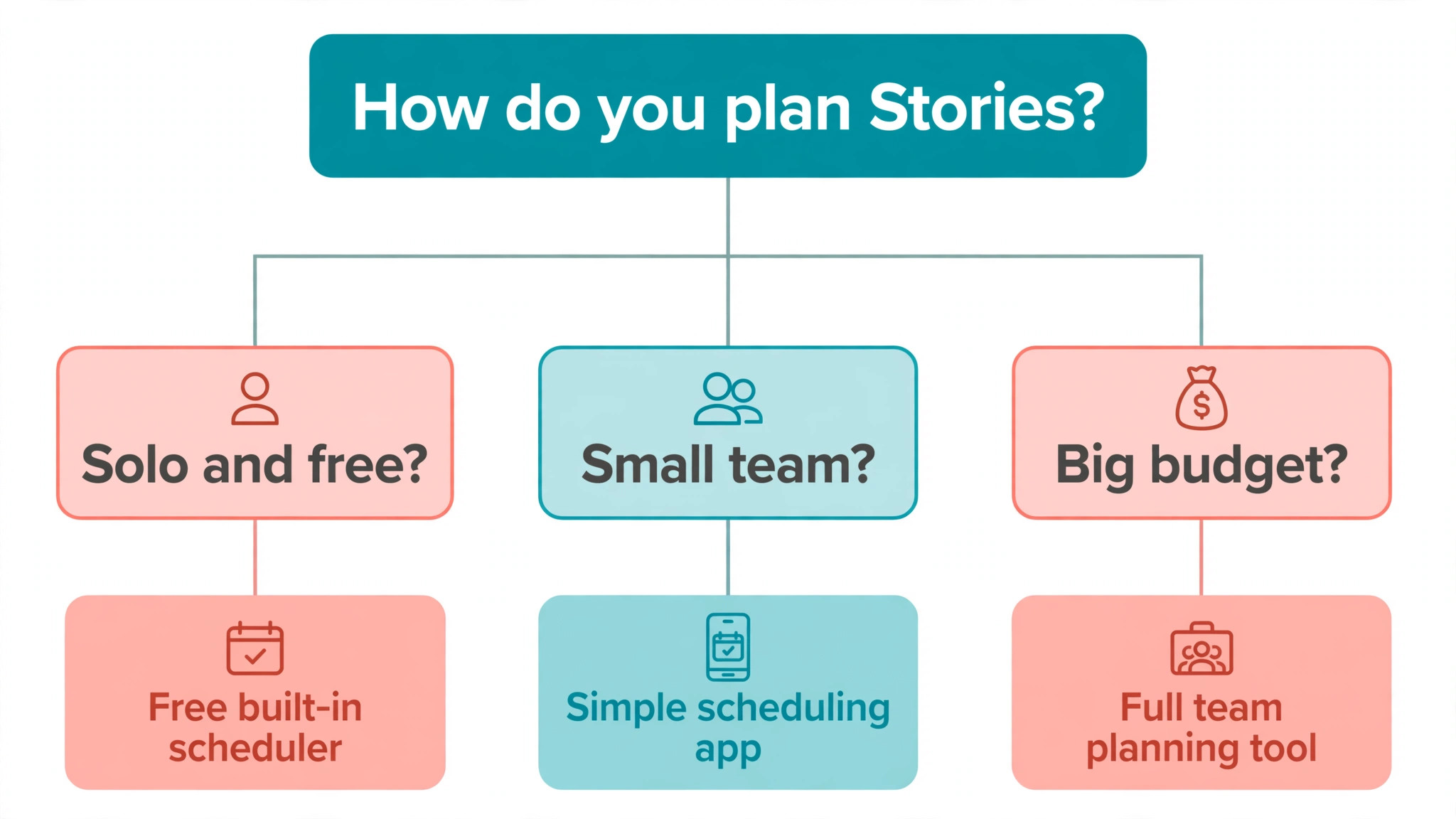
Later earns its place for visual planners because the calendar shows the week as it will look, and drag and drop reordering is fast when a plan changes on Wednesday. Buffer suits creators who want a plain queue and clean analytics without learning a new interface. Meta Business Suite costs nothing and handles the native scheduling Instagram supports, which makes it the sensible starting point for anyone on a tight budget.
Metricool is the value pick for small teams because its free plan covers a useful number of posts and its analytics show which Story frames held attention. Hootsuite is harder to justify for a solo creator at its price, but teams managing several accounts will use the approval workflows and shared inbox. Notion and Google Sheets publish nothing, yet many experienced creators plan in one of them and post manually, because a planning tool that never breaks is worth more than a publishing tool that sometimes fails.
The honest answer is that the tool matters less than the folder. A creator with a phone folder of seven finished frames and a reminder at 6 p.m. will outperform a creator with an expensive scheduler and no finished content. Buy the scheduler after the system works, not before.
Best Pick by Job
| Job | Best pick | Why it wins |
|---|---|---|
| Solo creator on a budget | Meta Business Suite plus Google Sheets | Free, native, and hard to break |
| Visual planner who reorders often | Later | Drag and drop calendar built for visuals |
| Data led creator | Buffer | Clean analytics and a simple queue |
| Small team or agency | Metricool | Shared planning with useful analytics |
| Multi account team | Hootsuite | Approvals and shared inbox |
| Idea heavy creator | Notion | Best place to store a growing idea bank |
Mistakes That Break a Planned Week
The first mistake is planning seven sales pitches. A week of offers trains followers to skip your Stories, and the algorithm notices the skips. Keep selling to one day. The second mistake is the opposite, planning seven days of content with no goal at all. A week without a goal produces pleasant Stories that change nothing. Pick the goal before you pick the ideas.
The third mistake is overdesigning. A Story that took forty minutes to design rarely performs better than one that took four. Viewers respond to clarity and honesty more than to polished graphics. If your template needs more than five minutes per frame, simplify the template. The fourth mistake is ignoring the data. If polls outperform quizzes three weeks in a row, run more polls. If Friday offers underperform, move the offer to Wednesday and test again. A plan that never changes is a guess repeated weekly.
The fifth mistake is treating the plan as a prison. Life happens. A client emergency, a sick day, or a trending topic will break the map, and that is fine. Post the real thing, note the swap in your calendar, and return to the map tomorrow. Systems survive interruptions. Perfectionism does not.
The sixth mistake is forgetting Highlights. Stories vanish after 24 hours unless you save them. Every Friday, save the week best frames into Highlights organised by topic, not by date. A visitor who finds your profile in March should be able to watch your best teaching Stories without scrolling through months of archive. Highlights turn a week of work into a permanent asset.
Measuring the Week and Repeating What Worked
Review takes ten minutes and it is the part most creators skip. Open Insights on Friday and write down four numbers for the week. Total Story replies, total sticker taps, the frame with the highest exits, and the frame with the most taps forward. Those four numbers tell you more than any dashboard. Replies show conversation. Sticker taps show participation. Exits show where attention died. Taps forward show where viewers wanted more.
Compare the week against the previous week, not against a creator with a million followers. A small account that grows replies by twenty percent week over week is learning faster than a large account coasting on reach. Keep a simple log in the same sheet as your calendar. One row per week, four numbers, one lesson. After eight weeks you will have a record of what your audience actually wants, written in your own data rather than borrowed from a generic best practice list.
Carry exactly one change into next week. More polls, fewer frames per Story, an earlier posting time, or a different Friday offer. One change at a time is how you learn what caused the improvement. Five changes at once teach you nothing, because you cannot tell which one mattered. The weekly system compounds. Week one feels slow. Week eight feels automatic. By week twelve, the planning session is the easiest ninety minutes of your working week, and that is the real payoff of learning how to plan a week of Instagram stories instead of improvising every morning.
A Worked Example of One Planned Week
Theory is useful, but a concrete example shows how the pieces fit. Imagine a freelance brand designer with a small following who wants more enquiries. Her Sunday session starts with a review. Last week, a behind the scenes clip of a logo sketch earned eleven replies, while a generic tip about colour earned two. The lesson is clear. Process content outperforms generic advice for her audience, so this week leans into process.
She picks one goal, which is enquiries, and three pillars, which are process, results, and opinions. Monday teaches one narrow thing, which is how she picks a typeface for a logo, delivered in three text frames with a two option poll asking followers to choose between two fonts. Tuesday shows the work, with a short clip of a sketch in progress and a question sticker asking what followers want to see designed next. Wednesday proves a result with a before and after of a client logo, plus a link sticker to the case study.
Thursday answers a follower question about pricing, using a screenshot of the DM with the name hidden, and a quiz on the final frame. Friday makes the soft offer, with a four frame demo of a brand package and a link to the booking page. Saturday is a photo of her desk at the end of a long week with an emoji slider. Sunday recaps the best replies, saves the logo frames to a Highlight called Process, and asks what to design next week.
The whole week took eighty minutes to plan and film, because every decision was made once. The designer who follows this pattern will learn how to plan a week of Instagram stories in a way that fits her own niche, and by week four she will have a personal template that no generic guide could have given her. That is the point of the worked example. Copy the structure, not the topics, and let your own data fill in the details.
Frequently Asked Questions
How long does it take to plan a week of Instagram Stories?
The first session usually takes about two hours, including filming and design. By the fourth week most creators finish in seventy to ninety minutes, because the template, the pillars, and the map are already in place. The time drops further once you keep a bank of reusable ideas and a folder of past frames to adapt. If a session still takes more than two hours after a month, the template is too complex and should be simplified.
Can I schedule Instagram Stories in advance?
Instagram supports native scheduling for feed posts, Reels, and carousels from the app, up to 25 posts a day and up to 30 days ahead. Stories are different, and most creators either post them manually from a prepared folder or use a third party scheduler that sends a push reminder at posting time. Prepare every frame in advance either way, so posting takes two minutes rather than twenty.
How many Stories should I post each day?
Three to seven frames a day is a workable range for most accounts. Fewer than three frames gives viewers little reason to stay, while more than ten frames in a day usually raises exits unless the content is a genuine sequence like a tutorial or an event. Watch your own exit data. If exits spike after frame five, your ideal length is five, whatever the general advice says.
What is the best time to post Instagram Stories?
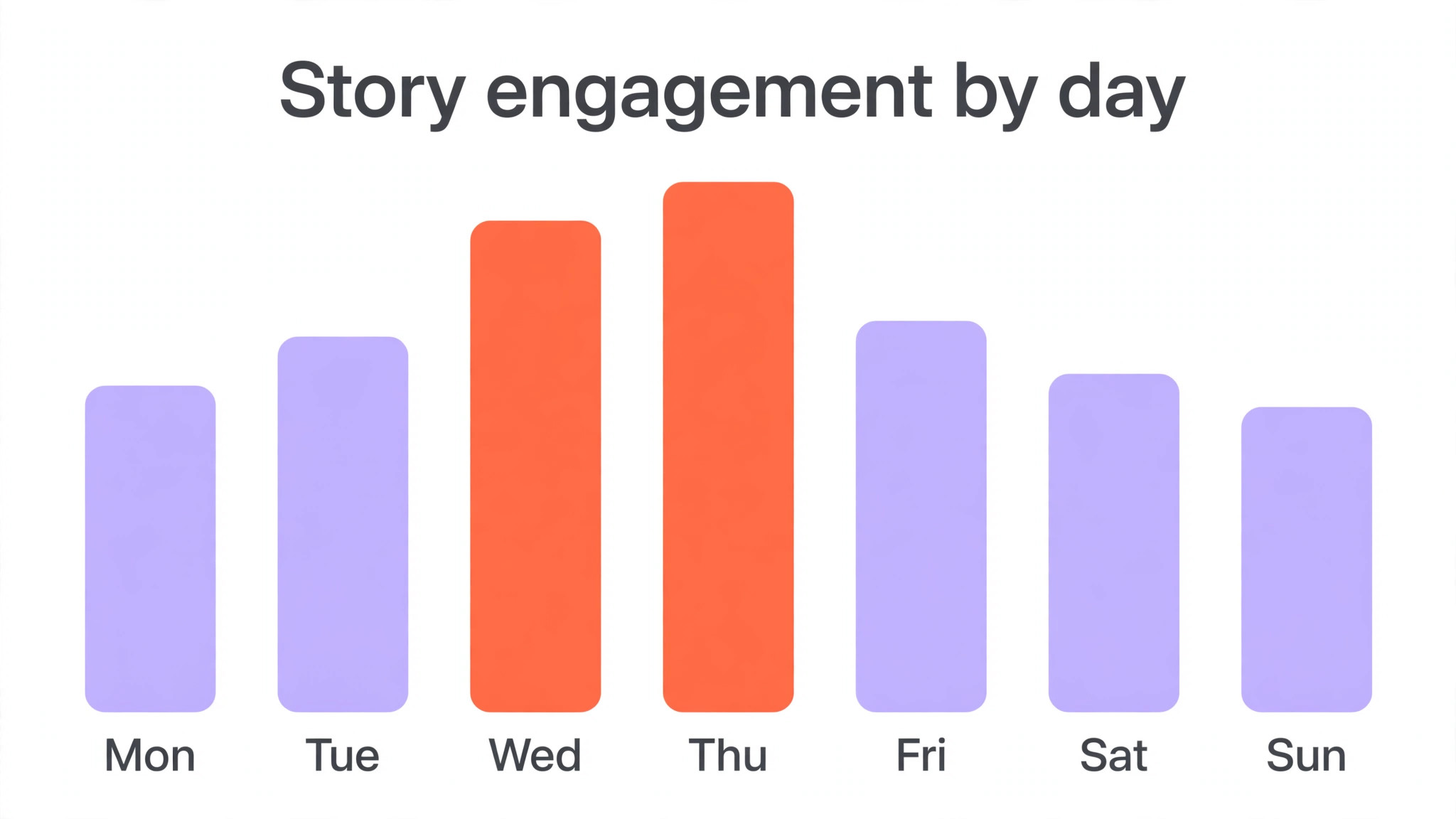
The best time is when your own audience is awake and active, which you can find in Insights under audience activity. Broad research, including Buffer 2026 analysis of millions of posts, points to evening hours between 6 p.m. and 11 p.m. as strong performers, with Wednesday and Thursday often leading the week. Treat those hours as a starting test, then shift earlier or later based on two weeks of your own numbers.
Do I need paid tools to plan a week of Stories?
No. Meta Business Suite and Google Sheets are both free and cover planning plus native scheduling for feed content. Paid tools like Later, Buffer, and Metricool add visual planning, reminders, and deeper analytics, which save time once the system is running. Start free, prove the weekly habit for a month, and only pay for a tool when you can name the specific hour it saves you.
How do I keep Story ideas from running out?
Keep a running idea bank in Notion or a notes app, and add to it whenever a follower asks a question, a client says something interesting, or you notice a mistake worth warning people about. Reuse the Tuesday question sticker to harvest ideas directly from your audience. One good question a week produces five usable ideas, which means the audience writes part of your calendar for you.
Should Stories and feed posts follow the same plan?
They should follow the same goal and the same pillars, but they play different roles. Feed posts and Reels earn discovery and new followers. Stories deepen the relationship with people who already follow you. Plan them together on Sunday so the messages agree, but let Stories be looser, faster, and more personal than anything you put on the grid.