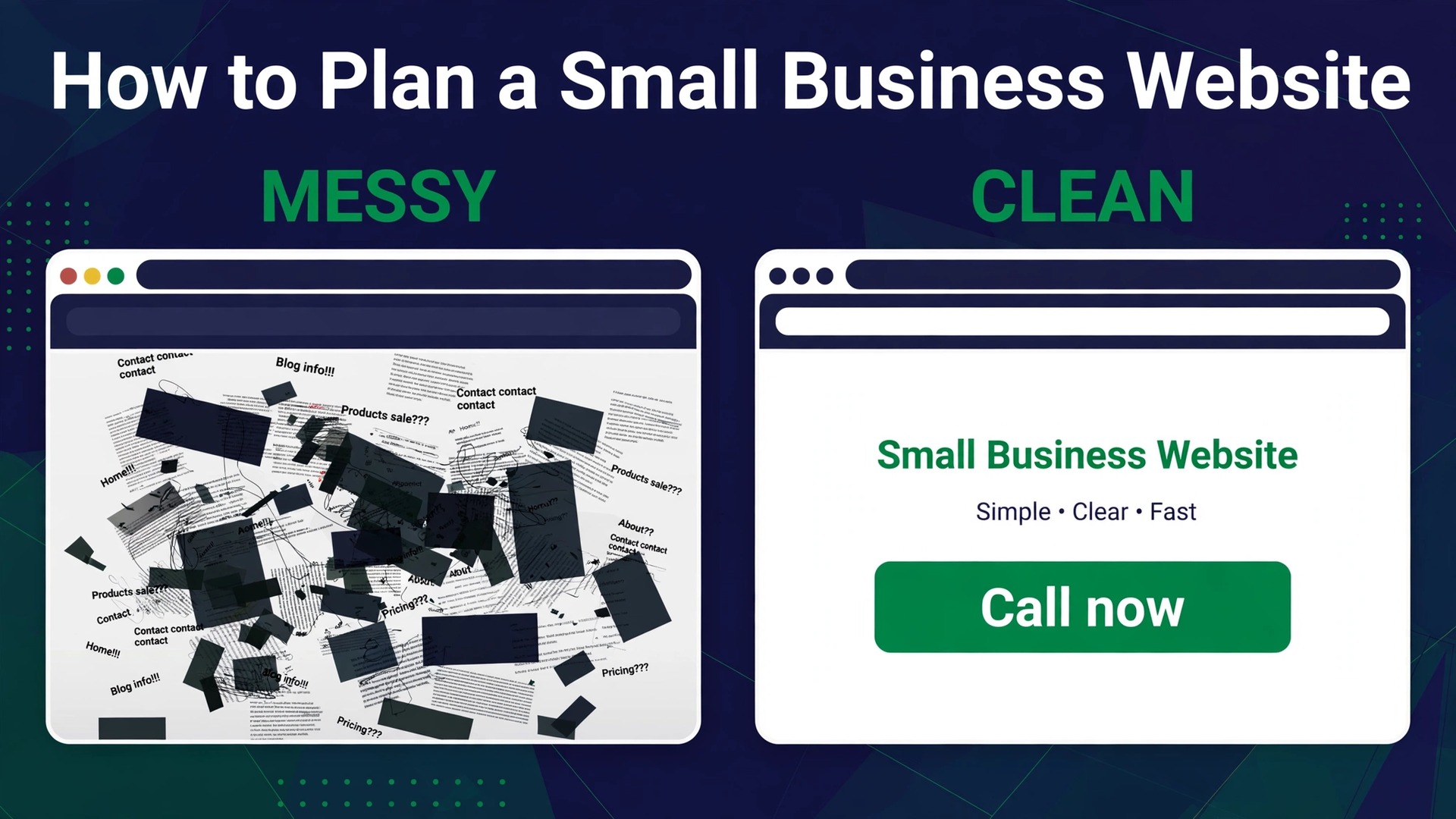
Most small business websites fail before a single page is built, because the owner starts with a template instead of a decision. The template asks for a photo and a headline, the owner picks the prettiest one, and three weeks later the site is live, lovely, and useless. It does not say what the business does, it does not tell visitors what to do next, and it does not bring in a single call. This guide explains how to plan a small business website properly, so the design serves a decision you already made, instead of making the decision for you.
Planning is not paperwork. It is five or six choices made in the right order, each one taking less than an hour, that decide everything downstream. What the site has to do, who it is for, which pages it needs, which platform it runs on, what it costs, and what happens after launch. A business that answers those questions before opening a website builder launches in one to two weeks with a site that works. A business that skips them spends the same two weeks choosing colours and ends up rebuilding the site six months later.
Start With the Job, Not the Design
Write one sentence before you do anything else. The sentence has a fixed shape. This site exists to get a type of customer to do one action. A plumber site exists to get local homeowners to call for a quote. A bakery site exists to get nearby customers to order a cake. A consultant site exists to get founders to book a discovery call. One customer, one action. If the sentence has two actions, pick the one that pays the bills and demote the other to a link in the footer.
That sentence decides the whole site. The homepage headline comes from it, the main button comes from it, and the pages you need come from it. A site built to get calls needs a phone number on every page and a contact form that takes thirty seconds. A site built to sell products needs clear prices and a checkout that works on a phone. A site built to book appointments needs a calendar and a confirmation message. Design follows the job. When the job is unclear, the design wanders, and visitors wander with it.
Next, write down who the customer is in plain words. Not a marketing persona with a name and a favourite coffee, but three facts that change the site. Where they live, what they worry about, and how they will find you. A roofer serves homeowners within twenty miles who worry about leaks and find roofers on Google. A wedding photographer serves couples who worry about style and find photographers on Instagram. Those facts decide the photos, the words and the pages. A roofer needs service area pages and proof of past jobs. A photographer needs galleries and prices.
Then list the three questions customers ask you every week. Those answers become the content of your pages, and they cost nothing to write down. A dentist hears questions about price, pain and parking. An accountant hears questions about fees, deadlines and documents. Put the answers on the site where a visitor can find them in one click, and the site starts doing the job of a receptionist before anyone picks up the phone.
Finally, set one number that will tell you whether the site works. Calls per week, form submissions per month, online orders per week, or bookings per month. Pick one, write it down, and check it monthly. A site with no number attached to it never gets improved, because nobody can tell whether it is working. A site with a number gets better every month, because every change can be judged against it.
How to Plan a Small Business Website in Eight Steps
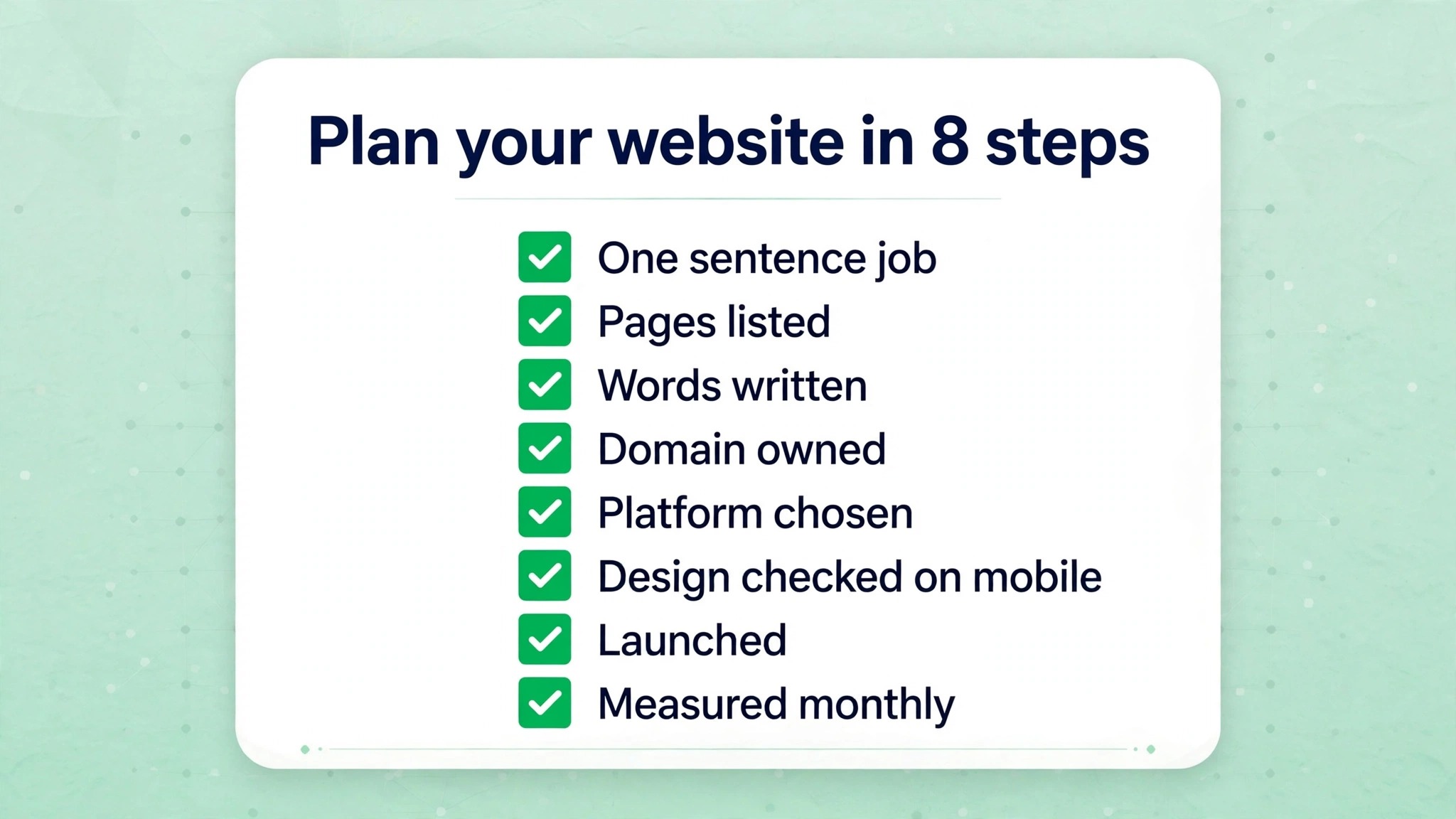
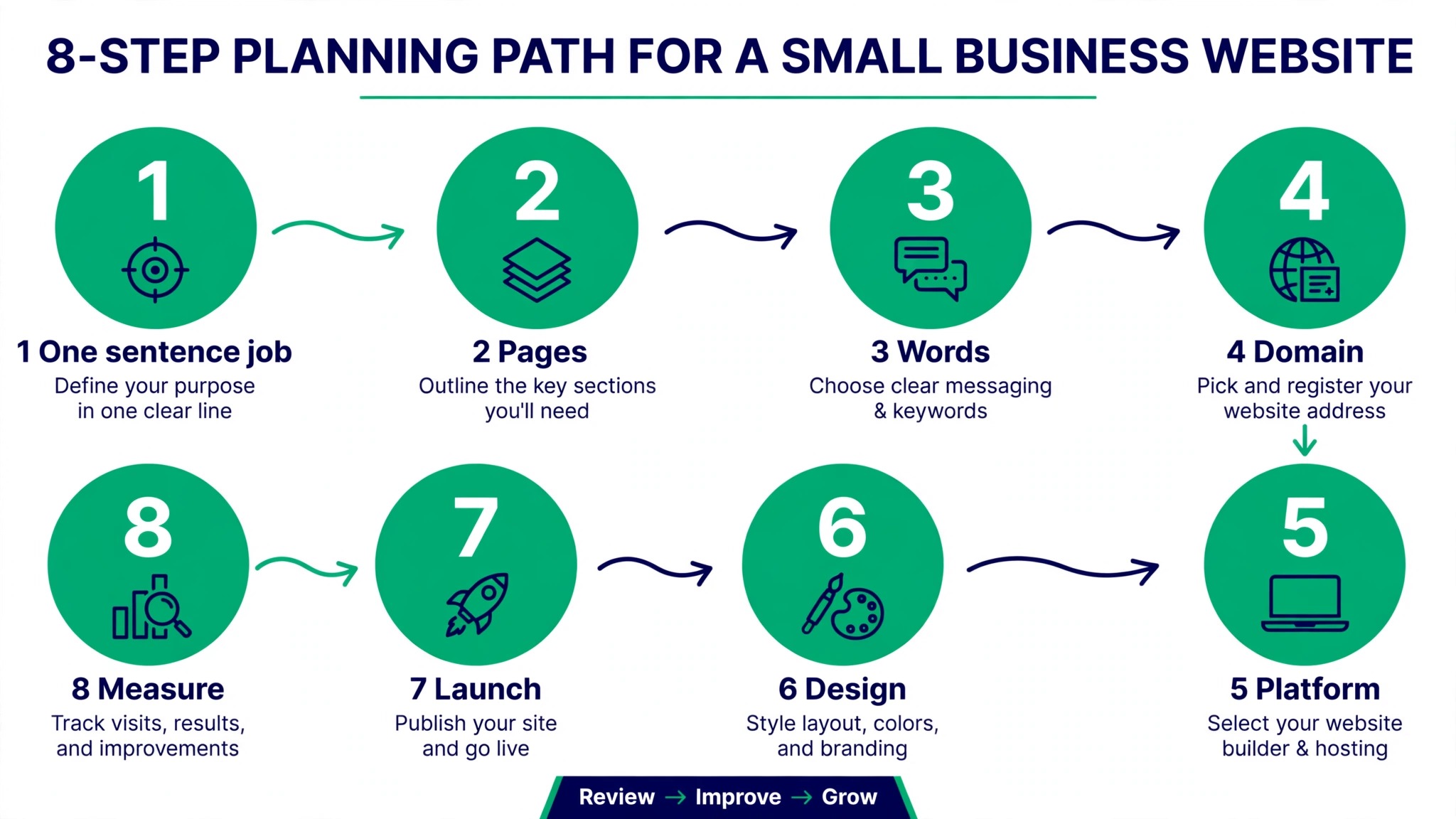
Follow these steps in order. The order matters, because the first three decisions fix most of what you will pay for the next three years.
- Write the one sentence job for the site, the customer it serves, and the single action it must drive. Get the owner and anyone else who decides to agree on this sentence before anything else happens.
- List the pages the site needs, and no more. Most small businesses need five to eight pages to start, and extra pages can wait until the site proves it works. A page that nobody visits is a page that needs updating forever.
- Gather your assets before you open a builder. Logo in PNG or SVG, five to ten real photos of the business, the team or the products, the service list with prices if you publish them, and the contact details. Real photos beat stock photos, because customers trust a real shop front more than a perfect stranger.
- Choose and register your domain in your own name. Keep it short, easy to say over the phone, and free of hyphens and numbers. A .com costs $10 to $20 a year, and at cost registrars a .com renews at about $10 to $15 a year. Buy it yourself rather than through a designer, because the domain is the one part of the site you must own outright.
- Pick the platform that fits the job and the budget. Compare two builders on their free trials, build the homepage on both, and spend no more than ninety minutes on each. You will feel the difference fast, and the trial will show you which editor your team can actually use.
- Write the words for every page before you design it. Headline, one paragraph of introduction, the service or product details, the price or the next step, and the call to action. Words written after the design exists get squeezed into boxes that were never built for them.
- Build the site, page by page, starting with the homepage and the contact page. Test it on a phone as you go, because most visitors will arrive on one. Check every link, every form and every button before you show it to anyone.
- Launch, then check the number you set in step one. Watch the calls, the forms or the orders for a month, fix the page that loses people, and improve one thing at a time. A launch is the start of the work, not the end of it.
The Pages a Small Business Actually Needs
Five to eight pages are plenty to begin with, and each one has a job. The table below lists the pages most small businesses need, what each one must do, and what happens when it is missing.
| Page | Job | Missing it costs you |
|---|---|---|
| Homepage | Say what you do and what to do next | Visitors leave in seconds |
| About | Build trust with story and team | Visitors choose a rival they trust |
| Services or products | Explain the offer and the price | Visitors call to ask what you sell |
| Contact | Make it easy to reach you | Calls go to a competitor |
| Reviews or proof | Show real customers and results | Visitors doubt the claims |
| Pricing or FAQ | Answer the questions that block a sale | Visitors leave to compare |
| Blog or resources | Bring search visitors over time | No reason for Google to rank you |
| Legal pages | Privacy and terms for trust | Lost trust and legal risk |
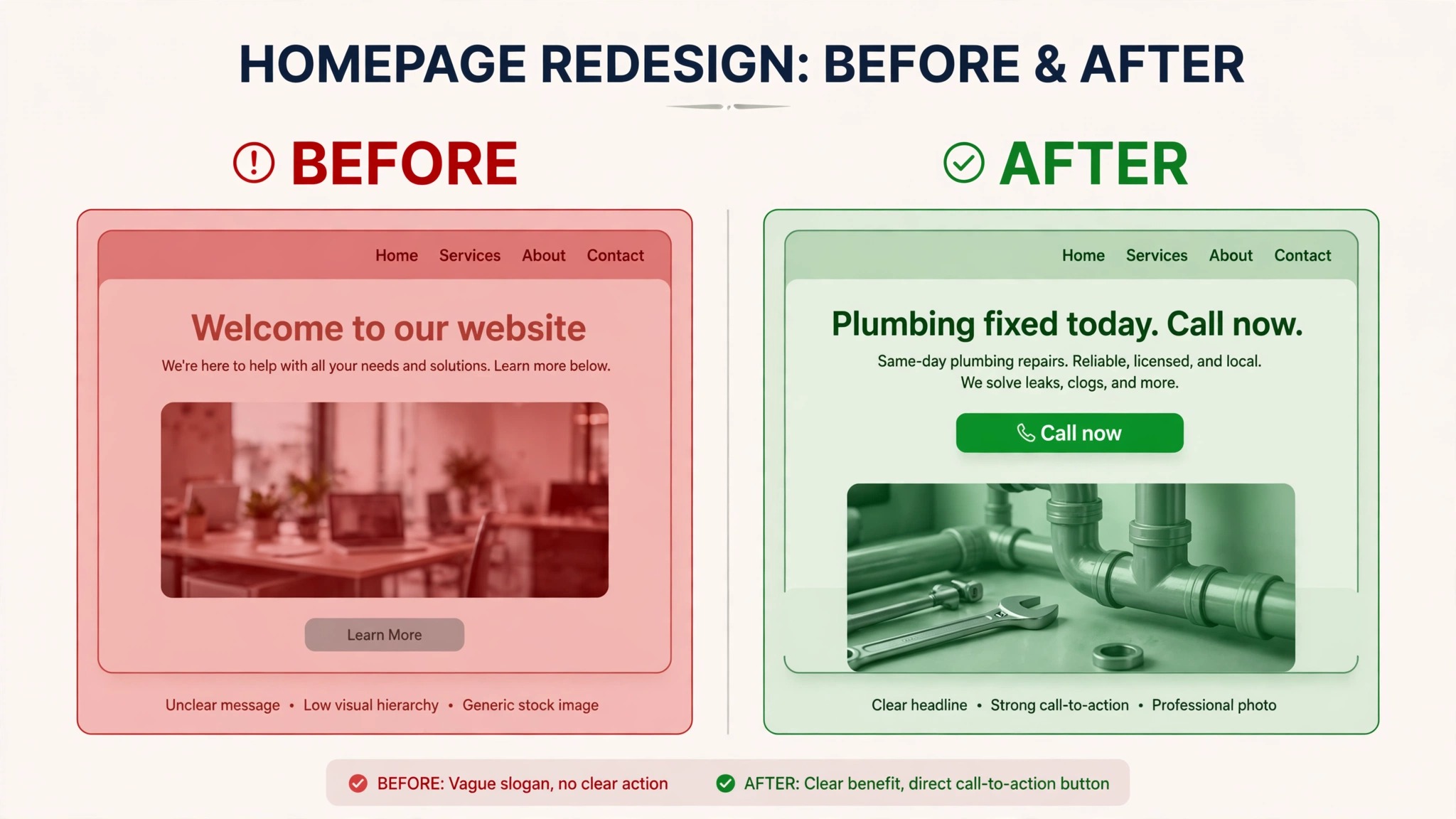
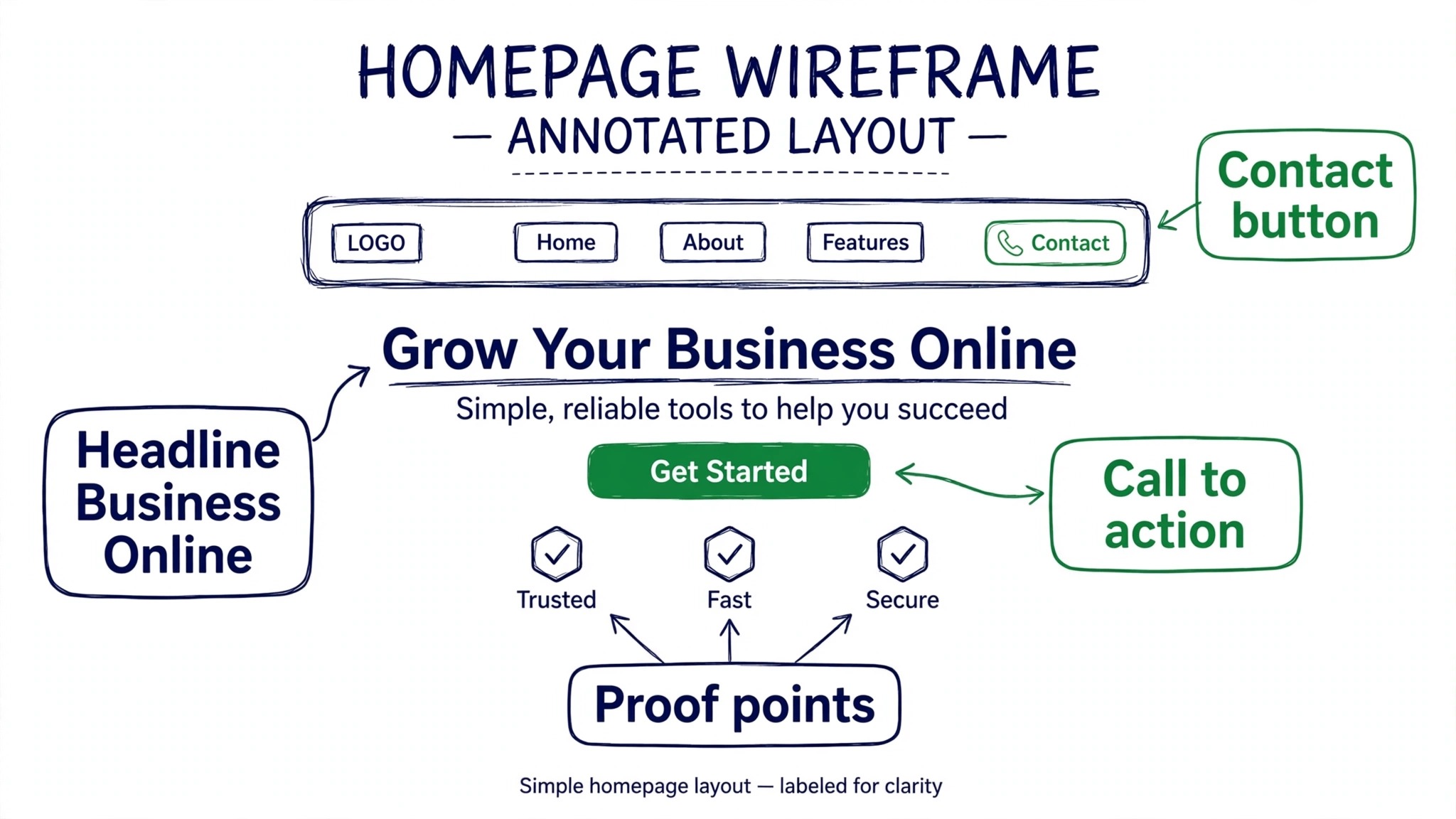
The homepage deserves the most work, because it carries the first impression. It needs a headline that says what the business does in plain words, a single call to action, proof that the business is real, and a path to the service pages. A homepage that opens with a vague slogan and a stock photo of a handshake tells the visitor nothing, and a visitor who learns nothing in five seconds leaves.
The About page is not a history essay. It needs a photo of the owner or the team, two paragraphs about why the business exists, and the credentials that matter, such as years in business, licences or awards. Customers buy from people they trust, and a faceless site is a site that loses to a rival with a face on it.
The Services page needs prices, or at least a price range, wherever the business can publish them. A visitor who cannot find a price assumes the worst and leaves to check a rival. A price range with a note that the final quote depends on the job is honest and useful, and it filters out the customers who were never going to pay it anyway.
Choose the Platform Before You Fall in Love With a Template
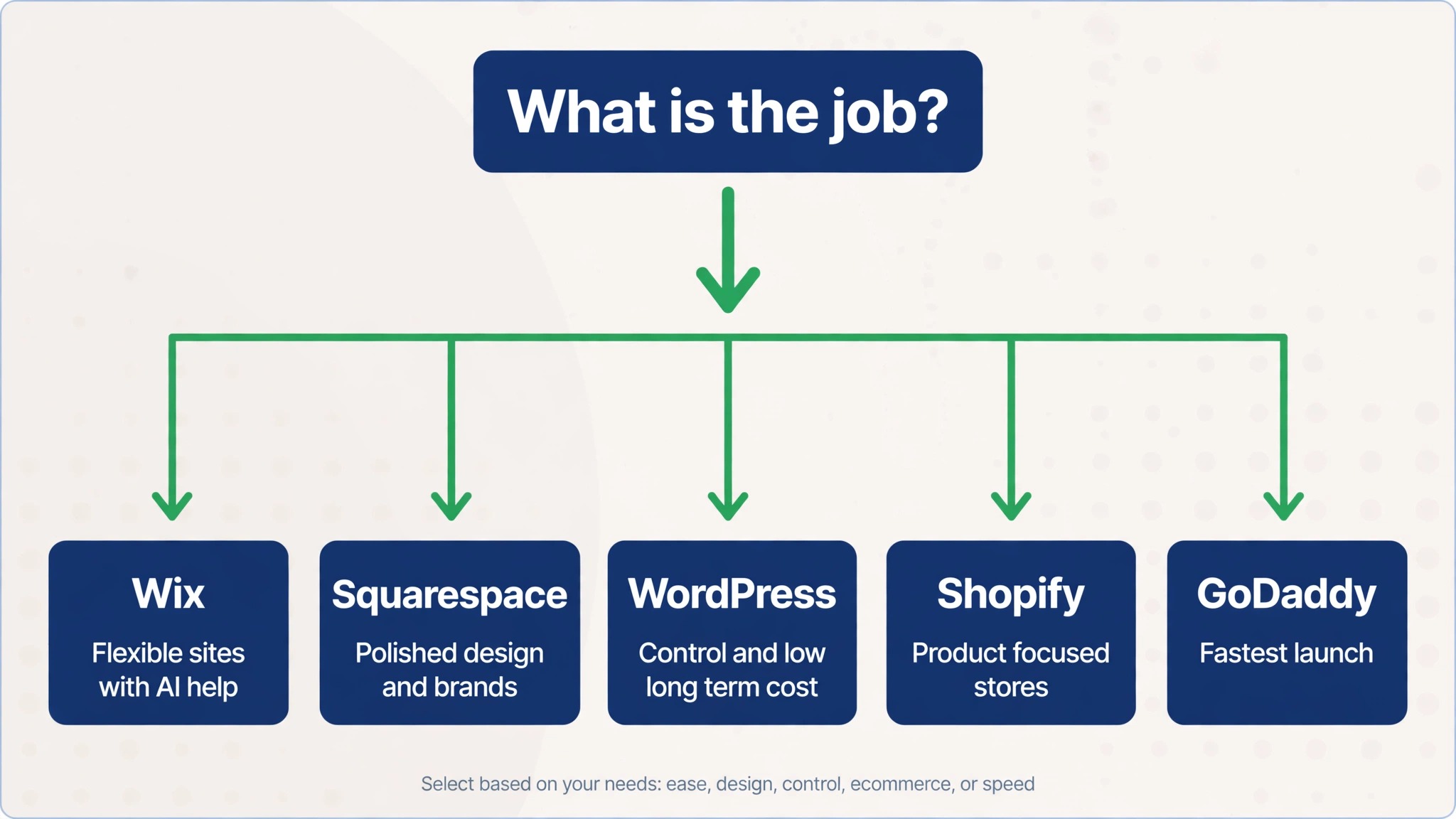
Three routes cover almost every small business, and the right one depends on how much time you have and how much you want the site to do. A website builder bundles hosting, templates and security into one monthly fee. Self hosted WordPress gives you more control and more work. A custom build gives you everything and costs the most. The table below compares the builders most small businesses actually choose, with starting prices checked in late 2026.
| Platform | Best for | Starting paid price | Free option |
|---|---|---|---|
| Wix | Flexible sites with AI help | About $17 a month, Light plan | Yes, with ads |
| Squarespace | Polished design and brands | About $16 a month, Basic plan | 14 day trial |
| WordPress plus hosting | Control and low long term cost | Hosting from $2.99 a month intro | Software free |
| Shopify | Product focused stores | About $29 a month, Basic plan | Trial only |
| GoDaddy | Fastest launch | Paid from about $10 a month | Free plan |
Wix suits a business that wants flexibility and a large template library, with an AI helper that can draft a first version of the site. Squarespace suits a business where design matters most, because its templates are tight and hard to make ugly. WordPress on rented hosting suits a business that wants the lowest long term cost and full control, with free themes such as Astra, Kadence and GeneratePress good enough for a professional site. Shopify suits a business that sells products, because commerce is built in from day one. GoDaddy suits a business that wants the fastest launch with domain, site and marketing in one place.
Before you pay for any of them, check four things. That an SSL certificate, the padlock in the browser, is included. That backups are included, daily or weekly. That support answers when something breaks. And what the price becomes in year two, because intro rates expire. Hostinger Premium, for example, costs $2.99 a month only if you prepay 48 months up front, and renews at $10.99 a month after that. A builder that looks cheap in month one and triples in month thirteen is not cheap, it is a trap.
The trial test is the fastest way to decide. Build the homepage on two builders, spend ninety minutes on each, and keep the one that feels easier. The editor you can use beats the editor with more features, because the site you can update is the site that stays current. A powerful tool nobody opens is worse than a simple tool the owner uses every week.
What a Small Business Website Costs
A website costs what its route costs, and the route decides the bill for three years, not three months. Monthly prices make every option look cheap, so the table below shows the first year and the three year totals at prices published in October 2026. Every paid route includes a domain, and every route assumes the owner writes the words and supplies the photos.
| Route | Year one | Three years | You can leave easily |
|---|---|---|---|
| Free builder plan | $0 | $0 | No, you rebuild elsewhere |
| WordPress, self hosted | About $155 | About $177 | Yes |
| Wix Light | About $215 | About $645 | No, you rebuild elsewhere |
| Squarespace Basic | About $239 | About $717 | No, you rebuild elsewhere |
| Hired one page site | About $222 | About $252 | Yes, you own the files |
| Hired 7 page WordPress site | About $1,048 | About $1,070 | Yes, you own the files |
A do it yourself site on a builder runs $192 to $600 a year, covering the platform subscription at $16 to $29 a month on annual billing, a domain that is usually free for the first year, and free SSL and hosting inside the plan. A freelance designer costs $1,500 to $4,000 for a custom small business site, and a professional bespoke site runs from around $1,000 to $5,000 for a brochure style site, more for e-commerce or custom features, then $20 to $100 a month for hosting and support. Ongoing maintenance and updates run $600 to $3,000 a year for a business that pays someone to look after the site.
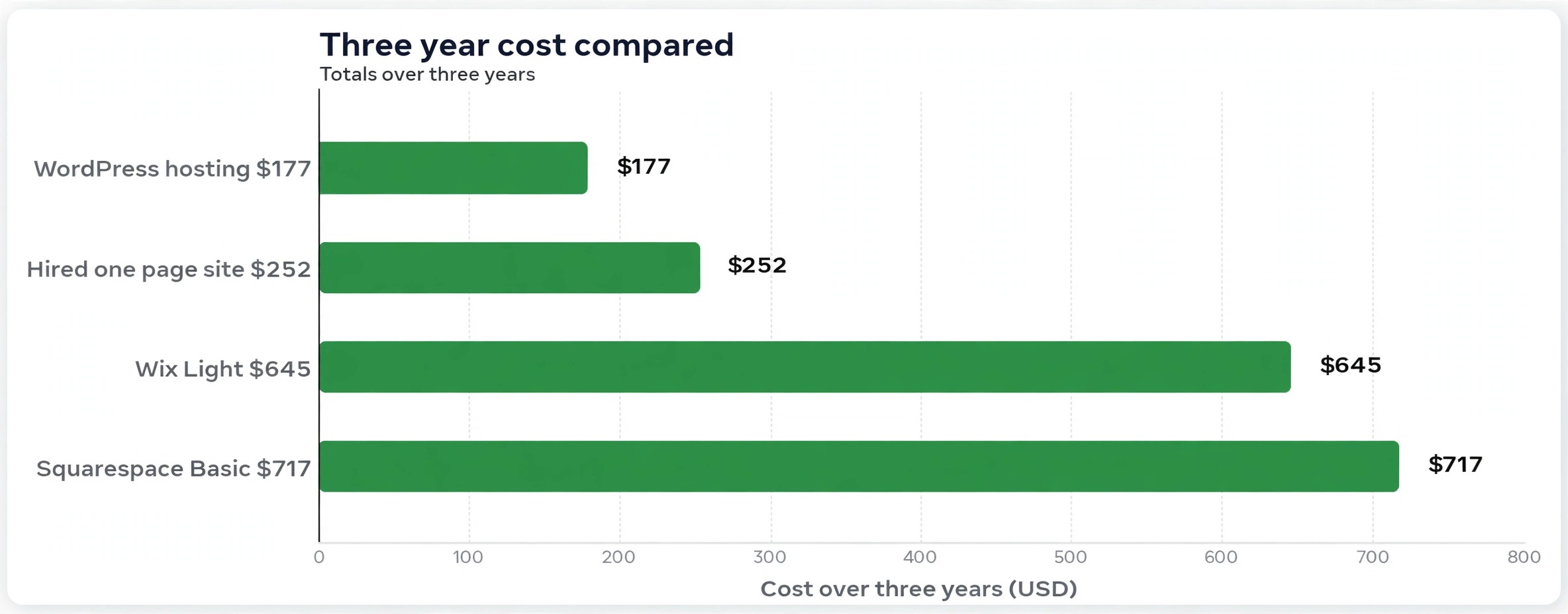
The three year column is where the truth lives. WordPress on cheap hosting costs about $155 in year one and about $177 over three years, because the renewal is close to the intro price. Wix Light costs about $215 in year one and about $645 over three years, because the monthly fee never stops. A hired one page site costs about $222 in year one and about $252 over three years, because the build is a one off payment and the hosting is cheap. The cheapest first year is rarely the cheapest third year, so price the route over three years before you choose it.
Watch for the costs that hide outside the table. A booking system, an online store, a membership area or a multilingual site usually needs a paid add on, and the add on can cost more than the plan itself. A domain bought through a builder can cost more to renew than the same domain bought at an at cost registrar, where a .com renews at about $10 to $15 a year. A premium theme or a paid plug in can add $50 to $200 a year. None of these are traps on their own, but together they can double a budget that was set from the headline price alone.
The honest budget for a first website is $150 to $400 for the first year when you build it yourself, and $1,000 to $4,000 when you hire someone to build it. Add $100 to $300 a year for the domain, the renewals and the small extras, and set aside ten hours a month for the first three months to write, fix and improve. Time is the cost most owners forget, and it is the cost that decides whether the site launches at all.
Plan the Content Before You Open the Builder
Content is the part owners leave until last, and it is the reason most sites stall. A builder with no words to put in it is an empty shop, and a site that waits for content waits forever. Write the words first, then build around them.
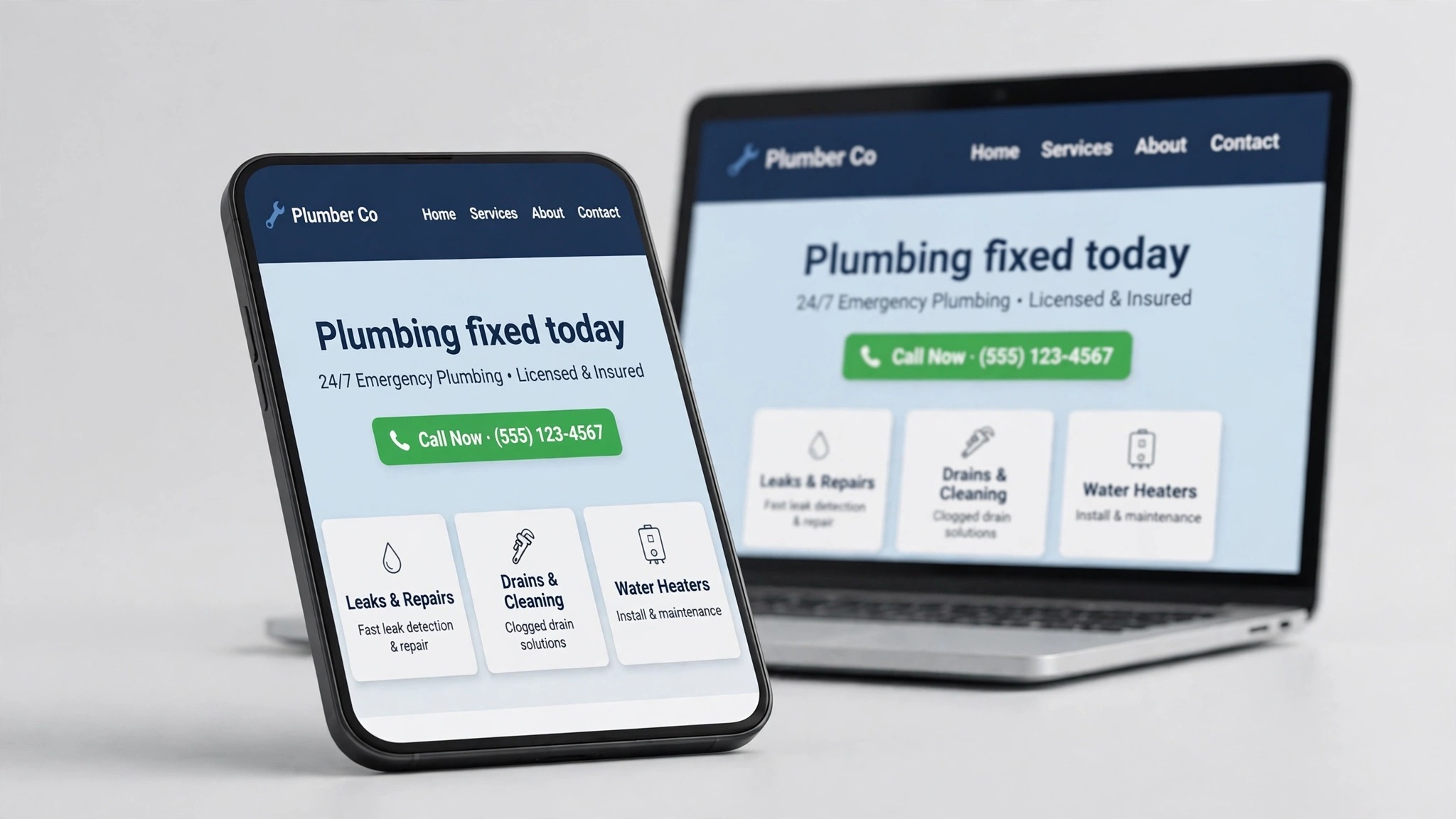
Start with the homepage. It needs a headline that says what the business does, a sentence that says who it is for, three short proof points, and one call to action. That is the whole homepage. Everything else is decoration, and decoration can wait until the site is live and working.
Then write the service pages, one per service, with the same shape each time. What the service is, who it is for, what it costs or what the price depends on, what happens next, and how to book or buy. A service page that answers those five questions will convert better than a beautiful page that answers none of them. Use the words customers use, not the words the trade uses, because a customer searching for a leaking tap will not search for the technical name of the valve.
Photos matter more than most owners expect, and real photos beat stock photos every time. Five to ten real photos of the business, the team, the products or the finished work will do more for trust than a hundred perfect stock images. Take them on a phone in good daylight, with the shop, the van or the team in the frame. A customer who sees the real place is a customer who believes the business is real.
Keep the writing short and plain. Short paragraphs, one idea each, and no jargon. A visitor reads a website the way they read a sign, in glances, not in chapters. If a paragraph takes more than fifteen seconds to read, cut it in half. If a sentence needs a comma to survive, split it into two. Plain writing is not simple writing. It is writing that respects the reader time, and it converts better than clever writing every time.
SEO, Launch and the First Month
Basic search optimisation is part of planning, not something to add later. Every page needs a title that says what the page is about in the words customers search for, a short description that makes a searcher want to click, and headings that describe the content honestly. Images need alt text that says what the picture shows. The business name, address and phone number must be the same on every page and on the Google Business Profile, because search engines trust consistency and punish confusion.
Before launch, test the site the way a customer would use it. Open it on a phone, because most visitors will arrive on one. Tap every button, submit every form, and check that the confirmation message arrives. Click every link and confirm it goes where it promises. Load the site on a slow connection and see whether the images still arrive in a reasonable time. A form that fails silently is a form that loses customers without anyone noticing, so test it with a real submission and confirm the message lands in the inbox.
Launch with five pages or fewer if the content is not ready for more. A small site that works beats a large site that is half empty, and extra pages can be added once the site proves it works. Tell the existing customers the site is live, link it from the social profiles, and add it to the email signature and the Google Business Profile. A launch nobody hears about is a launch that brings no visitors.
In the first month, check the number you set at the start. How many calls, forms or orders did the site bring, and which page did visitors leave from. Fix the worst page first, not the prettiest one. If visitors leave the Services page without calling, the price or the next step is unclear. If they leave the homepage, the headline is wrong. One fix a month, judged against the number, will improve the site more in a year than a redesign every three years.
Mistakes That Force a Rebuild
Knowing how to plan a small business website properly is what keeps these five mistakes from happening, and each one has forced a real rebuild.
The first mistake is starting with design. A site built around a template inherits the template priorities, which are beauty first and business second. Start with the job, the customer and the pages, and let the design serve those choices. A plain site that brings calls beats a beautiful site that brings nothing.
The second mistake is building too many pages. A site with thirty pages and three finished ones looks abandoned, and every unfinished page is a page that needs updating forever. Launch with five to eight finished pages, and add more only when the content is ready and the need is real. A small finished site is a professional site.
The third mistake is hiding the price. A visitor who cannot find a price assumes the worst, and leaves to check a rival who publishes one. A price range with a note that the final quote depends on the job is honest, useful and brave, and it filters out the customers who were never going to pay it.
The fourth mistake is letting someone else own the domain. A domain registered in a designer or agency name belongs to them, not to the business, and getting it back can take months. Register the domain in the owner name, keep the login, and keep the renewal on a card the owner controls. The domain is the address of the business online, and it should never belong to anyone else.
The fifth mistake is launching and forgetting. A site that is never updated goes stale, and a stale site tells visitors the business is not paying attention. Set aside an hour a month to check the number, fix the worst page, update the photos and add one useful page or post. That hour is the difference between a site that works for years and a site that needs rebuilding every two.
Frequently Asked Questions About Planning a Small Business Website
How long does it take to plan a small business website?
The full answer to how to plan a small business website fits in a day or two of focused work, spread across a week. The one sentence job, the page list and the asset gathering take a few hours, the platform comparison takes three hours across two free trials, and the writing takes a day. A business that follows this plan can launch in one to two weeks when building it alone, or four to six weeks when hiring a freelance designer. Planning first is what makes those timelines realistic, because the decisions that usually cause delays are already made.
How much does it cost to plan and build a small business website?
A do it yourself site costs $150 to $400 in the first year, covering the builder plan and the domain. A hired site costs $1,000 to $5,000 for the build, depending on size and features, plus $20 to $100 a month for hosting and support. Over three years, WordPress on cheap hosting costs about $177 in total, while Wix Light costs about $645 and Squarespace Basic about $717. Price the route over three years, not three months, before you choose it.
How many pages should a small business website have?
Five to eight pages are plenty to begin with. Homepage, About, Services or products, Contact, and one or two pages for proof, pricing or questions. Extra pages can wait until the site proves it works and the content is ready. A small site with five finished pages looks professional, while a large site with thirty half finished pages looks abandoned.
Should I use Wix, Squarespace or WordPress?
Use Wix if you want flexibility and a large template library with AI help. Use Squarespace if design matters most and you want templates that are hard to make ugly. Use WordPress on rented hosting if you want the lowest long term cost and full control, and you are willing to do a little more work. Use Shopify if you sell products. Build the homepage on two builders during their free trials, spend ninety minutes on each, and keep the one that feels easier.
Do I need to hire someone, or can I plan a small business website myself?
You can follow the steps for how to plan a small business website yourself if you have ten to twenty hours to spare and you are willing to write the words and take the photos. The planning steps in this guide are the same ones a professional follows, and a builder such as Wix or Squarespace needs no coding. Hire a freelancer if you need a custom design, if the site sells products or takes bookings, or if your time is worth more than the $1,500 to $4,000 a freelancer charges.
What should I do first after the site launches?
Once you know how to plan a small business website, the work after launch is simple. Check the number you set during planning, whether that is calls, form submissions, orders or bookings, and watch it for a month. Fix the page that loses the most visitors, tell existing customers the site is live, and link it from your social profiles and your Google Business Profile. Then set aside an hour a month to check the number, fix the worst page and add one useful page or post. A launch is the start of the work, not the end of it.
The Bottom Line on Planning Your Website
Learning how to plan a small business website is the cheapest hour a business owner will ever spend, because it prevents the rebuild that costs ten times more. One sentence about the job, five to eight pages, a platform chosen on a trial, real photos, honest prices, and a domain in your own name. That is the whole plan, and it fits on one page.
Build it in that order and the site will launch in weeks, bring in calls or orders in months, and still be working in three years. The businesses that skip the plan do not save time. They spend it later, rebuilding a site that was never planned, and paying twice for a job that planning would have done once.