You write a good post, you hit publish at the wrong hour, and it sinks without a trace. An hour later you write a weaker post at the right hour and it takes off. That gap between good writing and good timing is the problem this guide solves. The best twitter post makers do two jobs at once. They help you write a post that fits the platform, and they publish it when your audience is actually awake. The seven tools below were picked because they still publish to X in 2026, and one famous name was left out on purpose, for a reason explained below.
X is a harder platform to write for than Instagram or LinkedIn. A post is limited to 280 characters, and every link counts as 23 characters however long it is. There is no room for a slow opening or a long setup. The first words carry the whole post, and a tool that does not understand that limit will keep handing you LinkedIn paragraphs that do not fit. The tools in this guide were judged on how well they respect the limit, how well they handle threads, and how reliably they publish.
What a Twitter Post Maker Has to Do
A post maker for X needs four things, and most tools only have three. It needs a writer that drafts short posts, not essays. It needs a thread editor that shows how a long idea splits across posts. It needs a scheduler that publishes at set times without you being online. And it needs analytics that show which posts worked, so the next week is better than the last. A tool with a beautiful editor and no analytics will keep you guessing. A tool with analytics and a bad editor will keep you slow.
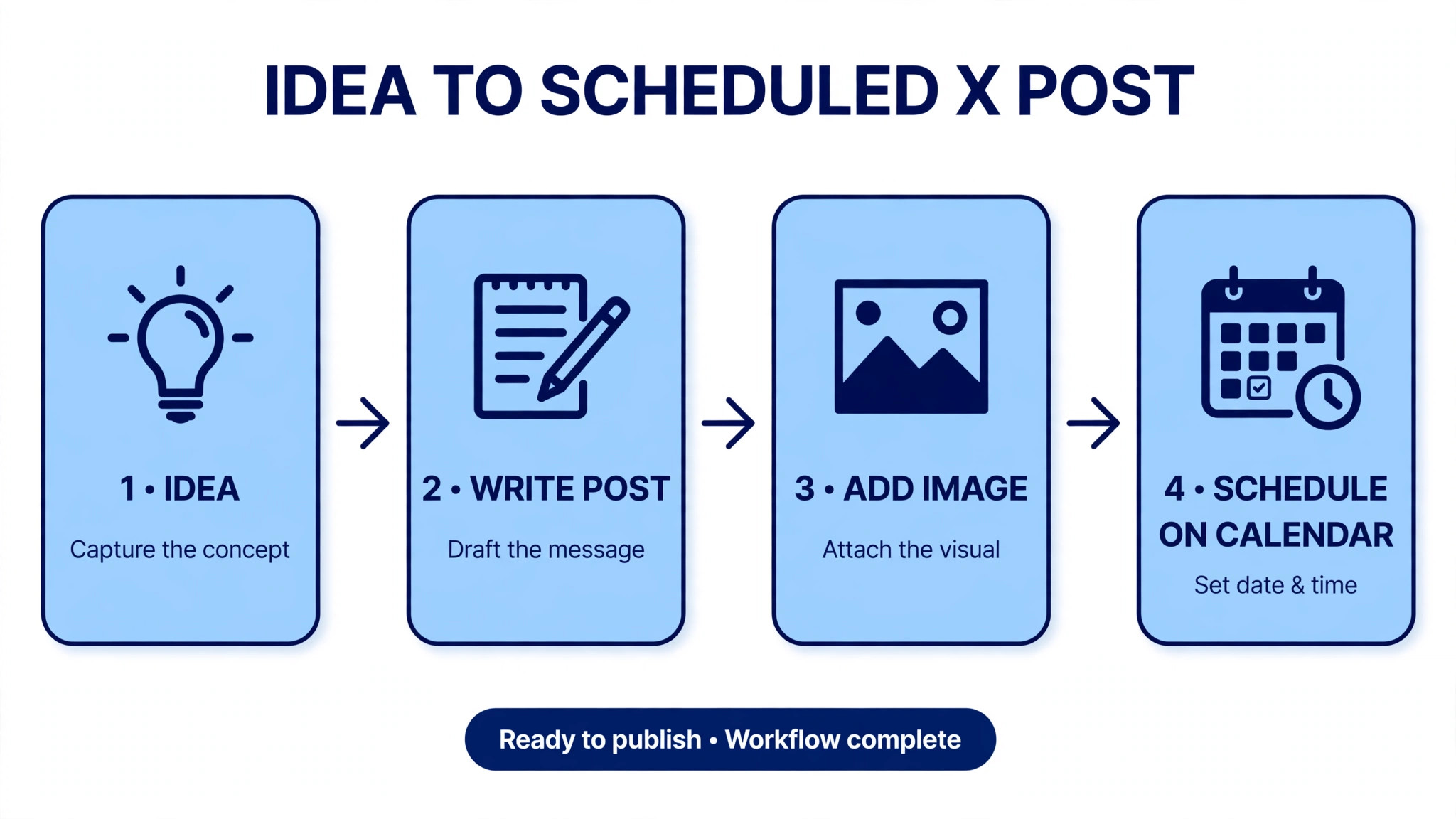
Visuals matter too, but differently than on Instagram. A post on X can carry up to four images, and a clean chart or quote card will stop the scroll in a text feed. The best tools here either make the image, as Canva and Adobe Express do, or they accept images from your design tool, as Typefully and Buffer do. A post maker that cannot attach an image is a partial tool, and it will cost you reach on posts that deserve a visual.
How the Best Twitter Post Makers Were Tested
Every tool below was checked against the same five questions. First, does it still publish to X in 2026, confirmed on the vendor site, not on an old review. Second, does its editor respect the 280 character limit and preview threads accurately. Third, does it write or improve drafts with AI, or only store them. Fourth, can it schedule, recycle and repost, or only publish once. Fifth, what does it actually cost per month, read from the vendor pricing page, with the billing period stated.
One check mattered more than the rest this year. X changed its API pricing, and several tools quietly lost or limited their X connection during 2025 and 2026. A tool that appears in an old roundup may no longer publish to X at all, and the only honest way to handle that is to check the vendor page and say so. That check removed one big name from this list, and it is the reason this guide is shorter than the roundups you will find elsewhere.
The Best Pick by Job
| Tool | Starting price | Best job |
|---|---|---|
| Typefully | Free, Creator 99 dollars a year | Writing and threads |
| Tweet Hunter | Discover 29 dollars a month | Growth and viral ideas |
| Circleboom | Paid plans from about 25 dollars a month | Scheduling plus audience cleanup |
| Buffer | Free, Essentials 5 dollars per channel a month | Simple scheduling on a budget |
| Canva | Free, Pro from 15 dollars a month | Images and quote cards |
| Adobe Express | Free, Premium 9.99 dollars a month | Fast visuals with scheduling |
| OpenTweet | Pro 19.99 dollars a month | X only automation |
If you only remember one row, remember the first. Typefully is the best writing surface for X, and its free plan covers ten posts a month, which is enough to test it properly. Tweet Hunter is the pick when you want to study what goes viral and grow faster. OpenTweet is the pick when you want the automation habits that Hypefury used to offer, since it kept auto repost and auto plug features that work on X today.
The Tool That Left X, Hypefury
Hypefury was one of the best known X tools for years, and it no longer publishes to X. Its own pricing page FAQ now answers the question directly and says it no longer supports X. Its channels are Bluesky, Threads, LinkedIn, Instagram and TikTok. X was still listed in May 2026 and gone by July, with no announcement that most users would have seen. If you find an old list that still recommends Hypefury for Twitter, that list is out of date, and you should not buy it for this job.
This matters beyond one tool. It shows why the X tool market needs checking, not trusting. A scheduler is only useful if its connection to X is live, and that connection depends on X API access, which has become expensive and restricted. The tools in this list all publish to X at the time of writing, and each one was checked on its own site. If you are migrating from Hypefury, OpenTweet is the closest match for auto repost and auto plug habits, and Typefully is the closest match for the writing experience.
1. Typefully
Typefully is the best pure writing surface for X in this list, and the gap is not close. The composer is built for threads, the preview shows exactly how each post will look, and the whole product gets out of the way while you write. You can draft a thread of ten posts, reorder them by dragging, check the character count on each one, and schedule the whole thread in one action. For a writer who posts daily, that smooth editor is worth more than any analytics dashboard.
The free plan covers one social set and ten posts a month, with no AI. Creator costs 99 dollars a year and is billed yearly only, which works out to about 8.25 dollars a month. Business costs 18 dollars a month per social set billed yearly, or 20 dollars month to month, and adds team features. The old 10 dollar Pro plan is gone, so do not trust old reviews that quote it. The Creator plan is the one most solo users need, and the yearly billing is the main drawback, since you pay the full year up front.
Typefully also handles the growth habits that used to need a separate tool. It can auto repost your best posts after a set time, add a follow up plug to a thread, and show analytics on which posts earned replies and reposts. It supports X, Bluesky, LinkedIn, Threads and Mastodon, so one editor covers your short form writing everywhere. It does not make images, so pair it with Canva for quote cards and charts, and it will not manage your followers, so pair it with Circleboom if cleanup matters to you.
The editor is the reason to pick Typefully over a general scheduler. Buffer and Publer will publish your post, but they will not help you write it better. Typefully shows you the thread as your readers will see it, warns you when a post is too long, and lets you save drafts that you can return to tomorrow. If writing is the hard part of your X routine, this is the tool. If scheduling volume is the hard part, a cheaper scheduler may serve you better, but you will miss the editor within a week.
2. Tweet Hunter
Tweet Hunter is the X only tool in this list, and it is built around one idea. Viral posts can be studied, and studying them makes your own posts better. It holds a library of more than 12 million viral posts that you can search by topic, rewrite in your own voice, and schedule. For a creator who stares at a blank composer every morning, that library is the difference between posting and not posting.
Discover costs 29 dollars a month and includes scheduling, evergreen reposts, the viral library and 3,000 auto DMs a month. Grow costs 49 dollars a month and adds the AI writer and a CRM for tracking the accounts you engage with. Enterprise costs 199 dollars a month. The AI writer sits on the Grow plan, not Discover, so the entry plan is a scheduler with a library, and the writing help costs twenty dollars more. That split is the main thing to know before you buy.
Tweet Hunter also automates the habits that grow an account. It can repost your best content on a schedule, suggest the best time to post from your own data, and track the people you talk to most. The CRM is genuinely useful for a creator who replies to the same fifty people every week, because it keeps notes on who they are and what you last said. The auto DM feature needs care, since X limits automated messages and spammy DMs will hurt your account faster than they help it.
The weakness is price and focus. Tweet Hunter only does X, so if you also post on LinkedIn or Instagram, you will need a second tool. At 29 dollars a month for the entry plan, it costs more than Buffer and Typefully combined for some users. Buy it when growth on X is the job, when you want the viral library, and when you will use it daily. If you post three times a week, Typefully free plus Canva free will do the same job for nothing.
3. Circleboom
Circleboom is two tools in one, and that combination is its appeal. Circleboom Publish turns prompts into X posts, combines them with Canva, Unsplash and Giphy assets, and schedules them. Circleboom Twitter, the older half of the product, cleans up your account by finding inactive followers, fake accounts and people who do not follow you back. Most post makers only handle the publishing half. Circleboom handles the account itself too.
Pricing starts at about 25 dollars a month for Publish on its published pricing, with higher tiers for more accounts and more features. The exact figure varies by plan and billing period, so check the pricing page before you commit. The free options are limited, and Circleboom is best judged as a paid tool. For that money you get AI generated drafts, bulk upload from a CSV file, a queue system, and the audience tools that no other tool in this list offers.
The AI drafting is useful but not special. It will turn a prompt into a post and suggest hashtags, and it handles threads, though its thread tools are simpler than Typefully. The real value is the workflow. You can generate a week of posts, attach images from Unsplash without leaving the tool, schedule them, and then spend ten minutes cleaning up your follower list in the same session. That combination suits a small team that manages one account and wants everything in one place.
Circleboom is weaker as a pure writer than Typefully and weaker as a growth library than Tweet Hunter. Its strength is breadth. If your X account has grown messy over the years, with thousands of follows you no longer recognise, the cleanup tools alone can justify the price, because a clean account with a real audience will outperform a large account full of inactive follows. The best twitter post makers for a messy account are the ones that fix the account as well as the posts, and Circleboom is the only one here that does both.
4. Buffer
Buffer is the cheapest honest scheduler in this list, and its simplicity is the point. You write the post, attach the image, pick a time, and Buffer publishes it. The free plan covers three channels with ten scheduled posts per channel, and it includes the AI Assistant, which can rewrite and repurpose your drafts. For a solo creator with one X account, the free plan may be all you ever need, and the paid plan is cheap when you outgrow it.
Essentials costs 5 dollars per channel a month billed yearly, and Team costs 10 dollars per channel a month and adds approvals. One X account costs 5 dollars a month. Two channels cost 10 dollars. That per channel math is transparent, and it stays cheap at small scale, which is more than can be said for tools that charge per seat. Buffer supports X and almost every other network, so one account can schedule your X posts, your LinkedIn posts and your Instagram posts from the same calendar.
Buffer is not a growth tool. It has no auto repost, no auto plug, no evergreen recycling and no viral library. It will not study your audience or suggest what to write next. It is a scheduler with a good AI assistant, and it does that job well. Pair it with Canva for images and with a notes app for ideas, and you have a complete system for about nothing. If you want automation and growth, OpenTweet or Tweet Hunter will serve you better, but they will cost more and ask more of you.
The main limit is the queue. Buffer schedules posts one at a time, and bulk upload is limited compared with Circleboom or Tweet Hunter. If you plan a month of posts in one sitting, that limit will slow you down. If you write each morning and schedule for the afternoon, you will never notice it. Buffer suits a steady daily routine better than a monthly batch routine.
5. Canva
Canva is the image maker in this list, and on X the image is often the post. A clean chart, a quote card or a screenshot with a clear headline will earn more reposts than a text only post on the same idea, because the image stops the scroll in a text heavy feed. Canva has hundreds of X sized templates, and its editor makes a professional looking card in about ten minutes. It also schedules posts through its Content Planner on paid plans, so the image and the publish step can live in one tool.
The free plan covers free templates, free stock photos and 5 GB of storage, with a capped AI allowance. Pro costs 15 dollars a month with monthly billing in the United States, and annual billing brings the monthly equivalent down. Pro adds Brand Kit, Magic Resize, the Content Planner scheduler and 1 TB of storage. Magic Resize turns one design into an X post, an Instagram post and a LinkedIn banner without rebuilding it, which matters when the same idea must travel across networks.
Canva will not help you write the post itself beyond its Magic Write drafting tool, and it will not study your X analytics in depth. Its scheduler is simpler than Typefully or Buffer, with fewer queue options and no auto repost. Use Canva for the visual half of the job and a scheduler for the publishing half, or use Canva alone if you post a few times a week and do not need automation. For a visual creator, a coach who posts charts, or a shop that posts product cards, Canva is the most useful tool here after Typefully.
6. Adobe Express
Adobe Express is the fastest way to make a good looking X post without paying. Its free tier includes templates, stock photos and a content scheduler that publishes to X, which Canva reserves for paying users. If your budget is zero and you want to design and schedule in one place, this is the tool. The editor is simpler than Canva, with fewer templates, but it is fast, and its mobile app is strong.
Premium costs 9.99 dollars a month with monthly billing and no annual commitment. It adds the full Adobe Stock library, Firefly AI image generation, Brand Kit and unlimited scheduling. Firefly is commercially safe by design, since Adobe trained it on licensed and public domain material, which matters if your posts are ads for a real business. The free plan includes a scheduler with a limited number of posts, so you can test the full workflow before you pay.
Adobe Express is weaker than Canva on template depth and weaker than Typefully on writing. Its strength is the combination of free design and free scheduling in one account. A small business that posts offers, announcements and event notices will find it enough. A creator who writes threads daily will find it thin, and should pair it with Typefully or use Typefully as the main tool and Adobe Express only for images.
7. OpenTweet
OpenTweet is the X only automation tool that picked up where Hypefury left off. It offers auto repost of your best posts, auto plug follow ups on threads, an evergreen queue that recycles old posts, and AI drafts, all in a flat priced tool built only for X. If you used Hypefury for its automation habits, OpenTweet is the closest replacement that still publishes to X, and its pricing is simple enough to understand in one minute.
Pro costs 19.99 dollars a month for one X account, plus one Bluesky and one LinkedIn account. Advanced costs 29 dollars a month for three X accounts, and Agency costs 49 dollars a month for ten X accounts. A seven day free trial is offered. The entry plan is cheaper than Tweet Hunter Grow and more capable on automation than Buffer, which makes it a sensible middle choice for a creator who wants growth habits without paying for a viral library.
OpenTweet is a young tool, and its library of examples and its analytics are thinner than Tweet Hunter. It also only does X well, with Bluesky and LinkedIn as extras, so multi network teams will need a second tool. Buy it when you want auto repost, auto plug and evergreen recycling on X at a flat price, and when you are happy to write the posts yourself. If you need help writing, Typefully is the better pick. If you need a viral library, Tweet Hunter is the better pick.
Sizes and Limits That Shape Every Post
X gives you 280 characters, up to four images, one video, and a poll if you want one. Every link counts as 23 characters, so a post with two links has only 234 characters left for words. That math is why short posts outperform long ones, and why a tool that counts characters for you is worth having. Typefully shows the count live. Buffer shows it too. Canva does not, which is one more reason to write in a writing tool and design in a design tool.
Images on X display at 1600 by 900 pixels for a single landscape image, and 1080 by 1080 for a square. A chart that is readable on a laptop can turn to mush on a phone, so test every image at phone size before you schedule it. The best twitter post makers preview images at phone size, and you should use that preview every time. Videos can run up to two minutes and twenty seconds for most accounts, and a captioned clip will outperform an uncaptioned one, since many viewers watch with the sound off. Keep the video short, put the point in the first three seconds, and add captions in the tool you edit with.
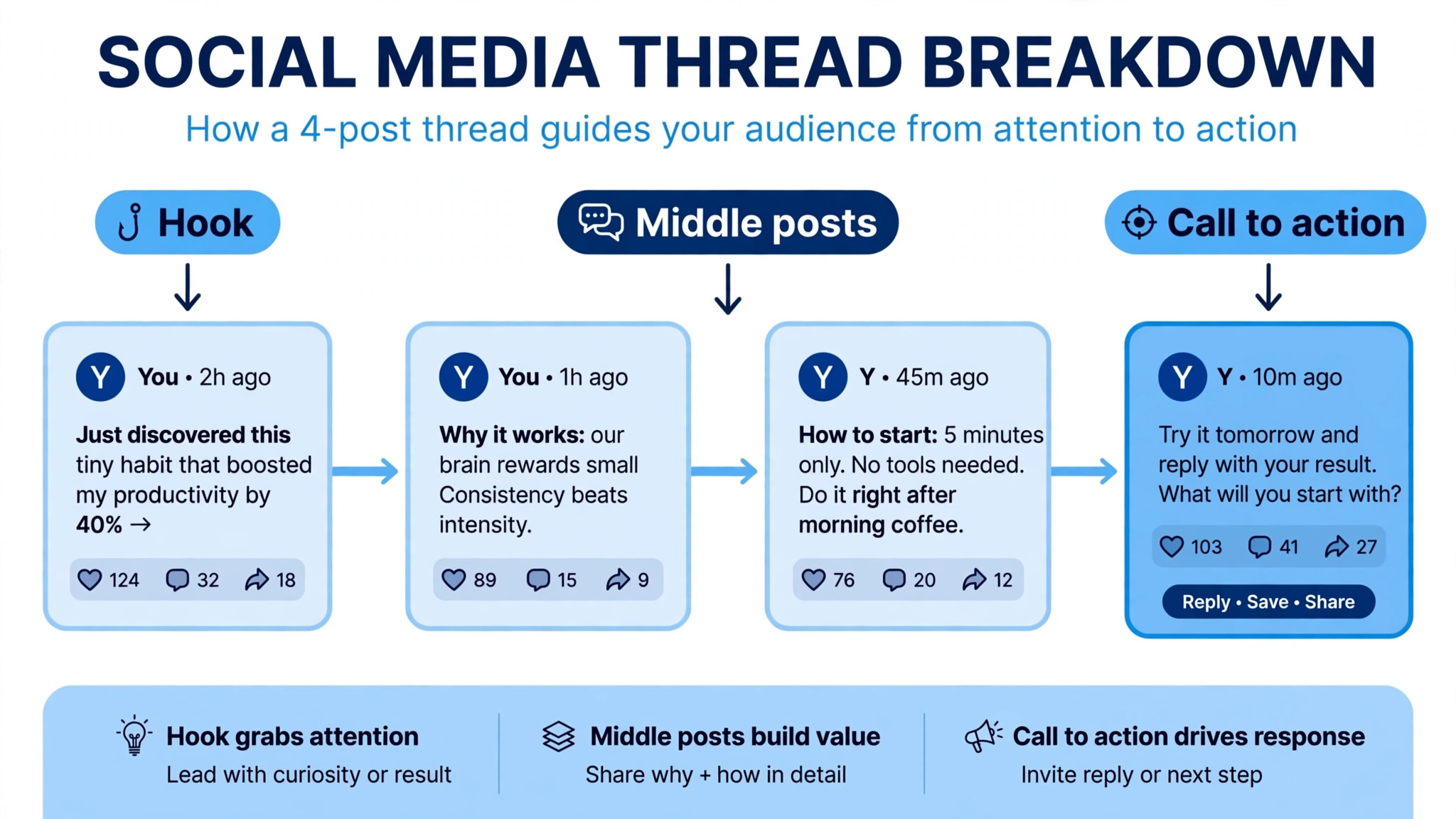
Threads have their own rules. A thread is a chain of posts, and each post in the chain has its own 280 character limit. The first post carries the hook, and the last post carries the call to action, such as a follow or a link. A thread that buries the point in post five will lose readers at post two. Write the hook first, then the thread, and use a thread editor that previews the chain the way readers will see it.
How to Choose the Right Tool
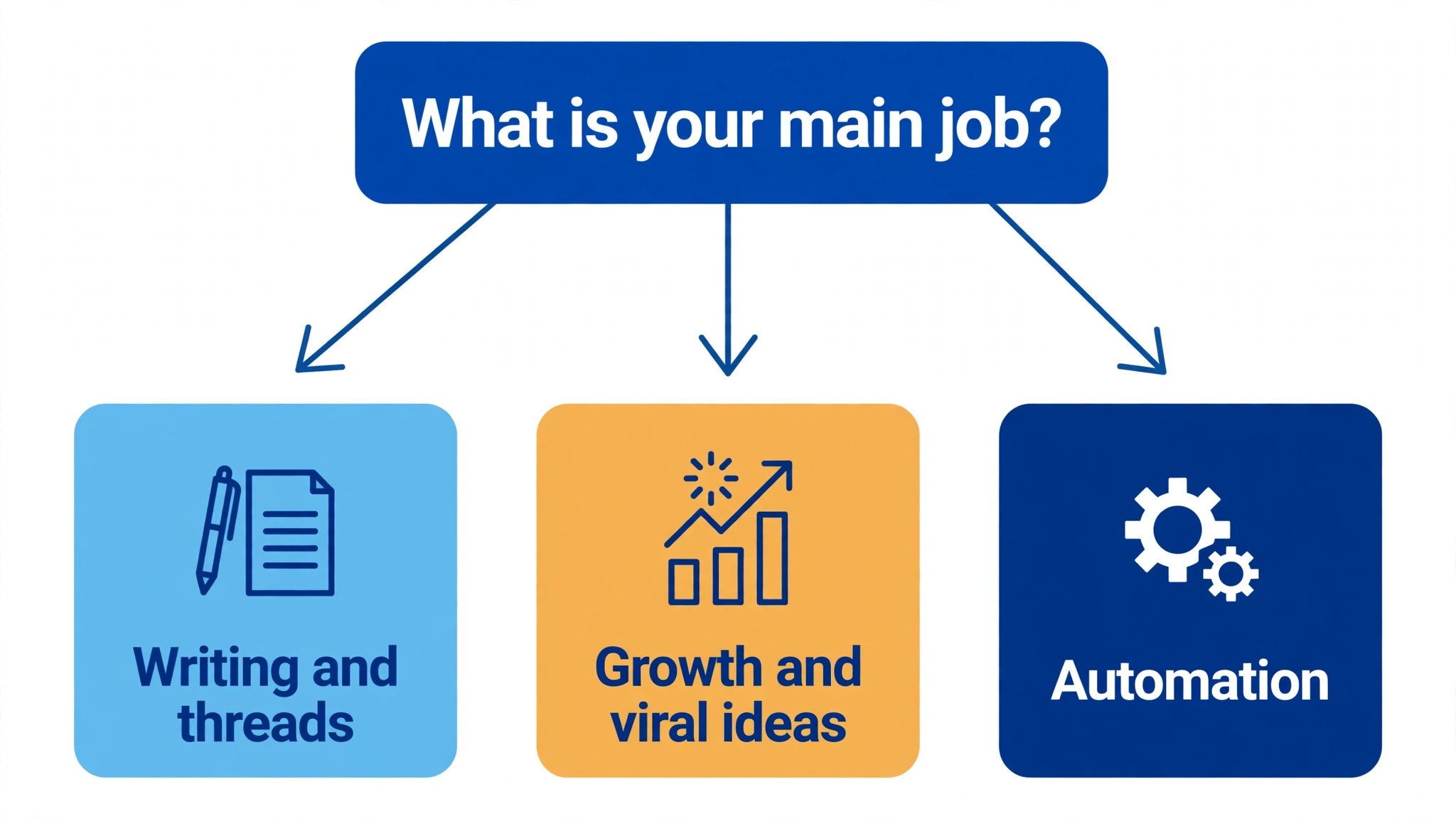
Start with the job, not the tool. If writing is the hard part, pick Typefully. If growth is the job, pick Tweet Hunter or OpenTweet. If the budget is zero, pick Buffer free or Adobe Express free. If images are the job, pick Canva. The best twitter post makers for a writer and the best twitter post makers for a shop owner are different tools, and the right answer depends on which half of the job hurts most.
Test before you pay. Every tool above has a free plan or a trial, and a week of real posting will tell you more than any review. Write five real posts in the tool, schedule them, and watch how long each one takes and how they perform. If a post takes more than ten minutes from idea to schedule, the tool is wrong for you. The best tool is the one you will still be using in three months, not the one with the longest feature list.
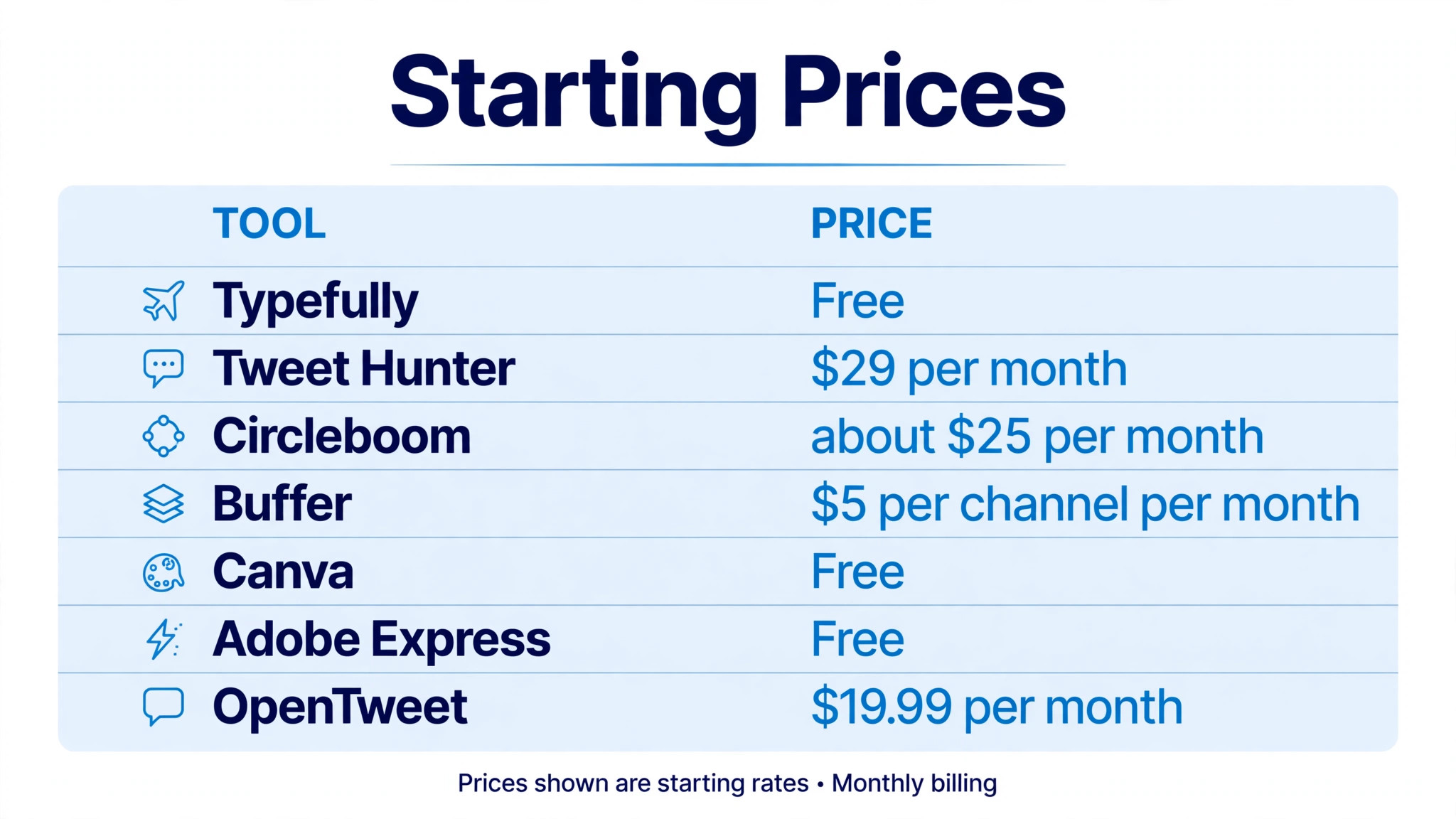
Watch the renewal terms as well as the price. Typefully Creator is billed yearly only, so you pay 99 dollars up front. Tweet Hunter and OpenTweet bill monthly, so you can leave any month. Buffer bills per channel, so adding a second account doubles the cost. Check what the second year costs and what happens to your scheduled posts if you cancel, before you build a month of content inside a tool.
Mistakes That Make Good Posts Perform Badly
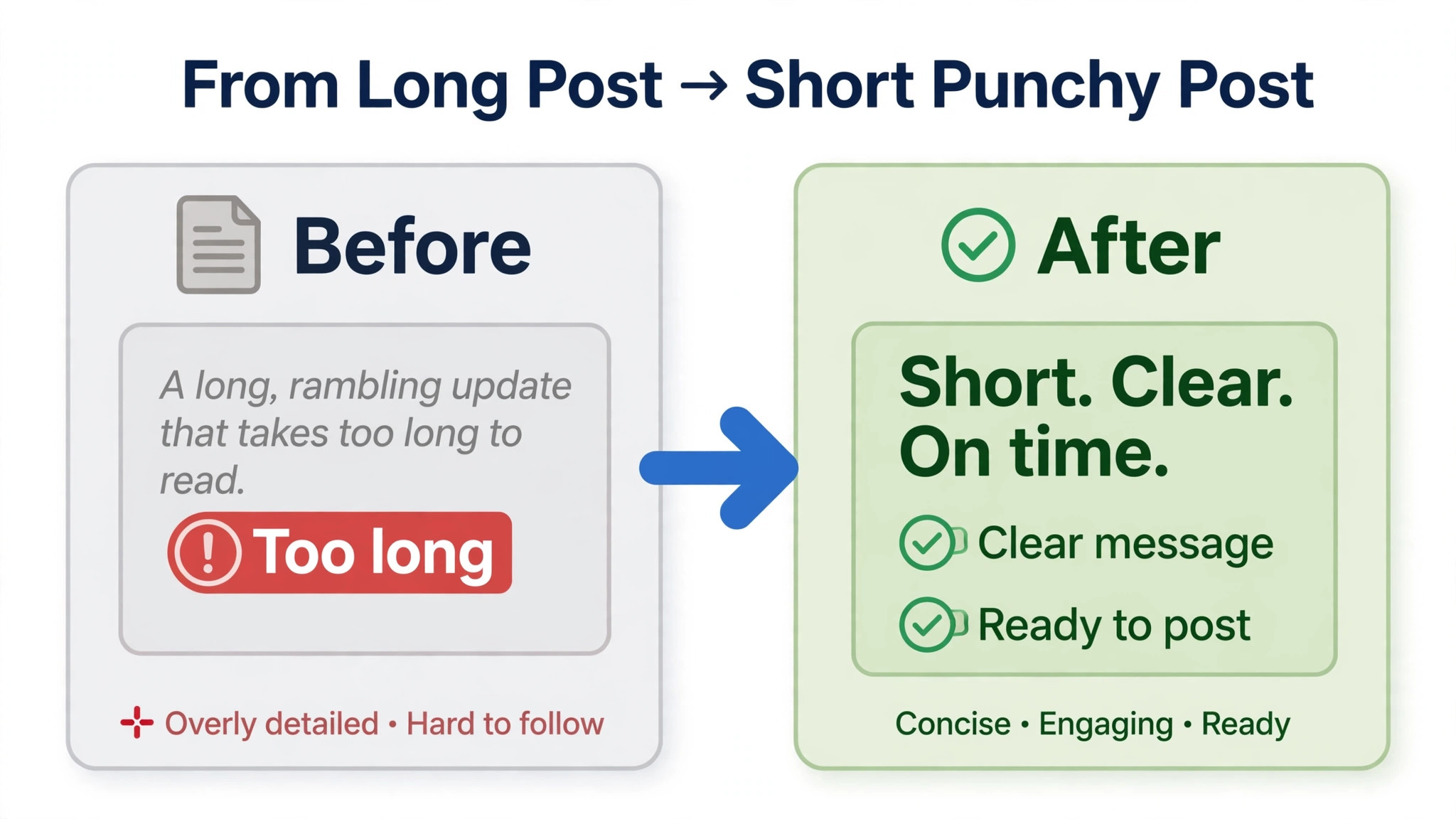
The first mistake is posting a LinkedIn paragraph on X. A long post with a slow opening will be cut off, and readers will not tap to expand it. The best twitter post makers warn you when a post is too long, but the habit has to be yours. Write the point first, cut every word that does not earn its place, and let the thread carry the detail.
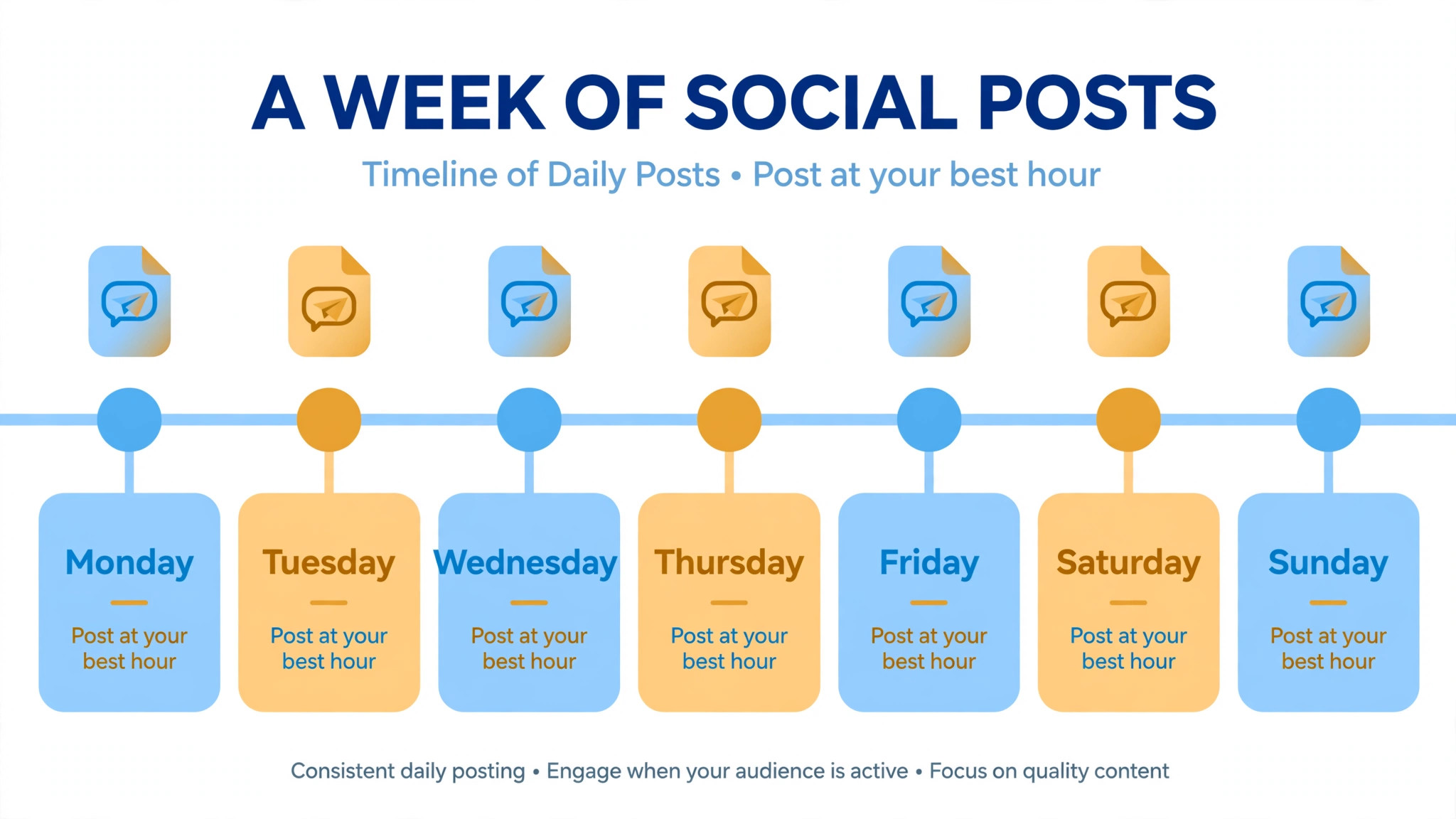
The second mistake is posting at the wrong hour. Your audience is not awake at 3 in the morning, and a post published then will be buried by the time they open the app. Use the scheduler to publish when your analytics say your followers are online, and test two or three time slots for a fortnight before you settle on one. A good post at the right hour will beat a great post at the wrong hour.
The third mistake is automating replies. Auto DMs and auto replies feel like spam, and X users report them quickly. Automation is for scheduling and reposting your own best work, not for pretending to talk to people. Reply by hand, even if it takes longer, because a real reply earns a follower and an automated reply earns a block.
The fourth mistake is never reposting your best work. A good post has a life of about a day on X, and most of your followers will never see it the first time. Reposting it a month later, with a fresh first line, will reach a different slice of your audience. Use the evergreen queue in Tweet Hunter or OpenTweet, or set a monthly reminder to repost by hand.
Frequently Asked Questions
What is the best free Twitter post maker?
Typefully free is the best free pick among the best twitter post makers for writing, with ten posts a month and a thread editor that previews accurately. Buffer free is the best free pick for scheduling, with three channels and ten scheduled posts per channel. Adobe Express free is the best free pick for making images and scheduling them in one place. Pick the free plan that matches the half of the job you find hardest.
Can I schedule posts on X without a paid tool?
Yes. Typefully free covers ten posts a month, Buffer free covers ten scheduled posts per channel, and X itself lets you schedule single posts from the composer on the website. The free options are enough for a light poster. Pay when you need threads, bulk scheduling, auto repost or analytics, not before.
Does Hypefury still work for Twitter?
No. Hypefury no longer supports X, and its own pricing page FAQ says so. Its channels are now Bluesky, Threads, LinkedIn, Instagram and TikTok. If you used Hypefury for auto repost and auto plug on X, OpenTweet is the closest replacement that still publishes to X. If you used it for writing, Typefully is the closer match.
How long should a post on X be?
Shorter than you think. Aim for under 200 characters for a single post, with the point in the first words. The limit is 280 characters, and every link counts as 23 characters. A thread can carry a longer idea, but each post in the thread should still be short enough to read at a glance. If a post needs more than 280 characters, it is a thread, not a post.
Should I use hashtags on X?
Use one or two at most, and only when they add meaning. A post with five hashtags looks like spam and earns fewer reposts than a clean post with none. Put the hashtag at the end of the post, not in the middle of a sentence, and never use a hashtag as a substitute for a word. Most top posts on X today carry no hashtags at all.
Is it worth paying for a Twitter post maker?
It is worth paying when the tool saves you more time than it costs. At 5 dollars a month, Buffer pays for itself if it saves you an hour a month. At 29 dollars a month, Tweet Hunter pays for itself only if you post daily and use the viral library. Start free, post for two weeks, and pay for the feature you keep wishing you had.
The Verdict
Typefully is the best twitter post maker for most people, because it respects the 280 character limit, previews threads accurately, and costs nothing to start. Tweet Hunter is the pick for growth, OpenTweet is the pick for automation, and Buffer is the pick for a tight budget. Start with the free plan that matches your job, post every day for two weeks, and only pay when you can name the feature you are missing. That is the cheapest way to find the tool you will still be using next year.