
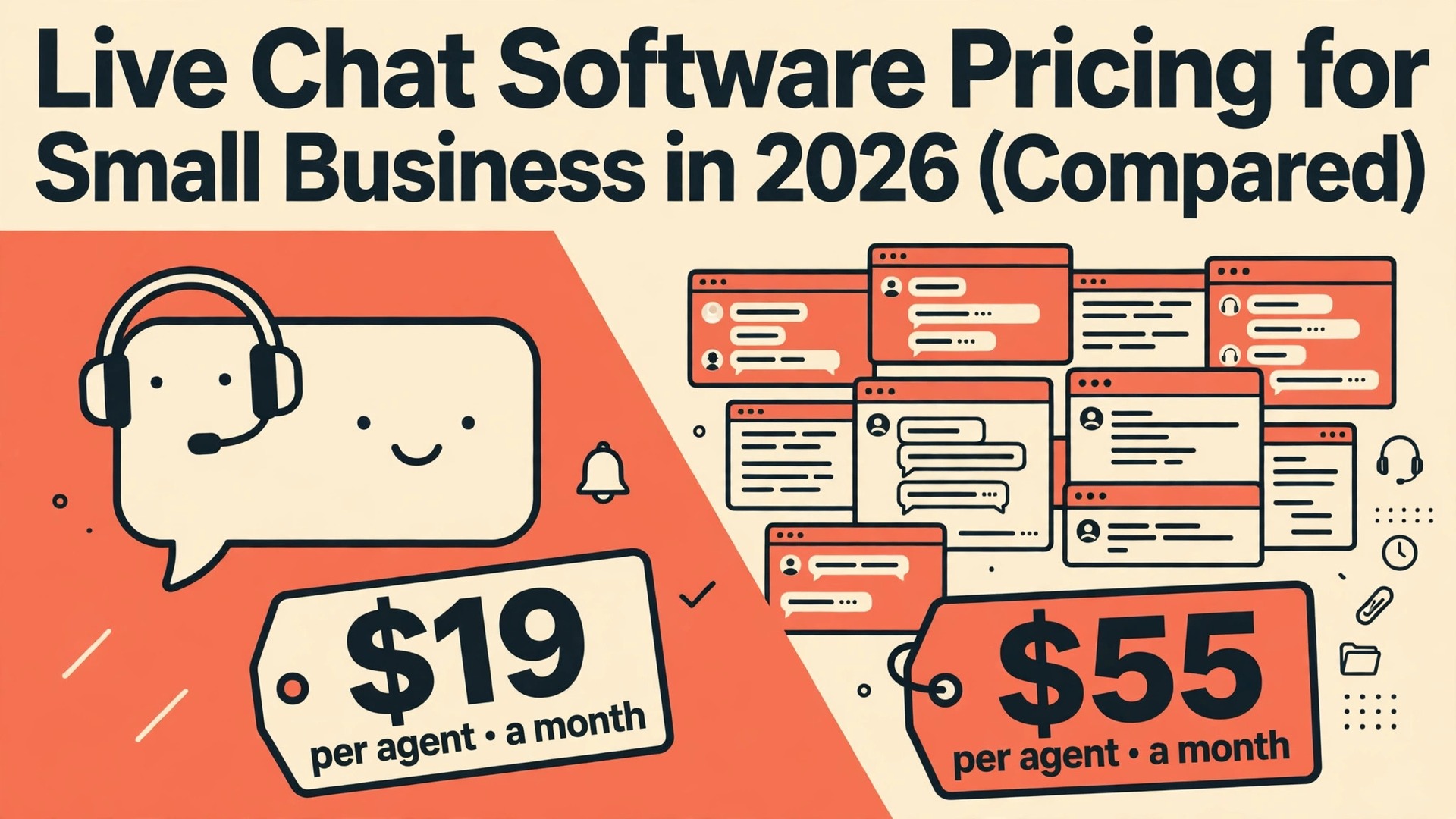
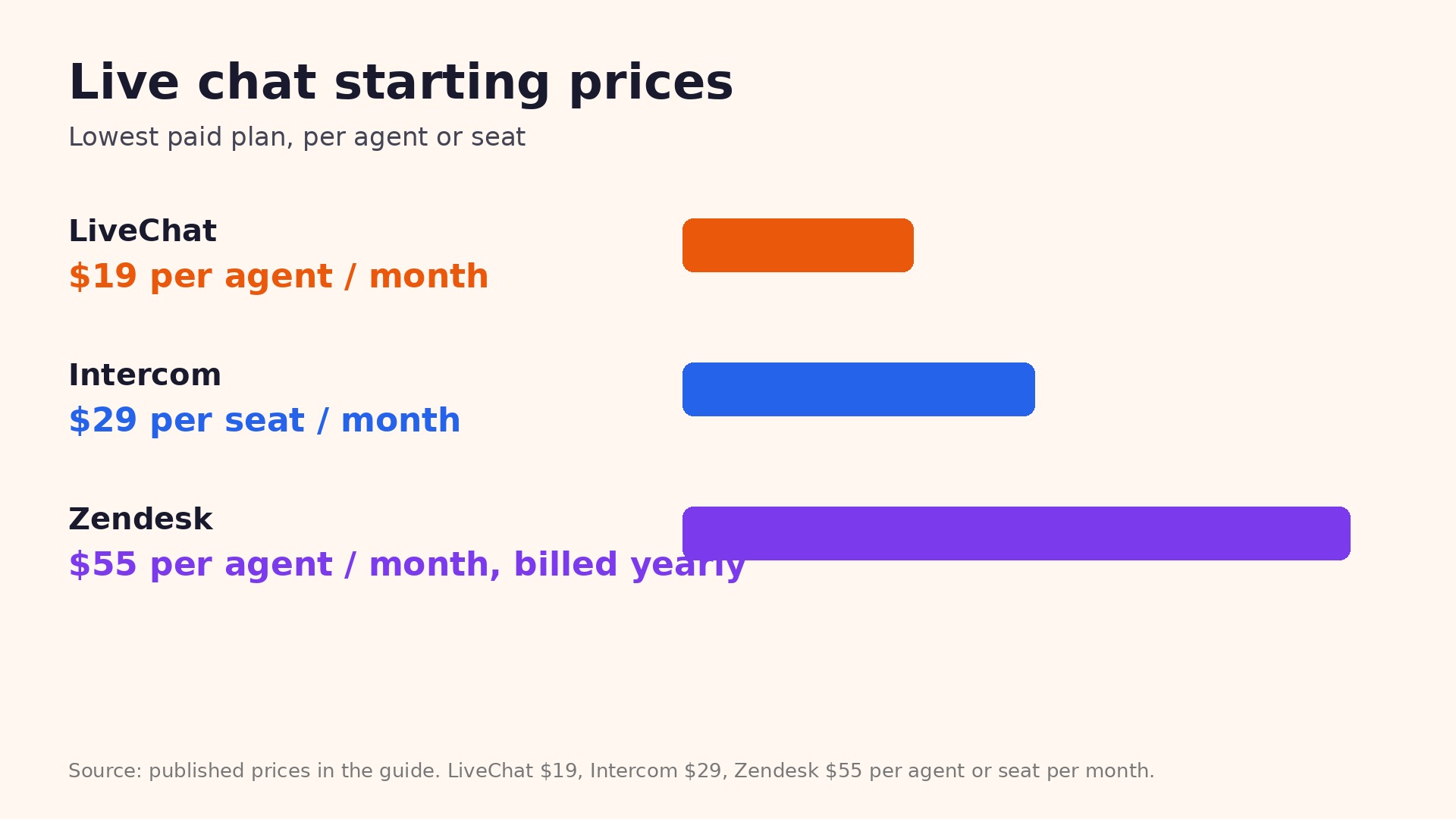
A small team of three agents can pay $57 a month or $165 a month for live chat, and both numbers can be correct. The difference is the billing unit, because LiveChat Starter costs $19 per agent a month billed yearly while Zendesk Suite Team costs $55 per agent a month billed yearly, and Intercom adds $0.99 per AI resolution on top of its seat price. That is why live chat software pricing for small business needs a per seat calculation, not a glance at the cheapest headline.
Live chat looks simple from the outside, a small widget and a reply box, but the bill is shaped by seats, conversation limits, AI charges and the help desk features bundled around the chat. A free plan that covers two seats can be perfect for a solo owner and useless for a team of six. A suite that looks expensive can be cheaper than buying chat, ticketing and a help center separately, provided you actually use all three.
This guide compares six leading tools with real published prices from November 2026, all in US dollars and before tax. It shows the free tier, the starting paid price, what that price covers, and the fees that only appear after you start using the tool. Use the tables to find your team size, then read the per tool sections for the plan that fits the way your customers actually contact you.
How pricing works in this category
Every tool in this comparison charges for a different unit, and that unit decides your bill more than the headline price does. Per channel billing means you pay for each connected account. Per seat billing means you pay for each person who logs in. Per workspace billing means you pay a flat rate for a band of seats. Per sale billing means the platform takes a cut of every order, which can dwarf the subscription at higher volumes.
Annual billing is the second lever. Most vendors cut the monthly rate by 15 to 25 percent when you pay for a year up front, but that saving only helps if you stay for the full year. A tool that costs $25 a month on monthly billing and $18.75 a month billed yearly saves $75 a year, yet it locks $225 up front. For a new business that is still testing a channel, monthly billing is often the cheaper real choice even when the annual rate looks better on the page.
Free trials and free plans are not the same thing. A free plan has no end date but strict limits, while a trial gives you full features for 7 to 30 days and then asks for payment. Trials are useful for testing the workflow with real work, but they hide the long term cost of the limits you will hit in month two. Start with the free plan where one exists, and use a trial only when you have a real project ready to run through it.
Limits are the third lever, and vendors place them in different places. One tool limits scheduled posts, another limits seats, a third limits products or contacts, and a fourth limits AI credits. The limit that matters is the one you will hit first, so count your accounts, your team, your products and your monthly volume before you compare prices. A plan that looks generous on posts can be tight on seats, and the upgrade that fixes seats may double the bill.
In live chat software pricing for small business, the diagnosis comes first, because the billing unit decides the bill before any feature does.
What live chat software pricing for small business costs in 2026
The table below puts the six tools on the same basis, so the billing unit is visible in every row. Read across each row before you compare down a column, because a low starting price with a narrow billing unit can cost more than a higher starting price with a wide one. All prices are the published entry paid plan, with the free tier shown where one exists.
| Tool | Free tier | Starting paid price | What the price covers | Hidden fees and watch outs |
|---|---|---|---|---|
| Tidio | Free plan with 50 conversations a month | $24.17 a month billed yearly on Starter | Live chat, chatbots and email on Starter | Lyro AI costs from $32.50 a month extra. Conversation limits apply on lower tiers. |
| Crisp | Free plan with 2 seats | $45 per workspace a month on Mini | 4 seats and a shared inbox on Mini | Pricing is per workspace, not per seat, so check the seat band before you add a fifth person. |
| LiveChat | No free plan, 14 day trial | $19 per agent a month billed yearly, or $25 month to month | 60 day chat history and 100 tracked visitors on Starter | Team costs $49 per agent a month and Business costs $79. AI resolutions cost extra beyond the included allowance. |
| Intercom | No free plan, 14 day trial | $29 per seat a month billed yearly, or $39 month to month | Chat, email and in app messaging on Essential | Fin AI costs $0.99 per resolved conversation. Advanced costs $85 per seat a month and Expert costs $132. |
| Zendesk | No free plan, 14 day trial | $55 per agent a month billed yearly on Suite Team, or $69 month to month | Chat, ticketing, help center and messaging in one Suite | Professional costs $115 per agent a month. AI Copilot costs about $50 per agent a month extra. |
| Freshchat | Free plan for up to 10 agents | $19 per agent a month billed yearly on Growth | Shared inbox and Freddy AI starter features on Growth | Freddy AI Agent costs $49 per 100 sessions, with the first 500 sessions included once per account. |
Two patterns stand out in that table. First, the free tier is strongest where the vendor wants solo users to grow into a paid plan, and weakest where the vendor sells to teams from day one. Second, the most expensive tools bundle the most, which only saves money when you would otherwise buy those bundled features separately. If you need only one job done well, the cheapest focused tool usually wins. If you need three jobs done, a bundle can be cheaper than three separate bills.
A buyer who works through live chat software pricing for small business with real numbers will rarely pick the most expensive plan on the page.
The cheapest option for each kind of business
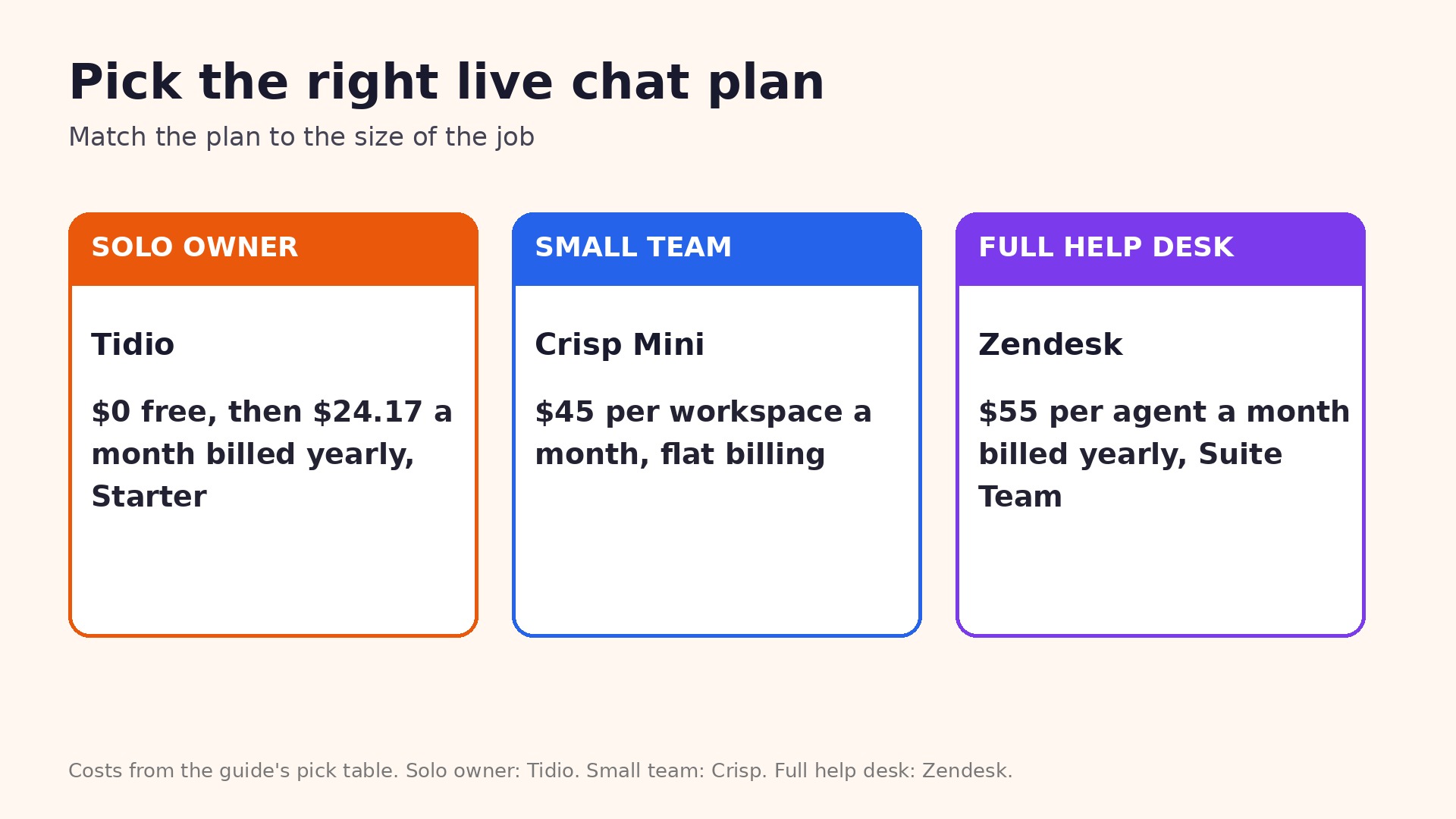
Price only makes sense against a situation, so this table matches five common situations to the cheapest sensible pick. It uses the published annual rate where one exists, and it assumes the team size and volume stated in the situation. If your situation sits between two rows, read both per tool sections and cost them with your real numbers before you choose.
| Situation | Cheapest sensible pick | Monthly cost to expect |
|---|---|---|
| Solo owner, low volume | Tidio free, then Starter | $0, then $24.17 a month billed yearly |
| Small team, flat billing | Crisp Mini | $45 per workspace a month |
| Sales chat on a store | LiveChat Starter | $19 per agent a month billed yearly |
| Support plus AI replies | Intercom Essential | $29 per seat a month billed yearly |
| Full help desk with chat | Zendesk Suite Team | $55 per agent a month billed yearly |
Notice how often the free plan is the right first step. A solo owner does not need to pay for features built for a team of ten, and a creator with ten sales a month does not need a platform built for a thousand. Start free where you can, measure the limit you hit first, and upgrade only for that limit. That habit saves more money over a year than any discount code, because it stops you paying for capacity you never use.
The rest of live chat software pricing for small business keeps every price grounded in published rates, not in marketing claims.
Free plans, tested the honest way
A free plan is worth testing with real work, not with a demo post. Connect the accounts you actually use, schedule a full week of real content or answer real customer messages, and watch where the plan stops you. The limit you hit in that week is the limit that will shape your bill, whether it is post count, seat count, product count or conversation count.
Free plans also reveal how a vendor treats small customers. Some vendors keep support, analytics and exports open on the free tier, while others lock the features that make the tool useful and only unlock them on the highest tier. That is a fair business choice, but it changes the value of the free plan. If the free tier cannot do the core job, it is a trial with no end date, not a real plan, and you should cost the paid tier from the start.
Watch the upgrade path as well. A tool with a gentle step from free to $5 or $19 a month is easy to grow with, while a tool that jumps from free to $99 a month forces a hard decision the moment you outgrow the free tier. The best free plan is the one whose next paid step matches the size you expect to be in six months, not the size you are today.
Finally, check what happens to your data if you leave a free plan. Some tools keep your scheduled posts, your chat history or your course content when you downgrade, while others delete or lock it. Export a copy of anything important before you test a downgrade, and keep your own backup of customer lists and course files outside any single platform.
When you revisit live chat software pricing for small business in three months, compare the bill with the note you made on the day you bought.
Each tool in detail
Tidio pricing in detail
Tidio starts with free plan with 50 conversations a month. The entry paid plan is $24.17 a month billed yearly on Starter, and it covers Live chat, chatbots and email on Starter. That combination suits a buyer who needs the core job done without paying for a wider suite, and it is the plan most small businesses should test first before they look at higher tiers.
The cost to watch is Lyro AI costs from $32.50 a month extra. Conversation limits apply on lower tiers. The upgrade that follows is usually triggered by a limit, not by a missing feature, so count your accounts, seats, products or sales before you commit. If the limit is far away, the entry plan is good value. If you are already close to it, cost the next tier now, because the real price of this tool is the tier you will be on in three months, not the tier you start on.
Crisp pricing in detail
Crisp starts with free plan with 2 seats. The entry paid plan is $45 per workspace a month on Mini, and it covers 4 seats and a shared inbox on Mini. That combination suits a buyer who needs the core job done without paying for a wider suite, and it is the plan most small businesses should test first before they look at higher tiers.
The cost to watch is Pricing is per workspace, not per seat, so check the seat band before you add a fifth person. The upgrade that follows is usually triggered by a limit, not by a missing feature, so count your accounts, seats, products or sales before you commit. If the limit is far away, the entry plan is good value. If you are already close to it, cost the next tier now, because the real price of this tool is the tier you will be on in three months, not the tier you start on.
LiveChat pricing in detail
LiveChat starts with no free plan, 14 day trial. The entry paid plan is $19 per agent a month billed yearly, or $25 month to month, and it covers 60 day chat history and 100 tracked visitors on Starter. That combination suits a buyer who needs the core job done without paying for a wider suite, and it is the plan most small businesses should test first before they look at higher tiers.
The cost to watch is Team costs $49 per agent a month and Business costs $79. AI resolutions cost extra beyond the included allowance. The upgrade that follows is usually triggered by a limit, not by a missing feature, so count your accounts, seats, products or sales before you commit. If the limit is far away, the entry plan is good value. If you are already close to it, cost the next tier now, because the real price of this tool is the tier you will be on in three months, not the tier you start on.
Intercom pricing in detail
Intercom starts with no free plan, 14 day trial. The entry paid plan is $29 per seat a month billed yearly, or $39 month to month, and it covers Chat, email and in app messaging on Essential. That combination suits a buyer who needs the core job done without paying for a wider suite, and it is the plan most small businesses should test first before they look at higher tiers.
The cost to watch is Fin AI costs $0.99 per resolved conversation. Advanced costs $85 per seat a month and Expert costs $132. The upgrade that follows is usually triggered by a limit, not by a missing feature, so count your accounts, seats, products or sales before you commit. If the limit is far away, the entry plan is good value. If you are already close to it, cost the next tier now, because the real price of this tool is the tier you will be on in three months, not the tier you start on.
Zendesk pricing in detail
Zendesk starts with no free plan, 14 day trial. The entry paid plan is $55 per agent a month billed yearly on Suite Team, or $69 month to month, and it covers Chat, ticketing, help center and messaging in one Suite. That combination suits a buyer who needs the core job done without paying for a wider suite, and it is the plan most small businesses should test first before they look at higher tiers.
The cost to watch is Professional costs $115 per agent a month. AI Copilot costs about $50 per agent a month extra. The upgrade that follows is usually triggered by a limit, not by a missing feature, so count your accounts, seats, products or sales before you commit. If the limit is far away, the entry plan is good value. If you are already close to it, cost the next tier now, because the real price of this tool is the tier you will be on in three months, not the tier you start on.
Freshchat pricing in detail
Freshchat starts with free plan for up to 10 agents. The entry paid plan is $19 per agent a month billed yearly on Growth, and it covers Shared inbox and Freddy AI starter features on Growth. That combination suits a buyer who needs the core job done without paying for a wider suite, and it is the plan most small businesses should test first before they look at higher tiers.
The cost to watch is Freddy AI Agent costs $49 per 100 sessions, with the first 500 sessions included once per account. The upgrade that follows is usually triggered by a limit, not by a missing feature, so count your accounts, seats, products or sales before you commit. If the limit is far away, the entry plan is good value. If you are already close to it, cost the next tier now, because the real price of this tool is the tier you will be on in three months, not the tier you start on.
The cheapest plan in live chat software pricing for small business is the one that fits the limit you will hit first, not the lowest headline price.
Annual billing against monthly billing
Annual billing saves 15 to 25 percent on most tools in this comparison, and that saving is real money over a year. A plan that costs $25 a month on monthly billing and $18.75 a month billed yearly saves $75 a year, while a plan that costs $99 a month on monthly billing and $79 a month billed yearly saves far more. The catch is the up front commitment, because you pay twelve months at once and most vendors do not refund the unused months if you leave early.
Monthly billing is the safer choice for a new tool, a new channel, or a business with uneven cash flow. It costs more per month, but it lets you leave after one month if the tool does not fit, and it keeps cash in the business while you test. Use monthly billing for the first two or three months, then switch to annual billing once the tool has proved itself with real work and you know which tier you will stay on.
One more check matters before you pick a billing term. Confirm whether the annual price is charged up front or spread monthly, whether the renewal price is the same as the introductory price, and whether seats added mid year are charged at a prorated rate or at full price. Those three answers decide whether the annual saving is real, and they are worth an email to support before you pay for a year.
Use live chat software pricing for small business as a checklist, not as a ranking, because the right tool depends on your size and your volume.
Hidden fees and limits to check before you pay
The fees that surprise buyers are rarely on the pricing page headline. AI charges are the most common, because several tools now bill per resolution, per credit or per session on top of the seat price, and heavy use can double the bill in a busy month. live chat software pricing for small business is a good example of a category where AI billing now sits beside seat billing, so ask for the AI rate in writing and estimate it from your real volume.
Add ons are the second surprise. Listening, advanced analytics, white label features, extra seats, extra accounts and priority support are often sold separately, and each one adds $20 to $100 a month. List the add ons you need before you buy, and add their cost to the entry price, because the plan that looked cheapest can become the most expensive once two add ons are included.
Limits on history, storage, exports and support also shape the real cost. A plan with 60 days of chat history forces an upgrade when you need a full year of records. A plan with a product or contact cap forces an upgrade when your catalogue grows. A plan with email only support costs time when something breaks on a deadline. Read the plan comparison page line by line, not just the headline features, and note the limits that touch your daily work.
Taxes, currency and renewal terms are the final checks. Prices in this guide exclude tax, and some vendors charge in US dollars even when you pay from another country, so your bank may add a conversion fee. Renewal prices can rise after an introductory period, and some vendors raise prices for existing customers with 30 days notice. Set a calendar reminder for the renewal date, and review the bill against the features you actually used.
How to pick the right plan in one afternoon
Start by writing down your real numbers, not your hopes. Count the accounts you will connect, the people who need a login, the products or contacts you hold, and the volume you handle in a normal month. Then cost each tool at those numbers, not at the one seat example on the pricing page. That single step removes most of the guesswork, because the cheapest tool at one seat is often not the cheapest at your size.
Next, run a short trial with real work. Pick the two tools that look closest on price, and use each one for a full week with the same task. Measure the time it takes, the limits you hit, and the features you actually used. A tool that saves an hour a week is worth $40 a month to most small businesses, while a tool that adds friction is expensive at any price, because the cost shows up in lost time rather than on the invoice.
Then check the exit before you enter. Export your data, confirm you can cancel without a phone call, and confirm whether your content stays accessible after cancellation. A tool that locks your data is a risk, even at a low price, because switching later costs far more than the monthly saving. Keep your customer list and your core content in a format you control, whatever tool you choose.
Finally, set a review date for three months after you buy. Note the tier you chose, the price you pay, and the limit you expect to hit first. When the review date arrives, check the actual bill against that note, and upgrade or downgrade on evidence rather than habit. That review is the cheapest habit in this whole guide, and it is the one most buyers skip.
Worth Remembering
Keep a simple log of what you decided and what happened next, because the log is what turns a one off purchase or fix into a habit you can repeat. Note the date, the price you paid or the fix you tried, and the result you measured a month later. After three months the log will show whether the choice saved money, whether the problem returned, and whether the next decision should be the same or different. That evidence is worth more than any review you read before you started, because it is about your business and your customers, not about an average user.
Test one change at a time, and give each change enough time to show a real result. A price test, a subject line test, a format test and a keyword test each need at least two weeks of data, because a single week can be skewed by a holiday, a quiet day, or a single large order. Changing three things at once makes the result unreadable, and you will end up keeping a change that hurt and dropping a change that helped, simply because you could not tell them apart.
Review the numbers on a fixed day each week, at the same time, and write the three numbers that matter in the same place every week. A review that takes ten minutes will catch a rising bill, a falling engagement rate, or a fix that stopped working, weeks before a monthly review would. The fixed time matters more than the tool, because a review without a time will be pushed aside by the urgent work of the day, and the problem will grow while nobody is watching it.
Keep your own copy of anything important, outside the tool that created it. Export your customer list, your course files, your designs and your campaign settings, and store them in a place you control. A tool can change its price, close your account, or lose your data, and the export you made last month is the difference between a bad week and a lost business. Set a monthly reminder to export, and test the export by opening it, because a backup you cannot open is not a backup.
Frequently Asked Questions
What is the cheapest live chat software for a small business?
Tidio free covers 50 conversations a month and Crisp free covers 2 seats, so both cost $0 to start. For paid chat, LiveChat Starter at $19 per agent a month billed yearly is the cheapest focused option, while Crisp Mini at $45 per workspace a month is cheapest for a small team.
Is Intercom worth $29 a month for a small business?
Intercom Essential at $29 per seat a month billed yearly is worth it when you want chat, email and in app messaging in one place with AI replies. Add Fin AI at $0.99 per resolution to the estimate, because heavy AI use can add a large amount to the monthly bill.
Why does Zendesk cost $55 a month for chat?
Zendesk sells chat inside the Suite, so the $55 per agent a month billed yearly on Suite Team covers chat, ticketing, a help center and messaging together. It is expensive for chat alone, and good value when you would otherwise buy those tools separately.
Do free live chat plans really work?
Yes, for low volume. Tidio free handles 50 conversations a month and Freshchat free covers up to 10 agents, which suits a new business. The limits matter, so check conversation caps, seat caps and branding before you put a free widget on a busy store.
What hidden fees should I check in live chat pricing?
Check AI charges first, then add ons for Copilot, listening and extra seats. Intercom Fin costs $0.99 per resolution, Zendesk Copilot costs about $50 per agent a month, and LiveChat AI resolutions cost extra beyond the included allowance.
Should I pay per agent or per workspace?
Per agent billing suits a team of one or two, because you pay only for the people who log in. Per workspace billing suits a team of three or four, because Crisp Mini covers 4 seats for $45 a month, which is cheaper than four per agent seats on most tools.