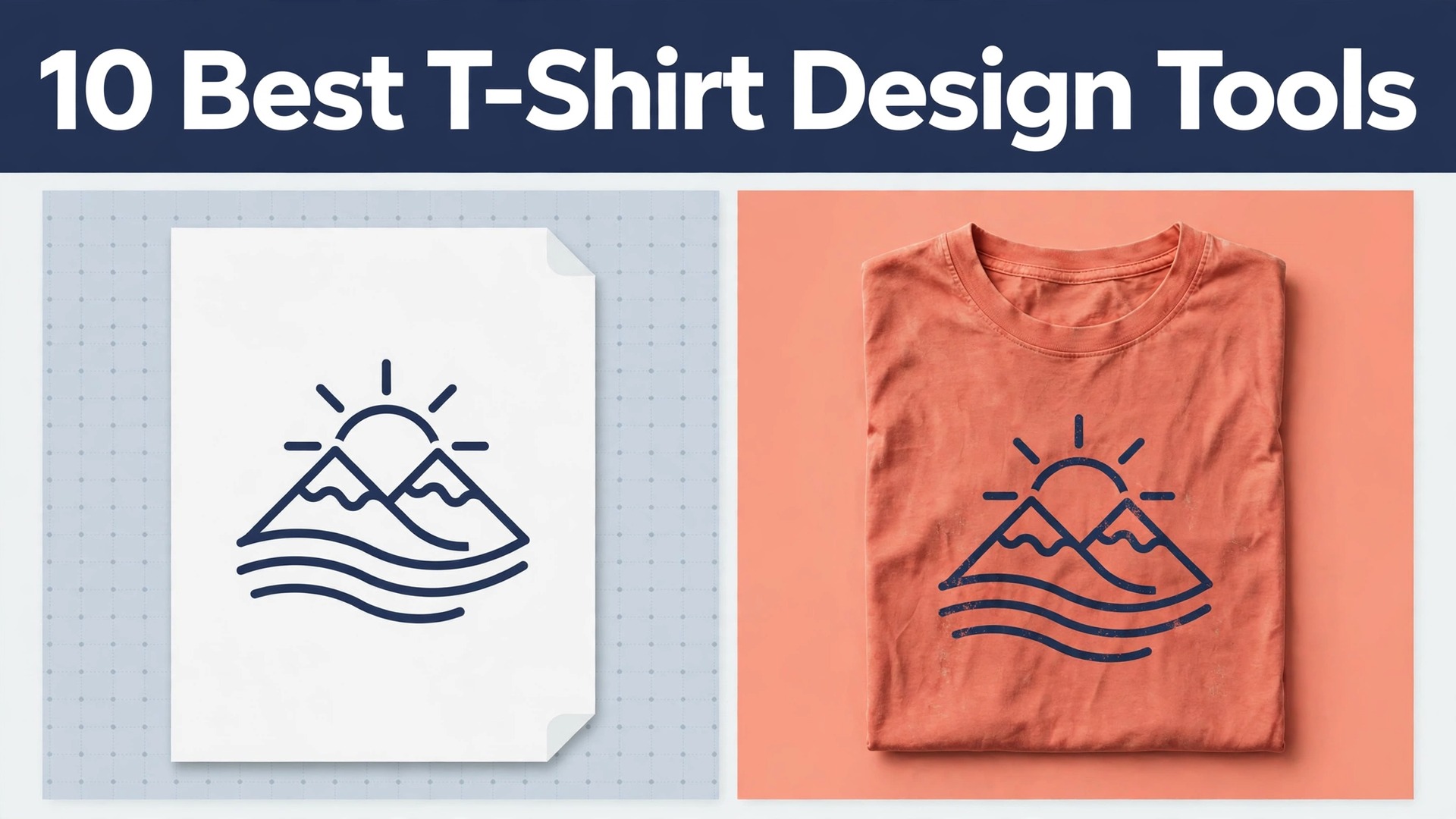
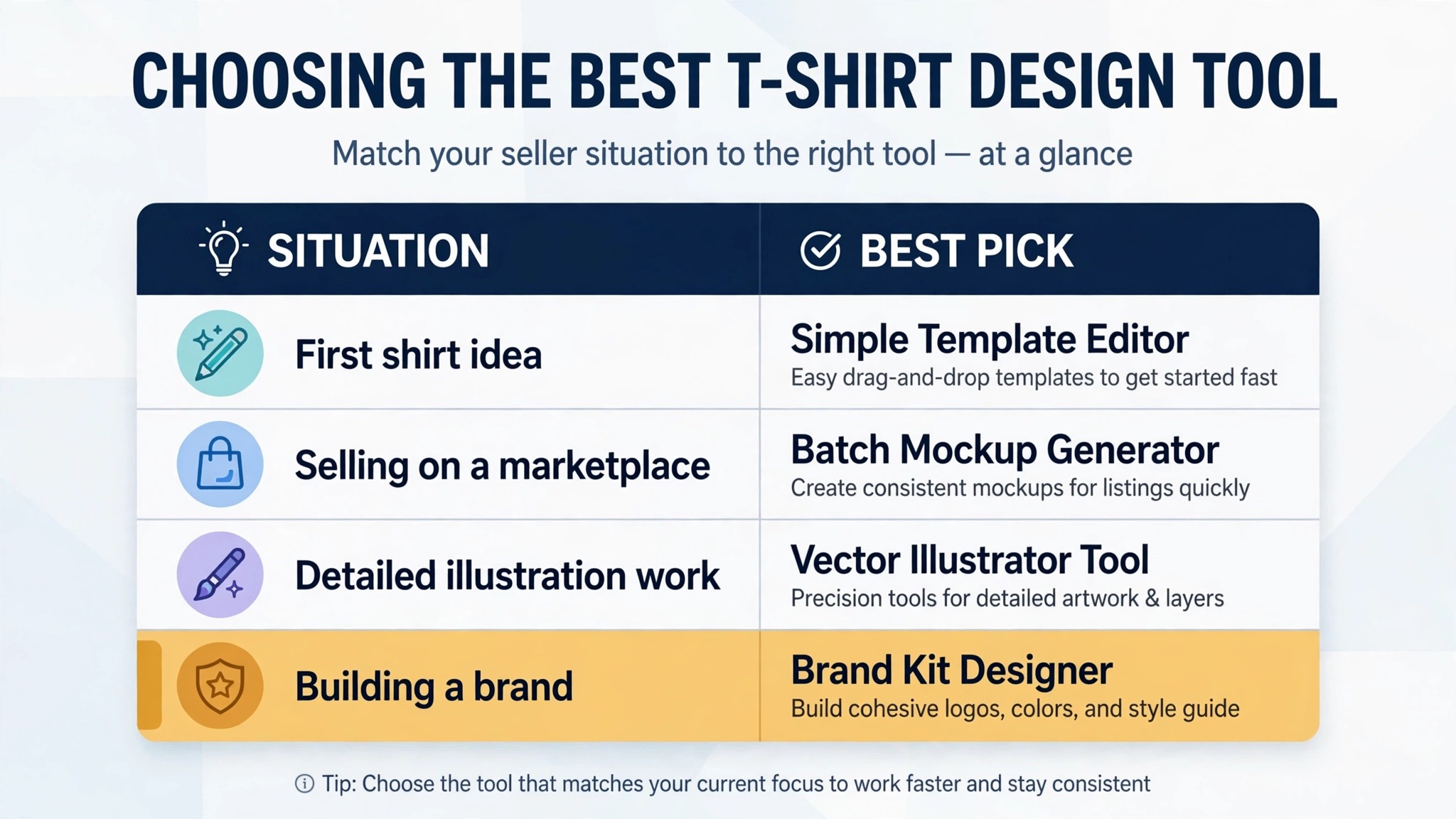
A beginner opens Canva, picks a template, and has a sellable shirt in twenty minutes. A professional opens Illustrator, draws a vector from scratch, and spends a day on the same shirt. Both shirts can sell. The difference is not talent. It is the tool, and picking the wrong one costs either money or time, sometimes both. The best t-shirt design tools in 2026 split into two camps, and the camp you belong in decides the winner before you compare a single feature.
Template tools win on speed. Canva, Kittl, Placeit, and the print on demand editors hand you sized artboards, paired fonts, and graphics you can drag into place. Vector tools win on control. Illustrator, Affinity Designer, CorelDRAW, and Inkscape give you a blank canvas and every curve, anchor, and colour stop under your hand. A seller who needs ten listings this week belongs in the first camp. A brand that needs one perfect graphic belongs in the second. This guide covers both camps, compares all ten tools on price and print quality, and names the best pick for each kind of seller.
What Makes a Good T-Shirt Design Tool
A shirt tool is judged by the file it exports, not by the editor it shows you. Printers want a transparent PNG at 300 dots per inch, or a vector file such as SVG or AI, sized to the print area. A tool that exports a low resolution JPG with a white background will cost you a rejected upload or a blurry print, no matter how good the design looked on screen. Check the export options before you fall in love with the editor.
Templates matter for speed. A library of shirt sized templates with fonts already paired saves hours, and a tool with ten thousand templates is not automatically better than one with two thousand. What matters is whether the templates fit your niche. A vintage typography seller needs distressed type and retro badges. A streetwear seller needs bold graphics and mockups with real models. Browse the library for your niche before you pay.
Mockups matter for sales. A flat design file does not sell a shirt. A photo of a person wearing it does. Tools that generate mockups in the same app, such as Placeit and Kittl, save the round trip to a second tool and keep your listing photos consistent. If your tool has no mockups, budget for a mockup tool as well, because listings without lifestyle photos convert worse.
Commercial use is the term to read. A free plan may allow personal use only, and a template element may carry a licence that forbids resale on merchandise. Check the licence for every asset you use, and keep a note of which plan covers commercial merch. A takedown or a refund costs more than the subscription you tried to save.
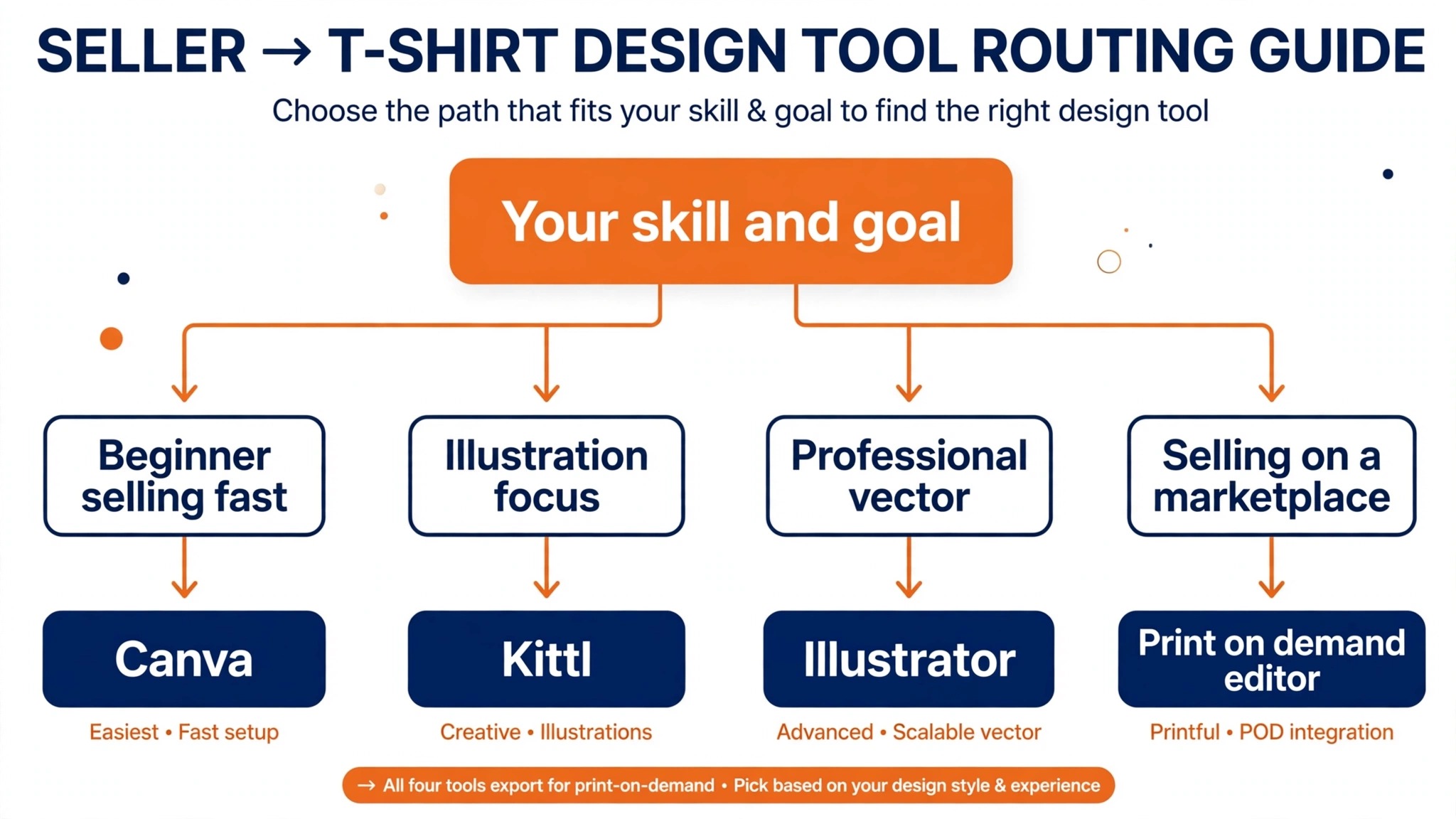
The 10 Best T-Shirt Design Tools in 2026
1. Canva
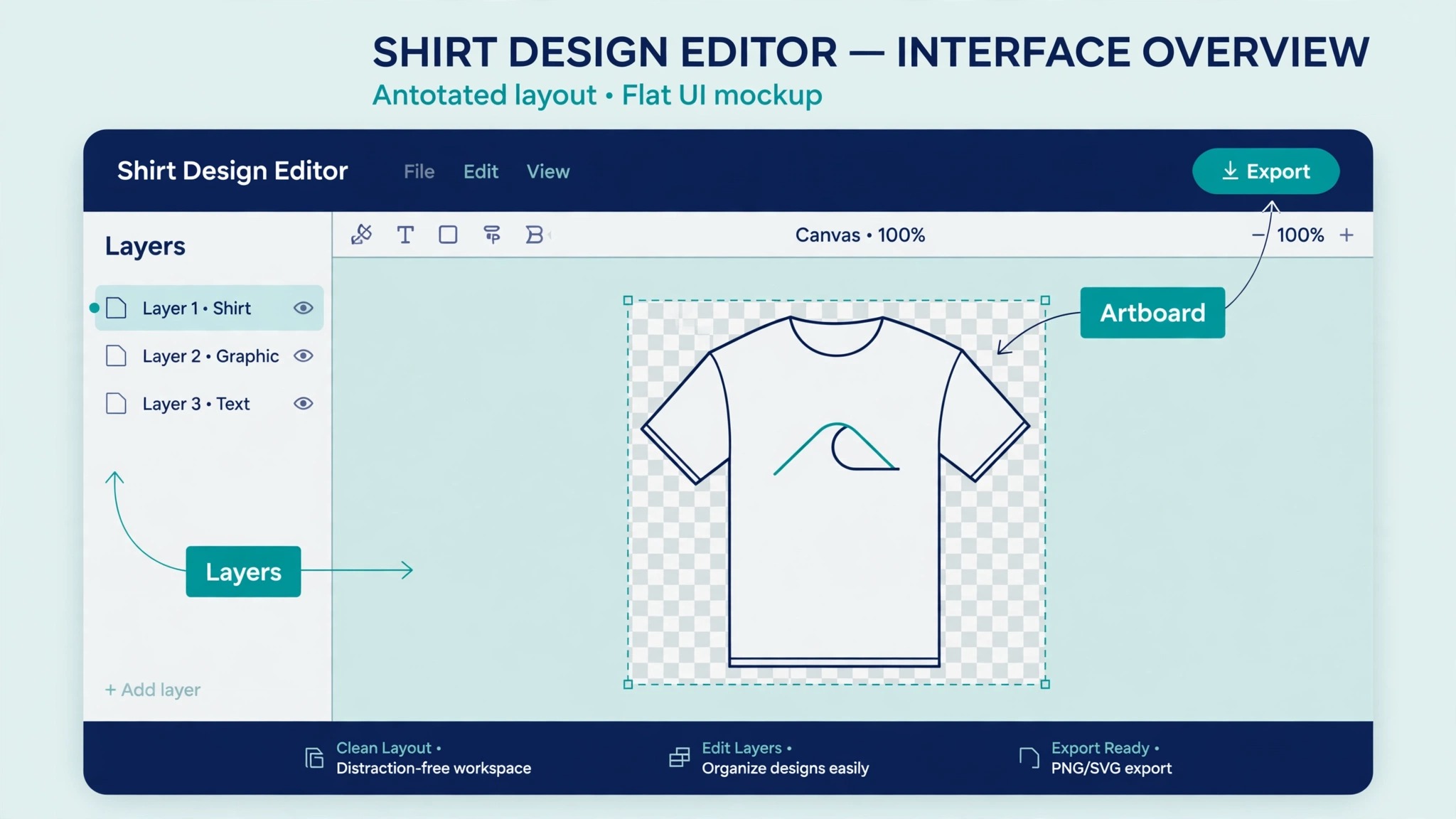
Canva is the fastest way from an idea to a finished shirt, and that is why it tops most lists for beginners. The editor is drag and drop, the template library holds more than two thousand shirt designs, and the print area is already sized for the standard providers. A seller with no design background can finish a typography shirt in half an hour, export a transparent PNG, and upload it to a print provider the same day.
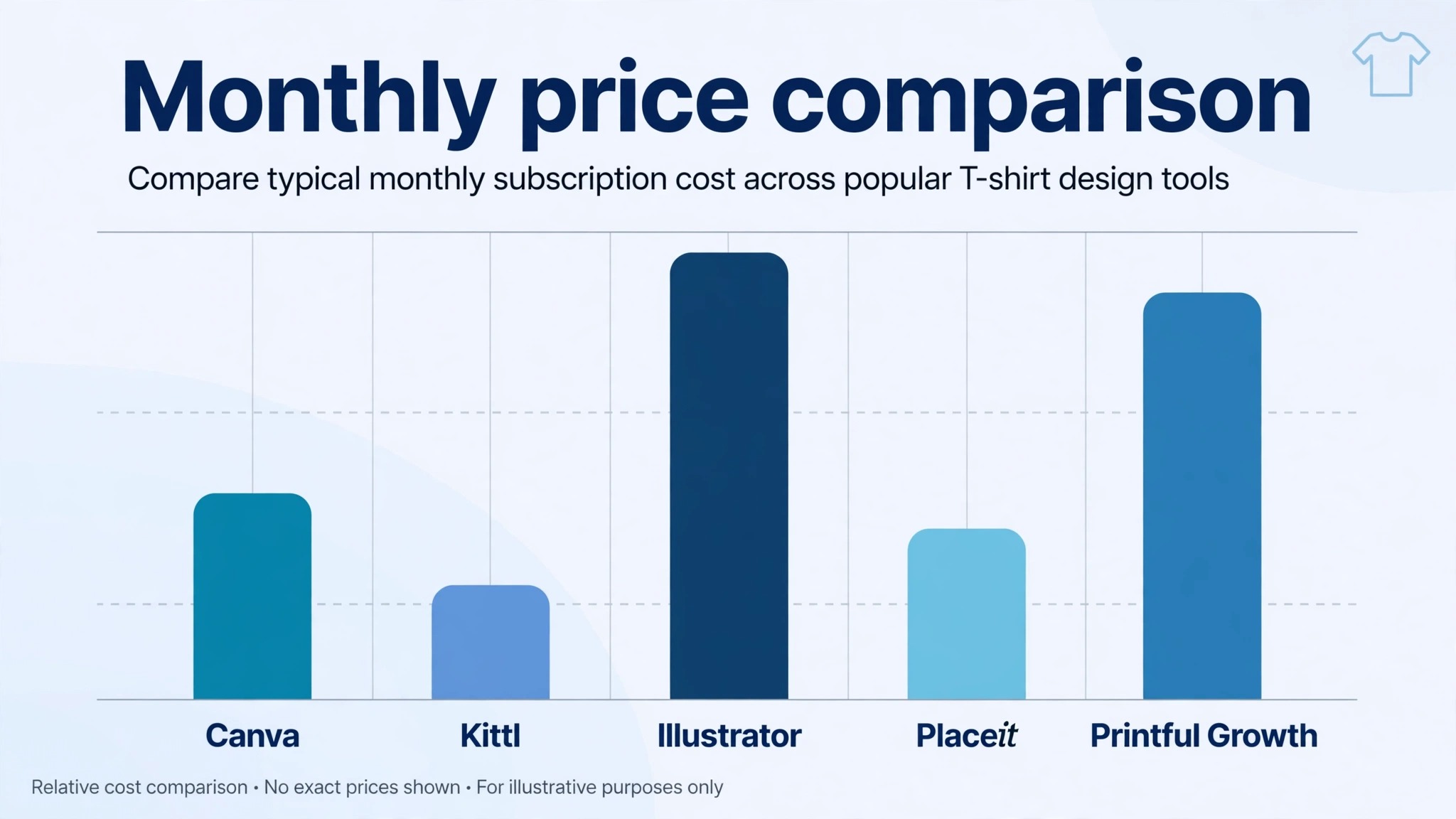
The trade off is originality. Millions of sellers use the same template library, so a design built only from Canva elements can look familiar to buyers who have seen the same graphics elsewhere. The fix is to treat Canva as a starting point, change the fonts, rework the layout, and add at least one element that is yours. Pro costs from $12 per month on annual billing, and the free plan covers basic shirt work, though some graphics and the background remover sit behind Pro.
2. Kittl
Kittl is built for shirt sellers, not adapted for them, and the difference shows in the details. The template library leans hard into vintage typography, retro badges, and distressed textures, which are the styles that sell best in print on demand. The editor handles text effects such as warping, outlining, and texture overlays without a plugin, and the mockup generator turns a finished design into a listing photo in the same session.
Kittl also generates AI graphics and upscales images for print, which helps when a customer sends a low resolution photo. The free plan covers personal use, while Pro starts from $12 per month on annual billing and unlocks commercial use, high resolution exports, and the full template library. For a seller focused on typography and vintage styles, Kittl is the strongest template tool in this list.
3. Adobe Illustrator
Illustrator is the professional standard for vector shirt art, and nothing else in this list matches its control. Every curve is editable, every colour is exact, and a file built in Illustrator scales from a chest print to a billboard without losing a pixel. Screen printers ask for Illustrator files by name, because a clean vector separates into print colours without the cleanup a raster file needs.
The cost is time and money. Illustrator costs $22.99 per month as a single app subscription on annual billing, and the learning curve is real. A beginner needs weeks to work fluently, and the blank canvas offers no templates to lean on. For a brand building original artwork, or a designer selling vector packs, that investment pays back. For a seller who needs ten listings this week, it does not.
4. Printful Design Maker
Printful Design Maker is the design tool inside Printful, the print on demand service, and its strength is the short path from design to a printed shirt. You build the graphic, place it on a shirt mockup, and the same platform prints and ships the order. The editor includes templates, a clip art library, text tools, an AI image upscaler, and a logo maker with more than a hundred templates.
The free plan has no subscription fee, and you pay only for the base product and shipping when an order arrives. The Growth plan costs $24.99 per month and adds discounts and extra features. The editor is template driven, so original artwork from scratch is limited, but for a seller who wants design and fulfilment in one place, the convenience is hard to beat.
5. Printify
Printify is a print on demand marketplace with a built in design editor, and its strength is choice. Instead of one printer, you pick from a network of print providers, compare base prices and shipping times, and switch providers without rebuilding the product. The editor handles text, uploaded graphics, and simple layouts, and it generates mockups for your listings automatically.
The free plan covers the basics, and the Premium plan adds a discount on base product prices that pays for itself once volume grows. Printify suits sellers who care about margins and want to test several providers for the same shirt. The editor is simpler than Canva or Kittl, so many sellers design elsewhere and use Printify only for production and fulfilment.
6. Placeit by Envato
Placeit is the mockup specialist. It does not try to be a full design studio. It gives you shirt templates, a design editor for text and graphics, and the largest library of lifestyle mockups in this list, with real models, flat lays, and short video mockups. A design that looks flat in a file looks like a real product in a Placeit mockup, and that gap is worth money on Etsy and Amazon.
Pricing starts at $14.95 per month, or $89.69 per year, which makes the annual plan the better buy by a wide margin. Placeit suits sellers who already have designs and need listing photos, and sellers who want a design plus a mockup in one session. It is not the tool for original illustration, and heavy vector work still belongs in Illustrator or Affinity.
7. Affinity Designer
Affinity Designer is the one time purchase answer to Illustrator. It is a full vector editor with pen tools, boolean operations, and precise colour control, and it exports the SVG, PDF, and PNG files printers need. The interface is modern and fast, and the learning curve is gentler than Illustrator, though it is still a professional tool that rewards practice.
The pricing model is the draw. Affinity sells a one time licence with no subscription, so the cost stops after the purchase instead of recurring every month. That makes it the best value professional vector tool for a small brand. The trade off is a smaller ecosystem. Fewer tutorials, fewer plugins, and fewer printers with Affinity native workflows mean you will export files more often than an Illustrator user, but the exported files print identically.
8. Inkscape
Inkscape is free, open source, and genuinely capable of professional vector work. It handles paths, nodes, text on a path, and SVG natively, which makes it a strong choice for a seller who needs vector output and has no budget. A shop that sells simple typography and line art shirts can run entirely on Inkscape and pay nothing for software.
The cost is polish. The interface is less refined than Affinity or Illustrator, some workflows take more clicks, and there is no template library or mockup generator. Support comes from the community, not a help desk. For a beginner with time and no money, Inkscape is the right start. For a seller who values speed, a paid tool earns its price within a month.
9. CorelDRAW
CorelDRAW is the veteran of the group, and it remains popular with screen printers and sign shops. The vector tools are deep, the text handling is excellent, and the suite includes photo editing and layout tools that cover the whole job from artwork to a print ready file. Many print shops run CorelDRAW natively, so a file built in it moves to production without conversion.
Pricing is by subscription or a one time purchase, and you should check the current price on the Corel site before you commit, since the suite price moves with promotions. CorelDRAW suits a seller who works closely with a local print shop, or a shop owner who prints in house. For a pure online seller, Illustrator or Affinity usually fits better, because the online tutorials and templates favour those two.
10. Vexels
Vexels is a graphics library and design tool built for merch sellers. It offers a large library of shirt ready graphics, templates, and fonts, plus an online editor for combining them into a finished design. The graphics are made for merchandise, so the styles, from gaming to pets to vintage, match what actually sells on shirts.
Vexels runs on a subscription, and you should check the current plans on the Vexels site, since the tiers change. It suits a seller who wants fresh graphics every month without drawing them, and who sells across several niches. The licence covers merch use on the paid plans, but read the terms for your plan before you publish, because the free tier is more limited.
Comparison Table
| Tool | Best for | Starting price | Free plan |
|---|---|---|---|
| Canva | Fast template designs | From $12 per month | Yes |
| Kittl | Vintage typography | From $12 per month | Yes, personal use |
| Adobe Illustrator | Professional vector art | $22.99 per month | No, trial only |
| Printful Design Maker | Design plus fulfilment | Free, Growth $24.99 per month | Yes |
| Printify | Provider choice and margins | Free | Yes |
| Tool | Best for | Starting price | Free plan |
| — | — | — | — |
| Placeit | Mockups and listing photos | $14.95 per month | No, trial |
| Affinity Designer | Vector work, no subscription | One time purchase | No, trial |
| Inkscape | Free vector design | Free | Yes, fully free |
| CorelDRAW | Print shop workflows | Subscription or one time | No, trial |
| Vexels | Ready made merch graphics | Subscription | Limited |
Best Pick by Job
| Your situation | Best pick | Why it fits |
|---|---|---|
| First shirt, no design skills | Canva | Templates and a free plan |
| Vintage and typography shop | Kittl | Retro templates and text effects |
| Original brand artwork | Adobe Illustrator | Full vector control |
| Sell without holding stock | Printful Design Maker | Design, print and ship in one place |
| Best margins across providers | Printify | Compare print providers per order |
| Listing photos that sell | Placeit | Real model mockups and video |
| Pro vector work, no monthly fee | Affinity Designer | One time licence |
| Zero budget, vector output | Inkscape | Free and fully capable |
| Working with a local print shop | CorelDRAW | Print shop standard |
| Fresh graphics every month | Vexels | Merch ready library |
Print File Rules That Decide Whether Your Shirt Prints Well
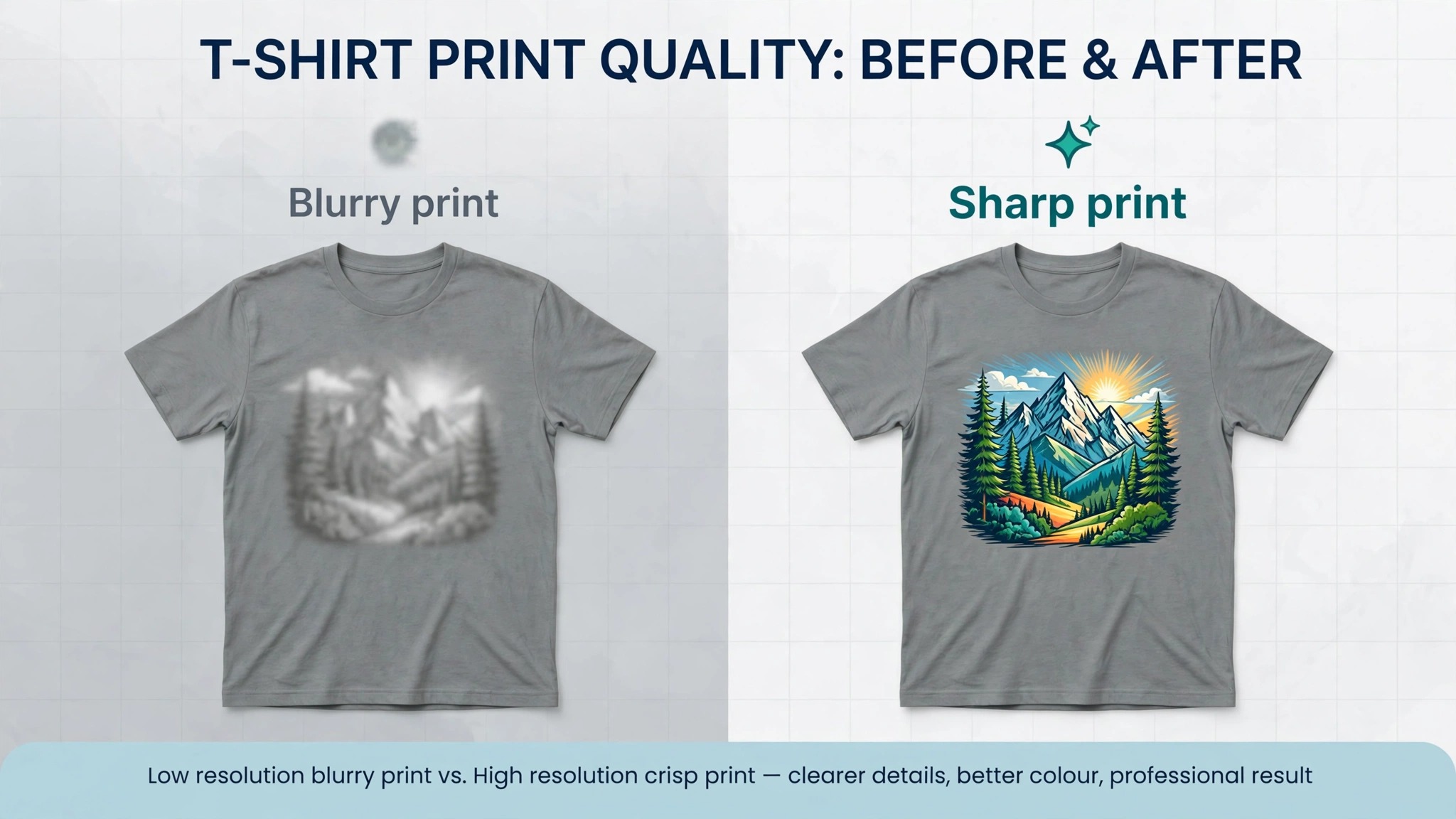
A design that looks sharp on screen can print soft, and the reason is almost always resolution. Printers want 300 dots per inch at the print size. A chest print of 12 by 16 inches needs a file of 3600 by 4800 pixels. A graphic downloaded at 1000 pixels wide will print at a third of that quality, and no upscaler fully fixes it. Export at the full size, and check the pixel dimensions before you upload.
Transparency is the second rule. A shirt graphic needs a transparent background, or the printer prints a white box around your art. Export as a transparent PNG, and open the file on a dark background to check for a faint white edge, which is the halo a bad cutout leaves behind. Vector files avoid the problem entirely, which is one more reason professionals work in Illustrator, Affinity, or Inkscape.
Colour is the third rule. Screens show RGB colour, printers use CMYK inks, and bright screen colours can print duller than you expect. A test print of your best seller is cheaper than a hundred shirts in the wrong shade of red. If your tool supports CMYK preview, use it. If it does not, order one sample before you list the design at scale.
The fourth rule is the print area. Every provider publishes a template with the safe print area marked, and a design that crosses the edge gets cut off or scaled down. Download the template for your exact shirt and provider, place your art inside the safe area, and keep text at least a small margin from the edge. A design that fits the template prints right the first time.
Mistakes That Cost New Sellers Money
The most expensive mistake is using an image you do not own. A popular phrase, a cartoon character, or a sports logo can trigger a takedown, a refund, and a strike on your seller account. AI generated art is not automatically safe either, because the generator may have learned from copyrighted work. Use graphics you made, graphics from a library with a merch licence, or art you bought with the right to sell on products, and keep the licence note.
The second mistake is skipping the sample order. A mockup cannot show you how the print feels, how the colours land on a dark shirt, or whether the print cracks after one wash. One sample shirt costs less than a batch of returns, and it gives you a real photo for the listing, which converts better than a mockup anyway.
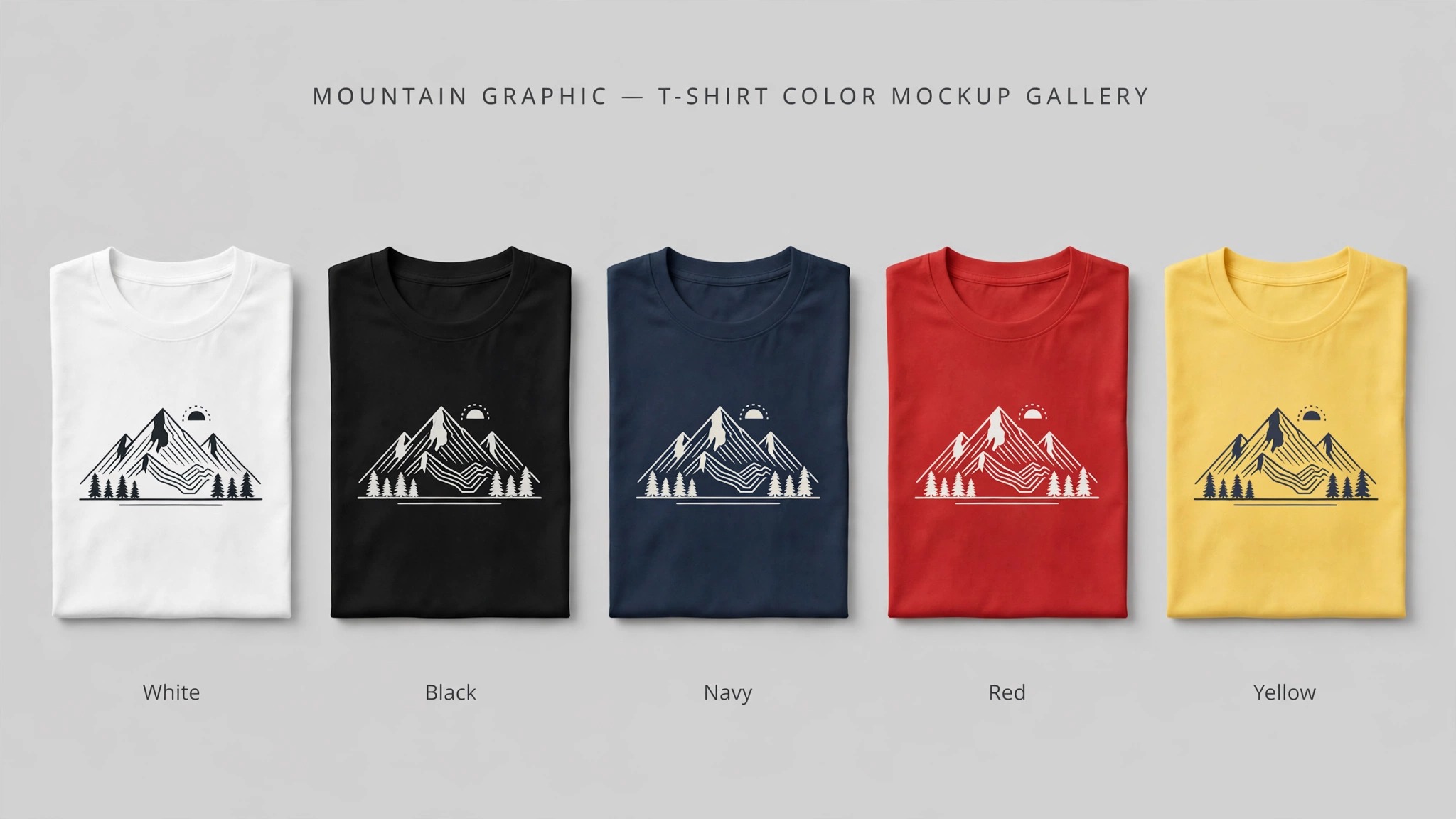
The third mistake is designing for one shirt colour only. A design with dark text disappears on a black shirt, and a design with white text vanishes on a white shirt. Build a light version and a dark version of every design, and check each one on the actual shirt colour before you publish the listing.
The fourth mistake is ignoring the licence on free assets. A free graphic may allow personal use only, and a free font may forbid commercial merchandise. Read the licence, keep the receipt, and upgrade to a paid plan when the free terms do not cover selling shirts. A five minute check now is cheaper than a dispute later.
How the Best T-Shirt Design Tools Handle Print on Demand
The best t-shirt design tools do more than make a nice graphic. They connect the design to a printer, a store, and a customer, and the quality of that connection decides how much work you do by hand. Printful and Printify build the connection in, so a design becomes a product with one click, and an order flows to the printer without you touching it. Canva, Kittl, and Placeit stop at the design, so you export the file and upload it to the provider yourself. Neither approach is wrong, but they suit different sellers.
A seller with one store and one provider saves time with the built in path. The design, the mockup, and the product listing live in one account, and a change to the design updates the product everywhere. A seller with three stores and two providers saves money with the export path, because one design file can be uploaded to every provider, and the provider can be switched without rebuilding the product. The best t-shirt design tools for your business are the ones that match how many stores and providers you run, not the ones with the longest feature list.
Mockup quality is part of the same question. A print on demand editor generates a mockup from the same file you will print, so the mockup matches the product. A design tool mockup is a preview, and the real print can differ in placement and scale. Order a sample from the provider and compare it with the mockup before you scale a listing. If the placement is off by an inch, fix it in the design file, not in the listing, because the file is the source of truth for every order that follows.
Pricing follows the same split. The design tools charge a subscription, while the print platforms charge per order, with an optional monthly plan for discounts. A seller doing ten orders a month pays less with a design subscription and a free print plan. A seller doing two hundred orders a month saves more with a print platform Growth plan, because the per order discount beats the monthly fee. Work out your monthly order count before you pick a paid plan, and recheck it every quarter, because the right plan at fifty orders is the wrong plan at five hundred.
Free vs Paid T-Shirt Design Tools
Free tools are good enough to start, and the best t-shirt design tools all offer a free way in. Inkscape is free forever and handles professional vector work. Canva and Kittl offer free plans that cover basic shirt design, and Printful and Printify let you design and list without a subscription. A seller can launch a shop, make the first sales, and learn what sells before spending anything on software.
Paid plans buy three things, and you should pay only for the one you need. The first is commercial use, which matters the moment you sell a shirt with a template element in it. The second is high resolution export and background removal, which matter when a customer sends a photo or a graphic needs a clean cutout. The third is the full template and graphics library, which matters when you publish several new designs a week. If none of those three applies to your work this month, the free plan is the right plan.
The upgrade point is easy to spot. You hit it when a free plan blocks a sale, not when a feature list looks tempting. A background remover that saves twenty minutes per design pays for a $12 monthly plan after three designs. A commercial licence that covers a best seller pays for itself the first time it prevents a takedown. The best t-shirt design tools earn their subscription by removing a specific block in your workflow, and the block is different for every seller. Upgrade for the block, not for the badge.
Watch the annual billing trap. A monthly price quoted as $12 on annual billing means $144 paid up front, not $12 whenever you feel like it. If you are testing a tool, pay monthly for two months first, even though it costs more per month. The extra cost is small, and it buys the right to walk away if the tool does not fit. Switch to annual billing only after the tool has earned a place in your daily work.
A Quick Start Plan for Your First Week
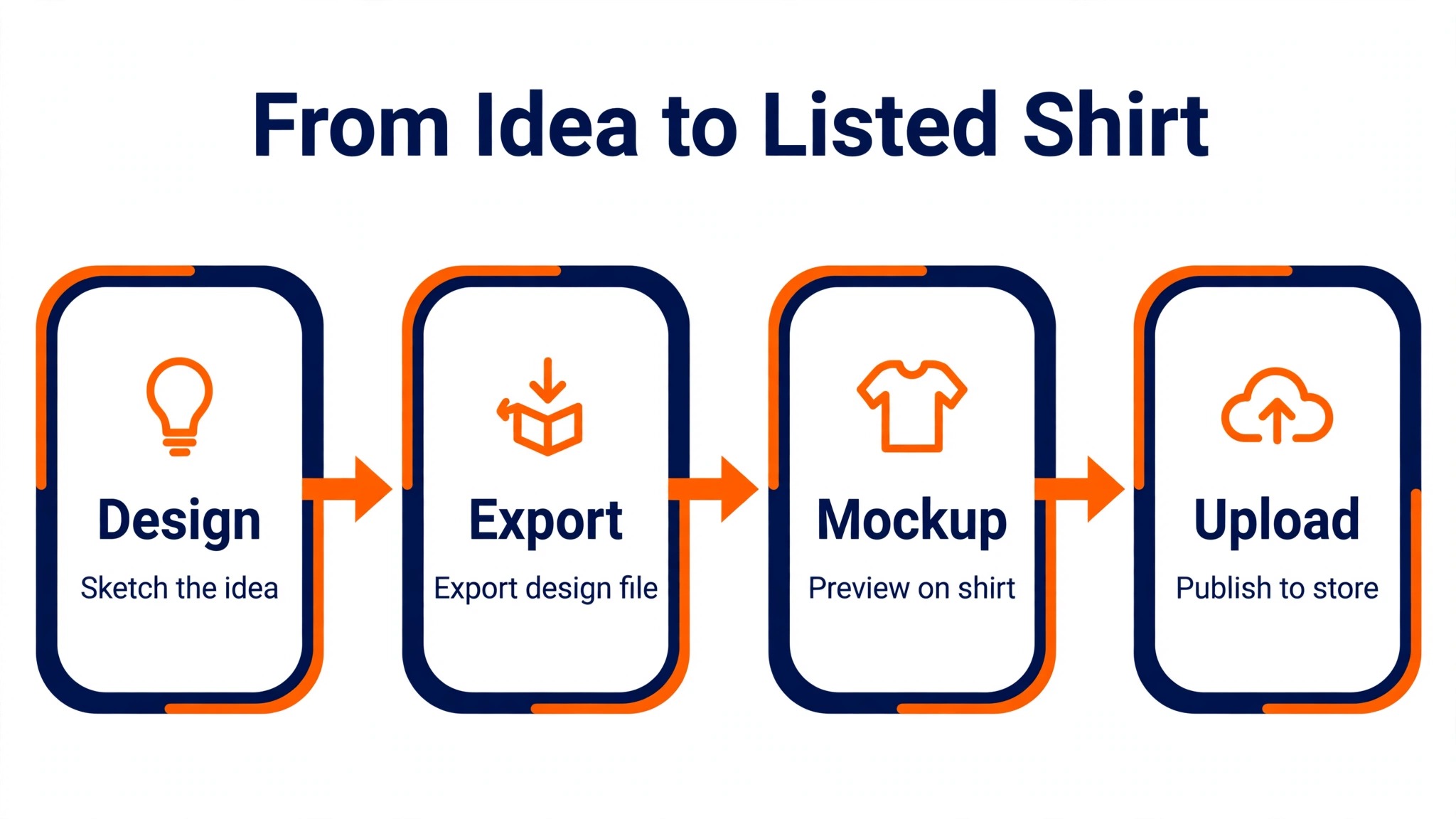
Day one, pick your tool and finish one design, not five. A single finished shirt teaches you the editor, the export, and the upload in one pass. Day two, order a sample of that shirt and photograph it when it arrives, because a real photo beats a mockup in the listing. Day three, list the shirt in your store with the sample photo and a clear title. Day four, start the second design with what the first one taught you. A seller who ships one shirt in the first week learns more than a seller who plans ten shirts and ships none.
Frequently Asked Questions
What is the best t-shirt design tool for a complete beginner?
Canva is the easiest start, because the templates are shirt sized, the editor is drag and drop, and the free plan covers basic work. Kittl is the better choice if you want vintage typography styles, since its templates and text effects are built for that look. Either one lets you finish a first design in under an hour.
Do I need Illustrator to sell t-shirts?
No. Illustrator is the professional standard for original vector art, but most sellers do fine with Canva, Kittl, or the print on demand editors. You need Illustrator only when you draw original artwork, work with a screen printer that asks for vector files, or sell vector packs as a product.
Which tool is free for t-shirt design?
Inkscape is free and fully capable of vector shirt design. Canva and Kittl both have free plans, though some graphics and commercial use sit behind the paid tiers. Printful and Printify offer free design tools inside their print on demand platforms, and you pay only when an order is placed.
What file format do printers want for t-shirts?
Most print on demand providers want a transparent PNG at 300 dots per inch, sized to the print area. Screen printers prefer vector files such as AI, SVG, or PDF, because vectors separate into print colours cleanly. Check the exact requirements on your provider page, since the print area and file size differ by shirt and provider.
Can I use Canva designs to sell t-shirts?
Yes, with care. Canva Pro allows commercial use of designs you create, but some individual elements carry their own licence terms, and you cannot resell a stock graphic unchanged as your product. Change the layout, combine elements, and add your own text or art, then check the licence for any element you are unsure about.
How much does t-shirt design software cost?
It ranges from free to about $23 per month. Inkscape costs nothing. Canva Pro and Kittl Pro start from $12 per month on annual billing. Placeit costs $14.95 per month or $89.69 per year. Adobe Illustrator costs $22.99 per month as a single app. Affinity Designer is a one time purchase with no subscription.
Should I design in one tool and print in another?
Yes, and most experienced sellers do exactly that. Design the art in Canva, Kittl, or Illustrator, export a transparent PNG at 300 dots per inch, and upload it to Printful, Printify, or your local printer. Separating design from production lets you pick the best tool for each job instead of accepting the limits of one platform.
Verdict
The right tool depends on the job in front of you, not on the ranking in a list. A beginner who needs listings this week should start with Canva or Kittl and ship. A brand building original art should invest in Illustrator or Affinity and learn the vector craft. A seller who wants no inventory should design in Printful or Printify and let the platform handle production. Pick the tool that matches your next ten shirts, export at 300 dots per inch with a transparent background, order one sample, and check the licence before you publish. The design matters, but the file, the sample, and the licence are what turn a design into a product that sells twice.