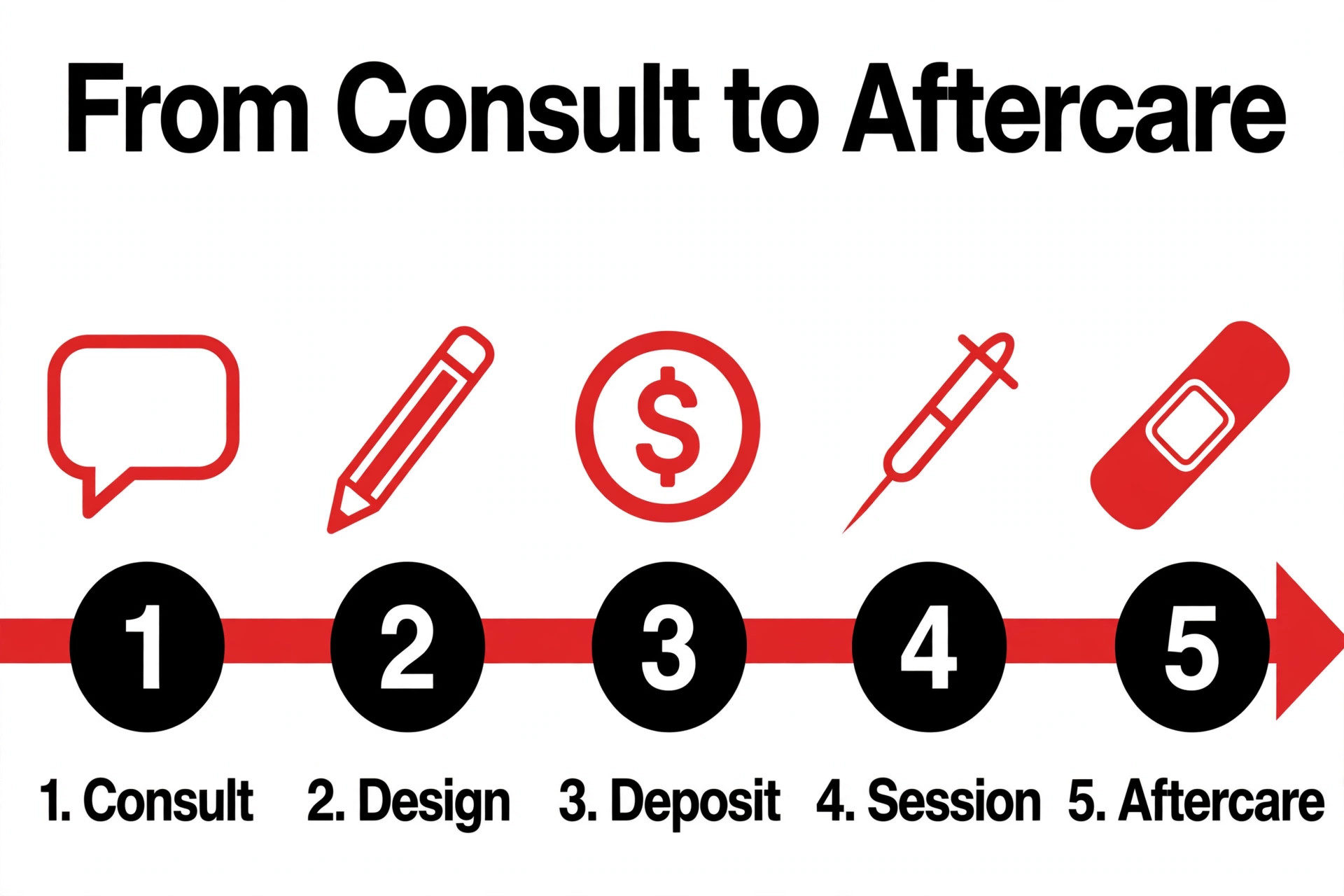
A three artist studio that books twenty sessions a week loses money in three places at once when the admin is manual. Deposits go uncollected, consent forms sit in a drawer, and the front desk spends an hour a day on messages that a booking page could answer in seconds. The best tattoo studio software fixes all three at once, because it was built around the way a tattoo shop actually works, with request based booking, artist approval, deposits, and digital consent in one flow.
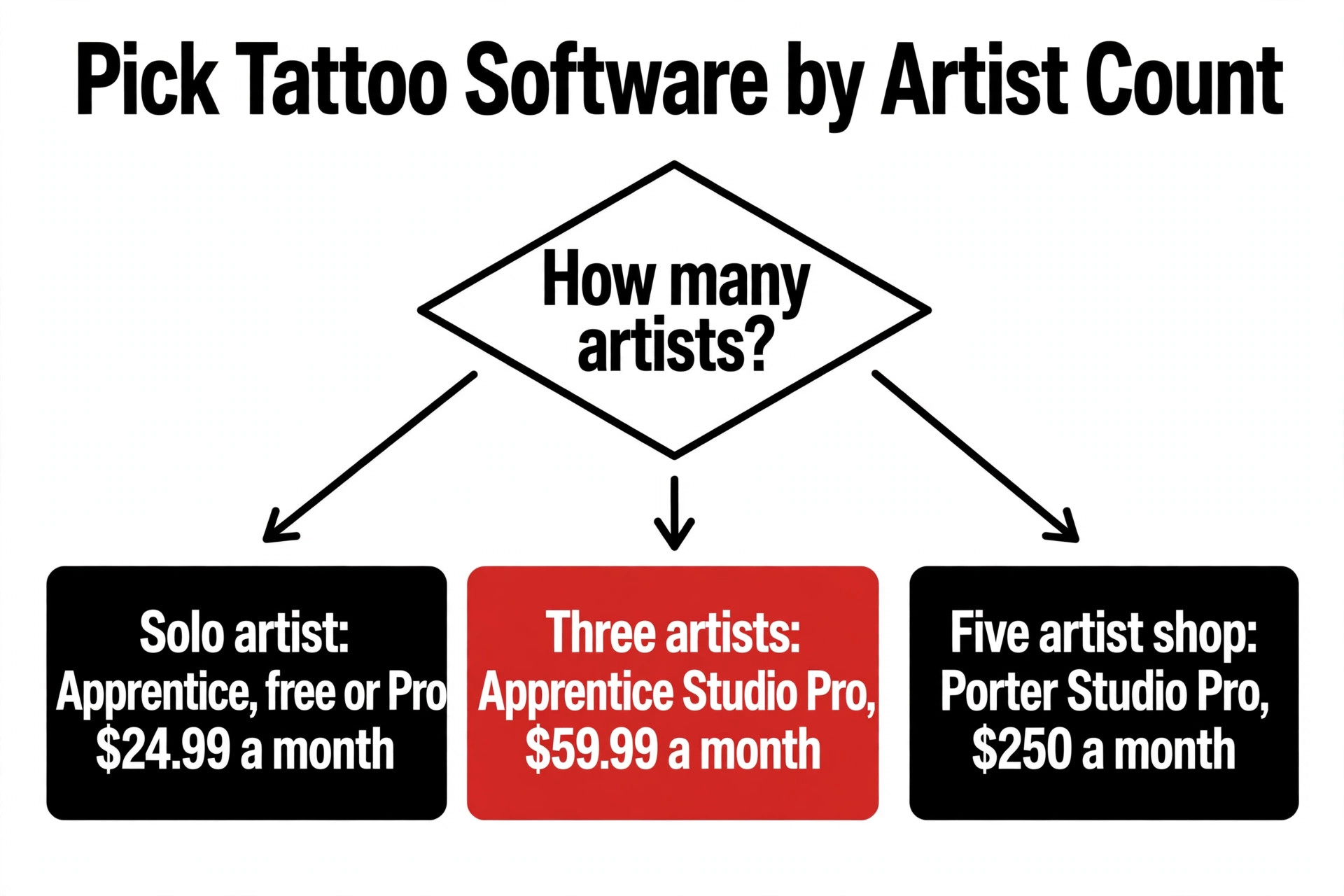
The gap between the cheapest and the dearest options in this category is wider than most owners expect. A solo artist can run a free plan and pay nothing except card fees, while a five artist shop on a premium plan can pay 250 dollars a month before processing. The price alone tells you nothing, because some tools charge per artist, some charge per shop, and one charges a percentage of every booking instead of a flat fee. What matters is the total cost for your artist count, your booking volume, and the features you cannot work without.
This guide compares ten tools that real tattoo studios use in 2026, with prices checked against vendor pages and current roundups in November 2026. Every tool below handles online booking, and the comparison turns on the details that decide whether a tool fits a tattoo shop. Deposits and consent forms, commission splits, walk in lists, flash galleries, and the way each tool charges are all covered, so you can pick the one that matches your shop instead of the one with the loudest marketing.
What to Check Before You Buy Tattoo Software
Start with the booking model, because tattoo booking is not the same as salon booking. A client who wants a small flash piece can book a fixed slot, but a client who wants a custom sleeve needs to send references, wait for the artist to approve the idea, and then agree a price before any time is offered. Tools built for tattoo work handle both paths. Generic booking tools only handle the fixed slot path, which means custom work still runs through direct messages and the booking page only covers half the shop.
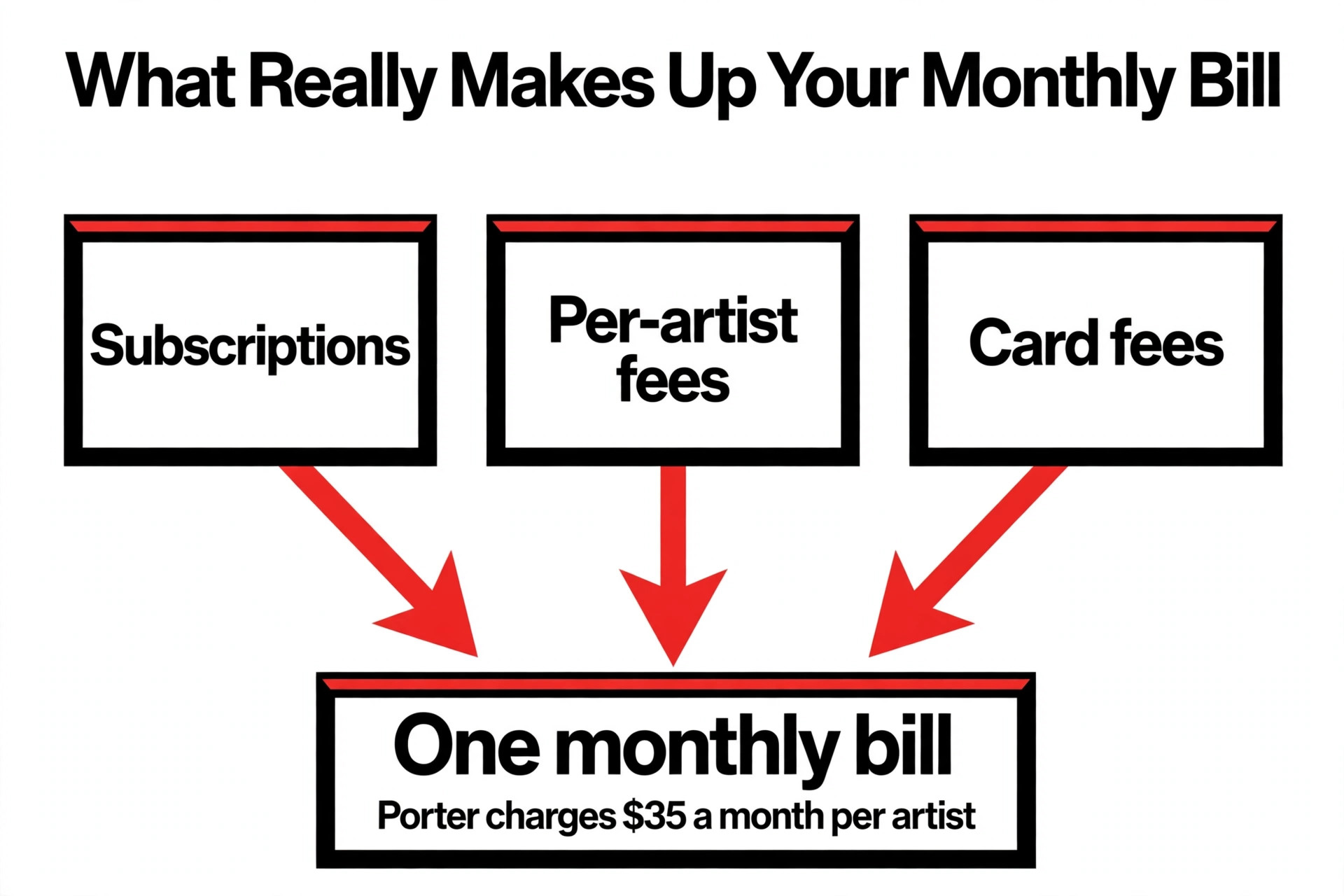
Deposits decide whether the software pays for itself. A studio that books ten sessions a week at a 50 dollar deposit collects 500 dollars a week that would otherwise depend on clients showing up. The tools in this list all take deposits, but they differ on who pays the card fee, whether the deposit is refundable by policy, and whether no show protection is automatic. Check the card rate as well as the subscription, because a tool with a 10 percent booking fee costs far more than a tool with a 30 dollar subscription once volume rises.
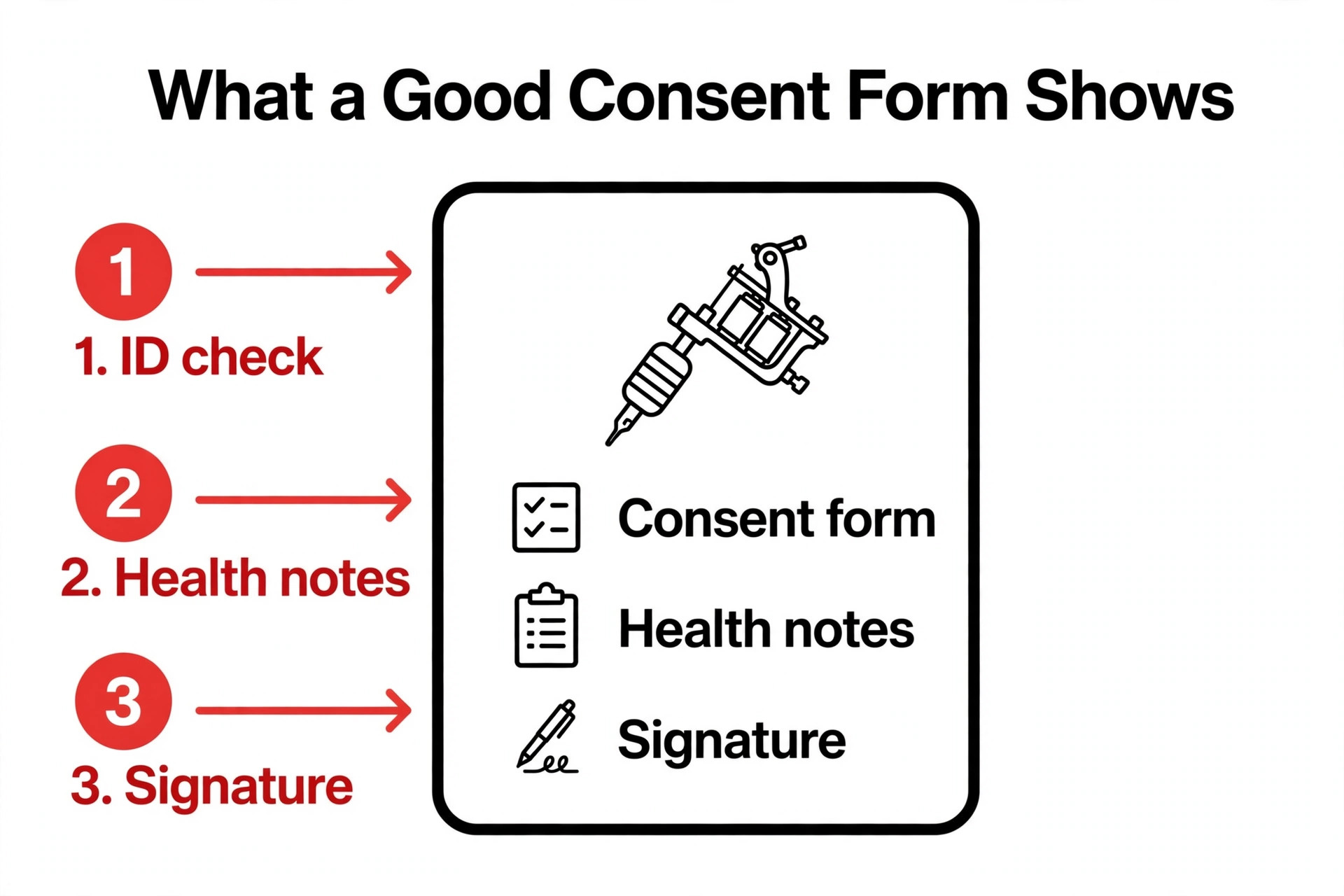
Consent forms and client records are the third check. A digital consent form signed on a tablet beats a paper form in a drawer when a client disputes aftercare or a health question. Look for forms that store against the client record, photo storage for healed work, and commission tracking if your artists are paid on a split. A tool that handles commissions and 1099 reporting saves the owner a full day of admin every month, and that time is worth more than the price difference between the cheap and the mid priced plans.
Best Tattoo Studio Software in 2026 at a Glance
| Tool | Starting price | Best for | Watch out |
|---|---|---|---|
| Apprentice | free, Pro 24.99 dollars a month | Small studios | No in person POS |
| Porter | 35 dollars a month per artist | Shops needing payroll | No free plan |
| Tattoo Studio Pro | 29 dollars a month | Simple flat pricing | No free plan |
| InkBook | 29 dollars a month | Retail heavy shops | Key features tier gated |
| Venue Ink | free with a 10 percent card fee | New low volume studios | Percentage fees |
The first five tools cover the most common shop sizes, and the next five cover the cases where a specialist feature or a lower price changes the answer.
| Tool | Starting price | Best for | Watch out |
|---|---|---|---|
| Booksy | 29.99 dollars a month | New client discovery | Per user pricing |
| Vagaro | 30 dollars a month | Growing teams | Not tattoo specific |
| Square Appointments | free | Solo artists on a budget | No tattoo features |
| StudioCloud | free | Free general system | Dated interface |
| Twizzlo | free to 150 bookings | Set appointment shops | Thin tattoo features |
The 10 Tools, Reviewed in Full
The ten tools below are ordered by value for a small studio, starting with the strongest all-round pick and ending with the general booking tools that some shops still use.
1. Apprentice
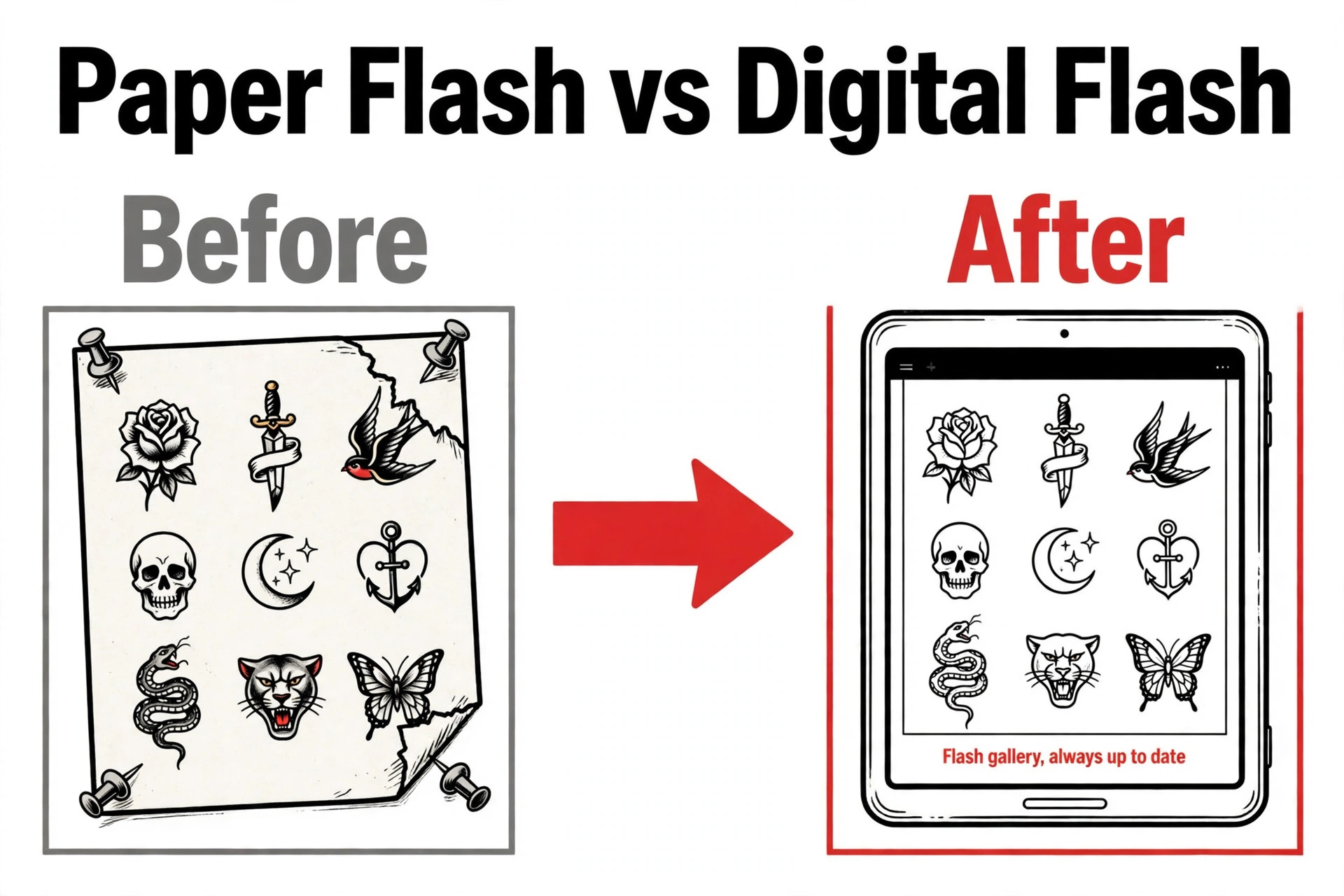
Apprentice is the strongest all-round pick for most tattoo studios because it is tattoo first from the ground up. It covers the full flow from a client sending a request with reference photos, through artist approval and deposit collection, to a signed digital consent form on the day. The flash gallery lets artists sell pre drawn designs directly from the booking page, and the free plan is a working product rather than a trial, which makes it the easiest tool in this list to start with.
Pricing starts at free, Pro 24.99 dollars a month. The free plan covers booking, deposits, consent forms and a flash gallery for up to 50 clients. Pro costs 24.99 dollars a month, and Studio Pro costs 59.99 dollars a month for three artists. Apprentice takes no percentage of your bookings, which is rare in this category, and the weak spot is that in person point of sale is not yet available.
Pick Apprentice when you run a small studio and want booking, deposits, consent and a flash gallery without paying a percentage of every booking. Skip it when you need in person point of sale at the counter, because that feature is still missing.
2. Porter
Porter is built only for tattoo studios, and it shows in the back office. Where most tools stop at the booking page, Porter carries the job through to payroll, with automated commission splits, 1099 forms for artists, and a point of sale that handles retail and gift cards. It also covers liability waivers and consent forms on the Studio Pro plan. The trade off is price, because there is no free plan and the shop plan costs more than most small studios expect to pay for software.
Pricing starts at 35 dollars a month per artist. Artist Essentials costs 35 dollars a month, Artist Pro costs 65 dollars a month, and Studio Pro costs 250 dollars a month per location with unlimited artists and staff. The shop plan adds point of sale, payroll, commission splits and 1099 reporting, which is the back office that most tattoo tools skip entirely.
Porter fits best when your shop needs a real back office with payroll, commissions and 1099s as well as booking. It fits worst when you are a solo artist on a tight budget, because there is no free plan.
3. Tattoo Studio Pro
Tattoo Studio Pro is the simplest paid option in this list, and that simplicity is the selling point. It is a tattoo specific system that covers appointments, digital consent forms, deposits, client records and in person point of sale, with the same features on every plan and pricing that scales by team size. There is no free plan and no AI design tool, but for a shop that wants one price and every feature unlocked, the 29 dollar starting price is the cheapest paid route to a complete setup.
Pricing starts at 29 dollars a month. Solo starts at 29 dollars a month, and every feature is included on every plan, so there is no tier to outgrow. A 30 day trial is available. There are no add on modules to buy later, which keeps the bill predictable, and in person point of sale is included.
Pick Tattoo Studio Pro when you want every feature unlocked for one flat price with no tier games. Skip it when you want a free plan or AI design help, because neither is offered.
4. InkBook
InkBook, now sold as DaySmart Body Art, is the retail heavy option in this list. It pairs booking with a point of sale that handles gift cards, packages and loyalty, which suits shops that sell a lot of aftercare and merchandise at the counter. It also covers client portals and commission tracking. The catch is tier gating, because consent forms, two way texting and marketing are locked to the Deluxe plans, so the headline price is not the price of the full product.
Pricing starts at 29 dollars a month. Paid plans run 29 to 79 dollars a month on monthly billing, or 19 dollars a month for Pro and 59 dollars a month for Studio on annual billing. A free plan covers three bookings a month. Consent forms, two way texting and marketing sit on the higher tiers, and two way SMS needs the Deluxe Growth plan at 149 dollars a month.
InkBook fits best when your shop sells a lot at the counter and wants gift cards, packages and loyalty in one system. It fits worst when you need consent forms and texting on the cheapest plan, because they sit on higher tiers.
5. Venue Ink
Venue Ink takes a different approach to pricing, because the free plans charge a percentage of each card payment instead of a monthly fee. It covers request review, reference uploads, custom booking forms, flash galleries and deposits, which is the full tattoo workflow. The paid plans cut the fee to 5 percent. This model suits a new studio with low volume, but the fee grows with every booking, so a busy shop should compare the percentage against a flat 29 dollar subscription before committing.
Pricing starts at free with a 10 percent card fee. Solo and Studio cost 0 dollars a month with a 10 percent card fee charged to clients by default. Solo Pro costs 50 dollars a month and Studio Pro costs 150 dollars a month, both with a 5 percent fee. The fee model means a busy studio can pay more in fees than a flat subscription would cost, so check the maths at your real booking volume.
Pick Venue Ink when you are starting out with low booking volume and want no monthly bill. Skip it when you take many card bookings a month, because the percentage fee adds up fast.
6. Booksy
Booksy is a general beauty booking platform that many tattoo studios use for its marketplace reach. It covers online booking, client and calendar management, point of sale, no show protection through card on file deposits, forms and waivers, waitlists, gift cards and reporting, with a free marketplace listing that claims more than 40 million users. The trade off is that it is not tattoo specific, so custom work and artist approval need workarounds, and the per user price climbs as the team grows.
Pricing starts at 29.99 dollars a month. Booksy costs 29.99 dollars a month for the first person plus 20 dollars a month per extra user, plus tax. One plan includes every feature. The optional Boost feature takes 30 percent of a new client first visit, capped at 100 dollars, and card processing is extra.
Booksy fits best when you want new client discovery through a large booking marketplace as well as scheduling. It fits worst when your work is mostly custom pieces that need artist approval before booking.
7. Vagaro
Vagaro is a salon and spa platform that covers tattoo studios well when the shop also sells retail or runs memberships. It offers online booking through its own platform and social channels, a calendar with waitlist and resource management, unlimited reminders, point of sale, inventory, memberships, gift certificates, loyalty, and payroll and rent collection. It is a broad tool rather than a tattoo specialist, so consent and flash sales need more setup, but the price cap makes it good value for a growing team.
Pricing starts at 30 dollars a month. Vagaro costs 30 dollars a month, shown as 23.99 dollars a month for the first six months. Each extra employee calendar costs 10 dollars a month up to seven, after which extra employees are free. The subscription is capped at 83.99 dollars a month no matter how many providers you add, which makes the maths predictable for larger teams.
Pick Vagaro when you run a larger team and want a capped monthly bill with memberships and retail included. Skip it when you want tattoo specific request and approval workflows out of the box.
8. Square Appointments
Square Appointments is the cheapest way into online booking, because the free tier costs nothing and the point of sale hardware is familiar to most shop owners. It covers booking, reminders, client records, payments and deposits, and it connects to the wider Square system for retail and inventory. The weakness is depth, because there are no tattoo specific consent workflows, no flash gallery, and no commission splits, so a shop that needs those will outgrow it and still need a second tool.
Pricing starts at free. The free tier covers booking for a solo provider, and the Plus plan costs 29 dollars a month per location with more features. Card processing is charged per transaction, and hardware such as card readers is sold separately.
Square Appointments fits best when you are a solo artist who needs free booking and a card reader and nothing else. It fits worst when you need consent forms, flash sales or commission tracking built in.
9. StudioCloud
StudioCloud is a general business management system that tattoo studios have used for years, and it covers the basics well. It offers scheduling, client management, cloud sync, reporting and more, on Mac and PC, with a free core that costs nothing to start. The paid boosts add partner and employee features for larger teams. It is not built for tattoo work, so consent forms and flash galleries are not native, but for a shop that wants a free, stable system and is willing to adapt it, the price is hard to beat.
Pricing starts at free. The core system is free, with cloud sync included. PartnerBoost costs 35 dollars a month per user and EmployeeBoost costs 65 dollars a month per user. The free tier is genuinely usable, but the interface feels older than the newer tattoo first tools, and setup takes longer.
Pick StudioCloud when you want a free, stable system and are happy to adapt a general tool to tattoo work. Skip it when you want modern tattoo workflows without custom setup.
10. Twizzlo
Twizzlo is a web based booking tool for appointment businesses that covers tattoo studios through a public booking page, client records, staff schedules and shifts, and Stripe payments. The free tier up to 150 bookings is generous, and the paid plan is priced per business, so adding artists does not raise the bill. It handles reminders and deposits, but it lacks the request review, reference upload and flash gallery workflow that the tattoo first tools build in, so custom heavy shops will feel the gap.
Pricing starts at free to 150 bookings. The free plan covers up to 150 bookings, and Business Pro costs 29.99 dollars a month per business, not per artist. Pricing per business rather than per artist makes it cheap for multi artist shops, though the tattoo specific features are thinner than the specialists.
Twizzlo fits best when you book set appointments directly and want one price per business as you add artists. It fits worst when most of your work is custom and needs reference uploads and artist approval.
Best Pick by Studio Size
Studio size decides the answer more than any feature list, because per artist pricing punishes a growing team while percentage fees punish a busy one. Use the table below as the short version of this guide.
| Job | Pick | Why |
|---|---|---|
| Solo artist, low volume | Apprentice free plan | Booking, deposits and consent at 0 dollars a month |
| Solo artist, steady bookings | Tattoo Studio Pro | Every feature for 29 dollars a month, no tier games |
| 2 to 4 artists | Vagaro | Capped bill and memberships, 30 dollars a month to start |
| 5 plus artists | Porter Studio Pro | Payroll, commissions and 1099s for 250 dollars a month |
| Retail heavy shop | InkBook | Gift cards, packages and loyalty at the counter |
What a Three Artist Studio Actually Pays
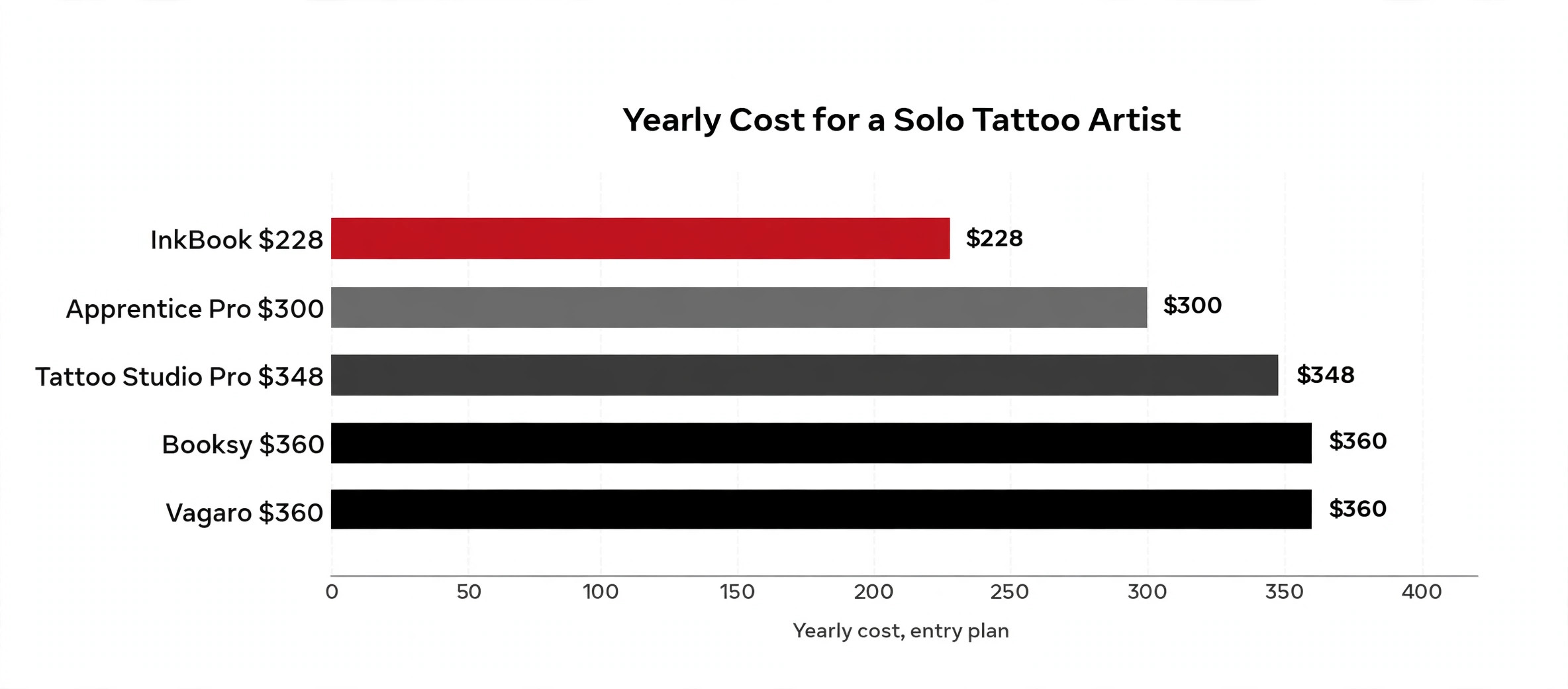
The monthly subscription is only the first line of the bill, because card fees, extra users and add ons decide the real cost. The table below shows the yearly subscription for a three artist studio on the entry plan that covers deposits and consent, before card processing. Apprentice Pro and Tattoo Studio Pro stay under 360 dollars a year, Vagaro matches them, Booksy climbs because it charges per user, and Porter Studio Pro costs ten times more because it includes payroll and 1099 reporting. Card fees sit on top of every figure here, and a studio that takes 200 card bookings a month pays far more in processing than in software.
| Tool | Monthly | Yearly | What is extra |
|---|---|---|---|
| Apprentice Pro | 24.99 dollars | 299.88 dollars | Card fees only |
| Tattoo Studio Pro | 29 dollars | 348 dollars | Card fees only |
| Vagaro | 30 dollars | 360 dollars | Extra calendars 10 dollars each |
| Booksy, 3 artists | 69.99 dollars | 839.88 dollars | Boost fees optional |
| Porter Studio Pro | 250 dollars | 3,000 dollars | Payroll included |
The lesson is to compare the yearly total at your real artist count and booking volume, not the monthly headline. A free plan with a 10 percent booking fee can cost more than a 30 dollar subscription once volume rises, and a premium plan that includes payroll can be cheaper than a cheap plan plus an accountant. Work out the twelve month cost for your shop, add the card fees from your last three months of bookings, and the cheapest tool usually reveals itself in one line of maths.
Mistakes That Cost Tattoo Studios Money
The most common mistake is choosing a tool on the monthly price and ignoring the fee model. A studio that takes 200 card bookings a month on a 10 percent fee plan pays far more than a studio on a 30 dollar flat subscription, and the difference grows with every booking. Work out the total monthly cost at your real volume, including card fees, per user charges and add ons, before you sign up. A spreadsheet with your last three months of bookings gives you the answer in ten minutes.
The second mistake is buying a generic salon tool and then running custom work through direct messages anyway. If most of your income comes from custom pieces, the request and approval workflow is the product, and a tool without it only covers the easy half of the business. Trial the tool with a real custom enquiry before you commit, from the client sending references to the artist approving and the deposit being taken, and watch where the process breaks.
The third mistake is skipping consent forms because paper feels faster. A digital form signed on a tablet takes the same thirty seconds, and it stores against the client record where you can find it a year later. Paper forms get lost, fade, and cannot be searched. If the tool you choose gates consent forms behind a higher tier, price that tier into your comparison from the start, because you will need it.
Our Verdict
Apprentice is the pick for most tattoo studios on this list, because the free plan covers booking, deposits, consent and a flash gallery for up to 50 clients, and Pro costs 24.99 dollars a month with no percentage taken from your bookings. It is the only tool here that is tattoo first, genuinely free to start, and priced by the shop rather than by the booking.
Tattoo Studio Pro is the pick when you want a simple paid setup, because 29 dollars a month buys every feature with no tier to outgrow. Porter Studio Pro is the pick for a larger shop that needs payroll, commission splits and 1099 reporting, at 250 dollars a month. Start free on Apprentice, run it for a month with real clients, and only pay when a paid feature earns its place.
Frequently Asked Questions
What is the best tattoo studio software for a small studio?
Apprentice is the strongest pick for most small studios, because the free plan covers booking, deposits, consent forms and a flash gallery for up to 50 clients, and Pro costs 24.99 dollars a month. Tattoo Studio Pro at 29 dollars a month is the best simple paid option, because every feature is included on every plan. The right answer depends on artist count and whether you need payroll, so trial two tools with real bookings before you choose.
How much does tattoo studio software cost per month?
A solo artist can pay nothing on a free plan from Apprentice, Venue Ink or Square Appointments, apart from card fees. Paid plans for small studios run 24.99 to 35 dollars a month per artist, or 29 to 30 dollars a month per shop on flat priced tools. A five artist shop on a premium plan can pay 250 dollars a month, and percentage fee plans can cost more than a flat subscription once booking volume rises.
Do tattoo booking tools take deposits?
Yes, every tool in this guide takes deposits, which is the single most valuable feature for a tattoo studio. Apprentice, Tattoo Studio Pro, Porter, InkBook, Venue Ink, Booksy, Vagaro and the rest all collect a deposit at booking. Check who pays the card fee and whether the deposit is refundable under the tool policy, because those details decide how much of the deposit you actually keep when a client cancels.
Can tattoo software handle custom tattoo requests?
Tattoo first tools can, because they were built for it. Apprentice, Venue Ink and Porter let a client send references and a description, wait for the artist to approve the idea, and then take a deposit before any time is offered. Generic salon tools such as Booksy and Vagaro only handle fixed slot booking, so custom work still runs through direct messages unless you build a workaround.
Does tattoo studio software include digital consent forms?
Most tools in this guide include digital consent forms, but some gate them behind higher tiers. Apprentice includes consent on the free plan, and Tattoo Studio Pro includes it on every plan. InkBook locks consent forms to its Deluxe tiers, so the headline price is not the price of the full product. A signed digital form stored against the client record beats a paper form in a drawer when a client disputes aftercare.
Is free tattoo studio software good enough?
For a solo artist or a new studio, yes. Apprentice free covers booking, deposits, consent and a flash gallery for up to 50 clients, and Square Appointments free covers basic booking and payments. The free plans stop being enough when you need payroll, commission splits, in person point of sale, or more than 50 clients, and that is the point to move to a paid plan rather than before.
Can I switch tattoo studio software later without losing client records?
Yes, but the move takes planning rather than a single click. Export client records, appointment history, deposits and consent forms from the old tool, then test the import with a small batch of clients before moving the rest. Keep the old system running for a month in parallel, and check that deposits and consent forms carried across before you cancel. A switch planned over two weeks is painless, while a rushed switch loses the records that matter most.
Pick the tool that matches the way your shop actually books work, trial it with real clients for a month, and only pay for the plan whose features you use every week.
That is the short answer on best tattoo studio software for most small businesses.
If you only remember one thing about best tattoo studio software, make it the total yearly cost, not the monthly sticker price.
The right way to judge best tattoo studio software is by the job it has to do every day, not by the feature list on the sales page.
Most buyers who research best tattoo studio software end up paying for a plan they outgrow within a year, so buy for the business you will have in twelve months.