Your phone bill is lying to you. The price on the pricing page is never the price on the invoice, because the plan rate is only the first line. Taxes, regulatory fees, extra numbers, toll free minutes, and the features locked behind the next tier up all add to the monthly total. A plan that advertises 15 dollars a user can easily cost 22 dollars a user by the time the first bill arrives, and a team of five pays that gap every single month. This guide breaks down virtual phone system pricing for small business the way the bill actually reads, plan by plan, fee by fee, and team size by team size.
We read the pricing pages of 10 providers in November 2026 and recorded only what those pages state, the price and whether it is for monthly or annual billing, seat minimums and user caps, what each plan tier includes, trials, and the extra charges the provider itself lists. Annual billing prices are shown first, because every provider discounts them, and the monthly price is shown beside them so you can see what flexibility costs.
How We Compared Virtual Phone System Pricing for Small Business
We scored each provider on six points. Entry price covered the lowest paid plan on annual billing, which is how most small businesses actually buy. Monthly price covered the same plan paid month to month, because the gap between the two is the cost of not committing for a year. Feature gates covered which essentials sit behind a higher tier, because call recording, a phone menu, and CRM integrations are often not in the entry plan.
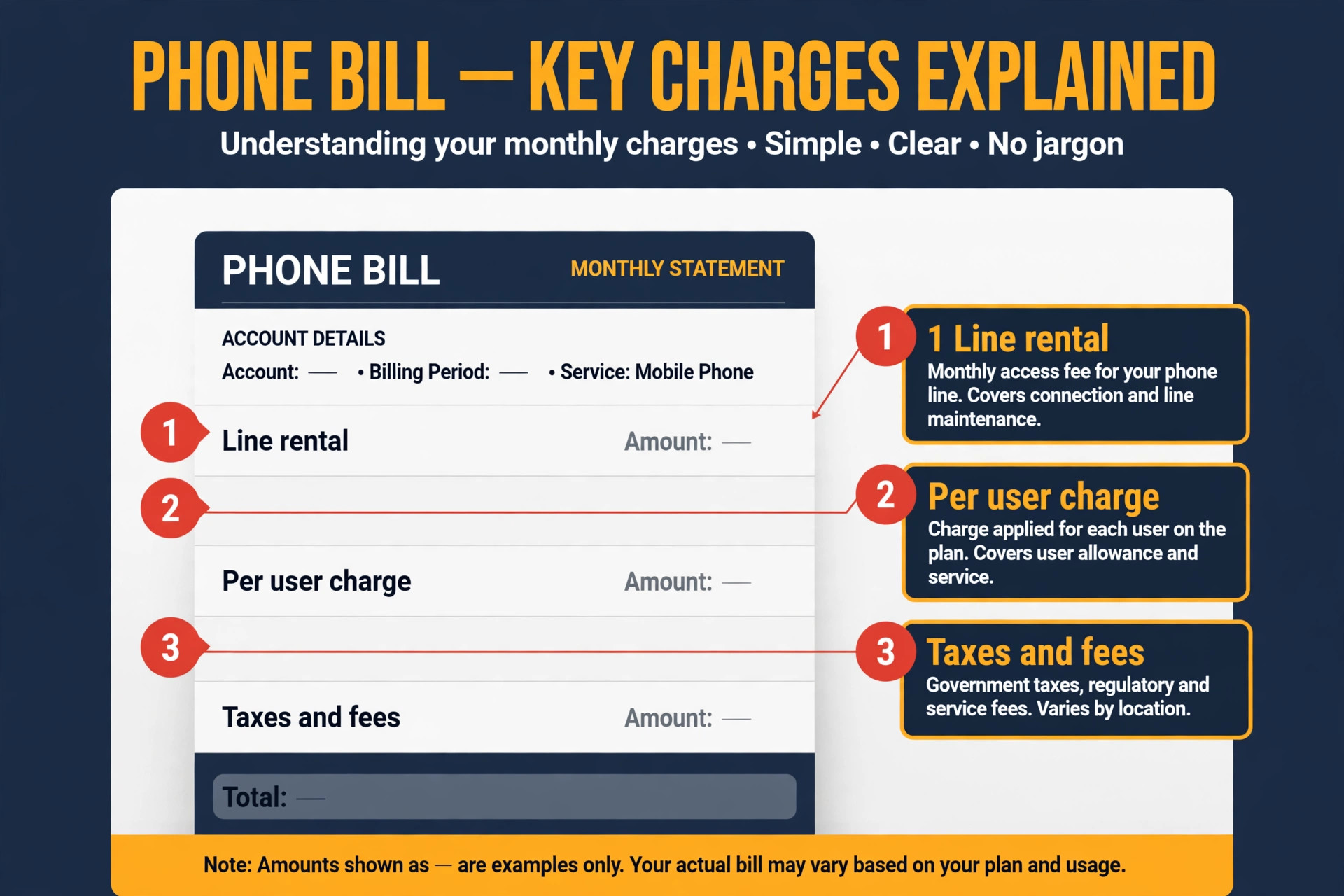
We also scored hidden costs, which is where phone pricing gets honest. Taxes and regulatory fees are added to every bill and usually run 10 to 20 percent on top of the plan price. Extra phone numbers cost 5 to 9 dollars a month each. Toll free minutes are capped on some plans and billed per minute after the cap. International calling is metered everywhere, and the per minute rates vary widely. A provider that looks cheap on the plan page can be expensive once these lines are counted.
Finally, we scored trial terms and minimums. Some providers offer a 14 day free trial, some offer 7 days, and one major provider offers no trial at all, only a demo. Some providers require a minimum of three licences, which changes the maths for a two person business. Those terms are part of the price, because a tool you cannot try is a tool you buy blind.
The Price at a Glance
| Provider | Entry plan, annual billing | Entry plan, monthly billing | Free trial |
|---|---|---|---|
| Grasshopper | 14 dollars a month, flat rate | 18 dollars a month, flat rate | 7 days, no card |
| Google Voice | 10 dollars per user a month | 10 dollars per user a month | None, Workspace trial only |
| Zoom Phone | 10.50 dollars per user a month | 12 dollars per user a month | 30 days on some plans |
| Vonage | 13.99 dollars per user a month | 13.99 dollars per user a month | 14 days |
| Nextiva | 15 dollars per user a month | 23 dollars per user a month | None, demo only |
| Dialpad | 15 dollars per user a month | 27 dollars per user a month | 14 days |
| Quo | 15 dollars per user a month | 19 dollars per user a month | 7 days |
| Phone.com | 18 dollars a month | 18 dollars a month | 30 days |
| RingCentral | 20 dollars per user a month | 30 dollars per user a month | 14 days |
| MightyCall | 25 dollars a month | 25 dollars a month | 7 days |
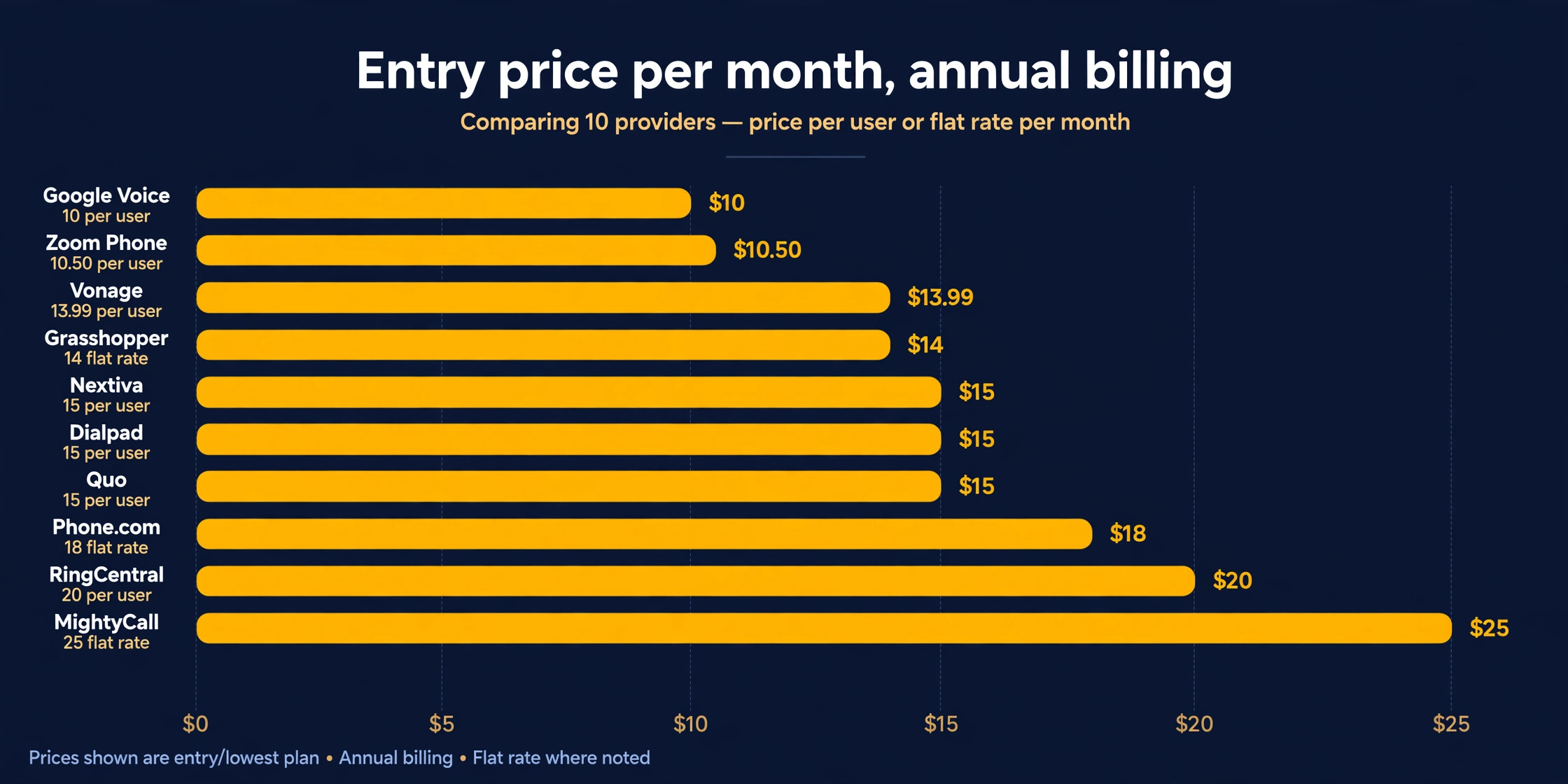
Entry prices run from 10 dollars to 25 dollars a user a month on annual billing, but the billing model matters as much as the number. Grasshopper, Phone.com, and MightyCall charge a flat rate per account rather than per user, which makes them far cheaper for a team that shares one number. The per user providers look cheap for one person and expensive for ten, and that is the first calculation to run.
The Fee Breakdown
| Cost | What it is | Typical range | Who charges it |
|---|---|---|---|
| Plan subscription | The monthly or annual plan rate | 10 to 25 dollars per user | Every provider |
| Taxes and regulatory fees | Federal, state, and local surcharges | 10 to 20 percent on top | Every provider |
| Extra phone numbers | A second local or toll free number | 5 to 9 dollars a month each | Most providers |
| Toll free minutes | Calls to your toll free number | 100 to 500 free, then per minute | Nextiva, RingCentral, Grasshopper |
| SMS overage | Texts above the plan allowance | 25 to 100 texts per user included | RingCentral, Nextiva |
| International calling | Calls outside the US and Canada | 1 to 5 cents a minute and up | Every provider |
| Number porting | Moving your existing number in | Usually free | Every provider |
| Desk phones | Physical handsets, if you want them | 100 to 300 dollars each | Hardware vendors |
| Setup fees | One time account setup | Usually zero | Rare, check before signing |
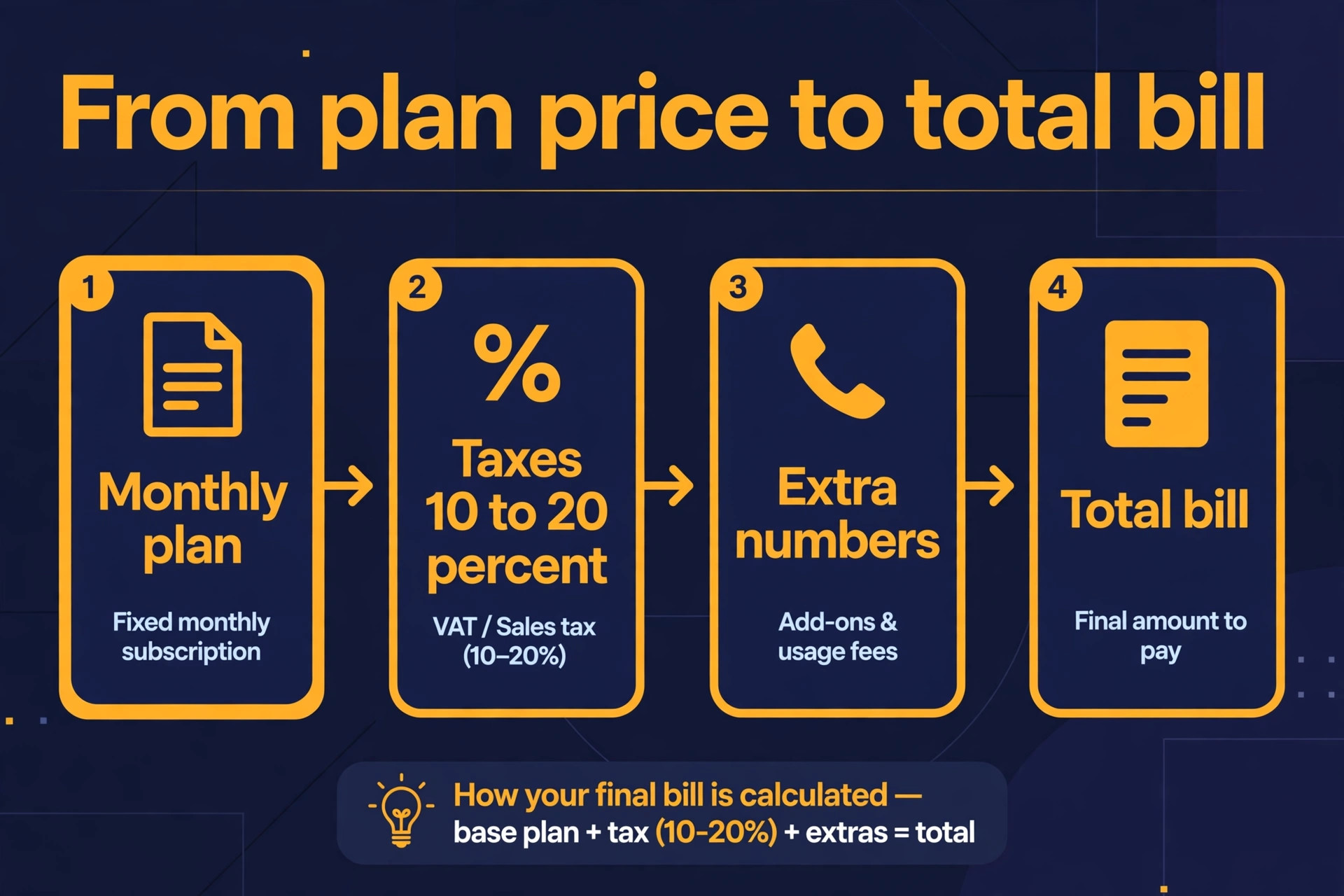
The fee table is the part of this guide to keep. Add the plan price, add 15 percent for taxes as a planning figure, add the cost of any extra numbers, and check whether your plan includes call recording and a phone menu. That total is your real monthly bill, and it is the number to compare across providers, not the headline rate on the pricing page.
Virtual Phone System Prices by Provider
The 10 providers below are ordered from the lowest entry price to the highest, on annual billing where the provider offers it. Read the plan details, not just the price, because the entry plan of one provider includes features that another provider locks behind a plan costing twice as much.
1. Google Voice
Google Voice is the cheapest way to add a business number when your team already lives in Google Workspace. Starter costs 10 dollars per user per month for up to 10 users, Standard costs 20 dollars, and Premier costs 30 dollars. The catch is that every user also needs Google Workspace, which costs 7 dollars per user a month on the annual plan for the Starter edition, so the real cost for a new team is 17 dollars per user, not 10.
Starter covers unlimited domestic calling, voicemail transcription, and call forwarding to your mobile. The phone menu, or auto attendant, is missing from Starter and arrives on Standard. There is no free trial of Voice itself, only the Workspace trial. Google Voice is the right choice for a small team already paying for Workspace that needs a simple business line. It is the wrong choice for a team that needs a phone menu, call recording, or advanced routing on day one.
2. Zoom Phone
Zoom Phone is the cheapest way to add voice to a business that already runs on Zoom, and the entry price is the lowest per user rate on this list. The metered plan costs 10.50 dollars per user a month on annual billing, or 12 dollars month to month, with unlimited domestic calling billed by usage. The unlimited plan costs 16 dollars a month on annual billing, or 18 dollars month to month. Business Plus costs 24.50 dollars a month on annual billing and adds more features.
The metered plan suits a business that makes few calls, because the low base rate beats every rival, but a business that talks all day will find the unlimited plan cheaper once usage is counted. Zoom Phone includes voicemail, call forwarding, and a phone menu, and it sits inside the Zoom app your team already opens every day. It is the right choice when Zoom is already your meeting tool. It is the wrong choice when you need a standalone phone system with deep CRM integrations, because Zoom Phone is built around Zoom first.
3. Vonage
Vonage starts at 13.99 dollars per user a month, with no discount for annual billing on the entry tier, which makes it one of the few providers where the monthly and annual prices are the same. The entry plan covers unlimited domestic calling, a phone menu, voicemail to email, and a mobile app. Higher tiers add CRM integrations, call recording, and advanced analytics, and the price rises with them.
Vonage has no seat minimum on the entry plan, so a two person business pays for two users and nothing more. There is a 14 day free trial, which is enough to test call quality and the mobile app before committing. Vonage is the right choice for a small team that wants a straightforward per user price with no annual commitment games.
4. Grasshopper
Grasshopper plays a different game from every other provider on this list, because it charges a flat rate per account instead of per user. True Solo costs 14 dollars a month on annual billing, or 18 dollars month to month, for one user, one number, and one extension. Solo Plus costs 25 dollars a month on annual billing, or 32 dollars month to month, and covers unlimited users on one number with three extensions. Small Business costs 55 dollars a month on annual billing, or 70 dollars month to month, for unlimited users, four numbers, and unlimited extensions.
The maths favours small teams. Five people on Solo Plus cost 25 dollars a month in total, versus 50 to 100 dollars a month on per user plans. Ten people on Small Business cost 55 dollars a month in total, versus 150 to 200 dollars elsewhere. The trade off is depth. Grasshopper forwards calls to your existing phones rather than running a full unified communications platform, so there is no team messaging, no video meetings, and no CRM integration to speak of.
Grasshopper is the right choice for a solo owner or a small team that wants one business number on their mobiles. It is the wrong choice for a team that needs internal messaging, video, and integrations in the same tool.
5. Nextiva
Nextiva built its reputation on reliability and human support, and its pricing reflects that. Core costs 15 dollars per user a month on annual billing, or 23 dollars month to month, with unlimited voice, video, SMS, and team chat, plus free number porting and no setup fees. Engage costs 25 dollars a month on annual billing, or 50 dollars month to month, and adds call recording. Scale costs 75 dollars a month and adds advanced analytics and AI features.
The annual discount is the steepest on this list, because the monthly price is more than 50 percent higher than the annual price on Core. The 12 month minimum term for small businesses is part of that deal, so budget for a year, not a month. There is no free trial, only demos, which is the main buying friction. Nextiva targets 99.999 percent uptime on its own carrier grade network, and support is staffed by humans around the clock on every plan.
Nextiva is the right choice when reliability and support matter more than the lowest price. It is the wrong choice when you want to try before you buy, because the lack of a trial means you commit on the strength of a demo.
6. Dialpad
Dialpad is the AI first phone system on this list, and its pricing starts low but rises fast between monthly and annual billing. The Connect Standard plan costs 15 dollars per user a month on annual billing, or 27 dollars month to month. Pro costs 25 dollars a month on annual billing and adds CRM integrations, advanced analytics, and more AI features. Enterprise pricing is custom.
Every plan includes AI call transcription, real time call summaries, and voice intelligence, which is the reason to choose Dialpad over a cheaper rival. The entry plan covers unlimited calling in the US and Canada, a phone menu, voicemail transcription, and team messaging. There is a 14 day free trial. The gap between the annual and monthly price is the largest on this list, so the 15 dollar rate only exists when you commit for a year.
Dialpad is the right choice for a team that wants AI notes and summaries on every call without paying for a separate tool. It is the wrong choice when you want to pay month to month, because the monthly rate nearly doubles the price.
7. Quo
Quo, formerly OpenPhone, is the modern pick for text heavy small teams. It costs 15 dollars per user a month on annual billing, or 19 dollars month to month, with unlimited calling to the US and Canada, SMS and MMS, shared phone numbers, and a clean app on every platform. Extra numbers cost 5 dollars a month each, which is the lowest add on rate on this list.
Shared numbers are the standout feature. A team can share one business number, see the same message threads, and hand a conversation to a colleague without forwarding or confusion. That workflow suits a small business where two or three people answer the same line. There is a 7 day free trial. The limits are the depth of the phone system, because there is no built in video meeting tool and no advanced contact centre tier.
Quo is the right choice for a small team that lives on text and shared numbers. It is the wrong choice for a business that needs video meetings and deep integrations in the same subscription.
8. Phone.com
Phone.com is the customisable option on this list, with plans built around how many minutes and numbers you need rather than how many users you have. Plans start at 18 dollars a month, with higher tiers at 27 dollars and 40 dollars a month adding more minutes, more numbers, and more features. The flat rate structure means a small team shares the account rather than paying per seat.
The platform covers a phone menu, call forwarding, voicemail transcription, video meetings on higher tiers, and vanity and toll free numbers at no extra cost on some plans. There is a 30 day free trial, the longest on this list.
Phone.com is the right choice when you want a custom number and a flexible plan that does not charge per user. It is the wrong choice when you want the polished app experience of the newer providers.
9. RingCentral
RingCentral RingEX is the reference business phone system on this list, and the most complete platform. Core costs 20 dollars per user a month on annual billing, or 30 dollars month to month, with unlimited US and Canada calling, team messaging, video meetings, and AI call transcription on every plan. Advanced costs 25 dollars a month on annual billing, or 35 dollars month to month, and adds advanced call handling and integrations. Ultra costs 35 dollars a month on annual billing, or 45 dollars month to month, and adds analytics and advanced AI.
The entry plan is the most generous on this list for features, but the SMS allowance is limited to 25 texts per user per month, and extra numbers cost 4.99 dollars a month each. There is a 14 day free trial for new subscribers. RingCentral offers more than 330 integrations, which is the widest on this list, and it scales from a two person business to a large company without changing platform.
RingCentral is the right choice when you want one platform for calls, texts, meetings, and messaging with the deepest integration list. It is the wrong choice when your team sends a lot of texts, because the 25 message allowance runs out fast and the overage adds up.
10. MightyCall
MightyCall is the call management pick on this list, built for a small business that lives on inbound calls. Plans start at 25 dollars a month, with higher tiers at 45 dollars, 65 dollars, and 75 dollars a month adding more numbers, more minutes, and more advanced routing. The flat rate covers the whole team rather than charging per user, which keeps the bill predictable as you hire.
The feature set covers a phone menu, call forwarding, voicemail transcription, call recording on higher tiers, and a clean mobile app. There is a 7 day free trial.
MightyCall is the right choice for a team that handles a high volume of inbound calls and wants strong routing and management. It is the wrong choice for a solo owner, because the flat rate is built for a team.
What the Bill Really Includes
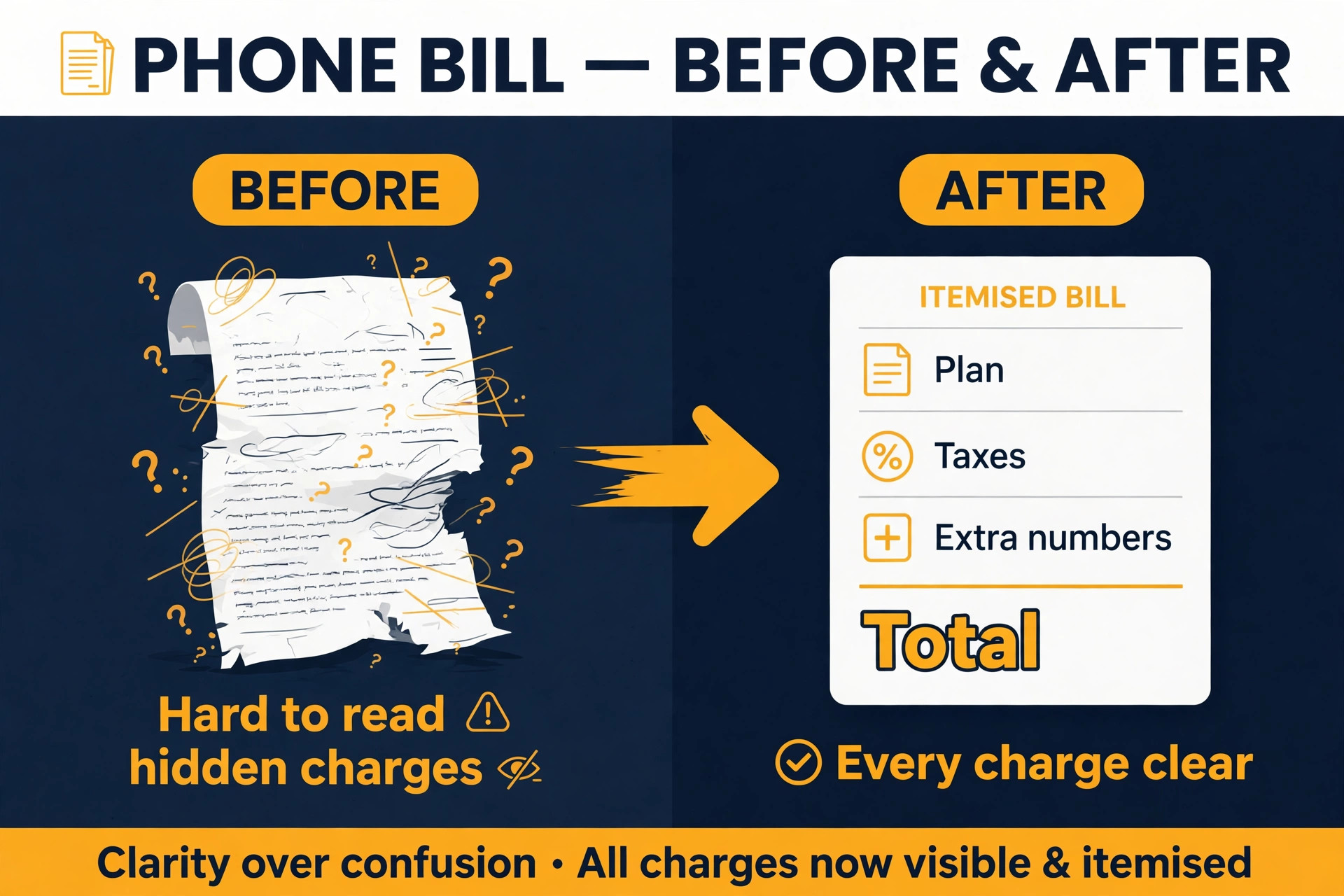
The plan price is the first line of the bill, and the easiest to compare. The second line is taxes and regulatory fees, which every provider adds and none of them advertises clearly. Budget 10 to 20 percent on top of the plan price for these charges, and check the first invoice against the quote, because the fee line is where the surprise usually sits. That gap is the part of virtual phone system pricing for small business that most buyers miss.
The third line is numbers. Your first number is usually included, but a second local number, a toll free number, or a vanity number costs 5 to 9 dollars a month each, depending on the provider. A business with a sales line, a support line, and a toll free number pays for three numbers, and that adds 10 to 18 dollars a month to the bill. Count your numbers before you compare providers, because the provider with the cheapest plan can be the most expensive once numbers are counted.
The fourth line is the features locked behind the next tier. Call recording is the most common gate, and it sits in the second tier at Nextiva, MightyCall, and several others. A phone menu is gated on Google Voice Starter. CRM integrations are gated on Dialpad and Vonage. If you need one of these features, price the tier that includes it, not the entry tier, because the entry price is not your price.
Cost by Team Size
The cheapest provider changes with team size, and this is the calculation that decides the answer for most small businesses.
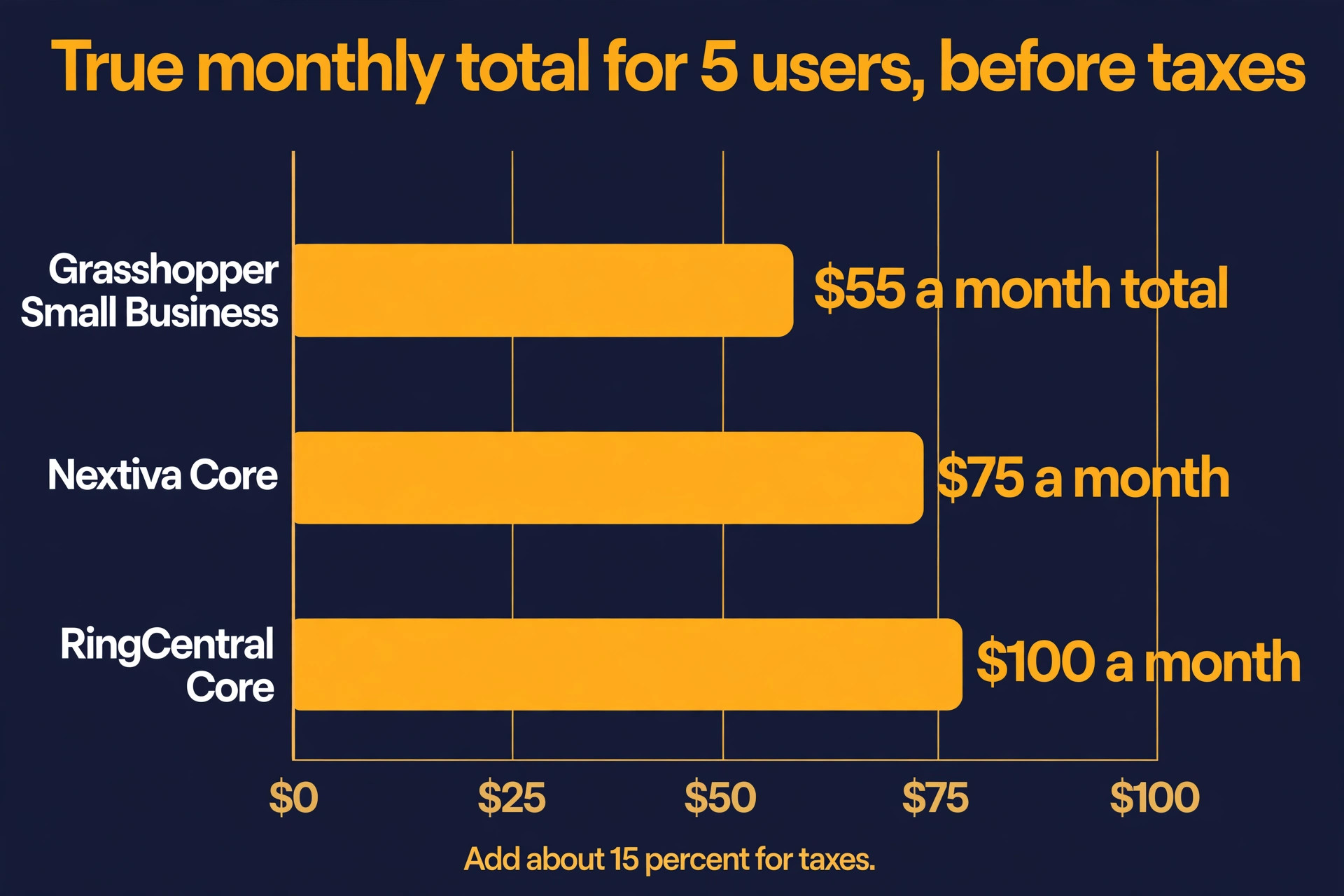
That is why virtual phone system pricing for small business changes with headcount, not just with the plan you pick. For one user, Google Voice at 10 dollars plus Workspace, or Zoom Phone metered at 10.50 dollars, is the cheapest per user option. For five users, Grasshopper Small Business at 55 dollars a month total beats every per user plan, because five users on RingCentral Core cost 100 dollars and five users on Nextiva Core cost 75 dollars. For ten users, Grasshopper at 55 dollars a month total is less than half the cost of any per user provider, while a per user provider at 15 dollars a user costs 150 dollars a month.
The flat rate providers win as the team grows, because the price stays still while the headcount rises. The per user providers win when the team needs the depth of a full platform, because the flat rate tools cannot match the messaging, video, and integration list of RingCentral or Nextiva. A team of ten that needs only a shared number should buy Grasshopper. A team of ten that needs a full communications platform should buy RingCentral or Nextiva and budget 150 to 200 dollars a month before taxes.
The break even point is simple to find. Multiply the per user price by your headcount, add 15 percent for taxes, and compare that total with the flat rate price. When the per user total is higher, the flat rate wins on price. When the per user total is lower, the per user tool wins, and the feature gap is the only remaining question.
How to Choose the Right Phone System
Start with the billing model. A solo owner or a team that shares one number should look at flat rate plans first, because Grasshopper at 14 dollars a month or Phone.com at 18 dollars a month costs less than any per user plan for the same job. A team where everyone needs their own extension, direct number, and messaging should look at per user plans, because the flat rate tools cannot give each person a separate line.
Next, check which features you need on day one. A phone menu, call recording, and CRM integration are the three features most often gated behind a higher tier, and they are also the three features a growing business asks for first. If you need call recording, price the Engage tier at Nextiva or the Advanced tier at RingCentral, not the entry tier. If you need a phone menu, rule out Google Voice Starter. The tier that includes your must have features is your real price.
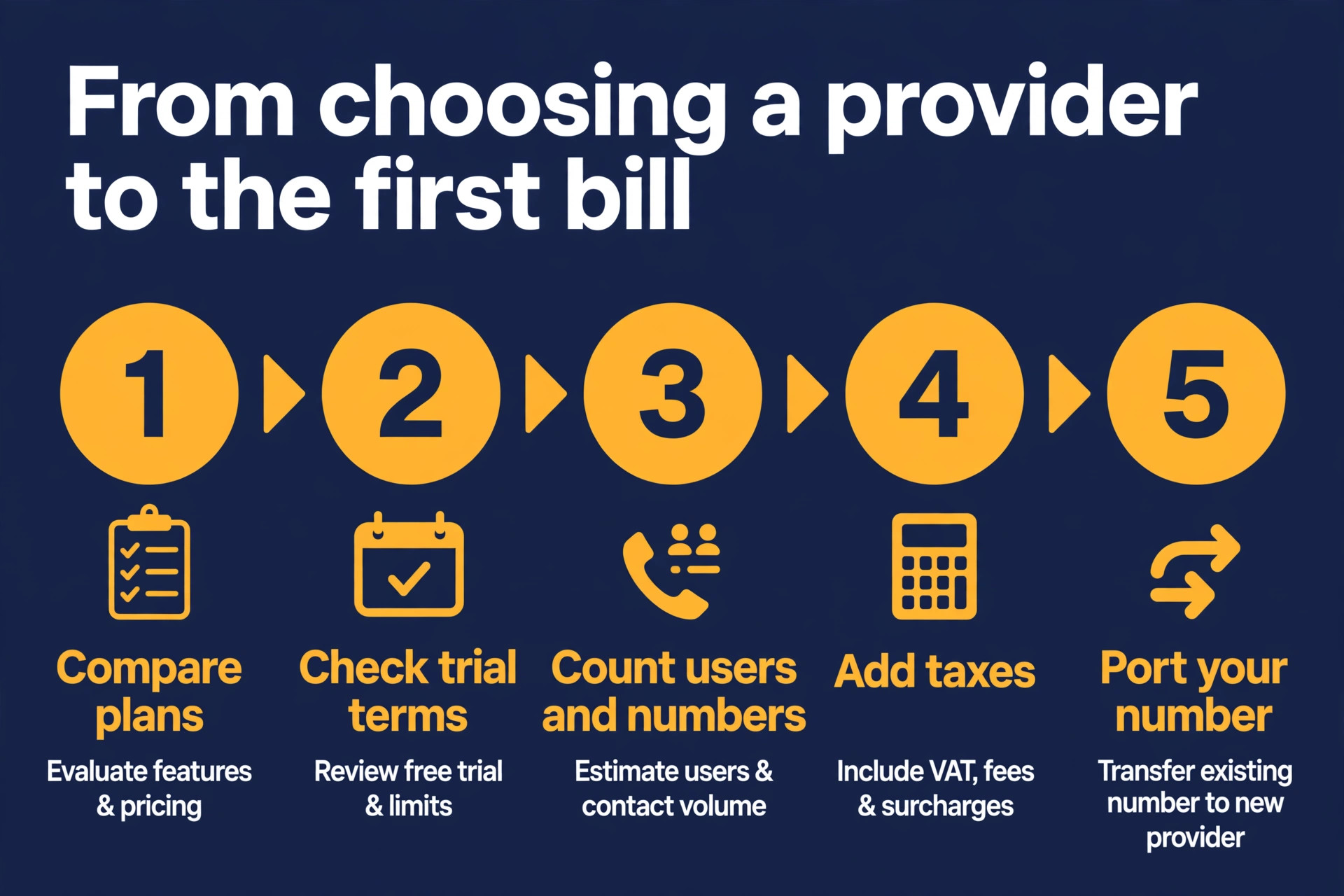
Then check the trial. A provider with no trial, such as Nextiva, asks you to commit on the strength of a demo, while a provider with a 14 day trial, such as RingCentral or Dialpad, lets you test call quality and the mobile app with your real number. Port your number only after the trial, because porting is easy to start and slow to reverse. Virtual phone system pricing for small business is only fair when you compare the same tier, the same billing period, and the same feature set across providers.
Mistakes That Inflate the Phone Bill
The most common mistake is comparing the annual price of one provider with the monthly price of another. This is the most common error when comparing virtual phone system pricing for small business. The annual price is always lower, and the gap can be 50 percent, as it is on Nextiva Core and Dialpad Standard. Compare annual with annual and monthly with monthly, or the comparison is meaningless. Decide whether you will commit for a year before you compare, because the answer changes the winner.
The second mistake is forgetting taxes. Every provider adds taxes and regulatory fees, and the total is usually 10 to 20 percent on top of the plan price. A quote of 100 dollars a month becomes a bill of 115 dollars, and a team that budgets the quote will be short every month. Add 15 percent to every price in this guide when you build your budget.
The third mistake is buying per user when the team shares one number. A five person team on a per user plan pays for five lines it does not need, while a flat rate plan covers the same five people for the price of one or two lines. Check how your team actually answers the phone before you buy, because the answer decides the billing model.
- Compare annual prices with annual prices only.
- Add 15 percent for taxes to every quoted price.
- Count your numbers and your text volume before you choose.
- Price the tier that includes call recording if you need it.
- Trial the service before you port your number.
Our Verdict
RingCentral is the pick for most readers, because Core at 20 dollars per user a month on annual billing is the most complete entry plan on this list, with calls, texts, meetings, and AI transcription included, plus the deepest integration list. A business that wants one platform for all communication will not outgrow it, and the 14 day trial lets you test it properly.
Grasshopper is the pick when the team shares one number, because Solo Plus at 25 dollars a month covers unlimited users for less than two seats on any per user plan. Google Voice is the pick for a team already on Workspace that needs the cheapest possible business line. Virtual phone system pricing for small business rewards the buyer who counts the whole bill, not the headline rate, and the provider that wins is the one whose total, taxes included, fits the team you have today and the team you will have next year.
Frequently Asked Questions
How much does a virtual phone system cost for a small business?
Entry prices run from 10 dollars per user a month for Google Voice Starter or Zoom Phone metered, to 25 dollars a month flat rate for MightyCall. A team of five on a per user plan pays 50 to 100 dollars a month before taxes, while the same team on a flat rate plan pays 25 to 55 dollars a month in total. Add 10 to 20 percent for taxes and regulatory fees, plus 5 to 9 dollars a month for each extra number, to get the real monthly bill.
What is virtual phone system pricing for small business on annual billing?
Annual billing cuts the price by 20 to 50 percent on most providers. RingCentral Core drops from 30 dollars to 20 dollars a user a month, Dialpad Standard drops from 27 dollars to 15 dollars, and Nextiva Core drops from 23 dollars to 15 dollars. Grasshopper True Solo drops from 18 dollars to 14 dollars a month. The annual price requires a 12 month commitment on most providers, so only take it when you are sure the provider fits.
Is a flat rate or per user plan cheaper for a small team?
A flat rate plan is cheaper when the team shares one number, because the price stays still as headcount grows. Five people on Grasshopper Solo Plus cost 25 dollars a month in total, while five people on a 15 dollar per user plan cost 75 dollars. A per user plan is cheaper when each person needs their own direct number, extension, and messaging, because the flat rate tools cannot give each person a separate line.
Do virtual phone systems include call recording?
Call recording is usually gated behind the second tier. Nextiva includes it on Engage at 25 dollars a user a month, RingCentral includes it on Advanced at 25 dollars, and MightyCall includes it on higher tiers. Google Voice includes it only on Premier at 30 dollars. Check the tier that includes recording before you buy, because the entry plan price is not your price when recording is a must have.
Can I keep my existing business number?
Yes. Every provider on this list offers free number porting, and the process usually takes a few days to two weeks depending on your current carrier. Trial the new service with a temporary number first, and port your real number only after you are happy with call quality and the app. Porting is easy to start and slow to reverse, so the trial step matters.
Are there extra fees beyond the plan price?
Yes. Taxes and regulatory fees add 10 to 20 percent to every bill. Extra numbers cost 5 to 9 dollars a month each. SMS above the plan allowance and international calls are billed per message or per minute. Toll free minutes are capped on some plans. Desk phones cost 100 to 300 dollars each when you buy hardware. Setup fees are rare, and most providers charge nothing to set up the account.