Do it in the right order, with a clean start date, a test import of one building, and one parallel month before you turn the spreadsheet off. That order is the verdict after reading every migration guide, forum thread and vendor playbook we could find, and it is the reason most switches succeed while a rushed switch fails. To switch from spreadsheets to property management software well, you do not copy every old row into a new system.
You bring across active properties, owners, tenancies and open items in full, you load a limited amount of history, and you keep the older workbooks as a read only archive. This guide gives you that order, step by step, with the data cleaning, the opening balances, the software picks and the timeline for a small portfolio.
Spreadsheets do not fail loudly. They fail silently, when a renewal date sits in a column nobody opened, when a rent figure is typed into the wrong row, or when two versions of the same file disagree about who paid what. A small landlord with five units can hold that risk in their head. A manager with 20 units, three owners and a maintenance list cannot, and the spreadsheet becomes the bottleneck for every decision, from rent collection to owner statements.
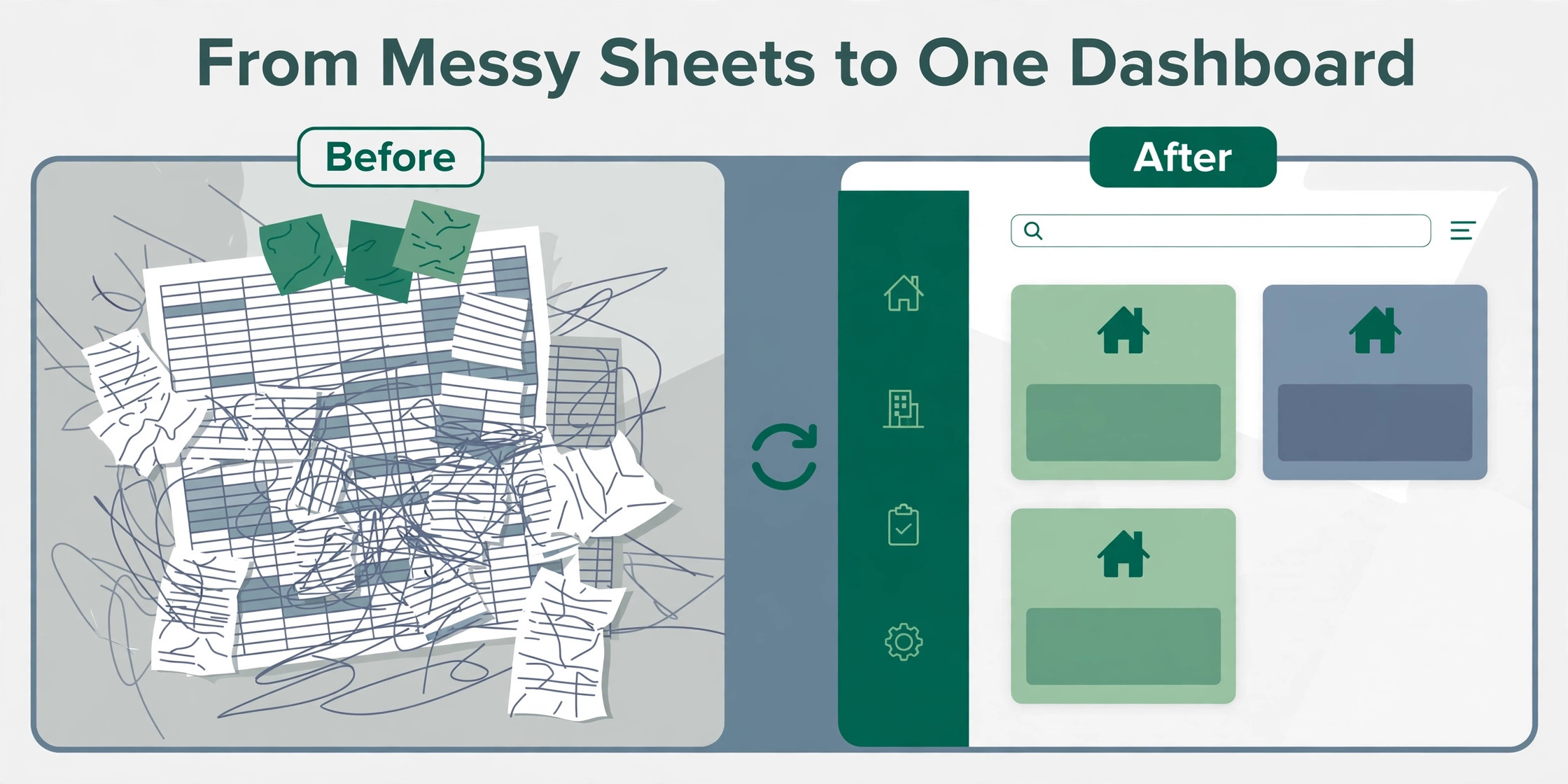
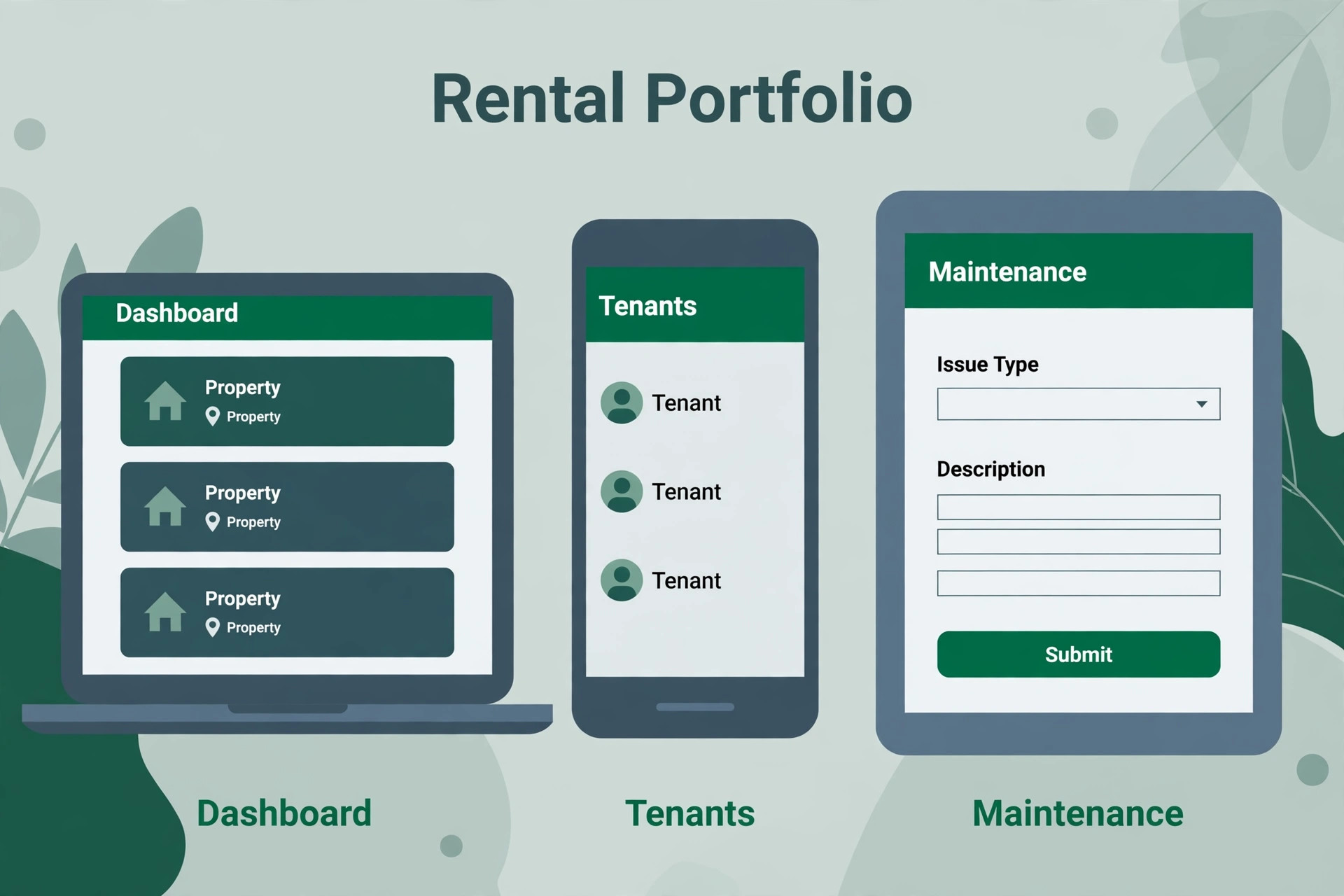
Dedicated software does not just replace the spreadsheet. It turns the same records into statements, reminders, portals and reports without retyping them. A tenant pays online, the payment lands in the ledger, the owner statement updates, and the maintenance ticket moves from reported to assigned to closed in one place. That is the change you are buying, not a prettier table. The migration is the work that gets you there, and it is manageable when you plan it in the order this guide sets out.
Why Spreadsheets Stop Working
A spreadsheet is a good tool for a list, and a poor tool for a system. It has no rules about who can change a rent figure, no audit trail that shows who changed it, and no link between a lease, a payment and a maintenance ticket. When two people edit the same file, one version wins and the other version disappears. When a formula breaks, the error hides in a cell until a statement goes out wrong.
The first sign is time. You spend more time finding the right version, copying figures into a statement, and chasing a missing payment than you spend managing properties. The second sign is risk. A missed renewal, a missed rent review, or a missed deposit deadline can cost more than a year of software. The third sign is growth. A new property means a new tab, a new set of formulas, and a new chance for an error, while software adds a property in minutes with the same structure as the last one.
You are ready to switch from spreadsheets to property management software when several of these sound familiar. Rent collection takes a full day each month. Owner statements take a weekend to prepare. Tenants email you to ask for a copy of a document you already sent. Maintenance requests arrive by text, by email and by phone, with no single list. A lease expiry surprises you. If three or more of those are true, the spreadsheet is costing you more than the software will.
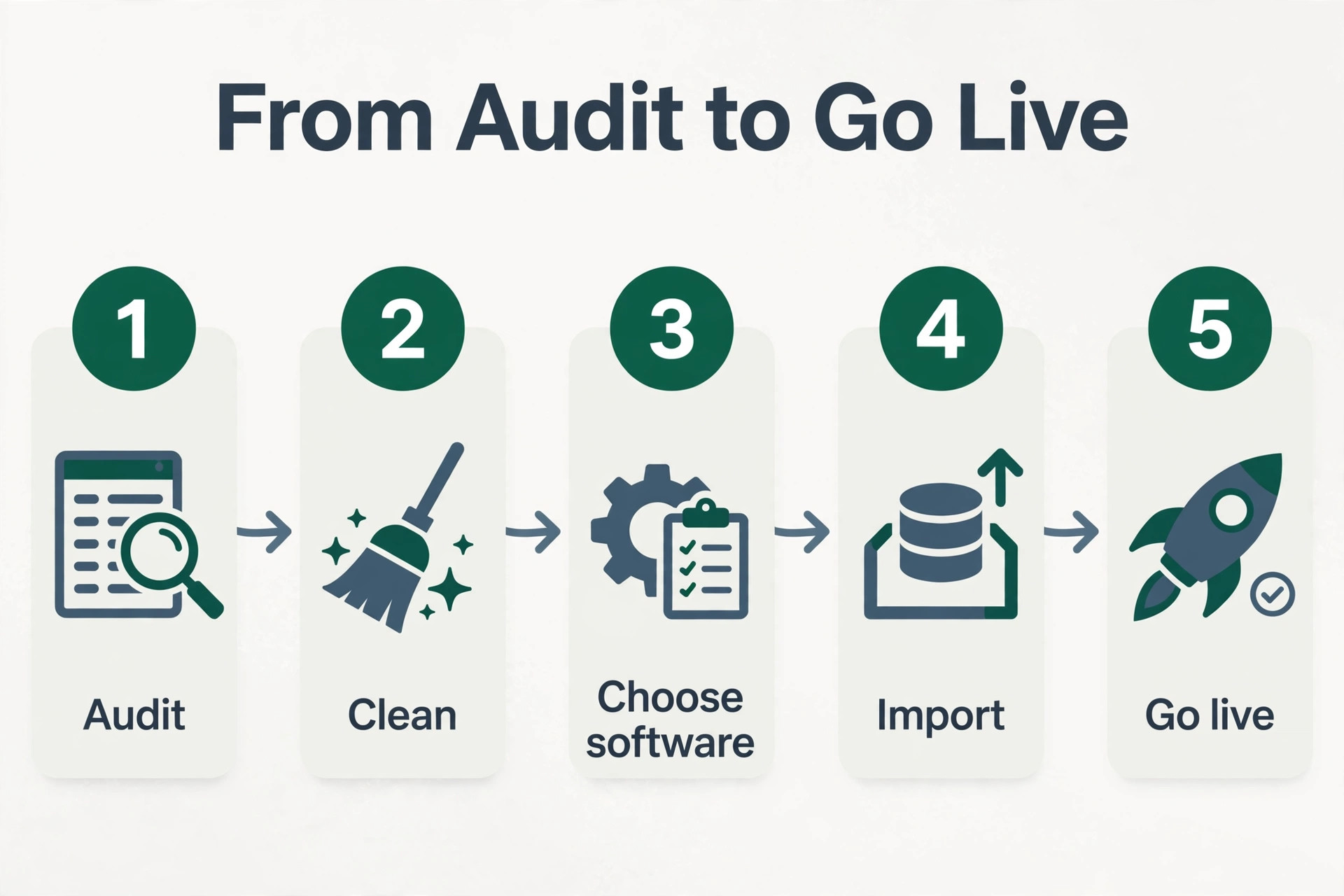
How to Switch from Spreadsheets to Property Management Software in 8 Steps
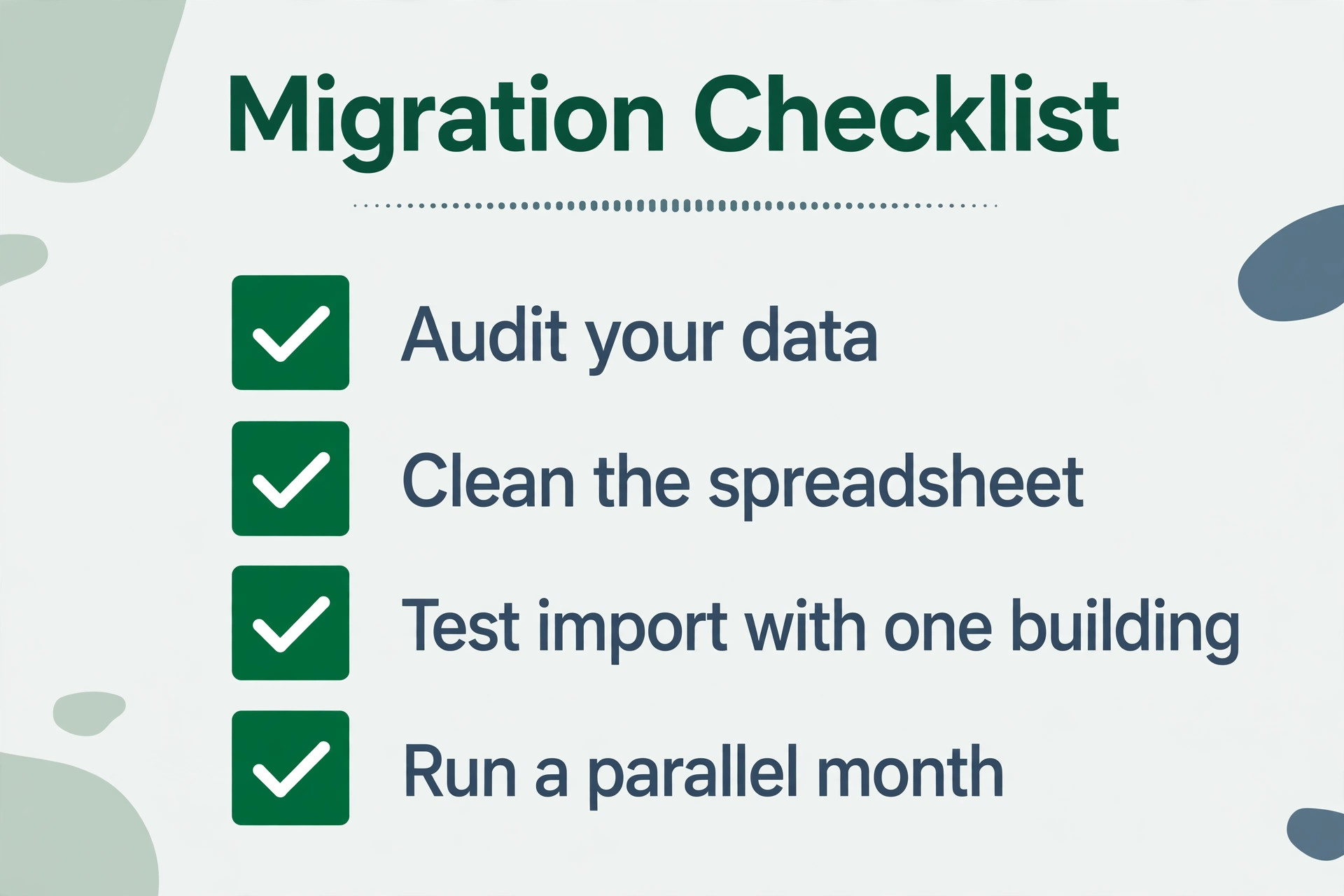
This is the migration checklist for the whole guide, with each step in order. Work through the steps in order, because each one protects the one before it, and skipping a step is how data gets lost. A small portfolio can finish the cleaning and import in a few days, then run a parallel month before going live. A larger portfolio takes two to six weeks, mostly in cleaning, not in importing.
Step 1. Pick a Start Date and a Go Live Date
Pick the first day of a month as your go live date. Everything before it is history that becomes an opening balance, and everything from it onward is recorded in the new system. Starting on a month boundary makes the first reports clean, because no month is split between the spreadsheet and the software.
Pick the date at least a month ahead, so you have time to clean, test and train without rushing. Tell your tenants, your owners and your team the date, and tell them what will change for them. A tenant who knows the new payment link is coming will use it, while a tenant who discovers it by surprise will call you to ask if it is real.
Step 2. Audit Your Data and Decide What Moves
List every place your information lives, which is usually spreadsheets for property and tenant records, document folders for leases, email for maintenance requests, and a bank account for payments. Identify which source is authoritative for each fact, and which sources hold outdated duplicates. A new platform cannot correct missing information, so this audit is the foundation for everything that follows.
Decide what comes across. You rarely need every historic row in the live system. Bring across active properties, owners, tenancies and open items in full, load a limited amount of history such as the last full year of payments, and keep older workbooks as a read only archive. That choice keeps the import small, clean and testable, while the history stays available when you need it.
Step 3. Clean and Standardise the Spreadsheet
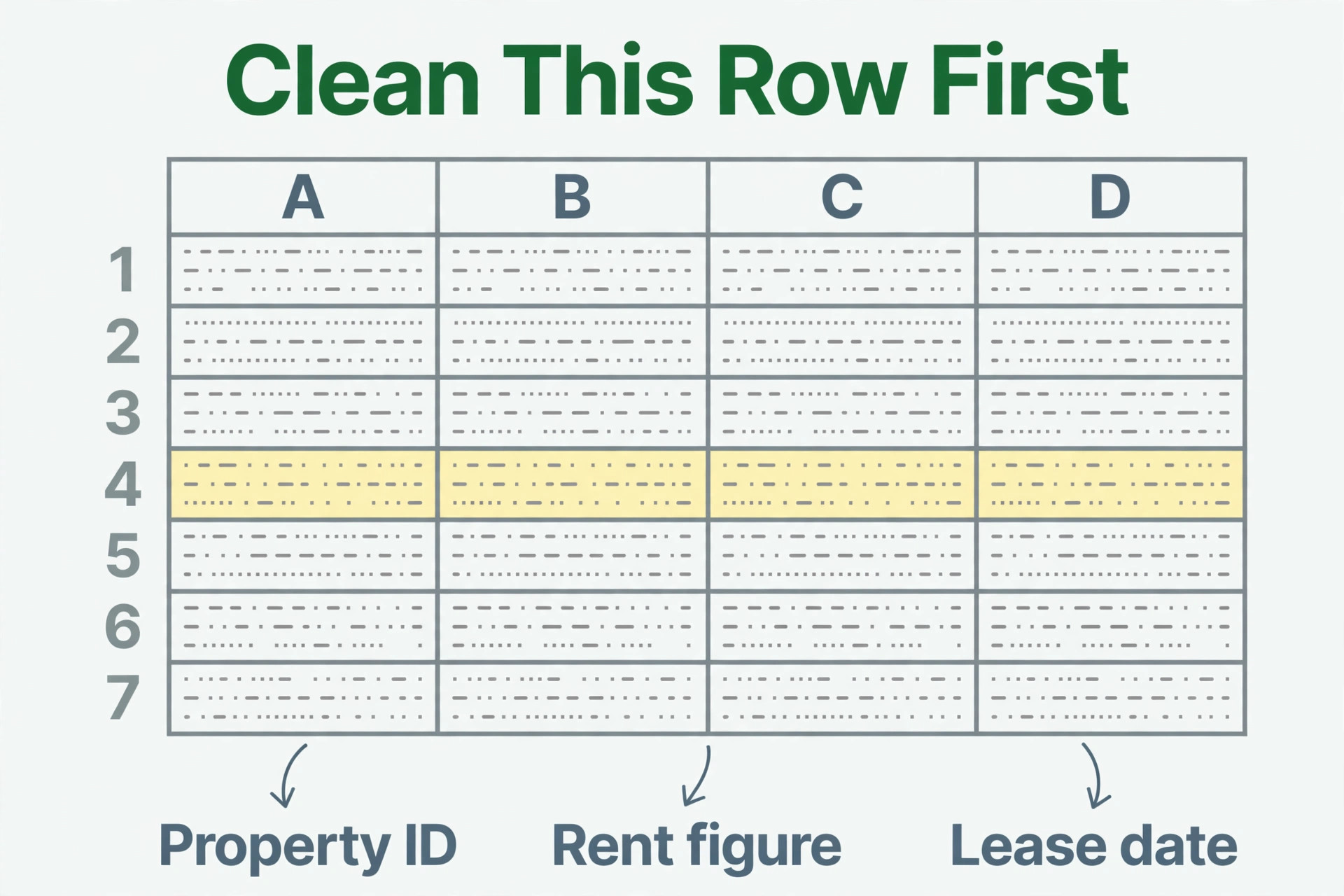
Cleaning takes longer than importing, so do it first, in the old file where you can see everything. Remove duplicates, standardise names, fill in missing contact details, and settle which version of each fact is correct. Standardise to one row per tenancy, with consistent date formats, ideally YYYY-MM-DD, a single rent figure and frequency, and no duplicate or half finished rows.
Give each property and each unit a consistent identifier, such as a Property ID and a Unit Number, so you can link records later. Standardise phone numbers, email addresses and addresses in the same pass. Check that every active tenancy has a lease start date, a rent amount, a rent due date and a deposit figure, because a missing field in the spreadsheet becomes a missing field in the software, and a missing rent figure becomes a missing invoice.
Step 4. Choose the Software That Fits Your Portfolio
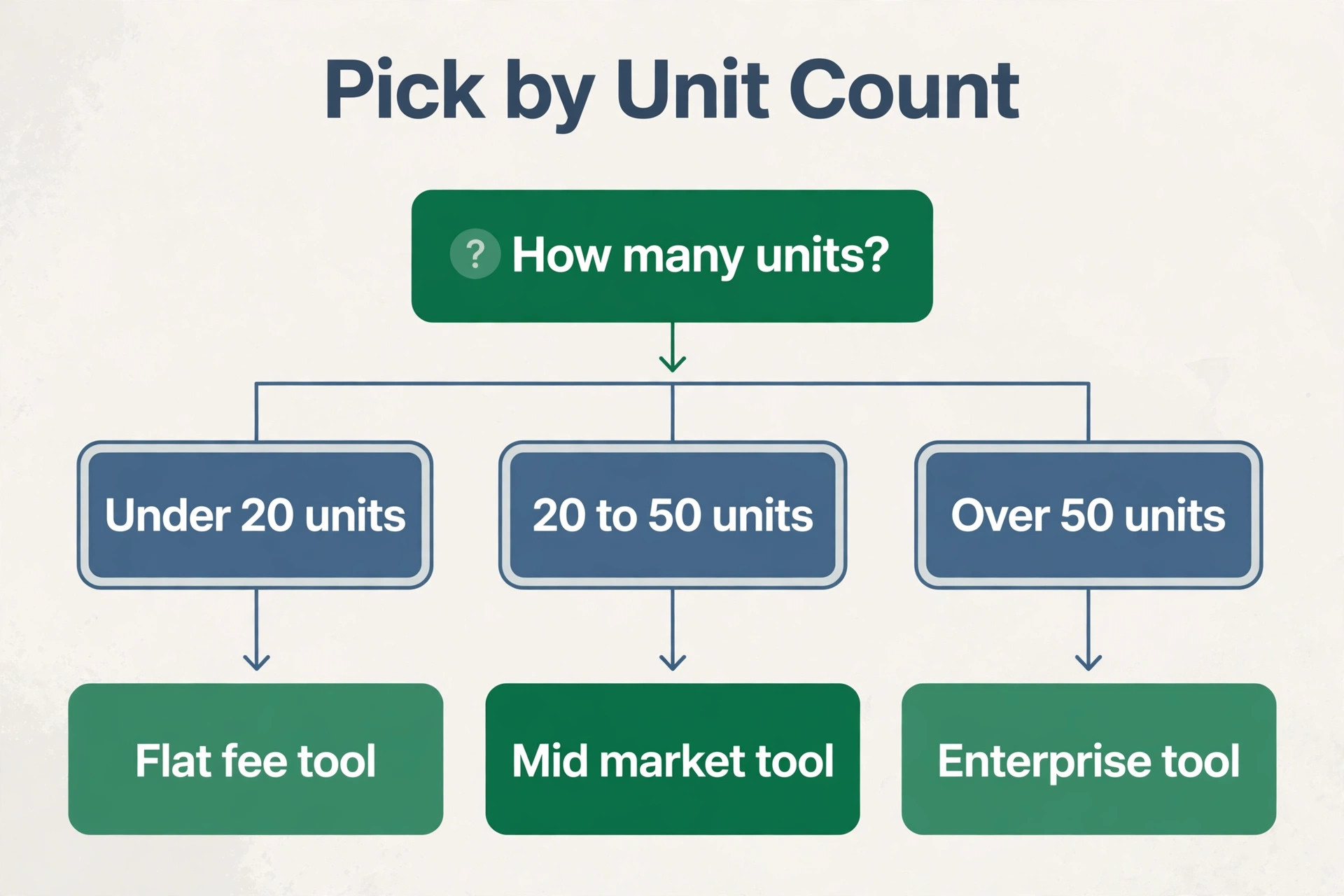
When you switch from spreadsheets to property management software, choose the software after the audit, not before it, because the audit tells you what you actually need. A self managing landlord with 10 units needs a different tool from a management company with 100 units, and the price difference is large. The table in the next section compares the main options by starting price, unit limit and best fit, so you can shortlist two tools and trial both before you commit.
Take the free trial seriously. Import your test building, run a rent cycle, send a test owner statement, and log a maintenance ticket. A trial that only clicks through the demo pages tells you nothing about the daily work. A trial that runs a real week of work tells you whether the software fits your team, your tenants and your owners.
Step 5. Map Your Columns and Import in Order
Work with the supplier to match your columns to the system fields, before you load anything. Decide how shared ownership, several tenants on one lease, and building shares will be represented, because those edge cases are where imports break. Use the import templates the software provides, and read the error list after each file, because a bad row that is explained is fixable, while a bad row that is silently loaded is a future error.
Import in the right order, because records depend on one another. Load owners first, then buildings, then rooms or apartments, then tenants, then leases, then payments and tickets. Importing in that order prevents broken links and messy reporting, while importing in the wrong order creates orphans that are hard to fix later.
Step 6. Set Opening Balances and Deposits Correctly
An opening balance is what each tenant owed, or had paid in advance, on your go live date. Get this wrong and every future statement is wrong, so work it out for each tenant from the spreadsheet at the go live date, and check it twice. Do not invoice months already covered, because if a lease starts before your go live date, its old months are in the opening balance, and billing them again would charge the tenant twice.
Set security deposits in the same pass. Record the deposit amount, the date it was paid, and where it is held, because a deposit that is missing from the system is a dispute waiting to happen. Reconcile the total deposits in the software against the total in your bank account or deposit scheme before you go live, and fix any difference while the volume is small.
Step 7. Test with One Building, Then Run in Parallel
Import one building or one landlord properties first, then compare balances and statements with the spreadsheet. Fix differences while the volume is small, because a difference that affects one building is a lesson, while a difference that affects fifty buildings is a crisis. Spot check 20 to 30 records after each batch, to confirm links, dates and amounts are correct.
Then run in parallel for one month. Keep the spreadsheet updated for one cycle while the team uses the software daily, and keep the spreadsheet read only after that cycle so there is only ever one source of truth. Log every gap you discover, then adjust fields, statuses or automations before you fully switch off the spreadsheet. When the figures agree for a full month, switch off editing in the old files.
Step 8. Train the Team by Role, Not by Features
Train each role on the three or four tasks they will perform daily, rather than the whole system at once. A manager needs to record a payment, assign maintenance work and produce an owner statement. A tenant needs to pay rent, log a maintenance request and view documents. An owner needs to view statements and approve work. A team that knows its daily tasks will use the software, while a team that sat through a full feature tour will forget it by Monday.
Set expectations in the same session. Tell the team what changes for them, what stays the same, and who to ask when they are stuck. Give them a one page guide for their role, with the three tasks, the login link, and the support contact. Training by role takes an afternoon, and it is the step that decides whether the software gets used or ignored.
Choosing Software for Your Portfolio Size
| Software | Starting price | Best for | Free plan |
|---|---|---|---|
| RentRedi | 12 dollars a month billed annually | Self managing landlords, unlimited units | No, 30 day money back |
| Innago | Free for landlords | Landlords who want no monthly fee | Yes |
| TenantCloud | 15 dollars a month billed annually | DIY landlords who want accounting depth | No, 14 day trial |
| Buildium | 62 dollars a month | Growing residential portfolios | No, 14 day trial |
| DoorLoop | 2.50 dollars per unit a month, 199 dollar minimum | Managers who want modern software with AI help | No |
| AppFolio | 1.49 dollars per unit a month, 50 unit minimum | Property managers with 50 or more units | No |
| Rentec Direct | 25 to 50 dollars a month | Small management companies watching costs | No |
| Yardi Breeze | 1 dollar per unit a month, 100 dollar minimum | Growing portfolios that need scale | No |
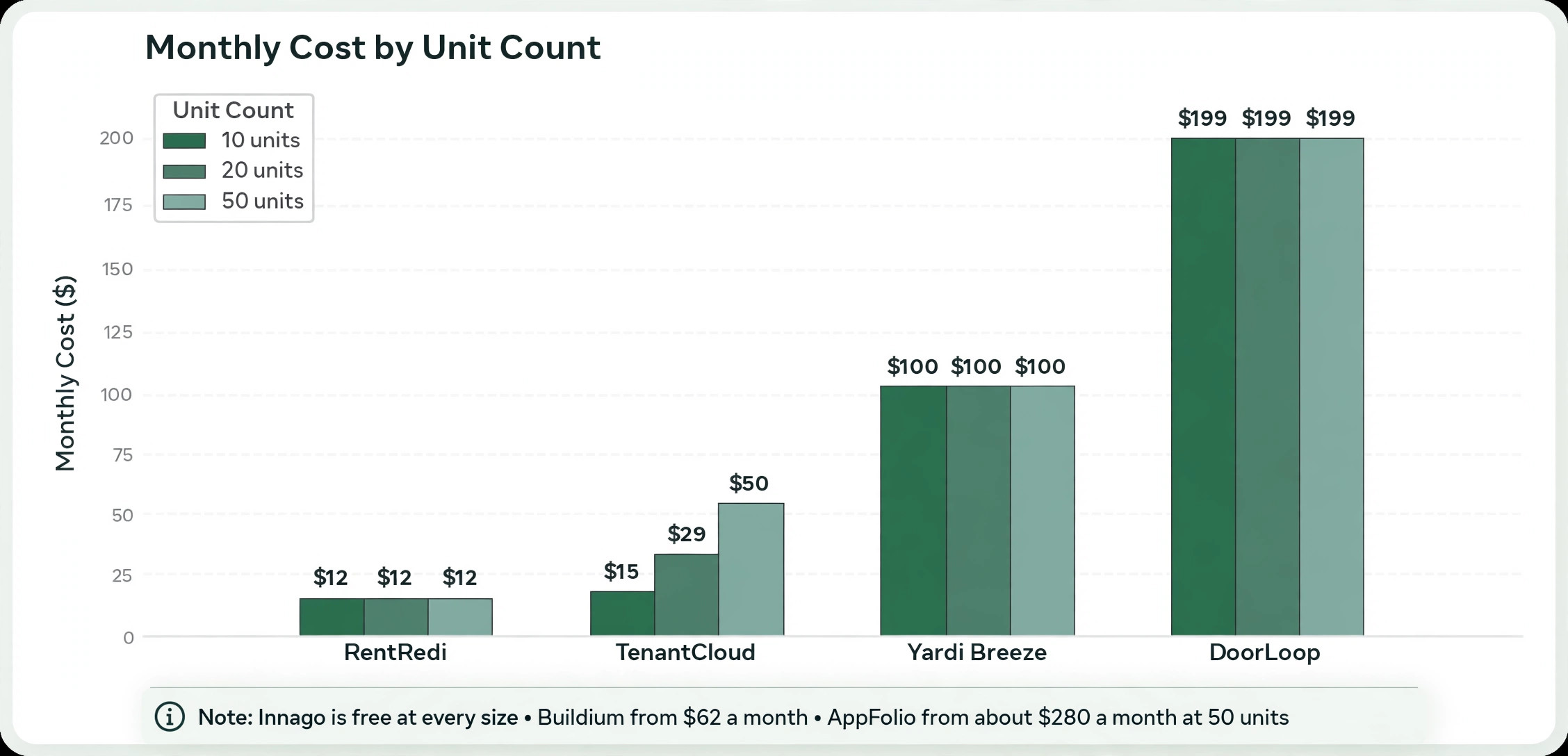
Use this table to shortlist two tools, then trial both with your test building. The cheapest tool is not the best value when it cannot produce an owner statement, and the most expensive tool is not the best choice when you have 10 units and a 199 dollar monthly minimum. Price the tool at your unit count, not at the headline price, because per unit pricing with a minimum can cost far more than a flat fee for a small portfolio.
RentRedi is the cheapest paid option for a self managing landlord, at 12 dollars a month billed annually for unlimited properties, or 29.95 dollars a month billed monthly. It covers rent collection, tenant screening, maintenance and mobile management in one flat price, with no per unit charge. TenantCloud starts at 15 dollars a month billed annually for up to 10 leases, with Growth at about 29 dollars a month for 30 leases and Pro at 50 dollars a month for 60 leases. It suits a DIY landlord who wants real accounting depth on a budget.
Buildium is the mid market default for growing portfolios, with Essential from 62 dollars a month, Growth from 192 dollars and Premium from 400 dollars. It covers accounting, rent collection, maintenance, tenant and owner portals, leasing and reporting, with a 14 day free trial. DoorLoop starts at 2.50 dollars per unit a month with a 199 dollar monthly minimum, which means a 10 unit portfolio pays 199 dollars a month, not 25 dollars. That minimum is the number to check before you trial DoorLoop.
AppFolio is the enterprise pick, with Core at 1.49 dollars per unit a month and a 50 unit minimum, which means a monthly minimum near 280 to 300 dollars. It suits a management company with 50 or more units, not a landlord with 10. Innago is free for landlords, which suits a landlord who wants no monthly fee and can accept a simpler feature set. Yardi Breeze at 1 dollar per unit a month with a 100 dollar minimum suits a growing portfolio that needs scale without the AppFolio price.
A Realistic Timeline for a Small Portfolio
A small portfolio, with 10 to 20 units, can finish the switch from spreadsheets to property management software in a few days of cleaning plus one parallel month. The audit takes a few hours, cleaning takes half a day to two days, import takes under an hour with a guided template, validation takes an hour or two, the first bank reconciliation takes the same day, and team training takes an afternoon. The parallel month is the longest part, and it is also the part you cannot skip, because it is the test that proves the figures agree.
A larger portfolio, with 50 to 100 units, takes two to six weeks, depending on data cleanliness and how many workflows you automate. Cleaning is the real work, and it grows with every duplicate, every missing field, and every version of the same file. Automations add time too, because a lease expiry reminder, a rent overdue alert, and a maintenance assignment rule each need testing before they go live.
Do not migrate everything at once. Pick the first workflow to migrate, such as rent collection or maintenance tracking, and get that working before you move the next one. A migration that moves one workflow, validates it in real operations, then expands is safer than a migration that moves everything in one weekend and discovers the errors on Monday morning.
- Audit your data in a few hours, listing every source and its owner.
- Clean and standardise the spreadsheet in half a day to two days.
- Import one building first, in under an hour, and validate it the same day.
- Set opening balances and deposits, then reconcile them against the bank.
- Run in parallel for one full month, with the spreadsheet read only after that cycle.
- Train each role on their three daily tasks, in one afternoon.
What to Check Before You Go Live
Check the opening balances one more time, tenant by tenant, against the spreadsheet at the go live date. A single wrong balance will appear on every statement that tenant receives, and it will take longer to fix after go live than before. Check the rent schedule too, with the rent amount, the due date and the frequency for each tenancy, because a rent figure that is monthly in the spreadsheet and weekly in the software will double bill a tenant.
Check the lease dates in the same pass. A lease expiry, a renewal date and a rent review date that are wrong in the software will not remind you when they should, which is the exact failure the software was meant to prevent. Validate renewal and registration dates, and check that any local registration, such as an annual registration in some markets, is recorded with the correct date and reference.
Check the payment setup before the first rent is due. Connect the bank account, test a payment, and confirm that the payment lands in the right ledger with the right tenant attached. Check the fees too, because some plans charge per tenant payment or per screening, and those fees add up. Buildium charges per tenant screening and per payment on its lowest plan, so read the fee table before you go live.
Check the documents as well. Associate each lease, each inspection report and each maintenance photo with the correct property, owner, tenant or lease record, so the file is findable when you need it. A document that is uploaded to the wrong tenancy is worse than a document that is still in a folder, because it looks found when it is lost.
Mistakes That Waste Time and Money
The most common mistake is importing dirty data and hoping the software will clean it. A new platform cannot automatically correct missing information or inconsistent records, and it will not tell you that a tenant has two different rent figures in two files. Cleaning in the old file, where you can see everything, is easier than cleaning after the import, when the error is hidden in a system you are still learning. Do the cleaning first, every time.
The second mistake is bringing across every historic row. A manager imports five years of payments, leases and tickets into the live system, then spends weeks fixing the errors in history that no one will ever read. To switch from spreadsheets to property management software well, you bring across the active records in full and a limited amount of history, such as the last full year, and you keep the rest as a read only archive. History that is archived is still available, while history that is imported badly is a liability.
The third mistake is skipping the parallel month. A team goes live on a Monday, turns off the spreadsheet, and discovers on Friday that the rent figures do not match, the owner statements are wrong, and no one knows which system is right. A parallel month would have caught those differences while the spreadsheet was still there to check against. Run the parallel month, even when the import looks clean, because the parallel month is the test, not a delay.
The fourth mistake is training by features instead of by role. A team sits through a two hour tour of every menu, every report and every setting, then returns to their desk and cannot remember how to record a payment. Train each role on the three tasks they will do daily, give them a one page guide, and let them learn the rest as they need it. A team that knows its daily tasks will use the software, while a team that knows every menu will use none of them well.
Making the Move Pay Off
For a self managing landlord with up to 20 units who wants to switch from spreadsheets to property management software, RentRedi at 12 dollars a month billed annually is the pick, because the flat price covers unlimited units and the daily work is simple. Innago is the pick when the budget is zero, because it is free for landlords and covers the core rent and maintenance work. TenantCloud at 15 dollars a month billed annually is the pick when you want accounting depth on a budget, with tiered plans that grow with your lease count.
For a growing portfolio, Buildium at 62 dollars a month is the pick, because it is the mid market default with accounting, portals and reporting that scale. DoorLoop is the pick when you want a modern interface and AI help, but check the 199 dollar monthly minimum before you trial it, because a small portfolio pays the minimum, not the per unit price. AppFolio is the pick only when you have 50 or more units, because the per unit price and the monthly minimum make it expensive below that size.
The software matters less than the order you move in. Pick a month boundary start date, audit and clean the data, import one building first, set the opening balances correctly, run a parallel month, and train by role. That order is the difference between a switch that saves you a day a month and a switch that costs you a month of fixes.
Frequently Asked Questions
How long does it take to switch from spreadsheets to property management software?
A small portfolio with 10 to 20 units takes a few days of cleaning and import, plus one parallel month before going live. A larger portfolio with 50 to 100 units takes two to six weeks, depending on data cleanliness and how many workflows you automate. Cleaning is the longest part, not importing, so a clean spreadsheet moves faster than a messy one, whatever the portfolio size.
What data should I migrate first?
Migrate properties and units first, then tenants and leases, then payments and maintenance tickets. That order prevents broken links, because a lease needs a tenant and a unit to attach to, and a payment needs a lease to attach to. Bring across active records in full, load a limited amount of history such as the last full year of payments, and keep older workbooks as a read only archive.
Do I need to delete my old spreadsheets after the switch?
No, do not delete them. Keep the old spreadsheets as a read only archive, with editing switched off so there is only ever one source of truth. The archive is your backup if a figure is disputed, your history if an auditor asks, and your safety net if the new system has a problem in the first month. Archive, do not delete, and keep the archive in a safe place with a clear name and date.
How do I set opening balances correctly?
Work out what each tenant owed, or had paid in advance, on your go live date, from the spreadsheet at that date, and enter it as the opening balance for that tenant. Do not invoice months already covered, because a lease that starts before go live has its old months in the opening balance, and billing them again would charge the tenant twice. Check each balance twice, and reconcile the total against your bank account before you go live.
Is property management software worth it for a small landlord?
Yes, when the spreadsheet costs you time or risk. A landlord with 5 units and one owner may not need software, but a landlord with 20 units, three owners and a maintenance list will save a day a month on rent collection, statements and reminders. RentRedi at 12 dollars a month billed annually and Innago free for landlords make the cost low, while the time saved and the missed renewals avoided make the return high. Price the software at your unit count, and compare it with the time you spend on the spreadsheet each month.
What is the biggest risk when switching?
The biggest risk is importing dirty data, because a new platform cannot correct missing information or inconsistent records. A wrong opening balance, a wrong rent figure, or a wrong lease date will appear on every statement and reminder until it is fixed. Clean the data first, import one building as a test, validate the figures against the spreadsheet, and run a parallel month before you turn the spreadsheet off. That order removes the biggest risk before it can cost you money.
A switch that works is a switch that moves in order, with a clean start date, a test import, and a parallel month. Start with the audit, clean the spreadsheet, choose the software that fits your unit count, and train the team by role. The spreadsheet served you well, and the software will serve you better, once the data inside it is clean and trusted.