A 10 person team that loses 30 untracked minutes per person per day loses 25 billable hours a week, and at 75 dollars an hour that is 1,875 dollars of revenue every week that never appears on an invoice. Most small businesses do not have a time tracking problem they can see, they have a revenue leak they cannot measure, and the leak grows with every new hire. The best time tracking software for small business closes that leak without turning the office into a surveillance state, and the difference between the tools on this list is how they balance accuracy, trust and price.
This guide compares 10 platforms on real 2026 pricing, invoicing, payroll and monitoring, so a small team can pick the tool that fits how it actually works.
Time tracking splits into two philosophies, and the split decides the pick before any feature list matters. The trust based tools, led by Toggl Track and Clockify, give the team a timer and a report and never take a screenshot. The monitoring tools, led by Hubstaff and TimeCamp style tracking, add screenshots, GPS and activity levels for remote and field teams that need proof of work. Neither philosophy is wrong, but a knowledge team that gets screenshots will resent the tool and stop using it, while a field team without GPS cannot verify a site visit. Pick the philosophy first, then pick the tool.
Prices in this guide were checked against vendor pricing pages and independent October 2026 roundups in November 2026. Time tracking prices change often, and the free plan limits changed in 2026, with Clockify capping free at five users and Toggl Track at three, so confirm the current free tier before you roll a tool out to the team.
What Small Business Time Tracking Must Do
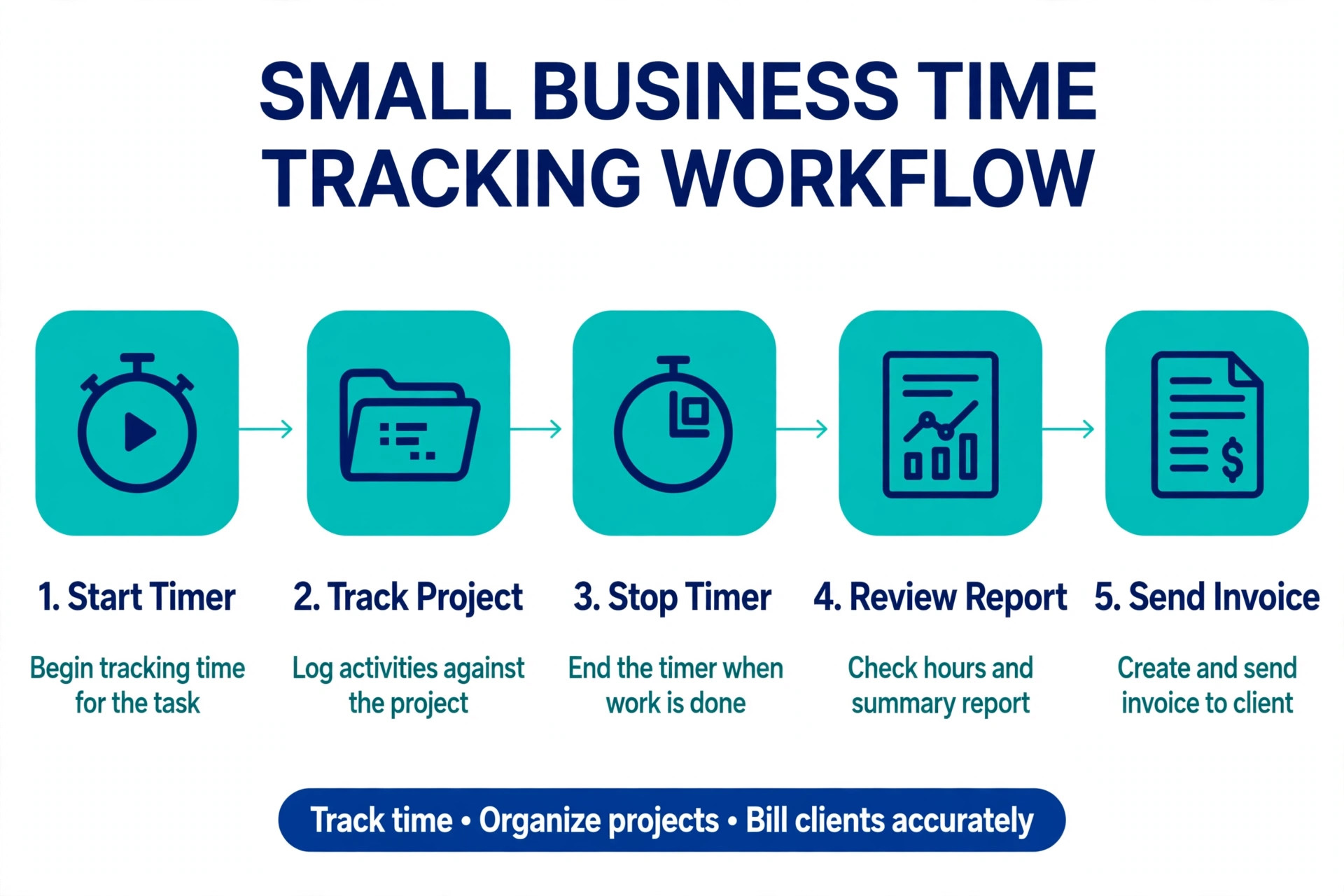
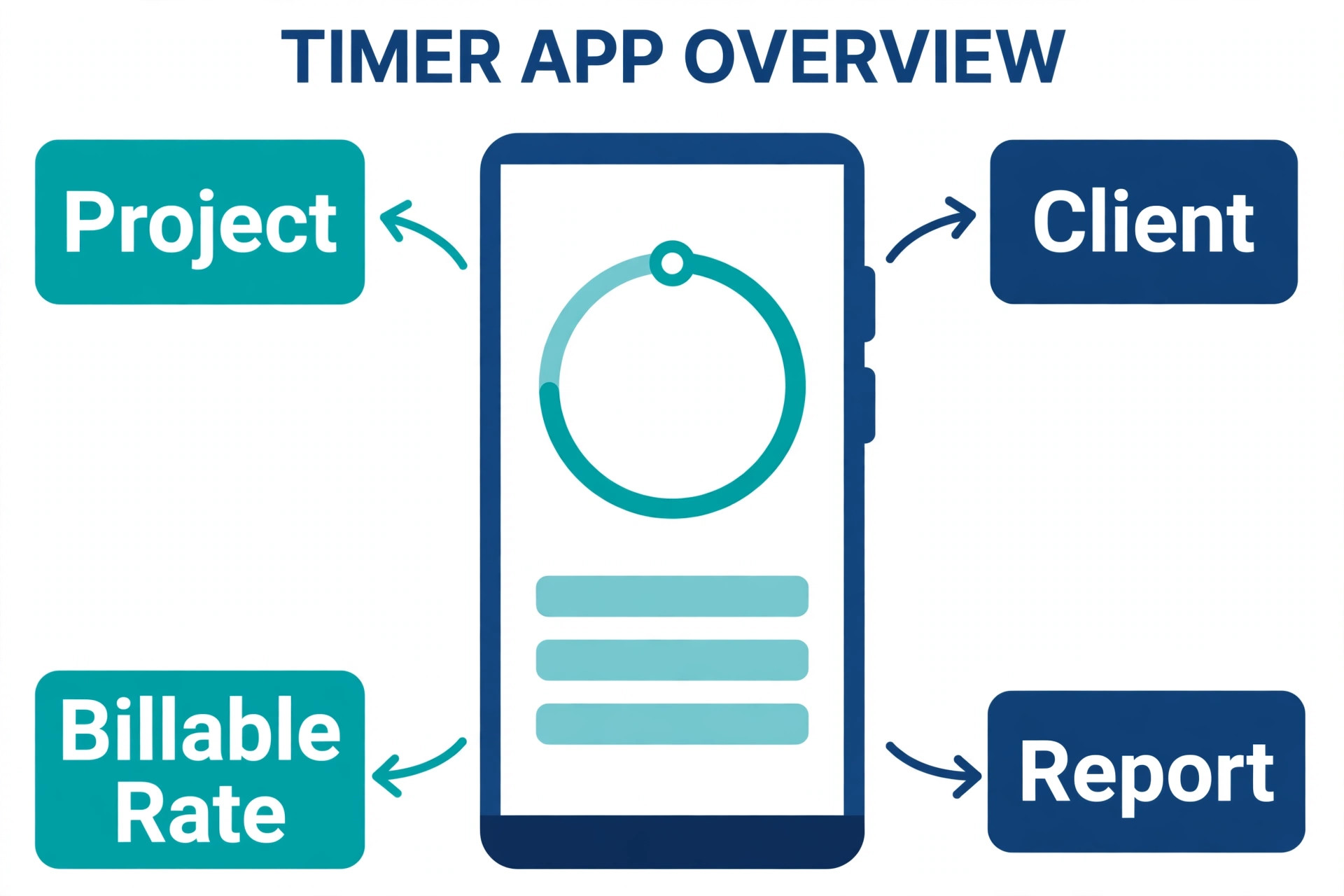
Every small business needs the same four jobs done well, and everything else is optional until the team grows. The first job is the timer itself, starting and stopping in one click on desktop and mobile, because a timer that takes four clicks will not get used. The second job is projects and clients, so hours land against the right job and the right budget without manual sorting at the end of the week. The third job is reporting, showing who worked on what, where the budget stands and which clients actually earn money. The fourth job is the handoff, turning tracked hours into an invoice, a payroll run or a project update without retyping numbers.
The features that separate the tools sit on top of those four jobs. Invoicing matters when the business bills clients for time, and Harvest turns hours into client ready invoices better than anything here. Payroll matters for hourly teams, and Homebase, Deputy and QuickBooks Time connect hours to pay without an export. Automatic tracking matters for teams that hate timers, and Timely builds the timesheet from the work itself.
Monitoring matters for remote teams, and Hubstaff adds screenshots and GPS that Toggl Track refuses to offer on principle. The best time tracking software for small business is the one that covers your four core jobs and the one handoff that matters most to you, not the one with the longest feature list.
The Best Pick for Each Job
| Job | Pick | Why it wins |
|---|---|---|
| Free for a small team | Clockify | Free up to 5 users, paid from 3.99 dollars |
| Simplest timer the team enjoys | Toggl Track | Fastest timer, explicit no surveillance policy |
| Track time to invoice | Harvest | Invoices built in from the free plan |
| Hourly and shift teams | Homebase | Free up to 10 employees, scheduling included |
| Remote team proof of work | Hubstaff | Screenshots, GPS and payroll in one place |
Use this table as a shortcut, then read the full section for the tool you are leaning toward. The cheapest option is not the best value when it cannot produce an invoice, and the most expensive option is not the best choice when five people only need a timer and a weekly report.
The Best Time Tracking Software for Small Business, Compared
The 10 tools below fall into three groups. The first group is the trust based timers, which suit knowledge teams and agencies that bill clients. The second group is the automatic and integrated trackers, which suit teams that live inside a project tool or an accounting system. The third group is the hourly and field team tools, which suit shift based businesses that pay by the hour.
1. Clockify
Clockify is the free default, and the free plan alone saves hundreds a month against per seat tools. The free tier covers up to five users with unlimited time entries, projects, clients, timers and reporting, which is enough for a whole small team at zero cost. Paid tiers are inexpensive, with Basic at 3.99 dollars per user a month on annual billing, Standard at 5.49 dollars where invoicing appears, Pro at 7.99 dollars with screenshots and GPS, and Enterprise at 11.99 dollars. Monthly billing costs more, with Basic at 4.99 dollars and Standard at 6.99 dollars.
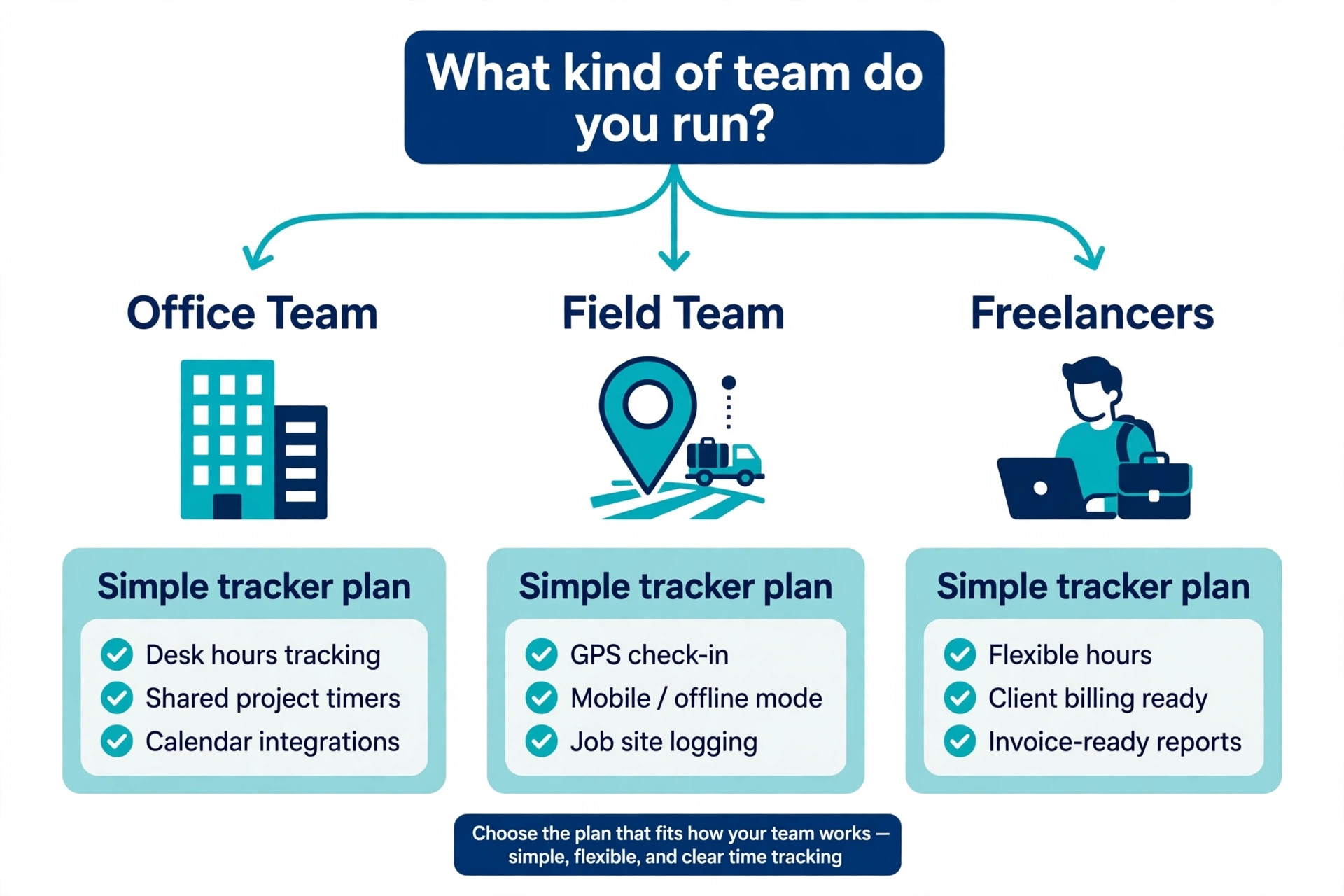
What Clockify does best is answer the cost question for a growing team. A 20 person team pays nothing on the free plan up to five users, and the paid plans stay the cheapest per seat in this guide, so the bill never balloons with headcount. The timer is solid rather than delightful, and the reporting is strong, though the interface feels more functional than Toggl Track. The free cap changed in April 2026 from unlimited users to five, so a team above five pays for the extra seats. For a freelancer or a small team that wants solid tracking for free, Clockify is the pick.
2. Toggl Track
Toggl Track is the timer people actually enjoy starting, and that matters more than any feature list, because a tracker nobody starts tracks nothing. The desktop and mobile apps are the fastest in this category, reporting is strong, and the company publicly rules out screenshot, keystroke, location and webcam monitoring, which makes it an easy sell to a team that values trust. The free plan covers up to three users on the current unified plan, with unlimited projects, clients and time entries, plus idle detection, a Pomodoro timer and calendar integration.
Paid plans start at Starter, 9 dollars per user a month on annual billing, which adds billable rates, project estimates and saved reports. Premium costs 16 dollars per user a month on annual billing and adds labour costs, profitability tracking, timesheet approvals and fixed fee support. Toggl Track has no built in invoicing and no GPS tracking, so a business that bills clients must export hours to an invoicing tool. For a small knowledge team that wants a polished timer and zero surveillance, Toggl Track is the best choice on this list.
3. Harvest
Harvest treats invoicing as a first class feature rather than an add on, and that is why agencies that bill by the hour choose it. The free plan covers one seat and two projects and already includes real invoice generation, not just a time export. Paid plans start at Teams, 9 dollars per seat a month on annual billing, with unlimited seats and accounting integrations for QuickBooks Online, Xero, Stripe and Deel. Enterprise costs 14 dollars per seat a month on annual billing and adds profitability reporting, timesheet approvals and SAML single sign on.
The invoice quality is the selling point, because the invoices are professional, detailed and ready to send, with payment links, budget alerts and profitability reports showing which clients actually earn money. The 2026 wrinkle is billing, because Harvest moved to a base rate plus usage model after a change in ownership, so the per seat number is now a floor and accounts that exceed the included volume of invoices, projects or clients pay extra. Ask for the full usage terms before you commit, and confirm how the Flex billing applies to your account size.
4. Hubstaff
Hubstaff is the monitoring and payroll tool for remote and field teams that need proof of work. Paid plans start at 4.99 dollars per user a month, with screenshots, activity levels, GPS tracking and payroll built in, so a manager can see where the team worked, what they worked on and what to pay them, all in one place. The 14 day trial is enough to test the monitoring workflow, and the payroll features handle hourly pay, overtime and contractor payments without a separate tool.
The trade off is trust, because screenshots and activity tracking change how a team feels about the tool, and a knowledge team will push back hard. Hubstaff suits remote teams, field service crews and agencies with contractors, where the work happens out of sight and the client asks for evidence. It is the wrong pick for a small office team that already trusts each other, because the monitoring adds friction without adding value. For a remote team that needs accountability and payroll in one product, Hubstaff is the strongest choice here.
5. Timely
Timely is the automatic tracker for teams that hate starting timers. It builds the timesheet from the work itself, watching the apps, documents and meetings the team uses and drafting time entries from them, so the end of week timesheet is a review rather than a reconstruction. Paid plans start at 9 dollars per user a month on annual billing, and the Memory feature shows the whole day as a timeline the user can drag into projects. The result is the most accurate timesheet on this list for a team that forgets to start the timer.
The limit is price per head, because 9 dollars a user a month costs more than Clockify for the same team, and the automatic tracking needs a short learning period before the entries are reliable. Timely also has no built in invoicing and no GPS, so it suits knowledge teams that bill by the hour and want accuracy without effort. For a consultancy or an agency where forgotten timers cost real revenue, Timely pays for itself in recovered hours within the first month.
6. Everhour
Everhour is the tracker for teams that live inside a project tool, because it logs time against the actual tasks in Asana, Jira, Trello, ClickUp and Monday rather than a separate project list. The integration is deep, with timers inside the task, budgets on the project and reports that show time against the plan without an export. Pricing starts at 8.50 dollars per user a month, with a free plan for small teams, and the reporting covers budgets, estimates and team capacity alongside the raw hours.
The limit is scope, because Everhour is at its best inside a project management tool and thinner as a standalone tracker. A team that does not use Asana or Jira will get less value, and the invoicing features are lighter than Harvest. But a product or agency team that already plans work in one of those tools will find Everhour removes the double entry that other trackers demand. For a team that wants time tracked where the work already lives, Everhour is the most natural fit on this list.
7. QuickBooks Time
QuickBooks Time, formerly TSheets, is the tracker for businesses already running QuickBooks, because time flows straight into payroll and invoicing without an export. Premium costs 20 dollars a month base plus 10 dollars per user a month, and Elite costs 40 dollars a month base plus 12 dollars per user a month, with a 30 day free trial that needs no credit card. The base fee rose from 8 dollars per user in July 2026, so confirm the current rate on the pricing page. Features cover GPS tracking, scheduling, time off requests and overtime alerts, all built for hourly teams.
The value is the integration, because a business that runs payroll in QuickBooks saves hours every pay period when the hours arrive already approved and categorised. The cost is the base fee, because a 10 person team pays 20 dollars plus 100 dollars a month on Premium, which is more than Clockify or Connecteam for the same headcount. A business that does not run QuickBooks should not buy QuickBooks Time for the tracker alone. For a QuickBooks business with hourly staff, it is the obvious pick, and the payroll saving justifies the higher price.
8. Connecteam
Connecteam is the flat priced tool for frontline and field teams that want scheduling, time tracking and communication in one app. The Small Business Plan is free for life for up to 10 users with full access to all hubs, which is the most generous free plan for hourly teams. Paid plans start at 29 dollars a month on annual billing per hub, covering the first 30 users, with Advanced at 49 dollars and Expert at 99 dollars a month. A 10 person team pays 29 dollars a month flat, while the same team pays 90 dollars on Toggl Track Starter or 40 dollars on Clockify Basic, so the flat model rewards growth.
The app covers time clocks with GPS, shift scheduling, team chat, forms and task management, which suits retail, hospitality, cleaning and field service businesses that need more than a timer. The trade off is depth on billing, because Connecteam has no invoicing to match Harvest and no project budgets to match Everhour. For a shift based business that needs the whole frontline operation in one app at a flat price, Connecteam is the best value on this list.
9. Deputy
Deputy is the scheduling first tool for hourly teams that live by the roster. Pricing starts at 5 dollars per user a month, and the platform covers shift scheduling, time tracking, leave management and payroll integration in one place. The scheduling tools are the strongest here for a business with rotating rosters, because Deputy handles shift swaps, availability, overtime warnings and labour cost forecasts while the shift is being built, not after it is published. The mobile app lets staff clock in, swap shifts and request leave without calling the manager.
The limit is the same as the strength, because Deputy is built for hourly and shift work and thinner for project based billing. An agency that bills clients by the hour will find the project reporting lighter than Harvest or Toggl Track. But a cafe, a retail shop or a care business with 20 hourly staff will save more hours on the roster than on any timer feature. For a shift based business where the schedule is the hard part, Deputy is the pick that makes the week run smoothly.
10. Homebase
Homebase is the free pick for shift based small businesses, with a free plan that covers up to 10 employees and paid plans from 24 dollars per location a month. The platform covers time tracking, scheduling, hiring, onboarding and team messaging, so a small shop or restaurant can run the whole hourly operation from one account. The time clock works on a tablet at the door, the scheduling tools handle shift swaps and availability, and the payroll integrations move hours straight to pay without retyping.
The trade off is scale, because Homebase is built for single location small businesses and thinner for multi location operations or project based billing. A business with one cafe, one shop or one clinic will find everything it needs, while a business with five locations and project budgets will outgrow it. For a small hourly business that wants scheduling and time tracking free for up to 10 employees, Homebase is the best starting point, and the paid plan at 24 dollars a location stays cheap as the team grows.
Per Seat vs Flat Pricing, the Model That Decides Your Bill
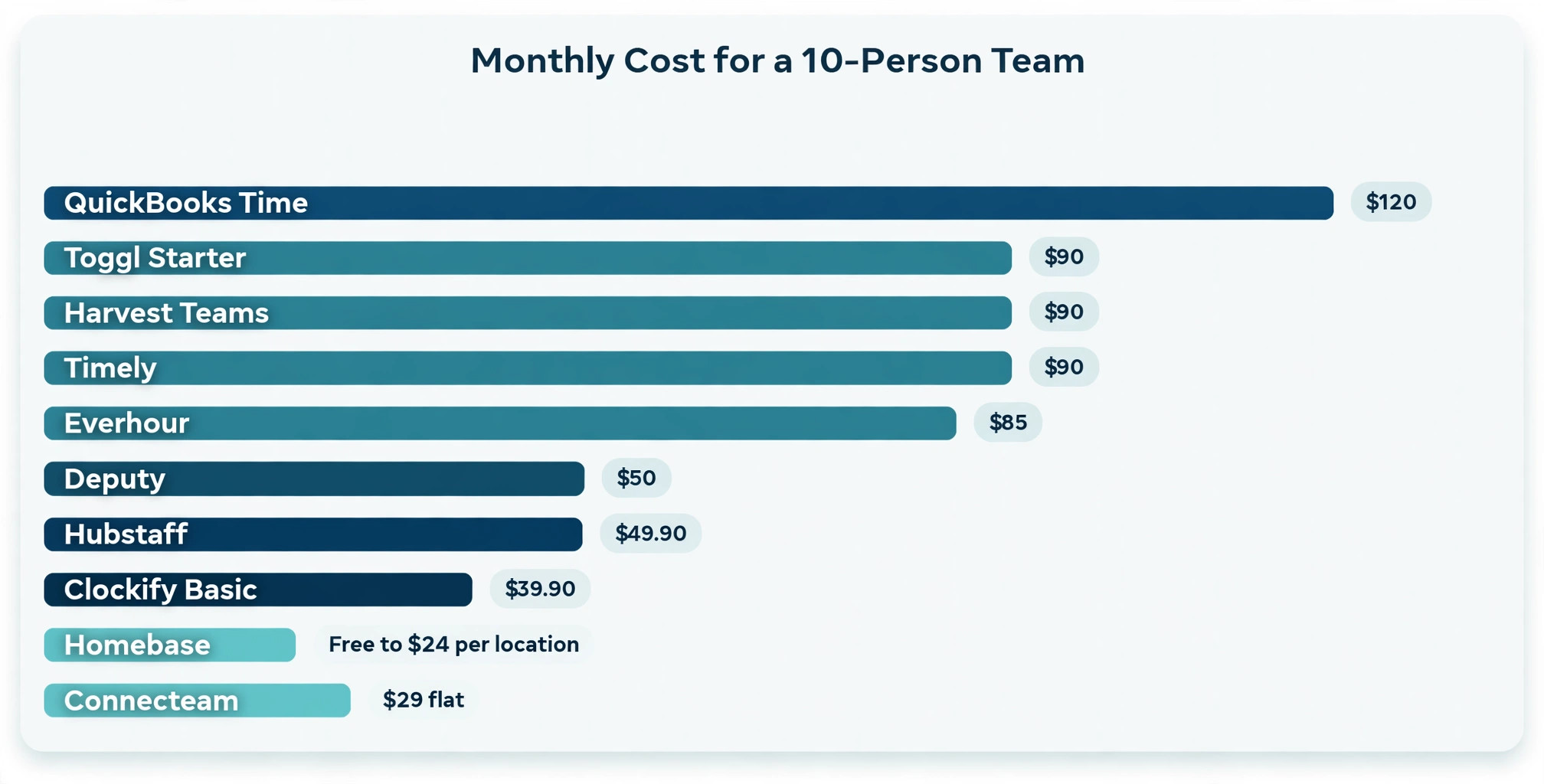
The pricing model matters more than the headline price, because per seat and flat pricing produce very different bills for the same team. Clockify, Toggl Track, Harvest and Everhour charge per user, so the bill grows with every hire. Connecteam charges a flat 29 dollars a month for the first 30 users, and Homebase charges 24 dollars a month per location, so the bill stays flat while the team grows. For a 10 person team, the spread runs from 29 dollars a month on Connecteam to 120 dollars or more on a per seat tool, and the gap widens with every new hire.
The rule is simple. A team that grows fast should favour flat pricing, because every new hire costs nothing extra on the software. A team that stays small and bills clients by the hour should favour per seat pricing, because the invoicing and reporting features earn more than the seat cost. Always price the best time tracking software for small business at the team size you expect in a year, not the team size you have today, because a tool that is cheap for five people and expensive for twenty will force a migration at the worst moment, when the team is busy growing.
How to Choose the Right Time Tracker
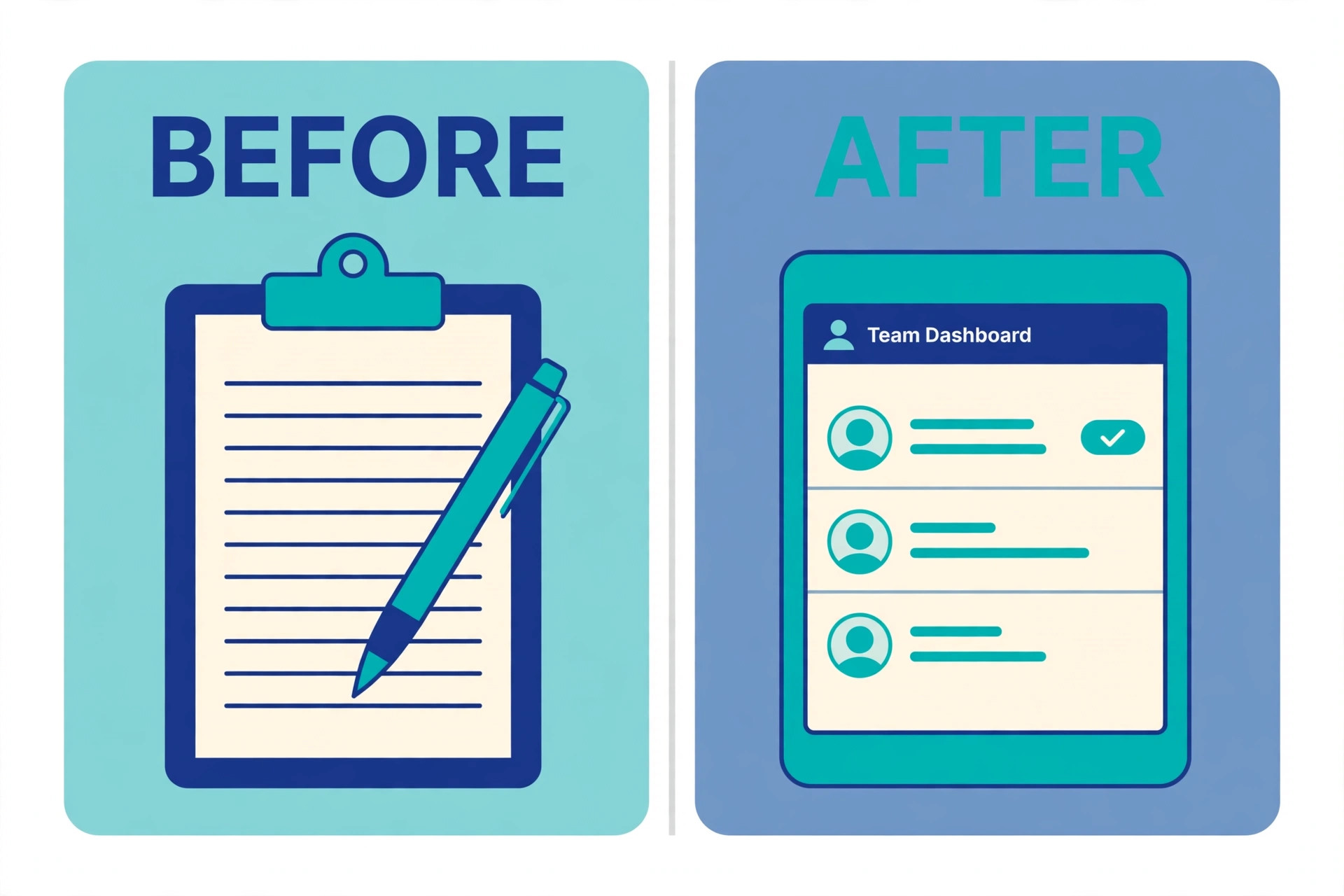
Start with the handoff, because it decides which tool earns its price. A business that bills clients for time needs Harvest for invoicing or Toggl Track plus an invoicing export, while a business that pays hourly staff needs Homebase, Deputy or QuickBooks Time for payroll. A business that only needs to know where the week went can run on Clockify free and never pay anything. The handoff is the job the tracker exists to serve, so name it before you compare features.
Next, test the timer with the real team for a week, because adoption decides everything. Give five people the tool, ask them to track a normal week, and count how many hours are missing on Friday. A timer the team enjoys will show nearly complete weeks, while a timer the team resents will show gaps that no report can fix. Then check the free plan limit, because Clockify free covers five users, Toggl Track free covers three, Harvest free covers one seat and Connecteam free covers ten, and the free tier is the whole decision for a team under five people.
That pilot week is the fastest way to shortlist the best time tracking software for small business, because the tool the team actually uses beats the tool with the longest feature list every time. Finally, decide the monitoring question openly with the team, because screenshots and GPS imposed without discussion will cost more in trust than they save in accountability. The best time tracking software for small business earns its place by being used every day, not by having the most features on the pricing page.
Mistakes That Cost Small Businesses Time and Money
- Choosing a tracker nobody enjoys starting. A timer that takes four clicks and hides in a menu will show gaps every Friday, and the missing hours cost more than any feature saves, so test the timer with the real team before you commit.
- Paying per seat for a team that grows fast. A per seat tool that costs 90 dollars a month for ten people costs 180 dollars for twenty, while a flat priced tool stays at 29 dollars, so price the tool at next year team size, not today team size.
- Buying monitoring for a team that needs trust. Screenshots and GPS imposed on a knowledge team without discussion will cost more in morale and turnover than they save in accountability, so match the philosophy to the team before you buy.
- Ignoring the invoicing handoff. A tracker without invoicing means hours are exported, reformatted and retyped every month, and the admin time costs more than the tracker saves, so pick the tool whose handoff matches how the business gets paid.
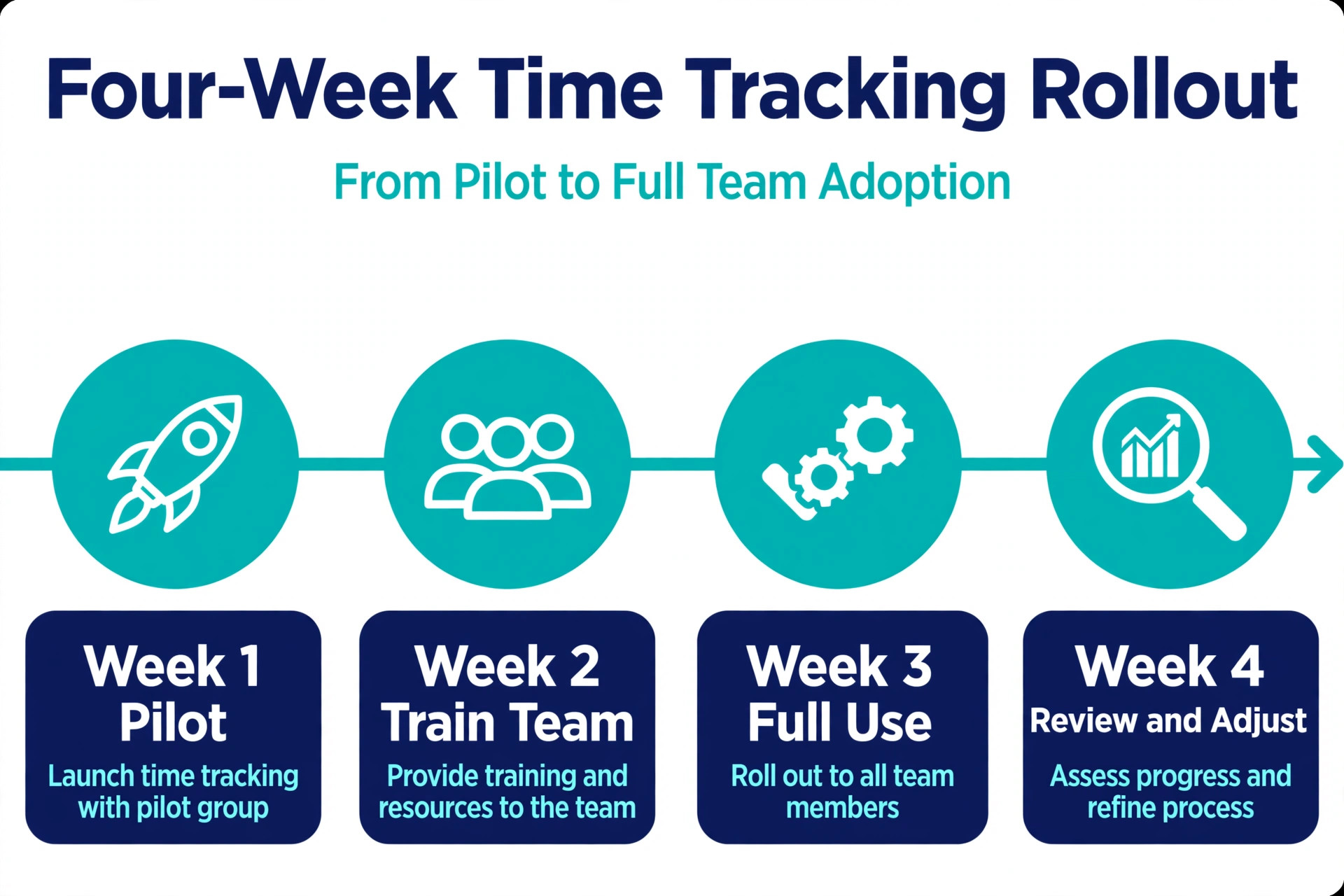
- Rolling out to the whole team on day one. A pilot with five people finds the workflow problems, the missing projects and the training gaps while they are small, so start with a pilot week and fix the setup before the full rollout.
Our Verdict
Clockify is the pick for most small businesses, because the free plan covers five users with unlimited projects and reporting, and paid plans from 3.99 dollars per user a month stay the cheapest per seat in this guide. A team under five people pays nothing, and a team of twenty pays less than on any rival. Toggl Track is the pick when the timer experience matters most, because the fastest apps and the explicit no surveillance policy make it the easiest tool to get a knowledge team to use every day.
Harvest is the pick when time must become an invoice, because the invoice quality and the accounting integrations turn tracked hours into money with the least admin. Homebase and Connecteam are the picks for hourly and shift teams, with Homebase free up to 10 employees and Connecteam flat at 29 dollars a month for 30 users. Whatever you choose, trial it with the real team for a week, price it at next year team size, and remember that the best time tracking software for small business is the one the team actually starts every morning.
Frequently Asked Questions
What is the best time tracking software for a small business?
Clockify is the best overall pick for a small business, because the free plan covers five users with unlimited projects and reporting, and paid plans from 3.99 dollars per user a month are the cheapest per seat available. Toggl Track is the best pick for a knowledge team that wants the nicest timer and no surveillance, Harvest is the best pick when hours must become client invoices, and Homebase is the best pick for an hourly team that wants scheduling and tracking free for up to 10 employees. The right answer depends on team size, billing model and whether the team is hourly or project based.
How much does time tracking software cost for a small business?
Time tracking software costs from zero on a free plan to about 120 dollars a month for a 10 person team, depending on the pricing model. Real 2026 prices include Clockify Basic at 3.99 dollars per user a month, Toggl Track Starter at 9 dollars, Harvest Teams at 9 dollars, Connecteam at 29 dollars a month flat for 30 users, and Homebase from 24 dollars a month per location. Per seat tools cost more as the team grows, while flat priced tools stay the same, so price the tool at the team size you expect in a year.
Is there free time tracking software for small business?
Yes, Clockify offers the best free plan, covering five users with unlimited time entries, projects, clients and reporting at zero cost. Toggl Track offers a free plan for up to three users, Harvest offers a free plan for one seat and two projects, and Connecteam offers a free plan for up to 10 users with full access to all hubs. A free plan is the right start for a team under five people, and the right move is to pay once the team outgrows the free limit or needs invoicing, approvals or payroll features.
Does time tracking software work for hourly employees?
Yes, Homebase, Deputy, QuickBooks Time and Connecteam are built for hourly employees, with time clocks, shift scheduling, overtime alerts and payroll integration. Homebase is free for up to 10 employees, Deputy starts at 5 dollars per user a month with strong rostering, and QuickBooks Time connects hours straight into QuickBooks payroll. These tools suit cafes, shops, clinics and field teams, while Toggl Track and Harvest suit project based teams that bill clients by the hour.
Can time tracking software integrate with payroll?
Yes, QuickBooks Time sends hours straight into QuickBooks payroll, Hubstaff includes payroll for hourly and contractor pay, and Homebase and Deputy integrate with popular payroll providers. Harvest integrates with QuickBooks Online, Xero, Stripe and Deel for invoicing and payments, while Clockify and Toggl Track export hours to payroll and invoicing tools. Check the integration list for the exact payroll provider the business uses before committing, because a missing integration means manual exports every pay period.
Is employee monitoring legal in time tracking software?
Employee monitoring through screenshots, GPS and activity tracking is legal in most places when employees are told about it in advance, but the rules vary by country and by state, and some jurisdictions need written consent. Toggl Track avoids the question entirely by refusing screenshots, keystrokes, location and webcam monitoring, which is why trust based teams prefer it. If the business needs monitoring, tell the team in writing what is tracked, why it is tracked and where the data is stored, and check local rules before the rollout.
A small business does not need the most time tracking software, it needs the tracker the team actually starts, the handoff that matches how the business gets paid, and a price that stays fair as the team grows. Start free, pilot with five people, and let the Friday timesheet decide. The tool that shows complete weeks, turns hours into invoices or payroll without retyping, and costs the same next year as this year is the one worth keeping, and for most small businesses in 2026 the best time tracking software for small business is Clockify or Toggl Track.