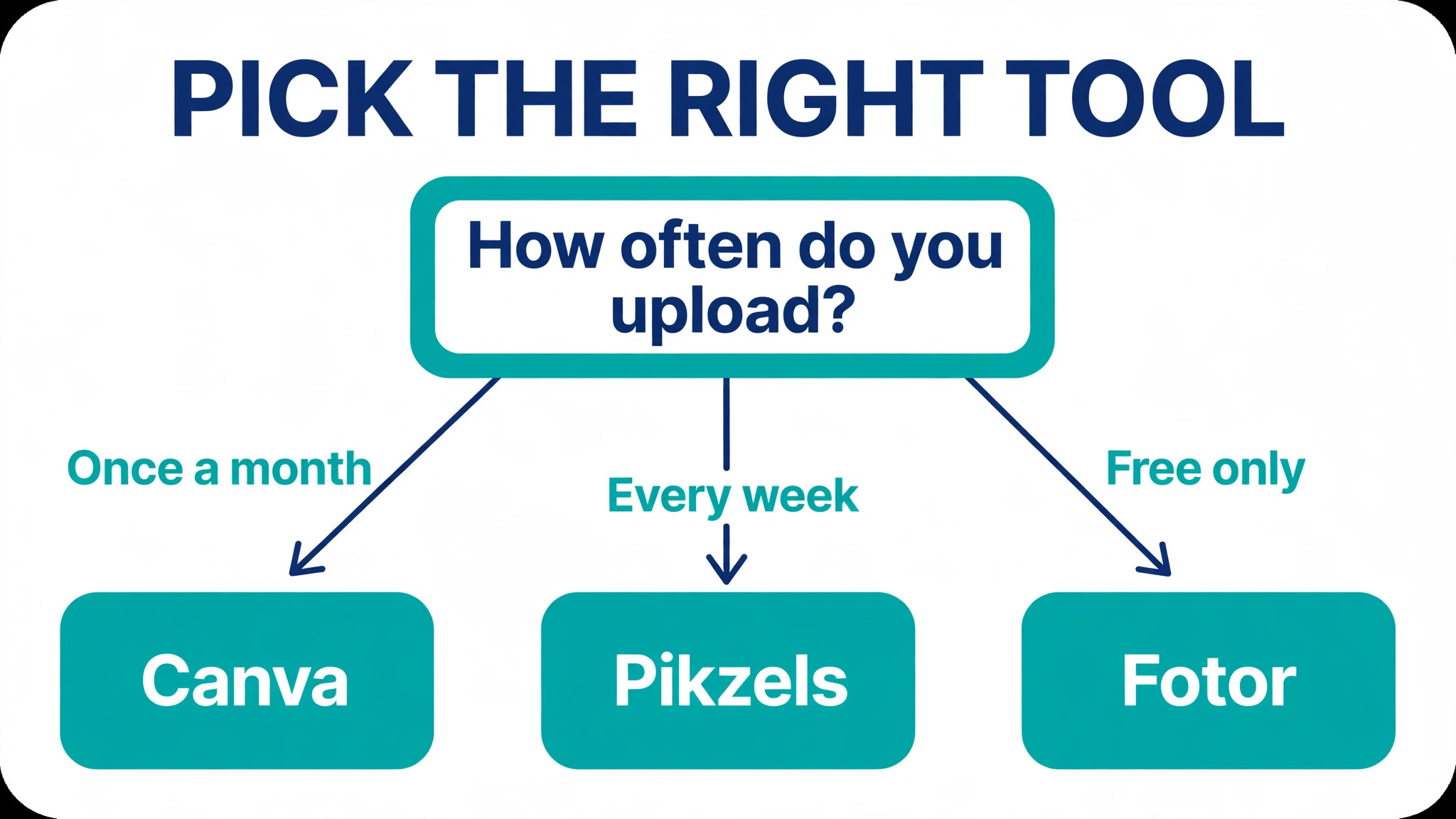
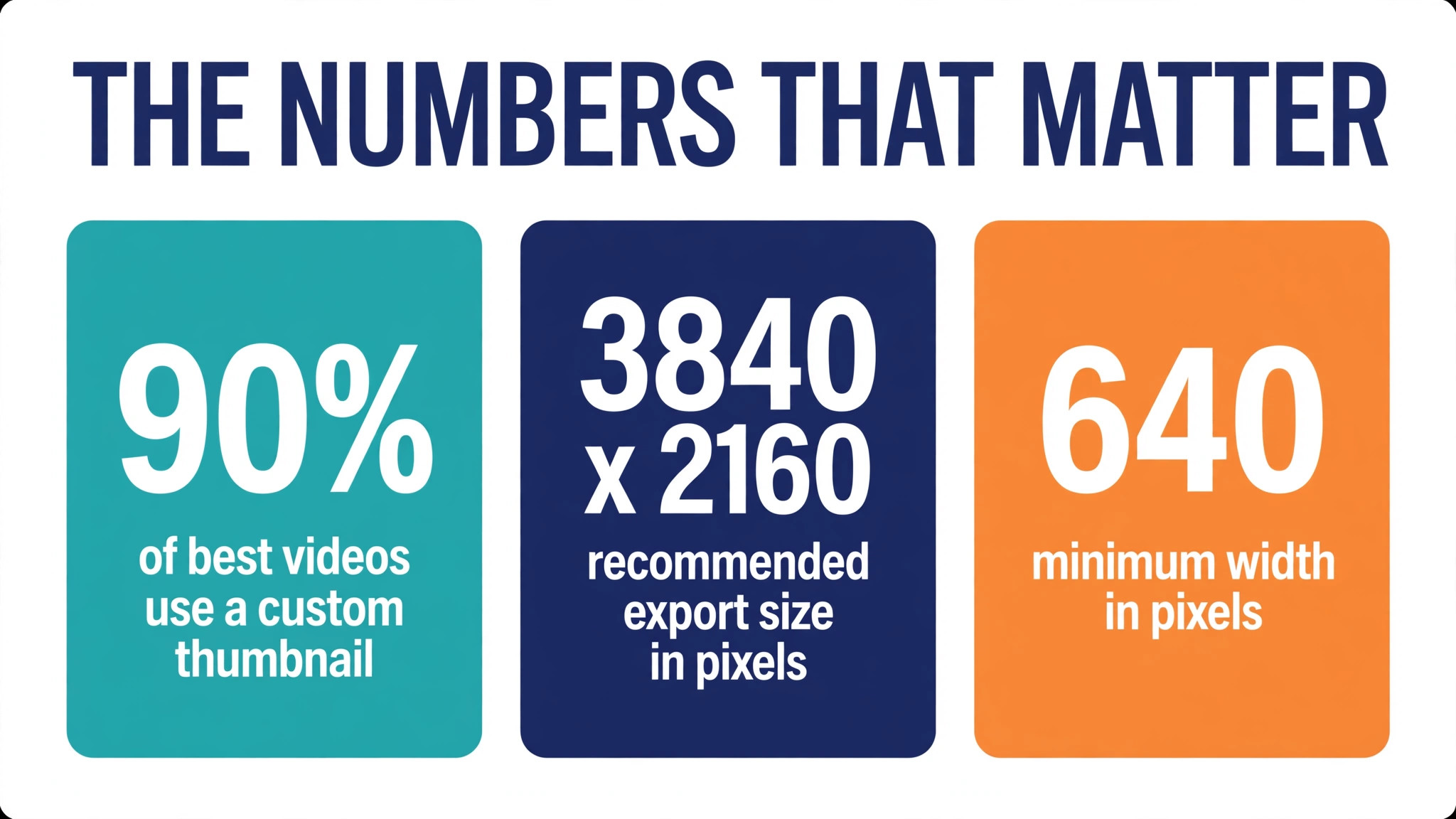
About 90 percent of the best performing videos on YouTube are the ones with a custom thumbnail, according to YouTube own guidance and creator surveys, and a small lift in click through rate can double the views on a video that already ranks. Among the best thumbnail makers for youtube creators we compared, Canva is the best overall pick for most channels, Pikzels is the best specialist for weekly uploaders, and Fotor is the best free starting point. This guide compares 10 tools on real prices, free limits, AI help and testing, so you can stop guessing and pick the one that fits your upload schedule.
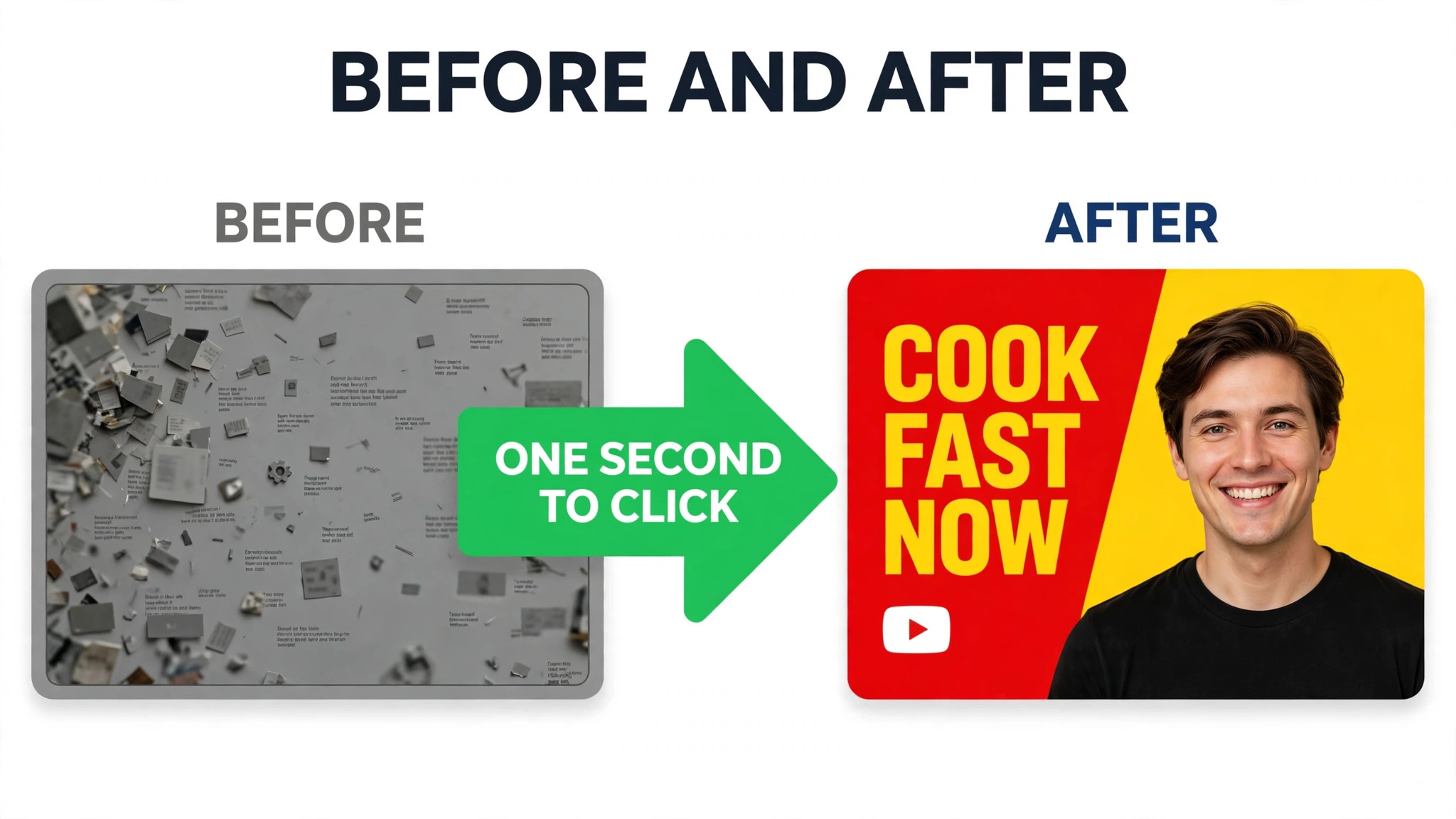
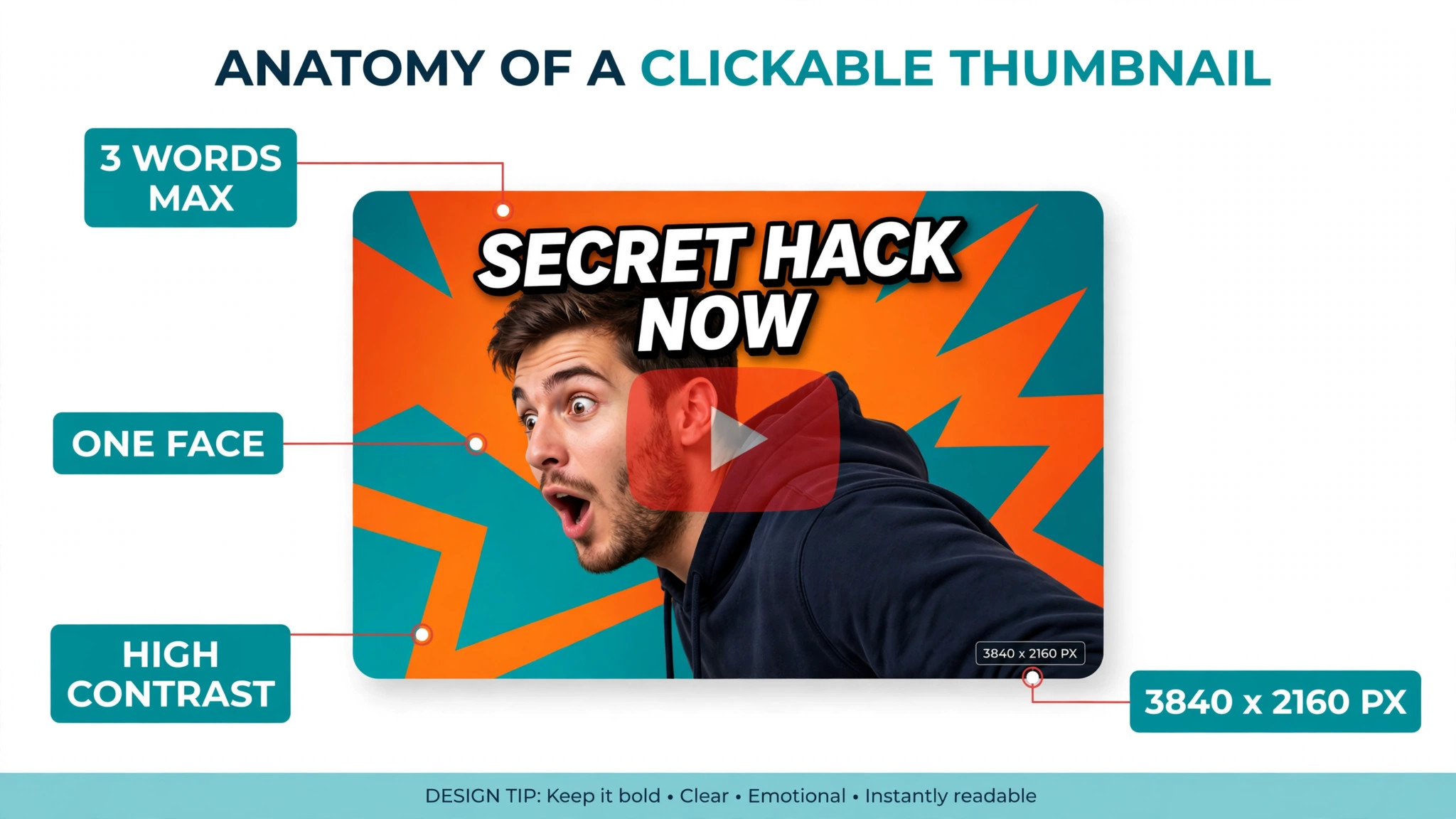
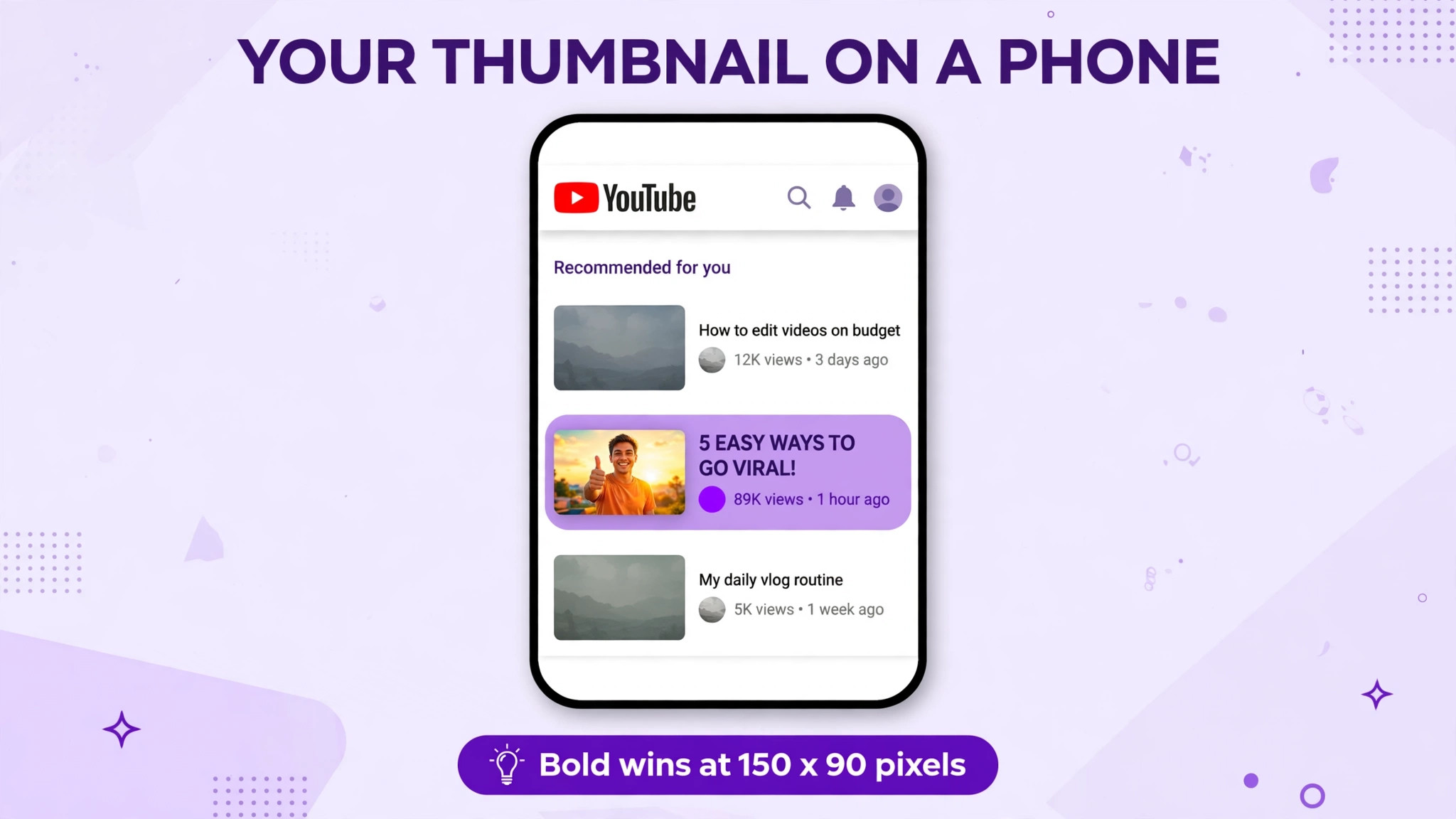
A thumbnail has one job, and it has about one second to do it. On a phone screen the image is roughly 150 by 90 pixels, the title is cut short, and your video sits beside a dozen others. Bold text of three words or fewer, one clear face or object, and strong contrast beat a busy design every time. YouTube now recommends 3840 by 2160 pixels for thumbnails, with a minimum width of 640 pixels and a 16 by 9 shape, even though many tools still quote the older 1280 by 720 size. Export at the higher size when the tool allows it.
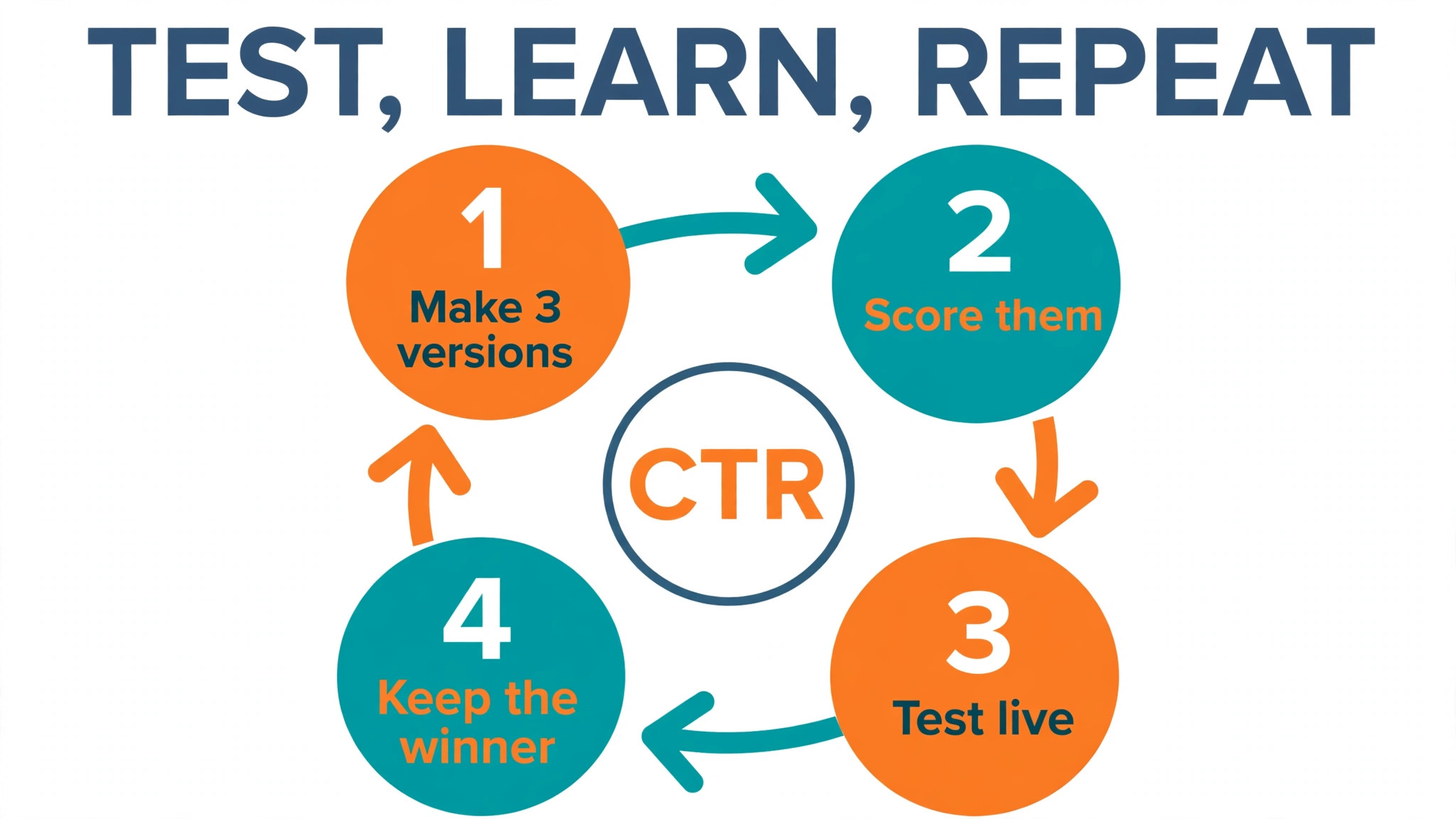
The other fact that shapes this list is that a thumbnail is not a poster. It is packaging that you test, change and learn from. A tool that only makes a pretty image is less useful than a tool that helps you make three versions, score them and test the winner on a live video. Keep that test in mind as you read the rankings, because the best tool for a channel that uploads once a month is not the best tool for a channel that uploads every day.
How We Tested 10 Thumbnail Tools
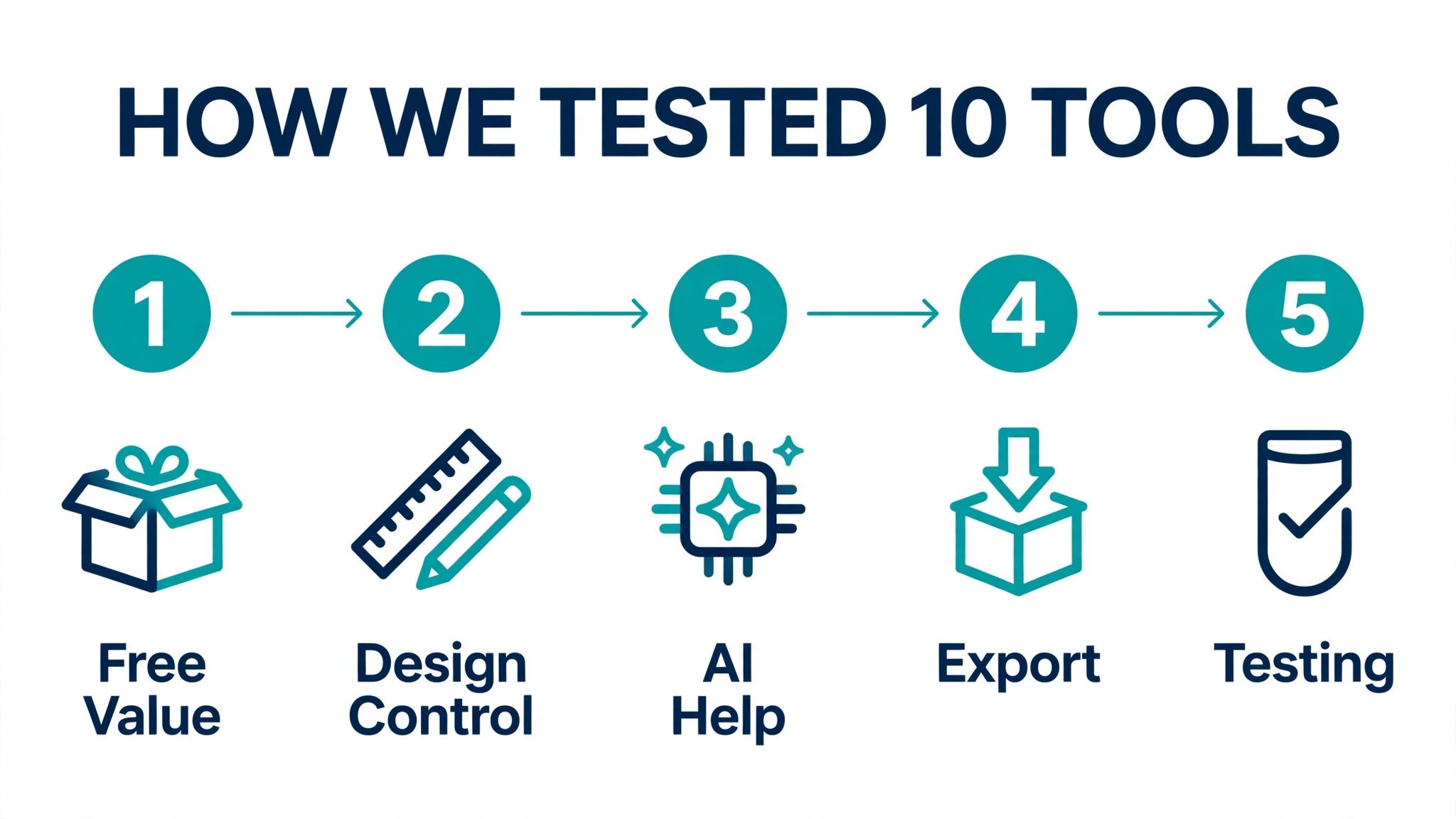
We compared each tool on the same five points, because the best thumbnail makers for youtube creators win on the free plan, the export and the testing help, not on the prettiest template. Free value covered what you can publish without paying, including watermarks, download limits and export quality. Design control covered templates, text tools, background removal and whether you can keep a consistent look across videos. AI help covered prompt generation, face tools, scoring and title ideas. Export covered size, format and whether the result is ready for YouTube. Testing covered A B testing, scores and analytics.
Prices in this guide were checked against vendor pricing pages and current 2026 roundups in November 2026. Prices change often, and several vendors show different prices by region or run short promotions. Canva is the clearest example, with Pro listed at 18 dollars a month in some sources and near 13 to 15 dollars a month in others. Confirm the price on the checkout page before you pay, and treat every figure here as a starting point, not a quote.
We also checked what each free plan really allows. A free plan that gives you three downloads a month is a trial, not a workflow. A free plan that gives you unlimited templates but locks the background remover behind Pro is useful for some creators and useless for others. The sections below state the free limit for each tool in plain words, so you can see the catch before you invest an afternoon learning the editor.
The best thumbnail makers for youtube creators for Each Job
| Job | Pick | Why it wins |
|---|---|---|
| Most creators | Canva | Free plan plus huge template library |
| Weekly uploaders | Pikzels | Scores, faces and batch variants |
| Free start today | Fotor | No watermark and commercial use stated |
| Fast template edits | Snappa | Simple editor and pre sized templates |
| Thumbnails plus data | vidIQ | Analytics beside the generator |
Use this table as a shortcut, then read the full section for the tool you are leaning toward. The cheapest option is not the best value when it caps you at three downloads a month, and the most expensive option is not the best choice when you only upload once a month.
The 10 Best Thumbnail Makers for YouTube Creators, Ranked
The 10 tools below fall into three groups. The first group is general design tools that also make thumbnails, and these suit most creators. The second group is AI specialists built only for YouTube, and these suit channels that publish often and test every upload. The third group is testing and growth suites, and these suit creators who already have a design tool and need proof about what works.
1. Canva
Canva is the default starting point for most channels because it combines thousands of YouTube thumbnail templates with a drag and drop editor that a beginner can learn in an afternoon. The template library covers gaming, vlogging, education, finance and fitness, and every template is already sized for YouTube. You can swap the photo, change the text and export in minutes, which matters when you publish several videos a week and cannot spend an hour on each cover image.
The free plan is genuinely useful, with templates, 5GB of storage and limited AI credits, and downloads carry no watermark. Pro is listed at 18 dollars a month or 144 dollars a year in some sources, while other sources list 12.99 to 14.99 dollars a month, so confirm the price shown to you at checkout before you budget. Pro adds the brand kit, background remover, Magic Resize and premium stock. Pick Canva when you want one tool for thumbnails, channel art and social posts.
2. Adobe Express
Adobe Express gives creators Adobe quality templates and Firefly generative AI in a simple browser editor. The thumbnail canvas is set to 1280 by 720 pixels by default, and the background remover cuts a headshot out of a photo cleanly. Fonts from Adobe, stock photos and template layouts give results a polished finish that is hard to match in a free tool, and the editor feels familiar to anyone who has used an Adobe product.
The free plan needs no payment card and includes 5GB of storage with limited generative AI credits. Premium is about 9.99 dollars a month and adds 250 generative credits a month, premium templates and stock. Adobe states that Firefly output is described as commercially safe, which matters for channels that earn money from their videos. Pick Adobe Express when rights and polish matter as much as speed.
3. Pikzels
Pikzels is built only for YouTube thumbnails, and it shows in every feature. You upload a selfie, describe the video, and the tool generates several variations with text placement and colour contrast tuned for clicks. A built in score rates each thumbnail, and a one click fix suggests changes. Batch generation can produce up to 16 thumbnails in one request, so testing different faces, titles and backgrounds is fast.
There is no free plan, only a trial with limited credits. Premium costs 28 dollars a month billed annually at 336 dollars a year, or 40 dollars billed monthly, with 18,000 credits a year and up to 1,800 thumbnails. Ultimate is 56 dollars a month billed annually. Some older sources list an Essential plan near 14 to 20 dollars a month, so check the current page. Pick Pikzels when you publish weekly and treat the thumbnail as packaging to test.
4. Fotor
Fotor takes a photo first approach. You upload an existing still or photo, and the AI enhances lighting, removes the background and applies a thumbnail ready composition. The editor is simple, the templates are clean, and the tool works well for creators who already have strong video stills and need them turned into a clickable cover fast.
Fotor states in writing that free downloads carry no watermark and can be used commercially, which almost no rival states as clearly, though free exports are normal quality. Pro costs about 8.99 dollars a month and adds higher quality exports and more AI features. Pick Fotor when you start from photos rather than from a blank canvas and you want a free result you can publish today.
5. Snappa
Snappa is built for social graphics, and YouTube thumbnails are one of its core sizes. Templates are pre sized, stock photos cover more than 5 million images, and batch processing creates several sizes at once. The editor is faster than Canva when you already know what you want, because there are fewer menus and fewer choices to work through.
The free tier allows only 3 downloads a month, which is enough to test the tool but not enough to run a channel. Pro costs 10 dollars a month billed annually, or 15 dollars billed monthly. The template library is smaller than Canva, and the AI features are lighter. Pick Snappa when you want speed and simplicity and you publish a small number of videos each month.
6. Pixlr
Pixlr is a browser based photo editor that also works as a thumbnail maker. It gives you layers, text tools, filters and background removal without installing software. Creators who like to edit a frame grab, add bold text and adjust colour by hand will feel at home here, because it behaves like a light version of a desktop editor.
The free plan covers basic editing, and Pixlr is often listed as the cheapest paid plan in this group. Paid plans add more AI tools, higher resolution exports and no ads. The trade off is that there are no YouTube specific templates or CTR scores, so you build the layout yourself. Pick Pixlr when you want hands on photo editing at a low price.
7. Thumbnail.AI
Thumbnail.AI keeps the editor free and charges for AI generation. You can rate an existing thumbnail, test ideas cheaply and generate new concepts without a monthly subscription. The scoring feature is useful for creators who already have a design and want a second opinion before they publish.
Pricing is credit based, so you pay as you generate, with a Pro option near 10 dollars a month in some roundups. That makes it cheap for occasional use and poor value for daily uploaders who would burn through credits fast. The editor is manual, so the quality of the result depends on your own eye for layout. Pick Thumbnail.AI when you want cheap AI tries and a score on work you already made.
8. vidIQ
vidIQ is a YouTube growth suite, and its AI thumbnail generator sits beside keyword research, title ideas and analytics. The generator creates thumbnails from a text description, and the analytics show which videos earn clicks so you can learn what works on your own channel. That feedback loop is something a standalone design tool cannot offer.
The AI thumbnail feature is part of vidIQ Boost, listed near 16.58 dollars a month on annual billing, with a free tier that has limited generations. You are paying for the whole growth suite, not only thumbnails, so the value depends on whether you use the research tools too. Pick vidIQ when you want thumbnails plus data on what your audience clicks.
9. TubeBuddy
TubeBuddy is a browser extension and dashboard for YouTube creators, with thumbnail tools that include A B testing. You can test two thumbnails against each other on a live video and keep the winner, which is the closest thing to proof in this category. The tool also helps with tags, titles and bulk processing across a back catalogue.
Thumbnail testing is included with TubeBuddy Pro, listed near 4 dollars a month in older roundups, with higher tiers for more features. Prices have changed over time, so confirm the current plan page. The design tools themselves are basic compared with Canva, so most creators design in Canva and test in TubeBuddy. Pick TubeBuddy when testing matters more than design.
10. VistaCreate
VistaCreate is a template first design tool from the team behind Depositphotos, with a large library of animated and static templates. YouTube thumbnail templates are pre sized, stock photos are built in, and the editor is simple enough for a creator who wants a finished look without learning design software.
The free plan covers basic templates, and Pro costs about 10 dollars a month billed annually. The library is smaller than Canva and the AI features are lighter, but the templates have a distinct style that can help a channel stand out from the Canva look. Pick VistaCreate when you want template variety and a low monthly price.
What Good Thumbnails Have in Common
The best thumbnails share three traits, and you can check all three before you publish. The first trait is one clear subject. A face, a product or a single object fills the frame, and everything else is background. When two subjects compete for attention, the eye has nowhere to land and the viewer scrolls past. Crop tight, remove clutter and let one thing carry the image.
The second trait is text that survives a small screen. Three words or fewer, in a heavy font, with a dark outline or a solid block behind the letters, will read at phone size. Thin fonts, long sentences and text placed over a busy photo all fail the same test. The best thumbnail makers for youtube creators that include text tools with outlines, shadows and contrast checks help here, because they make readable text the default rather than a manual fix.
The third trait is contrast between the thumbnail and the rest of the feed. YouTube pages are white or dark grey, so a thumbnail with a strong colour block, a bright face or a bold background stands out. That does not mean every thumbnail must be loud. A calm channel can stand out with a single strong colour and plenty of empty space, as long as the colour is consistent across videos. The point is to be easy to spot, not to shout louder than every other creator.
Colour choice also affects trust. A thumbnail that promises a shocked face and a result the video never delivers will earn a click once and lose a subscriber. Viewers learn fast which channels overpromise, and YouTube measures watch time as well as clicks. A thumbnail that matches the video keeps viewers watching longer, and longer watch time brings more recommendations than a single click ever will. The best thumbnail makers for youtube creators cannot fix a mismatch between the cover and the content, so check the promise before you publish.
Finally, keep a simple system for your channel. Save one template with your fonts, colours and logo position, and reuse it for every video. Change the photo, the words and the layout, but keep the system. That balance gives viewers a familiar look without a repeated image, and it cuts the time per thumbnail to minutes once the template is set. A creator who can make a good thumbnail in ten minutes will test more ideas than a creator who spends an hour on each one.
How to Choose the Right Thumbnail Tool
Start with your upload schedule, because it decides whether a free plan or a subscription makes sense. A channel that uploads once a month can live on a free plan with three downloads a month, while a channel that uploads three times a week needs unlimited exports and fast templates. Count your uploads for the next month before you compare prices, and pick the plan that covers that number with room for two test versions per video.
Next, check the free limit in detail. The best thumbnail makers for youtube creators differ most on this point. Canva gives you templates and limited AI on the free plan, Fotor gives you free downloads with no watermark, Snappa gives you three downloads a month, and Pikzels gives you no free plan at all. A limit that looks generous on a pricing page can still block you on the day you need a fourth thumbnail, so test the free plan on a real video before you commit to a workflow.
Then think about faces and text. If your channel uses your face in every thumbnail, a tool with face tools, background removal and consistent persona features will save you hours. Pikzels is built for that job. If your channel uses text and objects instead, a template tool with strong text controls matters more. Open three templates in each tool and try to place three words of text that stay readable at phone size. The tool that makes that easy is the one to buy.
Finally, plan how you will test. A score is a guess, and an A B test on a live video is evidence. TubeBuddy and vidIQ give you that evidence, while Canva and Adobe Express give you better design control. Many creators use two tools, one to design and one to test, and that split is often cheaper than paying for one expensive tool that does both badly. Budget for the pair, not only for the design tool.
What to Check Before You Pay
A thumbnail purchase is a subscription decision as much as a design decision, and the terms differ more than the prices. Read the free limit, the export quality and the cancellation terms before you enter card details. Some tools charge per credit, so a busy month costs more than a quiet month. Others charge a flat monthly fee, so a quiet month still costs the same. Pick the model that matches how steady your upload schedule is.
- Confirm the free download limit and whether free exports carry a watermark.
- Confirm the export size and whether you can export at 3840 by 2160 pixels.
- Confirm whether background removal and AI generation are included or metered.
- Confirm whether the plan includes A B testing or a thumbnail score.
- Confirm the cancellation terms and whether unused credits carry over.
Mistakes That Waste Time and Clicks
The most common mistake is designing for a desktop screen. A thumbnail that looks great at full size can turn into a blur of small text on a phone, where most YouTube viewing happens. Test every thumbnail at phone size before you publish, and cut the text to three words or fewer. If you cannot read it at 150 pixels wide, your viewers cannot read it either.
The second mistake is using the same template for every video. A template saves time, but a channel grid where every thumbnail looks the same stops standing out in the feed. Keep the fonts and colours consistent so viewers recognise your channel, and change the layout, the face and the hook in each video. Consistency should live in the style, not in the exact layout.
The third mistake is trusting an AI score instead of your own audience. A score is trained on patterns from other channels, and your audience may respond to something different. Use the score to pick between two versions, then test the winner on a live video and watch the click through rate for a week. The data from your own channel beats any score from a vendor.
How to Test a Thumbnail in One Week
Testing a thumbnail does not need a large channel or a paid tool. Start by making two versions of the same video cover, with one clear difference between them. Change the face, the text or the background, but change only one thing, so you know what caused any difference in clicks. Publish the first version, wait three days, then swap to the second version and compare the click through rate for the next three days.
Keep the comparison fair. Do not change the title at the same time, and do not compare a weekday with a weekend, because traffic patterns differ. YouTube Studio shows impressions and click through rate for each video, and that is the only number that matters for this test. A difference of one percentage point on a video with 10,000 impressions is 100 extra views, which is a real result, not a rounding error.
Repeat the test on your next three videos, and a pattern will appear. Some channels learn that faces win, others learn that text wins, and others learn that a plain background wins. The pattern is specific to your audience, which is why a general rule from another creator can mislead you. Among the best thumbnail makers for youtube creators, the tools with testing built in make this habit easy, but a manual swap in YouTube Studio works just as well when you keep notes.
Final Word for Your Channel
Canva is the pick for most readers among the best thumbnail makers for youtube creators, because the free plan is genuinely useful, the template library is huge, and Pro adds the brand kit and background remover that a growing channel needs. Start free, build a consistent style, and pay only when the free limits start to slow you down.
Pikzels is the pick when you publish weekly and want to test every upload. The score, the face tools and the batch variants are built for that job, and the 28 dollar annual price is fair for a channel that earns money from views. Fotor is the pick when the budget is zero, because the free download with no watermark is the clearest free offer on this list.
Whatever you choose, make three versions of your next thumbnail, test them at phone size, and publish the one that reads fastest. The tool matters less than the habit of testing, and the habit is free.
Frequently Asked Questions
What size should a YouTube thumbnail be?
YouTube recommends 3840 by 2160 pixels, with a minimum width of 640 pixels and a 16 by 9 shape. Many tools still default to 1280 by 720 pixels, which YouTube still accepts, but the higher size looks sharper on large screens. Export at the highest size your tool allows, and keep the file under the 2MB limit YouTube sets for thumbnails.
Which thumbnail maker is best for beginners?
Canva is the best starting point for beginners, because the templates are pre sized, the editor is drag and drop, and the free plan lets you publish without paying. Adobe Express is a close second for creators who want Adobe polish. Avoid a specialist tool like Pikzels until you publish often enough to need scores and batch variants.
Can I make YouTube thumbnails for free?
Yes, you can make thumbnails for free with Canva, Adobe Express, Fotor and Pixlr, and each one lets you download a usable image without paying. Fotor is the clearest free offer, because it states in writing that free downloads carry no watermark and can be used commercially. Check the download limit on each free plan, because Snappa caps free downloads at three a month.
Do AI thumbnail scores really predict clicks?
An AI score is a useful guess, not a promise. Scores are trained on patterns from many channels, and they can spot a weak layout or unreadable text before you publish. They cannot know your audience, your topic or your competition. Use the score to choose between versions, then run an A B test on a live video to see what your own viewers click.
Is Pikzels worth 28 dollars a month?
Pikzels is worth the price when you publish at least weekly and you test thumbnails on every upload. The face tools, batch variants and scores save time that a general design tool cannot save. It is poor value when you upload once a month, because the credits will go unused and a free tool will cover your needs.
Should I use the same thumbnail style for every video?
Keep the fonts, colours and general style consistent so viewers recognise your channel, but change the layout, the face and the hook in each video. A channel grid where every thumbnail is the same template looks tidy and gets ignored in the feed. Consistency in style plus variety in layout is the balance that earns clicks over time.
A good thumbnail earns the click in one second, and the best way to get there is to make three versions, shrink them to phone size, and keep the one that reads fastest. Start with a free tool, build a style your viewers recognise, and add a specialist or a testing tool only when your upload schedule makes it pay for itself.