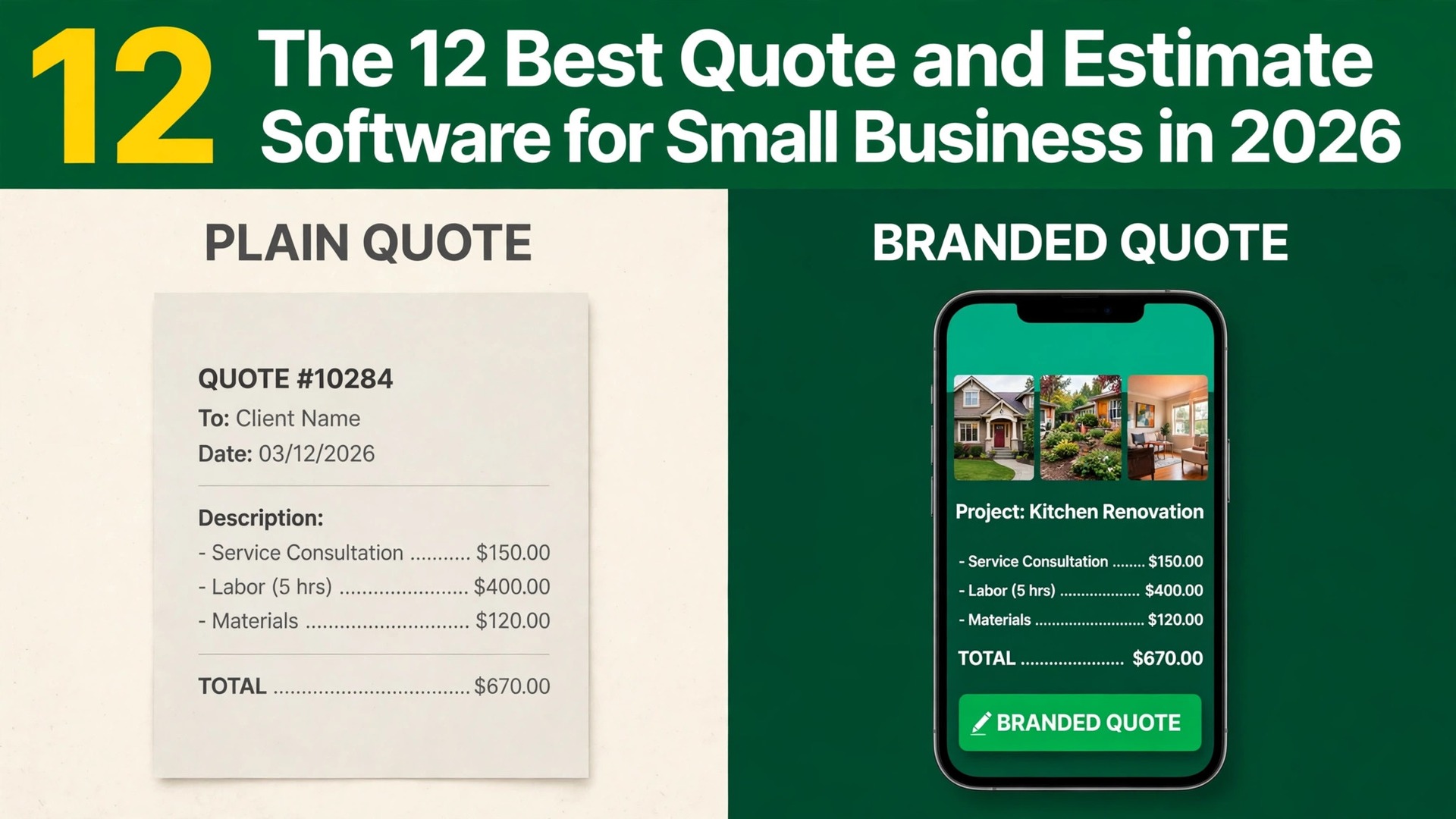
Jobber is the best overall pick among the best quote estimate software for small business, because it turns a quote into a scheduled job, an invoice and a payment without retyping anything. Joist is the better choice when you want the lowest monthly price for a simple estimate and invoice loop. Housecall Pro is the strongest pick when you want to show a customer three prices instead of one. We tested 12 tools on the same job, a kitchen repair quote that needed line items, a deposit, a customer signature and a follow up, and compared them on price, signing, payment and how fast a quote goes from a site visit to a yes.
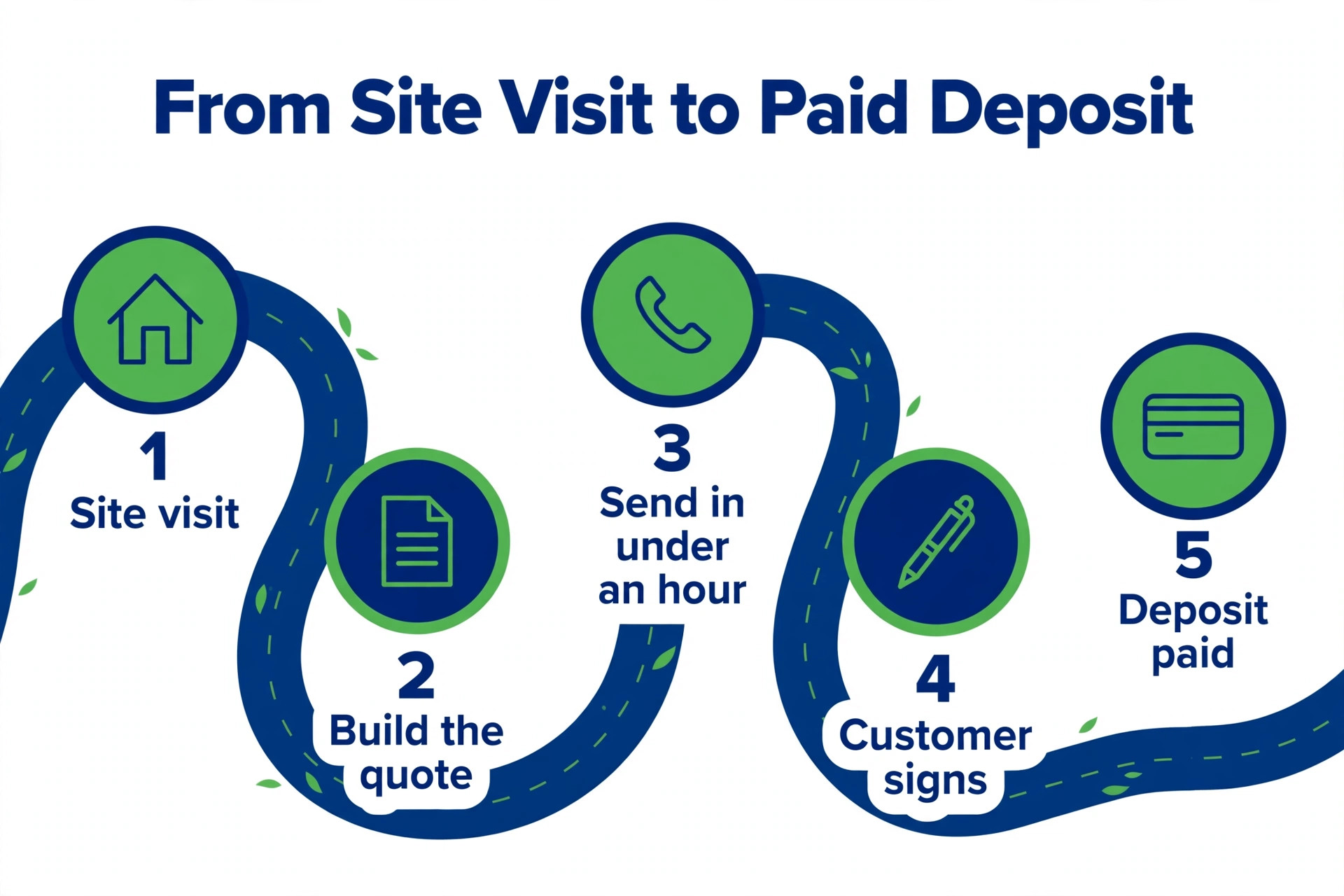
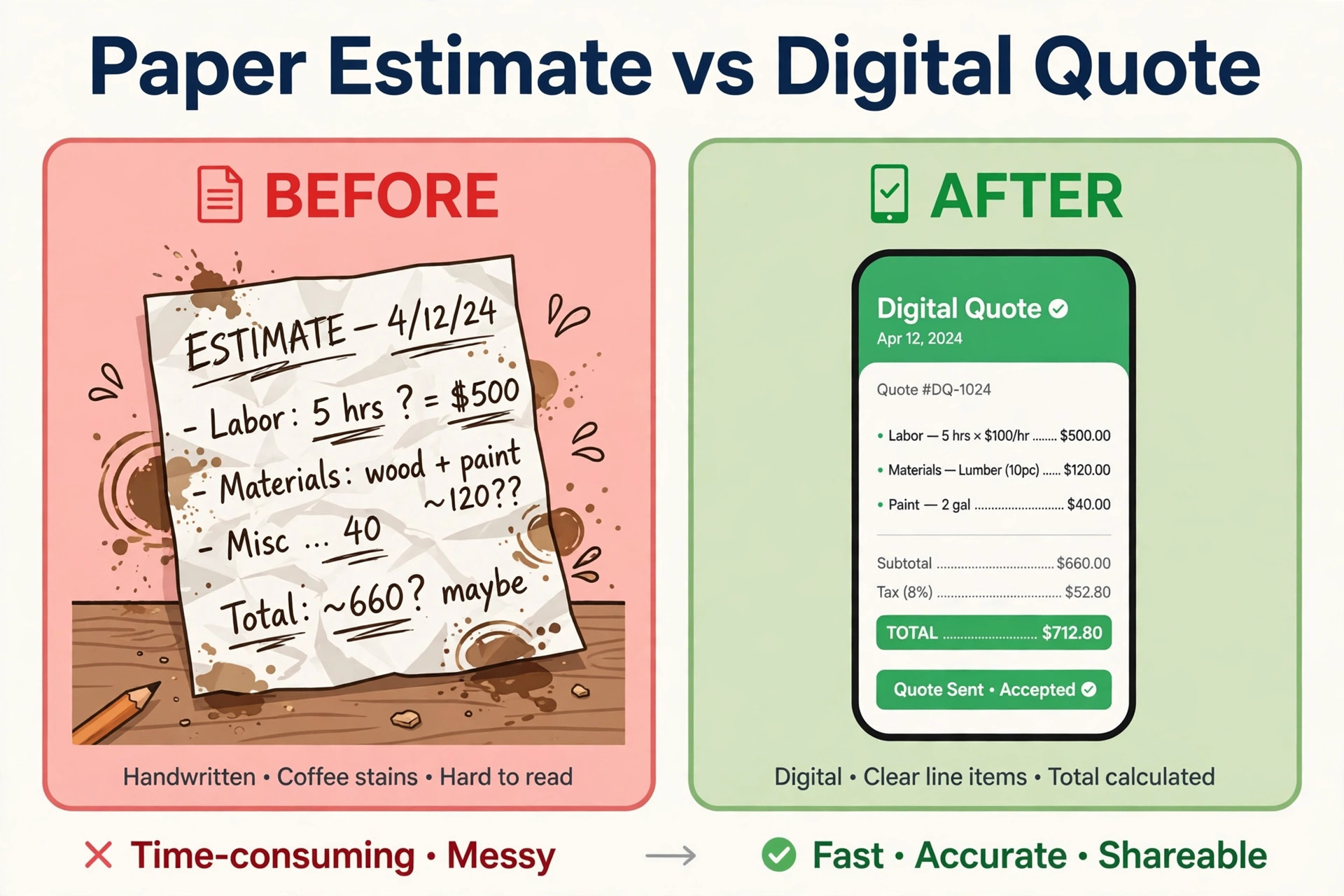
A quote is not a piece of paper. It is the moment a customer decides whether to hire you, and the software that sends it decides how professional that moment feels. A quote that arrives by text within an hour, with clear line items, photos and a tap to approve, wins work that a PDF sent three days later loses.
Prices in this guide were checked against vendor pricing pages and current 2026 roundups in November 2026. Quote software pricing changes often, and several vendors show different prices by region or by billing period, so confirm the price on the checkout page before you pay. Where two trusted sources disagreed on a price, we say so in the text and give the figure we found most often.
How We Tested the Best Quote Estimate Software for Small Business
We wrote three business profiles before opening any tool. The first was a solo handyman who quotes at the customer door from a phone. The second was a two truck plumbing business that quotes, schedules and invoices from the same system. The third was a small agency that sends branded proposals to clients and needs e signatures and payment schedules. Each tool was judged against the jobs each profile actually does every week, not against a feature list on a homepage.
We scored each tool on five points. Quoting speed covered how fast a quote goes from a site visit to the customer phone, including line item templates and photo attachments. Signing covered whether a customer can approve and sign on a phone, and whether the quote expires or needs a login. Payment covered deposits, payment schedules and card processing, including whether a deposit can be taken at approval. Follow up covered automatic reminders for quotes that go unanswered, because an unanswered quote is lost work. Price covered the true monthly cost for a one person business and for a small crew, including per user charges.
We also checked what each tool does badly, because a quoting tool lives or dies on its weak spots. A tool with beautiful quotes but no follow up loses work to silence. A tool with strong follow up but no deposit handling wins the yes and then waits weeks for payment.
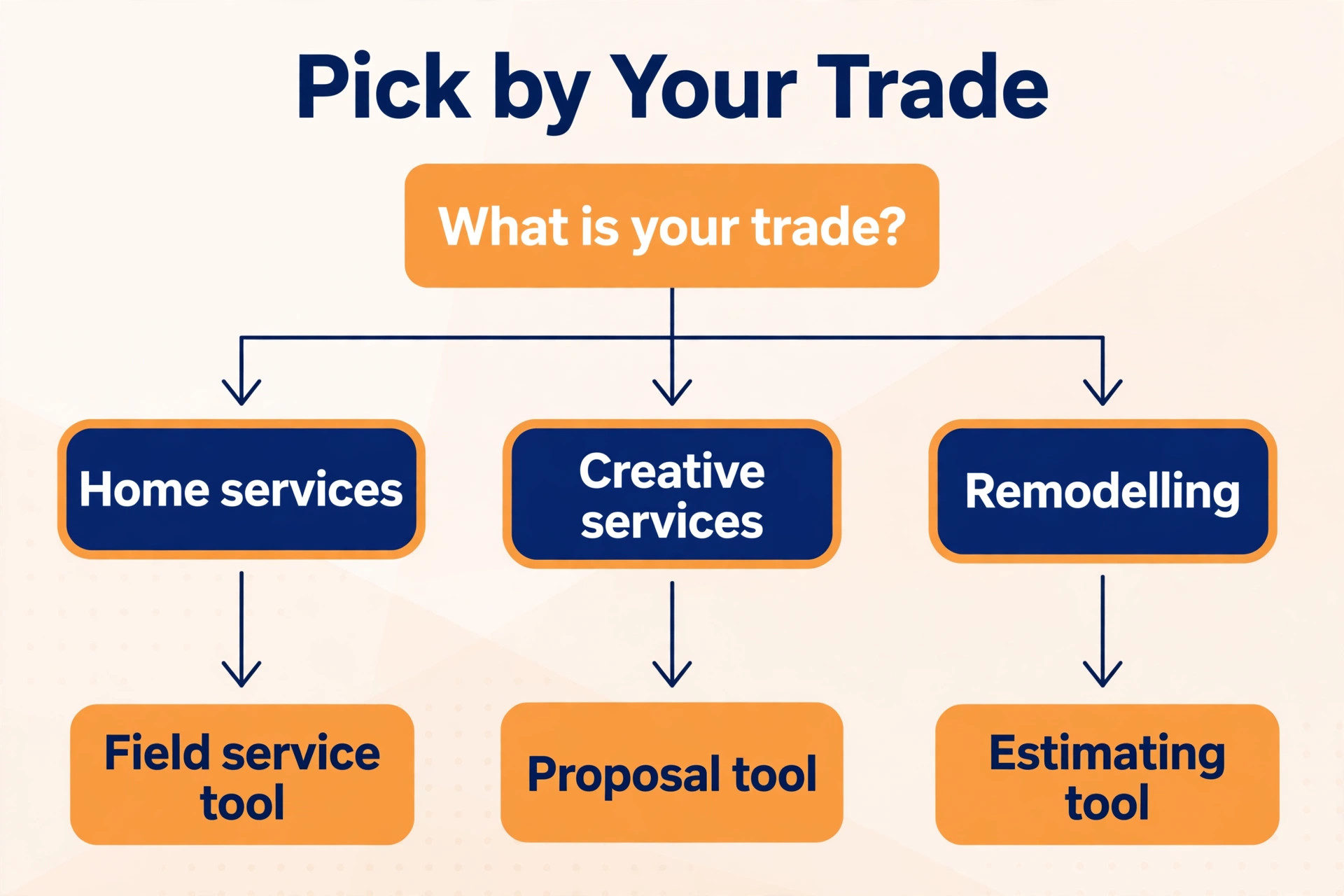
The Best Pick for Your Trade
| Job | Pick | Why it wins |
|---|---|---|
| A quote that becomes a job and a payment | Jobber | Quoting, scheduling and invoicing in one flow |
| The lowest monthly price | Joist | Simple estimates from 10 dollars a month |
| Three prices instead of one | Housecall Pro | Good, better, best proposals with financing |
| Estimates plus bookkeeping | FreshBooks | Invoicing and accounts in one place |
| A branded proposal for clients | PandaDoc | Product catalogue and e signatures from 49 dollars a seat |
Use this table as a shortcut, then read the full section for the tool you are leaning toward. The cheapest option is not the best value when it cannot take a deposit at approval, and the most expensive option is not the best choice when you only send five quotes a month.
The 12 Tools, Ranked for Small Business Quoting
The 12 tools below fall into three groups. The first group is built for trades and home services, and these are the strongest all round picks for most readers among the best quote estimate software for small business. The second group is built for general small business invoicing with estimates attached, and these suit owners who want accounts and quotes in one place. The third group is built for proposals and sales documents, and these suit agencies and B2B service firms that sell with a branded document.
1. Jobber
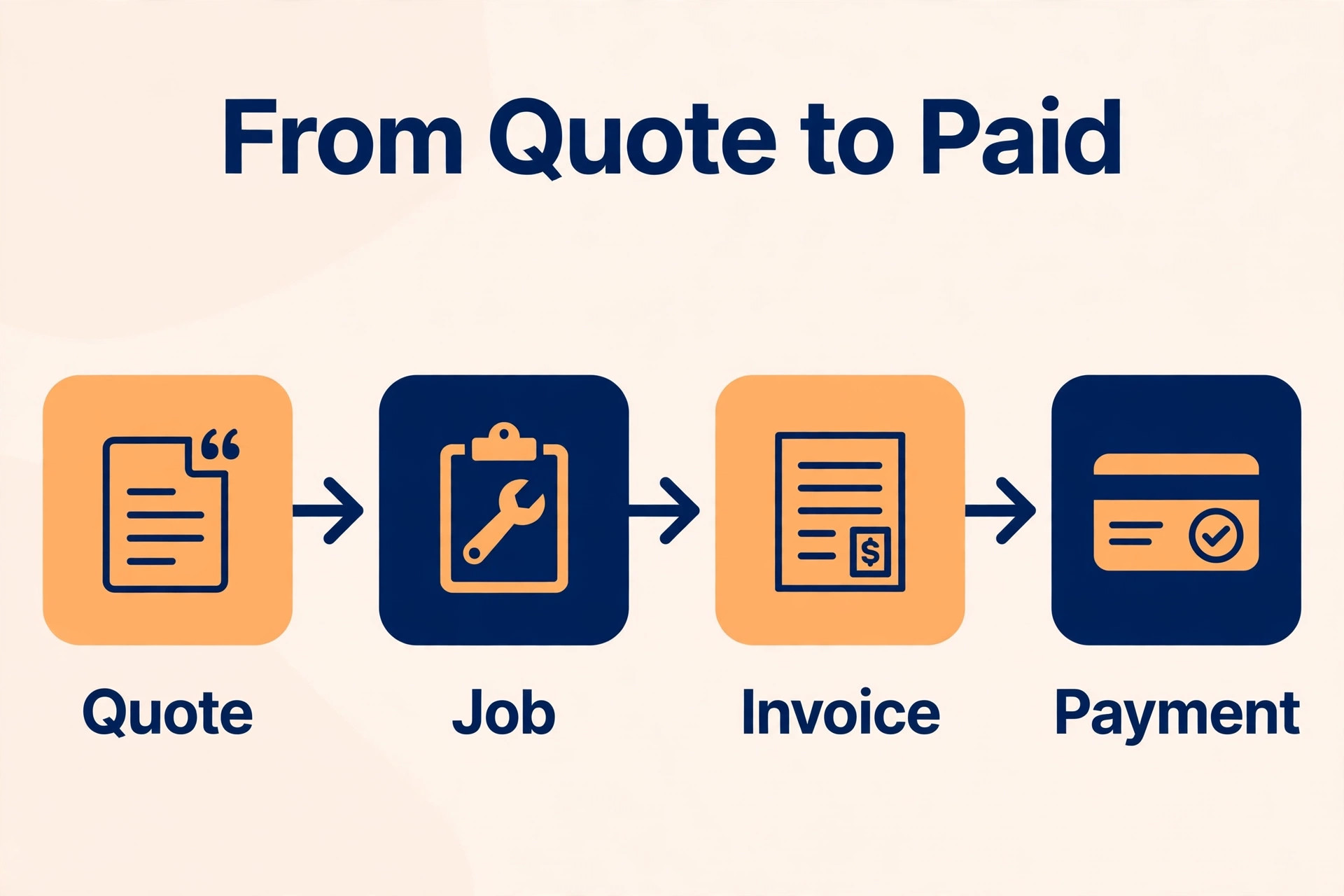
Jobber is the full operational backbone for service contractors, and its quoting features alone justify the price for many businesses. Quotes are built from saved line items, sent by email or text, and approved online by the customer, with the approval turning into a scheduled job and then an invoice without retyping. The Core plan at 49 dollars a month billed monthly, or 29 dollars a month billed yearly, covers quoting for one user, and most contractors land on Connect at 129 dollars or Grow at 249 dollars a month for automated follow ups and batch quoting.
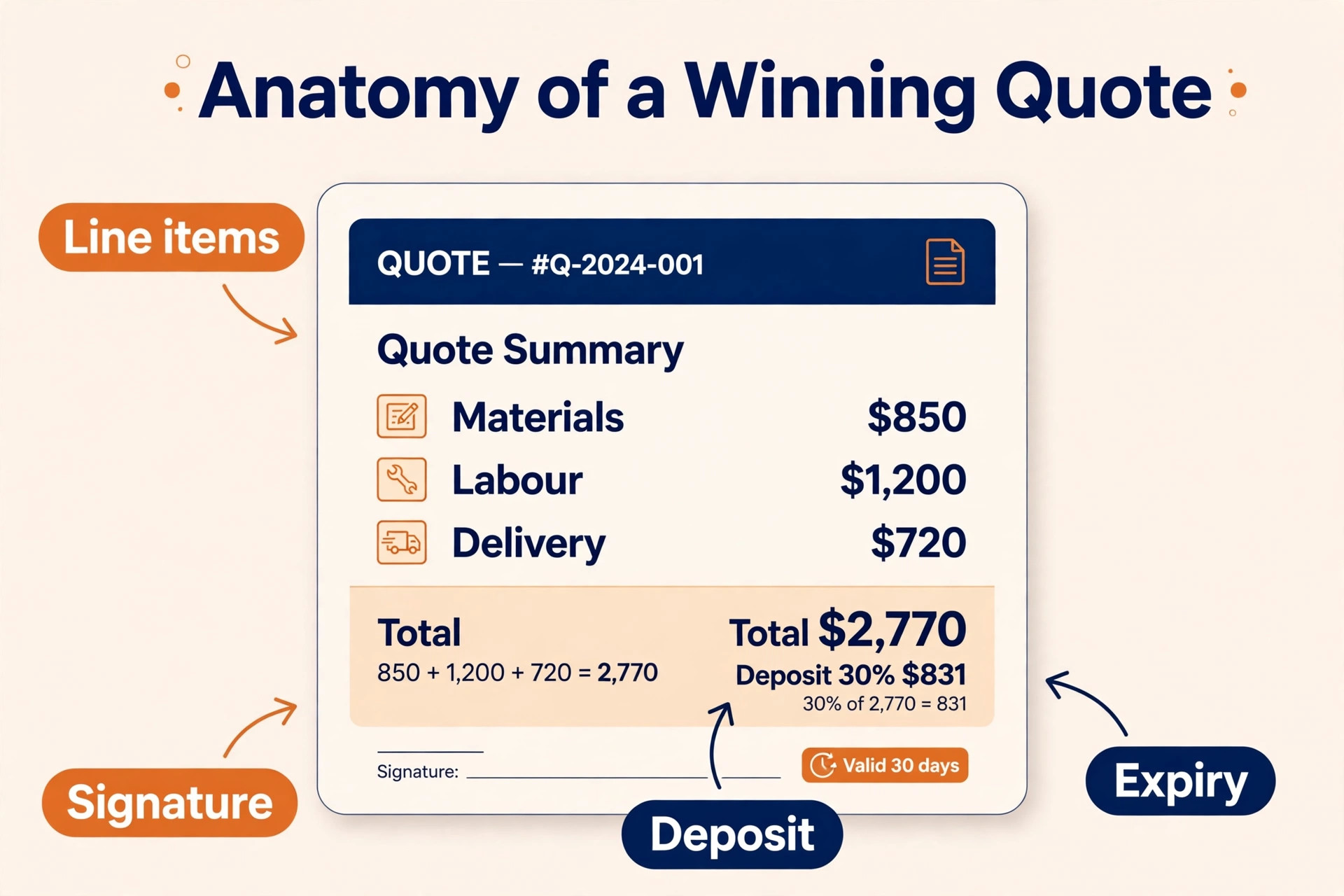
The follow up tools are what set Jobber apart. An unanswered quote gets an automatic reminder, a texted quote link expires after 24 hours for security, and the customer signs with the last four digits of a phone number to confirm identity. Deposits are taken through Jobber Payments at approval, so a yes becomes money the same day.
Jobber carries a Capterra rating of 4.6 from more than 1,400 reviews and a 14 day free trial. For a service business that plans to hire a crew, it is the strongest pick on this list, because quoting, scheduling, invoicing and payments live in one account and the system grows with the team.
2. Joist
Joist is what you use when you are a one truck operation and you need to look professional without spending 200 dollars a month on software you barely use. The app builds estimates with your logo, line items, client signatures and PDF exports, then converts the approved estimate to an invoice in a tap and takes payment. The mobile first design suits a contractor who quotes at the customer door, because the whole flow happens on a phone.
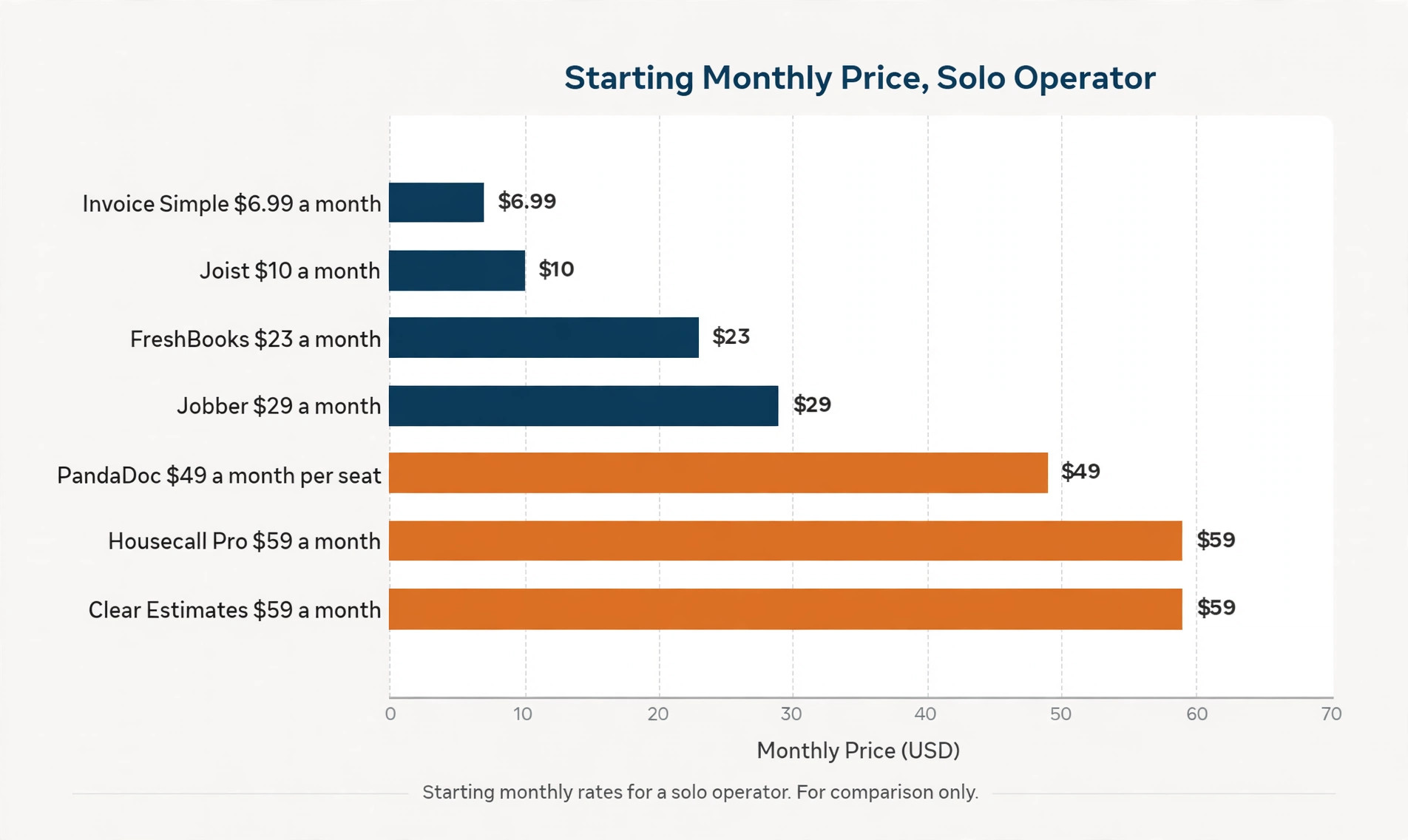
Pricing is the lowest on this list for a paid plan. Basics is 10 dollars a month for up to 5 estimates and invoices a month, Pro is 17 dollars a month for unlimited documents with your logo and view and sign notifications, and Elite is 32 dollars a month above that. Joist removed its permanent free plan, so new users get a 14 day free trial and then need a paid subscription. One older roundup still lists a free tier, but the current position is trial only, so budget for the paid plan from the start.
Joist has not evolved much recently, and the app feels dated next to Jobber polish, with no scheduling, no CRM and no route optimisation. For a solo contractor doing residential work who wants professional estimates without monthly overhead, that narrow scope is a fair trade.
3. Housecall Pro
Housecall Pro runs scheduling, dispatch, estimates, invoicing and payments for home service businesses, and its estimates are built around a price book you build yourself. The standout feature is the good, better, best proposal, which shows a customer three prices instead of one and lets them choose the level of service they want. That choice lifts the average job value, because many customers pick the middle option instead of the cheapest one, and the signature happens on a phone or a desktop.
Pricing starts at 59 dollars a month billed annually for Basic, or 79 dollars a month billed monthly, for one user, with Essentials at 149 dollars a month for 5 users and Max at 299 dollars a month for 8 users. Basic covers online booking, scheduling and dispatch, estimates and invoicing, payments and consumer financing, a price book, job costing and review management. Essentials adds flat rate pricing and QuickBooks Online sync, while Max adds the Sales Proposal Tool for multi option proposals. A 14 day trial gives full Max access.
Housecall Pro suits a one truck trade operator who quotes between jobs and wants booking, payments and review requests in the same system. It is weaker for B2B or referral work where consumer facing booking adds no value, and the per user charges add up with a bigger crew.
4. FreshBooks
FreshBooks is a general invoicing app with an estimate builder, and it suits an owner who wants estimates and bookkeeping in one account. Estimates are built from line items, sent to the client, and converted to invoices when approved, with the invoice feeding straight into the accounts. That single account matters for a freelancer or a small agency, because there is no separate bookkeeping tool to reconcile at month end.
Pricing lists Lite at 23 dollars a month for 5 clients, Plus at 43 dollars a month and Premium at 70 dollars a month, with team members at 11 dollars each on some plans. The trade off is depth, because FreshBooks has no material pricing feed, no photo to estimate feature and no dispatch tools, so a contractor who quotes from a site visit will find the estimate builder basic next to Jobber or Joist.
FreshBooks is the pick when invoicing and bookkeeping matter as much as the quote itself. A designer, a consultant or a cleaner who sends a handful of estimates a month and wants the accounts handled in the same place will get more from FreshBooks than from a trade specific tool.
5. PandaDoc
PandaDoc is built for sales teams sending quotes and proposals, and it is the strongest document tool on this list. Quotes are built from a product catalogue, with pricing rules, discount approvals and e signatures, and the document tracks when a client opens it, how long they spend on each page and when they sign. That tracking tells a salesperson when to follow up, which is the difference between a proposal that sits unread and a deal that closes.
Pricing for the Business plan is 49 dollars per seat a month billed annually, with a free plan for basic e signatures and a lower tier for small teams. The per seat model means a team of five pays about 245 dollars a month, so the cost grows with the team. The trade off is that PandaDoc is not a field service tool, so there is no scheduling, no dispatch and no job costing.
PandaDoc carries a G2 rating of 4.7 from more than 3,800 reviews, the largest review base of any quoting tool we checked. For a small sales team, an agency or a B2B service firm that sells with a branded proposal, it is the best pick on this list, because the document is the sale.
6. Invoice Simple
Invoice Simple is built for invoicing first, with estimates on the side, and it suits a solo operator who wants the cheapest path to a professional document. Estimates are built quickly from a phone, sent to the customer, and converted to invoices when approved. The interface is plain and fast, and there is little to learn, which matters for an owner who does the quoting between jobs and has no time for a setup project.
Pricing is simple and cheap. Essentials is 6.99 dollars a month, Plus is 14.99 dollars a month and Premium is 21.99 dollars a month, with limits on the cheapest plan that matter in practice. Essentials covers 3 invoices a month, Plus covers 10, and Premium covers more, so a business that sends more than 10 invoices a month needs the top tier. Customer signing on a phone and deposits are available on Premium, which means the cheapest plan cannot take a deposit at approval.
Invoice Simple is the pick when the budget is tiny and the volume is low. A cleaner, a handyman or a freelancer who sends a few estimates a month will get a professional document for less than the cost of a lunch.
7. Square Invoices
Square Invoices is the free route to a professional estimate, and it suits a business that already takes card payments through Square. Estimates are built from line items, sent by email or text, and converted to invoices when approved, with the customer paying by card through the same account. There is no monthly fee for the invoicing itself, and the cost comes from payment processing fees when a customer pays by card.
The trade off is depth. Square Invoices covers estimates, invoices and payments, but it has no scheduling, no dispatch, no follow up automation and no price book for trades. A contractor who needs to manage a crew will outgrow it fast, and a business that sends many quotes will miss the follow up tools that Jobber and Housecall Pro include. The strength is simplicity and cost, because a new business can start quoting the same day it signs up, with no monthly bill and no setup project.
Square Invoices is the pick for a side business, a market stall or a freelancer who takes card payments and sends a few estimates a month. The free price is honest, and the payment flow is the smoothest on this list for a customer who pays by card.
8. Zoho Invoice
Zoho Invoice is a free invoicing tool with an estimate builder, and it suits a small business that wants professional documents without a monthly fee. Estimates are built from line items, branded with a logo, sent to the client and converted to invoices on approval, with payment links and reminders built in. The tool sits inside the wider Zoho suite, so a business that already uses Zoho CRM or Zoho Books gets the estimate flow without a new account.
The free plan covers the core quoting and invoicing needs of a small business, and the limits are generous enough for a freelancer or a two person firm. The trade off is that Zoho Invoice is an invoicing tool first, so there is no scheduling, no dispatch and no trade specific price book. A plumber who quotes from a van will find the mobile flow workable but basic next to Joist, and a business that needs automated quote follow up will need to build it with reminders rather than automation.
Zoho Invoice is the pick when the budget is zero and the business already lives in Zoho. It is also a fair pick for any small business that wants free estimates and invoices with a professional look.
9. Wave
Wave is a free accounting tool with invoicing and estimates, and it suits a freelancer or a micro business that wants the books and the quotes in one free account. Estimates are built from line items, sent to the client, and converted to invoices when approved, with the invoice feeding into the accounting reports. That single free account covers the whole money flow for a business with a handful of clients.
The limits are real. Wave has no scheduling, no dispatch, no automated quote follow up and no price book, so a contractor who quotes daily will feel the gaps within a week. The estimate builder is basic, and the tool is built for accounting first, so the quoting experience is simpler than Joist or Invoice Simple. Payment processing fees apply when a customer pays by card, which is the only cost for most users.
Wave is the pick for a freelancer who needs free accounting and occasional estimates, and it is the wrong pick for a trades business that lives on quotes.
10. HoneyBook
HoneyBook is built for creative and service businesses that sell with a branded client experience, from photographers and planners to coaches and consultants. Quotes and proposals are sent as part of a client flow that includes contracts, invoices and payments, so a client approves the proposal, signs the contract and pays the deposit in one session. That flow is the reason creative businesses choose it, because the client experience feels polished from the first email to the final payment.
The trade off is that HoneyBook is not a trades tool, so there is no scheduling for crews, no dispatch and no price book for materials. Pricing is not published as a single flat rate in the sources we checked, so check the current plans on the vendor pricing page before you budget, and confirm what the entry plan covers.
HoneyBook is the pick for a creative business that sells high value services with a branded proposal. A photographer who sends a 3,000 dollar proposal with a contract and a payment schedule will get more from HoneyBook than from any trades tool on this list.
11. Proposify
Proposify is built for sales teams that send proposals at volume, and it covers the whole document flow from template to signature. Proposals are built from templates and a content library, with pricing tables, e signatures and tracking that shows when a client opens the document and which sections they read. That tracking tells a salesperson when to follow up, and the template library means a new proposal takes minutes rather than hours.
The trade off is price and scope. Proposify is priced for a sales team, so a solo operator pays for a system built for a team, and the tool covers documents only, with no scheduling, no invoicing and no job management. Pricing is not published as a single flat rate in the sources we checked, so check the vendor pricing page for current plans. For a B2B service firm that sends many proposals a month, the time saved on document creation justifies the cost.
Proposify is the pick when proposals are the daily work and the team needs templates, tracking and signatures in one place.
12. Clear Estimates
Clear Estimates is built for remodelers who need a cost database behind the quote, and it is the only tool on this list that prices the job from a built in database of material and labour costs. A remodeler picks the line items, and the tool fills in the costs from its database, so the quote is priced from real numbers rather than from memory. That database is the reason remodelers choose it, because a quote that misses a cost line is a job that loses money.
Pricing is 59 dollars a month billed annually, which puts Clear Estimates in the middle of this list, above Joist and below Housecall Pro. The trade off is scope, because the tool is built for remodeling and does not cover scheduling, dispatch or general invoicing for other trades. A handyman who quotes small repairs will get more from Joist, and a plumber who needs dispatch will get more from Jobber.
Clear Estimates is the pick for a remodeler who wants the quote priced from a cost database rather than from a blank sheet.
Choosing the Right Quote Tool
Start with how you sell, because the sale decides the tool. A trades business that quotes at the door should shortlist Joist, Jobber and Housecall Pro, and should test the mobile flow with a real site visit. A freelancer who sends a few estimates a month should shortlist Invoice Simple, Zoho Invoice and Wave, and should pick the cheapest one that takes a deposit. An agency that sells with a branded proposal should shortlist PandaDoc, Proposify and HoneyBook, and should test the document tracking before deciding.
Next, work out the true monthly cost at your volume, because the headline price is rarely the full bill. Jobber charges per user, PandaDoc charges per seat, and Housecall Pro charges per user on higher plans. A team of five pays five times the single user price on those tools, while Joist and Invoice Simple charge a flat monthly rate whatever the team size. The best quote estimate software for small business budgets is the one whose full monthly cost you can predict, not the one with the lowest starting price.
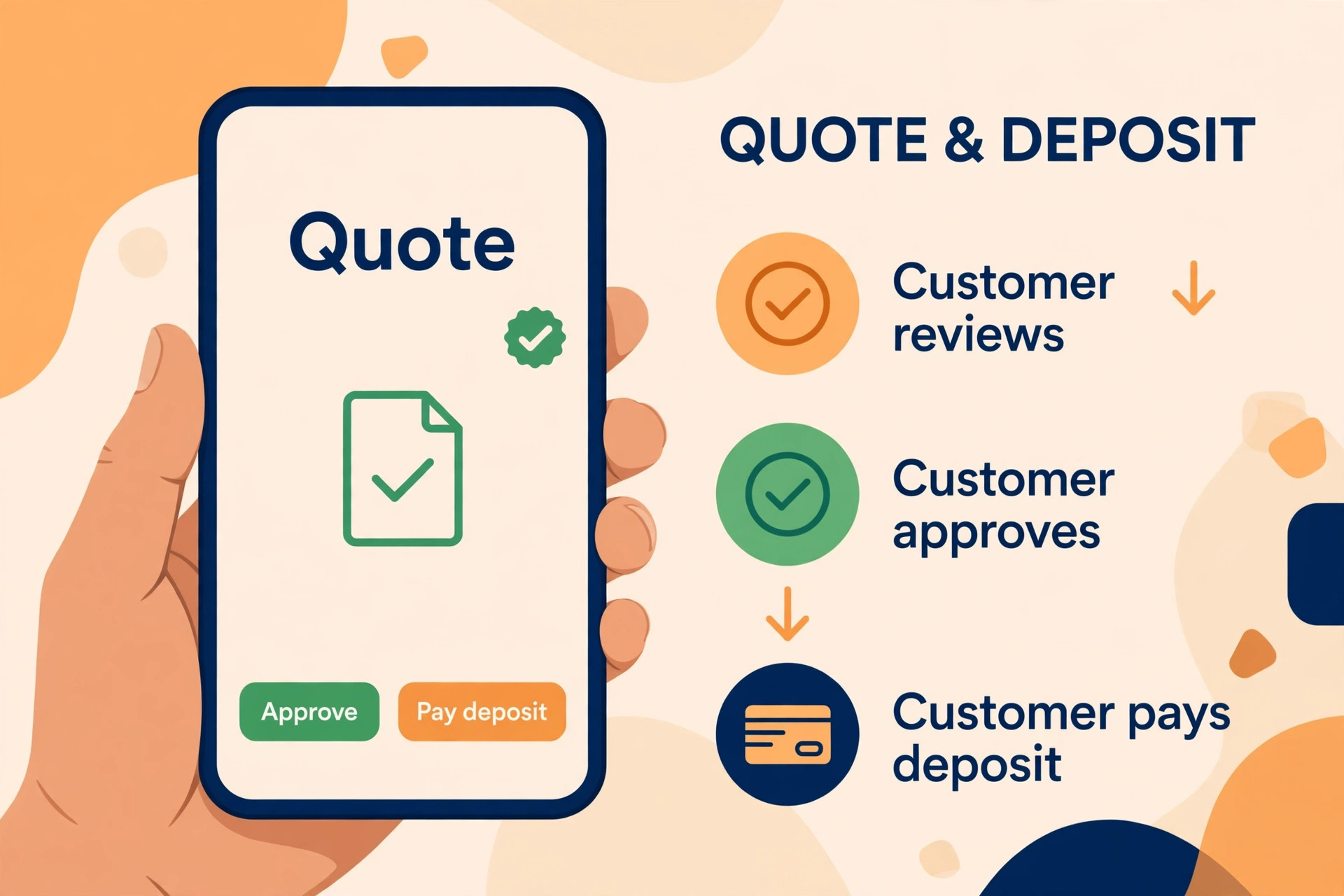
Then test the three moments that decide whether a quote turns into money. Send the quote and watch how fast it reaches the customer phone. Approve it as a customer and watch whether a deposit can be paid at the same moment. Ignore it for three days and watch whether the tool follows up on its own.
What to Check Before You Pay
A quoting tool is a long term commitment, because your line items, templates and customer history live inside it, and moving them is painful. Check the contract and the exit path before you enter card details, and confirm that you can export your quotes, invoices and customer records. Ask about the free trial length and whether the trial covers the full feature set, because a trial that hides follow up or payments tells you nothing about the daily flow.
Check the payment processing fees at the same time. Some tools charge a flat monthly price and pass card fees through at the standard rate. Others add a percentage on every transaction, which adds up fast when a business bills thousands of dollars a month.
- Confirm the full monthly cost at your real quote volume and team size, including per user charges.
- Confirm a customer can approve, sign and pay a deposit from a phone without a login.
- Confirm the tool follows up automatically on quotes that go unanswered.
- Confirm you can export quotes, invoices and customer records if you leave.
- Confirm the trial covers follow up, deposits and signing, not just quote creation.
Mistakes That Lose Work
The most common mistake is sending a quote late. A contractor visits a job on Monday, writes the quote on Wednesday, and sends it on Friday, by which time the customer has hired someone else. The best quote estimate software for small business owners wins on speed, because a quote sent within an hour of the visit closes far more often than a quote sent three days later. Pick a tool you can use from the customer door, and send the quote before you drive away.
The second mistake is sending one price when three would have won more work. A customer who sees only the cheapest option picks it, while a customer who sees good, better and best often picks the middle one. Housecall Pro builds that choice into the proposal, and the lift in average job value pays for the tool. When your tool only sends one price, you leave money on the table with every quote.
The third mistake is never following up. Most quotes go unanswered not because the customer said no, but because the customer got busy and forgot. A tool with automatic follow up reminders recovers those jobs, while a tool without them lets them die in silence. Check the follow up feature before you pay, because a quote without a follow up is a quote half sent.
Quote Faster, Win More
Jobber is the pick for most readers among the best quote estimate software for small business, because quoting, scheduling, invoicing and payments live in one flow, and the follow up tools recover work that other tools lose. Joist is the pick when the budget is tight and the job is estimates and invoices, because 10 dollars a month buys a professional mobile flow with nothing wasted. Housecall Pro is the pick when you sell with options, because good, better, best proposals lift the average job value.
FreshBooks is the pick when bookkeeping matters as much as quoting, PandaDoc is the pick when the proposal is the sale, and Clear Estimates is the pick for a remodeler who prices from a cost database. Invoice Simple, Square Invoices, Zoho Invoice and Wave cover the free and low cost corners of the market, and each one is the right answer for the business it was built for. Start with a trial of two tools, send the same quote through both, and watch which one gets the yes first.
Frequently Asked Questions
What is the best quote estimate software for small business?
Jobber is the best overall pick, because it covers quoting, scheduling, invoicing and payments in one flow, with automated follow up and deposits at approval. Joist is the best pick for the lowest price, at 10 dollars a month for a simple estimate and invoice loop. Housecall Pro is the best pick for selling with options, because its good, better, best proposals lift the average job value.
How much does quote and estimate software cost?
Most small business tools cost between 7 and 60 dollars a month, with Invoice Simple from 6.99 dollars, Joist from 10 dollars, FreshBooks from 23 dollars, Jobber from 29 dollars a month on annual billing, and Housecall Pro from 59 dollars a month on annual billing. PandaDoc costs 49 dollars per seat a month, so a team pays more.
Can customers sign a quote on their phone?
Yes, and this is one of the features that separates good tools from weak ones. Jobber, Joist and Housecall Pro all let a customer approve and sign on a phone, with the signature recorded and the approval turning into a job or an invoice. Invoice Simple offers phone signing on its Premium plan. Test the signing flow as a customer before you pay, because a signing step that needs a login or a desktop will lose approvals.
What is the best quote estimate software for small business contractors?
Jobber is the strongest pick for contractors who plan to hire a crew, because quoting, scheduling and invoicing live in one system. Joist is the best pick for a solo contractor who wants the lowest price. Housecall Pro is the best pick for a trade business that sells with options and wants booking and review requests in the same system. Clear Estimates is the best pick for a remodeler who prices from a cost database.
Does quote software take deposits?
Most paid tools take deposits at approval, including Jobber through Jobber Payments, Housecall Pro through its payment flow, and Invoice Simple on its Premium plan. Free tools like Square Invoices and Wave take card payments, with processing fees applying. Check the deposit feature before you pay, because a tool that wins the yes but cannot take the money leaves the job unpaid for weeks.
Should I use free quote software?
Free software suits a business that sends a few quotes a month and wants no monthly bill, and Square Invoices, Zoho Invoice and Wave all cover that job honestly. A business that sends many quotes a week, needs automated follow up, or wants to take deposits at approval should pay for Joist or Jobber, because the follow up and deposit features pay for themselves in recovered work. Start free, and upgrade when the volume justifies it.
Send the quote before you drive away, show the customer a choice, and follow up when they go quiet. The best quote estimate software for small business makes those three habits easy, and the work follows.