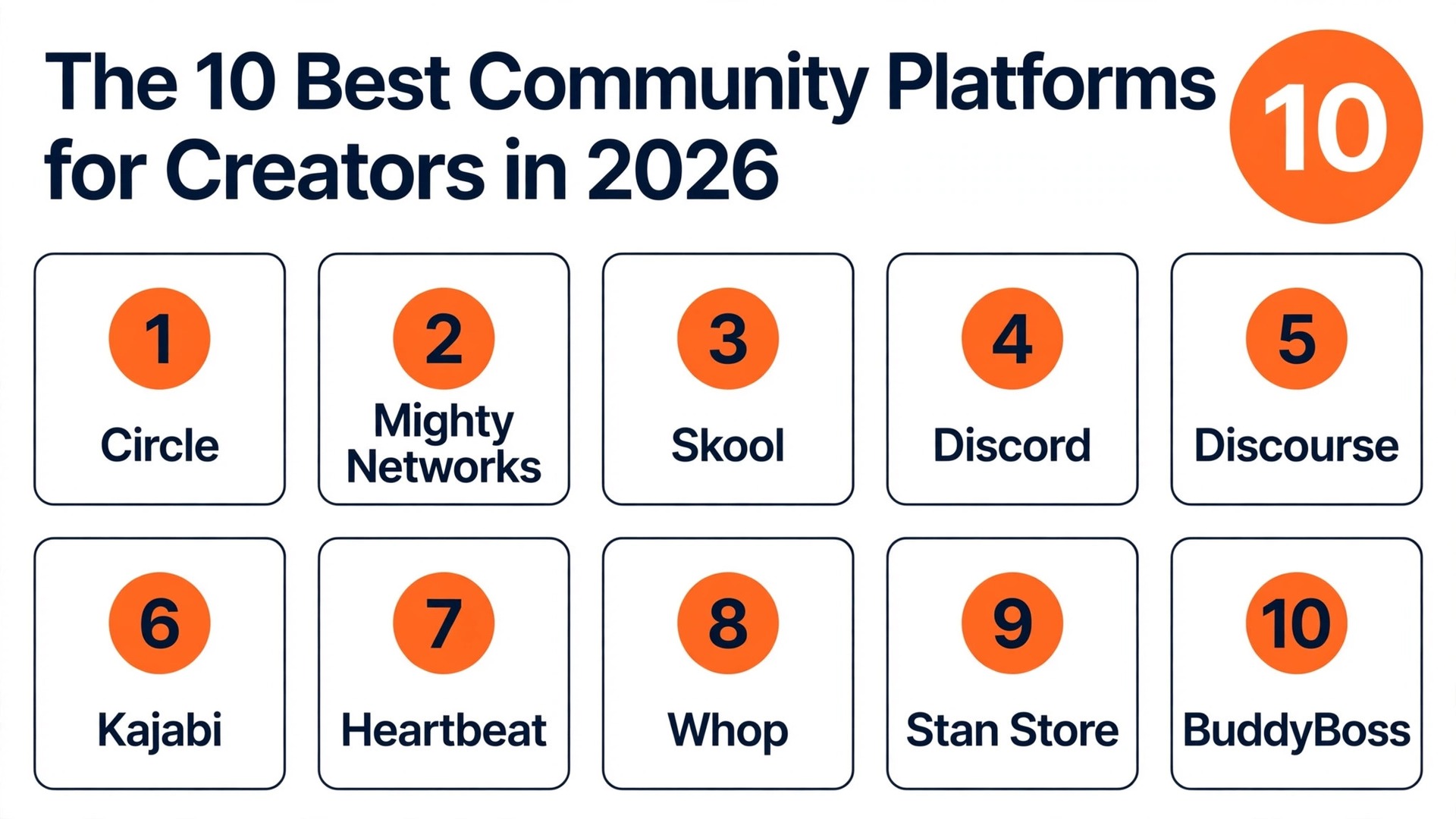
If you run a paid membership, pick Circle. If you run a coaching group with courses, pick Skool. If you want a free chat community and you already have an audience, pick Discord. If you want courses, email and community in one business, pick Kajabi. If you want to sell access with no monthly bill at all, pick Whop. That is the whole verdict in five lines, because the best community platforms for creators are not ranked by features alone. They are ranked by the job your community does, the fee you pay on every sale, and whether your members actually show up week after week.
We compared ten real platforms on price, platform fees, courses, chat, live events, mobile apps and data ownership. This guide shows what each platform actually costs at real member numbers, what it does well, and where the fees hide, so you can pick a home your members will love and your business can afford.
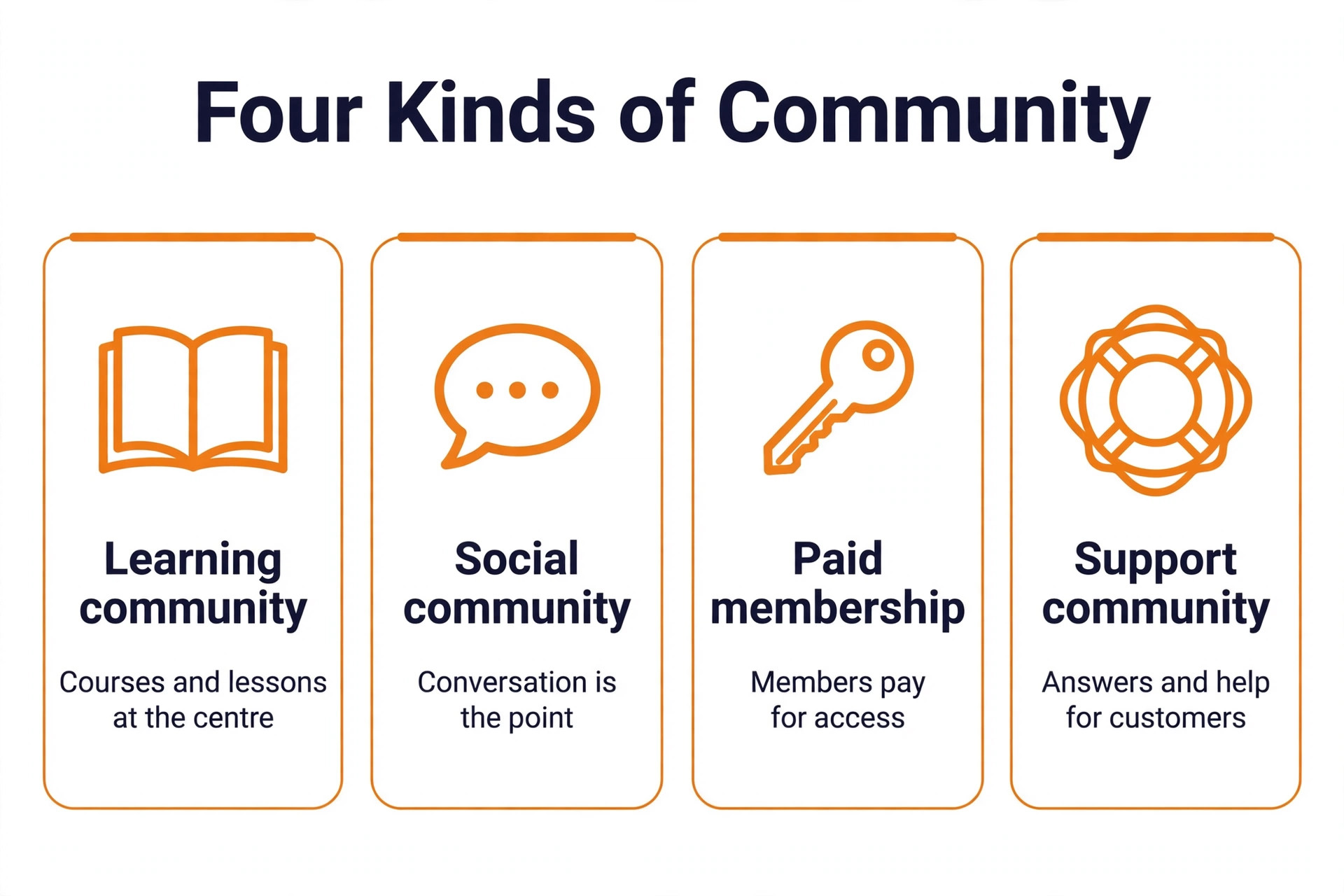
A community is not a mailing list and it is not a social media following. A mailing list sends one message to many people. A social following belongs to the platform, and the algorithm decides who sees your post. A community is a place where members talk to each other, not just to you, and that conversation is the product.
The cost question is different here, because the platform takes a cut of your revenue as well as a monthly fee. A platform that charges 89 dollars a month plus 2 percent of sales costs far more once you have 200 paying members. This guide works out the real bill at 200 members paying 20 dollars a month, so you can see the true cost before you commit.
How We Compared 10 Platforms for Creators
We judged each platform the way a creator would, with an audience to serve and a business that depends on members renewing every month. The platform had to make it easy for a member to join, find the conversation, watch a lesson and pay without friction. A platform that confuses a new member on day one loses that member before the first live call.
We scored the best community platforms for creators on six points. Price covered the monthly subscription, the platform fee on every sale, and the card processing cost. Community tools covered discussion spaces, chat, threads, events and member profiles. Courses covered lessons, classrooms, progress tracking and certificates. Monetisation covered paid memberships, one time sales, subscriptions and free trials. Mobile experience covered the member app, notifications and the branded app option. Ownership covered whether you own the member list, the content and the data, or whether the platform can change the rules on you.
Prices and fees in this guide were checked against vendor pricing pages and current 2026 roundups in November 2026. Community platform prices moved during 2026, and several vendors changed their fees mid year, so we flag the conflicts honestly where they appear, and you should confirm the price and the fee on the checkout page before you launch.
The Best Pick for Each Job
| Job | Pick | Why it wins |
|---|---|---|
| A paid membership business | Circle | Polished spaces plus courses plus automation |
| Community plus courses plus apps | Mighty Networks | The strongest native mobile experience |
| Simple paid coaching group | Skool | One feed plus a classroom plus a calendar |
| A big free chat group | Discord | Free, fast, and everyone already knows it |
| A searchable public forum | Discourse | Free self hosted, with real SEO value |
| The full creator business | Kajabi | Website plus funnels plus email plus community |
| A small organised cohort | Heartbeat | Channels plus threads plus courses from 49 dollars |
| No monthly fee at all | Whop | Pay only 2 dollars and 70 cents plus 30 cents per payment |
| Sell from social media | Stan Store | Storefront plus community with zero platform fee |
| Full ownership on WordPress | BuddyBoss | Your site, your data, from 99 dollars a year |
Use this table as a shortcut to the best community platforms for creators, then read the full section for the platform you are leaning toward. The cheapest monthly price is not the best value when the platform fee takes hundreds of dollars a month at volume, and the free platform is not the best choice when you cannot own your member list.
The Best Community Platforms for Creators in 2026, Ranked
The ten platforms below fall into three groups. The first group is the paid membership platforms, built for creators who charge members every month and want courses, events and automation in one place. The second group is the free and open platforms, built for creators who want a chat server or a forum without a monthly bill. The third group is the business platforms, built for creators who want the community to sit next to a store, a course business or a WordPress site.
1. Circle
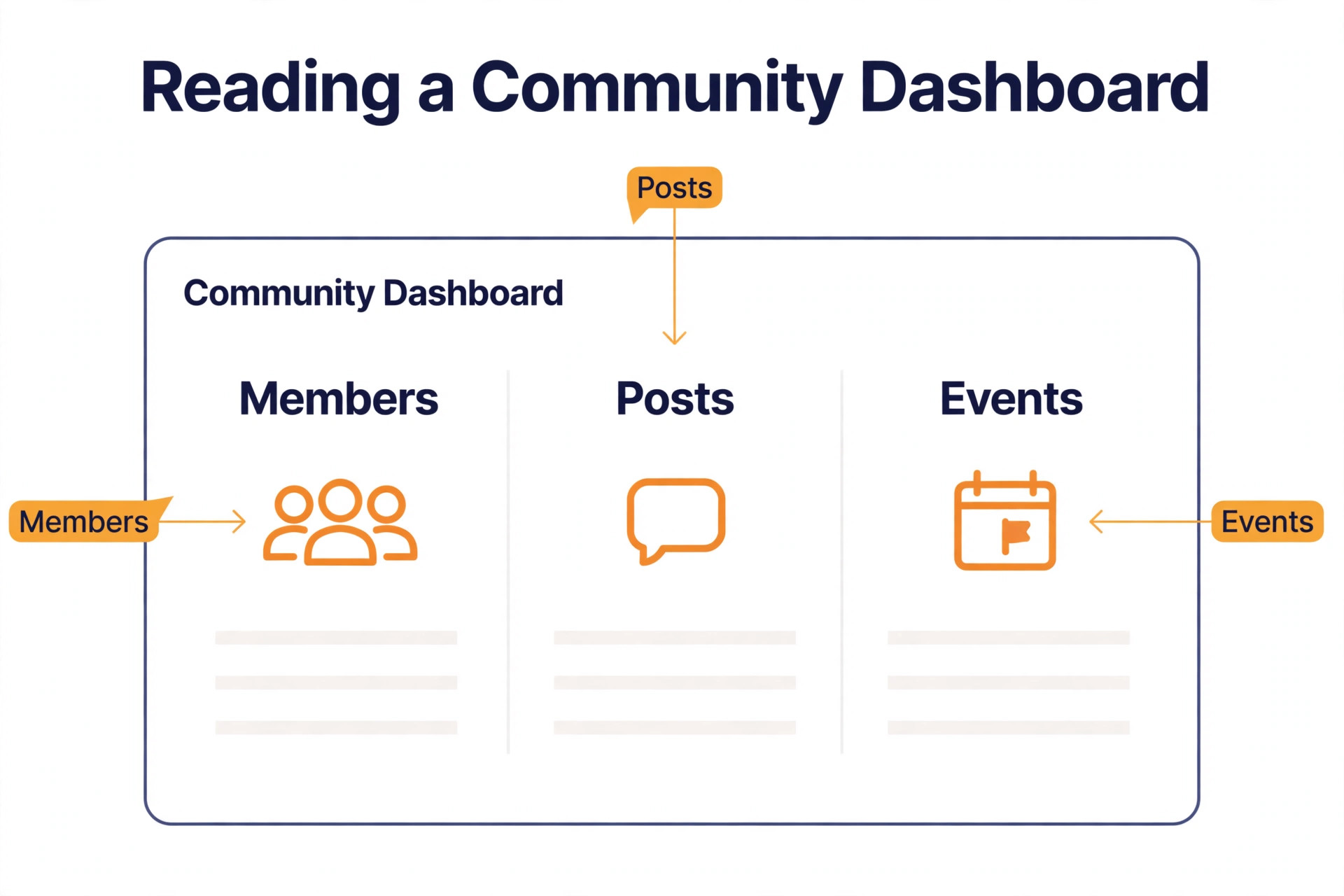
Circle is the default recommendation for creators building a paid membership business, and the default exists for a reason. It offers a polished community with structured spaces, courses, live events, gamification and automation workflows, all in one account. Members can join a space, watch a lesson, attend a live event and talk to each other without leaving the platform, and the admin tools let you automate onboarding, moderation and member support without hiring help.
Pricing starts at 89 dollars a month for Professional billed annually, with a 2 percent transaction fee, and rises to 199 dollars a month for Business and 419 dollars a month for Scale. Circle Plus is custom priced and reaches a 0.5 percent fee. The 2026 additions that matter are AI agents and automation workflows, which handle onboarding and moderation without constant manual work. The trade off is the branded mobile app, which requires Circle Plus.
Pick Circle when you run a paid membership with courses and events, when you want the most polished member experience on this list, and when you are ready to pay 89 dollars a month for a platform that handles the whole business. For a small cohort or a simple coaching group, Skool or Heartbeat may be the better value.
2. Mighty Networks
Mighty Networks is the pick when the community is the whole business, and it wins on mobile engagement. Members get a native app on iOS and Android, with courses, events, livestreams and community spaces in one place, and the engagement tools are built to keep members coming back every day. The platform supports community led memberships with structured programs, challenges and cohorts, which suits creators who run a program rather than a single course.
Pricing starts at 79 dollars a month for Launch billed annually, with a 2 percent fee, and rises to 179 dollars a month for Scale and 354 dollars a month for Growth. No tier ever reaches a zero percent fee. The trade off is the learning curve. Mighty Networks has more settings than Skool, so a new creator needs a week to set it up well, while a Skool group can launch in a day.
Pick Mighty Networks when mobile engagement matters most, when your community runs structured programs and cohorts, and when you want courses and community in one native app. For a creator who wants the simplest possible setup, Skool is the easier start.
3. Skool
Skool is the simplest way to launch a paid coaching community, and its simplicity is the product. One feed, one classroom, one calendar, and a gamified leaderboard that rewards members for posting and helping each other. There are no channels to configure, no spaces to structure, and no settings maze to get lost in. A coach can create a group, upload a course, set a price and invite members in a single afternoon.
Pricing changed in 2026, and the change matters. Skool now offers Hobby at 9 dollars a month plus 10 percent plus 30 cents per payment, and Pro at 99 dollars a month plus 2 dollars and 90 cents plus 30 cents per payment. Older guides list Skool as a flat 99 dollars a month with no Hobby tier, which conflicts with the current pricing, so confirm the plan before you budget.
Pick Skool when you run a coaching group, when you want members to find new groups through Skool discovery, and when simplicity matters more than customisation. For a large, structured community with many spaces, Circle is the better fit.
4. Discord
Discord is the best free option on this list, and it is the right choice when you already have an audience and you need a place for them to talk. Starting a server is free, members already know how to use it, and the text and voice channels, the live events and the community tools work immediately. A gaming creator, a niche hobby creator or a creator with a large free audience can run a thriving Discord server without paying a platform fee at all.
The trade off is monetisation and ownership. Discord itself is free, but selling access costs money. Server Subscriptions take 10 percent of each payment, and only in the United States, which makes Discord the most expensive way to charge members at volume. You also own no data, and you cannot export your member list cleanly. The platform is built for conversation, not for courses, so a creator who needs lessons will need a separate tool.
Pick Discord when your community is free, when your audience already lives there, and when real time chat and voice matter more than courses or payments. For a paid community, sell access through Whop or a similar tool, or move to Circle or Skool when the revenue justifies it.
5. Discourse
Discourse is the best free and open source option for forums, and it is the only platform on this list with real SEO value for a public community. It is forum software that powers the official communities of companies like OpenAI, Atlassian and Shopify, and a public Discourse forum can rank in Google, bring in new members from search, and build a searchable knowledge base that grows more valuable every year. No chat platform can do that, because chat disappears and forums endure.
Pricing is free to self host, which means you run the software on your own server and pay only for hosting, or you pay for hosted Discourse. The hosted price is the one conflict to flag. One guide lists hosted Discourse at 100 dollars a month, while another lists it at 20 dollars a month, so the real price depends on the plan and the member count, and you should check the Discourse pricing page before you budget. The trade off is the experience. Discourse is a forum, not a chat app, so it suits slow, thoughtful discussion and support communities, not fast, casual conversation.
Pick Discourse when you want a public, searchable community, when you want to own your data and your software, and when your members ask questions that deserve a permanent answer. For a paid coaching group or a private membership, Circle or Skool will feel more modern.
6. Kajabi
Kajabi is the full suite pick, and it suits the creator who wants a website, funnels, email, courses and community in one business. A member can discover you through a landing page, join your email list, buy a course, join the community and attend a live event, all without leaving Kajabi, and the data follows them through every step. That single system is the reason creators pay the highest price on this list.
Pricing starts at 179 dollars a month, with a zero percent platform fee on sales, although card processing at 2 dollars and 90 cents plus 30 cents still applies. At 200 members paying 20 dollars a month, Kajabi costs 179 dollars plus card fees, while Circle Professional costs 89 dollars plus 80 dollars in platform fees plus card fees, so the gap is smaller than the headline prices suggest.
Pick Kajabi when the community is one part of a larger business, when you already sell courses and run email funnels, and when you want one system instead of five subscriptions. For a community alone, Circle or Mighty Networks give you more community for less money.
7. Heartbeat
Heartbeat is the pick for a small, organised group, and it is the closest thing to Discord layout with courses and payments added. It uses channels, threads and events, so it feels familiar if you are coming from Discord, and it adds courses, documents and payments in the same place. That combination suits cohort programs, small memberships and creator groups that want structure without the complexity of Mighty Networks.
Pricing starts at 49 dollars a month for Build, or 40 dollars a month billed annually, for up to 350 members with a 5 percent fee. Grow costs 149 dollars a month for up to 5,000 members with a 2.5 percent fee. Scale costs 849 dollars a month for unlimited members with a 1.25 percent fee, and it is the only tier with a white label mobile app. The fees sit on top of Stripe processing, so the real cost is higher than the subscription alone.
Pick Heartbeat when you run a small cohort program, when you want a Discord like layout with courses, and when your member count stays under 350. For a larger community, the 5 percent fee on Build becomes expensive, and Circle or Mighty Networks offer a lower fee at a similar subscription price.
8. Whop
Whop is the cheapest way to charge for a community, because it has no subscription at all. There is no monthly plan, no member cap, and no platform fee on the pay as you go plan. Each domestic card payment costs 2 dollars and 70 cents plus 30 cents, with processing included, plus 1.5 percent for international cards, 1 percent for currency conversion, and 2 dollars and 50 cents for a next day United States bank payout. At 200 members paying 20 dollars a month, Whop keeps the most of any platform on this list, at about 967 dollars kept from 1,000 dollars in sales in one comparison.
Whop is a marketplace as well as a payment tool, so your community can be discovered by buyers browsing Whop. The trade off is that Whop is not a community platform by itself. It sells access to your Discord server or your own community, so you still need a place for members to talk.
Pick Whop when you already have a free Discord server or a free group, when you want to start charging without a monthly bill, and when keeping the most revenue per sale matters more than having every feature in one place. For a creator starting from zero, Circle or Skool give you the community and the payments together.
9. Stan Store
Stan Store is the pick for social first creators who sell from a link in bio, and it is the best overall choice for a creator who monetises through social media. A creator can sell courses, digital products, coaching, memberships, webinars and community access from the same storefront, and members can join the community from the same page where they buy a digital product. That single storefront is the reason Stan Store wins for creators whose audience lives on Instagram, TikTok and YouTube.
Pricing starts at 29 dollars a month for Creator, or 99 dollars a month for Creator Pro, with a 14 day free trial and a zero percent Stan platform fee on both plans. Stripe or PayPal processing fees still apply, at the standard card rate. The trade off is depth. Stan Store is a storefront with community features, not a dedicated community platform, so its discussion tools are lighter than Circle, its courses are simpler than Kajabi, and its community features are a part of the store rather than the whole product.
Pick Stan Store when your audience finds you on social media, when you sell digital products alongside community access, and when you want a zero percent platform fee with a low monthly price. For a creator whose community is the business itself, Circle or Mighty Networks offer deeper community tools.
10. BuddyBoss
BuddyBoss is the ownership pick, and it is the only platform on this list that runs on your own WordPress site. It is a plugin that turns WordPress into a community platform, with member profiles, groups, forums, courses, events and messaging, all on a site you own. Your member list, your content and your data stay in your own database, and no platform can change the rules, raise the fees or close your account.
Pricing starts at 99 dollars a year for the plugin, with a free plugin available, and a mobile app from 499 dollars a year. That makes BuddyBoss the cheapest annual price on this list by a wide margin, although you also pay for WordPress hosting, and you are responsible for updates, backups and security. The trade off is the work. A hosted platform handles the technical side for you, while BuddyBoss needs a creator who is comfortable with WordPress, or a developer who can maintain it.
Pick BuddyBoss when you already run a WordPress site and want full ownership of your community and your data. For a creator who wants a hosted platform with no technical work, Circle or Skool are the easier choice.
What 200 Members Paying 20 Dollars a Month Really Costs
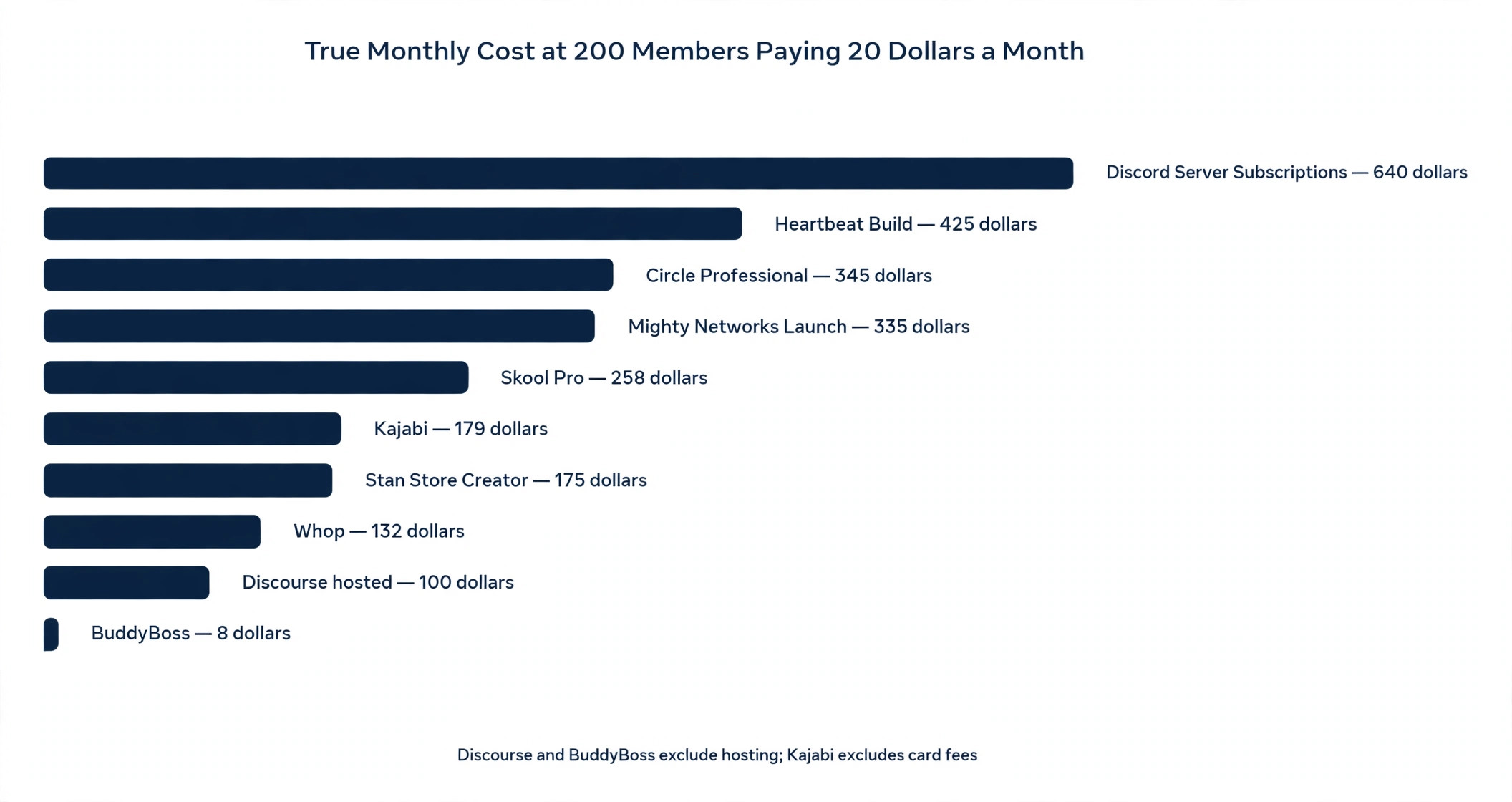
This table shows the real monthly bill when a community has 200 members paying 20 dollars a month, which is 4,000 dollars a month in sales. Card fees are included at the standard rate where the platform charges them separately, and platform fees are shown as published.
| Platform | Plan fee a month | Platform fee | Total fees a month |
|---|---|---|---|
| Circle Professional | 89 dollars | 80 dollars | About 345 dollars |
| Mighty Networks Launch | 79 dollars | 80 dollars | About 335 dollars |
| Skool Pro | 99 dollars | About 116 dollars | About 258 dollars |
| Discord Server Subscriptions | Zero dollars | 400 dollars | About 640 dollars |
| Discourse hosted | About 100 dollars | None | About 100 dollars plus hosting |
| Kajabi | 179 dollars | Zero dollars | About 179 dollars plus card fees |
| Heartbeat Build | 49 dollars | 200 dollars | About 425 dollars |
| Whop pay as you go | Zero dollars | About 132 dollars | About 132 dollars |
| Stan Store Creator | 29 dollars | Zero dollars | About 175 dollars |
| BuddyBoss | About 8 dollars | None | About 8 dollars plus hosting |
The lesson is plain. Discord looks free, but at 200 paying members it is the most expensive platform on this list, because the 10 percent Server Subscriptions fee takes 400 dollars a month. Heartbeat Build looks cheap at 49 dollars a month, but the 5 percent fee takes 200 dollars. Whop and BuddyBoss keep the most, because Whop charges only card processing and BuddyBoss charges only a yearly plugin fee.
How to Choose the Right Platform for Your Community
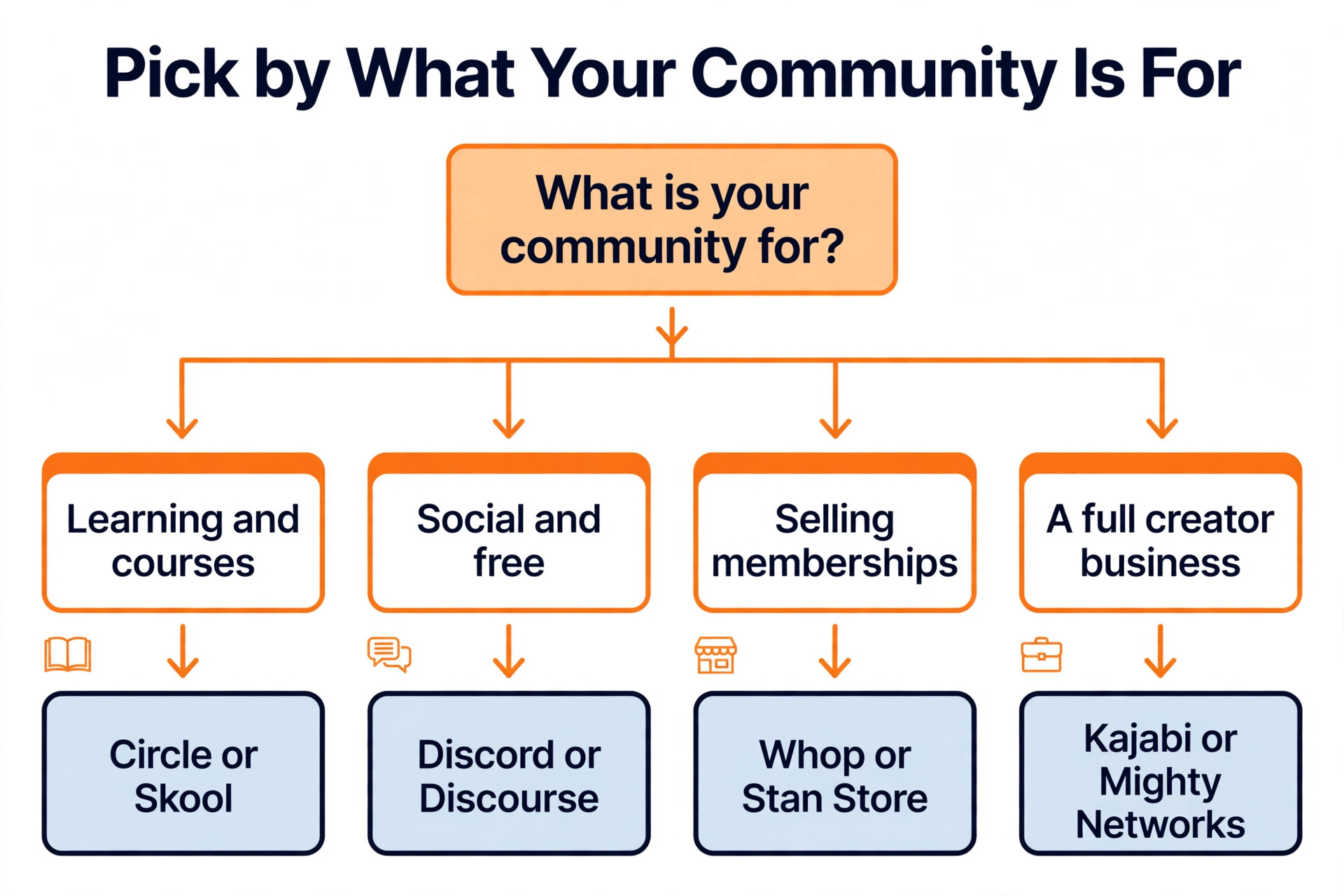
Start with the job, because it removes half of the best community platforms for creators in one step. A paid membership with courses should shortlist Circle, Mighty Networks and Kajabi. A simple coaching group should shortlist Skool and Heartbeat. A free chat community should shortlist Discord and Discourse. A social first creator selling digital products should shortlist Stan Store and Whop. A WordPress site owner should shortlist BuddyBoss first. Choosing against the job means paying for features you will never use, or missing the feature your members need most.
Next, work out the true cost at your real member numbers, not at zero members. Take your expected member count, multiply it by your price, apply the platform fee, add the card processing, and add the subscription. A platform that costs 29 dollars a month with a zero percent fee is cheaper at 200 members than a platform that costs 79 dollars a month with a 2 percent fee, even though the headline price is lower on the second. Do this maths for every platform before you compare features, because the fee is the real decision.
Then test the member experience before you commit. Join as a member yourself, find the conversation, watch a lesson, and try to pay. If any step feels slow or confusing, your members will churn in the first month. The best community platforms for creators make the member side as simple as the admin side, and the test takes an afternoon.
Finally, check the exit. Ask whether you can export your member list, your content and your payment history. A community is your business, and a platform that holds your members hostage is a risk. BuddyBoss and Discourse give you full ownership, Circle and Mighty Networks offer reasonable exports, and Discord gives you almost nothing to take with you.
Mistakes That Kill Paid Communities
The most common mistake is choosing a platform before you have members. A creator buys the most expensive platform, builds ten spaces, records a full course, and then discovers that nobody joins, because the audience was never asked what they wanted. Start with the members, not the software. Run a free group for a month, learn what people actually talk about, and then buy the platform that fits the community you have, not the one you imagine.
The second mistake is ignoring the fee. A creator launches on Discord, grows to 200 paying members, and then realises that the 10 percent Server Subscriptions fee takes 400 dollars a month, which is more than Circle Professional would have cost in total. Work out the fee at 200 members before you launch, because switching platforms later means moving every member, every lesson and every conversation, and many members will not make the move.
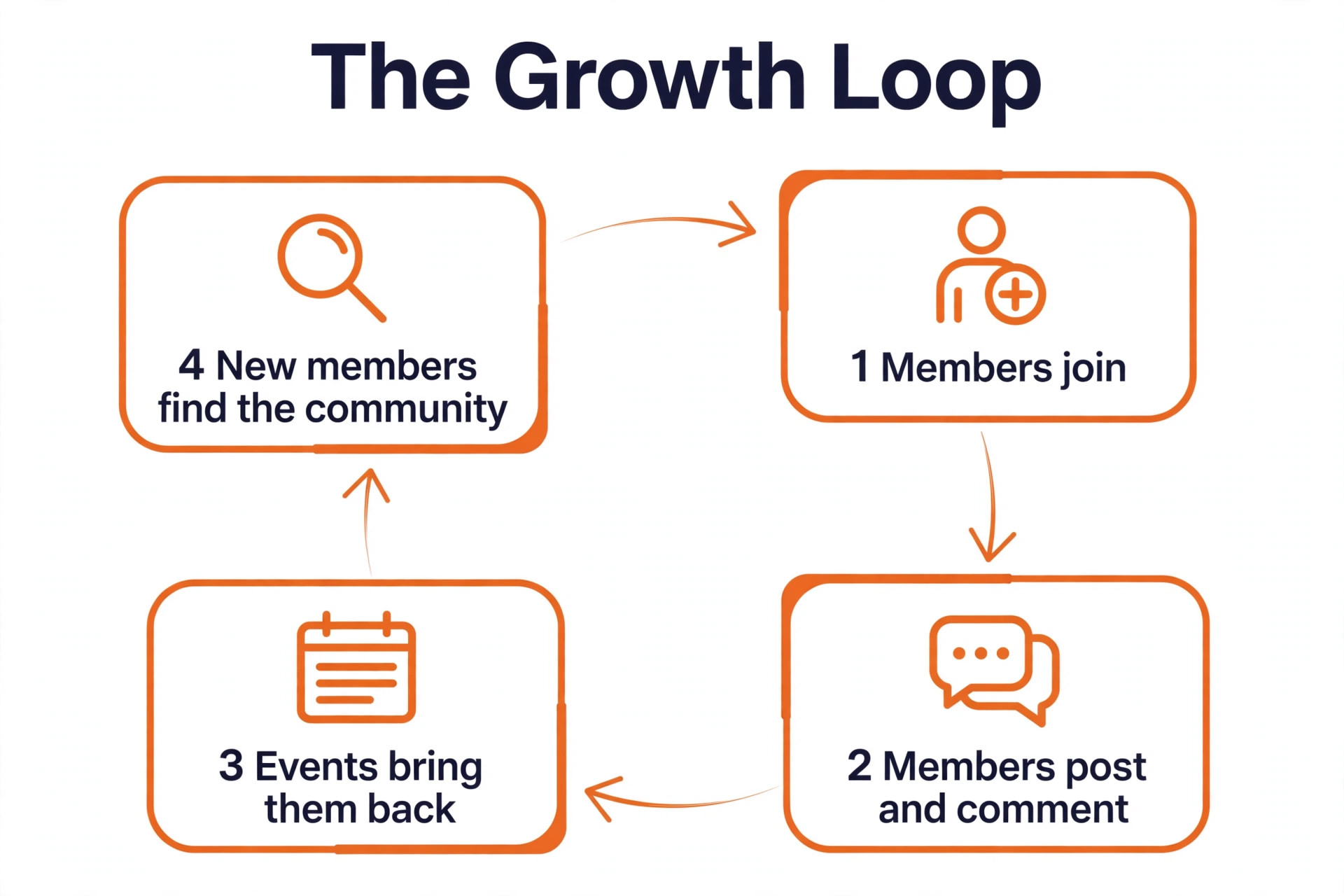
The third mistake is building a library instead of a conversation. A creator uploads 50 course lessons, opens the community, and then wonders why nobody talks. Members join a community for each other, not for a video library. Schedule a live call every week, ask a question every day, and reply to every first post from a new member.
Our Verdict
Circle is the pick for most creators among the best community platforms for creators, because Professional at 89 dollars a month gives you a polished membership with courses, events and automation, and the 2 percent fee is fair for the experience members receive. It is the platform that best matches the daily work of running a paid community.
Mighty Networks is the pick when mobile engagement decides, because the native app keeps members coming back every day, and Launch at 79 dollars a month is the cheapest entry among the premium platforms. Skool is the pick for a simple coaching group, because Pro at 99 dollars a month has the lowest total fees at 200 members, and Hobby at 9 dollars a month is the cheapest way to start. Discord is the pick for a free group, and Discourse is the pick for a public forum with SEO value.
Whop is the pick when you want to keep the most revenue, because it charges no monthly fee and only card processing on each payment. Stan Store is the pick for a social first creator, because Creator at 29 dollars a month with a zero percent platform fee turns a link in bio into a storefront and a community. BuddyBoss is the pick when ownership matters most, because 99 dollars a year buys you a community on your own WordPress site. Pick the platform that fits the job your community does, work out the fee at 200 members, and launch with a conversation, not a library.
Frequently Asked Questions
Which of the best community platforms for creators is the cheapest?
Whop is the cheapest way to charge for a community, because it has no monthly fee and charges only 2 dollars and 70 cents plus 30 cents per domestic card payment. BuddyBoss is the cheapest annual price, at 99 dollars a year for the plugin plus hosting. Among hosted membership platforms, Skool Hobby at 9 dollars a month is the cheapest entry, although its 10 percent fee makes it expensive at volume, while Skool Pro at 99 dollars a month has the lowest total fees at 200 members paying 20 dollars a month.
Is Discord or Circle better for a paid community?
Circle is better for a paid community, because it is built for paid memberships, with courses, events, automation and a member experience designed for paying customers. Discord is better for a free community, because it is free, fast and everyone already knows it, but its 10 percent Server Subscriptions fee makes it the most expensive way to charge members at volume. A creator with a free Discord server can sell access through Whop, and move to Circle when the revenue justifies a dedicated platform.
How much does a community platform cost at 200 members?
At 200 members paying 20 dollars a month, which is 4,000 dollars a month in sales, the total monthly cost ranges from about 132 dollars on Whop to about 640 dollars on Discord Server Subscriptions. Circle Professional costs about 345 dollars a month in total, Mighty Networks Launch about 335 dollars, Skool Pro about 258 dollars, and Kajabi about 179 dollars plus card fees. The subscription is only part of the bill, and the platform fee is the larger cost at this volume.
Can I move my community to another platform later?
Yes, but it is painful, so choose carefully now. Moving means exporting your member list, your content and your payment history, rebuilding the spaces and the courses, and asking every member to join a new place. Many members will not make the move, and the community will shrink in the process. Pick a platform whose fees and features still work when your community is three times its current size, and check the export options before you commit.
Do I need courses to run a paid community?
No, but courses help. Members join a community for the conversation and for each other, and a course gives them a reason to stay when the conversation is quiet. Skool, Circle, Mighty Networks and Kajabi all include courses, while Discord and Discourse do not, so a creator who needs lessons should choose a platform that includes them. A community with no course can still succeed, provided the live calls, the challenges and the daily conversation give members a reason to return.
What is the best free community platform for creators?
Discord is the best free community platform for a chat led group, because it is free, fast and familiar, with text and voice channels that work immediately. Discourse is the best free platform for a public forum, because it is free to self host, it ranks in Google, and it builds a searchable knowledge base. Both are free to start, and both cost money when you charge members, so the free label only applies while the community itself is free.