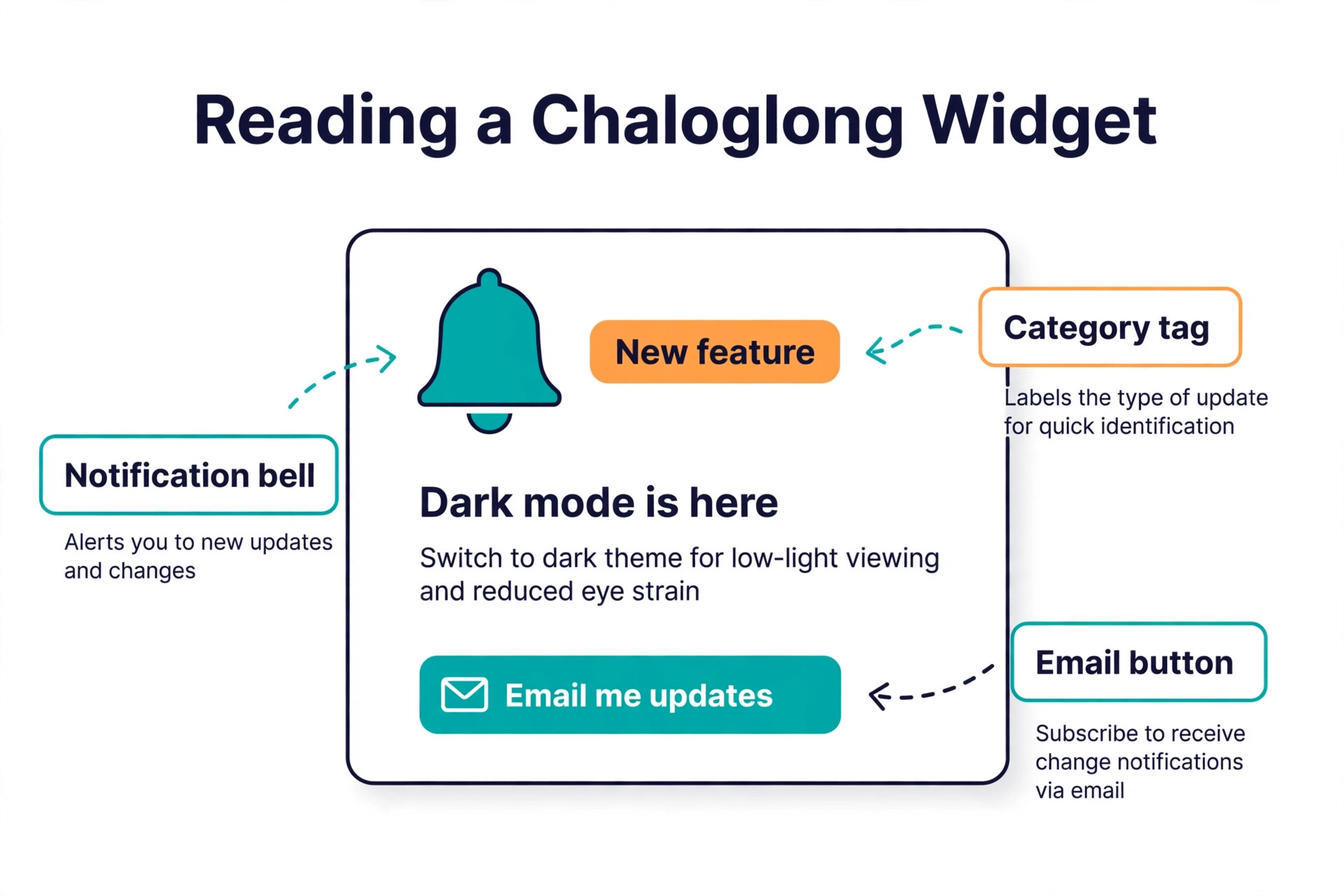
A small SaaS team ships a feature on Monday, and by Friday half the users have never heard of it. The support inbox fills with the same question the feature was built to answer, the sales team demos the old version, and the roadmap board still shows the request as open. That gap is the problem the best changelog tools solve. A changelog is a running list of what changed, newest first, shown to users through a public page, an in app widget or an email, so the work a team ships actually reaches the people who pay for it.
The category splits into two kinds. Dedicated changelog tools make announcements the product, with widgets, popups, segmentation and email. Feedback suites add a changelog to a feedback board and a roadmap, so the changelog closes the loop by telling the people who asked that their feature shipped. A third group turns code changes into release notes automatically. This guide compares 10 tools across all three groups, with prices checked against vendor pricing pages and current 2026 roundups in November 2026. Prices change often, so confirm the price on the pricing page before you buy.
What the Best Changelog Tools Cost
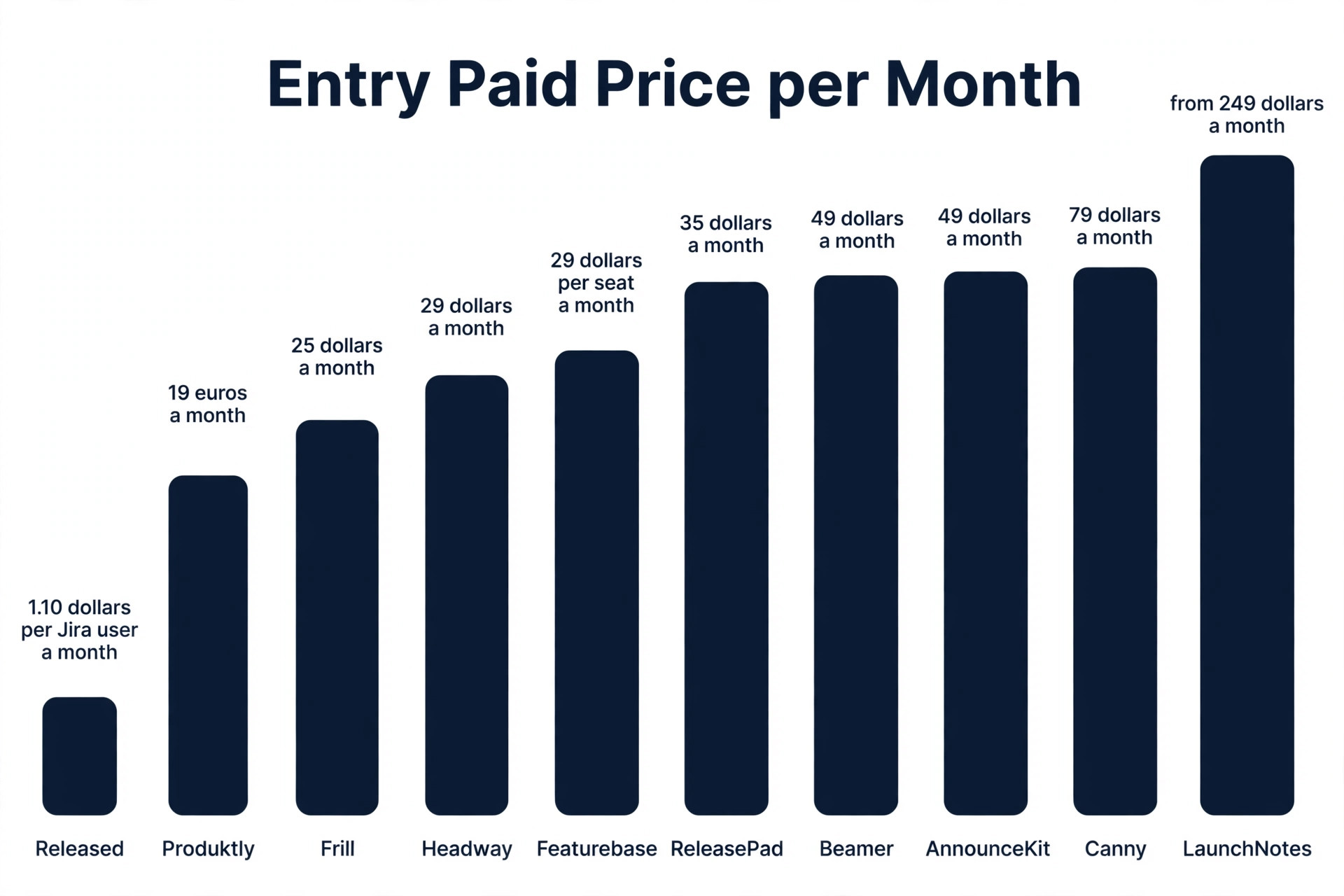
The table below shows the entry paid price for each tool and what the price is based on, because the pricing model matters more than the number. A tool priced by monthly active users gets expensive as the app grows. A tool priced by seats gets expensive as the team grows. A flat tool costs the same at any size.
| Tool | Entry paid price | Free plan | Pricing basis |
|---|---|---|---|
| Beamer | 49 dollars a month billed annually | Yes, up to 1,000 monthly active users | Monthly active users |
| AnnounceKit | 49 dollars a month billed annually | No, 15 day trial | Per product, add ons extra |
| Headway | 29 dollars a month Pro | Yes | Flat |
| Canny | 79 dollars a month Pro billed annually | Yes, 25 tracked users | Tracked users |
| Frill | 25 dollars a month Startup | No, 14 day trial | Flat plan |
| Featurebase | 29 dollars per seat a month billed annually | Yes, 1 seat | Per seat |
| LaunchNotes | Growth from 249 dollars a month billed annually reported | No | Plan |
| ReleasePad | 35 dollars a month Pro, flat per product | Yes, with a post cap | Flat per product |
| Released | 1.10 dollars per Jira user a month | Yes, up to 10 Jira users | Per Jira user |
| Produktly | 19 euros a month Developer billed annually | No stated free plan | Flat, per changelog |
Beamer is the best known dedicated tool, and its free plan is the most generous for a small app. Headway is the cheapest way to get a simple changelog live, though its own product updates stopped years ago. Frill is the cheapest feedback suite, at 25 dollars a month flat. ReleasePad is the cheapest way to turn code into release notes, at a flat 35 dollars a month per product with no seat or user metering.
How We Compared the 10 Tools
We compared each tool on five points, because a changelog tool wins on distribution, not on the editor. Distribution covered the public page, the in app widget, email notifications, push and Slack, and whether each channel costs extra. Feedback loop covered whether the tool tells the people who requested a feature that it shipped, and whether it links the changelog entry to the request behind it.
Automation covered whether the tool drafts entries from code changes or Jira issues, or whether every entry is written by hand. Pricing model covered what the price is based on and how fast it grows as the app or the team grows. Fit covered the team size and the workflow each tool serves best, from a solo maker to a large product organisation.
We also checked the maintenance question that roundups usually skip. A changelog tool that has not shipped its own updates in years still works, but it will not gain new integrations or fix old bugs, and a small team should know that before building a workflow on it. Headway is the clearest case, with no new feature on its own changelog since 2023 in some reports and since 2021 in others. The tool still works, and the free plan is genuinely usable, but the team should treat it as a finished product rather than a growing one.
Which Tool Fits Your Stack
| Job | Pick | Why it wins |
|---|---|---|
| Changelog as a marketing channel | Beamer | Widgets, popups, segmentation, push |
| Polished dedicated changelog | AnnounceKit | Strongest segmentation, many widget formats |
| Simplest free changelog | Headway | Free page and widget, live in an afternoon |
| Close the feedback loop | Canny | Voters hear when their feature ships |
| Feedback plus roadmap on a budget | Frill | 25 dollars a month flat, all in one widget |
| Feedback, changelog and support in one | Featurebase | Helpdesk and AI support agent included |
| Formal release communication | LaunchNotes | Internal and external audiences, Jira links |
| Release notes from code | ReleasePad | AI drafts from GitHub commits, flat 35 dollars |
| Release notes from Jira | Released | Drafts from closed Jira issues |
| Changelog plus product tours | Produktly | Tours and announcements in one flat price |
Use this table as a shortcut, then read the full section for the tool you are leaning toward. The cheapest option is not the best value when it cannot reach your users by email, and the most expensive option is not the best choice when your app has under 1,000 monthly users.
The 10 Best Changelog Tools, Ranked
The 10 tools below fall into three groups. The first group is the dedicated changelog platforms, where the changelog is the product. The second group is the feedback suites, where the changelog closes a feedback loop. The third group is the developer tools, where release notes are generated from code or from Jira. Pick the group first, then pick the tool inside it.
1. Beamer
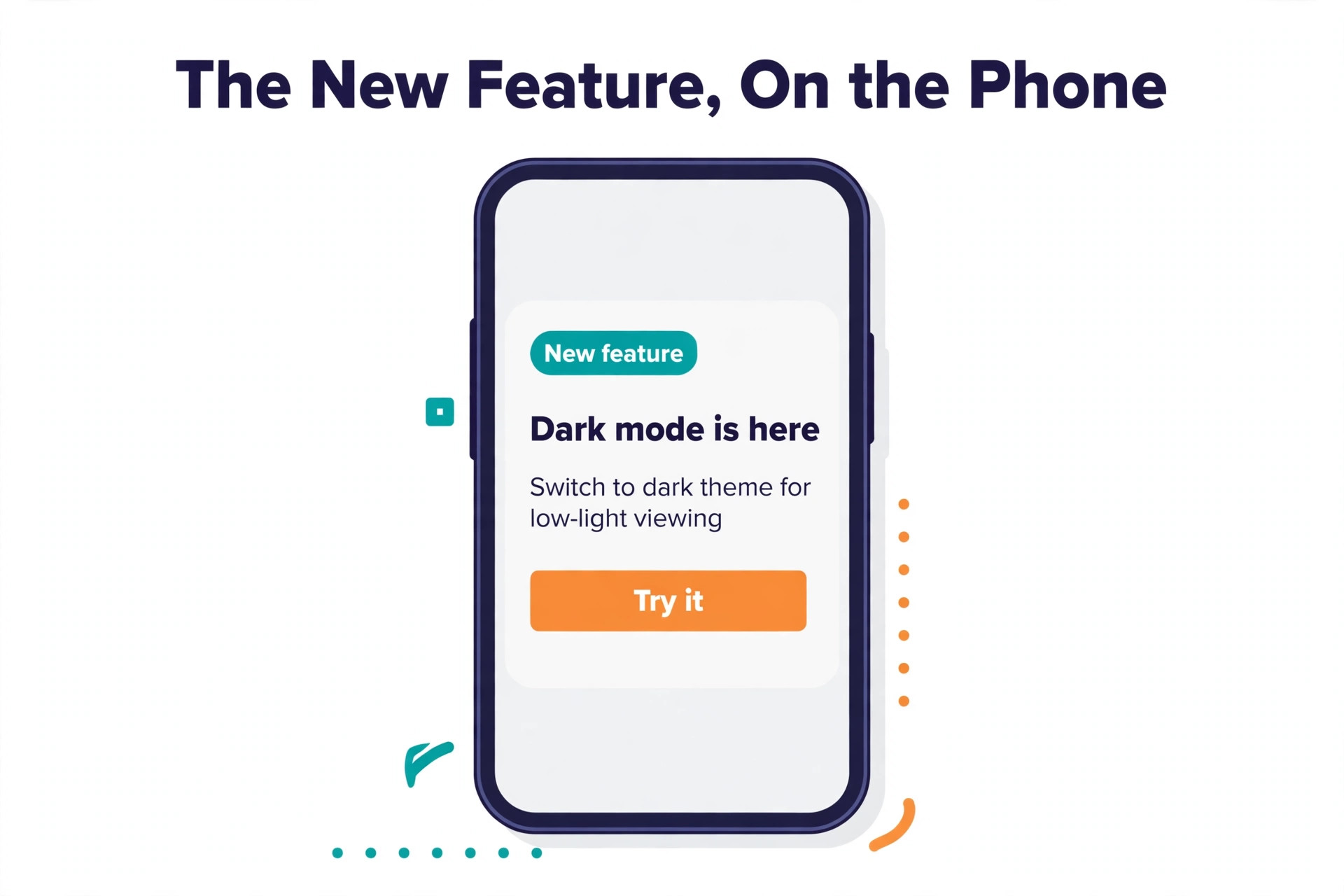
Beamer is the best known dedicated changelog tool, and it earns that position on distribution. The in app feed comes with popups, banners and push notifications, plus a standalone public page, user segmentation and NPS surveys. A team that treats updates as crafted announcements rather than a shipping feed will find the most complete kit here, with a visual editor that needs no code to install.
Pricing is metered by monthly active users. The free plan covers up to 1,000 monthly active users. Starter costs 49 dollars a month billed annually for 5,000 users, Pro costs 99 dollars a month for 10,000 users, and Scale costs 249 dollars a month for 50,000 users. The catch is the add ons. Feedback and NPS cost 99 dollars a month each, and email notifications need the Pro plan, so a team that wants the full kit should budget well above the Starter price. Starter also upgrades automatically when the app passes its user limit, so watch the user count each month.
2. AnnounceKit
AnnounceKit is the closest rival to Beamer, with widgets, emoji reactions, analytics and the strongest user segmentation in the category. Announcements can be targeted by role, plan or any user property, which suits a SaaS team with several customer tiers. The public page is polished, and the multi language support suits teams with users in several countries.
Pricing is modular, and that is both the strength and the trap. The changelog plan costs 49 dollars a month billed annually and includes 10,000 monthly active users and three team members. Email, custom domain and segmentation are add ons at 29 to 49 dollars a month each, so a typical setup with email and a custom domain runs about 196 dollars a month on monthly billing. Other sources report an Essentials plan at 79 dollars a month billed annually with a single seat, so confirm the current plan names on the pricing page before you budget. AnnounceKit has no free plan, only a 15 day trial.
3. Headway
Headway earned its popularity with a genuinely usable free tier, including a hosted page, a basic widget and simple setup. A team can have a changelog live in an afternoon, with no code and no cost, and the Pro plan at 29 dollars a month adds white label, a custom domain, all integrations, team members, a private changelog and scheduled publishing.
The caveat is now the headline. Headway own changelog shows no new feature since June 2023 in one 2026 roundup and since May 2021 in another, and the product looks unmaintained. It still works, and the free plan is the quickest way to test whether a changelog helps at all. A team that wants a simple public page and nothing else should start here. A team that wants new features, new integrations or a vendor that answers support tickets should pick Beamer or AnnounceKit instead.
4. Canny
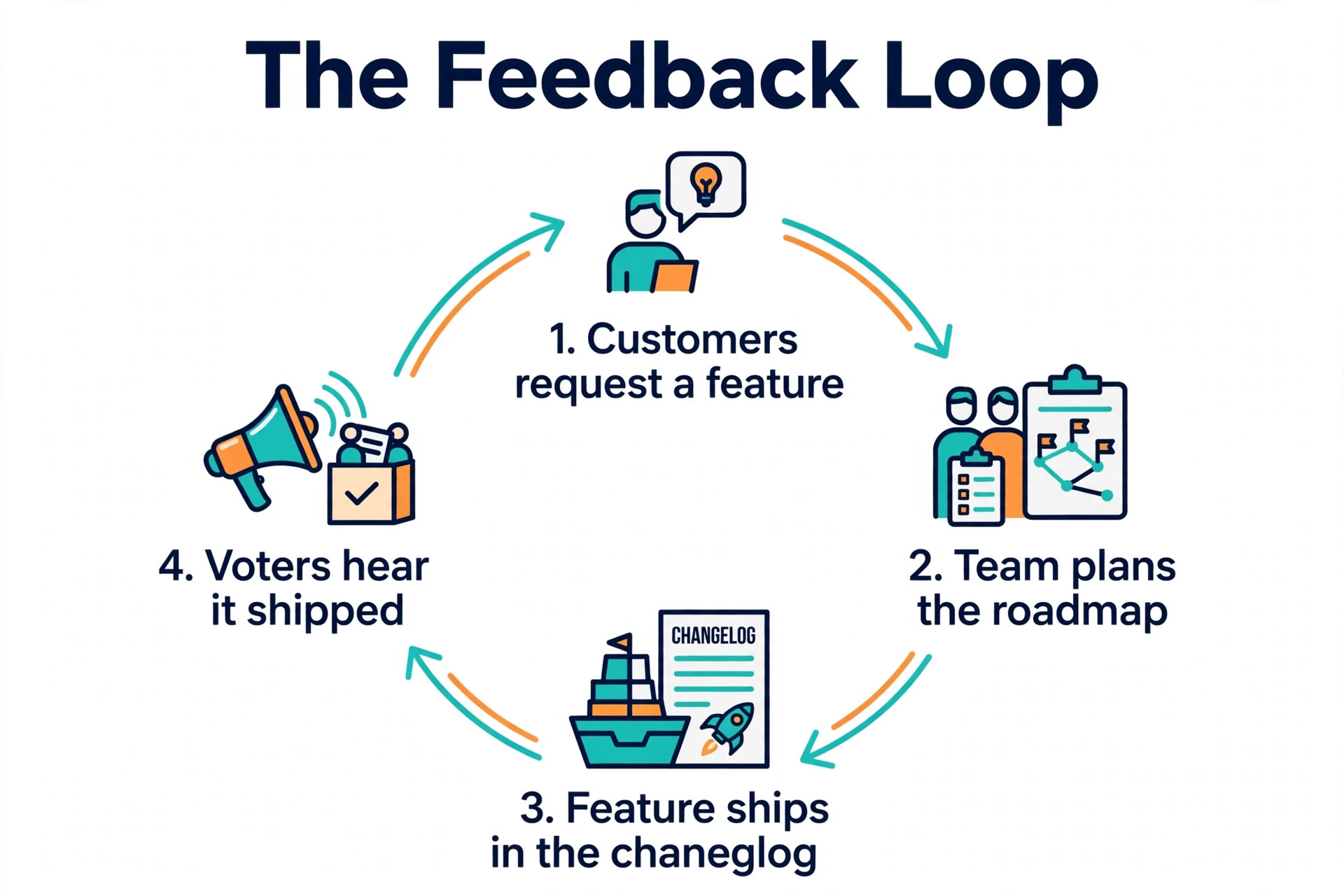
Canny is a feedback platform whose changelog is the final step in a loop that works. A user posts a request on the board, the team marks it complete, publishes the update, and the users who requested it get notified automatically. That loop is genuinely excellent, and it is the reason teams that already run Canny boards should use the Canny changelog rather than adding a second tool.
The free plan covers 25 tracked users and includes the changelog. Pro costs 79 dollars a month billed annually, with subscriber emails and a custom domain behind the paid plan. The changelog itself is a secondary feature, with no AI drafting and no git integration, and the tracked user pricing grows with feedback volume. For a team that already collects feedback in Canny, the changelog is the right finish. For a team that only needs a changelog, Beamer is the stronger dedicated tool.
5. Frill
Frill pairs ideas boards, a public roadmap and announcements behind one tidy widget, and it is the value pick of the feedback suite family. The changelog supports a widget, a hosted page and email notifications, and the ideas board lets users vote on what should be built next. Small teams that want feedback, a roadmap and a changelog at a flat low price will find the simplest deal here.
Pricing is flat, not metered by users or seats. Startup costs 25 dollars a month, or 22 dollars billed yearly, and Business costs 49 dollars a month, or 44 dollars billed yearly. The Startup plan caps active ideas at 50, which matters only if the feedback side is used heavily. There is no free plan, only a 14 day trial. The trade off is depth. Analytics are thin and there is no automation, so a team that wants AI drafted entries or deep segmentation should look at Beamer or ReleasePad. For a small team that wants one widget for ideas, roadmap and announcements, Frill is the cheapest honest option.
6. Featurebase
Featurebase is the most direct all in one rival to Canny, with a usable free plan and a wider product around the changelog. It bundles feedback boards, a roadmap and a changelog with a helpdesk, live chat and an AI support agent, and changelog posts go out in app and by email, with a public page on the team own domain. The changelog serves in more than 70 languages, which suits teams with a global user base.
Pricing is per seat. The free plan covers one seat with unlimited changelogs, unlimited end users, a public page, basic branding, comments and reactions. Growth costs 29 dollars per seat a month billed yearly, Professional costs 59 dollars and Enterprise costs 99 dollars. A five person team on Growth pays 145 dollars a month, so the per seat maths matters. The changelog itself is filled in by hand, with no AI drafting from code. For a team that also wants a helpdesk and an AI support agent in the same tool, Featurebase is the best bundle. For a team that only needs a changelog, the per seat price is hard to justify.
7. LaunchNotes
LaunchNotes is built for release communication in larger product organisations, with a formal process for internal and external audiences. It handles subscriber groups, announcement templates, scheduled publishing and integrations with tools such as Jira, so a product team can plan a release, write the notes once and send them to the right audience at the right time. It also keeps an internal changelog alongside the external one, so the team can track progress without publishing it.
Pricing is the highest here. Growth is reported from 249 dollars a month billed annually in some 2026 roundups, while other sources report 799 dollars a month billed annually, and Premium is custom priced. That spread means a team must ask for a written quote before budgeting, and must confirm which plan names are current. LaunchNotes fits a large product org with a formal release process. A small SaaS team with one product and a handful of users should not pay enterprise money for a changelog, and should pick Beamer, Frill or ReleasePad instead.
8. ReleasePad
ReleasePad connects to a GitHub repository and uses AI to draft release notes from commits and pull requests. The team reviews, edits and publishes, so the changelog writes itself from the work the team already did. That automation is the reason ReleasePad earns a place here, because every other tool in the dedicated and feedback groups needs each entry written by hand.
Pricing is flat per product, with no seat or user metering. The free tier has a post cap, and Pro costs a flat 35 dollars a month per product. That flat price is the cheapest way to get AI drafted notes, and it stays flat as the app grows, which is the opposite of Beamer user metering. The trade off is scope. ReleasePad is a release notes tool, not a feedback suite, so a team that wants voting boards and a roadmap will need a second tool. For a developer led team that ships often and hates writing release notes, ReleasePad is the best fit.
9. Released
Released is the pick for teams that plan in Jira and want release notes generated from it. The tool drafts entries from closed Jira issues, so the changelog follows the work the team already tracked, and the team edits the draft before publishing. It suits product teams where Jira is the source of truth and the changelog is a report on what Jira says shipped.
Pricing is per Jira user. The free plan covers up to ten Jira users, and Standard costs 1.10 dollars per Jira user a month. A 200 user Jira site pays for all 200 users on a paid plan, so the cost grows with the Jira licence count rather than with the changelog readers. The trade off is the same as ReleasePad. Released is a release notes generator, not a feedback or announcement platform, so a team that wants widgets, email and segmentation will need more. For a Jira heavy team, it is the shortest path from closed issues to published notes.
10. Produktly
Produktly puts the changelog in the same tool as product tours and announcements, at a flat price that does not grow with users. The Developer plan costs 19 euros a month, or 16 euros billed yearly, with one changelog, and the Startup plan costs 59 euros a month for five changelogs. Each release gets a changelog post and an in app push, so users see the update inside the product rather than only on a public page.
The trade off is scope. There are no subscriber emails and no scheduled posts, and the public page is part of the roadmap rather than a standalone destination. A team that wants email distribution will need Beamer or AnnounceKit, and a team that wants a polished public page will find more elsewhere. For a team that already uses Produktly tours and wants each release announced in the same tool at a flat price, the changelog is a natural add on.
How to Choose Among the Best Changelog Tools
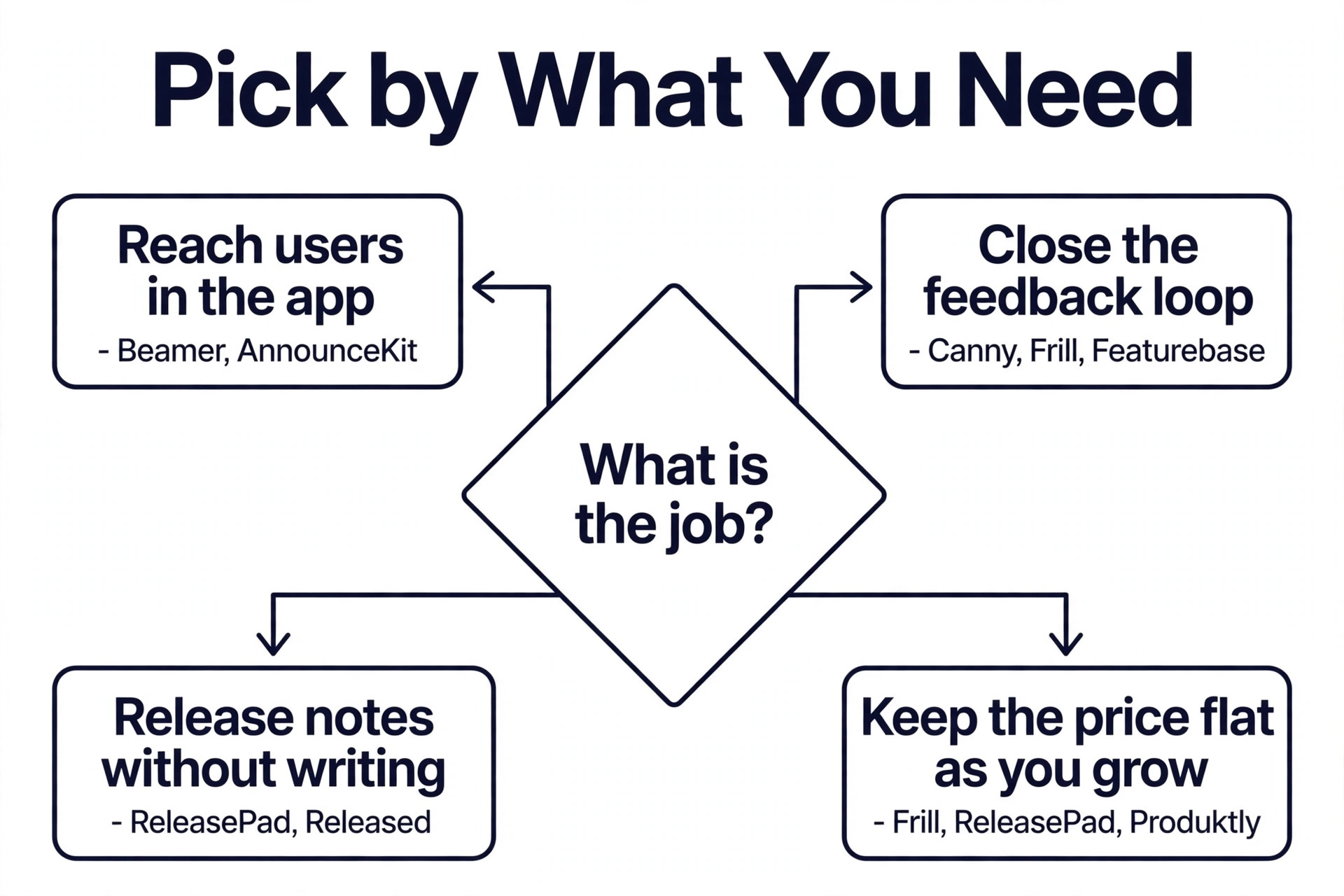
Start with the job the changelog must do. A team that wants announcements as a marketing channel should shortlist Beamer and AnnounceKit, because their widgets, popups and segmentation reach users inside the app. A team that wants to close the feedback loop should shortlist Canny, Frill and Featurebase, because their changelogs tell voters when a request ships. A team that wants release notes without writing them should shortlist ReleasePad and Released, because their drafts come from code and Jira.
Next, check the pricing model against your growth. A tool priced by monthly active users gets expensive as the app grows, so a fast growing app should prefer a flat tool such as Frill, ReleasePad or Produktly. A tool priced by seats gets expensive as the team grows, so a team that hires often should prefer a flat tool or a user metered tool. Run the price at double your current users and double your current team, and compare that number, because the price that looks cheap today can be the most expensive in a year.
Then check the channels. A changelog that only lives on a public page reaches the users who visit the page, which is a small share of the user base. A changelog that also sends email, shows an in app widget and pushes a notification reaches the users who never visit the page. Confirm that email is included in the plan you would buy, because several tools keep email behind a higher tier or a paid add on, and a changelog without email is a noticeboard in an empty room.
How to Write Changelog Entries Users Actually Read
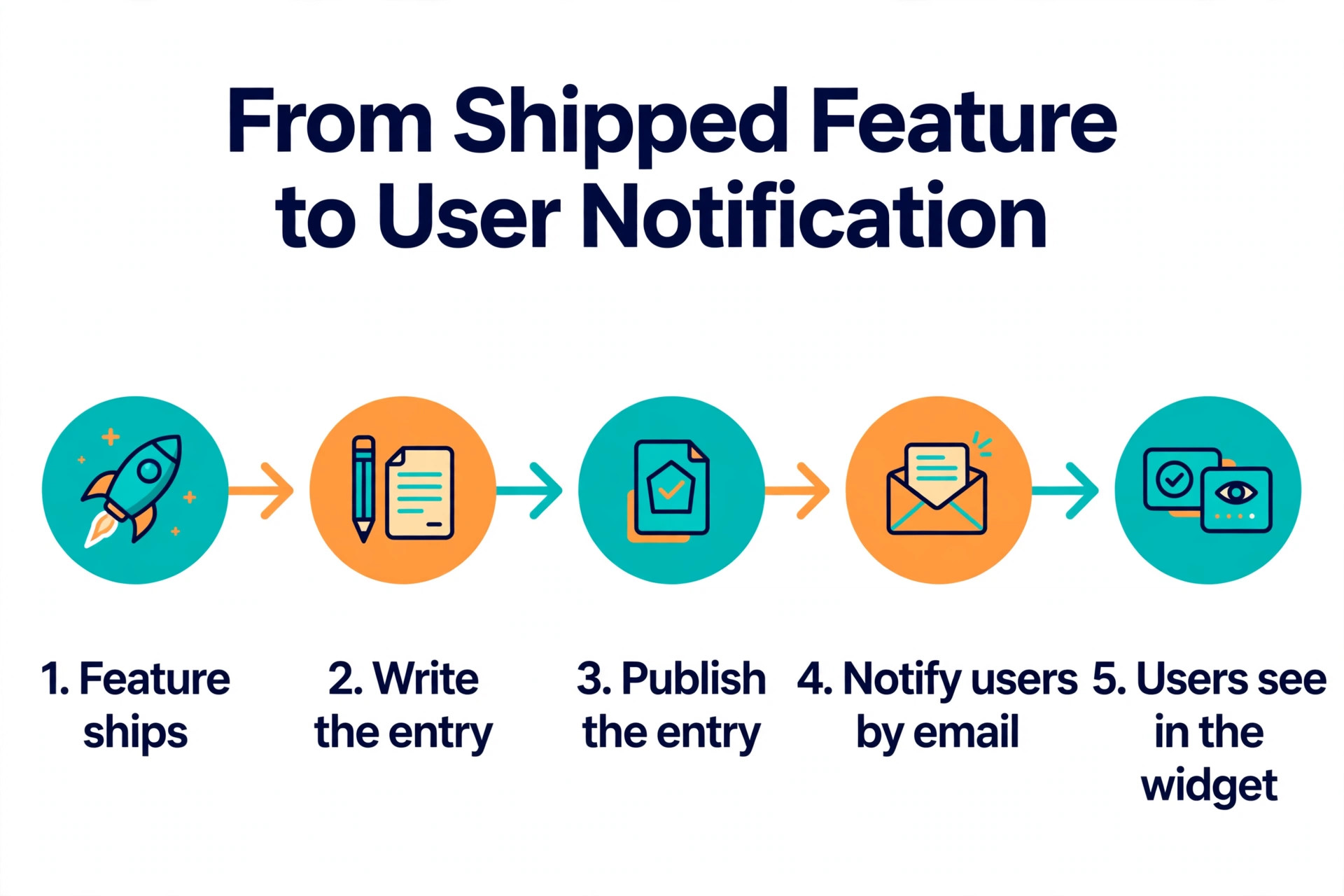
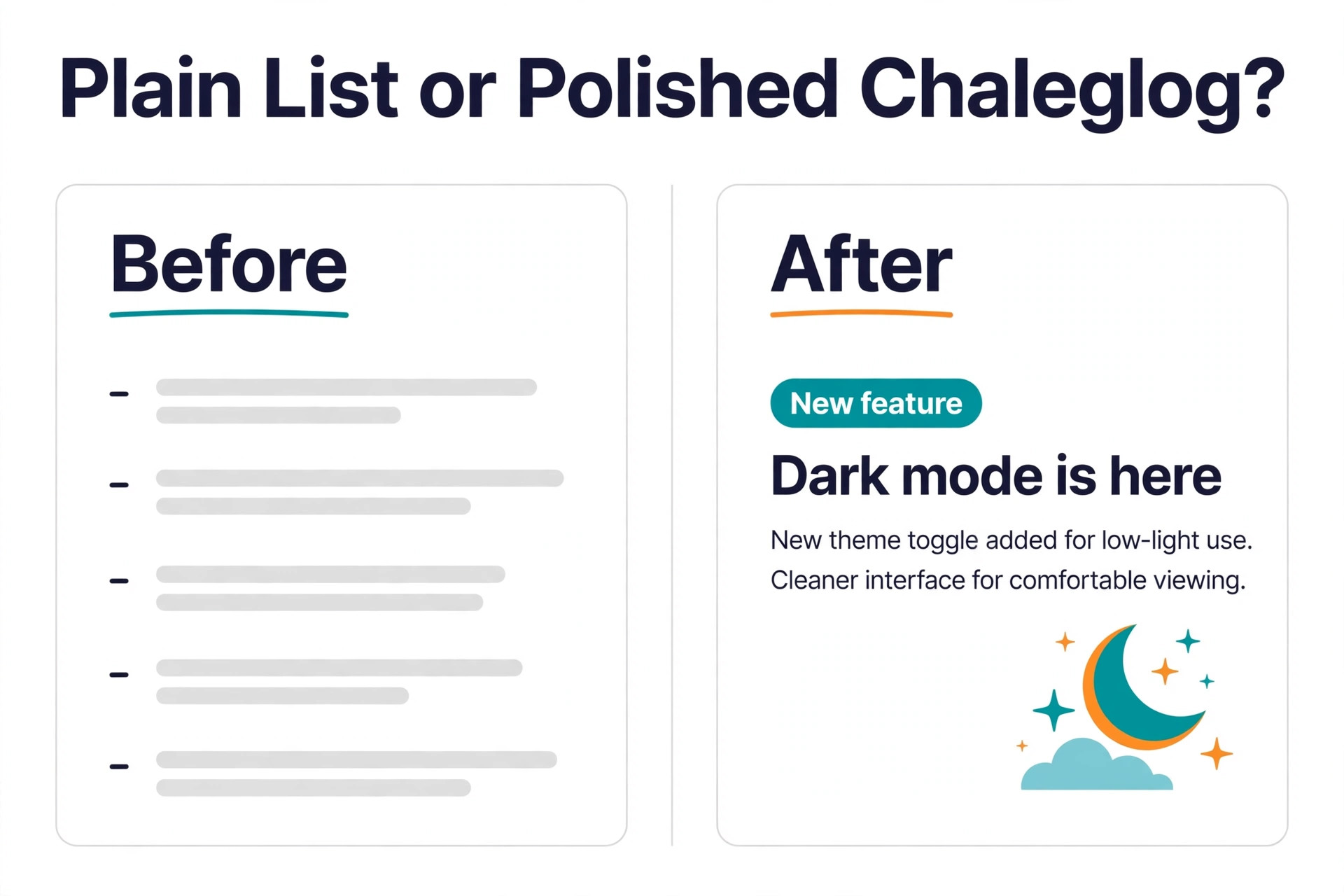
A changelog entry should answer three questions in under 40 words. What changed, who it helps, and what the user should do next. Write the entry for the user, not for the team, so a new filter is described as a faster way to find invoices, not as a query optimisation. Lead with the benefit, keep the detail for the second sentence, and link to the docs when the change needs setup.
Keep a consistent rhythm. Publish entries the same day a feature ships, not in a monthly batch, because a batch buries small fixes and makes the changelog feel like a report rather than a live feed. Use categories such as New, Improved and Fixed, so a user scanning the page can skip the fixes and find the new features. And close the loop. When an entry ships a requested feature, link it to the request and notify the voters, because the users who asked are the users most likely to try it and to tell others about it.
Mistakes That Waste Money on Changelog Tools
The most common mistake is paying for a feedback suite when only a changelog is needed. A team buys Canny Pro or Featurebase Growth for the changelog, pays 79 dollars a month or 29 dollars a seat, and never opens the feedback board. The dedicated tools cost less for the same changelog, and the feedback suite only earns its price when the team actually runs the board. Buy the tool that matches the job, not the tool with the longest feature list.
The second mistake is ignoring the add ons. A team budgets 49 dollars a month for AnnounceKit, then discovers email, a custom domain and segmentation each cost extra, and the real bill is close to 200 dollars a month. A team budgets 49 dollars for Beamer Starter, then discovers email needs Pro at 99 dollars a month. Read the pricing page for the plan you would buy, list every add on the workflow needs, and add them to the price before you compare.
The third mistake is choosing a tool that has stopped moving. Headway still works, but a team that builds a workflow on it should know that no new features have shipped in years, and that new integrations are unlikely to arrive. A changelog tool is a long term home for product history, so pick a vendor that is still shipping, unless the free price is the whole reason for the choice and the team accepts the trade off. That check belongs in every shortlist of the best changelog tools, because a tool that stops moving will cost more to replace later than it saves today.
Our Recommendation
Beamer is the pick for most small SaaS teams among the best changelog tools, because the free plan covers up to 1,000 monthly active users and the widget, popup and segmentation kit is the most complete in the category. Frill is the pick when the team also wants feedback and a roadmap, because 25 dollars a month flat buys all three in one widget. ReleasePad is the pick for a developer led team, because AI drafted notes from GitHub at a flat 35 dollars a month remove the writing work entirely.
Headway remains the fastest free start, and Canny remains the best finish for a team already running its boards. Pick the group first, check the price at double your current size, and confirm that email is included before you buy. A changelog that reaches users by email and in the app is worth far more than a changelog that waits on a page nobody visits.
Frequently Asked Questions
What is the best changelog tool for a small SaaS team?
Beamer is the best pick for most small SaaS teams, because the free plan covers up to 1,000 monthly active users and the Pro plan at 99 dollars a month adds email, segmentation and reactions. Frill is the best pick when the team also wants feedback and a roadmap, at 25 dollars a month flat. Headway is the best free start when the team only needs a simple public page and a widget.
Are there free changelog tools?
Yes, several of the best changelog tools have free plans. Beamer is free up to 1,000 monthly active users, Headway is free with a hosted page and a widget, Canny is free for 25 tracked users, and Featurebase is free for one seat with unlimited changelogs. Released is free up to ten Jira users, and ReleasePad has a free tier with a post cap. AnnounceKit and Frill have no free plan, only a trial.
What is the difference between a changelog and release notes?
Release notes describe one release, including what changed and how to use it. A changelog is the running list of all releases, newest first, usually as short entries. In most tools each update is a release note, and together they make the changelog. A team that ships often should keep the changelog as the public list and link each entry to fuller release notes when the change needs explanation.
Should a small team use a changelog tool or a feedback tool?
A small team should use a dedicated changelog tool when the only job is announcing updates, because Beamer or Headway cost less and distribute better. A team should use a feedback tool such as Canny, Frill or Featurebase when it also collects feature requests and wants the changelog to tell voters when their request ships. The feedback loop is the reason to pay for the suite, so a team that never runs a board should not buy one.
Does a changelog help with customer retention?
A changelog helps retention when users actually see it, because it shows the product is improving and it teaches users about features they already pay for. The effect comes from distribution, not from the page itself, so a changelog with email and an in app widget will do more for retention than a changelog that only lives on a public page. Link entries to the requests behind them, and the users who asked will come back to try the feature.
How often should a SaaS team publish changelog entries?
Publish an entry the same day a feature ships, not in a monthly batch, because a batch buries small fixes and makes the changelog feel like a report. Small fixes can be grouped into one entry per week, while a major feature deserves its own entry on the day it ships. A steady rhythm of one to three entries a week keeps users aware of progress without flooding their inbox.