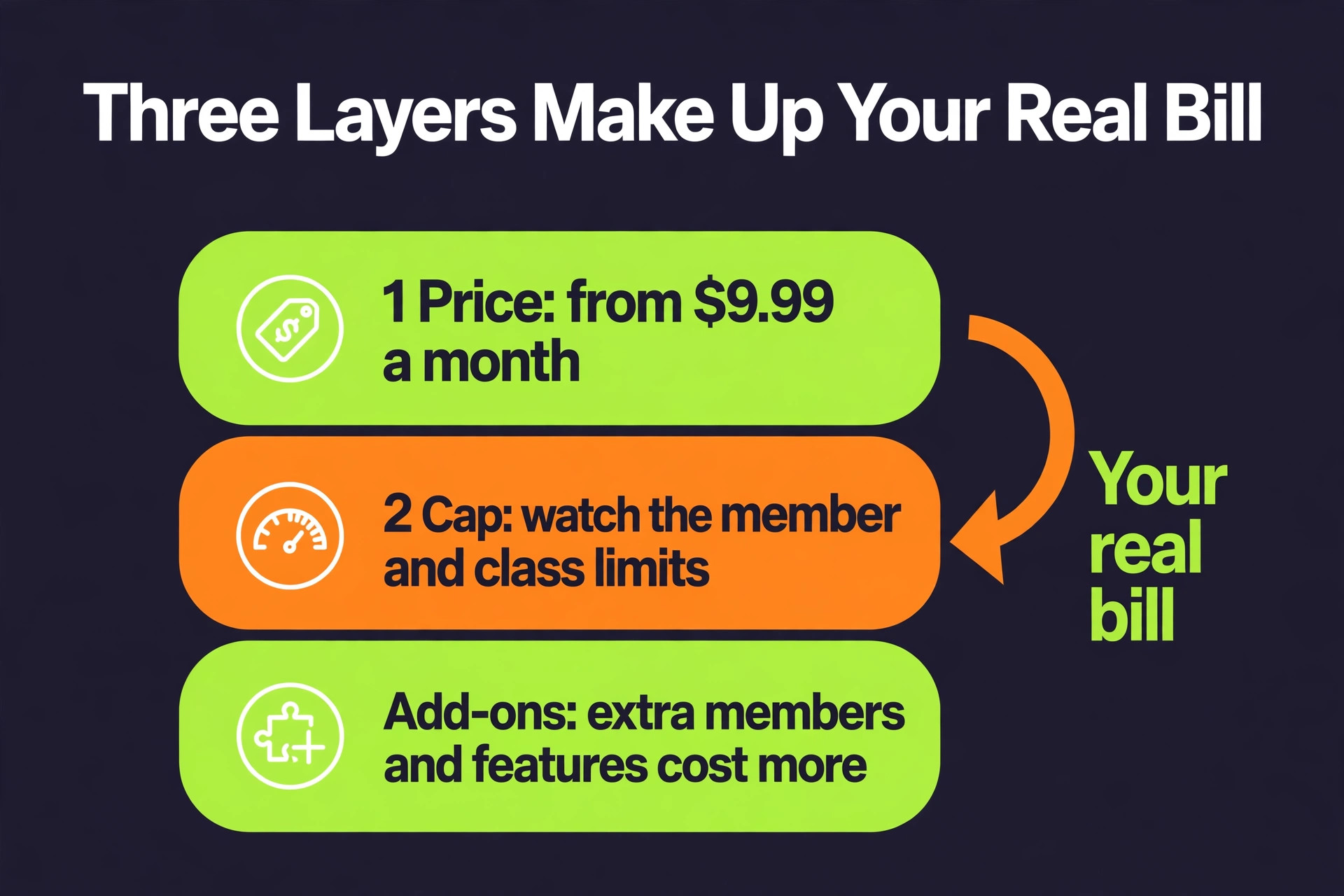
A small box pays between $0 and $229 a month for best crossfit gym software, and the spread has little to do with quality. The tools in this list charge in different ways and cap different things, so two tools at the same monthly price can cost very different amounts over a year.
Most buyers compare the monthly sticker price and stop there. That is the wrong comparison, because a tool that looks cheap at the entry tier can cost more than a dearer rival once you add the seats your team must buy, the limits that force an upgrade, and the add ons that unlock the feature you need most. The yearly bill is the number that matters, not the monthly figure on the pricing page.
We checked each price below against vendor pricing pages and 2026 guides in November 2026, and we flag every case where two sources disagree. Prices change often, so confirm the figure on the vendor site before you pay, and treat any quote only price as a starting point for a negotiation rather than a fixed cost.
How We Chose These Tools
We started from the tools small operators actually shortlist, then checked each price on the vendor pricing page or in a current 2026 guide. A tool made this list only if it serves small teams, publishes enough detail to compare fairly, and has real users behind it. Quote only tools are included where they are a serious option, and the draft says plainly when a price is a quote rather than a published figure.
Each tool below gets the same treatment. The entry price, the free plan limit, the strongest feature and the catch that matters most. The glance table gives the short version, the full reviews give the detail, and the decision table at the end matches each tool to the job it does best. Nothing here is a paid placement, and no vendor supplied the ranking.
Quote only tools are marked as such throughout this guide. A quote is not a price, so treat it as a starting point and ask for the figure in writing at your size, at the size you expect in a year, and with the add ons you need included. That written quote is the only number you can compare fairly with a published price.
Best CrossFit Gym Software Compared at a Glance
Use this table as a shortcut. Then read the full reviews below for the limits and the yearly maths that decide the real bill.
| Tool | Entry price | Free plan |
|---|---|---|
| PushPress | Free | Yes |
| Wodify | From $99 a month | No |
| SugarWOD | Free | Yes |
| Zen Planner | From $99 a month | No |
| Gymdesk | From $75 a month | No |
| Beyond the Whiteboard | From $25 a month | No |
| TrainHeroic | From $9.99 a month | No |
| TeamUp | See vendor | No |
| Mindbody | From $79 a month | No |
| BoxMate | From $75 a month | No |
The Tools in Full
The tools below are ordered by value for a small team, starting with the strongest all rounder and ending with the specialist tools that suit a narrower job. Each review gives the entry price, the free plan limit, the strongest feature and the catch to watch. This section is the heart of the guide to best crossfit gym software, so read the two or three tools that match your size before you skim the rest.
1. PushPress
PushPress is the pick for boxes that want a free start and a CrossFit native app. It covers class scheduling, member billing and a member app, and its free Core tier runs a real box from day one. Pricing is free to start, with Pro at $159 a month and Max at $229 a month.
The free tier charges a 4.99 percent card rate, so a busy box can pay more in processing than it saves on the subscription.
The first paid tier costs roughly $1,908 before processing fees and add ons, so model that figure against your monthly volume before you commit. Ask support a real question during the trial, since the speed and quality of the answer tells you what help looks like later. Count the seats you will actually pay for, because a low monthly price can still grow fast once every team member needs a login. Test the mobile app with the people who will use it daily, because a weak app means the tool gets ignored in the field.
2. Wodify
Wodify is the pick for boxes that want deep WOD programming and performance data. It has the most mature CrossFit feature set here, with detailed programming, benchmark tracking and leaderboards built in. Pricing starts at $99 a month on a promo rate, with list pricing reported at $199 a month.
Prices have moved over time and guides disagree on the entry figure, so confirm the current rate on the pricing page before you budget.
At the entry tier, a year costs roughly $1,188 before processing fees and add ons, so model that figure against your monthly volume before you commit. Confirm which integrations are included, since a missing link to your calendar or payment tool can add hours of manual work each week. Talk to a current user if you can, since a five minute conversation can surface the catch that no pricing page mentions. Confirm the cancellation terms before you enter card details, so a tool that does not fit can be left without a penalty. Check the free plan limit in writing, because a cap on members, clients or responses is the limit that forces most upgrades.
3. SugarWOD
SugarWOD is the pick for boxes that want a WOD tracker members actually open. It is the athlete facing whiteboard, with daily workouts, scoring and a feed members check every morning. Pricing is free for athletes, with box plans from $26 a month.
It is a tracker rather than a full management platform, so billing and memberships still need another tool.
The first paid tier costs roughly $312 before processing fees and add ons, so model that figure against your monthly volume before you commit. Look at the onboarding help before you buy, since a guided setup can save a week of trial and error. Ask how the tool handles a failed payment, since a missed card can lock your team out at the worst moment. Test the reporting views with your real numbers, since a demo with sample data can hide a weak report builder. Check whether the price includes tax, because some vendors quote before tax and the invoice tells a different story.
4. Zen Planner
Zen Planner is the pick for boxes that also run martial arts or youth programs. It handles memberships, scheduling and belt or rank tracking, which suits a box that shares space with other disciplines. Pricing starts at $99 a month.
The entry price rises with member count, so a growing box should model the next two tiers before signing.
At the entry tier, a year costs roughly $1,188 before processing fees and add ons, so model that figure against your monthly volume before you commit. Check the data export format, because a CSV you can open anywhere beats a backup file only the vendor can read. Look for a public status page, since a tool that hides its outages is a tool that will surprise you later. Test the search inside the tool, since a library you cannot search is a library you will stop using. Ask whether the price changes when you add a second location, since multi site pricing can surprise a growing business.
5. Gymdesk
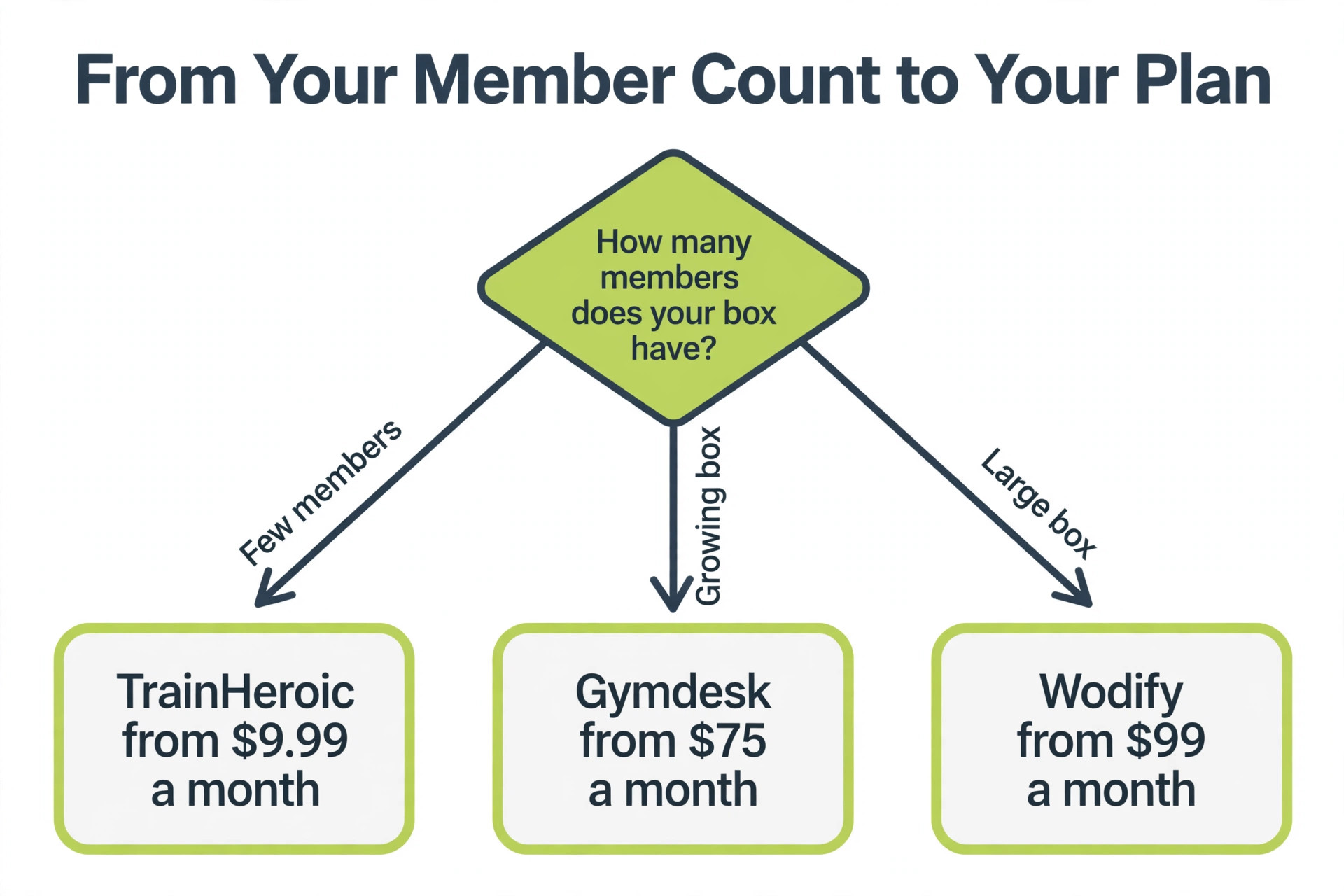
Gymdesk is the pick for boxes that want flat member count pricing. It puts scheduling, billing, a website and a member app in one simple dashboard, with no per seat surprises. Pricing starts at $75 a month for up to 50 members.
Reporting is lighter than the specialists, so a box that lives in its numbers may want a reporting add on.
At the entry tier, a year costs roughly $900 before processing fees and add ons, so model that figure against your monthly volume before you commit. Check whether your existing data imports cleanly, since a messy import can cost more staff time than the subscription saves. A free trial is the fastest way to test it, so run your real workflow through it for two weeks before you pay. Ask support a real question during the trial, since the speed and quality of the answer tells you what help looks like later. Ask what happens to your data when you cancel, since a short deletion window can turn a trial exit into a scramble.
6. Beyond the Whiteboard
Beyond the Whiteboard is the pick for boxes that want detailed athlete tracking. It tracks lifts, benchmarks and training history in depth, and it pairs well with a separate billing tool. Pricing is priced by athlete count, with plans reported from $25 a month.
It does not handle billing or scheduling, so it works as a companion rather than a full platform.
At the entry tier, a year costs roughly $300 before processing fees and add ons, so model that figure against your monthly volume before you commit. Export your data during the trial as well, so you know how hard it is to leave if the tool stops fitting. Read the pricing page for add ons, since the feature you need most is often one tier above the entry plan. Confirm which integrations are included, since a missing link to your calendar or payment tool can add hours of manual work each week.
7. TrainHeroic
TrainHeroic is the pick for strength coaches who program for teams. It delivers programs, tracks progress and sells through a built in marketplace, with a clean coach and athlete app. Pricing starts at $9.99 a month for one athlete.
It is a programming tool first, so membership billing and class scheduling sit outside it.
At the entry tier, a year costs roughly $119.88 before processing fees and add ons, so model that figure against your monthly volume before you commit. Check the free plan limit in writing, because a cap on members, clients or responses is the limit that forces most upgrades. Run the numbers for a busy month rather than a quiet one, because most pricing models grow with volume. Look at the onboarding help before you buy, since a guided setup can save a week of trial and error.
8. TeamUp
TeamUp is the pick for boxes that want simple class bookings. It covers class scheduling, memberships and payments in a clean interface that staff learn in an afternoon. Pricing is priced by member count, with plans for small studios.
WOD programming is basic next to Wodify and SugarWOD, so programming heavy boxes should test that part first.
The price depends on your volume, so get a written figure at your size before you compare it with the published prices here. Check whether the price includes tax, because some vendors quote before tax and the invoice tells a different story. Confirm the support hours in your time zone, because a tool with daytime only support can leave a night shift stranded. Check the data export format, because a CSV you can open anywhere beats a backup file only the vendor can read.
9. Mindbody
Mindbody is the pick for boxes that want discovery through a consumer marketplace. It brings scheduling, payments and a marketplace listing that can send new members through the door. Pricing starts at $79 a month for a single location.
Higher tiers are not published, and add ons can push the real bill well above the entry price.
At the entry tier, a year costs roughly $948 before processing fees and add ons, so model that figure against your monthly volume before you commit. Ask whether the price changes when you add a second location, since multi site pricing can surprise a growing business. Confirm the minimum term on the annual plan, because a discount that locks you in for a year is only a bargain if the tool fits. Check whether your existing data imports cleanly, since a messy import can cost more staff time than the subscription saves.
10. BoxMate
BoxMate is the pick for small boxes that want a simple all in one. It covers memberships, classes and payments without a long setup, which suits a new box that needs to open fast. Pricing starts at $75 a month.
It is a smaller vendor with a thinner integration list, so check the tools you already use before you commit.
At the entry tier, a year costs roughly $900 before processing fees and add ons, so model that figure against your monthly volume before you commit. Ask what happens to your data when you cancel, since a short deletion window can turn a trial exit into a scramble. Check the contract term before you sign, because a yearly plan can lock in a price that a monthly plan would not. Export your data during the trial as well, so you know how hard it is to leave if the tool stops fitting.
Best Pick by Job
This table turns best crossfit gym software into a shortlist. Find the row that matches your situation, then read that tool full review before you buy, because the pick is only right if the limits fit your volume.
| Situation | Pick | Why |
|---|---|---|
| Tightest budget | Gymdesk | Lowest entry price here |
| Best overall | PushPress | Strongest balance of price and features |
| Most complete | Wodify | Deepest feature set for its job |
| Best for growth | Wodify | Scales best as volume grows |
If two tools tie on price, pick the one whose free plan covers your volume, because a free plan you can stay on beats a cheap plan you outgrow in three months. If two tools tie on features, pick the one with the clearest pricing page, because transparent pricing usually means transparent support too. The decision table is a starting point, not a verdict, so trial the top two before you commit. Run the top two on a trial for two weeks with real work, because a demo with sample data hides the limits that matter most.
What It Really Costs
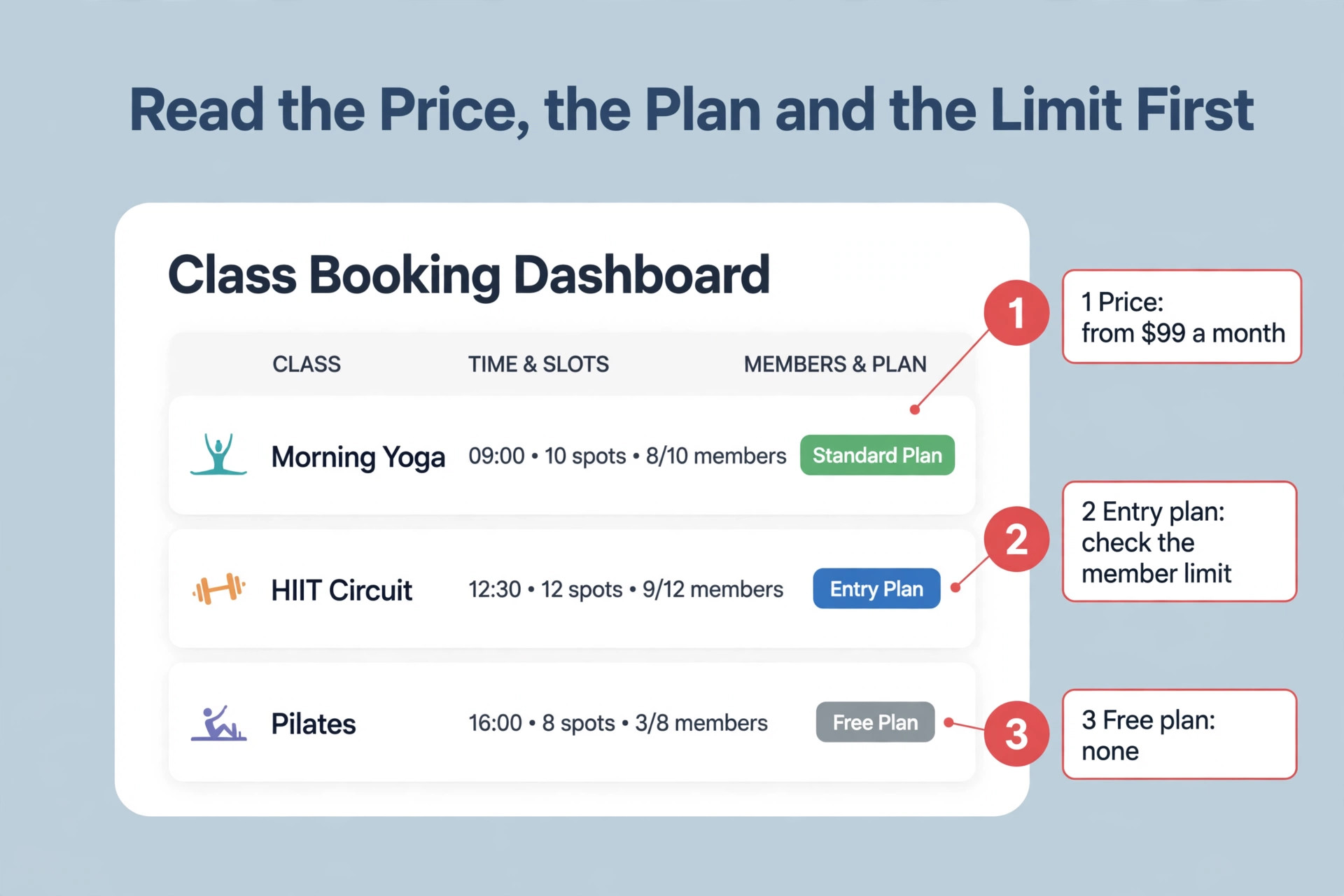
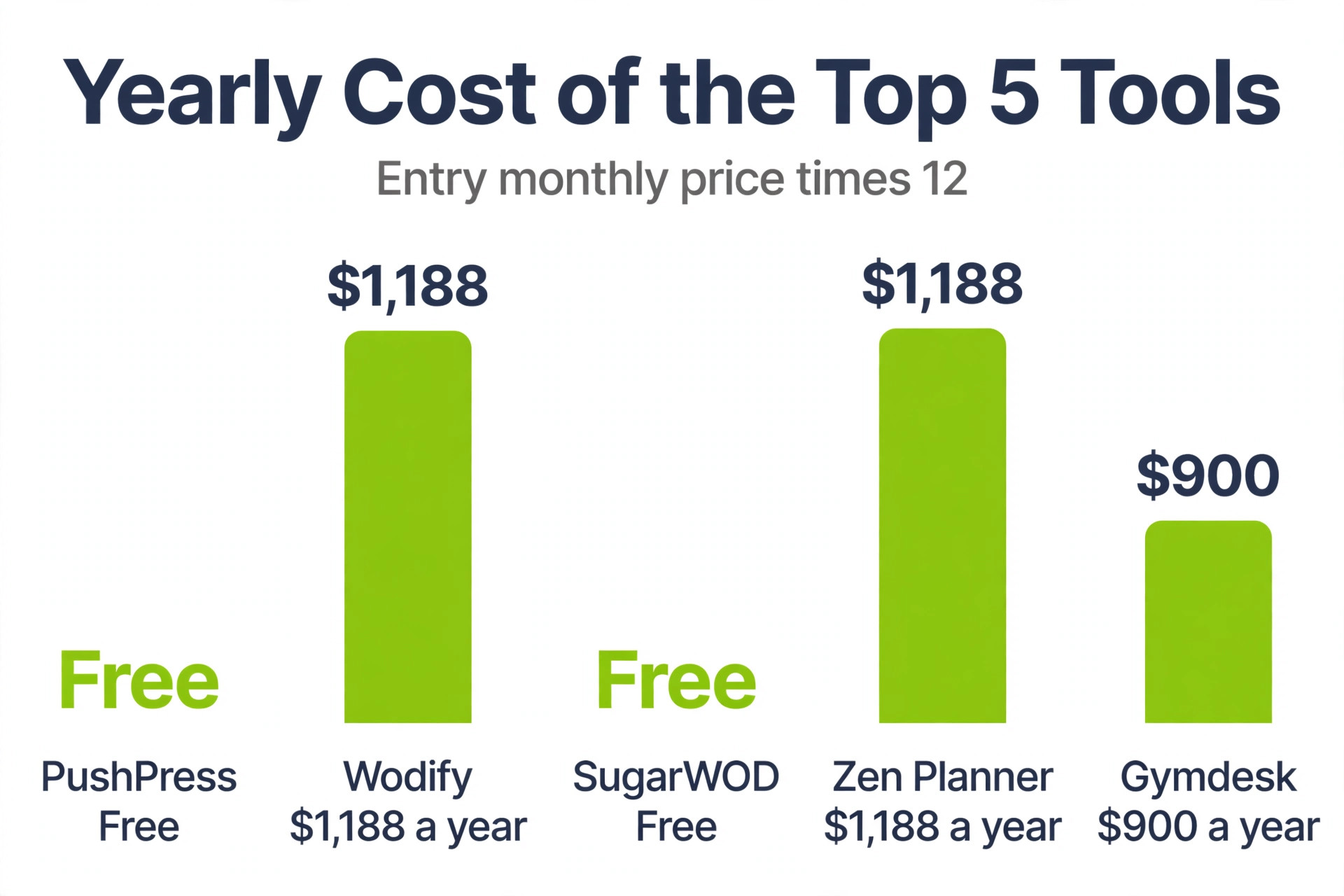
The sticker price is only part of best crossfit gym software. Card rates, per seat charges, per client fees and add ons decide the yearly bill, and the table below shows the entry price and the free plan for the five most compared tools in this guide.
| Tool | Entry price | Free plan |
|---|---|---|
| PushPress | Free | Yes |
| Wodify | From $99 a month | No |
| SugarWOD | Free | Yes |
| Zen Planner | From $99 a month | No |
| Gymdesk | From $75 a month | No |
Multiply the entry price by twelve before you compare, because a $29 a month plan costs $348 a year and a $159 a month plan costs $1,908 a year. Then add the processing rate on your real monthly volume, since a free plan at 4.99 percent can cost more than a paid plan at 2.75 percent once your revenue grows. A plan that looks cheap on the pricing page can still be the dearest option in this list once the maths is done properly.
Worked example. One user on PushPress pays $1,908 a year at the first paid tier, while the same user on Gymdesk pays $900 a year. The gap is $1,008 a year, and the question is whether PushPress adds enough to earn it. Run the same maths for your own seat count, because a $30 gap per user becomes a $300 gap once ten people need a login.
Price conflicts we found. Wodify entry pricing is reported three ways. One 2026 guide lists a $99 a month promo rate, a second guide lists $149 a month, and the vendor list price is reported at $199 a month. The draft shows the promo and list figures side by side, so confirm the current rate on the pricing page before you budget.
What the Free Plans Really Give You
Several tools in this list give away a working product free, and the free plan deserves a real trial before you pay for anything. The paid plans earn their money only when you need more capacity, longer history or admin controls, so count what you use for a month before you decide whether a paid feature earns its place.
PushPress is free to start, with Pro at $159 a month and Max at $229 a month. That free tier is a working product rather than a demo, so trial it on real work for a month and see where it stops before you pay for the next tier.
SugarWOD is free for athletes, with box plans from $26 a month. That free tier is a working product rather than a demo, so trial it on real work for a month and see where it stops before you pay for the next tier.
Mistakes That Waste Money
The most common mistake is paying for a tool when the free plan already covers the job. The next three are just as costly, and all four are easy to avoid once you know to look for them.
- Paying for a tool when the free plan already covers the job. Trial the free plan for a full month before you enter card details, and count what you actually use. If the free tier handles your volume, the money stays in your pocket.
- Buying seats for readers. Keep the paid workspace small, share records by link where the tool allows it, and only pay for the people who do the work. A team that invites everyone to a paid workspace can double its bill overnight.
- Ignoring the cap until it bites. Count your monthly volume before you buy, and pick the plan whose cap covers that number with room to spare. A cap that looks generous on the pricing page can run out in the third week of a busy month.
- Skipping the export test. Export your data during the trial, so you know how hard it is to leave if the tool stops fitting. A tool that locks your data in is a tool that owns your business, not the other way round.
- Forgetting the processing rate. A free plan with a high card rate can cost more than a paid plan with a low rate once your revenue grows. Work out the rate on your real monthly volume before you compare the subscriptions, because the rate is often the bigger number.
A Short Checklist Before You Buy
Work through these five checks before you pay. They take an afternoon, and they catch most of the surprises that make buyers regret a purchase.
- Write down the three tasks you do every week, and test those exact tasks in the trial. Test them with real data, not the demo data, so the trial shows the true workflow.
- Count the people who need a login, and price the plan for that number rather than for yourself alone. A plan that is cheap for one person can be dear once ten people need a login.
- Run the numbers for a busy month, and check the cap that forces the next upgrade. A cap that fits a quiet month can run out in the third week of a busy one.
- Export your data during the trial, and confirm the export includes everything you entered. A clean export is the proof that you can leave if the tool stops fitting.
- Set a 90 day review date, and decide then whether the tool earns its price. By then you will know the real monthly cost and the limits you actually hit.
Our Verdict
For most readers, best crossfit gym software comes down to PushPress. It covers the core job at a fair price, it is quick to set up, and its limits are clear enough to plan around. Start there unless one of the rows in the decision table points you elsewhere, because the most popular pick is popular for a reason.
Gymdesk is the pick when budget leads the decision, because it keeps the entry price low without cutting the core features. Wodify is the pick when depth matters more than price, because it goes further on the feature that defines this category. Both are strong choices in best crossfit gym software, and the wrong one is the tool you buy without trialling first. Trial the top two side by side for two weeks and the choice usually makes itself.
Start free where a free plan exists, count your volume for a month, and only pay when a paid feature earns its place. A tool you use every day is worth paying for, and a tool you pay for and ignore is the most expensive tool in this list. If the winner stops fitting in a year, the export test you ran in the trial makes the next move easy, so keep that habit for every tool you buy.
Frequently Asked Questions
What is the cheapest crossfit gym software?
The cheapest option in this guide to best crossfit gym software is PushPress, which is free to start, with Pro at $159 a month and Max at $229 a month. That makes it the lowest cost way to start, though the free plan limit decides whether it stays cheap as you grow. Check the cap before you commit, because a low entry price can still grow fast once volume rises, and the yearly total is the number that matters for your budget. The dearest entry in this list costs $229 a month, so the range from free to that figure shows how much the pricing model matters.
How much does PushPress cost?
PushPress is free to start, with Pro at $159 a month and Max at $229 a month. That covers the entry tier, and higher tiers add more capacity and features, so price the tier that fits your volume rather than the entry tier alone. Annual billing usually cuts the monthly figure, so compare the yearly total before you decide, and confirm the current price on the pricing page before you pay. If the entry tier feels tight, check the next tier before you buy, because the upgrade that removes the cap is often the tier you will need within a year.
Is there a free crossfit gym software?
Yes. PushPress, SugarWOD offer a free plan or a free start. The free plans are genuinely usable for a small volume, and the paid plans earn their money when you need more capacity, longer history or admin controls. Trial the free plan for a full month before you pay, and count what you use so you know when an upgrade becomes worth it. The free plans differ in what they cap, so compare the limit that matters to you, whether that is members, clients, bookings or responses, before you pick one.
Which crossfit gym software is best for a small box?
PushPress is the best fit for a small box, because it covers the core job at a fair price without a long setup. Gymdesk is the budget alternative, and Wodify suits a box that needs more depth. The decision table above matches each tool to its job, so start there and trial the top two before you decide. A small box should also check the support hours and the contract term, since a tool that fits today can still become a poor fit as the team grows.
What should I check before I buy crossfit gym software?
Check the pricing unit first, then the free plan cap, then the add ons. Confirm which integrations are included, test the mobile app with the people who will use it daily, and export your data during the trial. Those five checks catch most of the surprises that make buyers regret a purchase, and they take less than an afternoon to run. A written quote helps too, because quote only tools can vary the price by size, and a quote at your size is the only figure you can budget on.
Can I switch to another crossfit gym software later without losing my data?
Yes, if you plan the move. Export your data during the trial of the new tool, map the fields before you import, and run both tools in parallel for a month. The tools in this guide all export the core records, though the ease of the export varies, so test it before you commit to a migration. A migration that looks clean in a demo can still miss a field you rely on, so keep the old system running until the new one has handled a full busy week.
A good choice in best crossfit gym software is the one that fits your volume, your budget and your workflow, not the one with the longest feature list. Trial the free plan, count what you use, and pick the plan whose limits match the way you actually work.