
A four lawyer firm that drafts twenty agreements a month loses the same hours every week in three places. The associate starts from a blank page, the partner redlines by hand, and the signed copy sits in an email thread that nobody can find later. The best ai contract drafting tools for small law firms remove all three, because the draft starts from the firm own precedents, the review flags the risky clauses automatically, and the signed agreement lands in a searchable repository without anyone filing it.
The price spread in this category is the widest in this whole batch, and most vendors hide their numbers behind a quote. A solo lawyer can start for under 100 dollars a month, a small firm can pay 83 dollars a month for document assembly, and an enterprise platform can cost 15,000 dollars a year before implementation. The right question is not what the cheapest tool costs, but what the firm pays per lawyer once the seat price, the matter volume and the features that are gated behind higher tiers are counted.
This guide compares ten tools that small law firms actually use in 2026, with prices checked against vendor pages and current roundups in November 2026. Word integration, jurisdiction support, clause libraries, playbooks and per user pricing are all compared, so a small firm can pick the tool that matches the way it drafts, whether that is starting from its own paper, reviewing the other side paper, or tracking agreements after signature.
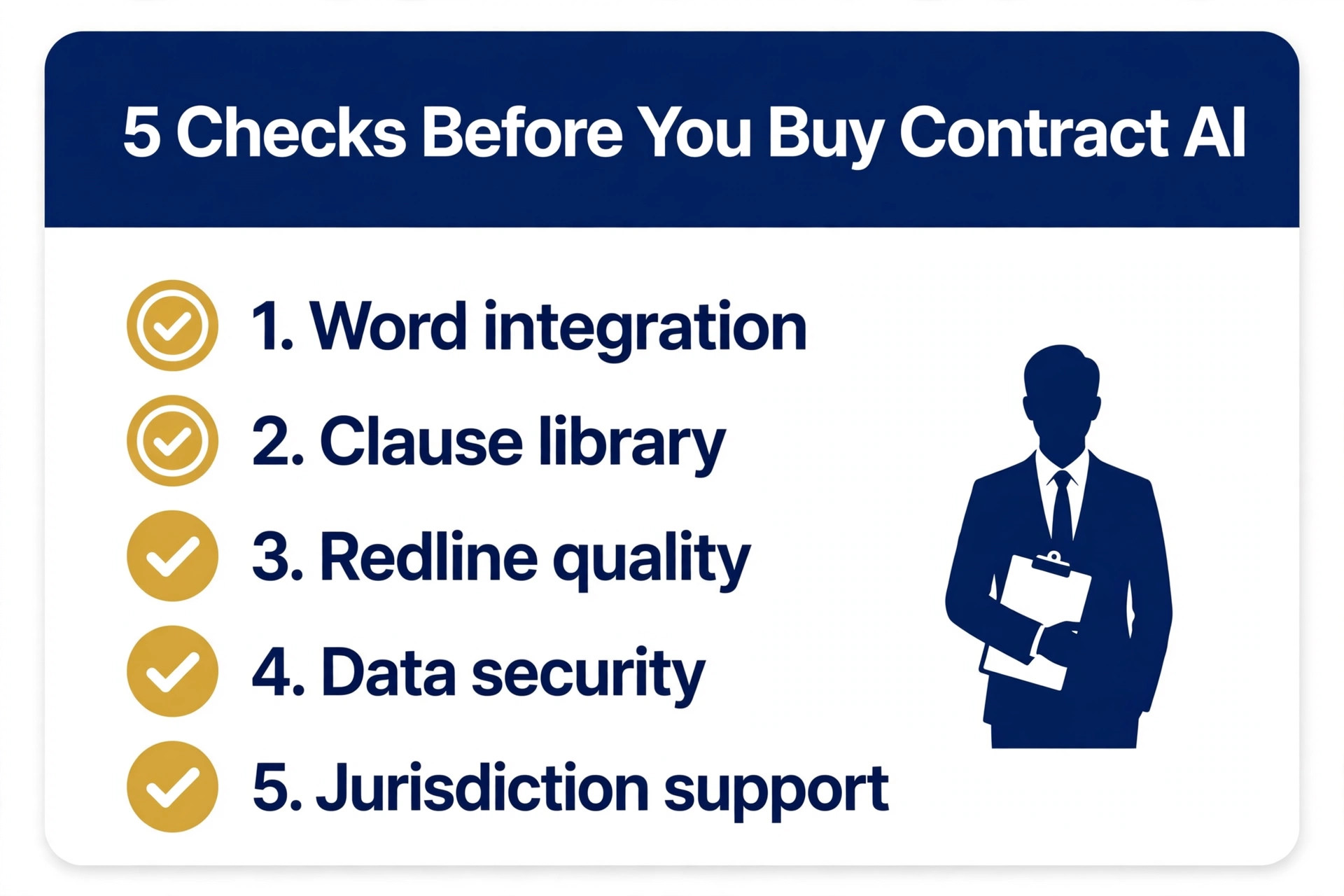
What to Check Before You Buy Contract AI
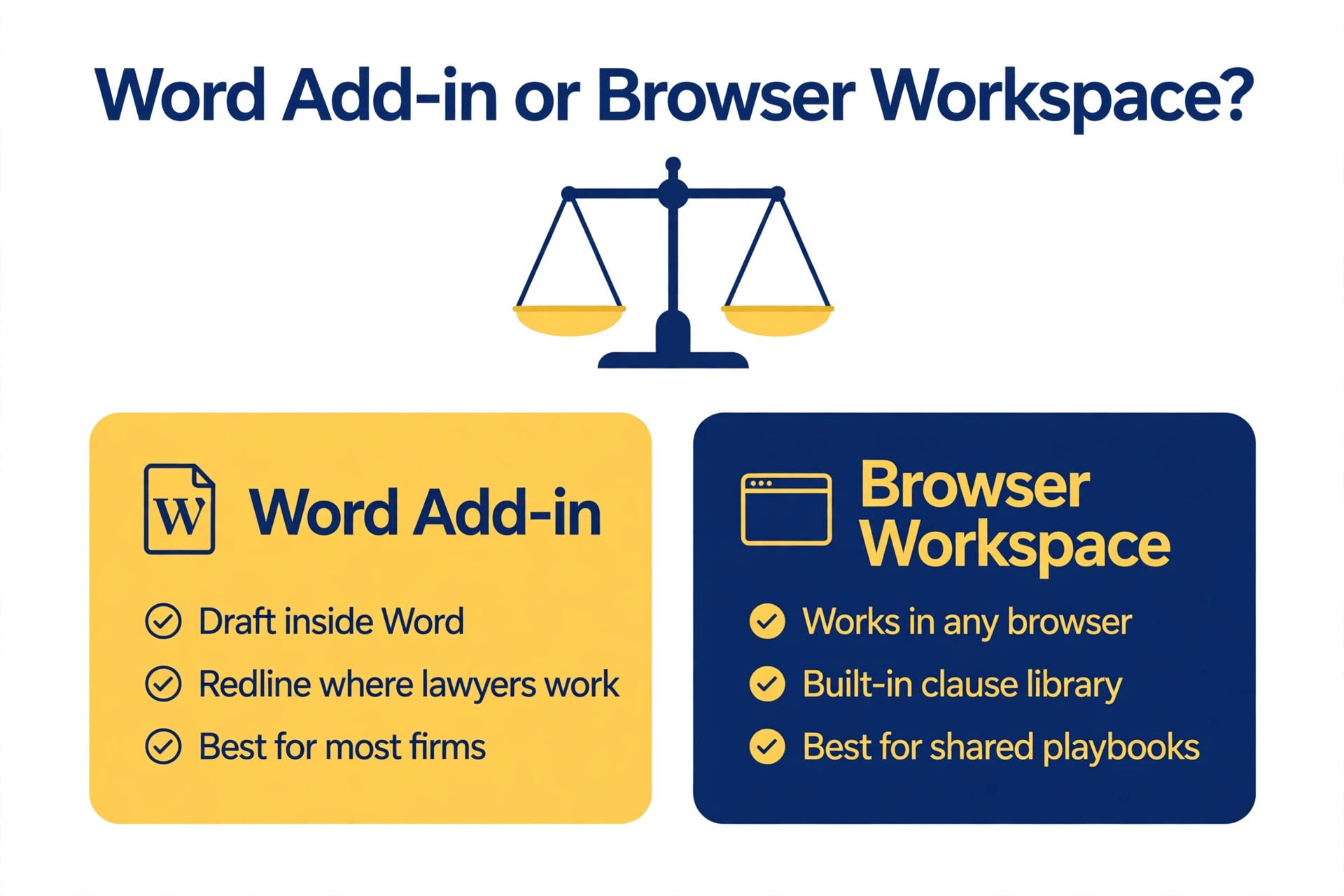
Start with where the work happens, because that decides the tool. If your lawyers live in Microsoft Word, a Word add in such as Spellbook keeps them in the document they already use, with drafting and redlining inside Word itself. If your firm produces its own paper at volume, a document assembly tool such as Gavel turns precedents into finished agreements through intake forms. If the bottleneck is tracking agreements after signature, a lifecycle platform such as Ironclad or ContractWorks matters more than the drafting itself. Most firms need two of the three, not one platform that claims all three.
Jurisdiction support is the second check, because an AI that drafts for the wrong law is worse than no AI at all. Check which jurisdictions the tool covers, whether the clause library matches your practice area, and whether the playbook can be set to your firm positions rather than a generic standard. A tool that covers more than 38 countries sounds impressive, but a small firm needs depth in its own state and its own matter types, not breadth across countries it never works in.
Pricing is the third check, and it is the hardest because most vendors quote. Compare per seat pricing against flat pricing carefully, because a firm with five lawyers pays very differently on a per seat tool than on a flat 700 dollar a month tool with unlimited users. Ask about the trial, the minimum term, and whether the AI features are included or sold as an add on, because several vendors charge extra for the very features that make the tool worth buying.
Best AI Contract Drafting Tools for Small Law Firms in 2026 at a Glance
| Tool | Starting price | Best for | Watch out |
|---|---|---|---|
| Spellbook | about 89 to 99 dollars a month per user | Drafting in Word | No published price |
| Gavel | 83 dollars a month | Document assembly | Weaker on review |
| LegalOn | quote only | Pre built playbooks | Quote only |
| ContractWorks | 700 dollars a month billed annually | Flat price repository | No drafting |
| GC AI | 500 dollars a month | Solo general counsel | 500 dollars a month |
The first five tools cover the most common shop sizes, and the next five cover the cases where a specialist feature or a lower price changes the answer.
| Tool | Starting price | Best for | Watch out |
|---|---|---|---|
| Avokaado | quote only | All in one workflow | Quote only |
| Clio Draft | part of Clio, from 39 dollars a month per user | Clio firms | Add on pricing |
| Thomson Reuters Contract Express | quote only | Proven assembly | Quote only, older design |
| Ironclad | quote only, 15,000 dollars a year minimum reported | Full lifecycle | 15,000 dollars a year minimum |
| Juro | quote only, 18,000 to 120,000 dollars a year reported | High volume self serve | 18,000 dollars a year reported |
The 10 Tools, Reviewed in Full
The ten tools below are ordered by value for a small law firm, starting with the strongest Word based pick and ending with the lifecycle platforms that suit larger teams.
1. Spellbook
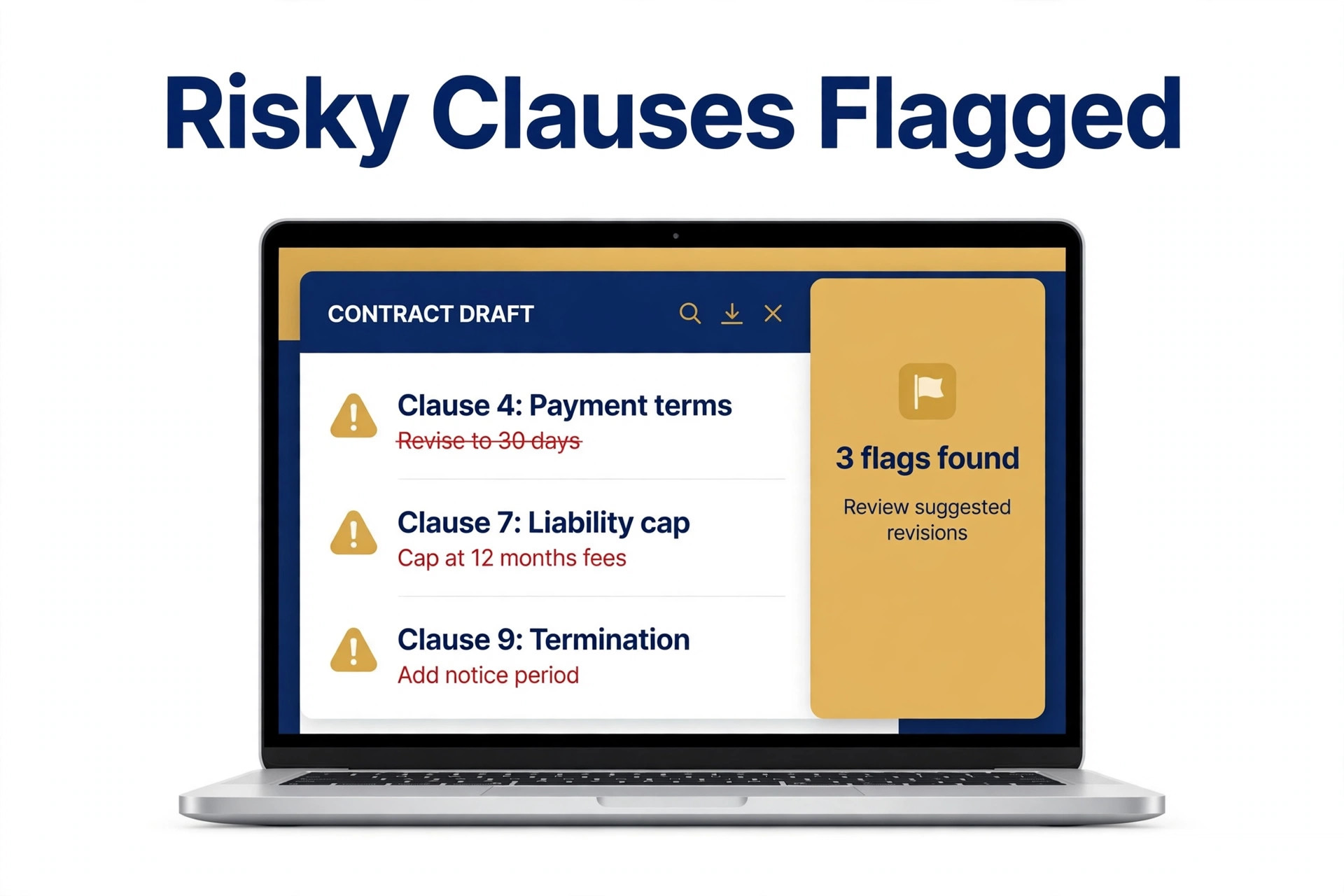
Spellbook is a Microsoft Word add in for AI contract drafting and redlining, built for transactional lawyers who want to stay inside the document editor they already use. It drafts from your precedents, reviews the other side paper against your positions, flags risky clauses, and suggests redlines without leaving Word. That matters, because the lawyers who spend their day in a counterparty draft lose hours to any tool that forces them into a separate platform. The weakness is price transparency, because nothing is published and the per seat figure only comes from a quote.
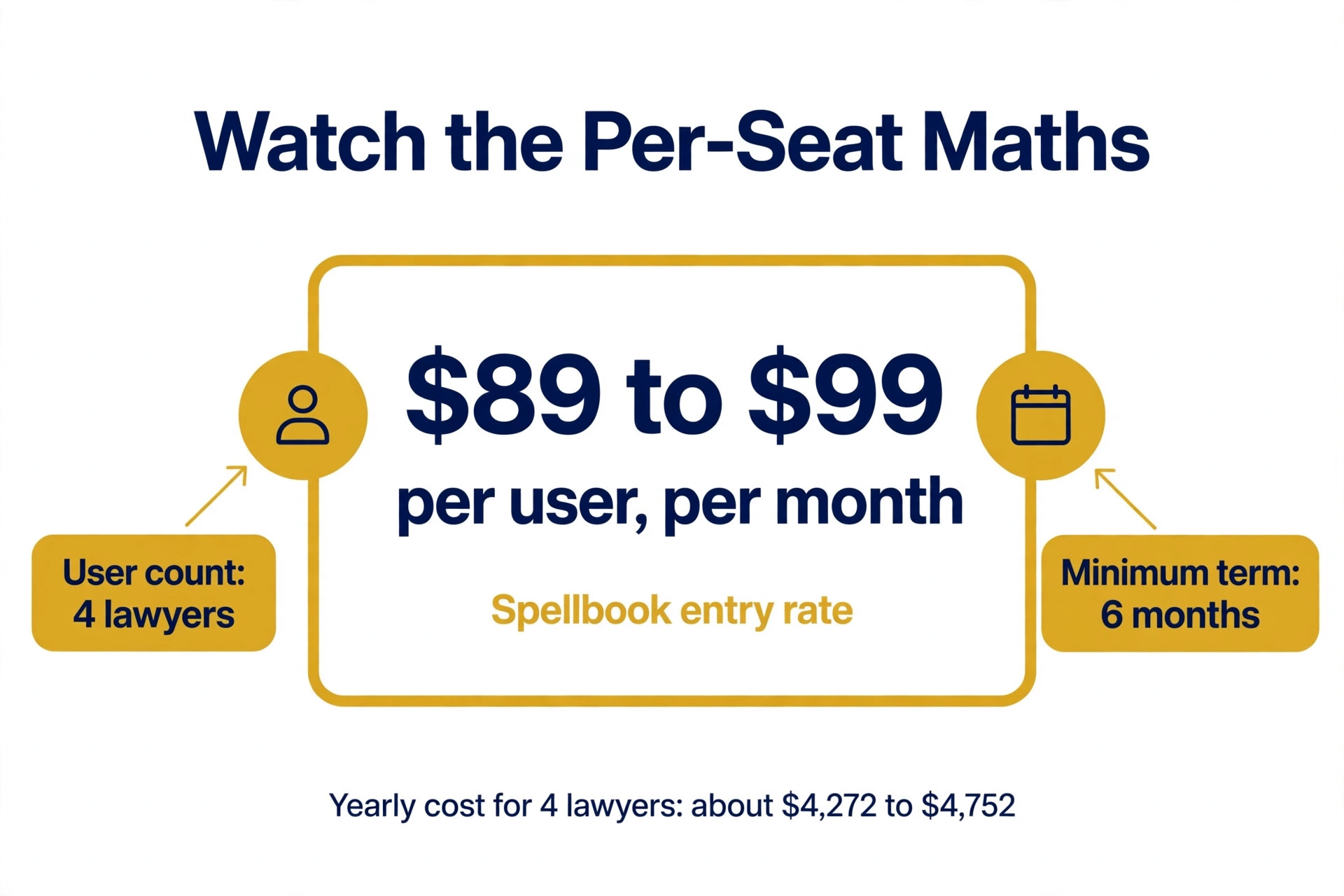
Pricing starts at about 89 to 99 dollars a month per user. Spellbook does not publish fixed pricing. Industry estimates and user reports place entry plans around 89 to 99 dollars a month per user, mid tier plans near 149 to 179 dollars a month per user, and enterprise packages toward 350 to 400 dollars a month per user with a six month minimum. A 7 day free trial is available, and pricing is custom per seat based on team size, so the real figure only comes from a sales call.
Pick Spellbook when your lawyers spend most of their day in Word reviewing the other side paper. Skip it when you need a published price before a sales call, because Spellbook does not list one.
2. Gavel
Gavel is the document assembly pick for a firm that produces its own paper at volume. It turns firm precedents into finished agreements through intake forms that clients complete themselves, so the associate spends minutes on a document that used to take an hour. It also covers client intake, e signatures and workflow, which makes it a practical system for a small firm that wants to automate the routine work. The trade off is scope, because it is weaker on reviewing the other side paper than Spellbook or LegalOn, so a firm that mostly redlines counterparty drafts needs a second tool.
Pricing starts at 83 dollars a month. Gavel publishes plans starting at 83 dollars a month, with a seven day trial and no credit card to start. It is a document assembly and client intake tool, so it suits firms that produce their own paper at volume rather than firms that mostly review the other side paper.
Gavel fits best when you produce your own paper at volume and want intake forms to build the first draft. It fits worst when you mostly review the other side paper, because assembly is not review.
3. LegalOn
LegalOn is the AI review and playbook guided drafting tool for teams that want pre built playbooks from day one. It reviews contracts against the firm positions, flags deviations, suggests redlines and drafts from templates, with playbooks that cover the common agreement types without months of setup. That matters for a small firm with no time to build a clause library from scratch. The weakness is price, because everything is quoted by team size and there is no published rate to compare against the 83 dollar tools.
Pricing starts at quote only. LegalOn prices by team size and does not publish a standard rate, so the real figure only comes from a quote. It offers pre built playbooks out of the box, which is the main reason to choose it over a tool that needs the firm to build its own playbooks first.
Pick LegalOn when you want pre built playbooks out of the box without building a clause library first. Skip it when you need a published price or a self serve trial before a sales call.
4. ContractWorks
ContractWorks is the repository and tracking pick for a small firm that wants oversight first. It stores every signed agreement in a searchable repository, tracks renewal dates and obligations, reports on the portfolio, and alerts the team before a deadline is missed. The flat 700 dollar a month price with unlimited users is the key fact, because a five lawyer firm pays 140 dollars per lawyer while a per seat tool at 99 dollars a lawyer costs half as much again. The gap is drafting, because ContractWorks does not draft or redline, so it pairs with a drafting tool rather than replacing one.
Pricing starts at 700 dollars a month billed annually. ContractWorks costs 700 dollars a month billed annually with unlimited users, which makes it the cheapest lifecycle option per lawyer for a firm with more than a few users. It is a repository, tracking and reporting tool first, so it suits a firm that wants oversight of signed agreements rather than a firm that needs drafting help.
ContractWorks fits best when you want oversight of signed agreements with unlimited users for a flat price. It fits worst when you need drafting or redlining, because ContractWorks does not do either.
5. GC AI
GC AI is the pick for a solo or fractional general counsel who needs an AI that thinks like an in house lawyer. It drafts, reviews and answers questions about agreements, with a workflow built around the general counsel job rather than the law firm job. The 500 dollar a month individual price is higher than the per seat tools, but it is a flat price for one person doing the work of a small team. The weakness is scope, because a firm with several lawyers needs team pricing, and the tool is less proven for high volume document assembly than Gavel.
Pricing starts at 500 dollars a month. GC AI costs 500 dollars a month for an individual, with custom pricing for teams, and a 14 day free trial. It is built for solo and fractional general counsel and small legal teams, which is a narrower audience than the other tools here.
Pick GC AI when you are a solo or fractional general counsel who needs an AI that works like in house counsel. Skip it when you are a firm with several lawyers, because team pricing is custom.
6. Avokaado
Avokaado is the browser based contract workflow tool for a firm that wants drafting, negotiation and signing in one place. It covers templates, collaboration, e signatures and a repository, with an interface that non lawyers can use for routine agreements while legal keeps oversight through templates and approval gates. The trade off is price transparency, because nothing is published and the real cost only comes from a quote, and the tool is less well known in the United States than the Word based options, so the clause library depth is worth checking for your jurisdiction.
Pricing starts at quote only. Avokaado does not publish standard pricing, and the pricing page offers a tailored quote only. It is a browser based contract workflow tool that covers drafting, negotiation and signing in one place, which suits a firm that wants the whole flow in one system.
Avokaado fits best when you want drafting, negotiation and signing in one browser workspace. It fits worst when you need a published price or a deep United States clause library.
7. Clio Draft
Clio Draft is the document automation tool for a firm already running Clio, and that is the main reason to choose it. It turns the firm templates into finished documents through intake forms, pulls client and matter data straight from Clio, and stores the finished document against the matter without anyone retyping a name or a date. The trade off is that it is an add on inside a larger system, so a firm not on Clio has to buy the whole platform to get the drafting, and the AI depth is thinner than Spellbook for reviewing the other side paper.
Pricing starts at part of Clio, from 39 dollars a month per user. Clio Draft is the document automation add on inside Clio, whose practice management plans start from about 39 dollars a month per user. Draft pricing is quoted as an add on. It suits a firm already on Clio, because the documents, matters and clients already live in the same system.
Pick Clio Draft when your firm already runs Clio and wants documents built from matter data. Skip it when you are not on Clio, because the drafting comes with the whole platform.
8. Thomson Reuters Contract Express
Thomson Reuters Contract Express is the established document assembly system, and it is the tool for a firm that wants proven template control rather than the newest AI. It turns precedents into finished agreements through guided questionnaires, with deep control over clauses, numbering and formatting that the newer tools cannot match. The trade off is price and modernity, because everything is quoted and the interface feels older than Gavel or Avokaado, and the AI features are thinner than Spellbook. For a firm with a large precedent library that needs exact control, it is still the benchmark.
Pricing starts at quote only. Contract Express does not publish pricing. It is sold by quote as part of the Thomson Reuters legal suite, with pricing by firm size and volume. It is the established document assembly tool for firms that want a proven system with deep template control and a long track record.
Thomson Reuters Contract Express fits best when you have a large precedent library and need exact control over clauses and formatting. It fits worst when you want a published price or modern AI review, because neither is the strength here.
9. Ironclad
Ironclad is the lifecycle platform for a firm or legal team that needs visibility across the entire agreement process, from drafting through approval to signature and renewal. Its AI assistant Jurist handles drafting suggestions, risk flagging and clause recommendations, while the workflow engine routes approvals so contracts stop stalling in email threads. The trade off is scale, because the reported 15,000 dollar a year minimum puts it out of reach for most small firms, and it suits a team with structured legal operations rather than a firm looking for a lightweight starting point.
Pricing starts at quote only, 15,000 dollars a year minimum reported. Ironclad does not publish standard pricing. Reported figures put the minimum near 15,000 dollars a year, with mid market deployments at 40,000 to 120,000 dollars a year and enterprise deployments above 200,000 dollars a year with implementation. It is a contract lifecycle management platform for legal, procurement and sales teams, with an AI assistant called Jurist, and it was named a Leader in Gartner Magic Quadrant for CLM.
Pick Ironclad when you run structured legal operations and need full lifecycle visibility with approval routing. Skip it when you are a small firm, because the reported minimum is 15,000 dollars a year.
10. Juro
Juro is the AI native contract workspace for a team that wants business users to self serve routine agreements while legal keeps control. It runs in the browser rather than in Word, with templates, approval gates and a repository, so a sales team can generate a standard agreement without waiting for legal, and legal sees every contract in one place. The trade off is price, because the reported 18,000 dollar a year starting point puts it beyond most small firms, and it suits high volume repeatable contracting more than bespoke matter work.
Pricing starts at quote only, 18,000 to 120,000 dollars a year reported. Juro prices by contract volume with unlimited users on every plan, and reported figures run from about 18,000 dollars a year at the low end to 120,000 dollars a year at the top. It is an AI native browser workspace for sales and commercial teams to self serve routine agreements while legal keeps oversight through templates and approval gates.
Juro fits best when you have high volume repeatable agreements and want the business to self serve safely. It fits worst when you are a small firm, because the reported starting price is 18,000 dollars a year.
Best Pick by Matter Type
Matter type decides the answer, because a firm that drafts its own paper and a firm that reviews the other side paper buy different tools. Use the table below as the short version of this guide.
| Job | Pick | Why |
|---|---|---|
| Reviewing the other side paper | Spellbook | Drafting and redlining inside Word |
| Producing your own paper | Gavel | Assembly from 83 dollars a month |
| Pre built playbooks | LegalOn | Playbooks out of the box, quote only |
| Tracking signed agreements | ContractWorks | Flat 700 dollars a month, unlimited users |
| Full lifecycle, larger team | Ironclad | Lifecycle plus Jurist AI, 15,000 dollars a year minimum |
What a Four Lawyer Firm Actually Pays in a Year
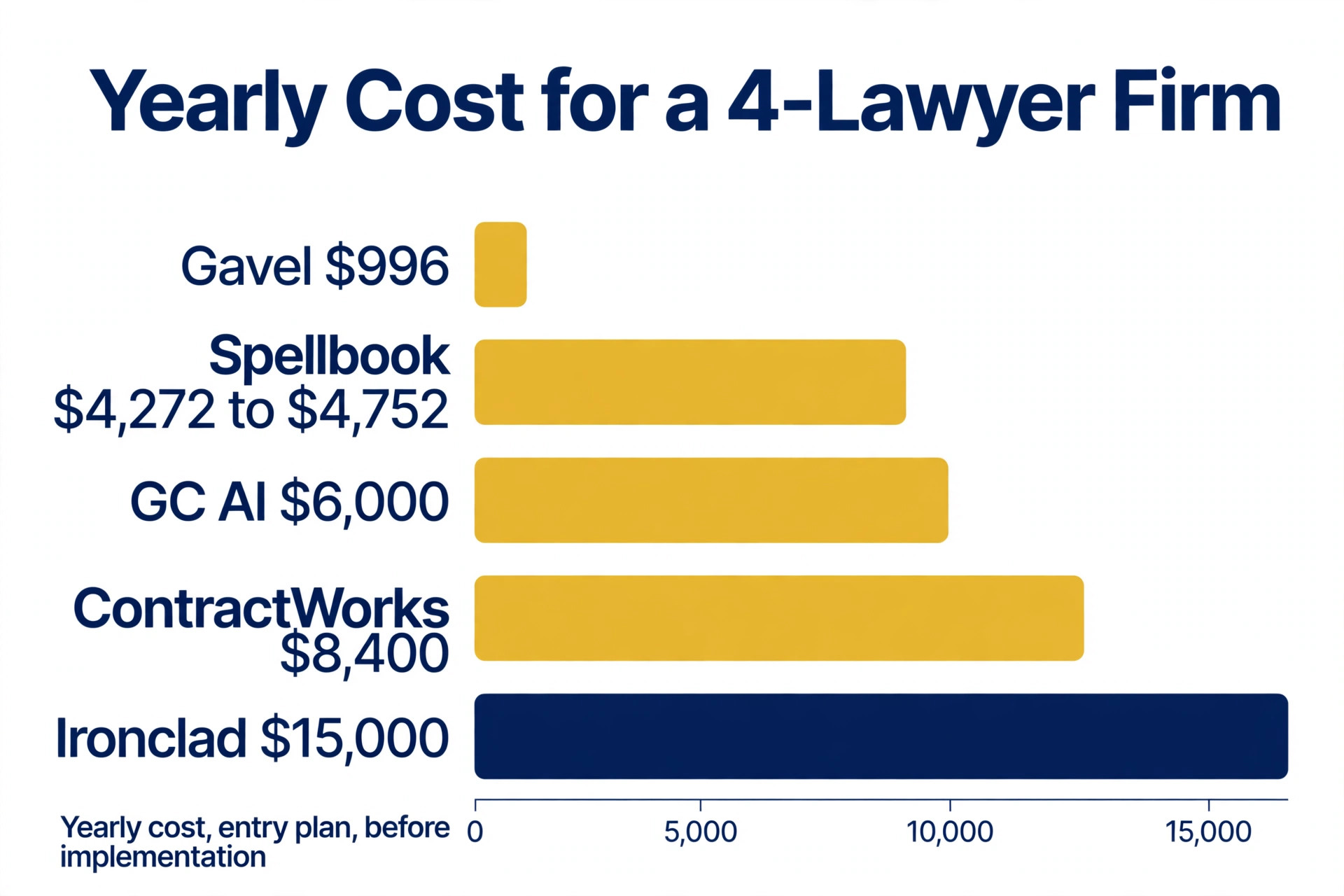
The monthly subscription is only the first line of the bill, because per seat pricing multiplies fast and the lifecycle tools charge by the year. The table below shows the yearly cost for a four lawyer firm on the entry plan, before implementation. Gavel costs under 1,000 dollars a year, Spellbook costs about 4,300 to 4,800 dollars a year at the reported entry rate, ContractWorks costs 8,400 dollars a year flat, and Ironclad starts near 15,000 dollars a year. The gap between the cheapest and the dearest is more than fifteen times, which is why the matter type matters more than the price.
| Tool | Monthly | Yearly | What is extra |
|---|---|---|---|
| Gavel | 83 dollars | 996 dollars | Assembly only |
| Spellbook, 4 users | about 356 to 396 dollars | about 4,272 to 4,752 dollars | Quote only, estimates |
| GC AI, individual | 500 dollars | 6,000 dollars | One user only |
| ContractWorks | 700 dollars | 8,400 dollars | Unlimited users |
| Ironclad, from | 1,250 dollars | 15,000 dollars | Implementation extra |
The lesson is to price the tool per lawyer at your real headcount, not the monthly headline. A flat 700 dollar a month tool with unlimited users can be cheaper than a 99 dollar per seat tool once the firm grows past seven lawyers, and a 15,000 dollar a year platform is never the right answer for a firm that only needs drafting. Work out the twelve month cost for your team, add the implementation and the minimum term, and the cheapest tool usually reveals itself in one line of maths. That comparison is the heart of choosing the best ai contract drafting tools for small law firms.

Mistakes That Cost Small Firms Money
The most common mistake is buying a lifecycle platform when the bottleneck is drafting. A firm that spends its hours writing first drafts does not need approval routing and renewal tracking, it needs a tool that writes the draft. Ironclad and Juro are strong products, but at 15,000 to 18,000 dollars a year they solve a problem most small firms do not have. Match the tool to the bottleneck, and buy the drafting tool first.
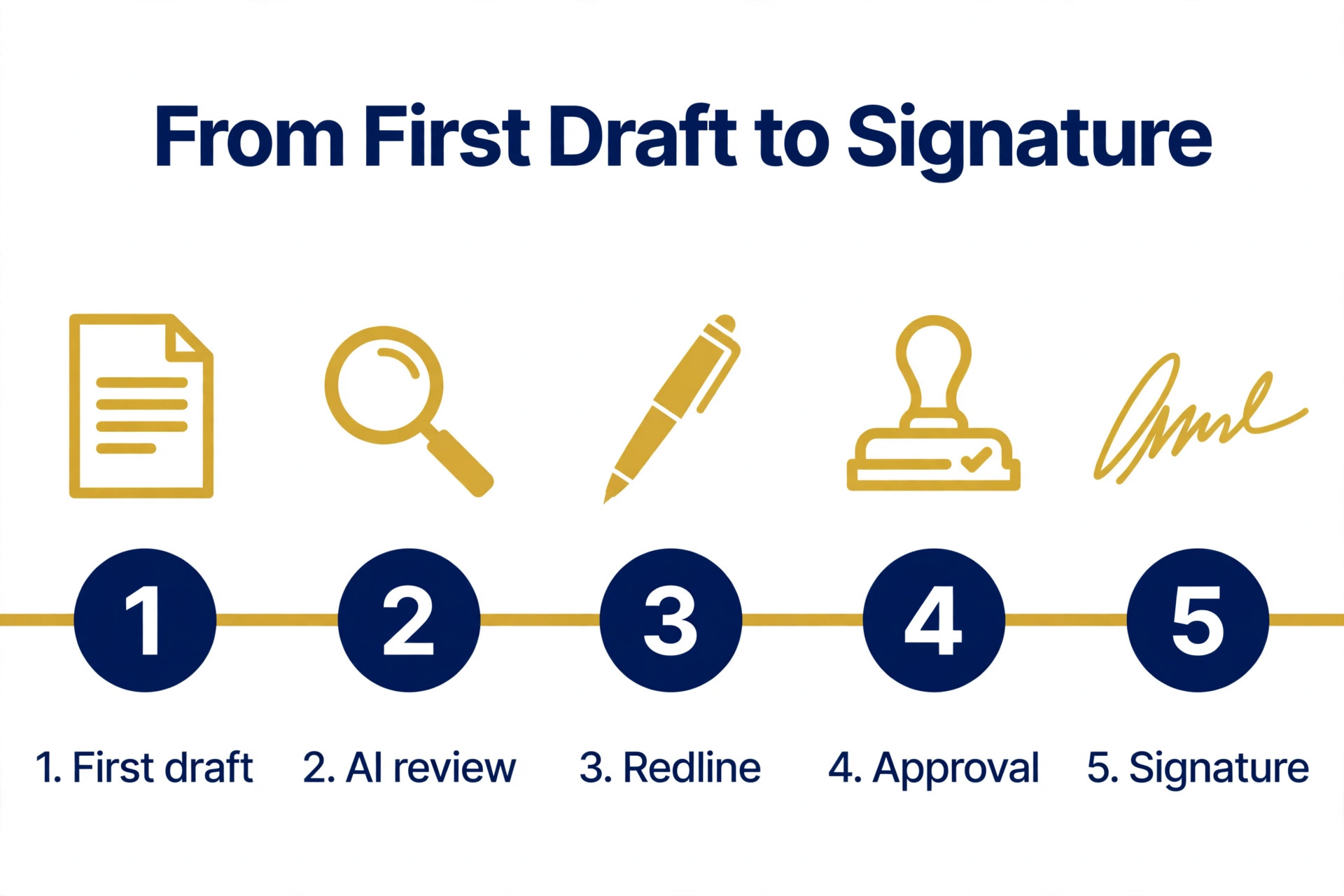
The second mistake is choosing on a demo instead of a real matter. A demo shows a clean template and a perfect clause library, while a real matter has a counterparty draft with unusual clauses, a client with a deadline, and a partner who wants the redline in Word. Trial the tool with a real agreement from your own files, from first draft to redline to signature, and count the hours saved. If the associate still retypes the draft, the tool has failed at its main job.
The third mistake is ignoring the minimum term and the implementation cost. Several vendors in this list sell with a six month minimum, and the enterprise platforms add implementation that can cost as much as the first year subscription. Ask for the total first year cost in writing, including implementation, training and the minimum term, before you sign, because a quote that excludes implementation is not a quote.
Our Verdict
Spellbook is the pick for most small law firms in this guide, because it drafts and redlines inside Word, where transactional lawyers already work, at a reported entry rate near 89 to 99 dollars a month per user. It is the tool most likely to save hours on the very next matter, and that is worth more than the price gap to the cheaper assembly tools. That is why it leads this guide on the best ai contract drafting tools for small law firms.
Gavel is the pick when the firm produces its own paper at volume, because 83 dollars a month buys document assembly with a seven day trial and no credit card. ContractWorks is the pick when the firm needs oversight of signed agreements, at a flat 700 dollars a month with unlimited users. Trial two tools with a real agreement from your own files before you commit, and buy the tool that matches your bottleneck rather than the tool with the longest feature list.
Frequently Asked Questions
What is the best AI contract drafting tool for a small law firm?
Spellbook is the strongest pick for most small law firms, because it drafts and redlines inside Word at a reported entry rate near 89 to 99 dollars a month per user. Gavel at 83 dollars a month is the best pick for document assembly, and ContractWorks at a flat 700 dollars a month is the best pick for tracking signed agreements. That is the short answer on the best ai contract drafting tools for small law firms for most readers.
How much does AI contract drafting software cost?
A solo lawyer can start for under 100 dollars a month, a small firm can pay 83 dollars a month for Gavel or about 89 to 99 dollars a month per user for Spellbook, and a flat repository tool costs 700 dollars a month with unlimited users. Enterprise lifecycle platforms start near 15,000 dollars a year for Ironclad and 18,000 dollars a year for Juro, with implementation on top. The spread is more than fifteen times, so match the tool to the bottleneck before you compare prices.
Does AI contract drafting work in Microsoft Word?
Yes, and Word integration is the deciding feature for most firms. Spellbook is a Word add in that drafts and redlines inside the document, so lawyers never leave Word. Contract Express and Clio Draft also work from templates and Word documents, while Juro and Avokaado run in the browser instead. If your lawyers live in Word, pick a Word tool, because a browser tool that forces them to switch will not get used.
Can AI draft contracts in my jurisdiction?
It depends on the tool and the jurisdiction. LegesGPT, a smaller tool in this category, claims coverage across more than 38 countries at 19.99 dollars a month, but a small firm needs depth in its own state and matter types, not breadth across countries it never works in. Check which jurisdictions the tool covers, whether the clause library matches your practice area, and whether the playbook can be set to your firm positions before you buy.
What is the difference between contract drafting and contract lifecycle management?
Drafting tools such as Spellbook and Gavel write and redline the agreement, while lifecycle platforms such as Ironclad, Juro and ContractWorks track the agreement after signature, with approvals, renewals and a searchable repository. Most firms need two of the three jobs covered, drafting and review, or review and tracking, rather than one platform that claims all three. Buy the tool that matches your bottleneck first.
Do I need a free trial before buying contract AI?
Yes, and the trial should use a real agreement from your own files rather than a demo template. Spellbook offers a 7 day free trial, Gavel offers a seven day trial with no credit card, and GC AI offers a 14 day trial. Run a real matter from first draft to redline to signature, count the hours saved, and check whether the associate still retypes the draft. That one matter tells you more than a month of sales calls.
Is my client data safe with AI contract tools?
It depends on the vendor, so check the data handling before you upload a single agreement. Ask whether the tool trains its models on your documents, whether it signs a confidentiality agreement, and where the data is stored. Spellbook, LegalOn and Ironclad are built for law firms and publish security information, but the terms differ, so read the data processing terms rather than assuming the tool keeps your documents private.
Trial two tools with a real agreement from your own files, count the hours saved, and buy the tool that matches your bottleneck.
That is the short answer on best ai contract drafting tools for small law firms for most small businesses.
If you only remember one thing about best ai contract drafting tools for small law firms, make it the total yearly cost, not the monthly sticker price.