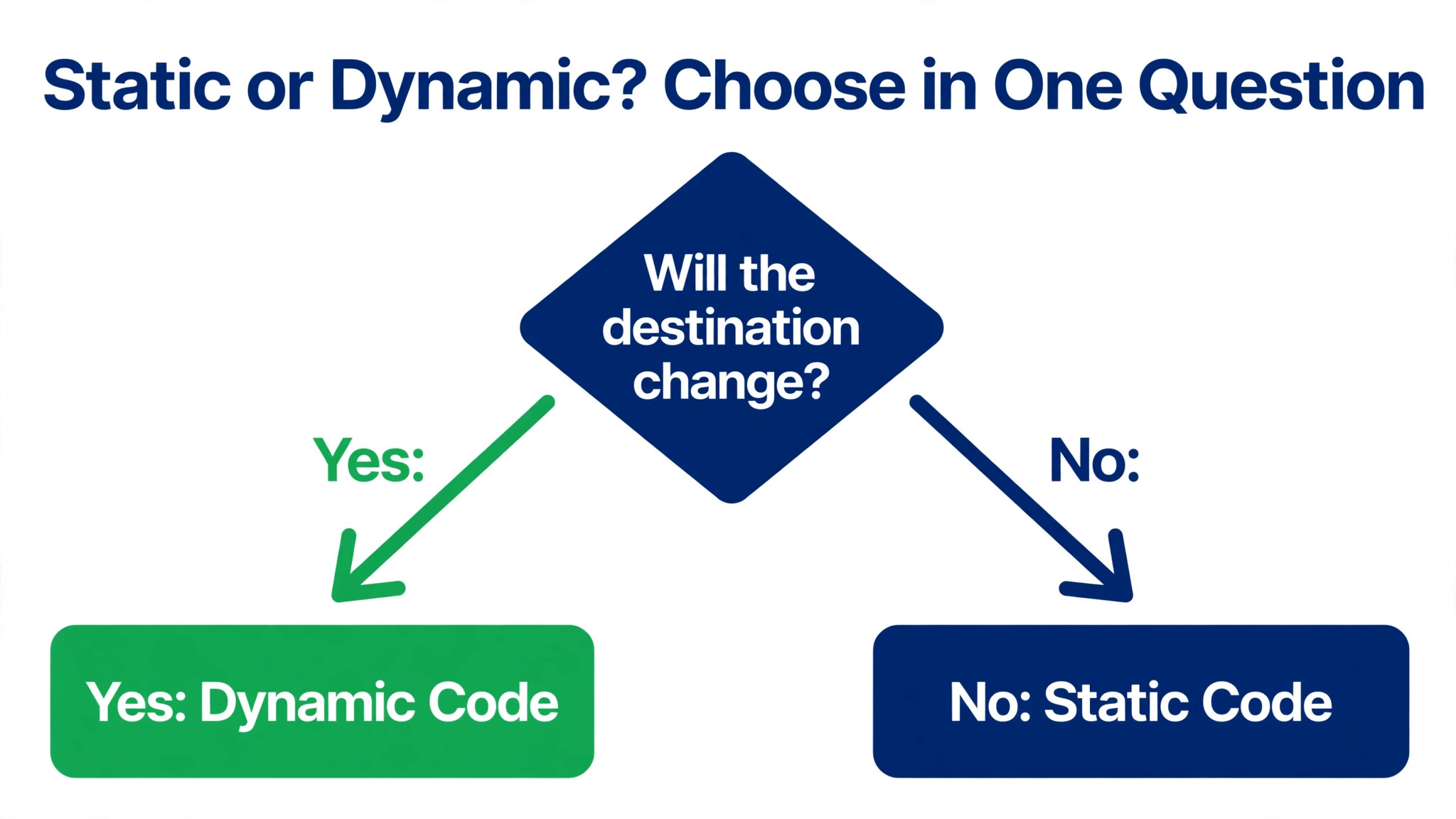
If you print anything, make a dynamic code, not a static one, because a dynamic code lets you change the destination and see scan counts without reprinting. That single choice decides whether a menu change, a moved landing page, or a dead link costs you a fresh print run, and it is the first decision in how to make a qr code for your business that actually survives contact with real customers. The rest of the process takes about fifteen minutes. Pick a destination page, choose a generator, style the code to match your brand, set the size and error correction for the surface it will live on, and test it on three phones before you print.
A QR code is a square pattern a phone camera reads in under a second, and for a small business it is the cheapest bridge between a physical object and a web page. It turns a shop window into a booking page, a receipt into a review form, a product box into a setup video, and a business card into a contact save. The code itself costs nothing to create on a free tier, and the paid tiers start near $5 a month, so the real cost is not the code. It is the print run you waste when the code is too small, too low contrast, or pointed at the wrong page.
What a Business QR Code Has to Do
A business QR code has one job, which is to get a stranger from a physical surface to the right page with zero typing and zero confusion. That sounds simple, and it is simple when the destination is a page built for a phone, the code is big enough to scan from the distance a customer stands at, and the call to action beside it says what the scan gives them. It fails when any of those three pieces is missing, and the failure is silent, because a customer who cannot scan a code simply walks away without telling you.
Start by naming the outcome, not the code. A code on a table tent should open the menu, not the homepage. A code on a receipt should open the review page, not a generic contact form. A code on packaging should open the setup guide or the reorder page for that exact product. Every code needs one destination and one promise beside it, written in plain words like Scan to see the menu or Scan to book a table. A code with no promise beside it gets ignored, and a code that opens the homepage makes the customer do the work the code was supposed to remove.
Static vs Dynamic Codes
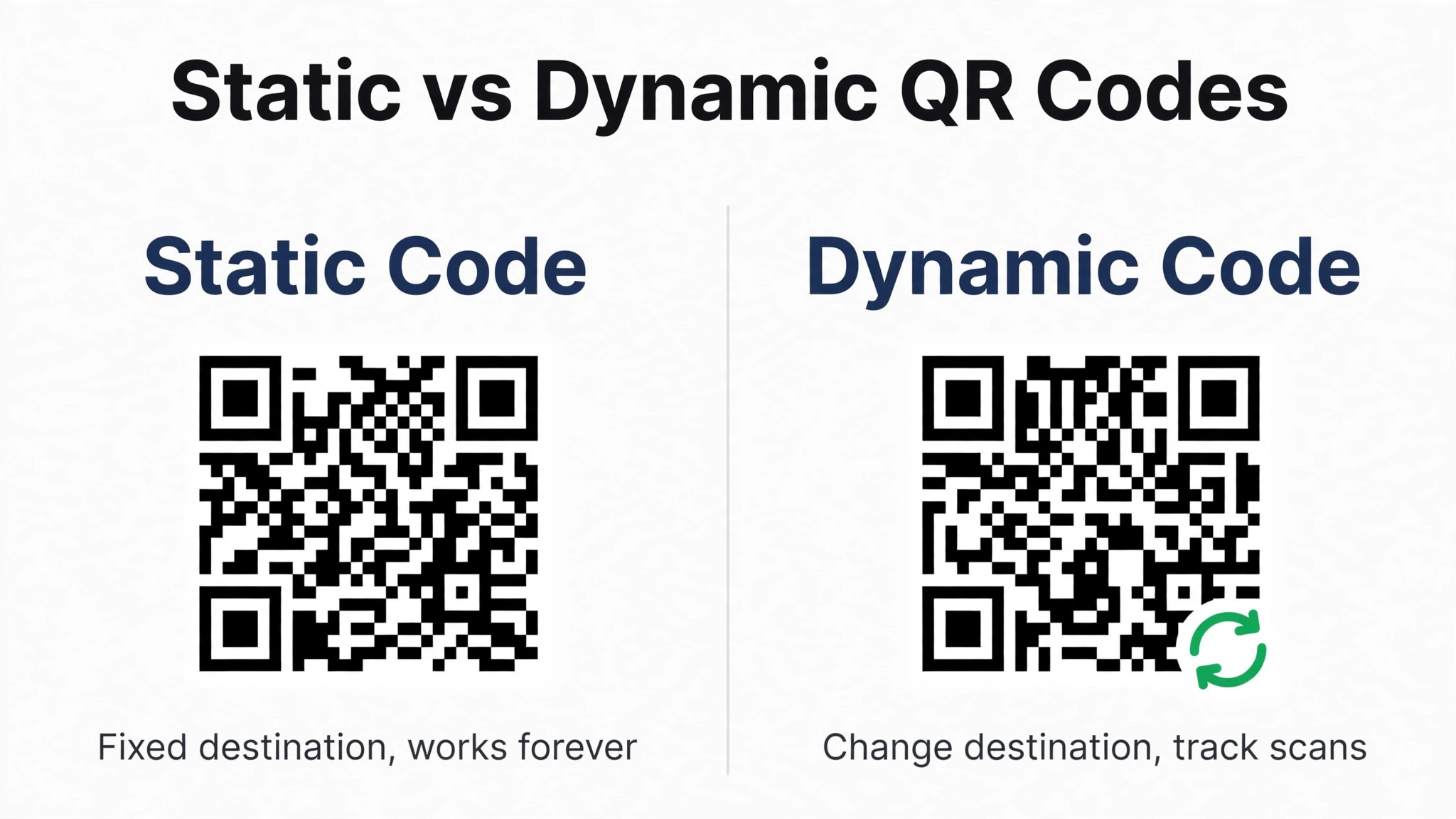
The static versus dynamic choice is the most important technical decision in this guide, and it is worth understanding before you generate anything. A static code stores the destination address directly inside the pattern. It never expires, it needs no account and no subscription to keep working, and it cannot be changed after printing. A dynamic code stores a short redirect link that you control, so you can change the final destination and see scan statistics without touching the printed material. The trade off is that a dynamic code stops working if the service or the subscription ends, while a static code works forever.
For most business use, dynamic wins. Menus change, landing pages move, campaigns end, and a dynamic code absorbs all of that without a reprint. Research published by Uniqode found that 28 percent of marketers report a large reduction in printed material waste after switching to dynamic codes, and another 45 percent report some reduction. Static still has a place for things that truly never change, like a Wi-Fi login code, a vCard contact code, or a building address. If you are unsure which one you need, choose dynamic, because the cost of being wrong on a static code is a reprint, and the cost of being wrong on a dynamic code is a few dollars a month.
| Feature | Static code | Dynamic code |
|---|---|---|
| Change destination after print | No | Yes |
| Scan tracking | None | Scans, place, device |
| Needs a subscription | No | Yes, for paid tiers |
| Works forever | Yes | Only while the service runs |
| Best for | Wi-Fi, vCard, fixed pages | Menus, campaigns, packaging |
How to Make a QR Code for Your Business in 7 Steps
The seven steps below work for any generator and any surface, from a business card to a shop window. Follow them in order, since a styling choice made in step five is hard to undo after step seven has printed a thousand flyers.
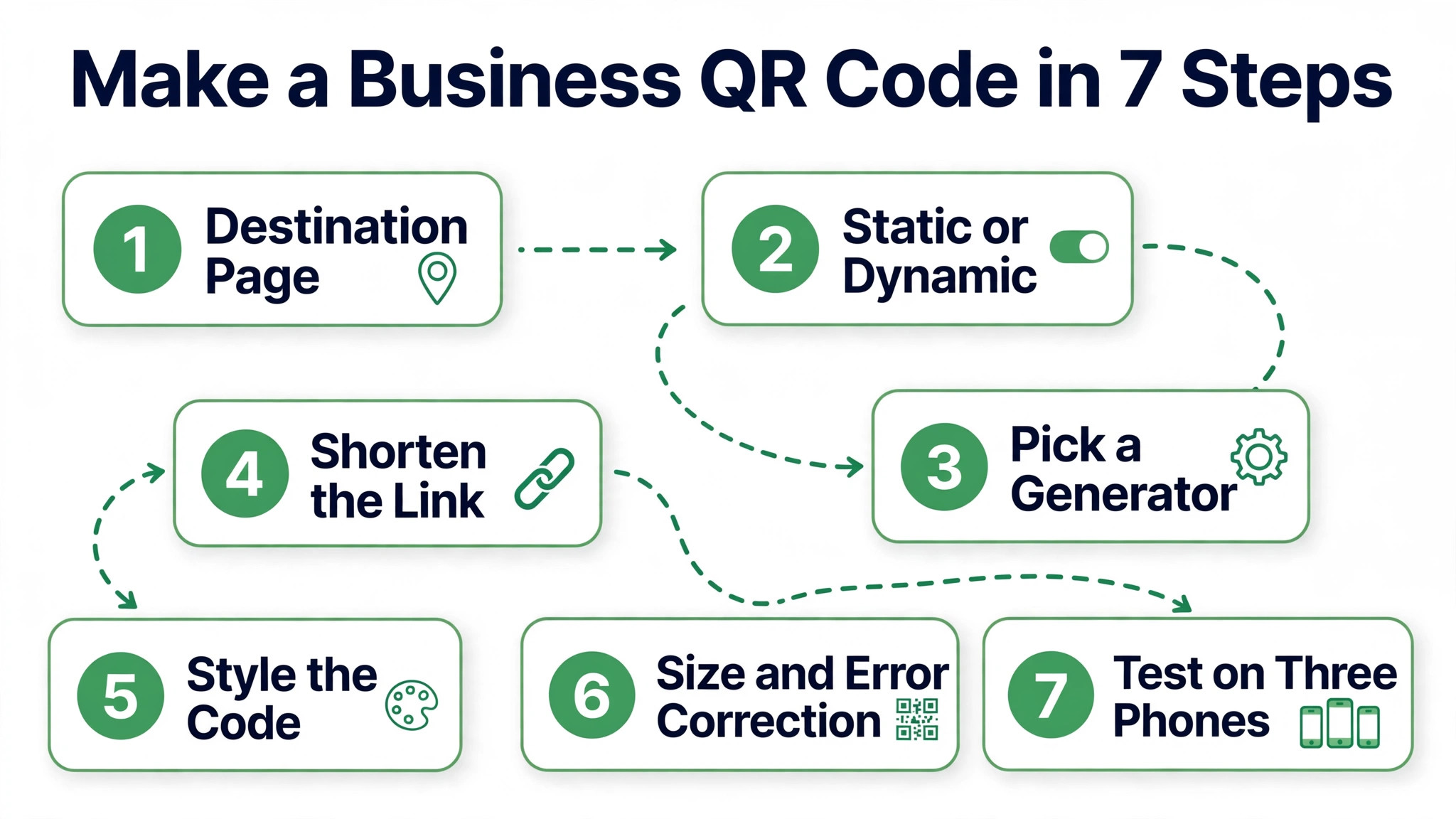
- Pick one destination page and make sure it works on a phone. Open the page on your own phone first, tap every button, and check that it loads in under three seconds on a mobile connection. A code that opens a slow desktop page wastes the scan, so fix the page before you generate the code.
- Choose static or dynamic based on the shelf life of the print run. If the material will live longer than one campaign, or if you want scan counts, choose dynamic. If the destination will never change and no tracking is needed, static is fine and free. For a run of 500 units or more, dynamic is almost always the safer bet.
- Pick a generator from the comparison later in this guide. A free tier covers a first code, and a paid plan near $5 to $7 a month adds dynamic codes, a logo, and analytics. Do not pick a generator on price alone. Check that it exports vector files, lets you set error correction, and keeps your codes working if you cancel.
- Enter the destination and shorten the link first. A short link makes a simpler pattern that scans faster at small sizes, so use the generator built in short link or your own short domain. Paste the full address, test it in a browser, and confirm it opens the exact page you want, not a redirect chain that adds seconds.
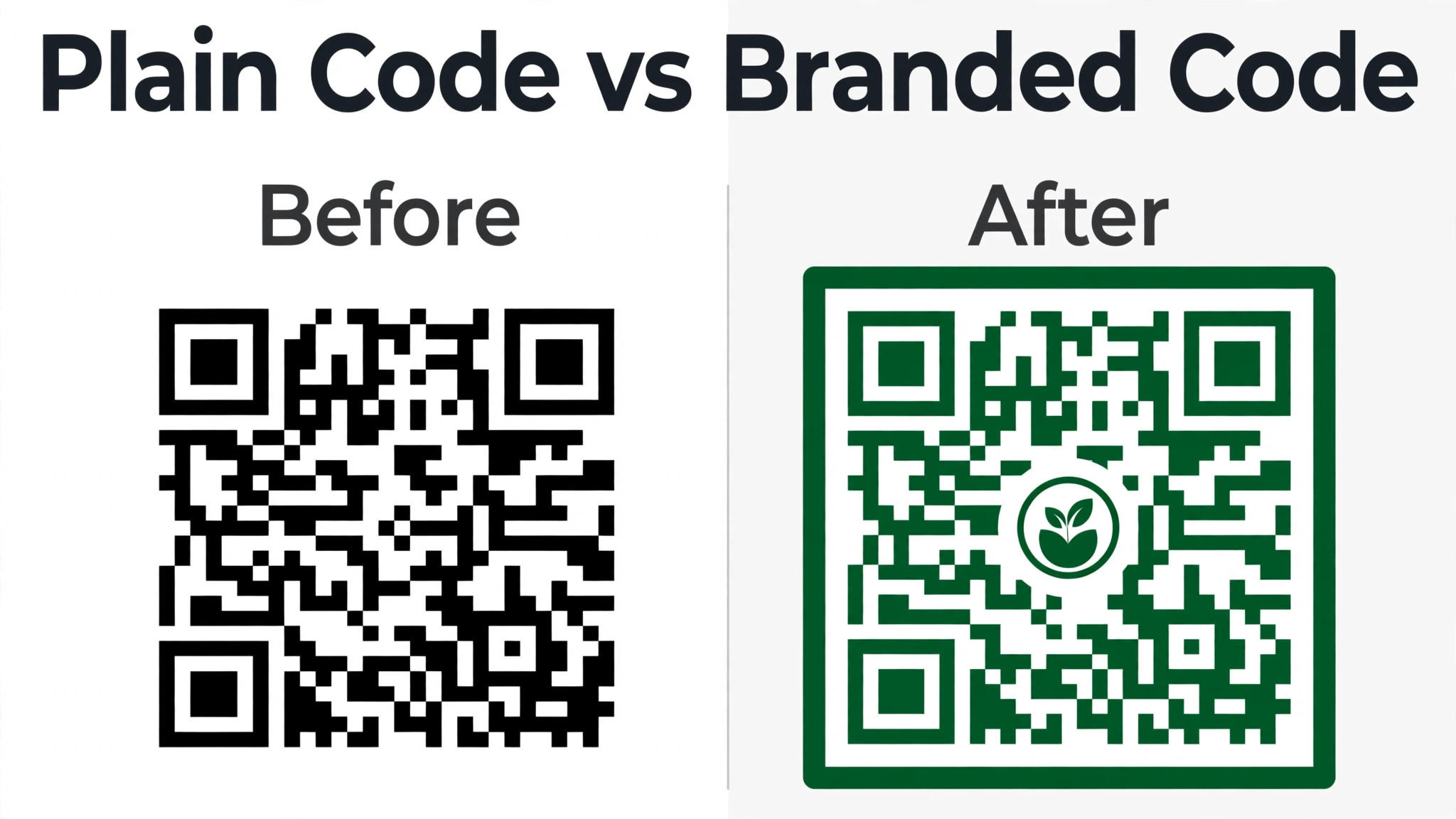
- Style the code to match your brand, but keep it scannable. Add your logo in the center, use your brand color for the modules, and pick a frame with a short call to action like Scan to order. Keep dark modules on a light background, keep the contrast strong, and never invert the code to light on dark, since most phone cameras fail on inverted codes.
- Set error correction to level M or higher and size the code for the scanning distance. Level M recovers about 15 percent of damaged modules and suits standard print, while level H recovers about 30 percent and suits outdoor signs, rough surfaces, and codes with a logo over the center. Use the ten to one rule for size, which means the code should be at least one tenth as wide as the distance a customer scans from.
- Test the printed proof on three different phones before you approve the run. Scan it in bright light and dim light, at arm’s length and from the farthest distance a customer will stand, with an older phone as well as a new one. If any phone hesitates, print it larger, raise the error correction, or simplify the destination link, and test again.
The Best QR Code Generators for Business
When you learn how to make a qr code for your business, the generator you pick matters less than the export format and the pricing model, but the differences below are real. Every tool here is available now, and the prices are the published figures found in research. Check the vendor page before you pay, since free tiers and monthly prices move often.
1. QR TIGER
QR TIGER is the most design heavy generator in this group, and it suits brands that care about how the code looks. The customization panel covers dot patterns, eye styles, gradient colors, frame text, and logo placement at a level most competitors do not offer. It handles more than 20 content types, from URLs and vCards to files, menus, Wi-Fi, and payment links. The free plan generates unlimited static codes, and dynamic codes start on the Regular plan near $7 a month. The free trial gives 3 dynamic codes with up to 100 scans each. Choose QR TIGER when the code sits on packaging or marketing material where the brand look matters as much as the scan.
2. Uniqode
Uniqode, formerly Beaconstac, is the enterprise pick, and it suits teams rather than single shops. The platform handles bulk creation, team workspaces, single sign on, role based access, audit logs, and integrations with HR and CRM tools, and it is trusted by more than 50,000 businesses including Nestle, Hilton, and Pepsi. The Essential plan starts near $9 a month for 50 dynamic codes, and team plans run $29 per user a month and up, with a 14 day free trial. Some guides quote the Pro plan from $49 a month, so confirm the current tier on the pricing page. Choose Uniqode when several people manage codes, or when security and compliance paperwork matter.
3. The QR Code Generator
The QR Code Generator, known as TQRCG, is the simplest free starting point in this group, and it is powered by Uniqode. The free plan gives unlimited static codes and 2 dynamic codes that never expire, with no credit card required, and static codes need no sign up at all. Dynamic codes include scan analytics, with 14 days of scan history on the free plan and longer windows plus data exports on paid plans. You can add a logo, choose colors, and download in standard formats. Choose TQRCG when you need one or two permanent dynamic codes and you want to start free without a trial clock running.
4. Adobe Express
Adobe Express offers a free QR code generator that solves a common frustration, which is that most platforms lock customization behind paid plans. It creates unlimited codes free with no expiry, and the codes carry your colors and logo without a subscription. Adobe plans start from $9.99 a month for the wider Express suite, but the QR generator itself is free. The trade off is depth. It is a generator, not a management platform, so there is no bulk creation, no team workspace, and no advanced analytics. Choose Adobe Express when you need a clean branded code fast and you do not need tracking or a large code library.
5. QR Code Generator PRO
QR Code Generator PRO is the practical pick for a small business that needs codes at volume without an enterprise price. Paid plans start near $5 a month after a 14 day free trial, and the Premium tier is listed near $6.99 a month in some guides, so confirm the current figure. The platform covers dynamic codes, scan analytics, and bulk generation in a straightforward dashboard. It is less design heavy than QR TIGER and less enterprise focused than Uniqode, and that middle ground is exactly why it fits a small business that prints codes every week. Choose it when you need reliable dynamic codes and tracking at the lowest workable monthly price.
6. Bitly
Bitly is best known as a link shortener, and that is exactly why it earns a place here. A short Bitly link is the foundation of a compact dynamic code, and Bitly QR codes pair that short link with click and scan analytics in one dashboard. If your business already shortens links with Bitly, adding QR codes keeps the whole trail in one place, and a code that points at your own short domain stays under your control. Bitly is not a design tool, so pair it with a generator when the code needs a logo or a frame. Choose Bitly when link management and analytics matter more than code styling.
Where to Put QR Codes in a Small Business
Placement decides whether a code gets scanned or ignored, so put the code where the customer already stands still with a phone in hand. The shop window works for opening hours, a booking link, and the menu, because passers by can scan without entering. The counter works for payment, loyalty signup, and a review request, because the customer is waiting anyway. The table works for menus and ordering, because the phone is already on the table. Packaging works for setup guides, reorder pages, and warranty registration, because the customer holds the product while they scan.
Receipts and invoices are underused and effective. A code on a receipt that opens the review page catches the customer while the experience is fresh, and a code on an invoice that opens the payment page removes typing a bank address.
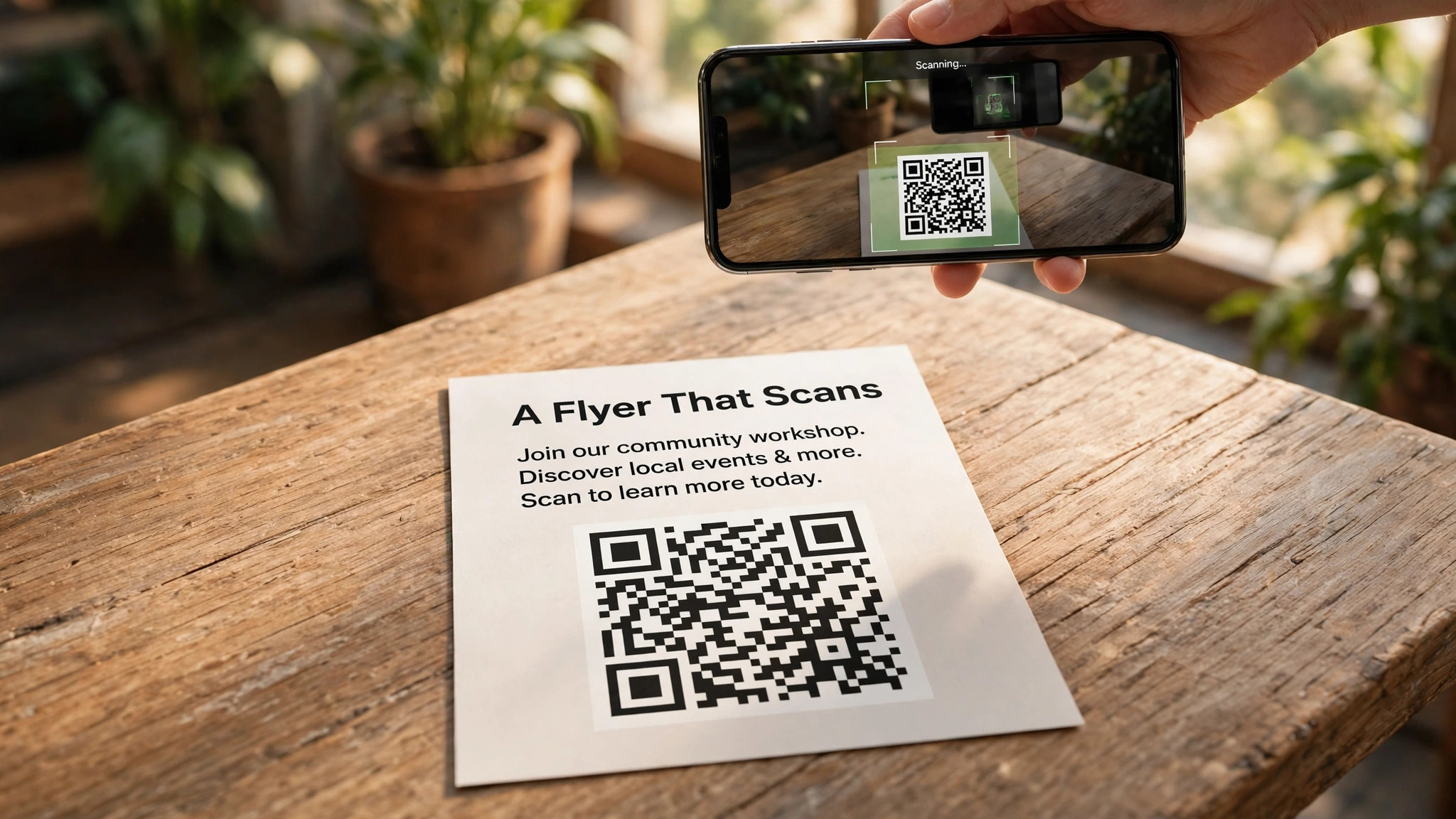
Business cards benefit from a vCard code that saves contact details in one tap, and a dynamic vCard code lets you update a job title or phone number after the cards are printed. Flyers and posters work when the code is large enough for the distance, and vehicle signage works only when the code is huge and the vehicle is parked, since nobody scans a moving van. One code per surface, one promise beside it, and one destination is the rule that keeps every placement working.
Sizing, Print, and Error Correction
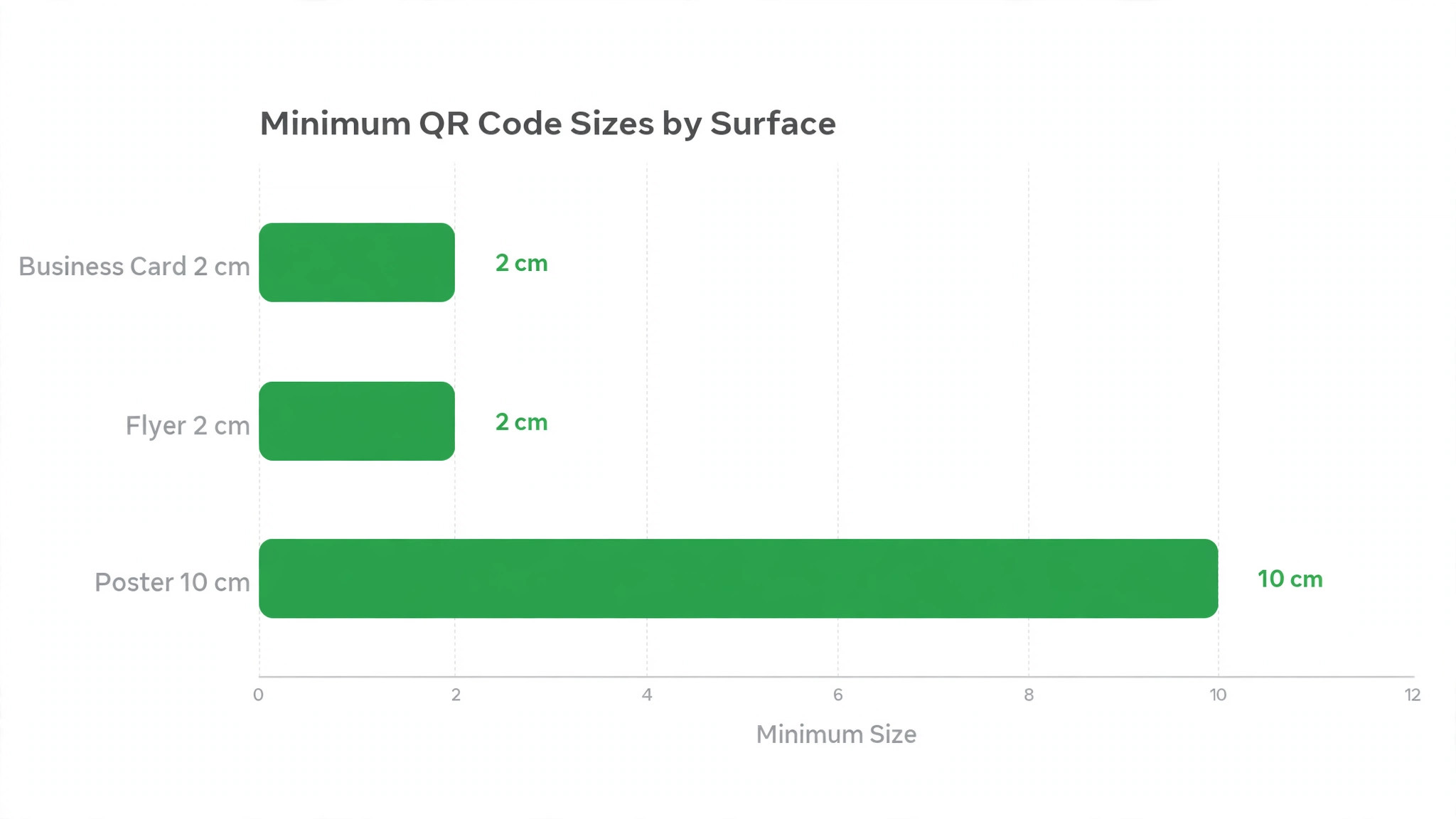
Size is the most common reason a printed code fails, and the rule is simple enough to use without a calculator. The minimum for reliable scanning at arm’s length is 2 by 2 centimeters, about 0.8 by 0.8 inches, and a business card code should be at least that large, with 2.5 centimeters safer when space allows. Posters need at least 3 by 3 centimeters, and a code scanned from a metre away needs to be at least 10 centimeters wide. The ten to one rule behind those numbers says the code should be one tenth as wide as the scanning distance, with 20 to 30 percent added for poor light, curved surfaces, or older phones.
Error correction is the safety net that keeps a code scanning when part of it is damaged, dirty, or covered by a logo. Level L recovers about 7 percent of modules and suits clean indoor screens. Level M recovers about 15 percent and is the default for standard print like flyers and brochures. Level Q recovers about 25 percent and suits codes with small logos. Level H recovers about 30 percent and suits outdoor signs, worn surfaces, and codes with a logo over the center. Higher levels make the pattern denser, so use the lowest level that fits the surface, and default to M for print and H for anything handled, folded, or placed outdoors.
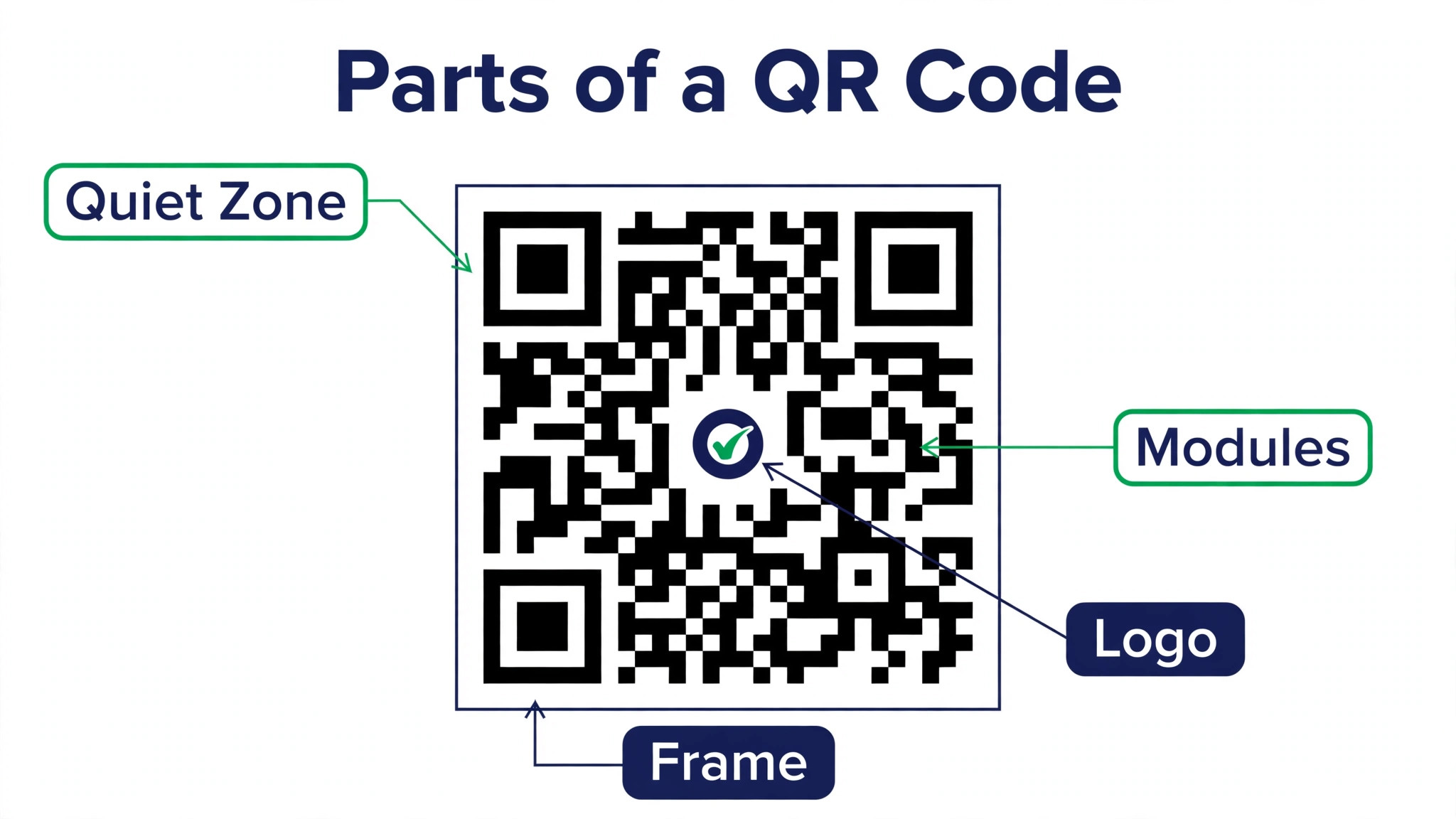
Export the code as a vector file, SVG or PDF, so it scales to any size without blurring. Keep the quiet zone intact, which is the empty margin of four modules around the code, and never place text or a logo inside it. Keep dark modules on a light background with at least a four to one contrast ratio, and print on matte stock when you can, since gloss reflects phone light and kills scans. These are the details that separate a code that scans every time from one that works in the office and fails in the shop, and they cost nothing to get right once you know them.
| Surface | Minimum size | Error correction |
|---|---|---|
| Business card | 2 by 2 cm | M |
| Flyer or brochure | 2 by 2 cm | M |
| Table tent or menu | 3 by 3 cm | M or Q |
| Poster, scanned from 1 metre | 10 cm wide | Q |
| Outdoor sign | 10 cm wide or more | H |
| Packaging with logo | 3 by 3 cm | H |
Tracking Scans and Measuring Results
A dynamic code earns its monthly price through tracking, so set up the measurement before the print run, not after. Most generators report total scans, scans by day, place, device type, and operating system, and the better ones export the data for a spreadsheet. Watch the scan rate, which is scans divided by the number of people who saw the code, rather than the raw scan count, since a code on a busy window will always beat a code on a quiet shelf. A table tent that gets 40 scans from 200 diners is working. A window code with 40 scans from 5,000 passers by is not.
Tie each code to one campaign and one landing page so the numbers mean something. Use a different code for the window, the counter, and the receipt, even when all three open the same booking page, because separate codes tell you which surface does the work. Check the numbers weekly for the first month, then monthly, and change one thing at a time when a code underperforms, such as the size, the promise beside it, or the landing page speed. A code that nobody scans is a placement or promise problem, not a technology problem, and the tracking data is what tells you which one it is.
What a First QR Code Costs in Time and Money
A first code takes about fifteen minutes when the destination page already exists, and about five minutes for each code after that. The slow part is never the generator. It is the landing page, since a page that loads slowly or reads badly on a phone has to be fixed before the code goes on anything printed. Budget an hour for the page if it needs work, and fifteen minutes for the code itself, and the whole job fits inside a lunch break.
The money is smaller than most owners expect. A static code is free, a dynamic code on a paid plan runs near $5 to $7 a month, and the print run costs more than the code in nearly every case. That is the honest math behind how to make a qr code for your business on a small budget, because a 500 flyer print run costs more than a full year of a basic dynamic plan. The code is the cheap part. The paper is the expensive part, and a dynamic code protects the paper.
Upgrade to a paid plan when you print more than once a month, when you need scan counts to judge a campaign, or when a single reprint would cost more than a year of the subscription. A menu that changes with the seasons justifies a dynamic plan on its own, since one avoided reprint pays for months of the service. Stay free while you are testing one code on one surface, and pay once the code is part of how customers reach you every day.
Mistakes That Kill Scan Rates
Most scan failures come from five avoidable mistakes, and all of them happen before printing. The pattern is familiar, which is that a business rushes how to make a qr code for your business, prints a thousand flyers, and only then discovers that nobody can scan the code.
- Printing the code too small for the distance. A 2 centimeter code on a poster scanned from three metres away will never work, and no phone setting fixes it. Size the code for the farthest customer, not the nearest one.
- Using low contrast or inverted colors. Light modules on a dark background fail on most phone cameras, and a brand color that is too close to the background kills the scan in dim light. Keep dark on light with strong contrast.
- Pointing the code at the homepage. A customer who scans a menu code and lands on a homepage has to search for the menu, and most will not bother. Point every code at the exact page the promise beside it names.
- Covering the quiet zone with text or a logo. The empty margin around the code is part of the code, and anything inside it confuses the camera. Keep four modules of clear space on every side.
- Skipping the test scan on a real print. A code that scans on screen can fail on gloss paper, on a curved cup, or in the dim corner of a shop. Print one proof, scan it on three phones, and only then approve the run.
Best Pick by Job
The right generator depends on the job, and the cheapest way to decide is to match the tool to the surface, since how to make a qr code for your business for a shop window is a different job than making one for a business card. Use the table to pick once and move on.
| Job | Best pick | Why it wins |
|---|---|---|
| Branded packaging codes | QR TIGER | Deepest styling and logo control |
| Team and enterprise codes | Uniqode | Workspaces, roles, compliance |
| First free dynamic codes | The QR Code Generator | 2 free dynamic codes, no card |
| Quick free branded code | Adobe Express | Free customization, no expiry |
| Low cost volume codes | QR Code Generator PRO | Dynamic codes from near $5 a month |
| Links plus scan data | Bitly | Short links and analytics together |
Frequently Asked Questions
How do I make a QR code for my business for free?
The free route for how to make a qr code for your business starts with a free tier from The QR Code Generator or Adobe Express. The QR Code Generator gives unlimited static codes and 2 dynamic codes free with no credit card, while Adobe Express gives unlimited free codes with colors and a logo. A free static code works forever for a fixed page. A free dynamic code lets you change the destination and see scans, but check the scan and history limits before you print a large run.
What is the difference between a static and a dynamic QR code?
A static code stores the destination inside the pattern, so it cannot be changed or tracked after printing, but it works forever with no subscription. A dynamic code stores a short redirect link you control, so you can change the destination and track scans without reprinting, but it stops working if the service or subscription ends. Menus, campaigns, and packaging should use dynamic codes. Wi-Fi logins and vCards can use static codes.
How big should a printed QR code be?
Use at least 2 by 2 centimeters for anything scanned at arm’s length, such as a business card or flyer, and 2.5 centimeters when space allows. Posters need at least 3 by 3 centimeters, and a code scanned from a metre away needs to be 10 centimeters wide. The ten to one rule says the code should be one tenth as wide as the scanning distance, with 20 to 30 percent added for poor light or curved surfaces.
Can I put my logo on a QR code?
Yes, and most generators in this guide support it. Place the logo in the center, keep it small enough that it covers no more than about a third of the code area, and set error correction to level H so the code still scans with the center covered. Test the styled code on three phones before printing, since a logo that is too large is the most common reason a branded code fails.
Do QR codes expire?
Static codes never expire, since the destination is stored in the pattern itself. Dynamic codes work only while the service and subscription stay active, so a cancelled plan can break every code you printed. Free dynamic codes from The QR Code Generator are an exception, since the 2 free dynamic codes never expire. When you pick a paid generator, check what happens to your codes if you cancel, and prefer a service that keeps codes live or lets you export them.
How do I track how many people scan my code?
Use a dynamic code from a generator with analytics, such as QR TIGER, Uniqode, or QR Code Generator PRO, and give each placement its own code so you can compare the window, the counter, and the receipt separately. The dashboard shows total scans, scans by day, place, and device type. Check the numbers weekly for the first month, and change one thing at a time when a code underperforms, starting with the size and the promise beside it.
Putting Your QR Code to Work
A business QR code is a fifteen minute job when the destination is ready and the surface is known, and it repays the effort every time a customer scans instead of typing. Choose dynamic when the print run will outlive the campaign, size the code for the farthest customer, keep the contrast strong, and test the proof on three phones. That is how to make a qr code for your business without wasting a print run, and it is the whole process in one paragraph.
Start with one code on the surface your customers already look at, measure it for a month, and then roll the same pattern out to the next surface. A single working code teaches you more about your customers than a dozen untested ones, and the second code always takes less time than the first.