Two tools dominate the conversation in this niche, and both are wrong for a large share of buyers. One is too expensive for a small team, and the other is too light for a growing one. This guide compares swim school software pricing across 10 tools, including the quiet options that fit a small business better than either of the famous names.
Prices in this guide were checked against vendor pricing pages and current 2026 comparisons in November 2026. Where sources disagreed on a price, both figures are flagged in the tool section so you can see the conflict before you decide. All prices below are in US dollars per month unless stated otherwise, and annual billing is noted where it changes the monthly figure.
The right tool depends on the size of the business and the work it does every day. A solo operator needs fast quoting and simple invoicing. A team of five needs dispatch, reminders and a shared customer record. A team of fifteen needs reporting, permissions and a price book that stays accurate. The sections below rank the tools by value for a small business, not by brand size, and the best pick table at the end matches each tool to the job it does best.
Swim School Software Pricing at a Glance
Use this table as a shortcut for swim school software pricing, then read the tool sections below for the limits that decide the real bill. The cheapest entry price is not the cheapest yearly bill once seat counts, per client fees and add ons are counted.
| Tool | Entry price | Best for |
|---|---|---|
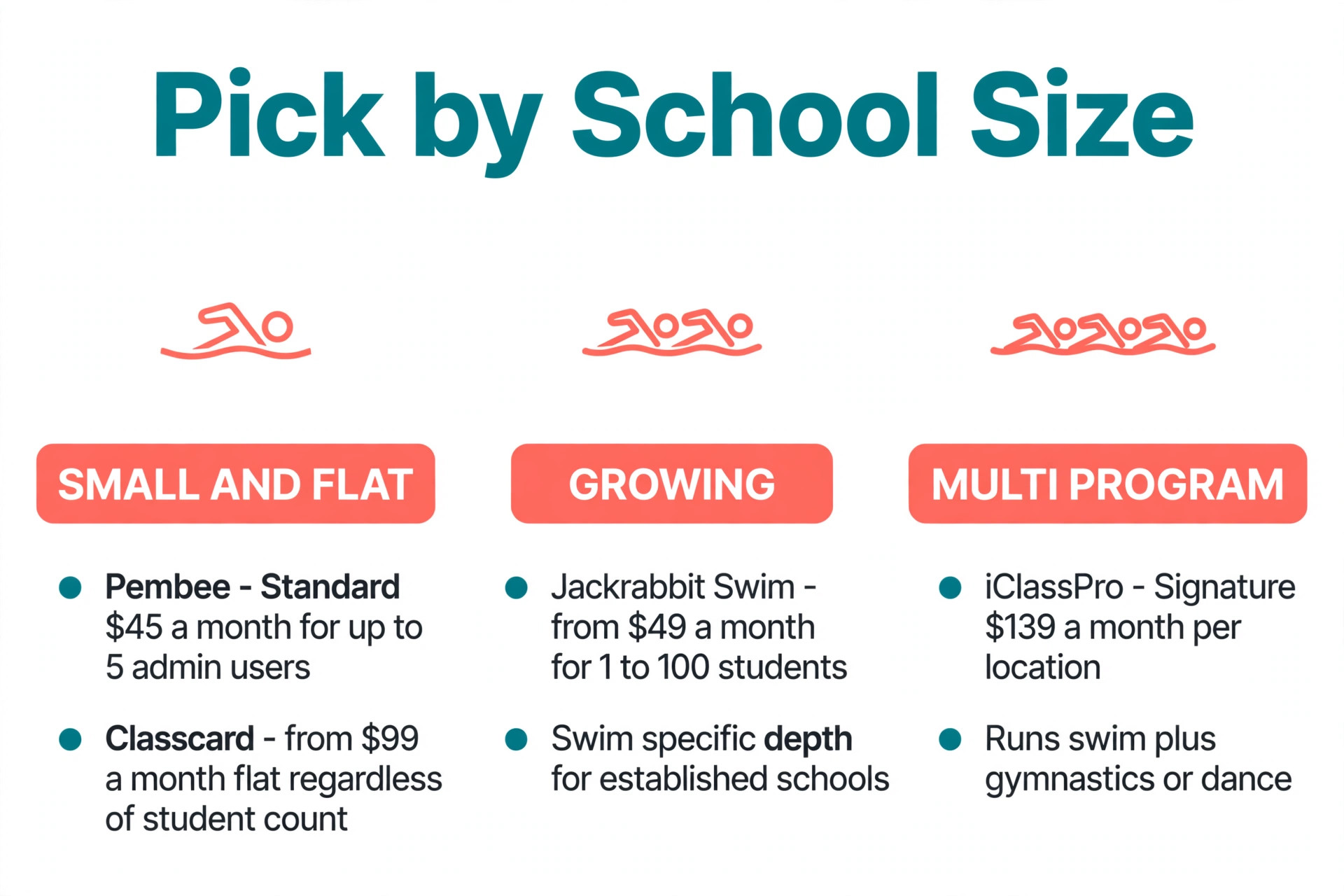
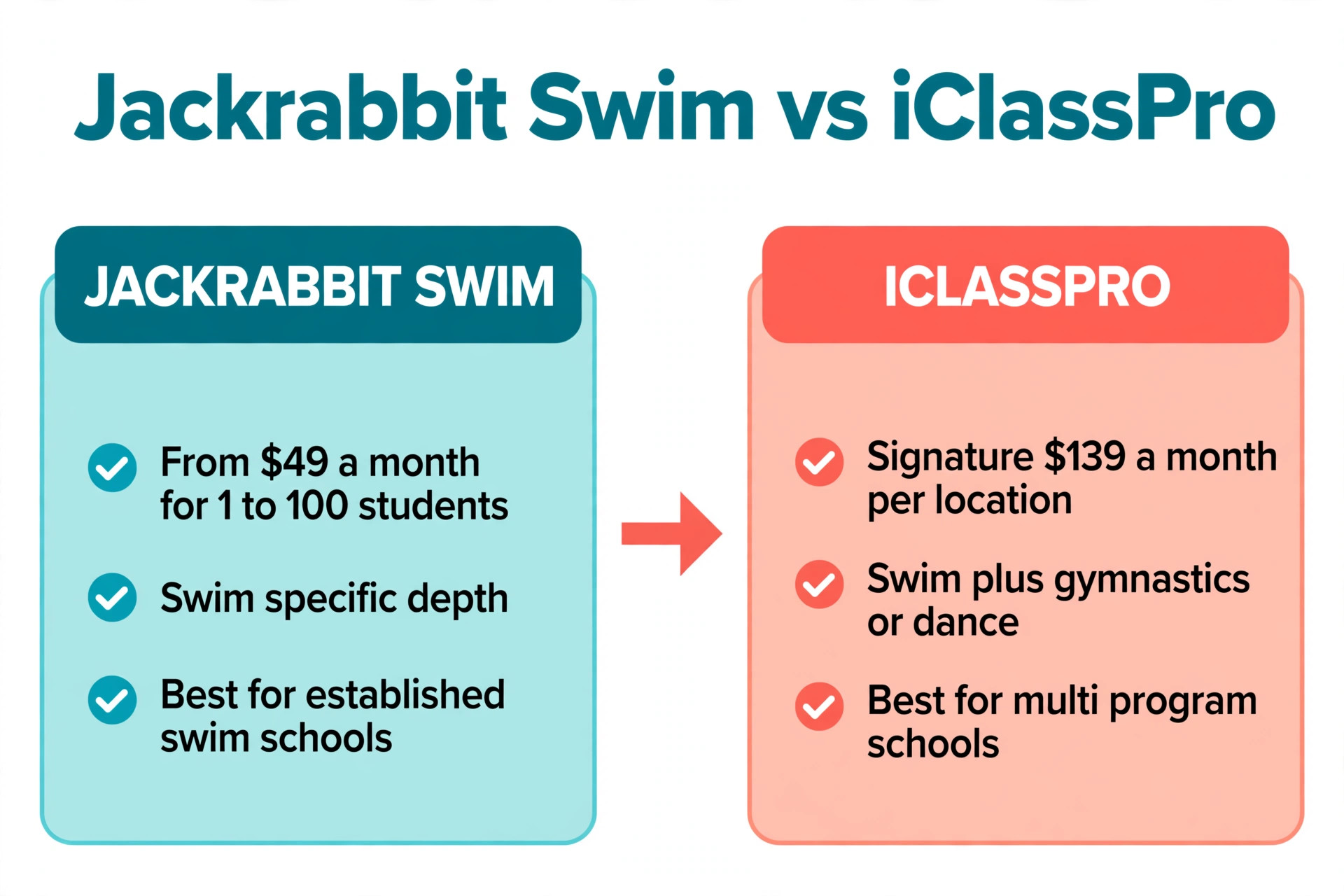
| Jackrabbit Swim | from 49 dollars a month for 1 to 100 students | established swim schools that need swim specific depth |
| iClassPro | Signature 139 dollars a month per location | multi program schools that also run gymnastics or dance |
| Pembee | Standard 45 dollars a month for up to 5 admin users | independent swim schools that want a flat price |
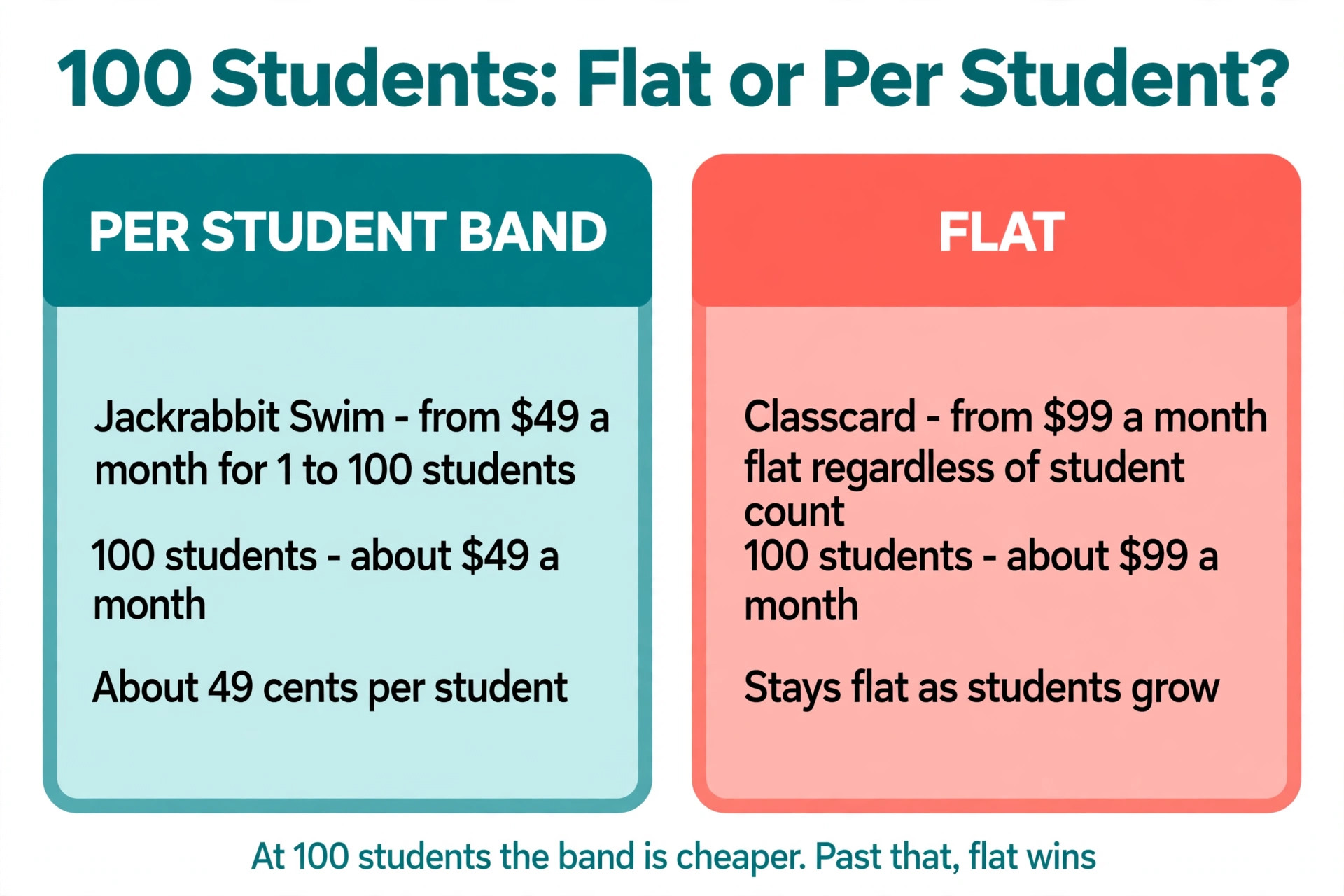
| Classcard | from 99 dollars a month flat regardless of student count | schools that want a fixed bill as enrolment grows |
| Pike13 | from 139 dollars a month billed annually in third party reports | schools that want memberships and class packs |
| SimplySwim | from about 105 dollars a month in third party reports | small Australian and US swim schools that want a simple start |
| WellnessLiving | from 69 dollars a month Starter plan in third party reports | schools that also sell wellness services |
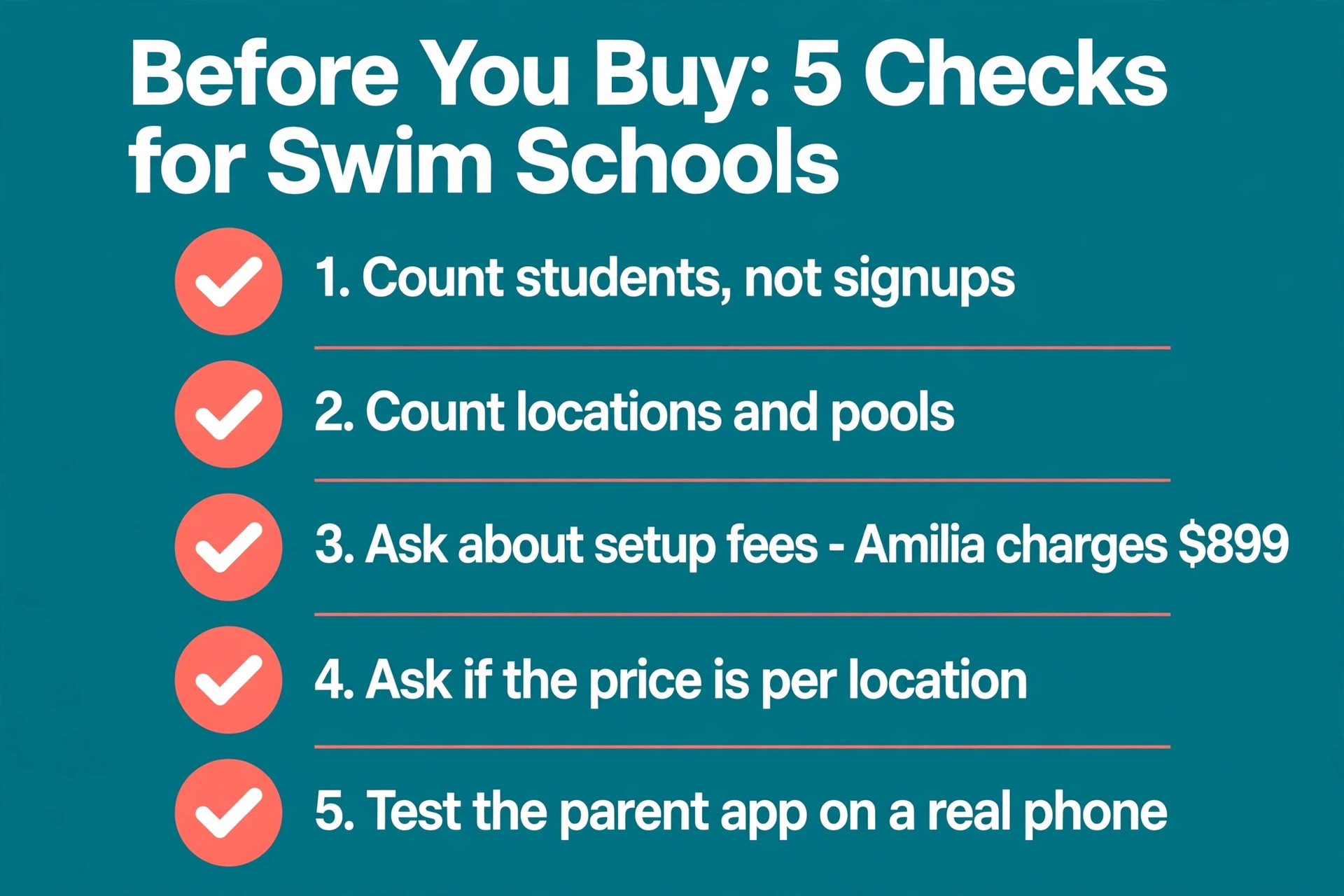
| Amilia | from 99 dollars a month plus 899 dollars setup in third party reports | schools that run camps and classes together |
| Uplifter | pricing varies by program | Canadian swim schools tied to sport organisations |
| Activity Messenger | from 99 dollars a month in third party reports | small to mid sized swim schools that want messaging built in |
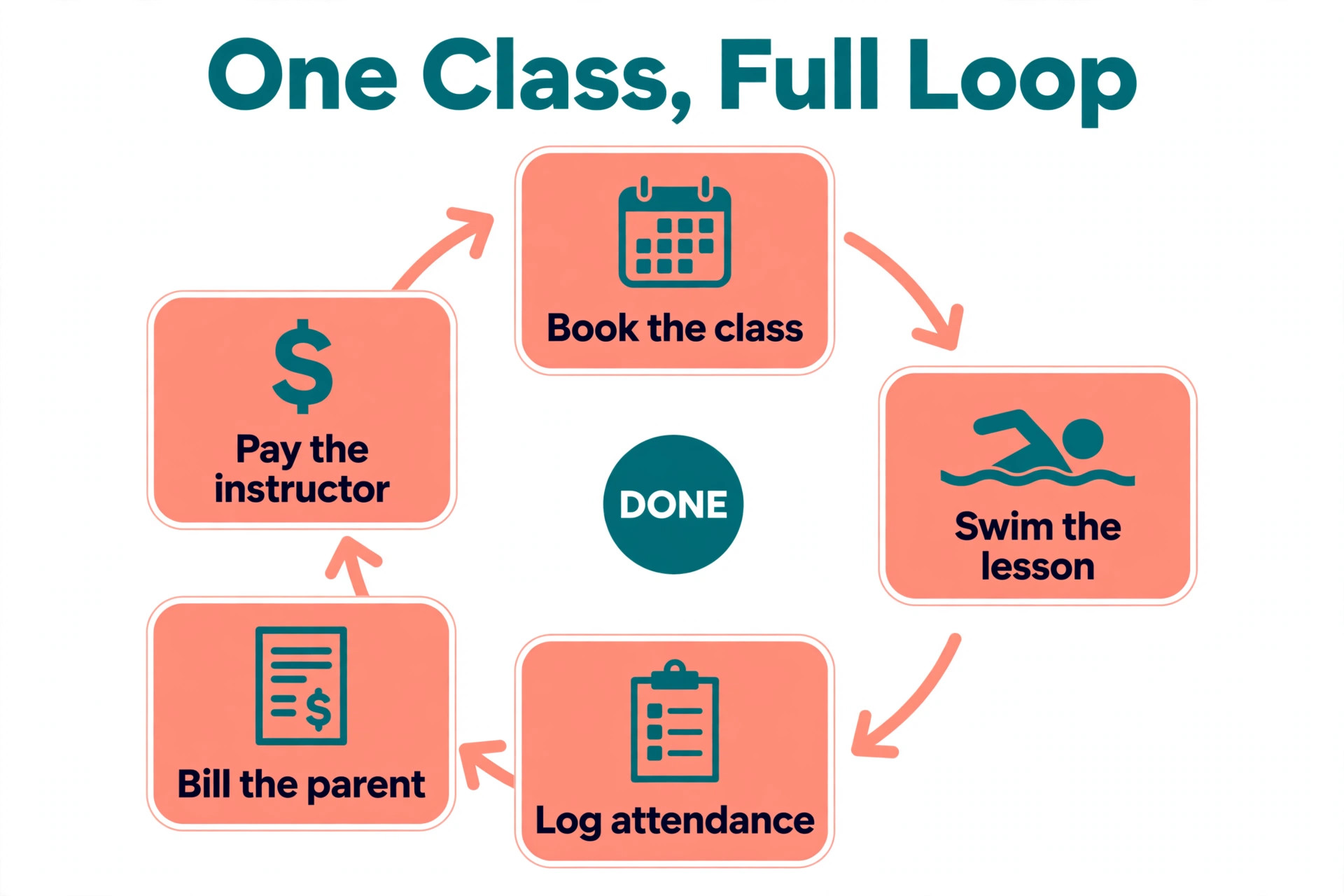
The 10 Tools in Full
The 10 tools below are ordered by value for a small business, starting with the options that cost least for the job they do. Each section gives the price, the strength that earns its place, and the limit to check before you buy. Read the best pick table after the tool sections to match a tool to your size.
1. Jackrabbit Swim
Jackrabbit Swim is a strong option for established swim schools that need swim specific depth. Swim focused scheduling, absences, makeups, billing and parent communication. Pricing runs from 49 dollars a month for 1 to 100 students, 89 dollars for 101 to 250, 129 dollars for 251 to 500, 169 dollars for 501 to 1000, 209 dollars for 1001 to 3000, 245 dollars for 3001 plus. For a small business the entry tier is the number to test first, because the features that matter most usually sit on the first paid plan rather than on the top tier.
In daily use Jackrabbit Swim handles the core job well, and the team can learn it without a long training course. The setup is straightforward for a business that already has customer records in a spreadsheet or in another tool, and the vendor offers a trial or a demo so you can test it on real jobs before you commit to a year.
Best for established swim schools that need swim specific depth. Watch out for one thing. Price rises with student count at each month end.
2. iClassPro
iClassPro is a strong option for multi program schools that also run gymnastics or dance. Skill tracking, parent portal, reporting and party booking. Pricing runs Signature 139 dollars a month per location, Elite 199 dollars a month, Premium 299 dollars a month with a 12 month commitment. For a small business the entry tier is the number to test first, because the features that matter most usually sit on the first paid plan rather than on the top tier.
In daily use iClassPro handles the core job well, and the team can learn it without a long training course. The setup is straightforward for a business that already has customer records in a spreadsheet or in another tool, and the vendor offers a trial or a demo so you can test it on real jobs before you commit to a year.
Best for multi program schools that also run gymnastics or dance. Watch out for one thing. Branded app adds 499 dollars setup plus 150 dollars a month.
3. Pembee
Pembee is a strong option for independent swim schools that want a flat price. Flat monthly fee, waitlists, custom domain and trial follow up on Premium. Pricing runs Standard 45 dollars a month for up to 5 admin users, Premium 105 dollars a month, plus a 0.59 percent fee. For a small business the entry tier is the number to test first, because the features that matter most usually sit on the first paid plan rather than on the top tier.
In daily use Pembee handles the core job well, and the team can learn it without a long training course. The setup is straightforward for a business that already has customer records in a spreadsheet or in another tool, and the vendor offers a trial or a demo so you can test it on real jobs before you commit to a year.
Best for independent swim schools that want a flat price. Watch out for one thing. The per transaction fee adds up on high volume billing.
4. Classcard
Classcard is a strong option for schools that want a fixed bill as enrolment grows. Flat 99 dollars a month with unlimited staff and students. Pricing runs from 99 dollars a month flat regardless of student count. For a small business the entry tier is the number to test first, because the features that matter most usually sit on the first paid plan rather than on the top tier.
In daily use Classcard handles the core job well, and the team can learn it without a long training course. The setup is straightforward for a business that already has customer records in a spreadsheet or in another tool, and the vendor offers a trial or a demo so you can test it on real jobs before you commit to a year.
Best for schools that want a fixed bill as enrolment grows. Watch out for one thing. Less swim specific depth than Jackrabbit Swim.
5. Pike13
Pike13 is a strong option for schools that want memberships and class packs. Memberships, class packs and client management. Pricing runs from 139 dollars a month billed annually in third party reports. For a small business the entry tier is the number to test first, because the features that matter most usually sit on the first paid plan rather than on the top tier.
In daily use Pike13 handles the core job well, and the team can learn it without a long training course. The setup is straightforward for a business that already has customer records in a spreadsheet or in another tool, and the vendor offers a trial or a demo so you can test it on real jobs before you commit to a year.
Best for schools that want memberships and class packs. Watch out for one thing. Priced above Pembee for the same core job.
6. SimplySwim
SimplySwim is a strong option for small Australian and US swim schools that want a simple start. Simple scheduling and billing built for swim schools. Pricing runs from about 105 dollars a month in third party reports. For a small business the entry tier is the number to test first, because the features that matter most usually sit on the first paid plan rather than on the top tier.
In daily use SimplySwim handles the core job well, and the team can learn it without a long training course. The setup is straightforward for a business that already has customer records in a spreadsheet or in another tool, and the vendor offers a trial or a demo so you can test it on real jobs before you commit to a year.
Best for small Australian and US swim schools that want a simple start. Watch out for one thing. Smaller user base, so check integrations before you commit.
7. WellnessLiving
WellnessLiving is a strong option for schools that also sell wellness services. Booking, marketing and payments in one place. Pricing runs from 69 dollars a month Starter plan in third party reports. For a small business the entry tier is the number to test first, because the features that matter most usually sit on the first paid plan rather than on the top tier.
In daily use WellnessLiving handles the core job well, and the team can learn it without a long training course. The setup is straightforward for a business that already has customer records in a spreadsheet or in another tool, and the vendor offers a trial or a demo so you can test it on real jobs before you commit to a year.
Best for schools that also sell wellness services. Watch out for one thing. Less swim specific than Jackrabbit Swim.
8. Amilia
Amilia is a strong option for schools that run camps and classes together. Registration, billing and program management. Pricing runs from 99 dollars a month plus 899 dollars setup in third party reports. For a small business the entry tier is the number to test first, because the features that matter most usually sit on the first paid plan rather than on the top tier.
In daily use Amilia handles the core job well, and the team can learn it without a long training course. The setup is straightforward for a business that already has customer records in a spreadsheet or in another tool, and the vendor offers a trial or a demo so you can test it on real jobs before you commit to a year.
Best for schools that run camps and classes together. Watch out for one thing. Setup fee is high for a small school.
9. Uplifter
Uplifter is a strong option for Canadian swim schools tied to sport organisations. Registration and reporting built for sport clubs. Pricing runs pricing varies by program, quote based in third party reports. For a small business the entry tier is the number to test first, because the features that matter most usually sit on the first paid plan rather than on the top tier.
In daily use Uplifter handles the core job well, and the team can learn it without a long training course. The setup is straightforward for a business that already has customer records in a spreadsheet or in another tool, and the vendor offers a trial or a demo so you can test it on real jobs before you commit to a year.
Best for Canadian swim schools tied to sport organisations. Watch out for one thing. Limited marketing features compared with iClassPro.
10. Activity Messenger
Activity Messenger is a strong option for small to mid sized swim schools that want messaging built in. Registration, email and SMS, waivers and automations. Pricing runs from 99 dollars a month in third party reports. For a small business the entry tier is the number to test first, because the features that matter most usually sit on the first paid plan rather than on the top tier.
In daily use Activity Messenger handles the core job well, and the team can learn it without a long training course. The setup is straightforward for a business that already has customer records in a spreadsheet or in another tool, and the vendor offers a trial or a demo so you can test it on real jobs before you commit to a year.
Best for small to mid sized swim schools that want messaging built in. Watch out for one thing. Needs setup for swim specific billing logic.
Best Pick by Business Size
The best pick depends on size, and swim school software pricing rewards a buyer who matches the tool to the job rather than to the brand. A solo operator should optimise for price and speed. A team of five should optimise for dispatch and reminders. A larger team should optimise for reporting and control.
| Business size | Best pick | Why |
|---|---|---|
| Solo operator | Jackrabbit Swim | Lowest cost entry with the core job covered |
| Team of 2 to 5 | iClassPro | Strong booking and messaging without enterprise cost |
| Team of 6 to 15 | Pembee | Deepest dispatch and reporting for a growing team |
| Budget first | Classcard | Best value when every dollar is counted |
What a Small Business Actually Pays
The sticker price is only the start, and swim school software pricing only makes sense as a yearly bill. Multiply the monthly price by twelve, add the per user or per client fees, and add the add ons for reminders, payments and integrations. A tool that looks cheap at 29 dollars a month can cost more than a tool at 59 dollars a month once the whole team is counted.
Payment processing is the hidden cost most buyers miss. Most tools charge around 2.9 percent plus a small fixed fee on every card payment that runs through the platform, and that fee sits on top of the subscription. Add ons are the second hidden cost. Text reminders, a branded app, extra users and premium support are often sold separately, so ask for the full loaded price in writing before you sign.
Mistakes That Waste Money
The most common mistake in swim school software pricing is paying for a tool when the free plan already covers the job. Trial the free plan for a full month before you enter card details, and count the jobs, the reminders and the invoices that actually run through it. The second mistake is buying seats for people who only read notes or check a schedule.
The third mistake is ignoring the limit until it bites. A team buys a plan with a job cap or a user cap, fills it in week three, and then pays for an upgrade under pressure. Count your real volume for a month before you buy, and pick the plan whose cap covers that number with room to spare. The fourth mistake is skipping the data export test, which only matters on the day you want to leave.
Start with a free trial whenever one is offered, and run it on real jobs rather than on demo data. A trial that covers two full weeks of live work shows the scheduling quirks, the invoice errors and the slow screens that a sales demo never shows. Invite the person who will use the tool every day, not only the owner, and ask them to complete ten real tasks before the trial ends.
Read the contract before you pay for a year in advance. Some vendors lock the price for twelve months and then raise it at renewal, while others let you leave month to month with no penalty. Ask in writing what happens to your data if you cancel, how long an export takes, and whether there is a fee to take your customer records with you.
Data export matters more than most buyers expect. A tool that exports customers, jobs, invoices and payment history in a standard file lets you move without retyping a year of records. A tool that exports only a partial list locks you in quietly, so test the export during the trial and open the file yourself to check that nothing is missing.
Training time is a real cost, and it falls on the busiest person in the business. A tool that a new hire can learn in an afternoon saves more money than a cheaper tool that needs a week of videos. Ask the vendor how long onboarding takes for a team your size, and ask for two customer references from businesses with the same headcount as yours.
Support quality shows up at the worst moment, usually on a Friday afternoon when a job is stuck. Check whether support runs by chat, phone or email, and check the hours in your time zone. A vendor that answers in minutes during the trial usually answers in minutes after you pay, while a vendor that takes a day to reply during the trial will not get faster later.
Integrations decide whether the tool saves time or creates a second job. If the software syncs with your accounting package, your payment processor and your calendar, the admin work shrinks. If it needs manual exports every week, the time you save on scheduling comes back as spreadsheet work, so map the three integrations you need most before you choose.
The mobile app deserves a real test, because most of the team will live in it. Open it on a phone with weak signal, try to complete a job, add a photo and send an invoice, and see where it stalls. A desktop tool with a weak app forces the field team back to paper, which defeats the reason you bought the software in the first place.
Security and access control matter once more than one person touches customer data. Check who can see prices, who can edit invoices and who can delete a job, and check whether the vendor offers two factor sign in. A small business rarely needs enterprise security, but it does need to stop a former employee from opening the customer list from home.
Keep a backup of your own records even when the vendor promises to keep them safe. Export customers, jobs and invoices once a month and store the file where you control it. The habit takes ten minutes and it turns a vendor outage or a cancelled account from a crisis into a short delay while you restore your own copy.
Check the price again on the checkout page before you pay, because list prices move and some vendors show different prices by region or run short promotions. The figures in this guide were checked against vendor pricing pages and current 2026 comparisons in November 2026, and any figure that sources disagreed on is flagged in the tool section so you can see both numbers before you decide.
Ask the vendor what happens when you grow past the plan you buy. Some tools let you add a user for a flat fee, others force a jump to the next tier that doubles the bill, and a few charge per job or per client so growth raises the price even when headcount stays flat. The cheapest plan today is not the cheapest plan at twice your current size.
Measure the result after ninety days, not after the first week. Count the hours saved on scheduling, the invoices paid faster, the no shows avoided and the jobs completed per day, then compare that total with the monthly bill. A tool that pays for itself in the first quarter is worth keeping, and a tool that does not should be replaced while the switch is still cheap.
Ask for a written quote that lists every line item, including the base fee, the per user fee, the add ons and the payment processing rate. A verbal price is easy to forget and hard to dispute, while a written quote gives you a document to compare against the first invoice. If the first invoice does not match the quote, raise it on day one rather than after three months of overpayment.
Check whether the vendor charges for onboarding, data migration or training, because those fees often appear only in the contract. Some vendors include onboarding free, others charge a one off fee that rivals a month of subscription, and a few charge per hour for migration help. The total first year cost is the subscription plus onboarding plus add ons, not the monthly figure on the pricing page.
Look at the review scores with a sceptical eye. A tool with thousands of reviews and a score near four and a half stars is usually a safe bet, while a tool with twenty reviews and a perfect score tells you little. Read the one star and two star reviews first, because they describe the failures that matter, such as lost data, slow support and surprise price rises.
Test the calendar sync with a real booking before you commit. Create a booking in the tool, check that it appears on the phone calendar, move it, cancel it, and check that every change lands in both places. A sync that works in the demo and fails in daily use creates double bookings, which are the most expensive mistake in this whole category.
Check how the tool handles deposits and cancellations, because those two features decide whether no shows cost you money. A deposit taken at booking time cuts no shows sharply, and a cancellation policy that releases the slot automatically lets you refill it the same day. A tool without either feature leaves the revenue to chance.
Ask how the tool handles a team member who leaves. Can you remove the user, reassign their jobs and keep their history, or does removing a user delete their records? A clean offboarding flow protects the business, while a messy one either leaves a former employee with access or deletes work that the business still needs.
Compare the trial length with the time you need to test properly. A seven day trial is too short for a business that runs weekly jobs, because it covers only one cycle. A fourteen day trial is the minimum for most small businesses, and a thirty day trial is better when the workflow involves monthly billing or monthly rounds.
Our Verdict
The verdict is simple. Buy the cheapest tool that covers the whole job, not the cheapest tool and not the most famous one. For most readers that is Jackrabbit Swim, with iClassPro as the upgrade when messaging and marketing start to matter. Keep the contract short, export your data monthly, and review the choice again in a year when the team has grown.
Frequently Asked Questions
These answers cover the questions buyers ask most often about swim school software pricing.
What does the cheapest option cost?
The cheapest real option in this list starts from the lowest entry price shown in the table above, and several tools offer a free tier or a free trial. A free tier usually caps jobs, users or history, so check the cap before you rely on it for live work.
Do these tools charge per user or per month?
Most tools in this list charge a flat monthly fee for a set number of users, with extra users billed separately. A few charge per client, per job or per technician, so compare the billing unit before you compare the headline price.
Is there a free trial?
Most tools in this list offer a free trial of 7 to 30 days, and several offer a free tier with a cap. Run the trial on real jobs for at least two weeks, invite the daily user, and test the export before the trial ends.
Which tool is best for a solo operator?
A solo operator should pick the tool with the lowest entry price that still covers quoting, scheduling and invoicing without add ons. In this list that is usually the first tool in the ranking, because it was chosen for value at a small size rather than for brand size.
Can I switch tools later without losing data?
Yes, if the tool you choose exports customers, jobs and invoices in a standard file. Test the export during the trial, keep a monthly backup of your own, and budget a week for the move including training the team on the new workflow.
What hidden costs should I check?
Check payment processing fees, text reminder credits, extra user fees, branded app fees and implementation charges. Ask for the loaded monthly total in writing, including every add on you will actually use, before you sign a yearly contract.